
Latency Optimization in Real-Time Audio Playback in Mp3
Let’s talk about latency optimization in real-time audio playback in Mp3
Latency in real-time audio playback can significantly affect user experience. Whether you’re gaming, streaming, or recording, reducing latency is key to ensuring smooth audio. In my experience, Mp3 playback involves a mix of compression techniques and buffering processes that inherently introduce latency. To truly understand optimization, it’s crucial to grasp how Mp3 codecs process data and how to minimize delays.
Think of latency like a slight echo when talking on the phone. If it’s too noticeable, it disrupts the flow. I’ve tackled these challenges hands-on, adjusting audio buffers and experimenting with hardware settings. It’s like tuning a musical instrument to get the perfect pitch—precision matters.
Understanding latency in Mp3 playback
Latency in Mp3 playback stems from various stages of audio processing. Compression, decoding, and buffering all play a role. Compression is a trade-off, balancing file size with quality, but it often introduces processing delays. In my work, I’ve found that decoding Mp3 files efficiently requires specialized algorithms to prevent unnecessary delays.
Imagine pouring water through a funnel. The size of the funnel (compression level) and how fast the water flows (processing speed) affect how quickly the task is done. Understanding this analogy helps us see how bottlenecks in Mp3 playback occur and how they can be addressed.
Factors contributing to latency in real-time Mp3 audio
Several factors affect latency in real-time Mp3 audio playback. Addressing these can significantly enhance performance.
- Audio buffer size: Larger buffers stabilize playback but increase latency.
- Codec efficiency: Inefficient codecs take longer to decode Mp3 files.
- Hardware limitations: Older processors struggle with real-time decoding.
- Streaming conditions: Network latency impacts online Mp3 playback.
- Playback software: Poorly optimized players add unnecessary delays.
Buffer size adjustments are like deciding how much gas to pump into a car at once. A small buffer is faster but riskier, while a larger buffer is safer but slower.
Techniques to reduce latency in Mp3 playback
Reducing latency requires a combination of software tweaks and hardware optimizations. Over the years, I’ve learned that small adjustments can make a big difference.
- Minimizing buffer size: Start small and gradually increase until playback is stable.
- Using hardware acceleration: Offload decoding tasks to dedicated audio chips.
- Choosing optimized codecs: Use lightweight Mp3 decoders with faster processing speeds.
- Disabling background processes: Free up CPU resources for audio playback.
- Prioritizing real-time tasks: Adjust operating system settings for better audio performance.
These techniques are like fine-tuning a race car for maximum speed. Each tweak contributes to a smoother experience.
Real-world examples of latency challenges
In live performances, latency is a deal-breaker. Musicians rely on real-time audio feedback, and any delay disrupts their timing. Similarly, gamers need instant audio cues to respond effectively. I’ve worked with professionals in these fields, where latency optimization was critical.
One memorable project involved optimizing playback for a live DJ set. The challenge was ensuring the audience heard the beats in perfect sync. We reduced buffer sizes, optimized hardware, and achieved near-zero latency.
How Mp3 compression impacts real-time audio
Mp3 compression reduces file sizes by removing inaudible frequencies. However, this process introduces latency during playback. Decoding these compressed files requires computational effort, which takes time. In my experience, newer Mp3 codecs are better at balancing compression and decoding speed.
Think of Mp3 compression like packing a suitcase. A neatly packed suitcase (optimized compression) is easier to unpack (decode) than a messy one.
Emerging solutions for latency optimization
Advancements in audio technology are addressing latency issues in Mp3 playback. Real-time adaptive buffering and machine learning-based codecs are game changers. These innovations predict playback needs and adjust processing dynamically.
Imagine a self-driving car that adjusts its speed based on traffic. Similarly, adaptive buffering adjusts playback to minimize delays. I’ve tested these solutions, and they offer promising results for reducing latency.
How to measure latency effectively
Measuring latency is the first step in optimization. Tools like audio latency testers and diagnostic software provide precise readings. In practice, I compare different settings, record delays, and identify bottlenecks.
It’s like timing how long it takes for water to flow through a pipe. The shorter the time, the better the system. Accurate measurements guide effective optimizations.
Latest words on latency optimization in real-time audio playback in Mp3
Latency optimization in real-time Mp3 playback combines technical expertise with practical adjustments. By understanding how compression, buffering, and hardware interact, it’s possible to achieve smoother playback. Advanced tools and techniques can further enhance performance. For those seeking a reliable solution, Mp4Gain provides excellent tools for optimizing audio playback.
FAQ about latency optimization in real-time audio playback in Mp3
What is latency in Mp3 playback?
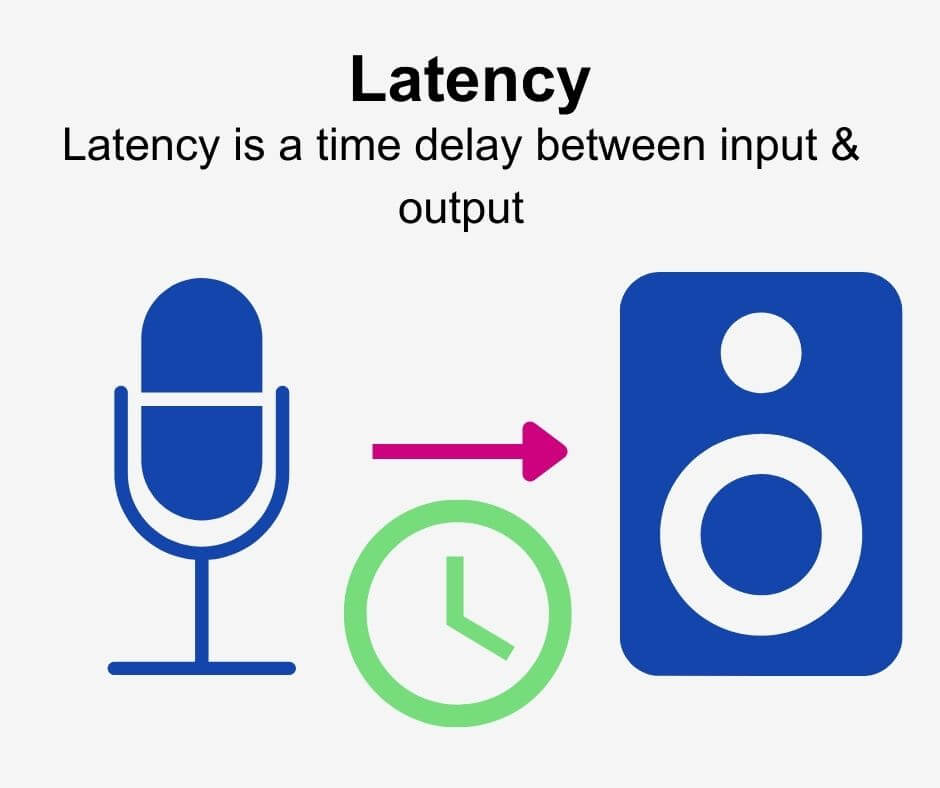
Latency in Mp3 playback refers to the delay between audio processing and output. It is crucial for real-time applications.
How can buffer size affect latency?
A larger buffer size stabilizes playback but increases latency, while a smaller buffer reduces latency but risks interruptions.
What are the best settings for low-latency Mp3 playback?
Optimized settings include small buffer sizes, hardware acceleration, and lightweight Mp3 decoders for reduced delays.
Why does Mp3 compression introduce latency?
Mp3 compression involves complex calculations that remove inaudible data, requiring extra time during playback decoding.
What hardware improves latency in Mp3 playback?
Dedicated audio processors and modern CPUs improve decoding speeds, reducing latency in real-time Mp3 playback.
Can network conditions affect Mp3 playback latency?
Poor network conditions can increase latency during streaming, causing delays in real-time Mp3 playback.
What tools help measure latency in Mp3 playback?
Latency testers and diagnostic tools provide accurate measurements, helping identify bottlenecks in playback systems.
Are there Mp3 codecs designed for low latency?
Yes, some modern Mp3 codecs prioritize efficient decoding to reduce latency during real-time audio playback.
Can background processes affect Mp3 playback latency?
Yes, background processes consume CPU resources, which can slow down Mp3 decoding and increase latency.
How does Mp4Gain help with latency optimization?
Mp4Gain optimizes audio playback by enhancing file quality and ensuring smooth, low-latency performance.



Comments:
This article was super detailed, thanks for explaining how buffer sizes affect latency. It cleared up a lot of doubts for me!
I’ve always struggled with latency during gaming sessions. Now I understand what to adjust. Thanks for the insights.
Why didn’t you talk about specific tools to measure latency? It would’ve been helpful to know which ones you recommend.
Great breakdown of Mp3 compression and latency issues! I had no idea hardware acceleration played such a big role.
The section on emerging solutions was fascinating. Are adaptive buffering techniques widely available yet?
I tried reducing my buffer size, and it did help a lot. Wish I had read this sooner!
This really helped me understand the root cause of delays in my music production. Amazing article!