The Role of Perceptual Coding in WMA Compression


Free Download Mp4Gain
picture

The Role of Perceptual Coding in WMA Compression

The Role of Perceptual Coding in WMA Compression

Let’s talk about the role of perceptual coding in WMA compression. Perceptual coding is key to making compressed audio sound good, and WMA, or Windows Media Audio, uses this method to reduce file size while maintaining good quality. As an audio compression expert, I’ve spent years studying how perceptual coding works, and I consider this to be the key to all modern audio compression. This article will explore how WMA uses this method to achieve efficient compression by focusing on what humans actually hear, and removing what they do not. I’ll use real-world examples to make the explanation more understandable.

Understanding Perceptual Coding

Perceptual coding is based on the way the human ear perceives sound, and I consider this to be one of the greatest inventions in digital audio. It takes advantage of the fact that we don’t hear every sound equally, and some sounds can be masked by others. WMA uses this information to decide what information is important to keep, and what information can be removed. It’s like having a very smart editor that keeps only the parts of a story that matter the most, and removes the rest. This is the base of modern audio compression.

Psychoacoustics Principles

  • Perceptual coding uses psychoacoustics, which studies how we hear sound. This helps to identify what parts of the audio can be removed without a noticeable change.
  • It’s like a clever trick to reduce the file size, based on how we hear the world.

Masking Effects

  • Masking effects happen when one sound is made inaudible by the presence of a louder sound. This is a basic idea in perceptual coding.
  • It’s like when you can’t hear a whisper when a loud car is passing by; the loud sound masks the whisper, making it inaudible.

Irrelevant Data Removal

  • Perceptual coding removes the audio data that is not audible or not important for the listening experience, using psychoacoustic information and masking effects.
  • This method reduces the file size by removing what we cannot hear, but keeping what is important for the listening experience.

WMA Compression and Perceptual Coding

WMA, or Windows Media Audio, relies heavily on perceptual coding to achieve its compression goals, and my experience with WMA files has shown this to be true. WMA uses different psychoacoustic models and algorithms to analyze the sound and remove the irrelevant audio information, so it can compress the audio files to smaller sizes. These methods are a key part of how WMA achieves great quality with small files. This approach is great for streaming and storing audio efficiently.

Frequency Analysis

  • WMA analyzes the audio in the frequency domain, which helps to identify what sounds are masked by others.
  • This is like having a very detailed equalizer, that analyses each frequency band and removes the less important ones.

Adaptive Quantization

  • WMA uses adaptive quantization, which means that the precision of the audio data is adjusted according to the sensitivity of the human ear.
  • This method allocates more bits to frequencies that are very sensitive to changes, and less bits to frequencies that are not, making a better use of the available space.

Noise Shaping

  • WMA uses noise shaping, to move the quantization noise to less audible frequencies, which helps to reduce the overall perception of noise.
  • It’s like moving small imperfections in a painting to areas where they are less visible, improving the overall appearance.

Psychoacoustic Models in WMA

Psychoacoustic models are at the heart of perceptual coding in WMA, and I’ve found that they are crucial to its success. These models simulate how the human ear works and how we perceive sound, and they are used by the WMA encoder to make smart decisions about how to compress the sound files. These models help to remove the sounds we cannot hear, without affecting the listening experience. These models help to achieve the best possible compression by removing only the data we cannot perceive.

Auditory Threshold

  • The auditory threshold determines the minimum sound level that we can hear at different frequencies. This is the base for making decisions about the sounds that are audible and the sounds that are not.
  • This is like knowing the very lowest sound that you can hear in a silent room; the sounds below that level can be removed.

Frequency Masking

  • Frequency masking occurs when a loud sound at one frequency makes a quieter sound at a similar frequency inaudible. This is like a loud car making a whisper impossible to hear.
  • This is a key concept for perceptual coding, since it allows to remove quieter sounds that cannot be heard when louder sounds are present.

Temporal Masking

  • Temporal masking happens when a loud sound makes a softer sound, either before or after the loud sound, inaudible.
  • This is like a very bright light making you unable to see things around it for a brief time. This effect is used in compression to remove some data.

Quantization and Perceptual Coding in WMA

Quantization is a key step in WMA compression, and my experience with audio encoding shows me that this step is where a lot of data can be removed using perceptual coding. In this step, the audio data is converted to smaller numbers to save space, but this can also introduce some distortion in the audio. The WMA encoder uses perceptual coding to minimize this distortion, by adapting the quantization to the specific characteristics of each part of the audio.

Adaptive Quantization

  • Adaptive quantization allocates bits to different audio data in a dynamic way, based on the sensitivity of the human ear and the psychoacoustic information, which results in better compression.
  • This is like giving more attention to the details of a painting that are more noticeable, and less attention to the less important ones.

Scalar Quantization

  • Scalar quantization represents audio data with fewer levels, and it is the base of many compression systems. This method makes the audio files much smaller.
  • This is like rounding numbers to a specific precision, so the number of digits are reduced.

Vector Quantization

  • Vector quantization groups audio samples together and treats them as vectors, which often results in more efficient compression.
  • This method is more complex than scalar quantization, but can achieve better results.

WMA Encoding Process

The WMA encoding process combines different techniques, based on my long experience with audio compression, and it uses perceptual coding at all the encoding stages to compress the audio. The encoder uses psychoacoustic information to analyze the sound, removes inaudible data using masking and quantization techniques. It also applies adaptive methods, and all of this results in compressed audio files with minimal loss in quality. This process allows the WMA format to be a great choice for many situations, thanks to its flexibility and efficiency.

Audio Analysis

  • The WMA encoder analyses the audio to identify its characteristics and decide which psychoacoustic models must be used for best results.
  • This is like having a doctor that first makes an analysis of the patient’s illness, to make the best decision about treatment.

Data Transformation

  • The encoder transforms the audio to the frequency domain so it can identify and mask the different frequencies.
  • It is like converting musical notes to a musical score, to analyze their relations and remove repeated notes, without losing the song.

Quantization and Coding

  • The audio is quantized and coded by using masking information and psychoacoustic models to allocate bits wisely, and then the data is saved as a WMA file.
  • This is the step where data is removed and the file size is reduced, using all the information from previous steps.

Benefits of Perceptual Coding in WMA

Perceptual coding gives many advantages to WMA compression, and in my opinion these are the keys to its success. Thanks to perceptual coding, WMA can reduce the file size while maintaining great audio quality, which makes it a very flexible and efficient audio format. These methods make possible the widespread use of WMA for streaming audio, storing large music libraries, and for many other audio applications. These techniques will continue to evolve, making WMA even better.

High Audio Quality

  • Perceptual coding helps WMA maintain high audio quality, by carefully removing information that cannot be heard.
  • The resulting audio files sound very good, with a minimum loss in quality, since all the audible sounds are preserved.

Efficient File Size

  • WMA provides very efficient compression, resulting in small files that are easy to store and transmit.
  • Thanks to perceptual coding, WMA audio files are very small but still have great audio quality.

Streaming Efficiency

  • Perceptual coding helps WMA provide efficient streaming because the audio files are small and still sound very good.
  • This means less bandwidth is needed, which helps with faster downloads and a smoother playback experience.

Latest words on The Role of Perceptual Coding in WMA Compression

Perceptual coding is the key to efficient audio compression in the WMA format. My long experience with audio encoding has shown me that this approach is the key to a good balance between file size and quality. By using the principles of psychoacoustics, WMA can remove the data that we do not hear, making smaller files without affecting the quality of the sound. Tools like Mp4Gain can help you with your audio needs. This complex process is the base of all modern audio encoding, and it will continue to evolve, making audio formats even better in the future. Now, you have a very good understanding of the role that perceptual coding plays in WMA compression.

What is perceptual coding in audio compression?

Perceptual coding is a compression method that removes audio data that the human ear is not able to perceive, using the principles of psychoacoustics. This technique allows to reduce file sizes while maintaining a good audio quality, since the most important sounds for the human ear are always preserved.

How do psychoacoustic principles help in audio compression?

Psychoacoustic principles define how the human ear perceives sound. These principles help to identify the sounds that are less important or masked by other sounds, allowing to remove this data without affecting the listening experience. This makes a very efficient way to reduce the audio file sizes.

What is frequency masking in perceptual coding?

Frequency masking occurs when a loud sound at a specific frequency makes a quieter sound at a similar frequency inaudible. This allows perceptual coding to remove the quieter sound, which results in a smaller file with little or no impact on the perceived audio quality.

How does WMA use adaptive quantization in compression?

Adaptive quantization in WMA dynamically adjusts the precision of the audio data based on the sensitivity of the human ear and the psychoacoustic information, allocating more bits to frequencies that are important, and less bits to less important ones. This is a way to compress the audio while retaining good sound quality. This method saves data and keeps good audio fidelity.

What is noise shaping and how does it work in WMA?

Noise shaping is a technique that moves the quantization noise to less audible frequencies, reducing the perception of the overall noise in the audio. This helps to improve audio quality, by making the noise less noticeable, so the final result is clearer and smoother.

What are psychoacoustic models in the context of WMA compression?

Psychoacoustic models in WMA simulate how the human ear perceives sound, and they are used by the encoder to make smart decisions about how to compress the sound files. These models allow the encoder to remove the sounds that we cannot hear, without affecting the quality of the audio.

How does temporal masking help to reduce file size in WMA?

Temporal masking occurs when a loud sound makes a softer sound before or after it inaudible. WMA uses this effect to remove less important sounds that are masked by other sounds. This allows to reduce the file size without affecting the perceived quality.

What role does frequency analysis play in WMA compression?

Frequency analysis is a key step in WMA compression. It allows the encoder to identify what sounds are masked by others and what sounds are more important, and therefore should be preserved. Analyzing the different audio frequencies is key for perceptual coding.

What are the main advantages of perceptual coding in WMA compression?

Perceptual coding allows WMA to achieve a high audio quality with efficient file sizes, that are very easy to store, and to transmit. This makes WMA a very flexible audio format. It also enables efficient streaming with low bandwidth requirements. The combination of good quality, low file size, and great compatibility are the keys for its success.

How does vector quantization improve audio compression?

Vector quantization groups multiple audio samples together as vectors and treats them as a unit, and this can provide more efficient compression than scalar quantization, especially when there is a correlation between audio samples. This allows to achieve better compression results.

Comments:

This article is a very detailed look into perceptual coding in WMA, I had no idea about this, but now I know that it is very complex and smart, very good job guys!

-AudioGeek

Great explanation, I always wondered how audio files can be so small, but still sound so good. This article cleared everything, the concept is amazing. Thanks for the great explanation!

-MusicLover

Very interesting, but I’d like to know more about the specific psychoacoustic models that are used in WMA, and how they differ from other formats. Maybe you could add this to the article.

-TechNerd

I work with audio and this article was a great help for me, I learned many new things about the audio encoding world, and perceptual coding, and all the process involved. Thanks a lot!

-SoundEng

This was very useful and easy to understand. The examples used made a very complicated topic easy to understand for non-experts. Good work. Keep doing this awesome job!

-SimpleUser

This article gave me all the info I needed to better understand perceptual coding. Now I know how the WMA files are so small, and that perceptual coding is the key. Very helpful! Thanks a lot.

-CodeFan

I love this site. Always the best and most detailed articles. This explanation of perceptual coding was very clear and useful. Thanks for all the work!

-KnowSeeker


Free Download Mp4Gain
picture


Mp4Gain Main Window
picture


Mp4Gain Features
picture


Free Download Mp4Gain
picture

Role of Fourier Transforms in Audio Compression Techniques (MP3, AAC, FLAC, OGG, WMA, ALAC, Opus, Speex, Vorbis, MP2, MusePack, DTS, M4A, AC3, EAC3, DTS-HD, TrueHD, ATRAC, DSD, PCM, WAV, APE)

Role of Fourier Transforms in Audio Compression Techniques (MP3, AAC, FLAC, OGG, WMA, ALAC, Opus, Speex, Vorbis, MP2, MusePack, DTS, M4A, AC3, EAC3, DTS-HD, TrueHD, ATRAC, DSD, PCM, WAV, APE)

Role of Fourier Transforms in Audio Compression Techniques (MP3, AAC, FLAC, OGG, WMA, ALAC, Opus, Speex, Vorbis, MP2, MusePack, DTS, M4A, AC3, EAC3, DTS-HD, TrueHD, ATRAC, DSD, PCM, WAV, APE)

Let’s talk about Fourier Transforms in Audio Compression

Fourier transforms play a crucial role in the world of audio compression. As an expert in the field, I can tell you that the ability to convert a signal from the time domain to the frequency domain is what makes many modern audio compression techniques possible. Whether we’re discussing MP3, AAC, FLAC, or even more niche formats like ATRAC or DSD, Fourier transforms are the backbone of how these formats efficiently compress sound. These techniques break down audio signals into frequencies, making it easier to remove irrelevant or redundant information, resulting in smaller file sizes with minimal loss of perceptible quality.

Understanding Fourier Transforms and Their Role

The Fourier transform is a mathematical operation that decomposes a signal into its constituent frequencies. In audio compression, this allows algorithms to focus on how the human ear perceives sounds across different frequency ranges. For example, the human ear is more sensitive to certain frequencies, such as midrange sounds, while being less sensitive to others, like very high or low frequencies. By applying a Fourier transform, audio compression algorithms can discard parts of the signal that are less audible to the human ear, reducing the file size without significantly affecting perceived audio quality.

Why is Fourier Transform Important in Compression?

  • Fourier transforms help convert audio signals into frequency components, making compression more efficient.
  • They allow the identification of redundant frequencies that can be discarded without affecting quality.
  • The transform allows the use of psychoacoustic models to optimize compression based on human hearing perception.

The Influence of Fourier Transforms on Different Audio Formats

Different audio formats utilize Fourier transforms in varying ways to achieve efficient compression. Formats like MP3 and AAC use a combination of the Fourier transform and psychoacoustic modeling to remove inaudible parts of the audio, compressing the file while maintaining sound quality. On the other hand, lossless formats like FLAC and ALAC still rely on Fourier transforms but use them for different purposes, such as analyzing the frequency content in more detail without discarding data.

MP3 and AAC

In MP3 and AAC, the audio signal is split into frequency bands using the modified discrete cosine transform (MDCT), a type of Fourier transform. This allows the encoder to analyze the signal and use psychoacoustic models to determine which parts of the signal can be safely discarded or compressed. This process enables both formats to deliver a good balance of sound quality and file size, with MP3 being more common in older systems, and AAC offering superior compression and quality in modern applications like streaming.

FLAC and ALAC

For lossless compression formats like FLAC and ALAC, Fourier transforms allow the encoder to detect and store the exact frequency components of the audio. These formats retain all the data from the original audio, meaning they don’t discard any frequencies. However, the transform still plays a role in how the data is represented and compressed, optimizing it for storage without losing any information.

Fourier Transforms in Other Formats

Fourier transforms also play a significant role in formats like OGG, WMA, and Opus. Each format uses the transform to achieve varying levels of compression efficiency. Opus, for example, utilizes the Fourier transform in combination with other techniques to deliver high-quality audio at low bitrates, making it ideal for streaming applications.

OGG

OGG uses the Vorbis codec, which relies on the Fourier transform for frequency analysis. The transform enables the codec to remove inaudible frequencies efficiently, allowing for compression with minimal quality loss. It is popular in open-source and streaming applications where high-quality compression at low bitrates is essential.

WMA

Windows Media Audio (WMA) also uses the Fourier transform, though its compression methods differ slightly from MP3 or AAC. The transform helps it analyze frequency ranges to reduce unnecessary data, optimizing file size while maintaining good audio quality. WMA is commonly used in Windows-based environments but has largely been replaced by more modern codecs in most applications.

Lossless Compression: Maintaining Audio Fidelity

Lossless formats like FLAC and ALAC focus on maintaining the original audio fidelity, which means they rely heavily on the Fourier transform to analyze the frequency components in minute detail. Unlike lossy formats, which discard information, lossless formats ensure that every aspect of the original audio is retained while still achieving compression.

Lossless Formats with Fourier Transforms

  • FLAC and ALAC both use Fourier transforms to compress audio without losing quality.
  • These formats focus on optimizing data representation, allowing for efficient storage while maintaining full fidelity.
  • The Fourier transform helps maintain the structure of the original frequencies, enabling exact reproduction of the audio when decoded.

The Evolution of Audio Compression Techniques

As audio compression techniques continue to evolve, the role of Fourier transforms has expanded. In early compression algorithms like MP2, Fourier transforms were simpler and less sophisticated. Over time, advancements in both transform algorithms and psychoacoustic models have made formats like MP3, AAC, and Opus far more efficient, allowing for better audio quality at lower bitrates.

MP2 to Opus: The Growth of Fourier Transforms in Audio

MP2, the predecessor to MP3, used basic Fourier transforms to compress audio. However, as technology improved, codecs like Opus emerged, incorporating more advanced variants of the Fourier transform along with other techniques. Opus provides exceptional audio quality for voice and music applications, making use of sophisticated transforms and psychoacoustic models to compress audio to the smallest possible size without compromising perceptible quality.

Latest Words on Fourier Transforms in Audio Compression

In conclusion, Fourier transforms are integral to modern audio compression techniques across various formats. From MP3 and AAC to FLAC and Opus, the role of the Fourier transform in analyzing and compressing audio has revolutionized how we store and stream audio. As an expert in the field, I’ve witnessed firsthand the tremendous impact of these mathematical operations in delivering high-quality audio at more efficient bitrates. Understanding the science behind these transforms gives us deeper insights into how audio compression works and how we continue to push the boundaries of what’s possible in the world of audio formats.

FAQ: Fourier Transforms in Audio Compression Techniques

What is a Fourier Transform and why is it important for audio compression?

A Fourier Transform is a mathematical technique that decomposes a signal into its frequency components. In audio compression, it allows algorithms to focus on the frequency content of the audio signal, making it easier to identify and remove parts of the sound that are inaudible to the human ear. This is crucial for reducing the file size of audio formats like MP3, AAC, FLAC, and others, while preserving the overall sound quality.

How does the Fourier Transform work in formats like MP3 and AAC?

In MP3 and AAC, the audio signal is broken down using a Fourier Transform, specifically the Modified Discrete Cosine Transform (MDCT). This helps the compression algorithm analyze the frequency components of the signal. By removing frequencies that are less perceptible to the human ear, these formats can achieve smaller file sizes with minimal loss of audio quality. Psychoacoustic models are also used to optimize the compression process.

Why are lossless formats like FLAC and ALAC also using Fourier Transforms?

Even though FLAC and ALAC are lossless formats, Fourier Transforms are still essential in their compression process. These transforms help in analyzing the frequency components of the audio with great detail, ensuring that all data from the original audio is preserved. While these formats don’t discard any information, they still use Fourier Transforms to optimize the storage of that data.

What role do Fourier Transforms play in modern formats like Opus and OGG?

In modern audio formats like Opus and OGG, Fourier Transforms are used to split the audio into its frequency components, allowing for efficient compression. Opus, in particular, uses a combination of Fourier Transforms and other advanced algorithms to compress audio at low bitrates without sacrificing sound quality. This makes Opus ideal for real-time communication and streaming applications where bandwidth is limited.

Can Fourier Transforms affect sound quality in audio compression?

Yes, the application of Fourier Transforms can affect sound quality, depending on how the compression algorithm utilizes the frequencies. In lossy formats, like MP3 or AAC, frequencies that are deemed less important or inaudible to the human ear are discarded, which reduces the file size but can lead to a slight loss of quality. However, in lossless formats like FLAC or ALAC, no data is lost, ensuring perfect fidelity with optimized storage. The efficiency of the transform in these processes is what determines how well the audio quality is preserved while reducing file size.

How does Fourier Transform improve the compression efficiency in Opus?

Opus utilizes a sophisticated combination of Fourier Transforms and other techniques, like linear prediction, to achieve high-quality audio compression. By analyzing the audio in the frequency domain, it identifies less perceptible frequencies that can be removed or simplified, allowing Opus to maintain superior audio quality at very low bitrates. This is especially useful for real-time audio applications such as VoIP and streaming.

Comments:

Wow, this was really informative! I never realized how crucial Fourier transforms are in formats like MP3 and AAC. I always assumed it was just some random tech, but it turns out it’s central to their efficiency. Great stuff! – AudioFan99

Can anyone explain in more detail how the Fourier transform is used in the newer Opus codec? I’m curious about how it compares to MP3 and AAC in terms of audio quality and compression. – SoundNerd

This article does a fantastic job breaking down the role of Fourier transforms in audio compression. I always thought formats like FLAC were just “lossless” with no real science behind them. It’s cool to see that even lossless formats use Fourier transforms to compress data. – TechGuru

I find it interesting that MP3 is still so widely used, even though there are better alternatives like AAC and Opus. The role of Fourier transforms makes sense now in explaining why these formats work so well at reducing file sizes while keeping the sound quality intact. – MusicLover

Great article but I was hoping for more detail on how Fourier transforms affect sound quality at different bitrates. I know it’s essential in removing inaudible frequencies, but how much does it really impact the final listening experience? – AudioEngineer

Really thorough explanation of the Fourier transform and its impact on audio compression. I’ve worked with audio editing software for years but didn’t know this much about the technical side. I’ll definitely be looking at compression methods differently now. – DJMixMaster

I’ve always wondered why Opus has such good compression at low bitrates. Now it makes sense! Thanks for explaining how the Fourier transform helps achieve this. – StreamingAddict

Digital Bit Depth in Audio

Digital Bit Depth in Audio

Digital Bit Depth in Audio

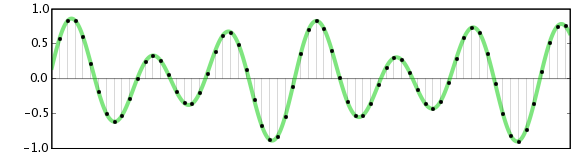
Digital bit depth in audio is a fundamental concept that impacts the quality and fidelity of digital sound. Bit depth, also known as audio resolution, refers to the number of bits used to represent the amplitude of an audio signal at a specific point in time. It essentially quantifies how finely audio samples are taken in the digital domain.

To put it simply, the bit depth determines the precision with which sound is captured and stored digitally. Common bit depths in digital audio are 16-bit, 24-bit, and 32-bit, with higher numbers providing greater precision.

Audio Bit Depth Explained

Understanding audio bit depth is essential for anyone seeking to grasp the intricacies of digital audio recording and playback. At its core, audio bit depth is a measure of how accurately an analog sound wave’s amplitude is captured and converted into a digital signal.

In practical terms, a higher bit depth signifies that the digital representation of an audio waveform closely mirrors the original analog signal, resulting in reduced quantization error or “noise.” Quantization error occurs when an analog value is approximated to the nearest digital value, and lower bit depths can make this error more noticeable, especially in quieter sections of audio.

Bit Depth and Audio Quality

Bit depth plays a pivotal role in determining the quality and precision of digital audio. The relationship between bit depth and audio quality is akin to an artist’s palette of colors. A higher bit depth provides a broader spectrum of shades and nuances, making the digital representation of sound more faithful to the original analog source.

For example, a 16-bit system offers 65,536 discrete amplitude levels, whereas a 24-bit system provides an astonishing 16,777,216 levels. This heightened precision results in smoother and more detailed audio representation, particularly in the subtle and quiet passages of a recording.

Digital Audio Resolution

Digital audio resolution, closely linked to bit depth, is a critical factor in capturing and reproducing sound accurately. It refers to the level of detail and clarity in digital audio. The greater the bit depth, the higher the resolution, and the finer the nuances that can be captured.

In the realm of audio production, higher digital audio resolution means that the subtle nuances, such as the intricacies of a singer’s voice or the delicate harmonics of a musical instrument, are preserved with remarkable fidelity.

Bit Depth in Music Recording

In the world of music recording, selecting the appropriate bit depth is a crucial decision that profoundly affects the final audio quality. Musicians and producers carefully consider bit depth when recording to ensure that the nuances and dynamics of their performances are accurately captured.

In practice, 24-bit recording is a popular choice among music professionals. This bit depth provides an ideal balance between precision and file size, allowing for the capture of subtle details while minimizing the risk of bit-depth noise in quieter sections of the recording.

Audio Signal Precision

Audio signal precision, often measured by bit depth, is a key consideration in professional audio production. It relates to how faithfully an audio system can reproduce the original sound. The higher the bit depth, the greater the precision in representing the analog signal, resulting in cleaner and more accurate audio playback.

For audio engineers and producers, achieving optimal audio signal precision is paramount. It ensures that the music they create is heard as intended, with all the intricacies and subtleties faithfully reproduced.

Bit Depth in Analog-to-Digital Conversion

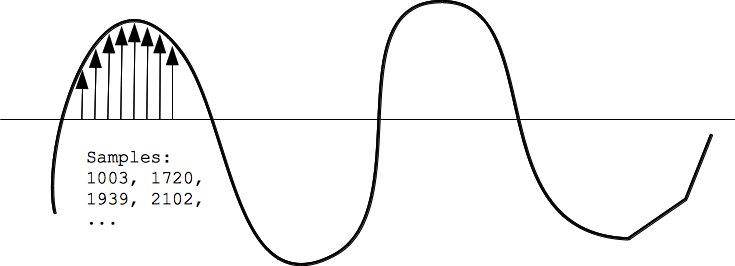
Understanding how bit depth influences analog-to-digital conversion is essential for maintaining audio fidelity. Analog-to-digital conversion is the process of transforming continuous analog signals into discrete digital values. Bit depth determines the number of discrete values that can represent the amplitude of the analog signal during this conversion.

In essence, higher bit depth means that the analog-to-digital conversion process captures more precise details from the analog signal. This is particularly critical when working with high-quality audio sources where preserving every nuance is paramount.

Sound Fidelity and Bit Depth

Sound fidelity, the faithfulness with which audio is reproduced, is intricately linked to bit depth. A higher bit depth generally results in better audio fidelity, as it allows for the accurate representation of both subtle nuances and powerful crescendos in music.

Consider classical music or jazz, where dynamics play a significant role. With a higher bit depth, the audio system can faithfully reproduce the full range of soft and loud passages, ensuring that the listener experiences the music as intended by the performers and composers.

Impact of Bit Depth on Audio Playback

The impact of bit depth on audio playback is a critical factor in delivering a high-quality listening experience. When you listen to digital audio, the bit depth of the source file significantly affects what you hear.

In simple terms, higher bit depth in the source audio file results in a more faithful and detailed listening experience. This becomes especially noticeable in acoustic instruments, where the subtle nuances of a violin’s bowing or a pianist’s touch can be lost in lower bit depth recordings.

How Does Bit Depth Affect the Quality of Digital Audio?

Exploring how bit depth affects the quality of digital audio is crucial for audiophiles and audio professionals alike. It’s the bit depth that determines how accurately the audio signal is captured and reproduced, ultimately influencing the overall audio quality.

A higher bit depth translates to a more faithful representation of the original sound, with fewer imperfections or noise introduced during the recording and playback processes. This improvement in audio quality is particularly noticeable in genres that require a wide dynamic range and high levels of detail.

What Is the Role of Bit Depth in Recording Music Digitally?

The role of bit depth in recording music digitally is a multifaceted aspect of audio production. When musicians and engineers step into the studio, they must make critical decisions about bit depth to ensure that their recordings capture the essence of the music.

Choosing the appropriate bit depth is a balancing act. While higher bit depths provide greater precision and fidelity, they also result in larger file sizes. Musicians often opt for 24-bit recordings as they strike a harmonious balance between capturing subtle details and managing storage requirements.

How Is Audio Fidelity Influenced by Digital Bit Depth?

Understanding how digital bit depth influences audio fidelity is key to achieving top-tier sound quality. Audio fidelity, often described as the faithfulness of audio reproduction to the original source, is a critical consideration for audio professionals and enthusiasts.

With a higher bit depth, audio fidelity is enhanced because the digital representation of the sound is more detailed and accurate. This is especially crucial in professional audio production, where maintaining the highest possible fidelity is paramount.

Can You Explain the Importance of Bit Depth in Analog-to-Digital Conversion for Audio?

Explaining the importance of bit depth in analog-to-digital conversion sheds light on the intricacies of audio processing. Analog-to-digital conversion is the bridge that allows analog sound to be translated into a digital format that can be manipulated and stored. Bit depth plays a pivotal role in this process.

Higher bit depths ensure that the analog-to-digital conversion process captures more fine-grained details from the original analog signal. This is essential for preserving the richness and subtleties of audio, whether it’s a soaring vocal performance, the resonance of a musical instrument, or the ambiance of a recording environment.

What Is the Relationship Between Bit Depth and Dynamic Range in Digital Audio?

The relationship between bit depth and dynamic range in digital audio is a crucial one to understand. Dynamic range refers to the difference between the softest and loudest sounds that an audio system can reproduce. Bit depth plays a pivotal role in defining this dynamic range.

Higher bit depths translate to a wider dynamic range, allowing for the faithful reproduction of both subtle nuances and powerful crescendos in music. This is essential for maintaining audio fidelity, especially in genres with a wide range of dynamics, such as classical music and jazz.

How Does Bit Depth Impact the Accuracy of Audio Playback?

The impact of bit depth on the accuracy of audio playback cannot be overstated. When you listen to music or any digital audio content, the bit depth of the source file has a profound influence on what you hear.

Higher bit depth in the source audio file means that the playback faithfully represents the original recording. It allows for the subtlest details and nuances to shine through, creating a more immersive and engaging listening experience. In essence, higher bit depth contributes to the accuracy and realism of audio playback.

Are There Industry Standards for Bit Depth in Digital Audio Recording?

In the world of professional audio recording, industry standards play a vital role in guiding the use of bit depth. While there’s flexibility in choosing bit depths based on specific requirements, certain standards are commonly followed.

For instance, most audio CDs use 16-bit resolution, which offers high-quality playback suitable for the majority of consumers. However, in the realm of studio recording and mastering, 24-bit and even 32-bit formats are commonly employed to ensure the highest level of fidelity.

What Are the Advantages of Using Higher Bit Depth in Audio Processing?

Using higher bit depth in audio processing offers several distinct advantages. These advantages extend to both recording and post-production stages, and they significantly impact the overall quality of audio content.

Enhanced Audio Fidelity

One of the primary advantages is enhanced audio fidelity. Higher bit depths provide more precision in capturing and reproducing audio, resulting in recordings that faithfully preserve the original sound. This is particularly important in professional music production and critical listening environments.

Greater Dynamic Range

Higher bit depths also grant a greater dynamic range, allowing for the faithful representation of a wide range of sound intensities. This is particularly beneficial in genres of music or audio content with stark differences in volume, as it ensures that both delicate subtleties and powerful peaks are accurately reproduced.

How Can I Optimize Bit Depth for Better Audio Resolution?

For those involved in audio production or seeking the best listening experience, optimizing bit depth is crucial. It’s not just about using the highest available bit depth but also considering the entire audio workflow and ensuring that bit depth aligns with specific needs.

Matching Bit Depth to Audio Source

When recording audio, it’s essential to match the bit depth to the dynamic range of the audio source. For instance, a live jazz performance with wide dynamic swings benefits from 24-bit recording, while a podcast with a more consistent volume may suffice with 16-bit. This approach minimizes bit-depth noise while preserving audio quality.

Post-Production Considerations

During post-production, maintaining a high bit depth throughout the editing and mixing process is advisable. Only when preparing the final distribution format, such as a CD or streaming file, should the audio be converted to a lower bit depth to match the destination format.

The Benefits of Greater Bit Depth in Digital Audio Systems

As technology advances, digital audio systems are offering higher bit depths as an option. But what are the practical advantages of embracing these extended bit depths?

Future-Proofing Audio

One significant advantage is future-proofing your audio recordings. With higher bit depths, your recordings are better equipped to stand the test of time. As playback systems and formats improve, your high-bit-depth recordings will continue to sound exceptional, ensuring that your music or audio content remains relevant for years to come.

Editing Flexibility

Greater bit depths also provide increased editing flexibility. Audio engineers can apply effects and processing without worrying as much about introducing quantization errors or compromising audio quality. This freedom allows for more creative experimentation during the mixing and mastering stages, ultimately leading to more polished and refined audio content.

In conclusion, digital bit depth is a critical factor in the world of audio, influencing both recording and playback quality. Understanding its importance, selecting the appropriate bit depth for various scenarios, and embracing higher bit depths when possible can lead to an audio experience that is richer, more immersive, and of the highest fidelity. Whether you’re a musician, audio engineer, or simply a music enthusiast, appreciating the role of bit depth can elevate your audio journey to new heights.

Digital Audio Noise Reduction Methods

Digital Audio Noise Reduction Methods

Audio Noise Reduction

Noise Reduction Techniques

As an audio engineer, I have dealt with various types of noise in digital audio recordings. Noise can be introduced during the recording process or can be present in the source material. In either case, noise reduction techniques can be used to remove unwanted noise from the audio signal. One of the most common noise reduction techniques is spectral subtraction. This technique involves analyzing the frequency spectrum of the audio signal and removing the noise components. Another technique is noise gating, which involves setting a threshold level below which the noise is suppressed. However, noise gating can result in unwanted artifacts in the audio signal. In my experience, a combination of these techniques can be used to achieve the best results.

Audio Restoration

Audio restoration is the process of removing unwanted noise and restoring the audio signal to its original quality. This process can be time-consuming and requires specialized software and expertise. One of the leading companies in audio restoration is CEDAR Audio. They have developed advanced algorithms that can recognize noise in the presence of a wanted signal and create a dynamic noise profile. This allows for more accurate noise reduction without affecting the desired audio. In my experience, audio restoration is a valuable tool for preserving historical recordings and improving the quality of damaged audio.

Noise Reduction Algorithms

Noise reduction algorithms are the backbone of noise reduction software. These algorithms analyze the audio signal and selectively remove noise frequencies that are not part of the desired sound. There are many different noise reduction algorithms available, each with its own strengths and weaknesses. Some algorithms are better suited for removing specific types of noise, such as hum or hiss. In my experience, the best noise reduction algorithms are those that allow for manual adjustments. This allows for more precise control over the noise reduction process and can result in better-sounding audio.
Final Words:
Digital audio noise reduction methods are essential for achieving high-quality audio recordings. Whether you are dealing with noise in the recording process or in the source material, there are many techniques and tools available to help you remove unwanted noise. By using a combination of noise reduction techniques and algorithms, you can achieve the best results and create professional-sounding recordings.
Keywords: Audio Noise Reduction, Digital Audio Restoration, Noise Reduction Software, Dynamic Noise Reduction, Noise Reduction Algorithms, Noise Reduction Techniques, Audio Signal Processing, Audio Noise Reduction Hacks, Audio Noise Reduction Tips, Audio Noise Reduction Tools, Audio Noise Reduction Plugins, Audio Noise Reduction Filters,

Audio Dynamic Range Compression: Limiting and Expansion

Audio Dynamic Range Compression: Limiting and Expansion

Audio Dynamic Range Compression

Audio Compression: What It Is and How It Works

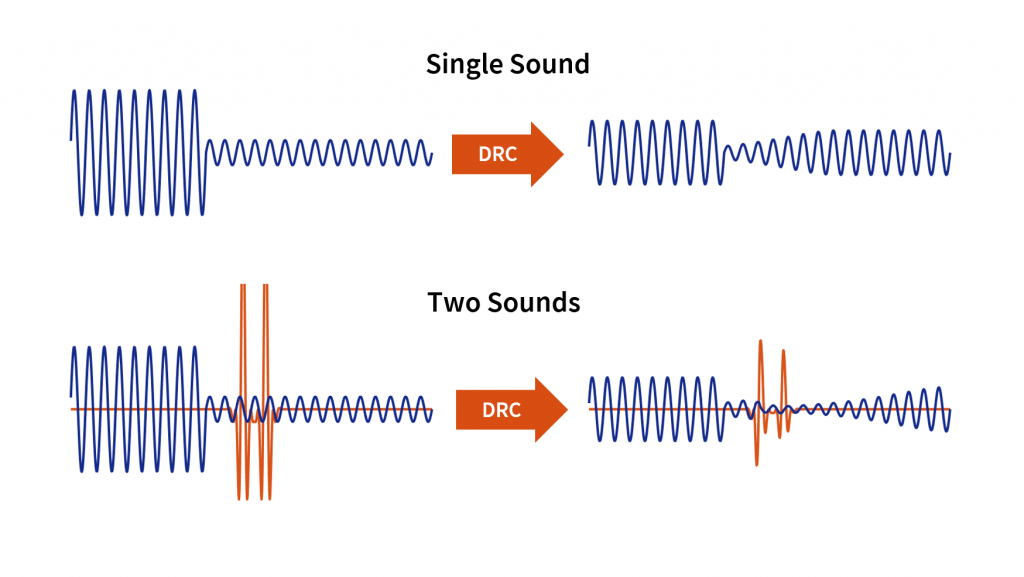
As an audio engineer, I’ve spent countless hours working with dynamic range compression. At its core, compression is a tool used to control the dynamic range of an audio signal. This means that it can be used to make quiet sounds louder and loud sounds quieter, resulting in a more consistent overall volume. Compression is an essential tool in the world of audio production, and it’s used in everything from music to film and television.
One of my favorite quotes about compression comes from the legendary producer Quincy Jones. He once said, “Compression is like a good pair of eyeglasses. You don’t notice them, but they make things look better.” And it’s true. When used correctly, compression can make an audio signal sound more polished and professional.

Dynamic Range Compression vs. Limiting

While compression and limiting are often used interchangeably, they are actually two different processes. Compression is used to control the dynamic range of an audio signal, while limiting is used to prevent the signal from exceeding a certain level. In other words, limiting is a more extreme form of compression.
One of the most common uses of limiting is in mastering, which is the final step in the audio production process. During mastering, the goal is to make sure that the audio sounds consistent across different playback systems. Limiting is used to prevent the audio from distorting or clipping when played back on a variety of systems.

Audio Expansion: The Other Side of the Coin

While compression and limiting are used to control the dynamic range of an audio signal, expansion is used to increase it. Expansion is the opposite of compression, and it’s used to make quiet sounds even quieter. This can be useful in situations where you want to bring out the details in a recording.
One of my favorite examples of the use of expansion comes from the film “No Country for Old Men.” In the film, there’s a scene where the main character is walking through a hotel room. As he walks, you can hear the sound of his footsteps echoing off the walls. The sound of the footsteps is very quiet, but it’s still audible. This is a great example of the use of expansion to bring out the details in a recording.
Final Words:
In conclusion, dynamic range compression, limiting, and expansion are all essential tools in the world of audio production. Whether you’re working on music, film, or television, understanding how to use these tools can make a huge difference in the final product. And while there are many different techniques and approaches to using compression, limiting, and expansion, the most important thing is to use your ears and trust your instincts.
audio compression, dynamic range, audio engineering, audio processing, audio mixing, audio production, audio mastering, audio software, audio plugins, audio effects, audio equipment, audio gear, audio technology, audio science, audio theory, audio education, audio tutorials, audio tips, audio tricks, audio hacks, audio workflow, audio techniques, audio aesthetics, audio quality, audio fidelity, audio perception, audio psychology, audio philosophy, audio history, audio culture, audio art, audio creativity, audio innovation, audio trends, audio industry, audio business, audio marketing, audio branding, audio advertising, audio monetization, audio revenue, audio distribution, audio streaming, audio downloads, audio formats, audio codecs, audio standards, audio compatibility, audio hardware, audio drivers, audio firmware, audio troubleshooting, audio repair, audio maintenance, audio optimization, audio performance, audio testing, audio measurement, audio analysis, audio visualization, audio synthesis, audio sampling, audio recording, audio editing, audio mixing, audio mastering, audio post-production, audio restoration, audio enhancement, audio noise reduction, audio equalization, audio filters, audio modulation, audio synthesis, audio synthesis

Audio Noise Reduction Algorithms: Understanding the Science Behind Clear Sound

Audio Noise Reduction Algorithms: Understanding the Science Behind Clear Sound

Audio Noise Reduction

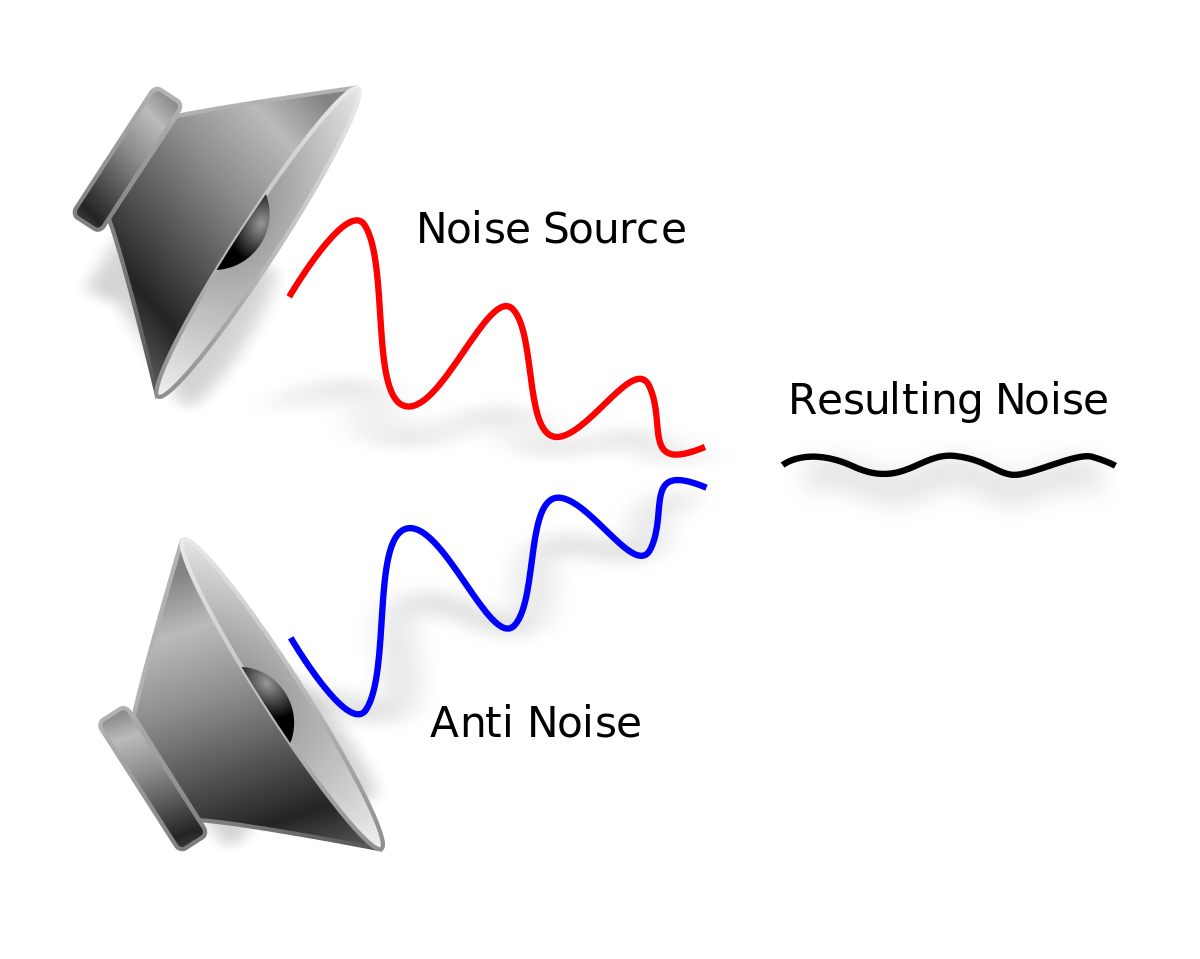
Audio noise is a common issue that plagues most audio recordings. Noise refers to any unwanted sound that is picked up during recording, such as hissing, humming, or static. This unwanted sound can be distracting and reduce the quality of the audio. Fortunately, audio noise reduction algorithms can help eliminate these noises, resulting in clear and high-quality audio recordings.

Audio Noise Reduction

The Basics of Audio Noise Reduction Algorithms

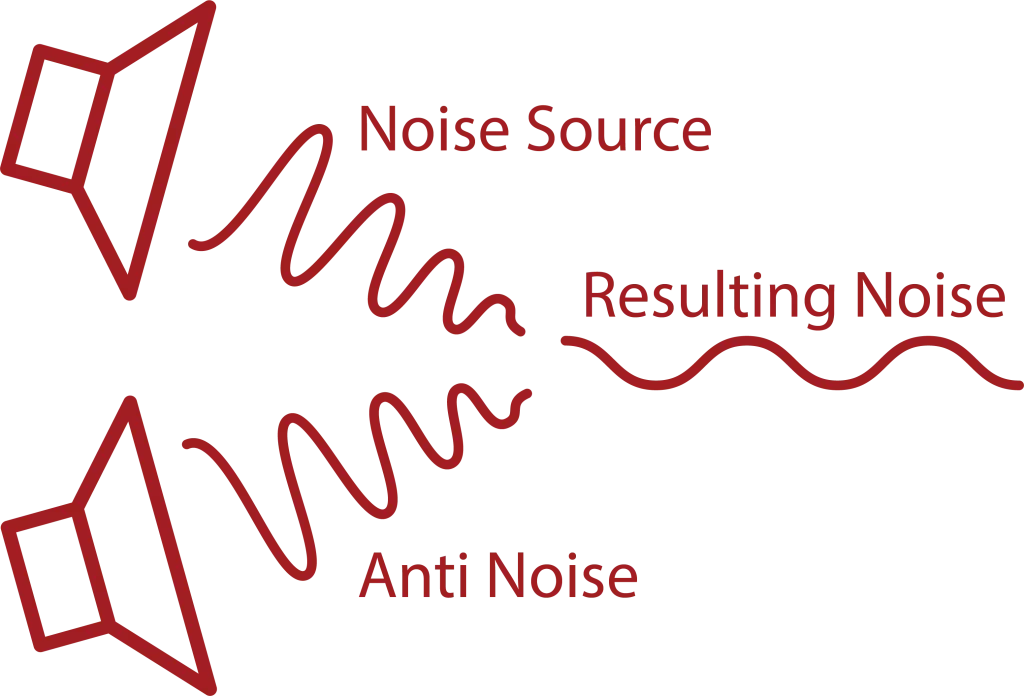
Audio noise reduction algorithms are used to filter out noise from audio recordings. These algorithms analyze the audio signal and separate the noise from the desired audio. Once the noise is separated, the algorithm can reduce or eliminate it from the recording. There are two main types of audio noise reduction algorithms:

  • Spectral Subtraction: This algorithm works by analyzing the frequency spectrum of the audio signal. It then estimates the noise spectrum and subtracts it from the audio signal, resulting in a cleaner sound.
  • Adaptive Filtering: This algorithm works by modeling the noise signal and filtering it out of the audio signal.

Both of these algorithms can be effective in reducing noise from audio recordings, but each has its strengths and weaknesses depending on the type of noise present and the characteristics of the audio signal.

How Audio Noise Reduction Algorithms Work

Audio noise reduction algorithms work by analyzing the audio signal and separating the noise from the desired audio. This process involves several steps:

Step 1: Noise Estimation

The first step in the audio noise reduction process is to estimate the noise. This is done by analyzing a portion of the audio signal that is known to be noise-only. This can be a portion of the audio that was recorded with no desired audio present or a silent section of the audio. Once the noise is estimated, the algorithm can use this information to separate the noise from the desired audio.

Step 2: Filtering

Once the noise has been estimated, the algorithm can begin to filter it out of the audio signal. This is done by applying a filter to the audio signal that will reduce or eliminate the noise. The type of filter used will depend on the algorithm being used and the characteristics of the audio signal.

Step 3: Signal Reconstruction

After the noise has been filtered out of the audio signal, the algorithm will reconstruct the audio signal to ensure that it is of high quality and free of artifacts. This is done by applying a process called signal reconstruction, which involves smoothing out any irregularities in the audio signal and ensuring that the signal is continuous.

Factors That Affect Audio Noise Reduction

There are several factors that can affect the effectiveness of audio noise reduction algorithms:

    • Noise Type: The type of noise present in the audio signal can affect the effectiveness of the algorithm. Some types of noise are easier to filter out than others.
    • Signal-to-Noise Ratio: The signal-to-noise ratio (SNR) is the ratio of the desired audio to the noise in the audio signal. A low SNR can make it more difficult for the algorithm to separate the noise from the desired audio.
    • Audio Signal Characteristics: The characteristics of the audio signal, such as its frequency range and amplitude, can also affect the effectiveness of noise reduction algorithms.

Types of Noise Reduction Algorithms

There are several types of noise reduction algorithms available, each with its own strengths and weaknesses. Some of the most commonly used algorithms include:

      • Single-Channel Noise Reduction: This type of algorithm is designed to reduce noise in a single audio channel, such as a single microphone recording. It can be effective in reducing constant background noise but may not be as effective in reducing more complex noise patterns.
      • Multi-Channel Noise Reduction: Multi-channel noise reduction algorithms can be used to reduce noise in multiple audio channels, such as in a stereo recording. These algorithms can be more effective than single-channel algorithms in reducing complex noise patterns.
      • Adaptive Filter: Adaptive filter algorithms can be effective in reducing noise that is relatively consistent over time, such as electrical hum. These algorithms analyze the audio signal and create a filter that is customized to reduce the specific noise pattern.
      • Spectral Subtraction: Spectral subtraction algorithms work by analyzing the frequency spectrum of the audio signal and subtracting the noise frequency components. This algorithm can be effective in reducing steady-state noise but may introduce artifacts in the audio signal.
      • Wiener Filter: The Wiener filter is a statistical algorithm that can be used to reduce noise in audio signals. This algorithm analyzes the statistical properties of the audio signal and the noise and creates a filter that can effectively reduce the noise.

Challenges in Noise Reduction

While noise reduction algorithms can be effective in reducing unwanted noise in audio signals, there are several challenges that must be considered:

      • Noise Types: Different types of noise require different noise reduction algorithms. For example, reducing background hiss requires a different algorithm than reducing electrical hum.
      • Signal-to-Noise Ratio: The signal-to-noise ratio (SNR) is the ratio of the desired audio signal to the unwanted noise. A low SNR can make it difficult for noise reduction algorithms to effectively reduce the noise without affecting the desired audio signal.
      • Artifacts: Noise reduction algorithms can introduce artifacts into the audio signal, such as distortion or a “muffling” effect. These artifacts can negatively affect the quality of the audio signal.
      • Computational Complexity: Some noise reduction algorithms require significant computational resources, which can make real-time noise reduction difficult.

Conclusion

Audio noise reduction algorithms are an essential tool for improving the quality of audio recordings. By analyzing the characteristics of the audio signal and the noise, these algorithms can effectively reduce unwanted noise and improve the clarity of the desired audio signal. However, the effectiveness of these algorithms depends on several factors, including the type of noise, the signal-to-noise ratio, and the computational complexity of the algorithm. By understanding the strengths and limitations of different noise reduction algorithms, audio professionals can select the most appropriate algorithm for their specific needs and achieve the best possible results.