What is a codec exactly
Has it happened to you that you download a video file and then you cannot use it in your player? Or that you finally finish editing your video clip and it takes years to upload to the Internet? You might think it is a problem with your file. You are not wrong, only the question is more specific: it is about the codec and container you are using.

Maybe they are somewhat strange terms, but they are gaining more and more popularity due to the growing community in online video and audiovisual production. So if you plan to start your career as a youtuber, take into account the information, because if you end up with a final video with a weight of 1 GB it will not be fun waiting for it to go up …
What is a codec?
Those who do video editing know full well that storage space can be a problem. It is better to have the material you record in its original format, but most of the time this involves a considerable amount of GB of space. For example, if you record an hour of content with an HD camera, you may need … up to 410 GB! This is difficult to keep it, much more if you want to transmit it to other media. This is where the topic gets interesting.
The term codec refers to the video or audio compression and decompression process. It is a tool that encodes video using algorithms and converts it into information. This way you can decrease the file size.
The choice of the codec depends on different factors. You must mainly take into account the means of reproduction for the final product. However, encoding is not enough for its reproduction, it is also required to “pack” the information in order to present it. We are talking about containers.
What are those containers?
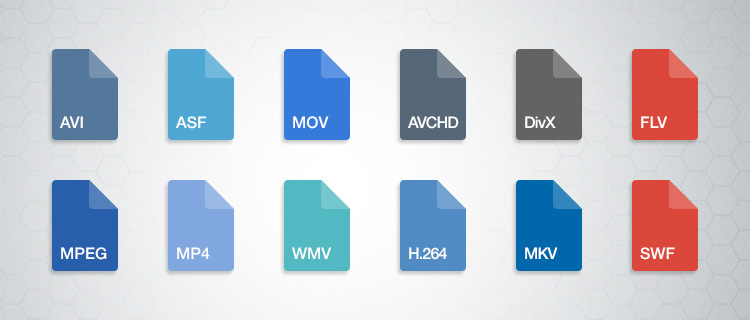
Suppose you just finished editing a video. The final file contains both images and audio, so you require a way to display it just as you prepared it. This “package” is basically what many refer to when they talk about the format of a file. So a container can accept different codecs, while players can use certain containers. For example, the VLC player accepts almost all containers.
Lossy and lossless codecs (lossy and lossless)
There are different types of compression, as we will see later. However, all of them can be divided into two categories: with or without loss. Loss of what? Quality. For example, in the case of audio files, it is not the same to listen to a song in FLAC (Free Lossless Audio Codec) format to one in MP3 (MPEG Audio Layer III). The first is coded in such a way that almost no information is lost when compressing, that is, fidelity is maintained.
The same goes for the video. Wanting to save storage space, lossy files, ie lossy, are compressed. This makes them much easier to manage. However, it is unavoidable to deal with data loss and therefore image or audio fidelity. On the other hand, when you want to maintain the highest possible quality and have no space problem, lossless or lossless compressors are used. Again, it all depends on the purpose of your file. Will it be a web video? A projection? Film contest?

Video codecs
Below you will find a list of the most popular codecs. We will not go too far into others, since an average consumer rarely requires those who are specialized.
DV and HDV
Do you remember the tapes or cassettes to record video? This type of capture uses the DV codec, the standard defined by various electronic sales companies. Over time, HDV emerged, as they had to adjust to the demand for high-definition video.
H.264 / MPEG-4 AVC
Platforms like YouTube have made the popularity of this codec grow quite a bit, as it is their recommendation to upload your videos. It is one of the most suggested thanks to the fact that it considerably reduces the file size without sacrificing much image fidelity. Multiple cameras use the codec, as do web video and Blu-ray.
Microsoft VC-1
Microsoft has its encoding mode for Blu-ray content. It also works in your Microsoft Silverlight tool.
MJPEG (Motion JPEG)
Many video cameras used to capture material with this codec. Its name comes from the group that created it, the Joint Picture Experts Group. If the name seems familiar to you, it is because they are the same ones that created the JPEG still image compression codec.
MPEG-1
Before H.264 there was MPEG-1. This used to be the standard for online video, although the emergence of new formats has left it behind.
MPEG-2
This format is merely for compressing information to DVD video.
WMV (Windows Media Video)
This is another codec that has practically disappeared. It focuses on the Microsoft family.
Audio codecs
As we mentioned before, codecs can be used with or without data loss. As for audio, there is a huge difference not only in quality (especially with good headphones), but also in the file size. Do you prefer an entire album in MP3 or a few songs in FLAC?
ACC (Advanced Audio Coding)
YouTube, Android, iOS, iTunes and more have adopted this compression method as their standard. AAC was devised as the next step for MP3, although it still has a long way to go. However, AAC tends to be of better quality. It is a lossy codec.
FLAC (Free Lossless Audio Codec)
Recommended for true audiophiles. Its development is open source and is considered a great alternative to MP3 or CD if you want to get the best possible quality. It is also recommended because it can compress a file by up to 60% without loss of information.
MP3 (MPEG-1 Audio Layer 3)
It is currently the best known format for audio. It is not of the best quality, but its compression quality is what has made it so successful. It ignores the information that corresponds to the sounds that we do not hear in our hearing range, thus eliminating “irrelevant” space. It can be reduced between 75 and 95% of the original size.
Windows Media Audio (WMA)
This is another of Microsoft’s products. It never really took off, the MP3 format took care of it. It has two versions, one with and without loss of information, although the same extension (WMA) is used for both.
Containers
You have finished editing your video. You have already chosen the codec and now you must choose the means by which you can transport and reproduce the information you have assembled. We leave you the best known. Define which one is indicated according to the purpose of your product.
ASF (Advanced Systems Format)
This is a format that belongs to the Microsoft family. Its supported file types include .asf, .wma, and .wmv. The container works well if your devices are Microsoft, but it is not well received by other systems, not to mention the loss of popularity with other containers.
AVI (Audio Video Interleave)
We have all come across this one in one or the other download. It is still in multiple instances, but don’t consider it your first (or second) option if you’re creating content.
AVCHD
This format works with the content captured with video cameras.
Flash
Adobe has its own container, which was originally created by Macromedia. Many have made it clear that it is a limited container. For example, Mozilla Firefox no longer supports such files.
MKV (Matroska Multimedia Container)
This format increasingly gains more ground thanks to its versatility. It accepts almost any audio and video codec. It also has the ability to have multiple video, audio and text channels. It is open source, so it has a generous community.
MP4
It is one of the most popular containers. It works with the H.264 codec, making it ideal for working with online audiovisual content. As for audio, it usually uses AAC or AC3 codecs. It was created by the Motion Pictures Expert Group.
MPEG and BDAV MPEG-2
Both are used for discs, the first for DVD and the second for Blu-ray. Generally the file extensions with this codec are TS, VOB, MPG and SVCD.
Quicktime
Now we see the turn of the Apple family. Part of its appeal is the separation of information into different channels (video, audio and text). It also allows for better editing of the metadata. It compares a lot with the MP4 container.