The Importance of Codecs in Video Compression


Free Download Mp4Gain
picture

The Importance of Codecs in Video Compression

Video Codec
Video Codec

Introduction

Video Codec
Video Codec

Video codecs play a vital role in video compression. The quality and size of video files depend largely on the type of codec used to compress them. In this article, we will explore the significance of video codecs in video compression and the technical aspects that determine the quality and efficiency of video files.

History of Video Codecs

The first video codec was developed in the 1970s, called H.120. This codec allowed for the transmission of video over ISDN telephone lines. Since then, video codecs have evolved significantly, and we now have a wide range of codecs available that offer different levels of compression and quality.

Understanding Video Quality

Video quality can be defined as the degree of excellence that a video possesses. This quality is determined by various factors, including the resolution, bit rate, frame rate, and compression method used.

Resolution

The resolution of a video is the number of pixels that make up the image. Higher resolution videos have more pixels, which means they are sharper and more detailed. The most common resolutions are 720p, 1080p, and 4K.

Bit Rate

The bit rate is the amount of data that is processed per second. A higher bit rate means more data is processed, resulting in a higher-quality video. However, higher bit rates also mean larger file sizes, which can be challenging for storage and transmission.

Frame Rate

The frame rate is the number of frames that are displayed per second. A higher frame rate results in a smoother video, but it also requires more data to be processed, resulting in larger file sizes.

Compression Method

Compression methods are used to reduce the size of video files without compromising on quality. Lossless compression methods preserve the original quality of the video, while lossy compression methods sacrifice some quality to achieve smaller file sizes.

Video Codecs and Formats

Video codecs can be classified into two categories: proprietary codecs and open-source codecs. Proprietary codecs are developed by companies and are generally licensed for use. Open-source codecs, on the other hand, are developed by communities and are free to use.

Proprietary Codecs

Proprietary codecs are developed by companies such as Apple, Microsoft, and Google. They are often used in popular video formats such as MP4, AVI, and MOV. These codecs are optimized for specific devices and software, resulting in high-quality videos that are compatible with a wide range of devices.

Open-Source Codecs

Open-source codecs are developed by communities and are free to use. The most popular open-source codec is the VP9 codec developed by Google. It is used in the WebM format and offers a high level of compression with minimal loss of quality.

Choosing the Right Codec

When choosing a codec, it is important to consider the factors that affect video quality, such as resolution, bit rate, frame rate, and compression method. Proprietary codecs are often optimized for specific devices and software, while open-source codecs offer more flexibility and are free to use.

Format

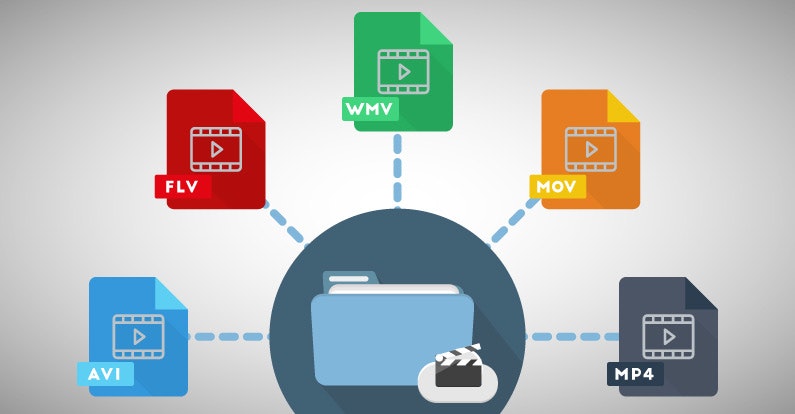
The format of a video file also plays a significant role in determining the quality and efficiency of the file. Popular video formats include MP4, AVI, MOV, and WebM. Each format has its own set of advantages and disadvantages, and it is important to choose the right format based on your needs.

Conclusion

Video codecs are an essential part of video compression, and they play a significant role in determining the quality and size of video files. By understanding the technical aspects of video quality and the different types of codecs and formats available, you can make informed decisions when choosing


Free Download Mp4Gain
picture


Mp4Gain Main Window
picture


Mp4Gain Features
picture


Free Download Mp4Gain
picture

What is a video codec?

What is a video codec?

video codec
video codec

A codec is a program or device that encodes and decodes video. This means that it takes a video and compresses it into a smaller format so it can be streamed or stored more efficiently. Then, when you want to watch the video, the codec decodes it and plays it in its original format.

video codec
video codec

Why is a video codec important?

Video codecs are important because they make videos more accessible and easier to use. Without a codec, the videos would be too large to stream or store, which would mean that we would have to wait a long time to watch them or have a very large storage space to save them.

In addition, the codecs also make the videos look better. Some codecs use advanced techniques to compress the video without affecting its quality. This means that we can see sharp and clear videos, even when they are compressed to a smaller size.

Codecs are also important because they allow videos to be compatible with different devices and platforms. For example, if a video is encoded with a specific codec, it can be viewed on a computer, smartphone, smart TV, or game console without any problem.

What types of video codecs are there?

There are many different types of video codecs, but some of the most common are H.264, H.265, VP9, and AV1. Each codec has its own advantages and disadvantages, and some are better for certain uses than others.

For example, H.264 is a very popular codec used to compress high-definition video. It is a good option for most users as it is compatible with most devices and platforms. However, H.265 is a newer codec that is more efficient in terms of bandwidth and can offer improved video quality.

VP9 is an open source codec developed by Google that is used on some devices and platforms. AV1 is an open source codec developed by a coalition of technology companies and is a promising option for the future, offering more efficient compression and improved video quality.

It is important to note that not all codecs are created equal and some may require more processing power or bandwidth to function properly. Therefore, it is important to choose the correct codec for each situation.

Conclusion

In conclusion, a video codec is an essential program or device that allows you to compress and decode videos to make them more accessible and compatible. There are many different types of video codecs available, and it’s important to choose the one that’s best for each situation. Mp4Gain is an excellent solution for those looking to optimize and enhance their video experience.

Everything you need to know about codecs

At present, with the massification of computer tools and the expansion of the Internet, almost all computer users use their equipment not only for simple office tasks, but also for fun and personal enjoyment, so multimedia tasks are They have become a more than common activity on any home PC.

While most users know that to play a video, listen to a song and view an image it is not enough to play the file, but also the system must have the necessary codecs for it, the truth is that a large percentage of Users are completely unaware of what codecs are and what they are used for.

It should be noted that the term codec comes from an abbreviation of the set of words encoder and decoder, and as the name implies, they consist of a software specification that allows compressing and decompressing files.

codecs

What are codecs? What are codecs for?

In general, the different existing codecs are currently used to compress video, audio and image files, in order to make them smaller than their original source, to allow them to be easier to handle and Work on a computer.

Therefore, when trying to play for example a video file in an AVI container, which has been encoded with the Xvid codec, it will be necessary to have the same codec on the computer, since otherwise the reproduction will be impossible.

It is worth mentioning that codecs are also commonly used to compress data streams and signals, that is, to stream Internet radio and television, or allow a quality videoconference.

For the most part, multimedia files contain video, audio and reference data for synchronization of both, so it must be necessary to apply the appropriate codecs to play a movie on our PC.

Compression of audio and video files

When using codecs to compress a multimedia file, in general a result will be obtained with some loss of quality, since in order to reduce the size of the original source, a loss of information will occur during the process.

However, there are also some types of codecs that do not report losses, such as FLAC and MSU, that allow the reproduction of a lossless audio or video file when the file is re-encoded.

However, in general codecs that compress with some loss of information are used, since the fundamental function of the use of codecs is to significantly reduce the size of the files to facilitate their manipulation.

Usually, when a video file is transformed with codecs, an automatic process is carried out that causes the codec to cut some of the information regarding the original image or sound, and then readjust it to a smaller space, and Finally codify it.

Most used audio and video codecs

In order to reproduce a file that has been compressed with some codec, it is essential that our system has the necessary codecs for decompression, for which codec packages can be installed, which generally contain the most used types of codecs. The most recommended codec packages are the ELISOFT Codec Pack and the K-Lite Codec Pack.

Although there are many codecs to reduce the size of multimedia files, the truth is that at present some are usually the most popular, as is the case of mp3 for audio and mp4 for video.

Most used audio codecs

Currently, audio codecs have been widely disseminated, as they are used by users to compress for example full music albums, so that they take up less space.

Keep in mind that a common audio disc can occupy up to 700 Mb, that is, a complete CD, while albums transformed to MP3 give rise to a huge storage capacity, allowing you to save between 7 and 8 discs on a single CD , because an MP3 compressed disk usually occupies between 80 and 90 Mb. depending on the bitrate rate at which they were worked.

At present, the most popular audio codecs are the MP3 format, the Ogg Vorbis, which is characterized by being a codec belonging to free software, and the AC3 that is usually used in DVD compressions since it is a multichannel codec (5.1).

Due to its great popularity obtained in recent years thanks to its massive dissemination on the Internet, especially in sites that allow the purchase and download of audio files, the leading audio compression format is undoubtedly the MP3.

What are the best codescs for Windows 10? (2020)

Today in this article we are going to investigate the best codec packs for Windows 10. Virtually everyone likes to watch movies and other multimedia content on our computer. It is possible that we have encountered problems when playing a video, either because it is of an unsupported format or because it is not seen correctly for some reason that we do not know. Very possibly the solution is precisely in the installation of new codecs to reproduce the multimedia content.

What is a codec pack?

A codec pack is a collection of libraries, filters, encoders and tools that are capable of encoding and, where appropriate, decoding existing audio and video formats. These toolsets are installed in operating systems so that they are capable of reproducing formats that are not natively readable by the system itself.
There are a large number of playback formats, just as .WMV is owned by Microsoft, we also find formats such as .MOV that belong to the Mac system. By using a codec pack we will be able to play this type of files without any problem.

Do I need codecs for Windows 10?

It is true that Windows 10 has a series of codec already installed natively to practically play any video. Although we can find the possibility that due to updates or errors that the system has suffered such as malware attacks, we encounter problems for reproduction.
It is also possible that our version of Windows 10 is of type N or KN. If you want to know what Windows 10 N is, visit our tutorial that explains this in detail. Well, in these versions of the system we do not have native multimedia support, so we will need to install both audio and video players independently and with it, codecs for Windows 10.

List of best free codec packs for Windows 10
We have already commented on the reasons why at any given time we may need these codec packs for Windows 10. So now we are going to comment on those that have more fame and impact on the web.

K-Lite Codec Pack

If we talk about codecs it is mandatory to do it from K-Lite Codec Pack. This is one of the packs with the longest travel, since Windows XP offers magnificent results and functionality. For this reason they have won first place for so many years.

Shark007

Another of the most valued, and best known codec pack for Windows 10 is Shark007, the famous shark with flow. This package, like the previous one, has a list of tools capable of reproducing any audio format that comes before it. It has perfect compatibility for all versions of Windows 10 and also for previous versions such as Vista or XP.

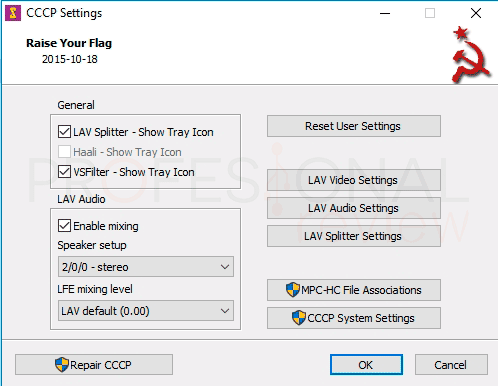
Combined Community Codec Pack (CCCP)

Our fourth option is a pack of codecs for Windows 10 of Russian origin, as you hear it. This pack at the time offered something that others could not give, and is the absence of errors in Windows 8 and 10 operating systems. It was one of the first to offer compatibility with these.
We can download it from its official website, which we can see that it does not download due to its graphic design or detailed information. Total, they are Russian, they are different. During the installation check what codecs we have already installed so as not to overwrite them again, unless we decide yes.
A negative aspect of this pack is that it has not been updated since the end of 2015, although you will not have any problem to play multimedia files.

X Codec Pack

Next on our list is X Code Pack. With a basic interface for the selection and association of file extensions we should not be fooled, they are also one of the best we can find. We can download them for free from its official website
The origin of its name goes back to Windows XP, previously called XP Codec Pack, maybe with this name it sounds like you. X Codec Pack discards for its simplicity and simple installation. In addition, it is lighter than K-Lite and also has everything you need.
One aspect that we must keep in mind is that it offers maximum compatibility with Windows 8 but not with Windows 10. So if you are a Windows 8 user, it may be your ideal pack at this time.