What is a video or audio file compression codec?


Free Download Mp4Gain
picture

What is a video or audio file compression codec?
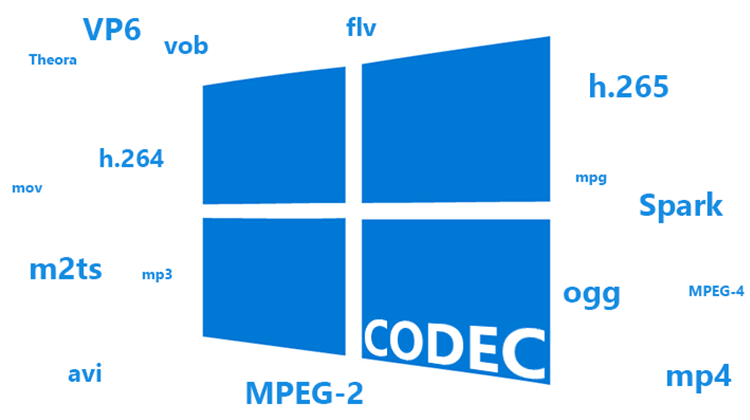
Codec

What is a video or audio file compression codec? Photo 0 You are sitting in front of your computer, watching a video file or listening to music. And suddenly the sound disappeared. Or there is sound, but it is separated from the image. What is the problem? All because you do not have it on your computer or the so-called codecs do not work correctly.
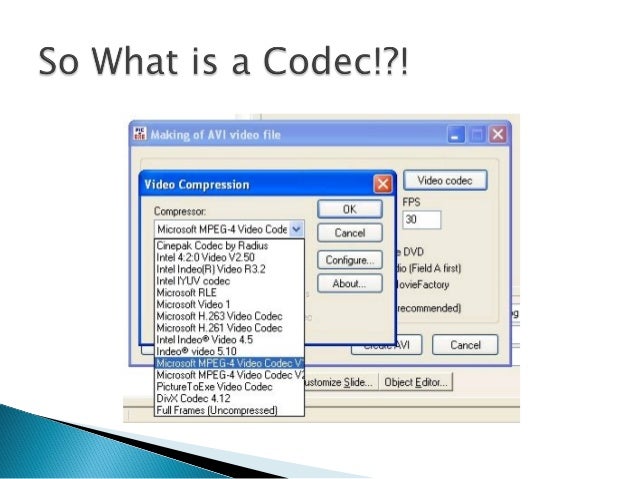
Codec

A codec should be understood as a small program whose purpose is to encode, that is, to compress, as well as to decode, that is, to reproduce files from a compressed state. Both video and audio.

Coding is required. After all, multimedia files are very large. First of all, it concerns video files. And there are many drawbacks when it comes to transferring them over the network. By using codecs, you can reduce the original size of media files while maintaining good quality.

And if the computer generates a corresponding error or plays the file with errors, then there is a high probability that the system simply cannot find the program to decode the file. There is no codec, and this is the heart of the problem. Sometimes a message about this may appear and you will be offered to download the codec from the Internet. The offer can be used, however, as experience shows, it is not always possible to download the codec.

Here it is necessary to emphasize the following: codecs do not play multimedia files. Its job is to help the playback of such files in playback programs, for example, the built-in Windows Media Player.

Note that there are players with built-in codecs. They are good because they do not require the additional installation of codecs when playing various audio and video formats. However, sometimes there are not enough codecs built into the players. You need to install additional. And to play this or that file you need a certain codec.

It should also be noted that there is also a problem of interchangeability of some codecs. This is when you can transcode files to any format using different codecs. By the way, you can play a file encoded with one codec using a completely different codec.

Anyone who likes to solve problems in a radical way can be recommended to immediately install all the necessary codecs, that is, their package. A codec pack is a program that allows you to select only the specific codecs and tools that you need right now. You just need to check or uncheck the corresponding boxes. And everything will be fine.


Free Download Mp4Gain
picture


Mp4Gain Main Window
picture


Mp4Gain Features
picture


Free Download Mp4Gain
picture

Codecs: How an audio or video codec works

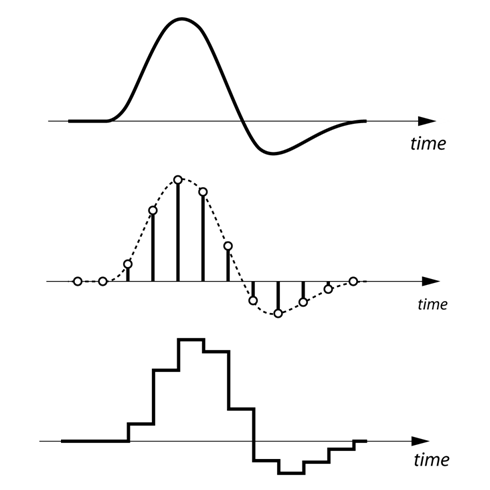
To understand in a simple way what a codec is and how it works, the first thing we have to keep in mind is that the human voice is a continuous (analog) waveform, while the information that circulates through a data network is discrete ( digital). This means that if we want to send packets with data that contain the information needed to reproduce a voice fragment, we will have to digitize the voice beforehand.

codecs

The process of converting an analog signal to a digital signal is done through an element called an encoder. If the encoder is also capable of performing the opposite process, that is, moving from a digital signal to an analog signal even if only approximately, then we will have an encoder-decoder. An encoder-decoder is also called a ‘codec’.

Although it may seem that we would only be interested in selecting one or two codecs taking into account the voice quality (MOS, Mean Opinion Score) and bit-rate parameters that each codec needs, the truth is that we also have to face our network Look closely at the size of the packets that we are going to send since each voice packet is also made up of bits that are used for routing and error correction issues. As they add load, they saturate the network and make the entire system go slower. Do we reduce the number of packages we have to send making them larger? It is not always a good idea because the loss of a large package will have a greater impact on the output, even a cut in communication! What is recommended in these cases is to have a certain compromise between the number of packets that are sent to the network and the protection we want to have. The reference size should be about 20ms of voice per package.

codecs

How codecs work

The codecs reduce the information of the clips to facilitate and enable their publication and viewing through the Internet. There are two methods of compression, the so-called spatial and temporal compression.

In the first one, reduce the information by compressing the existing one inside each frame. Instead of describing the pixel-to-pixel image, pointing out for example the position and color of the pixels, the compression codec generalizes describing similar areas and their light and color characteristics. For example, instead of reproducing a blue sky pixel by pixel, it would be described as an area with similar light and color characteristics. In this sense, the less varied details an image presents, the codec can generalize and compress more easily. Creating videos with simple backgrounds facilitates compression and reduction, just as working with a tripod instead of a camera in hand means stabilizing the backgrounds and therefore facilitating subsequent compression.

The other compression method is temporary, where the information between consecutive frames is compared and only the details that vary are stored. The reference frames from which the differences are analyzed and the subsequent ones are supported are called keyframes and contain the complete image. On the contrary, the frames that reflect the differences are called “delta frames” and only contain the information of the areas that vary with respect to the previous images.

In general, videos that show few changes between frames are compressed better and this necessarily affects the realization. At present, both the television and the cinematographic realization tend to use the camera in motion. However, the compression of dynamic videos is more problematic than the cases of more static images.