What is a video or audio file compression codec?


Free Download Mp4Gain
picture

What is a video or audio file compression codec?
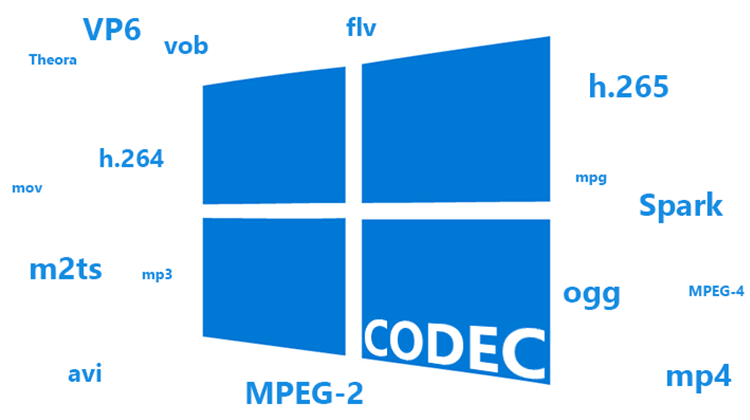
Codec

What is a video or audio file compression codec? Photo 0 You are sitting in front of your computer, watching a video file or listening to music. And suddenly the sound disappeared. Or there is sound, but it is separated from the image. What is the problem? All because you do not have it on your computer or the so-called codecs do not work correctly.
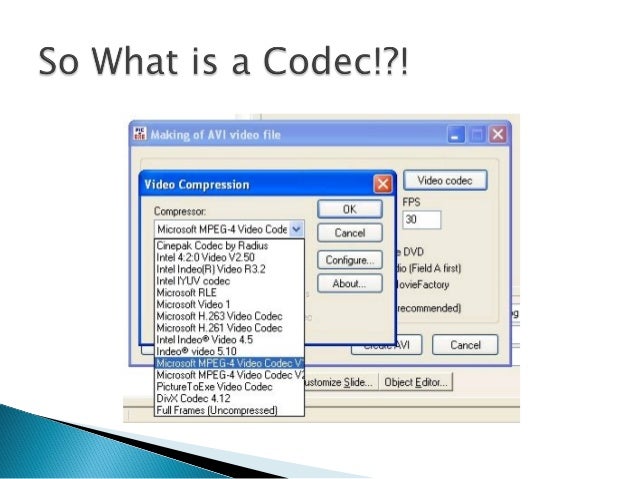
Codec

A codec should be understood as a small program whose purpose is to encode, that is, to compress, as well as to decode, that is, to reproduce files from a compressed state. Both video and audio.

Coding is required. After all, multimedia files are very large. First of all, it concerns video files. And there are many drawbacks when it comes to transferring them over the network. By using codecs, you can reduce the original size of media files while maintaining good quality.

And if the computer generates a corresponding error or plays the file with errors, then there is a high probability that the system simply cannot find the program to decode the file. There is no codec, and this is the heart of the problem. Sometimes a message about this may appear and you will be offered to download the codec from the Internet. The offer can be used, however, as experience shows, it is not always possible to download the codec.

Here it is necessary to emphasize the following: codecs do not play multimedia files. Its job is to help the playback of such files in playback programs, for example, the built-in Windows Media Player.

Note that there are players with built-in codecs. They are good because they do not require the additional installation of codecs when playing various audio and video formats. However, sometimes there are not enough codecs built into the players. You need to install additional. And to play this or that file you need a certain codec.

It should also be noted that there is also a problem of interchangeability of some codecs. This is when you can transcode files to any format using different codecs. By the way, you can play a file encoded with one codec using a completely different codec.

Anyone who likes to solve problems in a radical way can be recommended to immediately install all the necessary codecs, that is, their package. A codec pack is a program that allows you to select only the specific codecs and tools that you need right now. You just need to check or uncheck the corresponding boxes. And everything will be fine.


Free Download Mp4Gain
picture


Mp4Gain Main Window
picture


Mp4Gain Features
picture


Free Download Mp4Gain
picture

What is a Codec? Clarifying concepts

What is a Codec? Clarifying concepts

Speaking of multimedia terminology, there is a fairly widespread confusion between the concept of image and / or sound format and that of audio and / or video container format (also called multimedia container format) To finish bundling it, it is very common to refer to both with the term codec that does not express any of the two previous concepts.

The image, video, audio format… is the way in which this type of information is encoded so that it can be treated by computer, which includes both being able to store it and transmit it. That format, therefore, would be a series of rules to describe images and sound in a computer way; a mathematical model, if you want to see it that way.

A codec (or codec, with tilde, in its Spanish version) is a program that encodes or decodes multimedia information according to a certain format. Once the data is encoded, it can be processed, for example stored or transmitted. As you may have guessed, the word codec is an acronym formed by the English words coder and decoder: encoder and decoder in Spanish.

An audio / video container format (or multimedia container format) is a computer file structure according to which audio and / or video is stored or transmitted as well as information associated with them (such as subtitles or bookmarks) The same container You can include together (multiplexed) the different components (tracks) in a single document. It is very common to add an extension to the name of the documents (those few letters that are at the end of the name separated by a period) that usually refer to the type of document. If you are rigorous in establishing that extension, it can serve as a clue to know which container is the document.

Considering the above, we could say that the document «feature film.avi» is a container in AVI format that includes video in MPEG4 format encoded using the Xvid codec. As the orthodox version is a very long phrase, it is common, for example, to say colloquially that the document “short.avi” is an MPEG4: it is obvious that it is an AVI container and everyone will know what codec has installed in their system for what formats

Most of the time, when packaging the information according to a certain format, it is compressed, that is, it is transformed so that the resulting information requires less memory to be stored or less bandwidth when transmitted than the original information.

There are two ways to compress information, with or without losses. Lossless (or lossless) formats allow you to reconstruct the information as it was originally, before compressing, without any difference from the original. In most cases the lossless coding usually allows (much) less compression (takes up much more) and is reserved for the documents that are going to be edited, that is, that they are not final documents.

The most frequent image and sound coding is with losses (lossy) Of course, the coding system seeks to make these losses as less noticeable as possible, considering for this, for example, the movement (What changes the image between a frame and another) The level of quality-compression is usually configurable so you can choose the degree you want between occupying more and having more quality. In line with what has been said about lossless formats, it is not a good idea to code according to a material loss format that is going to be edited since the successive recompressions cause more and more quality information to be lost to images and sound. Do not compress again and again using a lossy format!

One moment, you said that it is better to encode the original material using a lossless format but also that it will take up more. Then I must give the button on my camera that records video without compression? For starters, unfortunately, it is quite rare for your camcorder to have that button (in those of taking pictures and in audio systems it is something that is usually possible) Only in some cameras you can do something like that, they will usually be professionals and of the highest range. On the other hand, be prepared to spend a lot of memory and quickly, since you will need to store a lot and at full speed. So, what should I do? Our advice is that you choose, if you can, the best possible quality, even with losses, for the images you are going to edit and suitable for those that do not require more editing than the “cut” assembly since, properly processed , does not have to be compressed again.