Video encoding methods


Free Download Mp4Gain
picture

Video encoding methods

Codec

Average video converter should have three encoding modes: CBR, VBR1 (1 step), VBR2 (2 steps).

Video Codecs

CBR is a constant bit rate that compresses all scenes equally. If there are static and dynamic scenes in the movie, then the CBR dynamics may be of insufficient quality and the static may be of excessive quality, which is completely unnecessary.

→ CBR can be used if the movie is small and can provide the highest encoding quality: 8500-9000 kbps.

VBR: variable bit rate. We set limits, for example, from 2000 to 9000 kbps. In static scenes, the encoder automatically reduces the bit rate and in dynamic scenes it increases. VBR1 is a single pass variable bit rate encoding. Its only advantage is speed, that is. the encoding time will be spent 2 times less than with VBR2. But the quality at average bitrate values ​​(5000-7000 kbps) will be lower than that of VBR2.

Having reached the first complex fragment, the encoder will be afraid to set the maximum bit rate, because it does not know what will happen next. What if suddenly dynamic scenes, and then we will not meet! And in simple, static scenes, the encoder is again afraid of reducing the bit rate considerably; if there are more scenes of the same, then we will not get the desired bitrate. As a result, the deviations from some average bit rate will be small. The quality is certainly better than CBR, but not enough.

→ If the film is smooth enough or pressed for time, use VBR1. Also, this method can encode a less important part of the disc, as a bonus.

VBR2 is a two-step variable bit rate encoding.
In VBR2 encoding mode, the encoder performs two passes, thus lengthening the encoding time. But after the first pass, you have all the information about the number and duration of the dynamic and static fragments, so the encoder safely increases the bitrate to the maximum or reduces it to the minimum. As a result, we will obtain the highest quality.

→ The VBR2 encoding method offers the best quality in a movie with scenes of different dynamics.


Free Download Mp4Gain
picture


Mp4Gain Main Window
picture


Mp4Gain Features
picture


Free Download Mp4Gain
picture

What is video encoding?

What is video encoding?

Video Codecs

Video encoding is the process of converting digital video files from one format to another.

Codecs

Encoding is also known as “transcoding” or “video conversion.” During recording, the device provides a video file in a specific format and other specifications. If the owner of a video wants to publish a video, he must consider the different devices on which the video can be played. All the videos we watch on our computers, tablets, and mobile phones have gone through an encoding process that converts the original video so that it can be viewed in a variety of output formats. This is because many types of devices and browsers only support certain video formats. Often times, the goal of a video editor is to ensure compatibility with different formats. Digital video can exist in many different formats, each with specific variables such as video containers (.MOV, .FLV, .MP4, .OGG, .WMV, WebM), codecs (H264, VP6, ProRes), and bitrates (in megabits or kilobits per second).

Different devices and browsers have different specifications, most of which are associated with one or more of these variables, and other variables. When encoding video, you should consider (a) the original source format and video capture method, (b) any subsequent encoding operations that have been performed on the video source, and (c) the required output formats.

There are many reasons why you would like to convert your videos. Also, if we talk about DVDs, they have a huge file size and are impractically divided. Honestly, the only reason we still use this format is because many people still use DVD players today. This format is incredibly outdated and has lagged behind current coding developments for several years. As for other video files, time is evolving.

The same file size that allowed us to watch mediocre AVI videos in the past now allows us to store 720p HD videos in MP4 format. Technology moves and so do we. Converting video files is a long and complicated process. While there are free apps that can get the job done, there is still a great deal of technical gibberish. If you want to know what happens during this process, read this article to the end.

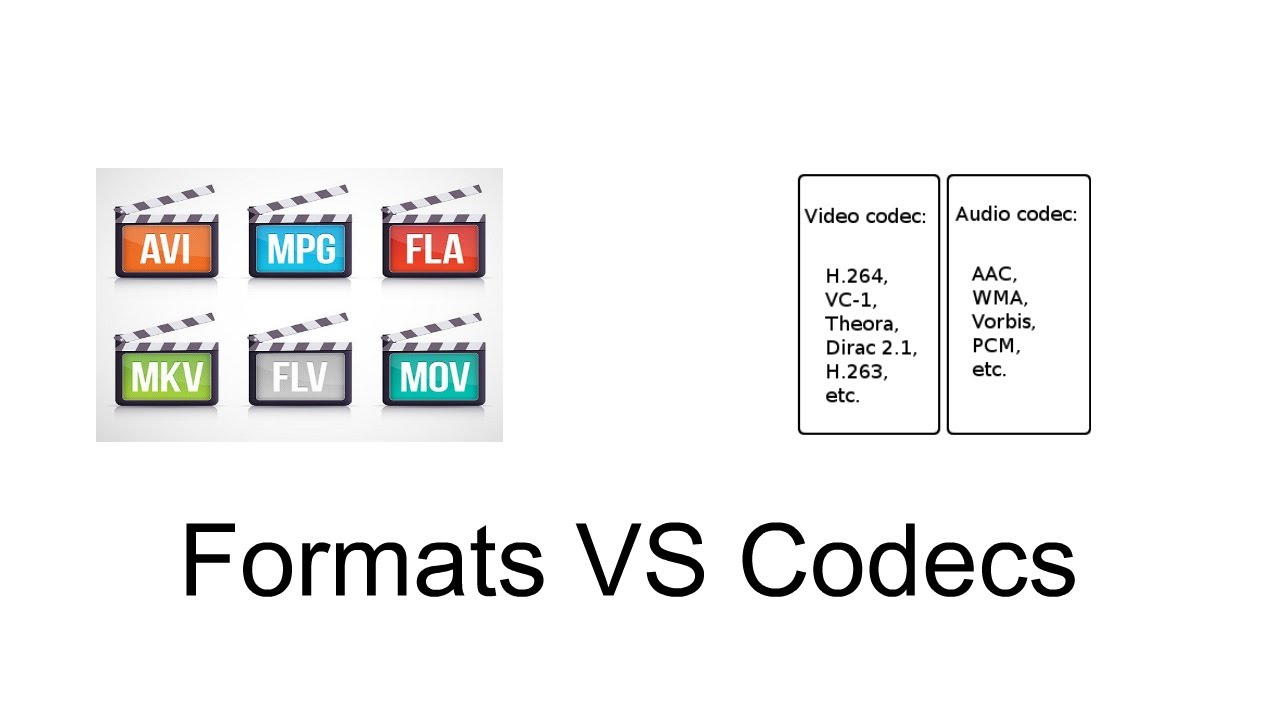
Video containers Video containers are what most people use to differentiate between different video files. You should know most of them by name. The most popular ones are: AVI MPEG / MPEG-4 MKV RM / RMV MOV WMV The container is designed to store different types of data.

This includes audio, video, and sometimes subtitles. They are like the boxes in which we put our sweets. Note that the biggest difference between these containers is the support they provide for the basic bits of information. Different containers provide support for different audio and video compressions. Some will allow multiple audio tracks or subtitles to be included, while others will allow only one or none. If you want to add subtitles to an AVI or WMV file, you may need to burn them to the image. Video / Audio Codecs The actual difference between most video files depends less on the container used, but more on the video or audio codec in the container. The video codec determines how the information is processed. Some of the most popular video codecs include DivX / XviD h264 / x264 FFMPEG Theora You must remember that the content or how the content is stored is not always determined by the container, although it is often limited (for example, some containers support multiple streams audio, while AVI only supports one). As a result, there are several different combinations available between containers and codecs. Different codecs provide different picture or sound quality depending on the file size. The best known and most used are AVI containers, with DivX or the (free) XviD codec (but they are a bit outdated and have a terrible quality / file size ratio). There is also a newer x264 codec (which has an excellent quality / file size ratio). You can use it with the MKV container if you plan to use multiple audio tracks and subtitles, and also with the MP4 container. The MP4 container only supports one video stream and one audio track, but it has a higher support speed and can be played on iPod, PSP and most newer mobile phones. Bitrate The bitrate determines the data transfer rate. For video, this means that more data is included in a shorter audio / visual range. of the

Why do we need codecs and why are there different encoding qualities?

Why do we need codecs and why are there different encoding qualities?

What Are Codecs

Modern realities, namely the wide distribution of video on the Internet, require fast and high-quality data compression, and preferably with minimal requirements for the hardware part both during encoding and during decoding already on the client device.

How to Understand Codecs

To implement this idea, special algorithms (programs), called codecs, are introduced that are used to compress data. But, unfortunately, compression occurs with loss of information, that is, after decompression, the video becomes of lower quality, various problems appear, among them:

Decreasing colors (thicker gradients)
Average of adjacent areas (loss of detail and clarity)
Deterioration of the quality of moving objects (gaps in objects, artifacts, violations of object boundaries, mixing of objects with the background)

Freeze frame with video defects
However, currently widespread codecs are capable of compressing video into a very small amount of data with virtually no loss, but this is achieved through a significant increase in the requirements for calculations. In other words, compression takes a long time.

For video compression when it is done in advance, that is, not on the real-time playback scale, this problem is not that big. After all, if streaming a compressed stream is not important to stream in real time, you can either extend the stream, that is, assign a higher video bitrate for compression or compress the video as long as possible. And in any case, obtaining high quality, although with different data compression.

However, this scenario is not always available. If you want to stream a streaming, the encoding rate must be equal to or greater than the video playback rate. In this case, hypothetically, you can increase the bitrate and therefore use simplified compression methods, losing less detail during compression. And this would be so if modern streaming sites didn’t limit the bitrate available for a video stream.

In other words, to lose less quality when streaming video, you inevitably need to use data compression algorithms that consume more resources.

What are the configuration presets?
For both the x.264 codec and the more modern x.265 codec, there are many parameters that affect the quality of the encoding. Dozens of options with the ability to change many parameters, which form tens of thousands of combinations of settings. And so that the user does not have to waste time selecting optimal settings, out-of-the-box configuration presets were introduced. And for the x.264 codec and for the x.265 codec there are 10 presets.

Ultrafast
Super fast
Very fast
Faster
Fast
Means, medium
Slow
Slower
Very slow
Placebo
The default names convey their essence. And to be more precise, they characterize the video encoding rate. That is, the “Ultra Fast” preset allows you to encode ultra-fast video, “Slow” – to encode slowly, and the most “voracious” – “Placebo” was just invented “so was it” and to prove that this quality is also possible , but the possibility of its real application is more self-hypnosis than reality.

We discovered the presets. Now we need to understand the testing methodology and the quality criteria and evaluations.

Formats and codecs for conversion

Formats and codecs for conversion.

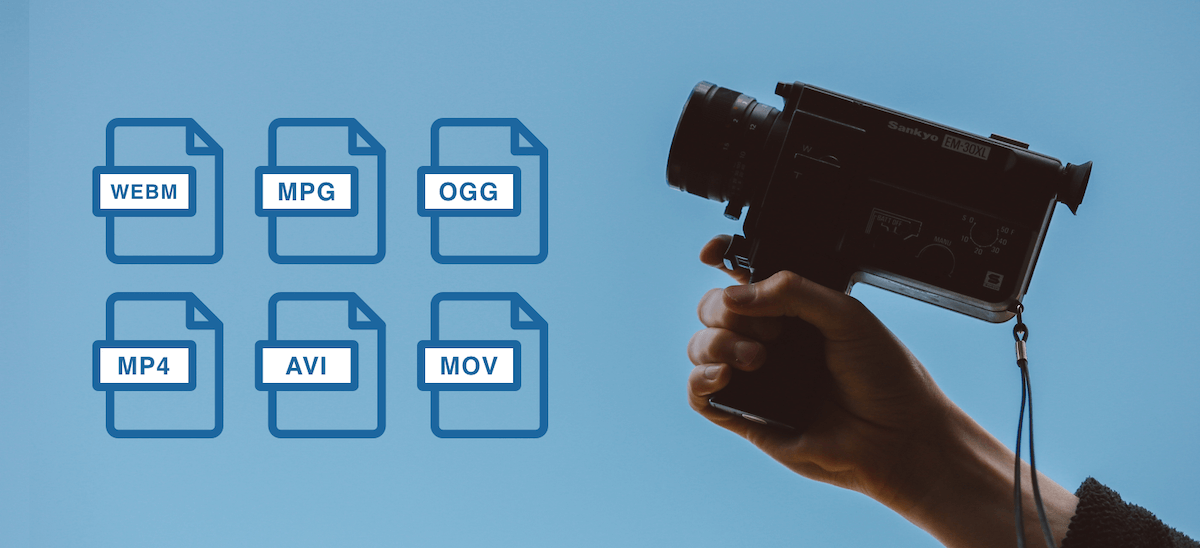
Video File Formats and Codecs

Since it is impossible to capture the immensity, we will touch only the most widespread and demanded multimedia formats, codecs, we will give a brief description and an explanation in which cases they are the most used.
Video File Formats and Codecs

In the description, we will also present a list of programs that are somehow related to this format. We will not give links, you can find all programs on the site.

Video standards
MPEG -1

MPEG -1 is a standard adopted by MPEG (Moving Picture Experts Group) video experts. Currently, MPEG-1 video is used on video CDs (VCD quality is closest to that of VHS video cassettes).

Initially, the use of MPEG -1 video is limited to a bit rate of 1.5 Megabits / s and a resolution of 352 × 240. However, this standard allows you to use any resolution up to 4095 × 4095.

MPEG -2

The MPEG-2 standard is used to convert video and audio for broadcast, including satellite broadcasting and cable television. It has strict restrictions on resolution (no more than 720 × 576), frame rate (25 fps and 29.97 fps), bit rate, etc.

MPEG -3

An audio and video coding standard for high definition television (HDTW) with data rates ranging from 20 to 40 Mbps. Work on MPEG-3 was discontinued after the modification of MPEG-2 (when the MPEG-2 standard 2 was no worse than MPEG-3 in coping with video processing).

Do not confuse MPEG-3 with the MP3 music format (MPEG-1 Part 3 Layer 3 / MPEG-1 Audio Layer 3).

MPEG -4

MPEG -4 is used to compress digital video and audio. Designed for Internet transmission (video transmission, video telephony), encoding and recording of movies on CD, (videophone) and transmission.

Video codecs
DivX (digital video express)

The most popular video codec for Microsoft Windows and Mac OS X platforms, used to compress most movies today. Compression allows you to fit an hour and a half of video material onto 1 or 2 CDs. It is distributed in two versions: DivX and DivX Pro. DivX is free (AdWare), you can use it without restrictions, the second is paid. The “Pro” prefix costs $ 19.99 along with additional package features and benefits over the free version. That:

– Better compression (about 25%) for video,
– Support for GMC (Global Motion Compensation) technology, which improves video quality and slightly improves compression ratio,
– DivX Pro provides full support for bidirectional encoding (B frames),
– Includes additional tools for video encoding.

Xvid

MPEG-4 Video Conversion Library, licensed under the GNU General Public License. Unlike the DivX codec, which was released for Microsoft Windows and Mac OS X platforms only, Xvid is a cross-platform product (used on all platforms and operating systems for which the codec source code can be compiled).

As you can see, the codec name is DivX “flip”. In practice, Xvid is the alternative to DivX. The codec is characterized by fast operating speed and acceptable image quality. Configurable both through third-party programs and through its own configuration window.

Windows Media Video

An encoding system developed by Microsoft. Included with Windows Media Multimedia Pack. It exists in several versions: Microsoft MPEG-4 Video Codec, Windows Media Video 9, etc. Although WMW video cannot compete with DivX, it is actively used in the development of multimedia and game applications for the Windows platform.

Programs to work with WMV

The Windows Media Encoder is a codec and a container for the encoder.

Windows Media Video 9 VCM – Similar to above, but does not include a graphical shell.

Indeo links

Intel initially developed the Ligos Indeo codec, but was later taken over by Ligos for review. Now the codec allows you to watch videos at different bit rates respectively with adaptive quality. Ligos Indeo supports the MMX processor instruction (although DivX has many more supported instructions).

Programs to work with Ligos Indeo

Intel Codec Installer: Offers the codec named I263, which makes it possible to play back electronic cards and videos in Ligos Indeo format.

The Intel JPEG Library Video Codec (ijlvid) is a dedicated driver based on the Intel JPEG Library that supports RGB24 decompression and RGB24 and YUY2 compression.

Intel Music Coder: Thanks to this package, you can listen to AVI video with IMC encoded sound.

Lossless compression.

Compression methods can work lossless or lossy. Lossless compression consists of reducing the content of the information in such a way that it can be reproduced exactly when it is reproduced. With this method, only clearly redundant databases are compressed without any information being modified or deleted. The reproduction is one hundred percent of the original. Lossless compression is used, for example, in text compression, audio compression, or image compression.

Lossless Compression

With lossless compression, data is reduced by using statistical frequencies. For example, when compressing text, letters that appear more frequently, such as “e”, are assigned short codes, and letters that appear rarely, such as “y”, are assigned long codes. And with image compression, only the differences between two pixels are saved. With lossless compression, unlike lossy compression, only significantly lower compression rates can be achieved.

Lossless Compression

One of the most popular lossless compression methods is the ZIP file format, which displays text and graphics in different file formats compressed with extremely high compression rates. Other known methods include the RAR file format, Huffman encoding, the LZW algorithm, Run Length Encoding (RLE), and a JPEG mode.

With lossless predictive audio compression (LPAC) and lossless transform audio compression (LTAC), there are two methods for audio compression which are considered in MPEG-4 as MPEG-4 audio lossless encoding (ALS ). Other lossless compression methods include OptimFrog, Monkeys Audio (APE), Free Lossless Audio Codec (FLAC), and Apple Lossless Audio Codec (ALAC).

What is a codec and what are the different forms of codecs?

Codecs are encoders / decoders that digitally encode and decode data or signals to send it over a data network. In VoIP telephony, these play a particularly important role, as they determine how and with what quality the audio and video data is transported within a network.

CODECS

A general distinction is made between compressed and uncompressed codecs.

In the case of codec compression, a distinction is also made between lossy and lossy compression of multimedia data. With a codec, there is always a trade-off between available bandwidth, the computing power to compress the data, and the quality of voice in both video and audio streaming. Wideband codecs allow very high quality voice transmission. Narrowband codecs allow low-bandwidth voice transmission, but call quality suffers noticeably. In general, a bandwidth of at least 100 kBit / s in both directions is recommended.

Codecs

With lossless codecs, all audio or video information contained in the original data is preserved in its original quality. With lossy codecs, which often result in a loss of quality, higher compression can be achieved to require less bandwidth during transmission.

If, for example, the audio quality is too low or there are jerks and cuts during the call, it may make sense to change the codec. A common source of poor audio quality with Voice over IP is that the required bandwidth for the codec is not available from the Internet connection. The following codecs are currently used as standard formats:

Audio codecs
GSM: 13 kbit / s voice data rate (full rate method), 20 ms frames

iLBC – 15 kbps, 20 ms voice frames: 13.3 kbps, 30 ms frames

ITU G.711 – 64 kbit / s, based on samples. Also known as the A-law / µ-law method.

ITU G.722 – 48/56/64 Kbit / s

ITU G.723.1 – 5.3 / 6.3 kbit / s, 30 ms frames

ITU G.726 – 16/24/32/40 Kbit / s

ITU G.728 – 16 kbit / s

ITU G.729 – 8 kbit / s, 10 ms frames

Speex: 2.15 to 44.2 kbps

LPC10: 2.5 kbps

DoD CELP – 4.8 kbps

Average Opinion Score (MOS) is a measurement method that allows you to compare the voice quality of different codecs with each other. A group determines how close a codec is to the original human language. The scale ranges from 1 (poor) to 5 (excellent). Values ​​greater than 4 correspond to the voice quality in the ISDN network.

Video codecs
VP8: Free codec to compress HD video (also for streaming)

H.264 / MPEG-4 Part 10 or AVC (Advanced Video Coding) – Very popular paid codec for compressing HD video

All standards are optimized for low data transfer speeds and low video shake. Data transfer rates are not defined.

Codec

In electronics and telecommunications, the term codec is used for integrated circuits or chips that perform data conversion. In this context, the term is an acronym for encoder / decoder. This type of codec combines functions for analog-to-digital conversion with functions for digital-to-analog conversion on a single chip.

In practice, compression is used primarily to optimize the storage space requirements of a large file, such as a video. Compression is achieved by eliminating redundancies in the data.

Compression works for any type of file, including text, program, image, audio, video, or virtual reality (VR) files. The compression rate achieved depends on several factors. In some cases, compression can reduce the size of a file by a factor of 100 or more. For example, a video 30 terabytes in size can be reduced to three terabytes (or less).

Compression achieves the greatest benefit in transmitting data. Uncompressed files like the video file just mentioned are very large and therefore take a long time to upload and download. The compressed file, on the other hand, can generally be downloaded in a few seconds or minutes. In order for the video to be seen again after downloading, a decompression algorithm has to “undo” the compression.

There are numerous standard codec systems. Some are used primarily to minimize file transfer times and are implemented over the Internet. Others are designed to maximize the amount of data to be stored on a storage medium.

What is a Codec? Clarifying concepts

What is a Codec? Clarifying concepts

Speaking of multimedia terminology, there is a fairly widespread confusion between the concept of image and / or sound format and that of audio and / or video container format (also called multimedia container format) To finish bundling it, it is very common to refer to both with the term codec that does not express any of the two previous concepts.

The image, video, audio format… is the way in which this type of information is encoded so that it can be treated by computer, which includes both being able to store it and transmit it. That format, therefore, would be a series of rules to describe images and sound in a computer way; a mathematical model, if you want to see it that way.

A codec (or codec, with tilde, in its Spanish version) is a program that encodes or decodes multimedia information according to a certain format. Once the data is encoded, it can be processed, for example stored or transmitted. As you may have guessed, the word codec is an acronym formed by the English words coder and decoder: encoder and decoder in Spanish.

An audio / video container format (or multimedia container format) is a computer file structure according to which audio and / or video is stored or transmitted as well as information associated with them (such as subtitles or bookmarks) The same container You can include together (multiplexed) the different components (tracks) in a single document. It is very common to add an extension to the name of the documents (those few letters that are at the end of the name separated by a period) that usually refer to the type of document. If you are rigorous in establishing that extension, it can serve as a clue to know which container is the document.

Considering the above, we could say that the document «feature film.avi» is a container in AVI format that includes video in MPEG4 format encoded using the Xvid codec. As the orthodox version is a very long phrase, it is common, for example, to say colloquially that the document “short.avi” is an MPEG4: it is obvious that it is an AVI container and everyone will know what codec has installed in their system for what formats

Most of the time, when packaging the information according to a certain format, it is compressed, that is, it is transformed so that the resulting information requires less memory to be stored or less bandwidth when transmitted than the original information.

There are two ways to compress information, with or without losses. Lossless (or lossless) formats allow you to reconstruct the information as it was originally, before compressing, without any difference from the original. In most cases the lossless coding usually allows (much) less compression (takes up much more) and is reserved for the documents that are going to be edited, that is, that they are not final documents.

The most frequent image and sound coding is with losses (lossy) Of course, the coding system seeks to make these losses as less noticeable as possible, considering for this, for example, the movement (What changes the image between a frame and another) The level of quality-compression is usually configurable so you can choose the degree you want between occupying more and having more quality. In line with what has been said about lossless formats, it is not a good idea to code according to a material loss format that is going to be edited since the successive recompressions cause more and more quality information to be lost to images and sound. Do not compress again and again using a lossy format!

One moment, you said that it is better to encode the original material using a lossless format but also that it will take up more. Then I must give the button on my camera that records video without compression? For starters, unfortunately, it is quite rare for your camcorder to have that button (in those of taking pictures and in audio systems it is something that is usually possible) Only in some cameras you can do something like that, they will usually be professionals and of the highest range. On the other hand, be prepared to spend a lot of memory and quickly, since you will need to store a lot and at full speed. So, what should I do? Our advice is that you choose, if you can, the best possible quality, even with losses, for the images you are going to edit and suitable for those that do not require more editing than the “cut” assembly since, properly processed , does not have to be compressed again.