Formats and codecs for conversion


Free Download Mp4Gain
picture

Formats and codecs for conversion.

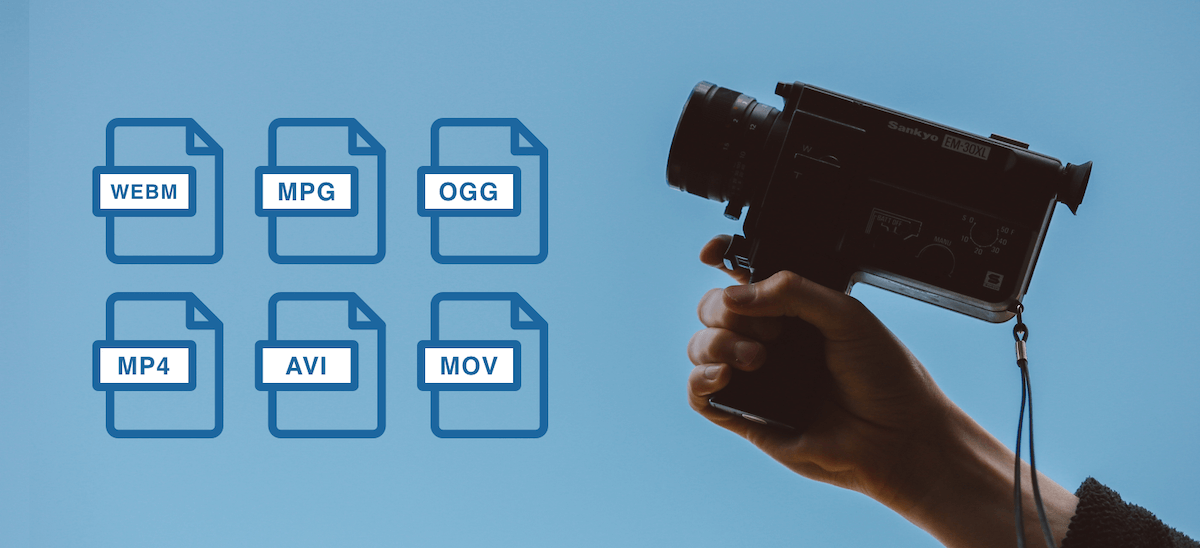
Video File Formats and Codecs

Since it is impossible to capture the immensity, we will touch only the most widespread and demanded multimedia formats, codecs, we will give a brief description and an explanation in which cases they are the most used.
Video File Formats and Codecs

In the description, we will also present a list of programs that are somehow related to this format. We will not give links, you can find all programs on the site.

Video standards
MPEG -1

MPEG -1 is a standard adopted by MPEG (Moving Picture Experts Group) video experts. Currently, MPEG-1 video is used on video CDs (VCD quality is closest to that of VHS video cassettes).

Initially, the use of MPEG -1 video is limited to a bit rate of 1.5 Megabits / s and a resolution of 352 × 240. However, this standard allows you to use any resolution up to 4095 × 4095.

MPEG -2

The MPEG-2 standard is used to convert video and audio for broadcast, including satellite broadcasting and cable television. It has strict restrictions on resolution (no more than 720 × 576), frame rate (25 fps and 29.97 fps), bit rate, etc.

MPEG -3

An audio and video coding standard for high definition television (HDTW) with data rates ranging from 20 to 40 Mbps. Work on MPEG-3 was discontinued after the modification of MPEG-2 (when the MPEG-2 standard 2 was no worse than MPEG-3 in coping with video processing).

Do not confuse MPEG-3 with the MP3 music format (MPEG-1 Part 3 Layer 3 / MPEG-1 Audio Layer 3).

MPEG -4

MPEG -4 is used to compress digital video and audio. Designed for Internet transmission (video transmission, video telephony), encoding and recording of movies on CD, (videophone) and transmission.

Video codecs
DivX (digital video express)

The most popular video codec for Microsoft Windows and Mac OS X platforms, used to compress most movies today. Compression allows you to fit an hour and a half of video material onto 1 or 2 CDs. It is distributed in two versions: DivX and DivX Pro. DivX is free (AdWare), you can use it without restrictions, the second is paid. The “Pro” prefix costs $ 19.99 along with additional package features and benefits over the free version. That:

– Better compression (about 25%) for video,
– Support for GMC (Global Motion Compensation) technology, which improves video quality and slightly improves compression ratio,
– DivX Pro provides full support for bidirectional encoding (B frames),
– Includes additional tools for video encoding.

Xvid

MPEG-4 Video Conversion Library, licensed under the GNU General Public License. Unlike the DivX codec, which was released for Microsoft Windows and Mac OS X platforms only, Xvid is a cross-platform product (used on all platforms and operating systems for which the codec source code can be compiled).

As you can see, the codec name is DivX “flip”. In practice, Xvid is the alternative to DivX. The codec is characterized by fast operating speed and acceptable image quality. Configurable both through third-party programs and through its own configuration window.

Windows Media Video

An encoding system developed by Microsoft. Included with Windows Media Multimedia Pack. It exists in several versions: Microsoft MPEG-4 Video Codec, Windows Media Video 9, etc. Although WMW video cannot compete with DivX, it is actively used in the development of multimedia and game applications for the Windows platform.

Programs to work with WMV

The Windows Media Encoder is a codec and a container for the encoder.

Windows Media Video 9 VCM – Similar to above, but does not include a graphical shell.

Indeo links

Intel initially developed the Ligos Indeo codec, but was later taken over by Ligos for review. Now the codec allows you to watch videos at different bit rates respectively with adaptive quality. Ligos Indeo supports the MMX processor instruction (although DivX has many more supported instructions).

Programs to work with Ligos Indeo

Intel Codec Installer: Offers the codec named I263, which makes it possible to play back electronic cards and videos in Ligos Indeo format.

The Intel JPEG Library Video Codec (ijlvid) is a dedicated driver based on the Intel JPEG Library that supports RGB24 decompression and RGB24 and YUY2 compression.

Intel Music Coder: Thanks to this package, you can listen to AVI video with IMC encoded sound.


Free Download Mp4Gain
picture


Mp4Gain Main Window
picture


Mp4Gain Features
picture


Free Download Mp4Gain
picture

Lossless compression.

Compression methods can work lossless or lossy. Lossless compression consists of reducing the content of the information in such a way that it can be reproduced exactly when it is reproduced. With this method, only clearly redundant databases are compressed without any information being modified or deleted. The reproduction is one hundred percent of the original. Lossless compression is used, for example, in text compression, audio compression, or image compression.

Lossless Compression

With lossless compression, data is reduced by using statistical frequencies. For example, when compressing text, letters that appear more frequently, such as “e”, are assigned short codes, and letters that appear rarely, such as “y”, are assigned long codes. And with image compression, only the differences between two pixels are saved. With lossless compression, unlike lossy compression, only significantly lower compression rates can be achieved.

Lossless Compression

One of the most popular lossless compression methods is the ZIP file format, which displays text and graphics in different file formats compressed with extremely high compression rates. Other known methods include the RAR file format, Huffman encoding, the LZW algorithm, Run Length Encoding (RLE), and a JPEG mode.

With lossless predictive audio compression (LPAC) and lossless transform audio compression (LTAC), there are two methods for audio compression which are considered in MPEG-4 as MPEG-4 audio lossless encoding (ALS ). Other lossless compression methods include OptimFrog, Monkeys Audio (APE), Free Lossless Audio Codec (FLAC), and Apple Lossless Audio Codec (ALAC).

What is a codec and what are the different forms of codecs?

Codecs are encoders / decoders that digitally encode and decode data or signals to send it over a data network. In VoIP telephony, these play a particularly important role, as they determine how and with what quality the audio and video data is transported within a network.

CODECS

A general distinction is made between compressed and uncompressed codecs.

In the case of codec compression, a distinction is also made between lossy and lossy compression of multimedia data. With a codec, there is always a trade-off between available bandwidth, the computing power to compress the data, and the quality of voice in both video and audio streaming. Wideband codecs allow very high quality voice transmission. Narrowband codecs allow low-bandwidth voice transmission, but call quality suffers noticeably. In general, a bandwidth of at least 100 kBit / s in both directions is recommended.

Codecs

With lossless codecs, all audio or video information contained in the original data is preserved in its original quality. With lossy codecs, which often result in a loss of quality, higher compression can be achieved to require less bandwidth during transmission.

If, for example, the audio quality is too low or there are jerks and cuts during the call, it may make sense to change the codec. A common source of poor audio quality with Voice over IP is that the required bandwidth for the codec is not available from the Internet connection. The following codecs are currently used as standard formats:

Audio codecs
GSM: 13 kbit / s voice data rate (full rate method), 20 ms frames

iLBC – 15 kbps, 20 ms voice frames: 13.3 kbps, 30 ms frames

ITU G.711 – 64 kbit / s, based on samples. Also known as the A-law / µ-law method.

ITU G.722 – 48/56/64 Kbit / s

ITU G.723.1 – 5.3 / 6.3 kbit / s, 30 ms frames

ITU G.726 – 16/24/32/40 Kbit / s

ITU G.728 – 16 kbit / s

ITU G.729 – 8 kbit / s, 10 ms frames

Speex: 2.15 to 44.2 kbps

LPC10: 2.5 kbps

DoD CELP – 4.8 kbps

Average Opinion Score (MOS) is a measurement method that allows you to compare the voice quality of different codecs with each other. A group determines how close a codec is to the original human language. The scale ranges from 1 (poor) to 5 (excellent). Values ​​greater than 4 correspond to the voice quality in the ISDN network.

Video codecs
VP8: Free codec to compress HD video (also for streaming)

H.264 / MPEG-4 Part 10 or AVC (Advanced Video Coding) – Very popular paid codec for compressing HD video

All standards are optimized for low data transfer speeds and low video shake. Data transfer rates are not defined.

Codec

In electronics and telecommunications, the term codec is used for integrated circuits or chips that perform data conversion. In this context, the term is an acronym for encoder / decoder. This type of codec combines functions for analog-to-digital conversion with functions for digital-to-analog conversion on a single chip.

In practice, compression is used primarily to optimize the storage space requirements of a large file, such as a video. Compression is achieved by eliminating redundancies in the data.

Compression works for any type of file, including text, program, image, audio, video, or virtual reality (VR) files. The compression rate achieved depends on several factors. In some cases, compression can reduce the size of a file by a factor of 100 or more. For example, a video 30 terabytes in size can be reduced to three terabytes (or less).

Compression achieves the greatest benefit in transmitting data. Uncompressed files like the video file just mentioned are very large and therefore take a long time to upload and download. The compressed file, on the other hand, can generally be downloaded in a few seconds or minutes. In order for the video to be seen again after downloading, a decompression algorithm has to “undo” the compression.

There are numerous standard codec systems. Some are used primarily to minimize file transfer times and are implemented over the Internet. Others are designed to maximize the amount of data to be stored on a storage medium.