Video Codec Profiles and Levels: A Guide for Video Creators
Video Codec Profiles and Levels: A Guide for Video CreatorsVideo Codec Profiles and Levels: A Guide for Video Creators
When you’re creating a video, one of the most important decisions you’ll make is the video codec you’ll use. The codec will determine the quality and size of your video, as well as the compatibility with different devices.
Video codecs are divided into profiles and levels. Profiles define the features that are supported by a codec, while levels define the maximum quality and size of a video encoded with that profile.
What are Video Codec Profiles?
Video codec profiles define the features that are supported by a codec. This includes things like the type of frames that are supported, the resolution of the video, and the chroma subsampling.
There are a number of different video codec profiles available, each with its own strengths and weaknesses. Some of the most common profiles include:
Main Profile: This is the most common profile and is supported by most devices. It supports a wide range of resolutions and chroma subsamplings.
High Profile: This profile offers higher quality than the Main Profile, but it is not supported by as many devices.
High 10 Profile: This profile supports 10-bit color, which can provide even higher quality than the High Profile.
What are Video Codec Levels?
Video codec levels define the maximum quality and size of a video encoded with a particular profile. This is determined by factors such as the maximum bitrate and the maximum frame rate.
There are a number of different video codec levels available, each with its own quality and size requirements. Some of the most common levels include:
Level 3: This is the lowest level and supports a maximum bitrate of 10,000 kbps.
Level 4: This level supports a maximum bitrate of 20,000 kbps.
Level 5: This level supports a maximum bitrate of 40,000 kbps.
**
Choosing the Right Profile and Level
The best way to choose the right profile and level for your video depends on a number of factors, including:
The desired quality of the video.
The target audience.
The devices that the video will be played on.
If you’re creating a video for a wide audience, then you’ll want to choose a profile and level that is supported by most devices. If you’re creating a video for a specific audience, then you may be able to choose a higher quality profile and level.
**
Final Words about Video Codec Profiles and Levels
Video codec profiles and levels are an important part of video encoding. By understanding the different profiles and levels, you can choose the right settings for your video, ensuring that it is both high quality and compatible with the devices that you want to play it on.
I hope this article has helped you to understand video codec profiles and levels.
Video Codec Comparison: Technical analysis of popular codecs
Video CodecVideo Codec
Comparing Video Codecs: In-depth Look
When I first started working with video, I was confused by all the different codecs out there. It’s essential to understand the technical aspects of each codec to make informed decisions. In this section, we’ll dive deep into the world of video codecs and compare their performance, compression efficiency, and compatibility.
One of my favorite quotes from the movie “The Social Network” is, “The internet is not written in pencil, it’s written in ink.” This quote reminds me of the importance of choosing the right codec for your video projects. A poor codec choice can lead to compatibility issues and poor video quality.
I’ve had my fair share of experiences with various codecs, and I’ve learned that it’s crucial to consider factors like bitrate, frame rate, and resolution when comparing codecs. These factors can significantly impact the final video quality and playback performance.
Analyzing Top Video Codecs: A Technical Perspective
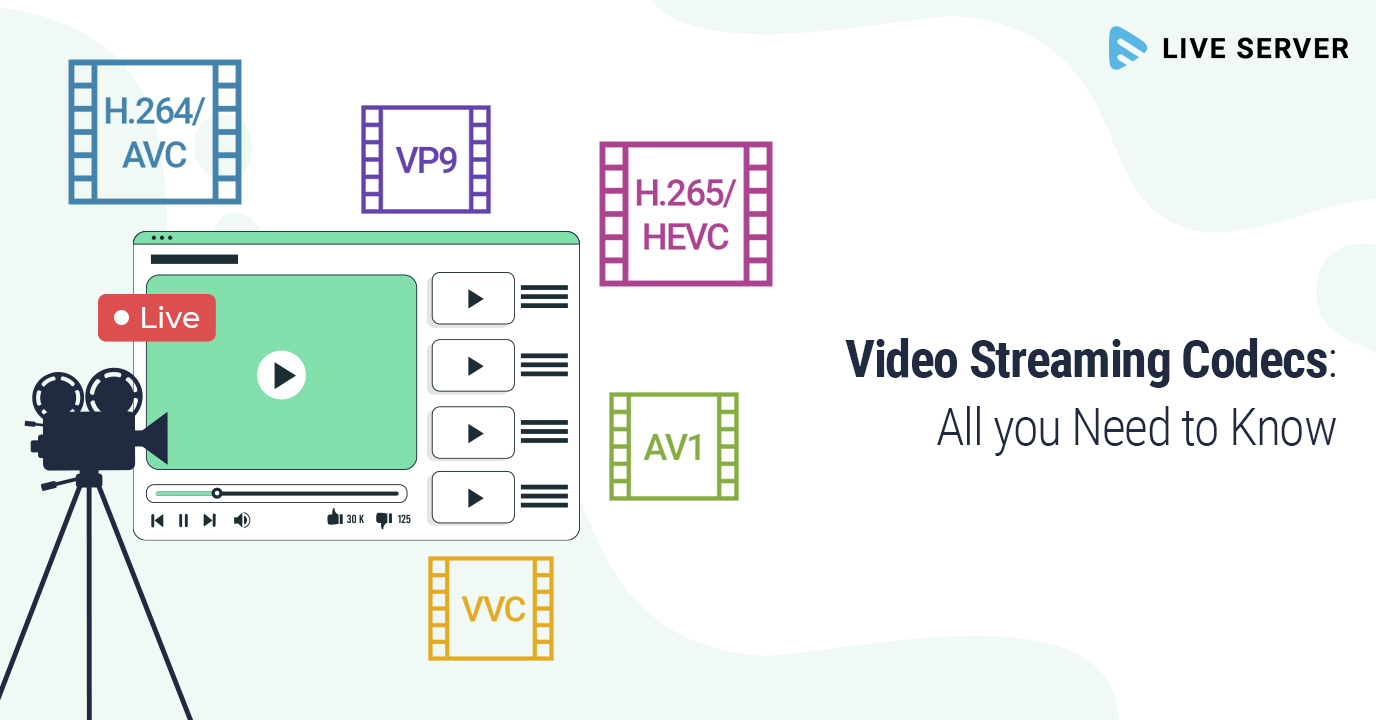
In my experience, some of the most popular video codecs include H.264, H.265 (HEVC), VP9, and AV1. Each codec has its strengths and weaknesses, and understanding these differences can help you choose the best codec for your project.
H.264 is widely supported and offers good compression efficiency, making it a solid choice for most applications. However, it may struggle with high-resolution content and require higher bitrates to maintain quality.
On the other hand, H.265 (HEVC) provides better compression efficiency than H.264, especially for high-resolution content. But it’s not as widely supported and may require more processing power for playback.
VP9 is an open-source codec developed by Google, offering similar compression efficiency to H.265. It’s well-suited for web streaming but may not be as widely supported as H.264.
Lastly, AV1 is a newer open-source codec that promises even better compression efficiency than H.265 and VP9. However, it’s still in the early stages of adoption and may not be supported by all devices and platforms.
Video Codec Showdown: A Technical Breakdown
When comparing video codecs, it’s essential to consider factors like compression efficiency, playback performance, and compatibility. In my experience, I’ve found that newer codecs like H.265 and AV1 offer better compression efficiency, which can result in smaller file sizes and lower bandwidth requirements.
However, these newer codecs may require more processing power for playback, which can be a concern for older devices or slower internet connections. Additionally, compatibility can be an issue, as not all devices and platforms support the latest codecs.
In the end, it’s crucial to weigh the pros and cons of each codec and consider your specific needs and target audience. For example, if compatibility is a top priority, H.264 may be the best choice, while H.265 or AV1 might be more suitable for high-resolution content or bandwidth-limited scenarios.
Final Words
Choosing the right video codec can be a daunting task, but understanding the technical aspects of each codec can help you make an informed decision. In my experience, it’s essential to consider factors like compression efficiency, playback performance, and compatibility when comparing codecs.
If you’re looking for a tool to help you with video conversion and normalization, I recommend checking out mp4gain. It’s not free or open-source, but it’s a powerful solution for working with various audio and video formats, including an integrated equalizer. It runs on Windows and can be a valuable tool for managing your video projects.
HEVC, also known as H.265, is a video compression standard that offers significant improvements over its predecessor, H.264. HEVC is capable of delivering the same video quality as H.264 but at half the bitrate, making it an ideal choice for streaming and other bandwidth-constrained applications. Personally, I’ve used HEVC to compress and store high-quality videos without having to worry about running out of disk space.
As author and filmmaker, Steven Spielberg once said, “technology can be our best friend, and technology can also be the biggest party pooper of our lives.” With HEVC, it’s definitely a best friend, delivering high-quality video with a smaller file size.
Advantages of HEVC Codec
One of the biggest advantages of HEVC codec is its ability to deliver high-quality video with smaller file sizes. This means faster video streaming and downloads, as well as the ability to store more videos on your devices without running out of space. Another advantage of HEVC is its support for 10-bit color, which allows for more color information to be stored in the video, resulting in richer and more accurate colors.
As film critic, Roger Ebert once said, “movies are the most powerful empathy machine in all the arts.” With HEVC’s ability to deliver high-quality videos with richer and more accurate colors, it can transport viewers into the story with greater clarity and emotional impact.
HEVC Video Playback and Encoding
HEVC playback is now widely supported on a range of devices, including smartphones, tablets, and smart TVs. However, HEVC encoding requires more processing power and time than H.264 encoding. This means that it may take longer to encode your videos in HEVC, but the resulting files will be smaller and of higher quality.
Personally, I’ve used HEVC to encode videos that I’ve uploaded to my website, and the results have been fantastic. The videos load quickly and play smoothly, even on slower internet connections. As filmmaker and writer, Quentin Tarantino once said, “I steal from every movie ever made.” With HEVC, I’m able to deliver high-quality videos that are optimized for the web, allowing me to share my stories with the world.
HEVC Streaming and Video Quality
HEVC is an ideal choice for streaming high-quality videos over the internet. With its ability to deliver high-quality video with smaller file sizes, it allows for faster streaming with less buffering. Additionally, HEVC supports HDR (high dynamic range) video, which delivers a wider range of brightness and color, resulting in more lifelike images.
As writer and director, Spike Lee once said, “film is a universal language.” With HEVC’s ability to deliver high-quality videos with greater detail and lifelike images, it can help to break down language and cultural barriers, allowing us to connect with others on a deeper level.
HEVC vs H.264: Which is Better?
HEVC is a significant improvement over H.264 in terms of video quality and compression efficiency. However, it requires more processing power and time for encoding, and not all devices support HEVC playback. For this reason, many content creators still use H.264 for compatibility reasons.
As writer and director, George Lucas once said, “the secret to film is that it’s an illusion.” With HEVC video codec, that illusion becomes even more realistic. Here are some of the benefits of using HEVC:
High Compression Efficiency: HEVC is known for its high compression efficiency, which means that it can compress video files to a smaller size without losing quality. This is particularly useful for streaming video, as it reduces the amount of data that needs to be transmitted over the internet.
Improved Video Quality: With HEVC, you can enjoy higher quality video, even at lower bit rates. This is because HEVC uses advanced encoding techniques, such as prediction and transform coding, to better preserve the details and colors of the original video.
Support for High-Resolution Video: HEVC is designed to support high-resolution video, including 4K and 8K video. This means that you can enjoy stunningly detailed video, even on large screens.
Lower Storage Requirements: With HEVC, you can store more video on your device or hard drive, as the smaller file sizes require less storage space.
Increased Battery Life: HEVC can also help to increase your device’s battery life, as it reduces the amount of processing power required to decode video files.
High-quality video is essential for many industries, including film, TV, and advertising. But it’s not just professionals who can benefit from HEVC. With the rise of video streaming services and the increasing popularity of video content on social media, more and more people are looking for ways to improve the quality of their video content. By using HEVC, you can create stunningly realistic video that captivates your audience and enhances your brand.
As someone who works in the video production industry, I’ve seen firsthand the benefits of using HEVC. Not only does it make it easier to work with large video files, but it also improves the final product. The ability to compress video files without sacrificing quality has been a game-changer for the industry, and it’s something that I would highly recommend to anyone who is serious about creating high-quality video content.
In conclusion, HEVC is an incredibly powerful video codec that offers a range of benefits for professionals and amateur video creators alike. From its high compression efficiency to its support for high-resolution video, HEVC can help to improve the quality and accessibility of your video content. So why not give it a try and see for yourself how HEVC can take your video content to the next level?