Multimedia Formats


Free Download Mp4Gain
picture

Multimedia Formats: Understanding the Different Types

Multimedia Formats
Multimedia Formats
Multimedia Formats
Multimedia Formats

What are Multimedia Formats?

Multimedia formats are digital file types that can contain different types of media such as text, audio, video, and images. These files can be played on various multimedia devices, including computers, smartphones, and tablets. Multimedia formats are used for a variety of purposes such as entertainment, education, and communication.

The Different Types of Multimedia Formats

There are various types of multimedia formats, each with its own advantages and disadvantages. Some of the most common multimedia formats include:

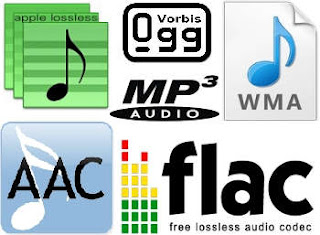
  • Audio Formats: Audio formats are used to store sound recordings. Some of the most common audio formats include MP3, AAC, FLAC, and WAV.
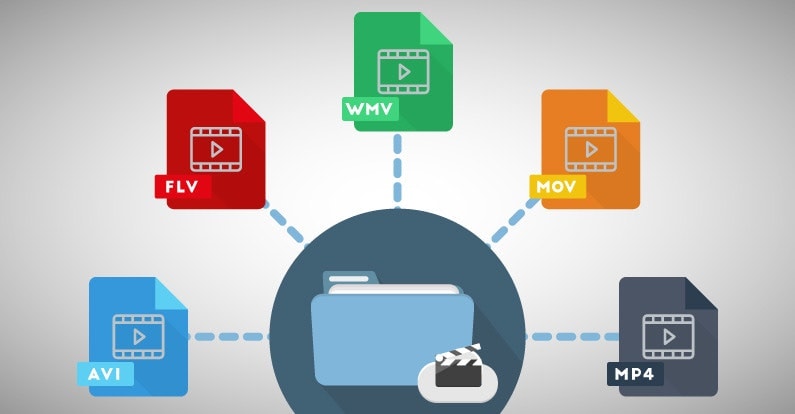
  • Video Formats: Video formats are used to store video recordings. Some of the most common video formats include AVI, MP4, MOV, and WMV.
  • Image Formats: Image formats are used to store digital images. Some of the most common image formats include JPEG, PNG, and GIF.
  • Document Formats: Document formats are used to store text-based documents. Some of the most common document formats include PDF, DOC, and TXT.
  • Interactive Formats: Interactive formats are used to create multimedia presentations and games. Some of the most common interactive formats include Flash and HTML5.

What are the Advantages of Different Multimedia Formats?

Different multimedia formats offer different advantages. For example, MP3 is a popular audio format because it is small in size and can be played on most devices. On the other hand, FLAC is a lossless audio format that offers higher quality sound but takes up more storage space. Similarly, AVI is a popular video format because it can be played on most devices, while MOV is a high-quality video format that is often used for professional video editing.

What are the Disadvantages of Different Multimedia Formats?

Different multimedia formats also have their own disadvantages. For example, some formats may not be supported by certain devices, which can make it difficult to play them. Additionally, some formats may take up a lot of storage space, which can be a problem for devices with limited storage capacity.

How do Multimedia Formats Impact File Size?

The file size of a multimedia file is determined by various factors such as the duration, resolution, and bitrate of the file. For example, a high-quality video with a long duration will have a larger file size compared to a low-quality video with a short duration. Similarly, a high-quality audio file with a high bitrate will have a larger file size compared to a low-quality audio file with a low bitrate.

What is the Role of Codecs in Multimedia Formats?

Codecs are used to compress and decompress multimedia files. Without codecs, multimedia files would take up a lot of storage space and would be difficult to transmit over the internet. Codecs can be used to compress files while maintaining the quality of the media, or to reduce the quality of the media while minimizing the file size.

What is the Difference between Lossy and Lossless Compression?

Lossy compression is a type of compression that permanently removes some of the data from a multimedia file to reduce its size. This can result in a loss of quality in the media. Lossless compression, on the other hand, compresses files without permanently removing any data, which means that the quality of the media remains the same.

What are Some Common Audio Codecs?

There are a number of different audio codecs that are commonly used to encode digital audio files. Here are a few of the most common:

  • MP3: This is perhaps the most well-known and widely used audio codec. MP3 files use lossy compression to reduce file size while maintaining reasonable sound quality.
  • FLAC: This codec uses lossless compression, meaning that it is able to compress audio files without sacrificing any of the original audio data. As a result, FLAC files are typically larger than MP3 files but offer higher quality sound.
  • Ogg Vorbis: This is a relatively new codec that uses a combination of lossy and lossless compression to achieve high-quality sound while maintaining a small file size. Ogg Vorbis files are often used for online streaming and broadcasting.
  • M4A: This is a codec that is commonly used by Apple for its iTunes music store. M4A files can use either lossy or lossless compression and are often used for streaming music on mobile devices.
  • WAV: This is an uncompressed audio format that is commonly used in professional audio production. WAV files offer high quality sound but are also very large in size.

What Are Some Common Video Codecs?

In addition to audio codecs, there are also a number of video codecs that are commonly used to encode digital video files. Here are a few of the most common:

  • MPEG-4: This is a popular codec that is widely used for streaming video online. MPEG-4 files can use either lossy or lossless compression and offer a good balance between file size and video quality.
  • H.264: This codec is used for high-definition video and is commonly used for streaming video online, as well as for Blu-ray discs and other high-quality video formats.
  • WebM: This is an open-source video codec that is designed for use on the web. WebM files are typically smaller than other video codecs while still offering high-quality video playback.
  • AVI: This is an older video codec that is still commonly used today. AVI files offer high-quality video playback but can be quite large in size.
  • WMV: This is a video codec that is commonly used on Windows-based systems. WMV files offer good video quality but can be somewhat restricted in terms of compatibility with other devices and software platforms.

How Do You Choose the Right Codec?

Choosing the right codec for your digital media files can be a bit tricky, as there are many factors to consider. Some of the most important factors to consider when choosing a codec include the intended use of the file, the quality of the original source material, the available storage space, and the compatibility of the file with different devices and software platforms.

When it comes to audio codecs, for example, you may want to choose a lossy codec like MP3 if you are creating a file for online streaming or sharing, as this will help to keep the file size small while still maintaining good sound quality. On the other hand, if you are creating a file for professional audio production or for archiving purposes, you may want to choose a lossless codec like FLAC or WAV, as this will ensure that none of the original audio data is lost during compression.


Free Download Mp4Gain
picture


Mp4Gain Main Window
picture


Mp4Gain Features
picture


Free Download Mp4Gain
picture

Video Formats

Video Formats

Video Formats
Video Formats
Video Formats
Video Formats


A video format is like a special type of container that holds a video file. It’s kind of like a lunch box that holds your food. There are many different types of video formats, just like there are many different types of lunch boxes.

Types of Video Formats

One of the most popular video formats is called MP4. This is like a lunch box that can hold lots of different types of food. Another popular format is AVI, which is like a lunch box that can only hold certain types of food.
There are many other video formats as well, like MOV, WMV, and FLV. Each one is like a different type of lunch box that can hold different types of food.

What is Compression?

Now, let’s talk about something called compression. This is like when you take a big sandwich and squish it down so it can fit in your lunch box. Video files can be really big, and that can make them hard to share or store. So, compression is a way to make the file smaller without losing too much quality.

Codecs

Compression is done using something called a codec. A codec is like a special tool that knows how to squish your video file down. Just like you might use a knife to cut your sandwich, a codec can cut your video file down to size.
There are many different codecs, and some are better than others. For example, H.264 is a very popular codec because it can make your video file much smaller without losing too much quality.

Why do Formats Matter?

So, why does all of this matter? Well, different devices and websites can only play certain types of video formats. It’s like how some lunch boxes can only fit certain types of food.
If you have a video file in the wrong format, you might not be able to play it on your device or share it with your friends. That’s why it’s important to know what format your video is in, and to convert it to a different format if you need to.

Conclusion

So, that’s video formats in a nutshell! Remember, a video format is like a lunch box that holds your video file. Compression is like squishing your sandwich down so it fits in the lunch box, and codecs are like special tools that do the squishing.
It’s important to know what format your video file is in, and to convert it to a different format if you need to. And if you want to make your videos louder, you can try using a tool like mp4gain to boost the volume.

The History of Video Formats

Video formats have a long and fascinating history, dating back to the early days of video recording. Over the years, video formats have evolved and improved, becoming smaller, more efficient, and more versatile. In this section, we’ll take a closer look at the history of video formats, from the early days of analog recording to the latest digital formats.

Early Analog Formats

The first video recording devices used large, bulky tapes that could only hold a few minutes of footage. These analog tapes were cumbersome and difficult to work with, but they were the only option available at the time.
In the 1970s, the VHS format was introduced, which became the standard for home video recordings. Betamax tapes were also popular in Japan, but VHS ultimately won out due to its longer recording time and lower cost.

Digital Video Emerges

In the 1990s, digital video formats started to emerge, offering a more efficient and versatile way to record and store video. The first digital video format was called DV, which used small cassettes that could hold up to 60 minutes of footage.
Other digital formats soon followed, including MiniDV, Digital8, and HDV. These formats offered higher quality and greater flexibility than analog tapes, but they still had limitations when it came to sharing and distributing video content.

The Rise of Online Video

As the internet became more popular, new video formats were developed to make it easier to share videos online. In the early 2000s, the Flash Video format was introduced by Adobe, which made it possible to play videos on websites.
Other formats soon followed, including Windows Media Video (WMV), QuickTime, and RealVideo. However, these formats were often proprietary and could only be played on certain devices or platforms.

The Modern Era of Video Formats

Today, there are many different video formats available, each with its own advantages and disadvantages. MP4 has become one of the most popular formats, thanks to its versatility and ability to be played on many different devices.
Other popular formats include AVI, MOV, and WMV. There are also specialized formats for different types of video content, such as H.264 for high-definition video and HEVC for 4K and 8K content.

The Future of Video Formats

As technology continues to evolve, we can expect to see even more advanced video formats in the future, making it easier than ever to capture, share, and enjoy high-quality video content. Some of the emerging technologies in video formats include:
360-degree video formats, which allow viewers to experience video content in a fully immersive way
High Dynamic Range (HDR) formats, which offer a wider range of colors and contrast for more realistic and vibrant video
Virtual Reality (VR) formats, which allow viewers to experience video content in a completely immersive and interactive way
In conclusion, video formats have come a long way over the years, from the early days of analog recording to the latest digital and online formats. As technology continues to evolve, we can expect to see even more exciting developments in video formats, making it easier and more enjoyable than ever to capture and share high-quality video content.

The most important video formats in comparison

The most important video formats in comparison

video formats

AVI, WMV, MPEG, MOV, FLV, WebM: a guide through the terms of video formats, with all their pros and cons The most common video formats at a glance ‘

Videos basically consist of many individual images and associated sound. Four different values ​​are relevant to recording the image: The frame rate or the frame rate, which is displayed in hertz (Hz) or in frames per second (fps = frames per second).

Video Formats

The higher this value, the more frames will be used to create the video and the larger the file will be. The second value is the color depth, which contains information about the color and brightness values. Third, the movie format indicates the resolution of the image in pixels or the aspect ratio of the video (for example, 16: 9 or 4: 3). And fourth, the soundtrack, which contains the recorded sound. The higher the image resolution, quality and length of the video, the larger the file will be on the hard drive.

There are numerous video formats. The most common formats are:

  • AVI – Audio Video Interleaved – file.avi
  • WMV – Windows Media Player – file.wmv
  • MPEG I, MPEG II – Moving Images Expert Group – file.mpg
  • MOV – Movie – file.mov
  • FLV – Flash Video – file.flv, file.swf
  • MPEG IV – Moving Image Expert Group – file.mp4
  • WebM – Google – .webm file

Video players such as the VLC player can be used to play such files on the computer. A DVD is typically 8 gigabits in size, while Bluray DVDs can be significantly larger. These can then be reduced with a compressor, but both the sound and the image quality are a handful.

All video formats have their advantages and disadvantages. The MPEG 2 format is synonymous with good quality picture and sound. With the iPad, however, it has to be an MPEG 4 format or a special application to play the video. Then there are the AVI videos, which can be played on almost any device. However, they have the great disadvantage that they become very large if the quality is adequate. On the contrary, the FLV format is ideal if the video will be published on the Internet. Because it is precisely this format that is compatible with the browser or with Flash plugins.

3GP / 3G2 (file extension: .3gp, .3g2, .3gpp)

3gp is the name of a video file format for mobile devices such as third-generation cell phones or PDAs. This format was specified by the 3GPP organization. Files in this format have the file name extension ā€œ.3gpā€ or ā€œ.3gppā€. It is used in the UMTS (3G) standard.
3g2 is a mobile phone video file format that is functionally similar to the 3gp format. This format was specified by the 3GPP2 organization. Files in this format have the file name extension ā€œ.3g2ā€. It is used in the CDMA2000 standard.

AVI (audio video interleaved) * .avi

A video format developed by Microsoft in 1992. Widely used in software and hardware. Almost all multimedia programs and almost all DVD players can play this format. Also, most digital cameras record in this format. Unfortunately at the price of very high storage requirements (compared to WMV or MPEG up to 20 times more).

FLV (short for Flash Video) * .flv * .swf

With Flash Video is a container format developed by Adobe Systems, which is best used for streaming video content over the Internet. To play the videos, Adobe Flash Player version 6 or 7 or higher is required. By embedding Flash video files in a SWF (Small Web Format) file, a video file can be integrated into a website with relative ease. SWF is an ActionScript, vector graphics, and multimedia file format.

MJPEG

Motion JPEG (MJPEG) is a video codec in which each individual image is compressed separately as a JPEG image. Videos compressed with MJPEG, unlike those compressed with MPEG, have a quality that is independent of the movement of the image. This standard is often used in older digital cameras. Due to the individual compression of all individual images, with this format it is possible to cut a frame from a video clip precisely without the need for recoding, which is generally only possible with MPEG keyframes.

MPEG 1 and 2 (Moving Image Expert Group) * .mpg

Video format developed by a group of experts with standardized compression methods. The advantages of MPEG movies are the comparatively small files with good image quality, albeit with low resolution. In practice, MPEG-II movies are far superior to MPEG-I movies in terms of resolution and image quality.

MPEG 4 (Moving Pictures Expert Group) * .mp4

Video format developed by a group of experts with standardized compression methods.
Originally, the aim of MPEG-4 was to support systems with low resources or narrow bandwidths (mobile phones, videophones, …) with a relatively small loss of quality. Since H.263, an ITU standard for video compression and decoding, had already successfully met these requirements, it was integrated into MPEG-4 as Part 2 without major changes. Films
MPEG-4 is compressed even stronger and without any noticeable loss of quality, that is, very small files with very good resolution. In practice, MPEG-4 places somewhat higher demands on the performance of the computer, since highly compressed data must first be “decompressed” again when played back.

MPEG 7

MPEG-7 is an ISO standard (ISO / IEC 15938) that was adopted in 2002 and was defined by the Moving Picture Experts Group, or MPEG for short. MPEG-7 is not a real compression standard, but it is used to describe multimedia data with the help of meta information and is stored in the form of one or more XML documents. It can be attached to the time code, for example, to mark certain events or, for example, to synchronize the lyrics with a song.

MOV (movie) * .mov

MOV-type video files are based on the Apple Quicktime standard. Quicktime movies largely share the advantages and disadvantages of MPEG-4 movies for comparison: good movie quality with little space, but higher demands on computer performance. The container format for Apple’s QuickTime multimedia architecture typically has the file extension .mov or .qt. Depending on the functions, the endings .qtvr, .qti and .qtif are also used. Storage takes place in sequentially and hierarchically organized units of data, so-called atoms. In addition to chronological information and tracking data, you can also store structural and hierarchical information and relationships. A special sync layer also makes it suitable for streaming. In professional cinema- and post-production it is the usual format for the exchange of multimedia data (video, audio, subtitles, time codes, chapter marks, etc.) due to the aforementioned properties. It also serves as the basis for the ISO standardized MP4 MPEG-4 file format.

Ogg .ogg

Ogg is a container file format for multimedia files, so it can hold audio, video, and text data at the same time. Ogg was designed with the goal of offering a free and unrestricted software patent alternative to proprietary formats for efficient storage and streaming of multimedia content. The ability to transmit is the decisive design feature: everything that is packaged in an Ogg container can be transmitted without additional adjustments. This distinguishes Ogg from formats that are only capable of streaming in certain ways (like Matroska) or not capable of live streaming (like MP4). Ogg streams can be grouped and chained without having to adjust the individual stream.
Ogg Theora is not very common in the video field. However, it is enjoying increasing popularity in the open source scene. However, for HD videos, the Matroska format, which is also free, is gaining more and more acceptance outside of the open source scene, so it remains to be seen what role Ogg Theora will play in the future.

RM (Real Average) * .rm

A collective term for the file formats of the software maker RealNetworks, in particular the Real-Audio audio format and the Real-Video video format. It is used primarily in streaming applications. Real files are lossy, but the quality of real video files is still comparatively good, especially with high compression.
Files compressed with RealVideo are lossy. The quality of RealVideo files is generally comparatively good with high compression, older versions are poor with low compression compared to MPEG for example. However, the quality of the newer versions is comparable to MPEG-4 video codecs like Xvid or DivX, as well as Windows Media Video 9. RealVideo usually occurs in the RealMedia container and then has its file extension .rv, .ram, .rm, or .rmvb.

WebM

WebM is a container format for audio and video data, used for the VP8 and VP9 video codecs introduced by Google, which represent alternatives to the well-known H.264 codec. It was developed for websites in the HTML5 standard, where it is used as an alternative to the MP4 format. WebM was introduced by Google Inc. in May 2010 and is endorsed by the Mozilla Foundation and Opera Software, among others. For Internet Explorer 9 or higher, Google provides a browser extension for download. In April 2011, Google also introduced WebM on YouTube, where it has since been available as an alternate playback option using the HTML5 video tag built into the page without browser plugins such as the Flash player that was previously required. Another implementation example, which in the case of the VP8 video format also represents the description of the standard, was released as free software under the terms of a BSD license.

WMV (Windows Media Video) * .wmv

A video format developed by Microsoft that offers high compression with good quality. In addition to Windows Media Player and many other software players, some standalone hardware players can also decode WMV files. Files that contain WMV encoded video streams are generally embedded in Microsoft’s Advanced Streaming Format (ASF) container format. These files usually have the extension .asf, but in the case of a video file they can also have the extension .wmv. A new variant of WMV is the Windows Media Video High Definition (WMVHD) format.
The Windows Media format also supports the integration of Digital Rights Management (DRM), which is intended to allow copyright owners to regulate access rights to audio and video material. In practice, this technology is often used as a copy protection measure.

THE VIDEO FORMATS

What is a CODEC?

codec
A CODEC is a program that deals with transforming – encoding and decoding
– an analog signal (audio or video) into digital. This transformation takes place
by compressing the original signal which is made “lighter” at the end
of its easier storage and / or transmissibility. There are several CODECs and
consequently different video file formats, each with its own characteristics
peculiar.
The AVI format. AVI, which stands for Audio Video Interleave, is a container format

Video Formats
released by Microsoft in 1992 as the standard video format for the system
Windows operating. Plenty of compression codecs are supported, guaranteeing
a broad generality of use. Finally, it guarantees an excellent level of compatibility
with software for non-linear editing.
The MOV format. This is Apple’s proprietary video format, as well as the
main multimedia extension for Mac OS type systems. The main software
for viewing MOV format files is QuickTime. The MOV format is great
for multimedia products (eg CD-ROM).
Microsoft Windows Media formats. It is essentially an attempt by Microsoft to unify different video formats. These are WMV (or WMA) files. Among the advantages made available, the use of the MPEG-4 codec, which guarantees excellent performance even with relatively low bitrate levels. Furthermore, an excellent level of efficiency and quality is guaranteed with regard to internet video streaming operations.

The 3GP format. The 3GP format, rather modern, linked to the continuous technological evolution of mobile devices, indicates a type of file expressly designed to interface with video telephony services: for example for recording multimedia files via mobile phones or smartphones.

The MPEG-4 format. Shortened to MP4, it is a multimedia file format usually used for saving video and audio content in high quality, occupying a small space, ie good quality and “light” files at the same time.

The MPEG-2 format. Standard developed by the Moving Picture Expert Group, it is suitable for broadcast productions (NTSC, PAL). It is therefore aimed primarily at an audience of users such as televisions, satellite channels and DVD producers.

DV and HDV formats. As for the DV format, it is a fully digital video recording format very suitable for non-linear editing procedures.

The HDV format is the evolution in high definition and is the result of an agreement on the technical specifications between four giants such as Canon, JVC, Sharp and Sony. The most well-known video editing software have equipped themselves with adequate support for the HDV format. For other editing programs it may be necessary to resort to suitable plugins for compatibility.

The DivX format. DivX is a proprietary multimedia technology based on a variant of the MPEG-4 codec. Among other things, this technology includes a famous video compressor developed by DivX Inc. and used by many people around the world.

The peculiarity of DivX, in addition to its presence in several consumer electronics products, lies in its versatility in producing small files of long-lasting movies, leaving the image quality almost unchanged.

What are the differences between AVI, RMVB, MKV and MP4?

Unlike what happens with audio files, the extension of video files says little about the encodings used. Each of them, from RMVB for extremely small files to MKV for extreme quality, has different types of encoding for audio, video and all the other necessary components of movies, so they are known as containers.

MP4

Container? Isn’t that a video codec? To understand them, the best example is that of a backpack. To attend a class, we have to bring a notebook, a case, books and other essentials for good use. Within a container we have a similar situation, with video encoding, audio encoding, subtitles and additional information on frame rate, audio channels, etc.

MKV

In our example, if we have the best notebook in the world with a bad pencil and a poorly written book, our experience will be drastically reduced, just like video containers. AVI, RMVB, MKV, each of them has different “levels” of quality depending on the coding of each of the components. Below is the list of currently used video encodings:

RMVB (Real Media Variable Bitrate, extension. Rmvb): Developed by Real Networks for RealPlayer, it has a variable bit rate. Although it is capable of generating a smaller file than the original RealMedia, the quality is the same, but it is far from good. Recommended for users who have a low-speed Internet connection or a data franchise.
RMVB

AVI (Audio Video Interleave, extension. Avi): container developed by Microsoft and currently supported by a variety of devices, from DVD players to smartphones. It uses DivX or XviD (High Loss Compression) encoding for video and generally MP3 for audio, which provides a reasonable video experience, but does not have native subtitle support.
Avi

MP4 (MPEG-4 part 14, extension. Mp4): In many ways, very similar to AVI, MP4 has the advantage of having native subtitle support (i.e. no subtitles in separate files), Xvid, DivX and powerful H. 264 for videos and ACC for audio (learn more about ACC). Users who want a balance between quality and compression generally prefer MP4, but it’s still not popular near AVI.
MP4

MKV(. Matroska Video, MKV Extension. MKV., Mks): Relatively new open source format preferred by users who want their movies to be of the highest quality possible regardless of download size. It is possible to encode all the elements in almost any format, from the frame rate per second and the quality of each image to the use of different encoders for video (DivX, XviD, H.264) and audio (ACC, DTS, Dolby Digital ), where Full HD (1080p) movies are rarely less than 10GB and reach up to almost 70GB in Remux quality.

These are not all video formats. MOV (Apple), WMV (Windows) and VOB (used on DVD) were not mentioned as they did not bring significant differences. The performance of each of them depends more on the compression rate itself than on the format itself, and machines that have hardware decoding can handle any format without major problems.

The 7 most common video file formats explained

To better understand its video file formats, let’s take a look at some of the most popular types on the market and their specific features.

video formats


1. AVI or WMV (Microsoft)

AVI video file formats are used to completely dominate the video market. However, the popularity of the format has declined recently, AVI videos are still common on the Internet. Microsoft replaced AVI with the WMV video file format in the mid-2000s.

Video Formats

The original WMV was designed exclusively for streaming applications. However, alternative WMV formats, reminiscent of WMV Screen and WMV Image, have been released for use with specialized video content.

Both AVI and WMV produce less compression than other competing formats, which means they provide better video quality. In contrast, they are large files.

Other benefits of AVI and WMV include its wide compatibility with PC and Mac operating systems. Among the disadvantages we can mention the impossibility of manually selecting the proportions of the rates, which can be quite bad for some users.

2. MOV and QT (Quicktime formats)

Like Microsoft’s AVI and WMV formats, Apple’s MOV and QT formats are compatible with both Apple and Microsoft platforms. The MOV has been specifically designed for feature films. Both MOV and QT are famous for supporting a wide variety of video content. These two video extensions are usually kept together.

Both formats use a multimedia container file, which is separated into a range of tracks. Users can dedicate all tracks to storing specific information (video, audio, effects and / or text). Another important advantage is that MOV and QT formats are also compatible with a large selection of codecs.

3. MKV

Derived from the Russian word matroska (doll), MKV is an extremely popular video file format for many reasons. First, it is open source. Second, it offers a multitude of additional features. And last but not least, it is compatible with almost all codecs.

The main disadvantage of the MKV format is that it is not compatible with certain programs and devices. But, if you are watching or distributing your video files in VLC, XBMC, PotPlayer or other MKV compatible video player, the high quality and versatility of this format make it an ideal choice.

4. MP4

Popularized by Apple on the iTunes Store, the MP4 is probably the closest to a universal standard. It not only stores video and audio files, but also text and still images. With a small file size and good quality, this format allows you to add interactive video and multimedia components.

Although this format offers less definition and fewer options than the MKV format, it is widely compatible with a range of the most prominent digital devices on the market.

5. AVCHD (advanced high definition video encoding)

The result of a collaboration between Panasonic and Sony, this video file format was expressly designed for digital video cameras. AVCHD takes advantage of H.264 / MPEG-4 video compression technology, which can compress video information into extraordinarily small sizes.

Perfect for people who record using their own video equipment, this format allows you to store hours of recording, using very little space, without sacrificing quality considerably. AVCHD is a standard definition and high definition variations. The latest edition of this format (AVCHD 2.0) supports 3D video.

6. FLV and SWF (Flash formats)

Flash Video has been around for a long time and is divided into two different formats. The first format (FLV) is very popular for streaming video on sites like YouTube and Google Video. FLV files are generally small and can be downloaded quickly.

SWF is the second dominant Flash format for displaying animated vector graphics online (an acronym for Shockwave Flash). It can be viewed as a Flash animation file.

Although Flash formats are famous for involving streaming video on the web, they are not compatible with iOS devices such as iPhones and iPads, which can cause major problems for Apple users.

7. RealVideo

Developed specifically for the Internet, this video format was developed by RealNetworks. The most striking feature of this format is that it works perfectly on low-bandwidth transmissions, but the video quality is compromised.

To view files in this format, you will need to install additional software. Therefore, when you decide to save and share your videos in a specific file format, choose the formats that can be played on multiple platforms.

Better understand the different video encoding formats

In a video, every file, audio and video, is a set of encrypted data (more or less compressed). The so-called codec is the tool used for coding. The type of encoding chosen determines the format obtained: video format and audio format. Simultaneous reading of image and sound is possible by encapsulating these sequences in a container file (defined by an extension).

The specific software is useful for analyzing and reproducing the contents of a video / audio file (format, container file, codec, weight, etc.).

Container files

Container files (not complete)

– MP4 (.mp4): audio and video standard for MPEG4

– AVI (.avi): can contain most video and audio formats.

– M2TS (.mts): standard for MPEG4 AVC / H264

– MOV (.mov): mainly contains Mpeg2, Mpeg4

– MPEG (.mpg): contains only MPEG formats

– M4V (.m4v): standard for iPod, PSP and online videos (eg iTunes) containing Mpeg4

– VOB (.vob): for DVD, generally contains Mpeg2 (video) and AC3 or DTS (audio)

– 3GP (.3gp or 3g2): for third generation mobile phones, contains Mpeg4

– ASF (.asf): Contains Microsoft Windows Media Video (WMV) format

– AIFF audio file (.aiff, .aif, .aifc) with uncompressed formats (PCM, IFF)

Video formats

Video encoding formats (not complete)

– HDV (Mpeg2 4: 2: 0): 1440 Ɨ 1080 resolution with a ratio of 1.77 (16/9).

– HDV (Mpeg2 4: 2: 2): 1920 Ɨ 1080 resolution with a ratio of 1.77 (16/9).

– AVCHD (Mpeg4 AVC / H264): Highly compressed HD format.

– DV (DV-AVI): Lightly compressed standard for digitized video.

– MPEG1: resolution 352 Ɨ 240 (NTSC) or 352 Ɨ 288 (PAL / SECAM) for CD-ROM.

– MPEG2: DV quality video standard mainly for DVD.

– MPEG4: video standard for multimedia applications. The most common standard is Part 10: Mpeg4 AVC H264 (AVCHD)

– WMV (Windows Media Video): Microsoft feature and main format used by Windows Media Player

– FLV (Adobe Flash Video): Allows you to easily insert a video image on a WEB page, in a format that the Flash player can read.

– DivX: based on Mpeg4, makes it possible to compress strongly and suitable to save or save on DVD

– Xvid: free and open source software, using Mpeg4. Used almost exclusively to backup video files. Better quality than its competitor DivX.

– Animated GIF: animation of images in GIF format. Suitable for solid colors and small videos.

Image encoding formats (not exhaustive)

– BMP (bitmap): from Microsoft and IBM. It is composed of a large number of pixels and is not suitable for enlargement work.

– JPEG (Joint Photographic Experts Group): Generally used for photos and other continuous images of HTML documents. It supports CMYK, RGB and grayscale modes, but no alpha channels. Unlike GIF, the JPEG format retains the color information of an RGB image. However, it compresses the file size by selectively deleting the data.

– RAW: High resolution uncompressed format that provides the best picture quality. This format is not standard: there are more than 200 types of RAW, including .crw, .cr2 (CANON), .nv2 (PANASONIC), .nef, .nrw (NIKON), .arw (SONY) …

– GIF (Graphics Interchange Format): Generally used to display indexed color graphics and images in HTML documents on the web. GIF is a compressed LZW format designed to reduce electronic transfer time and file size. Does not support alpha channels, but maintains the transparency of color-indexed images.

– PNG: royalty-free format. It was created as an alternative to GIF and is used to display images on the internet. This format uses a lossless compression process and retains all information regarding the color and alpha layers of an image.

– PSD (Photoshop format): very large, but recognized by other software.

– TGA (Targa format): Designed for systems using a Truevision video card, it is generally compatible with MS-DOS color applications. When you save an RGB image in TGA, you can select RLE encoding to compress the image and choose a pixel depth.

– TIFF (Tagged-Image File): to exchange files between applications and IT platforms. Flexible bitmap image format, it is compatible with almost all image editing, drawing and design applications. Maximum TIFF document size: 4 GB.

Audio encoding formats (not exhaustive)

– MP3 (MPEG 1/2 Audio Layer 3): compression format (lossy) developed by ISO.

– AIFF: format for Apple, uncompressed audio

– WAV (WAVE): uncompressed audio format developed by IBM and Microsoft

– WMA: audio data compression format (lossy), developed by Microsoft. It also allows protection of encryption against illegal copies.

– AAC (Advanced Audio Coding): Format used primarily on iPods

– DD + (D olby Digital Plus): high resolution format, with loss of compression

– DTHD (Dolby True HD): HD multi-channel audio format, lossless during compression and offering acoustic richness (up to 7.1)

– DTS HD (DTS HD Master Audio): High resolution audio format equivalent to DTHD.

– AC3: Dolby Digital format whose digital encoding standard is 5.1

– LPCM (Linear Pulse Code Modulation) – highest quality, uncompressed, multi-channel HD audio format.

– FLAC (Free Lossless Audio Codec): Free Audio Format, Lossless Compression

What are lossless file formats

Whether it is image, music or video files, it is important to understand the difference between different types of formats and when to use them. Using the wrong format can ruin the quality of a file or make the file size unnecessarily large.

file audio differenze

Some types of media file formats are “lossy” and some types “lossless”. We will explain what these terms mean for the benefits of each type of file format and why you should never convert lossy to lossless formats.

Compression explained.

We use compression to make files smaller so they can retrieve faster and take up less storage space. For example, when you take a photo, your camera captures all the light you can get and collects an image. If you save the image in RAW format, which retains all the clear data that the camera sensor receives, the image can reach 25 MB. (Depending on image resolution: A multi-megapixel camera provides a larger image.)

comprimere i-grandi-audio

If we upload these files to a social network or put them on a website, we don’t want these image files to take up so much space. A photo gallery with RAW images could take hundreds of megabytes of space. RAW formats can be used by professional photographers to maintain high image quality during the editing process, but they are not intended for the average person.

Instead, our camera or smartphone converts the image into a JPEG file. JPEG files are much, much smaller than RAW images. When you convert RAW to JPEG, some of the image data is “discarded”, which produces a much smaller file. The conversion process uses a compression algorithm that works well for photos, so they can look pretty good despite compression. You can still see compression elements, depending on the quality settings.

Note that lost formats generally have a setting that controls their loss. For example, JPEG has a variable quality setting. Low quality produces a smaller JPEG image file, but the image quality is significantly poorer. Below is a close-up example of a lost JPEG: various “compression artifacts” can be seen.

We call RAW a “lossless” format because it retains all the original data in the file, while we call JPEG a “lost” format because some data is lost when we convert an image to JPEG. However, these are not the only design and loss-free formats.

Images: RAW, BMP and PNG are all image formats without data loss. JPEG and WebP are lost image formats.
Audio: WAV is a container file that is often used to contain lossless audio, although it is also capable of containing lost sound. FLAC is a lossless audio format, while MP3 is a lossless audio format.
Video: Consumers use few lossless video formats as they involve video files taking up a large amount of space. Common formats like H.264 and H.265 are all lost. H.264 and H.265 can deliver smaller files with higher quality than previous generations of video codecs because it has a “smarter” algorithm that is better at choosing which data to discard.
Some of these lossless formats also provide compression. For example, a WAV file generally contains uncompressed audio and takes up little space. A FLAC file may contain the same lossless sound as a WAV file, but it uses compression to continue creating a smaller file. Formats like FLAC provide no data: they store all data and compress them intelligently, just like ZIP archives. However, they are still much larger in size than MP3s that throw a lot of data.

A conversion can be a loss, even between formats without data loss. For a conversion to be effectively lossless, the data in the original file must fit within the destination file. For example, loss without FLAC files only supports 24-bit audio. If you converted a WAV file containing 32-bit PCM audio to FLAC, the conversion process must generate some data. The conversion process between a WAV file containing 24-bit PCM audio in FLAC would be lossless.

Lossless audio formatsĀ 

WAV (.wav) The WAV format is nothing more than a digital recording of real sounds, sounds that come from a source outside the PC. With WAV music, drums, piano, guitar, bass or vocals are heard the same, no matter what computer the file is played on (with the same acoustic quality of hardware components, of course).

wav

DSD (DFF, .Dsf) are used in digital media such as Super Audio CDs. Sampling quality is very high (variable sampling rate is approximately 64 times higher than for audio CDs), although according to several operators in this sector, it must be absolutely determined whether the final quality is higher than the sampling quality. PCM (used in high quality Blu-Ray and DVD Audio). I can reproduce free readers like Foobar 2000 or AIMP on our computer.

AIFF (.aif). It’s the Apple audio format used by Apple for Mac. It’s basically the WAV equivalent used by Windows.

APE (Mono Audio; .ape): Ordinary with a loss that allows us to reduce by about 50% the space occupied by our music (in some cases even more), without losing quality. In this way, an album that takes up about 600 MB in wav format averages 300 MB (much more than about 100 MB of high-speed mpc and 60 mp3 mp3, but the quality is the same as the original); On average, I speak because there are certain types of music where the level of compression is even higher. You can use WinAmp plug-ins to listen to songs in this format, or better yet, a player that uses it natively as Foobar 2000. Right now, it’s probably the best lossless codec, considering the balance between speed and compression (Click here for a lossless comparison table) format.)

Apple Lossless Audio Codec – ALAC (.m4a) This is a lossless audio codec created by Apple a few years ago and available as an open source from Apple since October 2011. Some programs support it in Windows (encoded). , including DbPowerAmp.

FLAC (.flac): a very popular open source format. It used to be very popular (among music purists), but some space has been lost with the MonkeyAudio bee format, which allows for better compression in the same quality. Compared to others, it always came in .ape format (but also after WavPack).


LA (Lossless Audio: .la): The lossless format that compresses the most. Conversion to this format is very slow, but achieves the best compression in history (for example, MonkeyAudio, this album would take up about 290 MB compared to 300 MB in APE). This is not widespread, as some MB obtained on a bee is not worth the long wait (and less support from third-party programs), but it is the winner of my lossless format comparison.flac

OPTIM FROG (.ofr) – Excellent lossless codec, best after LA as compressibility. Compression, when set to slightly high levels, is about 3 times slower than Monkey Audio and the gain in MB is about 2%. Like all other formats on this site, you can listen without the addition of Foobar 2000.

WAVPACK (.wv, wvc) – is a valid open source compression format that allows lossless, lossy and hybrid results. The compression rate is high and the compression is good. Another interesting hybrid format is that the lossy file is merged with another file, which allows you to completely restore the original file without loss in case we want to restore it.

Video formats: what are they, advantages and disadvantages

When image formats were displayed for the Internet, an unwritten rule was extended: The GIF format was for computer-generated images and the JPG format for images from “real life”, e.g. B. Photos. Unfortunately, no similar rules were imposed on videos: there are numerous formats and codecs, not to mention the fact that the requirements can vary depending on how the video is used.

video codecs

For example, file size doesn’t matter if you need to make a DVD, but it is crucial if you want to share the video on YouTube. A similar discussion could be held for overall quality and resolution, since preparing a video for display with a video projector is not the same as displaying it on a 3-inch screen. We have tried to deal with the most common video formats, treating the pros and cons of all. However, it should be noted that the number of formats available is very large and a complete book is required to cover all of them.

video

introduction to Video Formats

When image formats were displayed for the Internet, an unwritten rule was extended: The GIF format was for computer-generated images and the JPG format for images from “real life”, e.g. B. Photos. Unfortunately, no similar rules were imposed on videos: there are numerous formats and codecs, not to mention the fact that the requirements can vary depending on how the video is used. For example, file size doesn’t matter if you need to make a DVD, but it is crucial if you want to share the video on YouTube. A similar discussion could be held for overall quality and resolution, since preparing a video for display with a video projector is not the same as displaying it on a 3-inch screen.

We tried to deal with the most common video formats and deal with the advantages and disadvantages of each. However, it should be noted that the number of formats available is very large and a complete book is required to cover all of them.

Codec

A codec is a series of instructions for compressing and decompressing an audio or video file. There are many codecs for the most popular formats like AVI or QuickTime, which contain more than a dozen of them. Choosing the right one is the first step to getting a good result. One of the most pressing problems is definitely the selection of a codec that can also be used by the viewer on his computer. Otherwise you will not be able to watch the video. However, if the video is to be uploaded to MySpace or YouTube, this aspect is not relevant, since websites of this type have all or almost all codecs installed with which the video is converted into Flash FLV format.

The AVI format Audio Video Interleave was originally the Windows video format. For this reason, it can be played on all Microsoft operating systems from Windows 3.1 and on many Macs, provided the required codec is installed.

The “Microsoft MPEG-4 v2” codec offers the best combination of quality, small size and distribution in terms of the “installed base”, ie this codec is installed on many computers.

Thanks to the “Huffyyuv” codec, AVI files can also be saved losslessly or without compression. Both options are intended for static purposes, certainly not for transferring video over the Internet, since the resulting files are very large.

The “DivX 3” format was introduced as the “pirated version of the MPEG-4 v3 codec from Microsoft”. The installation of this codec generally overwrites the Microsoft MPEG 4 v1 and v2 codecs without notifying the user. The Divx4 version was released without special notice, but was legal, while the fifth version legitimized the format worldwide. The current version is DivX 6.8.

DivX is basically an AVI codec. Files created with this codec can use the DivX extension. They are high quality and small, but of course the viewer must have the codec installed.

This format is compatible with DivX certified hardware, including many lounge players.

Keyframe

The use of keyframes is similar to that of control points for 3D graphics.

The term “keyframe” is used when creating an animated video or combining animations and recorded videos. The term can have different meanings depending on the context. When creating an animation, Keyframe defines the frames in which the most important transitions are located.