Best Format to Make a Pro Video


Free Download Mp4Gain
picture

Best Format to Make a Pro Video


Best Format to Make a Pro Video


Selecting the right format for creating a professional video is akin to choosing the perfect canvas for a masterpiece. The video format sets the foundation for your project, impacting its quality, compatibility, and overall appeal. Let’s explore the importance of selecting the best format for pro-level video production.

Imagine you’re a skilled photographer preparing to capture a breathtaking landscape. Just as you’d select the ideal lens and camera settings, choosing the right video format is paramount. Different formats offer varying levels of detail, color depth, and compression. For pro-level work, formats like ProRes and DNxHD are often preferred. These formats preserve the highest quality, ensuring your video retains its visual integrity throughout editing and post-production.

Additionally, consider the platform where your video will be showcased. If it’s destined for the big screen, formats like CinemaDNG or REDCODE RAW might be ideal, offering the utmost in cinematic quality. On the other hand, web content or streaming services often favor formats like H.264 or H.265 for efficient online delivery without compromising too much on quality.

Choosing the best format is akin to selecting the right ingredients for a gourmet dish. Each format brings its unique flavor to your video, and your choice should align with your creative vision and the preferences of your audience.

What Are the Key Considerations for Selecting a Video Format?

Selecting a video format is a multifaceted decision, much like choosing the right vehicle for a cross-country road trip. Several key considerations come into play when deciding on the best format for professional video production.

Resolution is a fundamental factor. Higher resolutions, such as 4K or even 8K, offer exceptional detail and clarity, perfect for pro-level work. However, they also require more storage space and processing power. Consider the technical capabilities of your equipment and your post-production workflow when determining the ideal resolution.

Color depth is another critical aspect. Professional formats often support a wide color gamut, allowing for rich, vibrant visuals. This is particularly important if your video involves intricate color grading or if you intend to showcase it on high-quality displays.

Compression plays a vital role in video formats. Some formats use lossless compression, preserving every detail, while others use lossy compression, sacrificing some detail for smaller file sizes. Your choice should align with your storage and bandwidth constraints.

Lastly, compatibility is key. Ensure the format you choose is supported by your editing software, playback devices, and distribution platforms. It’s like selecting a language that your entire team understands to communicate effectively.

In essence, the best video format for professional content hinges on a careful balance of technical specifications, creative goals, and practical considerations.

Importance of Video Format in Professional Video Production

The importance of the video format in professional video production is akin to the foundation of a skyscraper. It’s the bedrock upon which your entire project stands. The format dictates how your video will be captured, edited, and ultimately presented to your audience.

Consider a scenario where you’re shooting a documentary in a remote location. The right video format can make the difference between capturing stunning landscapes with vibrant colors and struggling with subpar footage. Professional formats often provide a broader color gamut, ensuring your visuals are as breathtaking as the real-life scenes.

Additionally, the editing process relies heavily on the chosen format. Pro-level formats like ProRes or DNxHD offer robust support for post-production workflows, allowing for extensive color grading, compositing, and effects. This flexibility is like having a vast palette of colors at your disposal as a painter, enabling you to craft your video with precision.

Furthermore, when it’s time to showcase your work to the world, the video format can affect the viewing experience. A well-chosen format ensures that your audience enjoys your video as intended, whether it’s on a cinema screen, a television, or a mobile device. It’s like presenting a gourmet meal on fine china, elevating the dining experience.

In summary, the video format is the backbone of professional video production, influencing every aspect of your project. It’s essential to select a format that aligns with your creative vision and technical requirements to create a truly exceptional pro-level video.

Optimizing Video Format for Pro-Level Content

Optimizing the video format for pro-level content is a meticulous process, much like crafting a precision instrument. It requires attention to detail and a deep understanding of the technical aspects of video production. Let’s explore the steps involved in optimizing the video format for professional-grade content.

Step 1: Determine the Project’s Requirements

Begin by assessing the specific needs of your project. Consider the target audience, the platform where the video will be showcased, and the technical capabilities of your equipment. Are you creating a cinematic masterpiece for the big screen, or is it web content for online streaming? Understanding these requirements is crucial for format selection.

Step 2: Choose the Right Resolution

Selecting the appropriate resolution is essential. Pro-level content often benefits from higher resolutions, such as 4K or 8K, to capture intricate details. However, remember that higher resolutions require more storage and processing power. Ensure your equipment can handle the chosen resolution without compromising performance.

Step 3: Optimize Color Depth

Professional formats offer a wide color gamut, providing the flexibility for extensive color grading. This is particularly important if your project involves complex color correction or if you’re aiming for cinematic visuals. Choose a format that supports the color depth required for your creative vision.

Step 4: Consider Compression

Compression affects both file size and video quality. Lossless compression preserves every detail but results in larger file sizes, while lossy compression sacrifices some detail for smaller files. Balance your storage and bandwidth constraints with the need for visual quality when selecting the compression method.

Step 5: Ensure Compatibility

Check that your chosen format is compatible with your editing software, playback devices, and distribution platforms. Compatibility issues can lead to workflow disruptions and affect the final presentation of your video.

In essence, optimizing the video format for professional content is a meticulous process that demands a comprehensive understanding of both creative and technical aspects. When done correctly, it ensures that your video meets the highest standards of quality and visual excellence.

In conclusion, choosing the best format for professional video production is a critical decision that impacts the overall quality and appeal of your project. It involves a careful consideration of technical specifications, creative goals, and practical requirements. Opting for the right format is akin to selecting the perfect canvas and brushes for a masterpiece—it sets the stage for your creative vision to shine. As the renowned filmmaker Christopher Nolan once said, “I think IMAX is the best film format that was ever invented.” Just as IMAX is celebrated for its exceptional quality, the choice of video format can elevate your content to new heights of excellence.


Free Download Mp4Gain
picture


Mp4Gain Main Window
picture


Mp4Gain Features
picture


Free Download Mp4Gain
picture

Video Formats

Video Formats

Video Formats
Video Formats
Video Formats
Video Formats


A video format is like a special type of container that holds a video file. It’s kind of like a lunch box that holds your food. There are many different types of video formats, just like there are many different types of lunch boxes.

Types of Video Formats

One of the most popular video formats is called MP4. This is like a lunch box that can hold lots of different types of food. Another popular format is AVI, which is like a lunch box that can only hold certain types of food.
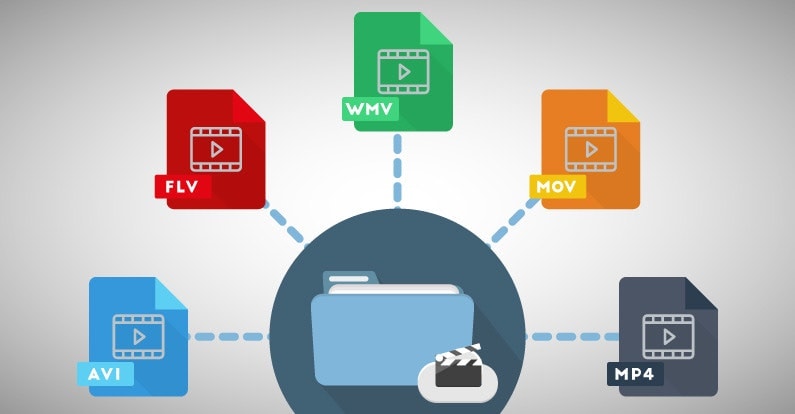
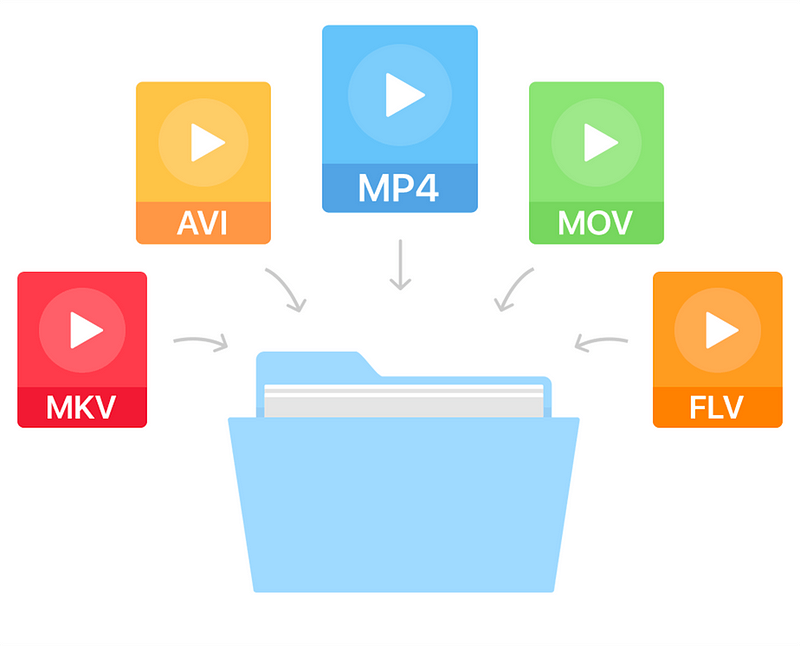
There are many other video formats as well, like MOV, WMV, and FLV. Each one is like a different type of lunch box that can hold different types of food.

What is Compression?

Now, let’s talk about something called compression. This is like when you take a big sandwich and squish it down so it can fit in your lunch box. Video files can be really big, and that can make them hard to share or store. So, compression is a way to make the file smaller without losing too much quality.

Codecs

Compression is done using something called a codec. A codec is like a special tool that knows how to squish your video file down. Just like you might use a knife to cut your sandwich, a codec can cut your video file down to size.
There are many different codecs, and some are better than others. For example, H.264 is a very popular codec because it can make your video file much smaller without losing too much quality.

Why do Formats Matter?

So, why does all of this matter? Well, different devices and websites can only play certain types of video formats. It’s like how some lunch boxes can only fit certain types of food.
If you have a video file in the wrong format, you might not be able to play it on your device or share it with your friends. That’s why it’s important to know what format your video is in, and to convert it to a different format if you need to.

Conclusion

So, that’s video formats in a nutshell! Remember, a video format is like a lunch box that holds your video file. Compression is like squishing your sandwich down so it fits in the lunch box, and codecs are like special tools that do the squishing.
It’s important to know what format your video file is in, and to convert it to a different format if you need to. And if you want to make your videos louder, you can try using a tool like mp4gain to boost the volume.

The History of Video Formats

Video formats have a long and fascinating history, dating back to the early days of video recording. Over the years, video formats have evolved and improved, becoming smaller, more efficient, and more versatile. In this section, we’ll take a closer look at the history of video formats, from the early days of analog recording to the latest digital formats.

Early Analog Formats

The first video recording devices used large, bulky tapes that could only hold a few minutes of footage. These analog tapes were cumbersome and difficult to work with, but they were the only option available at the time.
In the 1970s, the VHS format was introduced, which became the standard for home video recordings. Betamax tapes were also popular in Japan, but VHS ultimately won out due to its longer recording time and lower cost.

Digital Video Emerges

In the 1990s, digital video formats started to emerge, offering a more efficient and versatile way to record and store video. The first digital video format was called DV, which used small cassettes that could hold up to 60 minutes of footage.
Other digital formats soon followed, including MiniDV, Digital8, and HDV. These formats offered higher quality and greater flexibility than analog tapes, but they still had limitations when it came to sharing and distributing video content.

The Rise of Online Video

As the internet became more popular, new video formats were developed to make it easier to share videos online. In the early 2000s, the Flash Video format was introduced by Adobe, which made it possible to play videos on websites.
Other formats soon followed, including Windows Media Video (WMV), QuickTime, and RealVideo. However, these formats were often proprietary and could only be played on certain devices or platforms.

The Modern Era of Video Formats

Today, there are many different video formats available, each with its own advantages and disadvantages. MP4 has become one of the most popular formats, thanks to its versatility and ability to be played on many different devices.
Other popular formats include AVI, MOV, and WMV. There are also specialized formats for different types of video content, such as H.264 for high-definition video and HEVC for 4K and 8K content.

The Future of Video Formats

As technology continues to evolve, we can expect to see even more advanced video formats in the future, making it easier than ever to capture, share, and enjoy high-quality video content. Some of the emerging technologies in video formats include:
360-degree video formats, which allow viewers to experience video content in a fully immersive way
High Dynamic Range (HDR) formats, which offer a wider range of colors and contrast for more realistic and vibrant video
Virtual Reality (VR) formats, which allow viewers to experience video content in a completely immersive and interactive way
In conclusion, video formats have come a long way over the years, from the early days of analog recording to the latest digital and online formats. As technology continues to evolve, we can expect to see even more exciting developments in video formats, making it easier and more enjoyable than ever to capture and share high-quality video content.

Digital Video File Formats: Understanding Video Formats and Their Differences

Digital Video File Formats: Understanding Video Formats and Their Differences

Video formats
Video formats

When it comes to digital video, there are many different file formats to choose from. Each format has its own unique characteristics and is optimized for specific uses. Understanding the differences between these formats is important if you want to get the most out of your digital video content. In this article, we’ll take a closer look at digital video file formats and explore the top related keyword: digital video file formats.

Video Formats
Video Formats

What Are Digital Video File Formats?

Digital video file formats are a way of encoding and storing video data on a digital medium, such as a hard drive or flash drive. These file formats determine how the video is compressed, encoded, and played back. There are many different digital video file formats available, each with their own unique characteristics.

Why Are Video Formats Important?

Video formats are important because they determine how the video is encoded and compressed. This can affect the quality of the video, the file size, and the compatibility with different devices and software. Choosing the right video format is essential for creating high-quality video content that is optimized for your specific needs.

Popular Digital Video File Formats

There are many different digital video file formats to choose from, but some of the most popular ones include:

  • MP4: A highly versatile format that is compatible with most devices and software. It is a widely used format for web streaming and mobile devices.
  • AVI: A widely used format that is compatible with most devices and software. It is a popular format for video editing and video production.
  • WMV: A format developed by Microsoft that is optimized for Windows operating systems. It is a popular format for web streaming and video production.
  • MPEG: A format developed by the Motion Picture Experts Group that is optimized for high-quality video. It is a popular format for DVD and Blu-ray discs.

How to Choose the Right Video Format

Choosing the right video format depends on your specific needs. Some factors to consider when choosing a video format include:

  • Compatibility: Make sure the video format you choose is compatible with the devices and software you plan to use.
  • Quality: Choose a video format that delivers the quality you need for your specific application.
  • File Size: Consider the file size of the video format you choose, especially if you plan to share or distribute the video online.
  • Encoding Time: The time it takes to encode the video can be an important factor, especially for time-sensitive projects.

Conclusion

Digital video file formats are an important consideration when creating, editing, and sharing digital video content. Understanding the differences between the most popular digital video file formats is essential if you want to create high-quality video content that is optimized for your specific needs. In conclusion, if you want the best solution for your digital video file formats, we recommend using Mp4Gain. It is a powerful tool that can optimize your video files for maximum quality and compatibility.

Most popular video formats

Most popular video formats

Video Formats

The data shows the frequency of use of formats by users around the world and takes into account more than 3 million conversions on a PC with Windows operating system aVideo formatsnd more than 450 thousand conversions on an OS X operating system.

 

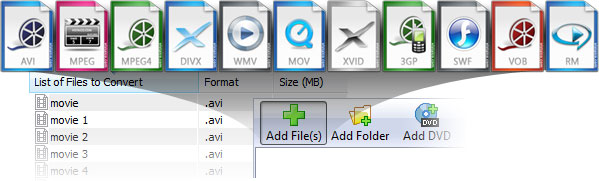
Most video files are converted to MP4, AVI, and MOV formats.

We began collecting these statistics to better understand our users and their needs. For example, we made sure that there is a great need to save our own conversion parameters, so we continue to work on the convenience of configuration. This data also helps us to see the problems that arise with the decoding of certain files and to solve them quickly, says Anna Komarova, Product Manager of Movavi.

Among Windows PC users, a significant prevalence of MP4 and AVI formats can be noticed over all others, placing them first and second with 33% and 24%, respectively.

The MPEG-4 container, also known as MP4, was introduced by the International Organization for Standardization (IOS) in 2001 and has gained success due to its versatility: it allows you to encode both graphics and audio data, it is used to transmit video in Internet, and is compatible with most mobile devices, including smartphones, tablets, and game consoles.

The AVI container, introduced by Microsoft in 1992, has been in use for more than 20 years and is still very popular, despite the many shortcomings that have long been eliminated in more modern media containers.

The next most popular formats for the Windows platform are MOV (4.41% of the total number of conversions) and WMV (3.97%). The VOB format (3.67%), which is used to encode DVD-video, closes the top five.

Named after a traditional Russian toy and often used to convert high definition (HD) videos, the Matroska container is rarely chosen by users of the Movavi video converter – 1.72% of the time. The newer WebM and OGV formats that support HTML 5 are even less popular.

The success of MP4 is also confirmed by the statistics of “paired” formats: that is, from which format users most often translate video files into. First is the conversion of AVI files to MP4 (13.96%). The reverse pair MP4 → AVI is much less common (3.85%).

The preferences of Mac users differ from those of PC owners, although MP4 is also in the lead here, and even by a wide margin from the rest of the containers. Its participation is 58.16%, while the MOV format, developed and promoted by Apple, came in second place with almost four times less score of 14.24%. The AVI format is used by “macovods” 7 times less than by PC owners.

The audio format rankings on both platforms are predictably led by the ubiquitous MP3; second place went to WAV files. Rounding out the top five are WMA, OGG, and FLAC, which provide lossless compression.

It seems that the most important factor in the popularity of a video format is its versatility. Not surprising: we see video files not only on computers, but also on DVD and Blu-ray players, smartphones, tablets, or directly on smart TVs.

It is for this reason that the classification is dominated by the MPEG-4 standard, which now works on almost all devices. We pay less attention than before to the size of the movies, the high-speed Internet access allows you to successfully transfer videos that occupy several gigabytes.

What is the best video format for Youtube? Part 2

What is the best video format for Youtube? Part 2

video formats

And again, I welcome you to my site. This is the second part of the article, in which I verify from my own experience which video format is best for YouTube.

Video File Formats

In the last part, I reviewed the AVI (uncompressed) video format, marking the rendering results in a special table. Today we will consider two most popular video formats, MP4 and WMV, which also deserve our attention. Let us begin!

MP4
MP4, like AVI, is a container for audio and video files, which uses many codecs like H.264 and AVC to encode video. Again, as in the case of AVI, for the experiment I will take only one of them, which in Sony Vegas Pro is called MainConcept AVC / AAC (Internet HD 1080p), since it is ideal for publishing on the Internet, and therefore on YouTube. …

Representation
MainConcept AVC / AAC MP4 video playback took 5 minutes 1 second, which is almost half as long as in the case of AVI.

MP4 rendering time table

The size
Also read: What video format is the best for Youtube? # one
But the video size in MP4 format is much smaller than in AVI format, and it is 129MB. I wonder how this affects its quality.

AVI size chart

Quality
In general, even considering that the video was encoded using the AVC codec, the quality did not suffer much. But something interesting was noticed in the way of increasing the contrast in one part of the video and decreasing it in the other.

Comparison of AVI and MP4

It clearly shows the difference between AVI and MP4 formats. Pay attention to the sky and the stump in the protagonist’s hands. This is what I wrote about above:

Contrast MP4

In my opinion, such video contrast, although it looks good, makes it uncomfortable for perception, so the final rating can be reduced by 2 points, that is, up to 8.

I have no complaints about the quality of the video, especially for such a small size of 129MB.

MP4 quality table

Conclusion: the MP4 (AVC / AAC) format has a small size and good quality, almost not inferior to the AVI format, but its strange contrast makes the video not very easy to read, which is a disadvantage of this format (although for some it may be an advantage).

What is the best video format for Youtube?

What is the best video format for Youtube?

video file formats

What is the best video format for Youtube? #oneOnce again, I welcome you to my site! Today we will talk about which video format is the best for Youtube and how to choose the best video format for Youtube.

Video format

Choosing the optimal format for your videos is the main task of any video blogger. If you choose the wrong format for your videos, you can completely ruin the viewers’ impression on Youtube, even if it is in Full HD quality.

After all, no matter what quality the original video was recorded in, the most important thing is what quality it will have in an already “finished”, rendered form. Therefore, it is especially important in the initial stage to pay attention to the correct selection of the video format for YouTube, so that later it is not too late.

Everything that will be written in this article is based on my personal experience. The article will be written in plain text, without all kinds of unnecessary terms and definitions, that is, in simple and understandable language.

Since everything is learned in comparison, special attention will be paid to comparing video formats with each other. In the article you will learn about the pros and cons of the three most popular video formats, and towards the end I will conclude which video format is the best for Youtube.

Like my guinea pig, I will take a Minecraft video at 1920 x 1080 resolution, 1 minute and 15 seconds long and 29,970 frame rate, recorded with Fraps in AVI format. That is, a “clean” video for experiments.

I will process (render) the video in the Sony Vegas Pro program.

The technical characteristics of the equipment in which I will carry out the experiment are the following: AMD Phenom II X4 945 processor, 4.0GB RAM, AMD Radeon HD 7800 Series (HD 7850).

What are video codecs and audio codecs?

What are video codecs and audio codecs?

video formats

You probably encountered a problem when the player refused to open a file, a dark screen was displayed while viewing, or the video played without audio. This happens when there are no codecs on the device. Also, errors can occur when using outdated equipment. Let’s take a look at how to solve the problem and install compatible video codecs for Windows 7 and other versions of the operating system.

video formats

What are codecs?

The name “codec” is a combination of the words “encoding” and “decoding” (co / dec). Technically, this is software used to compress and decompress a digital media file (music or video). They are needed to compress video, image and sound files to the smallest size so that the file takes up less space and is faster to transfer over the Internet. Windows Media Player and other programs use codecs to play multimedia files.

Sometimes they get confused with the video format or container. But a media container is a collection of files that stores data compressed by a video codec. AVI movie is a container that contains multimedia files encoded with XviD, DivX or MPEG-2.

How do codecs work?

Codecs are used to change media format or reduce file size for fast transmission over the Internet. They do the opposite, “reading” data from MP3 or other formats for playback. This is called unpacking.

The process of creating an encoded video file
There are two types of compression. Lossless codecs compress the original video at the highest quality settings. This can be compared to packing files in a ZIP file: after unzipping (when watching a recoded video), the output file does not differ from the original. These multimedia files are great.

Lossy codecs lose information to varying degrees, which leads to degradation of the quality of the processed media file. But they save a lot of space on your hard drive. Modern converters allow you to set optimal compression settings and minimize losses.

What codec should I choose?

If the required codecs are not found when playing media files, the player displays an error indicating the problem. It remains to find a solution on the Internet. However, the software does not always indicate the missing video codec.

The process of creating an encoded video file
Codec message is missing in Windows 10 Movies & TV Player
There are hundreds of options for different purposes: audio and video compression, media streaming, video conferencing, MP3 playback, screenshot. Let’s consider the popular codecs for watching videos and playing music files.

MPEG. MPEG-1 offers high quality video and creates MP3 sound that plays on all modern music devices without exception. MPEG-2 is the current video compression standard for DVD and Blu-ray discs. MPEG-4 provides better compression methods and smaller output video sizes.
H.264. The most popular option for HD video, which can use lossy and lossless compression. H.264 is 2 times more efficient than MPEG-4 and produces a smaller file with smoother playback. H.264 is used for web video and Blu-ray recording.
XVID / DIVX. DivX is a commercial codec, XviD is an open source alternative. DivX can compress long video segments into small sizes while maintaining high quality.
HEVC. High-efficiency video coding (HEVC or H.265) is a new compression standard. This “cousin” of H.264 makes even better use of its compression algorithms. The codec is only gaining popularity and is not supported by all programs.
How do I install and run codecs?
You do not need to download the codecs separately. There are many packages that contain the necessary audio and video codecs. The most popular variant of the K-Lite Codec Pack. It is distributed free of charge in various trim levels, from basic to advanced, and includes Media Player Classic.

The 5 most popular video formats

The 5 most popular video formats

Video File Formats

Certainly, it is impossible to give a simple answer as to which video format is the best. But you can offer users a choice by listing various popular extensions, their advantages and disadvantages.

Video Formats

AVI. This is the most popular container developed by Microsoft. This type of file can store audio, video, text, and graphics at the same time. The main advantage of AVI is that it is compatible with almost all popular players and modern devices.

MKV. Also known as “Matroska”. It is also a container that can include videos, audio, subtitles, and animated menus. In part, this format is similar to AVI and most of the time it plays smoothly on a PC. But if you downloaded a movie in this format and want to watch it on TV, prepare yourself for a nasty surprise. You most likely cannot do this, because this extension is not readable by most TV models. .

MOV. The best video format for macOS. The video on it is recorded from cameras and digital cameras. In some cases, to open video files of this format, users must install an additional QuickTime Player on their PC.

FLV. This format is common on video hosting sites like RuTube, YouTube, Google Video, and others. The advantage of these videos is that even at low bit rates, they are of good quality. On older PCs, it is sometimes difficult to reproduce this format.

VOB. It is an extension of the container, in which several audio and video streams, as well as subtitles and menus, can be collected at the same time. Most of the time VOB is used when converting video to DVD.

What is the best format to save the video?

What is the best format to save the video?

Video File Formats

To reduce the “weight” of the video, various video formats are created using different compression algorithms. Thanks to this technology, a video file can be compressed hundreds of times without loss of image and sound quality.

Video Formats

Today, in addition to the widespread DVD video format, there are many types of video formats that differ in video encoding method and file size.

DVD video
DVD video playback requires a DVD drive and an MPEG-2 decoder (that is, a consumer DVD player with a hardware decoder or a computer DVD drive and a software player with a decoder installed). DVD movies are compressed using the MPEG-2 algorithm for video and various formats (often multi-channel) for audio. The compressed video bit rate (bit rate) ranges from 2000 to 9800 Kbps, often variable (VBR). The standard video frame size of PAL standard is 720×576 pixels, NTSC standard is 720×480 pixels.

It can be viewed on a DVD player and computer, as well as smart devices.

MPEG-2
In reality, MPEG-2 is not just a digital format, but a group of standards used to encode and compress video and audio data. It is most often used to process video intended for DVD recording, as well as to organize the transmission of a multimedia transmission through digital television channels. MPEG-2 encoded videos typically play at around 25-30 frames per second. Compression of the audio backing frames can be performed on multiple channels.

It can be viewed on the computer and on smart devices.

MPEG-4
The MPEG-4 format was created in 1998. The purpose of its creation was the prospect of greater compression of digital audio and video, so that an MPEG-2 movie fits on a DVD disc, but the same movie in compression format MPEG-4 fits freely on a CD, the capacity of which is 6 times less.

The MPEG-4 format, like MPEG-2, stores only the frames in which the image in the frame has changed greatly. But this format does not store intermediate frames, such as MPEG-2. Instead, the MPEG-4 file stores data about changes (also about expected changes) in the image between two control frames (key). Information received about changes can be compressed in the same way that the file is compressed by programs designed to archive data.

This format has a large number of varieties and is used in various video playback devices.

MPEG-4 is an international standard approved by ISO, the international standards organization. It is usually used to compress digital audio and video, for streaming (video streaming), movie recording, in video telephony and streaming, in a word, where digital video and audio compression is actively used.

It can be viewed on the computer and on smart devices.

Windows Media
This format (Windows Media) was developed by the well-known company Microsoft and is intended to store compressed audio and video. This compression format is capable of providing high quality video and sound, which in some cases exceeds the quality of DivX and MPEG-2, but is basically identical, and this is with a less complex compression algorithm.

Another advantage of this codec is that all the necessary software (codecs, decoders) is already installed in Windows operating systems, making it easy for users to find and install software and easily view it in the built-in Windows player: Windows Media Player or devices. smart.

Containers
Many people confuse concepts like “container” and “format” of a file. Often in my environment, phrases like “AVI file format” fly by. This expression is not entirely correct, although AVI is a long-standing file format. But files with the AVI extension can contain uncompressed video of various formats: MPEG-4, DV, DivX, Xvid, and of course MPEG-1 and MPEG-2. Also, the AVI format can only contain audio. This tells us that AVI files are containers for content in various formats.

A container is a file that has some kind of extension that is used to store analog information converted to digital format. Some containers store service information. For example, a video file can include captions that are inherently not part of the video image, but only plain text. Many players have a feature to enable and disable the display of titles in the frame. Summarizing, we can conclude that a container is a file of a certain

What is video format and which one is better?

What is video format and which one is better?

Video format

Digital video is increasingly included in our lives, and if a few years ago users were limited to watching movies and videos on the Internet, now these same users create video content themselves, and in such quantity that even film studios Hollywood couldn’t. Sound.

video format

Private video clips have filled social media Vkontakte, Facebook and now Instagram, Youtube video hosting is packed with newly created video channels and gigabytes of video uploaded to them.

Thanks to modern devices and software, it has become as easy as possible to work with video: editing, pasting, layering sound, as well as converting from one format to another, all of this is now done literally in a few clicks and does not require the user has extensive knowledge of the technical part of the process itself … Perhaps, if that requires a little excursion, then these are video formats like MP4, AVI, WMV, MOV, as well as MKV (M2TS). Next, we will talk about what a video format is and take a closer look at each of them.

What is the video format?
The video format is the structure of the video data, how it is stored on the memory card, and with which video codecs it is encrypted. Depending on the format: MP4, AVI, etc., the structure of the video files may differ significantly from each other. The structure is a container for the separate storage of audio, video, and text data, as well as service metadata. Some video formats, in their structure, can store several audio or video tracks, with different quality and sound. When watching, using a video player, the user can select one or another track to play (for example, in Russian or English).

video file structure

All data, both audio and video, is encoded with special audiovisual codecs, such as AAC and H.264. Depending on the quality of the sound and video, the size of the file, as well as the resource requirements of the device on which this file is played, may change.

Let’s look at various video formats and find out which video format is better, for this we will compare video formats on three parameters: quality, processing (playback) speed, and video file size.

All video formats
AVI
The oldest presented format is a Microsoft development, it supports multi-streaming audio and video, it can contain data encoded by various video codecs. The main advantage is video playback on low-power devices, achieved due to the low compression ratio, from which the second advantage arises – good quality. However, the video file size is poor.

Video processing speed: 8 points (high);
Video file size: 1 point (low score);
Video quality: 8 points (good).
Overall score of 17 points.

MP4
It stands for MPEG-4 Part 14 and it is one of the most common formats. Today it is difficult to find a video device or video application that does not support this format.

Video processing speed: 6 points (average);
Video file size: 6 points (average);
Video quality is 7 points (above average), during viewing, you may notice “apostrophes”, changes in shadows and contrast.
The total score is 19 points.

WMV
Another Microsoft development, the format that replaced AVI at the time, is proprietary and used only in the Windows operating system, but it is also quite widespread. The main advantages are the small file size and high video quality, while this format is quite demanding on device resources due to the high degree of data compression.

Video processing speed: 2 points (average);
Video file size: 8 points (average);
Video quality is 8 points (above average), during viewing, you may notice “apostrophes”, changes in shadows and contrast.
The total score is 18 points.

Conclution
We found out what video formats are, what they are and what they consist of, and we also examined some of them, comparing them in more detail according to three main criteria. In the benchmarks, the title of the best video format to date is MP4, with an overall rating of 19 points. Acceptable video processing speed, good quality and average video file size. Obviously, it is thanks to these qualities that this format has gained such popularity among users. So, if you have AVI video that takes up a lot of hard drive space.