Video Formats


Free Download Mp4Gain
picture

Video Formats

Video Formats
Video Formats
Video Formats
Video Formats


A video format is like a special type of container that holds a video file. It’s kind of like a lunch box that holds your food. There are many different types of video formats, just like there are many different types of lunch boxes.

Types of Video Formats

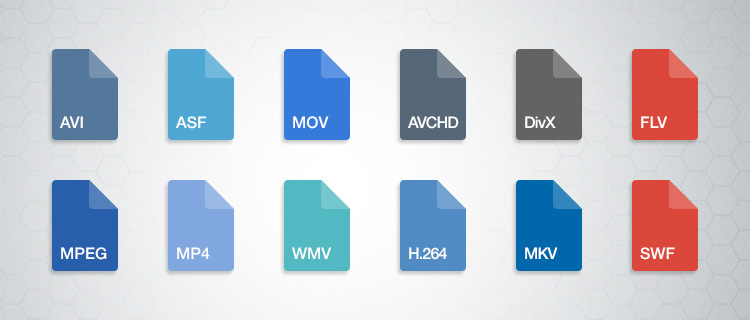
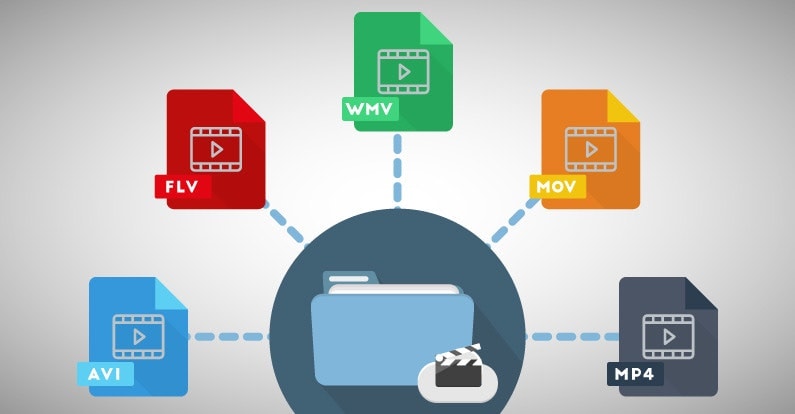
One of the most popular video formats is called MP4. This is like a lunch box that can hold lots of different types of food. Another popular format is AVI, which is like a lunch box that can only hold certain types of food.
There are many other video formats as well, like MOV, WMV, and FLV. Each one is like a different type of lunch box that can hold different types of food.

What is Compression?

Now, let’s talk about something called compression. This is like when you take a big sandwich and squish it down so it can fit in your lunch box. Video files can be really big, and that can make them hard to share or store. So, compression is a way to make the file smaller without losing too much quality.

Codecs

Compression is done using something called a codec. A codec is like a special tool that knows how to squish your video file down. Just like you might use a knife to cut your sandwich, a codec can cut your video file down to size.
There are many different codecs, and some are better than others. For example, H.264 is a very popular codec because it can make your video file much smaller without losing too much quality.

Why do Formats Matter?

So, why does all of this matter? Well, different devices and websites can only play certain types of video formats. It’s like how some lunch boxes can only fit certain types of food.
If you have a video file in the wrong format, you might not be able to play it on your device or share it with your friends. That’s why it’s important to know what format your video is in, and to convert it to a different format if you need to.

Conclusion

So, that’s video formats in a nutshell! Remember, a video format is like a lunch box that holds your video file. Compression is like squishing your sandwich down so it fits in the lunch box, and codecs are like special tools that do the squishing.
It’s important to know what format your video file is in, and to convert it to a different format if you need to. And if you want to make your videos louder, you can try using a tool like mp4gain to boost the volume.

The History of Video Formats

Video formats have a long and fascinating history, dating back to the early days of video recording. Over the years, video formats have evolved and improved, becoming smaller, more efficient, and more versatile. In this section, we’ll take a closer look at the history of video formats, from the early days of analog recording to the latest digital formats.

Early Analog Formats

The first video recording devices used large, bulky tapes that could only hold a few minutes of footage. These analog tapes were cumbersome and difficult to work with, but they were the only option available at the time.
In the 1970s, the VHS format was introduced, which became the standard for home video recordings. Betamax tapes were also popular in Japan, but VHS ultimately won out due to its longer recording time and lower cost.

Digital Video Emerges

In the 1990s, digital video formats started to emerge, offering a more efficient and versatile way to record and store video. The first digital video format was called DV, which used small cassettes that could hold up to 60 minutes of footage.
Other digital formats soon followed, including MiniDV, Digital8, and HDV. These formats offered higher quality and greater flexibility than analog tapes, but they still had limitations when it came to sharing and distributing video content.

The Rise of Online Video

As the internet became more popular, new video formats were developed to make it easier to share videos online. In the early 2000s, the Flash Video format was introduced by Adobe, which made it possible to play videos on websites.
Other formats soon followed, including Windows Media Video (WMV), QuickTime, and RealVideo. However, these formats were often proprietary and could only be played on certain devices or platforms.

The Modern Era of Video Formats

Today, there are many different video formats available, each with its own advantages and disadvantages. MP4 has become one of the most popular formats, thanks to its versatility and ability to be played on many different devices.
Other popular formats include AVI, MOV, and WMV. There are also specialized formats for different types of video content, such as H.264 for high-definition video and HEVC for 4K and 8K content.

The Future of Video Formats

As technology continues to evolve, we can expect to see even more advanced video formats in the future, making it easier than ever to capture, share, and enjoy high-quality video content. Some of the emerging technologies in video formats include:
360-degree video formats, which allow viewers to experience video content in a fully immersive way
High Dynamic Range (HDR) formats, which offer a wider range of colors and contrast for more realistic and vibrant video
Virtual Reality (VR) formats, which allow viewers to experience video content in a completely immersive and interactive way
In conclusion, video formats have come a long way over the years, from the early days of analog recording to the latest digital and online formats. As technology continues to evolve, we can expect to see even more exciting developments in video formats, making it easier and more enjoyable than ever to capture and share high-quality video content.


Free Download Mp4Gain
picture


Mp4Gain Main Window
picture


Mp4Gain Features
picture


Free Download Mp4Gain
picture

Digital Video File Formats: Understanding Video Formats and Their Differences

Digital Video File Formats: Understanding Video Formats and Their Differences

Video formats
Video formats

When it comes to digital video, there are many different file formats to choose from. Each format has its own unique characteristics and is optimized for specific uses. Understanding the differences between these formats is important if you want to get the most out of your digital video content. In this article, we’ll take a closer look at digital video file formats and explore the top related keyword: digital video file formats.

Video Formats
Video Formats

What Are Digital Video File Formats?

Digital video file formats are a way of encoding and storing video data on a digital medium, such as a hard drive or flash drive. These file formats determine how the video is compressed, encoded, and played back. There are many different digital video file formats available, each with their own unique characteristics.

Why Are Video Formats Important?

Video formats are important because they determine how the video is encoded and compressed. This can affect the quality of the video, the file size, and the compatibility with different devices and software. Choosing the right video format is essential for creating high-quality video content that is optimized for your specific needs.

Popular Digital Video File Formats

There are many different digital video file formats to choose from, but some of the most popular ones include:

  • MP4: A highly versatile format that is compatible with most devices and software. It is a widely used format for web streaming and mobile devices.
  • AVI: A widely used format that is compatible with most devices and software. It is a popular format for video editing and video production.
  • WMV: A format developed by Microsoft that is optimized for Windows operating systems. It is a popular format for web streaming and video production.
  • MPEG: A format developed by the Motion Picture Experts Group that is optimized for high-quality video. It is a popular format for DVD and Blu-ray discs.

How to Choose the Right Video Format

Choosing the right video format depends on your specific needs. Some factors to consider when choosing a video format include:

  • Compatibility: Make sure the video format you choose is compatible with the devices and software you plan to use.
  • Quality: Choose a video format that delivers the quality you need for your specific application.
  • File Size: Consider the file size of the video format you choose, especially if you plan to share or distribute the video online.
  • Encoding Time: The time it takes to encode the video can be an important factor, especially for time-sensitive projects.

Conclusion

Digital video file formats are an important consideration when creating, editing, and sharing digital video content. Understanding the differences between the most popular digital video file formats is essential if you want to create high-quality video content that is optimized for your specific needs. In conclusion, if you want the best solution for your digital video file formats, we recommend using Mp4Gain. It is a powerful tool that can optimize your video files for maximum quality and compatibility.

What types of formats exist in digital video?

What types of formats exist in digital video?

Who has not ever wondered what H264 means or what is an Mp4, Mkv or Avi file. These are some of the questions that we all ask ourselves when we are talking about digital video in some of the applications that we see online to find out which format or format has more quality or how I can convert a file to another file.

What in my measure can contribute is to shed light on the distinctions that exist when we talk about video formats within the different types that are applied to digital video and that there are three important parts to distinguish between them on the Internet or on a DVD:

The video and its codec (As the video has so much weight, it must always be encoded and subsequently decoded). They are simply mathematical algorithms to compress and decompress the video file.
Audio and its different formats or containers.
The file that contains the audio and the video. The container
Let’s go to see which are the most popular and try to explain them:

Digital Video Formats

MPEG: Moving Pictures Expert Group (Mpeg1, Mpeg2, Mp4 or Mpeg4)
AVI: It is the standard format but the one with the most weight. (Xvid or Divx)
WINDOWS MEDIA: Format developed by Microsoft. (. Mp4 or .asf)
MOV: Format developed by Apple. Quicktime required to read it. Low weight.Ideal for Web (.m4v or .mov)
FLV: Adobe Flash format. Use Sorensen Spark codec. (.flv)
Digital Audio Formats

Mp3 or MPEG-1 Audio Layer 3: Tablet with imperceptible signal loss for humans. (1Mb / Min)
Aiff: Audio Interchange File Format. It has no compression and uses PCM modulation so they are very heavy (10 Mb / Min.)
AAC: Advanced Audio Coding. Mpeg-2 compression. Indicated for surround or surround sounds
Windows Media Audio: The worst quality of all the previous ones, is the Windows format.
Digital Video and Audio Container Formats

.mp4
.mov
.avi
.mkv
.flv
.swf
.m4v

The truth is that it is a whole world and more when the big companies live thinking only about leading their own markets and not from the point of view of the user whom they have had abandoned for years. Obviously these are not all there are but I have wanted to include the best known.

But if we are talking about a file or files that any dvd may have or downloaded from the Internet in any format or container such as Mp4, mkv, avi with greater or lesser quality, it must be remembered that what is important is the amount of information that they contain, is say the Mbs this video is exported to.

It is as if we have a 16 ton truck and we put a box of oranges inside it when it can carry 1000 boxes of oranges. what we are going to see is oranges but with a very low quality.

I hope I have shed some light on this world of digital video and how the next time you face such a file you will be able to understand what each of the things attached to it means. I have to admit that it is not easy, but with that global vision and knowing what each one means, you feel better when facing it.

Video formats: What you need to know

Video formats: What you need to know


codec

Currently there is a wide variety of video formats available to store multimedia content in a file and play it on our devices. Depending on this format (and other multiple factors) the video will basically have a different video quality and a more or less small file size.

However, if you are not very up to date on these issues, you may get lost since we enter concepts such as formats, codecs, containers or among related terminology such as AVI, MP3, MP4, DIVX, XVID, OGG, MKV, OGG , FLV, MPG, VP9, ​​HEVC, AAC, H.264, AVC and a long etcetera.


Outline of a container format

To begin, we must be clear about the difference between these two concepts that are often very confused: the container format and the video codec. The first of them is really the file format, the one that surrounds everything (audio, video, etc …), while the second is the format directly related to the video part.

But let’s look at a description of each concept to make it even clearer:

Container format: A video file usually has a certain container format, such as AVI, MP4 or MKV, for example. As its name suggests, a file in this format contains several elements inside it (generally and at least, video and audio). However, it is possible that it only includes one of them, or for example multiple audio channels (to have several languages ​​from the same file). Some container formats also allow you to include other elements such as images or integrated subtitles, without the need for external files.

Video codec: It is often confused with the video format, but it is not really the same, since it is related to the content video and not the container format. It is not a mandatory element, since if a codec is not specified, the video is RAW (uncompressed) content, taking up a lot of space (for example, 200MB about 10sec). For that reason, a codec is generally chosen to compress the video. Depending on the choice of the codec, better or worse quality will be achieved, and in turn, larger or smaller size.

Video specification: Each video codec is usually based on a specific video specification (H.262, H.263, H.264 …), which is nothing more than a set of rules that define how it should behave. This can serve as an orientation to know if one codec is more or less recent than another.

Audio codec: In the same way that happens with video, we have possible audio channels included in the file. They are also usually compressed with a certain codec to save space: MP3, OGG Vorbis, WMA …

Types of video formats and codecs

AVI format

This format is one of the best known and most widely used as a container mainly to store series, movies and other similar videos. The .avi was released in 1992 and was undoubtedly the quintessential video export file since it was fully compatible for Windows, Apple, Linux, Unix etc.

It is currently one of the most standard formats used with S.O Windows. But not everything can be good, and if we talk about disadvantages we will say that the memory it uses to store audio and video information is large. In other words, the compression of an .avi file is quite heavy.

Another disadvantage would be the reproduction, since it is an old format it has been updated with codecs making old players no longer be able to read these updated formats and vice versa.

MPG format

A video format with worldwide compatibility, whose compression of audio and video with little loss of quality makes it possible to easily download these files from a website. The MPG file in turn is divided into MPG-1, MPG-2, MPG-3, and MPG-4, each of these with a different quality and that I explain below:

MPG-1: Quality compared to the obsolete VHS format of yesteryear, 352 × 240 resolution

MPG-2: Endowed with a slightly higher quality that can be compared with that of analog television. Its resolution is 720 × 486. This format was responsible for the success of the DVD Video

MPG-3: It was an attempt or proposal to give high resolution television quality or what is the same, for HDTV, but it was discarded giving priority to the MPG-2, later the MPG-3 will become the known audio file called MP3

MPG-4: Based on the Quicktime format and identical to the .MOV format improves the compression efficiency of the MPG-2 used by default on Apple machines. MPG-4 and MP4 is exactly the same, let’s say it is the official extension for these records. If we talk about high definition, we are definitely talking about MP4

WMV format

Microsoft Windows owns this format. To play this video file we have the Windows Media Player, or its equivalent, the great VLC player. A curiosity of this format is that it offers support for digital rights management, preventing users from copying the information, an interesting feature for online digital audio and video sellers.

These files are compressed exclusively with Microsoft codecs. with resolutions higher than 300,000 pixels, making it an ideal format for Blu-ray and HD DVD discs.

MOV format

If you don’t have a Mac in your possession, you may have come across this file on some occasions. But due to the difficult reproduction of it you have discarded it, now the thing has changed.

This standard developed by Apple allows the transmission and reproduction of high-quality visual content on the Internet in both Apple and Windows operating systems. Quicktime comes with its built-in player and since version 7 it has become a player that recognizes most current video files.

H.264 format

One of the most current formats today among video editing. Created in 2003, it has evolved, producing high video quality while keeping its bit rate low, achieving a simple structure design and a flexible format for mass use. H.264 is a codec that needs a container format in order to store that video.

It is the ideal candidate to use as a YouTube format or any tool for internet transmission.

MKV format (Matroska)

MKV format is a format used mainly for movies, series, and 3D content. This format is used because it allows you to store a lot of data in the same file. For example, include audio tracks in multiple languages.

It plays mainly on computers, but also on other devices such as televisions that have a USB connection. It works in a very similar way to MP4 and usually uses the H.264 codec.

DIVX format

It is characterized by being the first video codec that was used in the first movies in DVD Video format to be able to reduce the size and burn that content to a CD.

Divx is a compression format that allows to give images of quality similar to DVD but requiring less storage capacity. In order to view videos with divx, it is necessary to install decoders or codecs that almost always work with plugins or executables that already contain these codecs.

The DIVx format does not act on the audio compression affecting only the video.

XVID

When the Divx stopped being so popular it gave way to the XviD surpassing it for its better quality, becoming more famous because it was supported by many DVD players.

All about the different Video formats: Xvid, Divx, mp4, h264, Flv

Currently we find countless video formats. Depending on the quality you are looking for, the video will be exported one way or another. In this post I help you differentiate and understand each of the formats and codecs so that I can apply it to your editing projects.

You can find various formats intended for both web pages and videos on Youtube or Vimeo, as well as to project in cinema quality or to view them on your mobile device or Tablet.

camera_2If there were no different video formats, we would be very limited when it came to doing any type of video production, since they would occupy countless megabytes, and they would all have extreme quality, which would make it difficult to carry out projects for an exclusive job. By the way, if you are looking for websites to download copyright free videos for your projects, here I leave you the best free video pages in HD and 4K

It is not the same to export a quality video for YouTube or any online platform than to export them for a mobile device or a film shoot. Each one has essential characteristics that make everything optimized to get the most out of your production.

Many times the problem with all these options and formats is compatibility. Each device records in a different format and we can have problems when playing them, so it is very interesting to know what options there are and how to manage them to avoid headaches.

The first of all is to differentiate between these important concepts:

Definition of container format and video codec

To clarify concepts it is important to define what a container format is with what a video codec is, totally different things. The container format is the file format, the drawer that encompasses all the material (video, audio, etc.) while the video codec is the format that is related to the part of the video and is not absolutely essential.

Container format: Every video file has a format inside, which can be AVI, MPG, H264, MOV, WMV etc. This one has several elements inside, among them the video and the audio generally. But they could also contain embedded subtitles, even multiple audio files with different languages.

Video codecs: Video codecs are the files that are inside the container format, therefore you have to know how to differentiate these two concepts. If there are no codecs there would be no problem since these are files that help compression. Depending on the choice of the codec you can have worse or better quality.

Main video formats: AVI.MPEG, WMV, MOV, ETC

Main video formats: AVI.MPEG, WMV, MOV, ETC

MPEG, different codecs for each use

It is based on the QuickTime format, which we will talk about later. In addition to video and audio it also allows storing subtitles or still images. Another of its advantages is that with MPEG you can stream. It is the standard format for digital video compression and depending on the type of codec it will be ideal for one use or for another.

If your goal is to burn your video to CD, MPEG-1 will be the codec you have to use. On the other hand, if you want a quality product on DVD, choose MPEG-2. When you want to create an audio file, your codec is the famous MP3. And finally, probably the most used by users, MP4 for the web.

If you are thinking of including a video in your Editafácil publication, we definitely recommend the mp4 format

AVI, quality but heavy

AVI is a digital video storage standard created by Microsoft in 1992. With the AVI format, videos of high quality but too heavy are obtained, therefore its use for the Internet is not recommended.

There are different compression codecs for AVI, but DivX and XviD offer the best compression-quality ratio.

AVI is ideal for storing original videos directly from the camera encoded in DV, it also allows including multiple audio streams, that is, including soundtracks in different languages.

MOV, the Apple format

MOV has been developed by Apple and has its own codec that is updated regularly. In addition to the MOV extension it can appear with the QT (QuickTime) extension

It has a very good quality-to-weight ratio, which makes it an ideal format for the web. Like the MPEG format, AVI also supports streaming.

Digital video format

WMV, Windows Media Video

It is a set of compression codecs that, as its name suggests, belongs to Windows and although it can be viewed by different players, nothing is better than Windows Media Player. It can even be a problem for users who do not use the Bill Gates operating system.

The result file is usually packaged in a multimedia container such as AVI, if it is only video in WMV and if it is only audio in WMA.

Occasionally, WMV format videos include features derived from the use of DRM (digital rights management) that prevents the viewing of the videos, but that can be easily removed with utilities such as SIdda or drm2wmv.

Windows Media Video: WMV

Here we leave you our small summary of digital video formats, and although not all of them are, yes they are all of them. Do you use any of these formats? Would you recommend another?

Video Formats, all about video formats

Knowing the video formats you can produce will help you be more successful with your business strategy.

Video content production is very successful today, so much so that YouTube, which is one of the largest platforms for sharing this type of content, already has 1.9 billion monthly users.

But do you know what types of video formats you can use in your strategy?

Both to publish on YouTube and other hosting platforms, knowing how to differentiate an FLV file from an MKV, for example, is essential for anyone who wants to make professional videos.

This is because some formats may compromise the quality of the result of your production.

Follow us and understand everything!

Meet the 7 main video formats

Each video format needs specific recording and execution applications.

When the platform you want to use cannot reproduce your material, the CODECs come into play: they are programs that encode and decode the file.

Does it sound complex? But calm, everything is a matter of compatibility. YouTube, for example, can already support various video formats.

But depending on the type of file you have, you need converters to transform the format into one that can be interpreted by the application or operating system you use.

Therefore, it is worth knowing the main ones and understanding their particularities of reproduction.

1. AVI (.avi)

AVI (Audio Video Interleave) is a format developed by Microsoft and one of the first video compressors that has been created. To play it, you need applications such as Windows Media Player.

As for quality, it is a simple format that stores audio tracks and image data in the same file. Therefore, it is common that there is some loss of data in compression and, as a result, the video does not have 100% of the recording quality at the time of viewing.

2. WMV / WMA (.wmv or .asf)

WMV / WMA (Windows Media Video / Audio) is a format developed by Microsoft as a replacement for AVI. These files are compatible with YouTube and can preserve quality even in smaller compression sizes.

A good detail is that this format is based on the continuous flow of data. This means that you can start playing it without downloading it completely, which is ideal for streaming on the Internet (as on YouTube).

3. MOV (.mov)

MOV is a direct competitor of the AVI, created by Apple. Its default player is the QuickTime Player, but applications such as Microsoft Windows Media Player can also play it.

The great advantage over its “rival” is that the loss of data is much less in compression. Then, even in very small files, MOV can offer good quality audio and video tracks.

4. FLV (.flv)

Adobe also has its own video format: the FLV. This is the most suitable type of file for playback on YouTube, since the platform is based on Flash Player technology. TV Lg is another streaming website that uses the Adobe system.

Flash videos are compatible with most operating systems and have extensions that allow embedding tracks of high definition images. For these reasons, the format is very well accepted when recording videos to share on the web.

5. RM (.rm)

The RM format has been developed by Real Networks, one of Microsoft’s competing companies. To play it, your computer must have the RealPlayer program or the Real Alternative, a Windows-compatible CODEC package.

The compression technique of this format is performed with a fixed bit rate, that is, a predetermined measure of the data transmitted over a certain period of time.

A bit complex, right? It is also for us! But the fact is that this technique causes the files to compress too much and, therefore, significantly lose the audio and image quality.

Therefore, and by way of example, sound effects are often lost in this process.

6. RMVB (.rmvb)

RMVB, in turn, is one of the video formats that has worked. Also from Real Networks, RMVB has long been an important competitor of Microsoft formats.

Unlike the RM / RA, here the data loss is much smaller. Therefore, the format allows small files – ideal for quick downloads – but with preserved track quality.

For this reason, it was widely used a few years ago, when streaming platforms were still taking their first steps, and the most common was to download video content.

7. MP4 (.mp4)

This is one of the most popular video formats. It is the most common in mobile devices and, therefore, is present in the daily life of many people.