THE VIDEO FORMATS


Free Download Mp4Gain
picture

What is a CODEC?

codec
A CODEC is a program that deals with transforming – encoding and decoding
– an analog signal (audio or video) into digital. This transformation takes place
by compressing the original signal which is made “lighter” at the end
of its easier storage and / or transmissibility. There are several CODECs and
consequently different video file formats, each with its own characteristics
peculiar.
The AVI format. AVI, which stands for Audio Video Interleave, is a container format

Video Formats
released by Microsoft in 1992 as the standard video format for the system
Windows operating. Plenty of compression codecs are supported, guaranteeing
a broad generality of use. Finally, it guarantees an excellent level of compatibility
with software for non-linear editing.
The MOV format. This is Apple’s proprietary video format, as well as the
main multimedia extension for Mac OS type systems. The main software
for viewing MOV format files is QuickTime. The MOV format is great
for multimedia products (eg CD-ROM).
Microsoft Windows Media formats. It is essentially an attempt by Microsoft to unify different video formats. These are WMV (or WMA) files. Among the advantages made available, the use of the MPEG-4 codec, which guarantees excellent performance even with relatively low bitrate levels. Furthermore, an excellent level of efficiency and quality is guaranteed with regard to internet video streaming operations.

The 3GP format. The 3GP format, rather modern, linked to the continuous technological evolution of mobile devices, indicates a type of file expressly designed to interface with video telephony services: for example for recording multimedia files via mobile phones or smartphones.

The MPEG-4 format. Shortened to MP4, it is a multimedia file format usually used for saving video and audio content in high quality, occupying a small space, ie good quality and “light” files at the same time.

The MPEG-2 format. Standard developed by the Moving Picture Expert Group, it is suitable for broadcast productions (NTSC, PAL). It is therefore aimed primarily at an audience of users such as televisions, satellite channels and DVD producers.

DV and HDV formats. As for the DV format, it is a fully digital video recording format very suitable for non-linear editing procedures.

The HDV format is the evolution in high definition and is the result of an agreement on the technical specifications between four giants such as Canon, JVC, Sharp and Sony. The most well-known video editing software have equipped themselves with adequate support for the HDV format. For other editing programs it may be necessary to resort to suitable plugins for compatibility.

The DivX format. DivX is a proprietary multimedia technology based on a variant of the MPEG-4 codec. Among other things, this technology includes a famous video compressor developed by DivX Inc. and used by many people around the world.

The peculiarity of DivX, in addition to its presence in several consumer electronics products, lies in its versatility in producing small files of long-lasting movies, leaving the image quality almost unchanged.


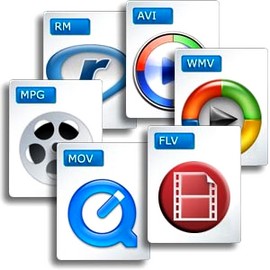
Free Download Mp4Gain
picture


Mp4Gain Main Window
picture


Mp4Gain Features
picture


Free Download Mp4Gain
picture

Better understand the different video encoding formats

In a video, every file, audio and video, is a set of encrypted data (more or less compressed). The so-called codec is the tool used for coding. The type of encoding chosen determines the format obtained: video format and audio format. Simultaneous reading of image and sound is possible by encapsulating these sequences in a container file (defined by an extension).

The specific software is useful for analyzing and reproducing the contents of a video / audio file (format, container file, codec, weight, etc.).

Container files

Container files (not complete)

– MP4 (.mp4): audio and video standard for MPEG4

– AVI (.avi): can contain most video and audio formats.

– M2TS (.mts): standard for MPEG4 AVC / H264

– MOV (.mov): mainly contains Mpeg2, Mpeg4

– MPEG (.mpg): contains only MPEG formats

– M4V (.m4v): standard for iPod, PSP and online videos (eg iTunes) containing Mpeg4

– VOB (.vob): for DVD, generally contains Mpeg2 (video) and AC3 or DTS (audio)

– 3GP (.3gp or 3g2): for third generation mobile phones, contains Mpeg4

– ASF (.asf): Contains Microsoft Windows Media Video (WMV) format

– AIFF audio file (.aiff, .aif, .aifc) with uncompressed formats (PCM, IFF)

Video formats

Video encoding formats (not complete)

– HDV (Mpeg2 4: 2: 0): 1440 × 1080 resolution with a ratio of 1.77 (16/9).

– HDV (Mpeg2 4: 2: 2): 1920 × 1080 resolution with a ratio of 1.77 (16/9).

– AVCHD (Mpeg4 AVC / H264): Highly compressed HD format.

– DV (DV-AVI): Lightly compressed standard for digitized video.

– MPEG1: resolution 352 × 240 (NTSC) or 352 × 288 (PAL / SECAM) for CD-ROM.

– MPEG2: DV quality video standard mainly for DVD.

– MPEG4: video standard for multimedia applications. The most common standard is Part 10: Mpeg4 AVC H264 (AVCHD)

– WMV (Windows Media Video): Microsoft feature and main format used by Windows Media Player

– FLV (Adobe Flash Video): Allows you to easily insert a video image on a WEB page, in a format that the Flash player can read.

– DivX: based on Mpeg4, makes it possible to compress strongly and suitable to save or save on DVD

– Xvid: free and open source software, using Mpeg4. Used almost exclusively to backup video files. Better quality than its competitor DivX.

– Animated GIF: animation of images in GIF format. Suitable for solid colors and small videos.

Image encoding formats (not exhaustive)

– BMP (bitmap): from Microsoft and IBM. It is composed of a large number of pixels and is not suitable for enlargement work.

– JPEG (Joint Photographic Experts Group): Generally used for photos and other continuous images of HTML documents. It supports CMYK, RGB and grayscale modes, but no alpha channels. Unlike GIF, the JPEG format retains the color information of an RGB image. However, it compresses the file size by selectively deleting the data.

– RAW: High resolution uncompressed format that provides the best picture quality. This format is not standard: there are more than 200 types of RAW, including .crw, .cr2 (CANON), .nv2 (PANASONIC), .nef, .nrw (NIKON), .arw (SONY) …

– GIF (Graphics Interchange Format): Generally used to display indexed color graphics and images in HTML documents on the web. GIF is a compressed LZW format designed to reduce electronic transfer time and file size. Does not support alpha channels, but maintains the transparency of color-indexed images.

– PNG: royalty-free format. It was created as an alternative to GIF and is used to display images on the internet. This format uses a lossless compression process and retains all information regarding the color and alpha layers of an image.

– PSD (Photoshop format): very large, but recognized by other software.

– TGA (Targa format): Designed for systems using a Truevision video card, it is generally compatible with MS-DOS color applications. When you save an RGB image in TGA, you can select RLE encoding to compress the image and choose a pixel depth.

– TIFF (Tagged-Image File): to exchange files between applications and IT platforms. Flexible bitmap image format, it is compatible with almost all image editing, drawing and design applications. Maximum TIFF document size: 4 GB.

Audio encoding formats (not exhaustive)

– MP3 (MPEG 1/2 Audio Layer 3): compression format (lossy) developed by ISO.

– AIFF: format for Apple, uncompressed audio

– WAV (WAVE): uncompressed audio format developed by IBM and Microsoft

– WMA: audio data compression format (lossy), developed by Microsoft. It also allows protection of encryption against illegal copies.

– AAC (Advanced Audio Coding): Format used primarily on iPods

– DD + (D olby Digital Plus): high resolution format, with loss of compression

– DTHD (Dolby True HD): HD multi-channel audio format, lossless during compression and offering acoustic richness (up to 7.1)

– DTS HD (DTS HD Master Audio): High resolution audio format equivalent to DTHD.

– AC3: Dolby Digital format whose digital encoding standard is 5.1

– LPCM (Linear Pulse Code Modulation) – highest quality, uncompressed, multi-channel HD audio format.

– FLAC (Free Lossless Audio Codec): Free Audio Format, Lossless Compression

Video formats: what are they, advantages and disadvantages

When image formats were displayed for the Internet, an unwritten rule was extended: The GIF format was for computer-generated images and the JPG format for images from “real life”, e.g. B. Photos. Unfortunately, no similar rules were imposed on videos: there are numerous formats and codecs, not to mention the fact that the requirements can vary depending on how the video is used.

video codecs

For example, file size doesn’t matter if you need to make a DVD, but it is crucial if you want to share the video on YouTube. A similar discussion could be held for overall quality and resolution, since preparing a video for display with a video projector is not the same as displaying it on a 3-inch screen. We have tried to deal with the most common video formats, treating the pros and cons of all. However, it should be noted that the number of formats available is very large and a complete book is required to cover all of them.

video

introduction to Video Formats

When image formats were displayed for the Internet, an unwritten rule was extended: The GIF format was for computer-generated images and the JPG format for images from “real life”, e.g. B. Photos. Unfortunately, no similar rules were imposed on videos: there are numerous formats and codecs, not to mention the fact that the requirements can vary depending on how the video is used. For example, file size doesn’t matter if you need to make a DVD, but it is crucial if you want to share the video on YouTube. A similar discussion could be held for overall quality and resolution, since preparing a video for display with a video projector is not the same as displaying it on a 3-inch screen.

We tried to deal with the most common video formats and deal with the advantages and disadvantages of each. However, it should be noted that the number of formats available is very large and a complete book is required to cover all of them.

Codec

A codec is a series of instructions for compressing and decompressing an audio or video file. There are many codecs for the most popular formats like AVI or QuickTime, which contain more than a dozen of them. Choosing the right one is the first step to getting a good result. One of the most pressing problems is definitely the selection of a codec that can also be used by the viewer on his computer. Otherwise you will not be able to watch the video. However, if the video is to be uploaded to MySpace or YouTube, this aspect is not relevant, since websites of this type have all or almost all codecs installed with which the video is converted into Flash FLV format.

The AVI format Audio Video Interleave was originally the Windows video format. For this reason, it can be played on all Microsoft operating systems from Windows 3.1 and on many Macs, provided the required codec is installed.

The “Microsoft MPEG-4 v2” codec offers the best combination of quality, small size and distribution in terms of the “installed base”, ie this codec is installed on many computers.

Thanks to the “Huffyyuv” codec, AVI files can also be saved losslessly or without compression. Both options are intended for static purposes, certainly not for transferring video over the Internet, since the resulting files are very large.

The “DivX 3” format was introduced as the “pirated version of the MPEG-4 v3 codec from Microsoft”. The installation of this codec generally overwrites the Microsoft MPEG 4 v1 and v2 codecs without notifying the user. The Divx4 version was released without special notice, but was legal, while the fifth version legitimized the format worldwide. The current version is DivX 6.8.

DivX is basically an AVI codec. Files created with this codec can use the DivX extension. They are high quality and small, but of course the viewer must have the codec installed.

This format is compatible with DivX certified hardware, including many lounge players.

Keyframe

The use of keyframes is similar to that of control points for 3D graphics.

The term “keyframe” is used when creating an animated video or combining animations and recorded videos. The term can have different meanings depending on the context. When creating an animation, Keyframe defines the frames in which the most important transitions are located.

What types of formats exist in digital video?

What types of formats exist in digital video?

Who has not ever wondered what H264 means or what is an Mp4, Mkv or Avi file. These are some of the questions that we all ask ourselves when we are talking about digital video in some of the applications that we see online to find out which format or format has more quality or how I can convert a file to another file.

What in my measure can contribute is to shed light on the distinctions that exist when we talk about video formats within the different types that are applied to digital video and that there are three important parts to distinguish between them on the Internet or on a DVD:

The video and its codec (As the video has so much weight, it must always be encoded and subsequently decoded). They are simply mathematical algorithms to compress and decompress the video file.
Audio and its different formats or containers.
The file that contains the audio and the video. The container
Let’s go to see which are the most popular and try to explain them:

Digital Video Formats

MPEG: Moving Pictures Expert Group (Mpeg1, Mpeg2, Mp4 or Mpeg4)
AVI: It is the standard format but the one with the most weight. (Xvid or Divx)
WINDOWS MEDIA: Format developed by Microsoft. (. Mp4 or .asf)
MOV: Format developed by Apple. Quicktime required to read it. Low weight.Ideal for Web (.m4v or .mov)
FLV: Adobe Flash format. Use Sorensen Spark codec. (.flv)
Digital Audio Formats

Mp3 or MPEG-1 Audio Layer 3: Tablet with imperceptible signal loss for humans. (1Mb / Min)
Aiff: Audio Interchange File Format. It has no compression and uses PCM modulation so they are very heavy (10 Mb / Min.)
AAC: Advanced Audio Coding. Mpeg-2 compression. Indicated for surround or surround sounds
Windows Media Audio: The worst quality of all the previous ones, is the Windows format.
Digital Video and Audio Container Formats

.mp4
.mov
.avi
.mkv
.flv
.swf
.m4v

The truth is that it is a whole world and more when the big companies live thinking only about leading their own markets and not from the point of view of the user whom they have had abandoned for years. Obviously these are not all there are but I have wanted to include the best known.

But if we are talking about a file or files that any dvd may have or downloaded from the Internet in any format or container such as Mp4, mkv, avi with greater or lesser quality, it must be remembered that what is important is the amount of information that they contain, is say the Mbs this video is exported to.

It is as if we have a 16 ton truck and we put a box of oranges inside it when it can carry 1000 boxes of oranges. what we are going to see is oranges but with a very low quality.

I hope I have shed some light on this world of digital video and how the next time you face such a file you will be able to understand what each of the things attached to it means. I have to admit that it is not easy, but with that global vision and knowing what each one means, you feel better when facing it.

Video formats: What you need to know

Video formats: What you need to know


codec

Currently there is a wide variety of video formats available to store multimedia content in a file and play it on our devices. Depending on this format (and other multiple factors) the video will basically have a different video quality and a more or less small file size.

However, if you are not very up to date on these issues, you may get lost since we enter concepts such as formats, codecs, containers or among related terminology such as AVI, MP3, MP4, DIVX, XVID, OGG, MKV, OGG , FLV, MPG, VP9, ​​HEVC, AAC, H.264, AVC and a long etcetera.


Outline of a container format

To begin, we must be clear about the difference between these two concepts that are often very confused: the container format and the video codec. The first of them is really the file format, the one that surrounds everything (audio, video, etc …), while the second is the format directly related to the video part.

But let’s look at a description of each concept to make it even clearer:

Container format: A video file usually has a certain container format, such as AVI, MP4 or MKV, for example. As its name suggests, a file in this format contains several elements inside it (generally and at least, video and audio). However, it is possible that it only includes one of them, or for example multiple audio channels (to have several languages ​​from the same file). Some container formats also allow you to include other elements such as images or integrated subtitles, without the need for external files.

Video codec: It is often confused with the video format, but it is not really the same, since it is related to the content video and not the container format. It is not a mandatory element, since if a codec is not specified, the video is RAW (uncompressed) content, taking up a lot of space (for example, 200MB about 10sec). For that reason, a codec is generally chosen to compress the video. Depending on the choice of the codec, better or worse quality will be achieved, and in turn, larger or smaller size.

Video specification: Each video codec is usually based on a specific video specification (H.262, H.263, H.264 …), which is nothing more than a set of rules that define how it should behave. This can serve as an orientation to know if one codec is more or less recent than another.

Audio codec: In the same way that happens with video, we have possible audio channels included in the file. They are also usually compressed with a certain codec to save space: MP3, OGG Vorbis, WMA …

How many types of video format do you know?

How many types of video format do you know?

If you are one of those who normally work with video files, you will have noticed that there are multiple formats of it. How many video formats do you know? Sure you are familiar names like MP4, H264, MOV, FLV, SWF … But let’s go by parts.

The first thing to note is that although they are different formats, they all have in common that they are made up of three elements or components:

The video and its corresponding codec. The latter is necessary for encoding and decoding the file, which allows tablets to compress the file. In this way, the weight of this is reduced.

The audio, that is sound. This will also have different formats: MP3, AIFF (barely without compression, which makes them very heavy), AAC (Advanced Audio Coding, usually used in Surround or surround sounds), Windows Media Audio (Windows format).

AVI is one of the first formats that was used. It was designed by Microsoft and still has a great presence.

ASF and WMV are another type of format that has the advantage of storing data on the acquisition of digital records.

MOV is a format developed by Apple for QuicTime. The MOV is usually seen in videos recorded by digital cameras or video cameras.

FLV (Flash Video) is the one developed by Flash and is more web-oriented.

MKV Surely on the Internet when you have gone to watch a series or movie you have found this format. It is a multimedia container that supports any type of content (movies, 3D animation, video games …). This is played on computers and televisions that have multimedia equipment.

MP4 or H.264 is the most widely used today, especially for its versatility. It can be seen both on mobile devices and on the computer. In addition, it allows you to encode the video in any type of resolution. And, especially if you are going to work with a video that has to work on different media, this is undoubtedly your H.264 format.

It is in this last format that we advise you to export your video projects. So you will not have any problem when viewing them.