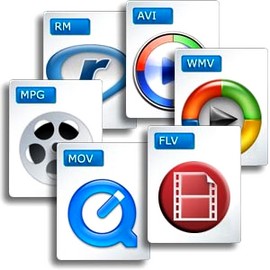
The most important video formats in comparison

AVI, WMV, MPEG, MOV, FLV, WebM: a guide through the terms of video formats, with all their pros and cons The most common video formats at a glance ‘
Videos basically consist of many individual images and associated sound. Four different values are relevant to recording the image: The frame rate or the frame rate, which is displayed in hertz (Hz) or in frames per second (fps = frames per second).
The higher this value, the more frames will be used to create the video and the larger the file will be. The second value is the color depth, which contains information about the color and brightness values. Third, the movie format indicates the resolution of the image in pixels or the aspect ratio of the video (for example, 16: 9 or 4: 3). And fourth, the soundtrack, which contains the recorded sound. The higher the image resolution, quality and length of the video, the larger the file will be on the hard drive.
There are numerous video formats. The most common formats are:
- AVI – Audio Video Interleaved – file.avi
- WMV – Windows Media Player – file.wmv
- MPEG I, MPEG II – Moving Images Expert Group – file.mpg
- MOV – Movie – file.mov
- FLV – Flash Video – file.flv, file.swf
- MPEG IV – Moving Image Expert Group – file.mp4
- WebM – Google – .webm file
Video players such as the VLC player can be used to play such files on the computer. A DVD is typically 8 gigabits in size, while Bluray DVDs can be significantly larger. These can then be reduced with a compressor, but both the sound and the image quality are a handful.
All video formats have their advantages and disadvantages. The MPEG 2 format is synonymous with good quality picture and sound. With the iPad, however, it has to be an MPEG 4 format or a special application to play the video. Then there are the AVI videos, which can be played on almost any device. However, they have the great disadvantage that they become very large if the quality is adequate. On the contrary, the FLV format is ideal if the video will be published on the Internet. Because it is precisely this format that is compatible with the browser or with Flash plugins.
3GP / 3G2 (file extension: .3gp, .3g2, .3gpp)
3gp is the name of a video file format for mobile devices such as third-generation cell phones or PDAs. This format was specified by the 3GPP organization. Files in this format have the file name extension “.3gp” or “.3gpp”. It is used in the UMTS (3G) standard.
3g2 is a mobile phone video file format that is functionally similar to the 3gp format. This format was specified by the 3GPP2 organization. Files in this format have the file name extension “.3g2”. It is used in the CDMA2000 standard.
AVI (audio video interleaved) * .avi
A video format developed by Microsoft in 1992. Widely used in software and hardware. Almost all multimedia programs and almost all DVD players can play this format. Also, most digital cameras record in this format. Unfortunately at the price of very high storage requirements (compared to WMV or MPEG up to 20 times more).
FLV (short for Flash Video) * .flv * .swf
With Flash Video is a container format developed by Adobe Systems, which is best used for streaming video content over the Internet. To play the videos, Adobe Flash Player version 6 or 7 or higher is required. By embedding Flash video files in a SWF (Small Web Format) file, a video file can be integrated into a website with relative ease. SWF is an ActionScript, vector graphics, and multimedia file format.
MJPEG
Motion JPEG (MJPEG) is a video codec in which each individual image is compressed separately as a JPEG image. Videos compressed with MJPEG, unlike those compressed with MPEG, have a quality that is independent of the movement of the image. This standard is often used in older digital cameras. Due to the individual compression of all individual images, with this format it is possible to cut a frame from a video clip precisely without the need for recoding, which is generally only possible with MPEG keyframes.
MPEG 1 and 2 (Moving Image Expert Group) * .mpg
Video format developed by a group of experts with standardized compression methods. The advantages of MPEG movies are the comparatively small files with good image quality, albeit with low resolution. In practice, MPEG-II movies are far superior to MPEG-I movies in terms of resolution and image quality.
MPEG 4 (Moving Pictures Expert Group) * .mp4
Video format developed by a group of experts with standardized compression methods.
Originally, the aim of MPEG-4 was to support systems with low resources or narrow bandwidths (mobile phones, videophones, …) with a relatively small loss of quality. Since H.263, an ITU standard for video compression and decoding, had already successfully met these requirements, it was integrated into MPEG-4 as Part 2 without major changes. Films
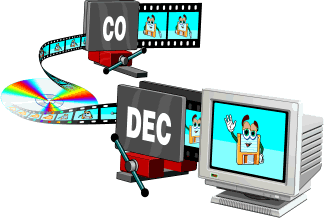
MPEG-4 is compressed even stronger and without any noticeable loss of quality, that is, very small files with very good resolution. In practice, MPEG-4 places somewhat higher demands on the performance of the computer, since highly compressed data must first be “decompressed” again when played back.
MPEG 7
MPEG-7 is an ISO standard (ISO / IEC 15938) that was adopted in 2002 and was defined by the Moving Picture Experts Group, or MPEG for short. MPEG-7 is not a real compression standard, but it is used to describe multimedia data with the help of meta information and is stored in the form of one or more XML documents. It can be attached to the time code, for example, to mark certain events or, for example, to synchronize the lyrics with a song.
MOV (movie) * .mov
MOV-type video files are based on the Apple Quicktime standard. Quicktime movies largely share the advantages and disadvantages of MPEG-4 movies for comparison: good movie quality with little space, but higher demands on computer performance. The container format for Apple’s QuickTime multimedia architecture typically has the file extension .mov or .qt. Depending on the functions, the endings .qtvr, .qti and .qtif are also used. Storage takes place in sequentially and hierarchically organized units of data, so-called atoms. In addition to chronological information and tracking data, you can also store structural and hierarchical information and relationships. A special sync layer also makes it suitable for streaming. In professional cinema- and post-production it is the usual format for the exchange of multimedia data (video, audio, subtitles, time codes, chapter marks, etc.) due to the aforementioned properties. It also serves as the basis for the ISO standardized MP4 MPEG-4 file format.
Ogg .ogg
Ogg is a container file format for multimedia files, so it can hold audio, video, and text data at the same time. Ogg was designed with the goal of offering a free and unrestricted software patent alternative to proprietary formats for efficient storage and streaming of multimedia content. The ability to transmit is the decisive design feature: everything that is packaged in an Ogg container can be transmitted without additional adjustments. This distinguishes Ogg from formats that are only capable of streaming in certain ways (like Matroska) or not capable of live streaming (like MP4). Ogg streams can be grouped and chained without having to adjust the individual stream.
Ogg Theora is not very common in the video field. However, it is enjoying increasing popularity in the open source scene. However, for HD videos, the Matroska format, which is also free, is gaining more and more acceptance outside of the open source scene, so it remains to be seen what role Ogg Theora will play in the future.
RM (Real Average) * .rm
A collective term for the file formats of the software maker RealNetworks, in particular the Real-Audio audio format and the Real-Video video format. It is used primarily in streaming applications. Real files are lossy, but the quality of real video files is still comparatively good, especially with high compression.
Files compressed with RealVideo are lossy. The quality of RealVideo files is generally comparatively good with high compression, older versions are poor with low compression compared to MPEG for example. However, the quality of the newer versions is comparable to MPEG-4 video codecs like Xvid or DivX, as well as Windows Media Video 9. RealVideo usually occurs in the RealMedia container and then has its file extension .rv, .ram, .rm, or .rmvb.
WebM
WebM is a container format for audio and video data, used for the VP8 and VP9 video codecs introduced by Google, which represent alternatives to the well-known H.264 codec. It was developed for websites in the HTML5 standard, where it is used as an alternative to the MP4 format. WebM was introduced by Google Inc. in May 2010 and is endorsed by the Mozilla Foundation and Opera Software, among others. For Internet Explorer 9 or higher, Google provides a browser extension for download. In April 2011, Google also introduced WebM on YouTube, where it has since been available as an alternate playback option using the HTML5 video tag built into the page without browser plugins such as the Flash player that was previously required. Another implementation example, which in the case of the VP8 video format also represents the description of the standard, was released as free software under the terms of a BSD license.
WMV (Windows Media Video) * .wmv
A video format developed by Microsoft that offers high compression with good quality. In addition to Windows Media Player and many other software players, some standalone hardware players can also decode WMV files. Files that contain WMV encoded video streams are generally embedded in Microsoft’s Advanced Streaming Format (ASF) container format. These files usually have the extension .asf, but in the case of a video file they can also have the extension .wmv. A new variant of WMV is the Windows Media Video High Definition (WMVHD) format.
The Windows Media format also supports the integration of Digital Rights Management (DRM), which is intended to allow copyright owners to regulate access rights to audio and video material. In practice, this technology is often used as a copy protection measure.