What is the best video and movie quality? Part 5


Free Download Mp4Gain
picture

What is the best video and movie quality? Part 5
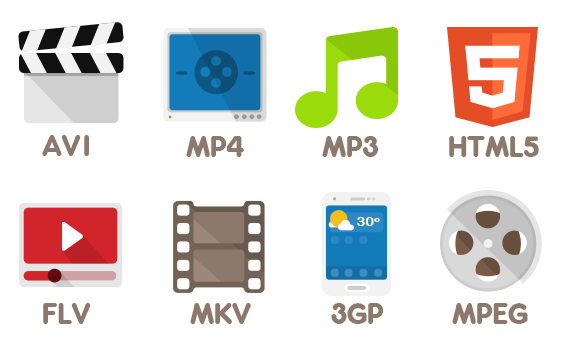
Video Formats

What is the best video format?

video file formats

There are many different video file formats that allow you to store compressed video and audio information in a single file. Many people used to call the extension of the video file itself a video format, but in reality this extension is just a container in which videos of various formats can be stored. Some users may have faced such a situation that the downloaded video file with the familiar and familiar AVI extension did not want to be played on the computer, because a suitable codec was not found for playing.

Most of the video files distributed on the Internet are now created using the two most common containers, AVI and MKV. AVI container has been used for a long time and many different programs have been written to edit such video files, but with MKV things were quite different for a long time and users did not know how to cut an mkv file.

To play or create each video format, an appropriate codec must be installed on your computer. The most popular codecs can be counted on one hand, and we will consider some of their features below.

The XviD codec of the MPEG4 standard provides high definition images for dynamic scenes. It is distributed completely free of charge and is widely used by amateur video masters to encode any video.

DivX is still one of the most popular codecs and is compatible with all DVD players. By encoding, you get high-quality video with a high level of data compression, allowing you to get small video files. At the moment, the DivX codec is paid when used for encoding.

The H.264 codec has become very popular in recent years due to its higher compression efficiency. When encoding, a very high degree of image compression is obtained with no loss of quality. It has proven itself very well when it comes to encoding HD quality videos.

The MPEG2 codec is used to create DVD video discs and digital television.


Free Download Mp4Gain
picture


Mp4Gain Main Window
picture


Mp4Gain Features
picture


Free Download Mp4Gain
picture

What is the best video and movie quality? Part 4

What is the best video and movVideo File Formatsie quality? Part 4


Best quality video formats. Video resolution:
Mobile is a video created for mobile devices; Typically, the resolution is between 320 × 240 and 640 × 480 pixels.

Video Format

Standard Definition (SD): video standard

What is the best video format?

It is no secret that recently there have been very popular sites that distribute free files of movies, music, books, programs and much more. But how not to get confused with all the variety of distributions offered? What video format should you choose? Let’s deal with this. So:

What is the best video format?
One of the most common and good video formats is the avi format. It is small in size and does not lose much in image quality. But there is also an alternative to this format, which combines both an acceptable size and a high image resolution. These are files in mkv format.

And finally, I would like to point out that the highest video quality you can see on a computer is BluRay video. Versions of such files are generally scanned from BD discs. This format is so realistic and deep that it competes with analog tape in the cinema.

Surely, many have heard a term like “codecs”. This is a program that converts diverse information into digital. The essence of the program is that the codecs form a conditional folder for storing data, thanks to this process, the information becomes more convenient for storage. At the same time, the folder structure does not change, only the data transfer method changes.

Today, the most common codecs for saving videos are:

If you want to create your own video or movie presentation, you must decide which video codec to use. Let’s take a closer look at each of them.

XviD. A codec that supports the popular MPEG4 standard. If your movie’s plot contains a lot of movement, choose this particular codec. Dynamic scenes will be clear.

DivX. This codec is perhaps the most popular. If you convert folders with this codec, the video quality will be of the highest definition. Also, the video can be played on any DVD player due to the small size of the saved files.
H.264. This codec will require a separate installation on your computer. But it is difficult to dispute the effectiveness of his work. The quality is still excellent despite the higher compression ratio of the folders.
MPEG4. The most popular video standard. It is widely used in digital television. The standard allows high-speed transmission of any amount of information. This codec is also used to record DVD discs.
These are the characteristics of different types of codecs. Now you must decide what you want to create. For example, let’s say you decided to create a video presentation. To understand which video format to choose in this case, you need to answer the question: where will you broadcast your presentation? If you are going to publish the created video on some special video portal, then a codec like H.264 will suffice, because it allows you to maintain high quality, while significantly compressing the data.

What is the best video and movie quality? Part 3

What is the best video and movie quality? Part 3

video formats

To encode video, the best video formats MPEG-2, MPEG-4, H.264 or AVC (video compression standards (codecs) designed to achieve a high degree of video compression while maintaining high quality are currently used ).

Video Formats

Transmission of the HDTV video signal over a short distance (from the user’s tuner (receiver) to the monitor (TV)) is carried out in its original form (uncompressed) via HDMI and DVI-D digital cables. The use of digital interfaces (cables) completely avoids video compression and conversion and preserves the best possible image.

Digital video quality is a measure of signal-to-noise ratio. What is the best video and movie quality, and which can be downloaded from the Internet? Well, first of all, it must be said that the main requirement of Internet formats is compactness. It is clear that the DVD or HDTV format will not work. But almost any video recorded with a mobile phone or digital camera meets the requirements of the Internet. And the question arises, what is the most optimal and best video quality with maximum compression for the convenience of downloading from the Internet, and what are the designations of movie formats?

Better quality HDTV movies are confused by many Internet users with the HDTV-Rip video extraction method. HDTV-Rip is a video copy of a high definition video (movies) streaming source: HDTV. This can be done using a variety of codecs and compression methods. As a result, HDTV-Rip movies may not be of the highest HD quality. Rip video streams from an HDTV channel may come with the channel logo. Also, do not confuse HD video with HDTV high definition video.

What is the best video and movie quality? Part 2

What is the best video and movie quality? Part 2

Video Formats

What is the difference between 1080i and 1080p?

Video File Formats

Each of these video formats uses a different way to convert a series of still images into movies. In interlaced scanning (“i” symbol), a still image or “frame” is reproduced by scanning 2 sets of alternating lines or “fields” (half frames). With progressive scan (“p” symbol), a frame is created in a single pass (sweep). That is, if the image scanning in both video formats (“i” and “p”) is performed at the same speed, then an equal number of runs per second occurs, then the advantage of progressive scan (“p”) becomes obvious (image quality is better) as the entire image (frame) is scanned and not half of the image (field). This progressive (“p”) scan generates fewer dots and lines, but doubles the speed.

Bottom line: 1080i and 1080p video formats look best in different conditions. The 1080i video format is designed to reproduce fine image details with little movement or in frames and still images. This video format is much better suited for “spatial resolution”. The 1080i video format works fine as long as there is no frame movement. When objects begin to move, the path of movement between alternating fields (half frames) begins to change. This is called “motion artifacts,” that is, visible image noise or video distortion that resembles an uneven pattern. 1080i video quality is considered outdated.

1080p video quality takes priority in motion. It does not introduce visible distortions in the image, regardless of the speed of moving objects, so it has the best “temporal resolution”. However, still images will not look very clear when the image is frozen, because there are far fewer dots and lines in 1080p video compared to 1080i.

Long-distance transmission of HDTV video signal (satellite TV – S2, cable TV) is generally done using compression methods to reduce bandwidth requirements for data transmission (from 1.485 Gbps to 8-25 Mbps ), while the video quality is still good.

What is the best video and movie quality?

What is the best video and movie quality?

Video Formats

What video formats are there?

Video formats

Video (video – watch, watch) is the transformation of an image by a recording device into a sequence of electrical signals recorded in storage (storage).

In addition, video is a great variety of technologies for recording, processing, transferring, storing and reproducing visual or audiovisual material (cinema, films, video recordings, music, video, etc.). Video differs from film and cinematography only in that it uses any medium other than film for its reproduction and recording, although the modern development of digital technologies in filming and digital cinema projectors eventually blurs the line between the video, movies and cinema. The video format determines the structure of the video file, how the file will be stored on the storage medium (CD, DVD, Blu-ray Disc, flash memory cards, hard drives or communication channels).

The best highest quality video today is HDTV (High Definition Television in English): high definition television, high definition television. HD is a high definition video format, a modern format with a high definition of the image.

The most popular HD video formats are:
1) 720p – 1280 × 720 pixels (dots), progressive scan (progressive scan, all lines of each frame are displayed sequentially), 16: 9 aspect ratio, frequency – 24, 25, 30, 50 or 60 frames per second ;

2) 1080i – 1920 × 1080 pixels, interlaced (each frame is divided into two half frames, consisting of lines selected with a line separating, 2 times the frame rate compared to progressive), 16: 9 aspect ratio , frequency – 50 or 60 fields per second;

3) 1080p – 1920 × 1080 pixels, progressive scan, aspect ratio 16: 9, frequency – 24, 25 or 30 frames per second.

What types of formats exist in digital video?

What types of formats exist in digital video?

Who has not ever wondered what H264 means or what is an Mp4, Mkv or Avi file. These are some of the questions that we all ask ourselves when we are talking about digital video in some of the applications that we see online to find out which format or format has more quality or how I can convert a file to another file.

What in my measure can contribute is to shed light on the distinctions that exist when we talk about video formats within the different types that are applied to digital video and that there are three important parts to distinguish between them on the Internet or on a DVD:

The video and its codec (As the video has so much weight, it must always be encoded and subsequently decoded). They are simply mathematical algorithms to compress and decompress the video file.
Audio and its different formats or containers.
The file that contains the audio and the video. The container
Let’s go to see which are the most popular and try to explain them:

Digital Video Formats

MPEG: Moving Pictures Expert Group (Mpeg1, Mpeg2, Mp4 or Mpeg4)
AVI: It is the standard format but the one with the most weight. (Xvid or Divx)
WINDOWS MEDIA: Format developed by Microsoft. (. Mp4 or .asf)
MOV: Format developed by Apple. Quicktime required to read it. Low weight.Ideal for Web (.m4v or .mov)
FLV: Adobe Flash format. Use Sorensen Spark codec. (.flv)
Digital Audio Formats

Mp3 or MPEG-1 Audio Layer 3: Tablet with imperceptible signal loss for humans. (1Mb / Min)
Aiff: Audio Interchange File Format. It has no compression and uses PCM modulation so they are very heavy (10 Mb / Min.)
AAC: Advanced Audio Coding. Mpeg-2 compression. Indicated for surround or surround sounds
Windows Media Audio: The worst quality of all the previous ones, is the Windows format.
Digital Video and Audio Container Formats

.mp4
.mov
.avi
.mkv
.flv
.swf
.m4v

The truth is that it is a whole world and more when the big companies live thinking only about leading their own markets and not from the point of view of the user whom they have had abandoned for years. Obviously these are not all there are but I have wanted to include the best known.

But if we are talking about a file or files that any dvd may have or downloaded from the Internet in any format or container such as Mp4, mkv, avi with greater or lesser quality, it must be remembered that what is important is the amount of information that they contain, is say the Mbs this video is exported to.

It is as if we have a 16 ton truck and we put a box of oranges inside it when it can carry 1000 boxes of oranges. what we are going to see is oranges but with a very low quality.

I hope I have shed some light on this world of digital video and how the next time you face such a file you will be able to understand what each of the things attached to it means. I have to admit that it is not easy, but with that global vision and knowing what each one means, you feel better when facing it.

Video File Formats – Everything you need to know about video formats


Digital videos can be saved in files of different formats. Each one corresponds to a specific extension of the file that contains it. There are many types of video formats. Here are some of the most used. Each type of file also supports a different compression codec at all times.

video formats

-AVI (Audio Video Interleaved = Audio and Video Interleaved)

It is the standard format for storing digital video.
When video is captured from a digital camera to the computer, it is usually stored in this format with the DV (Digital Video) codec.
The AVI file can contain video with excellent quality. However, the weight of the file is always very high.
Supports different compression codecs such as CinePak, Intel Indeo 5, DV, etc. The codecs with more compression capacity and acceptable quality are DivX and XviD.
The AVI format can be displayed with most players: Windows Media, QuickTime, etc. as long as the appropriate codecs for each type of player are installed on the computer.
It is ideal for saving original videos that have been captured from the digital camera (encoded with DV).
It is not advisable to publish them on the Internet in this format due to their enormous weight.
The CinePak, Intel Indeo, DV codecs, etc. They do not offer great compression. The DivX and XviD codecs, on the other hand, achieve optimal compression although they are usually used primarily for the coding of long-term films.

-MPEG (Moving Pictures Expert Group = Movie Expert Group)

It is a standard format for digital video compression.
They are * .MPG or * .MPEG extension files.
Supports different types of compression codecs: MPEG-1 (CD quality), MPEG-2 (DVD quality), MPEG-3 (MP3 audio oriented) and MPEG-4 (more web oriented).
They play with Windows Media Player and QuickTime.

-MOV

It is the video and audio format developed by Apple.
It uses its own codec that evolves in versions quite quickly.
These types of files can also have * .QT extension
It is recommended to use the QuickTime player. There is a free version of it that can be downloaded from the Internet.
It is ideal for posting videos on the Internet for its reasonable quality / weight.
Support streaming

-WMV

It has been recently developed by Microsoft.
It uses the MPEG-4 codec for video compression.
It can also have * .ASF extension
It can only be viewed with an updated version of Windows Media 7 or higher. This application is integrated into Windows.
It is ideal for posting videos on the Internet for reasonable quality / weight.
Support streaming

-RM

It is the proposal of Real Networks for video files.
Use your own codec to compress the audio.
This type of files has * .RM and * .RAM extension.
It is displayed with a specific player: Real Player. There is a free version of it that can be downloaded from the Internet.
It can be used to publish videos on the Internet for its acceptable quality / weight.
Support streaming

-FLV

It is a format used by the Adobe Flash player to view video on the Internet.
It uses the Sorenson Spark codec and the On2 VP6 codec. Both allow high visual quality with reduced bitrates.
They are * .FLV extension files.
They can be played from different local players: MPlayer, VLC media player, Riva, Xine, etc.
Recommended option for the web for its accessibility. When viewed through the Flash player, it is accessible from most operating systems and web browsers.
The best known video repositories on the Internet use this format for the dissemination of videos: YouTube, Google Video, iFilm, etc.
Allows you to configure different video parameters to achieve acceptable quality / weight.
Support streaming