In a video, every file, audio and video, is a set of encrypted data (more or less compressed). The so-called codec is the tool used for coding. The type of encoding chosen determines the format obtained: video format and audio format. Simultaneous reading of image and sound is possible by encapsulating these sequences in a container file (defined by an extension).
The specific software is useful for analyzing and reproducing the contents of a video / audio file (format, container file, codec, weight, etc.).
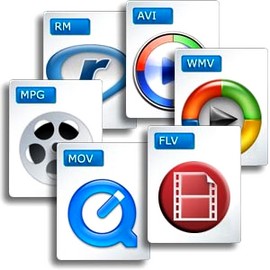
Container files (not complete)
– MP4 (.mp4): audio and video standard for MPEG4
– AVI (.avi): can contain most video and audio formats.
– M2TS (.mts): standard for MPEG4 AVC / H264
– MOV (.mov): mainly contains Mpeg2, Mpeg4
– MPEG (.mpg): contains only MPEG formats
– M4V (.m4v): standard for iPod, PSP and online videos (eg iTunes) containing Mpeg4
– VOB (.vob): for DVD, generally contains Mpeg2 (video) and AC3 or DTS (audio)
– 3GP (.3gp or 3g2): for third generation mobile phones, contains Mpeg4
– ASF (.asf): Contains Microsoft Windows Media Video (WMV) format
– AIFF audio file (.aiff, .aif, .aifc) with uncompressed formats (PCM, IFF)

Video encoding formats (not complete)
– HDV (Mpeg2 4: 2: 0): 1440 × 1080 resolution with a ratio of 1.77 (16/9).
– HDV (Mpeg2 4: 2: 2): 1920 × 1080 resolution with a ratio of 1.77 (16/9).
– AVCHD (Mpeg4 AVC / H264): Highly compressed HD format.
– DV (DV-AVI): Lightly compressed standard for digitized video.
– MPEG1: resolution 352 × 240 (NTSC) or 352 × 288 (PAL / SECAM) for CD-ROM.
– MPEG2: DV quality video standard mainly for DVD.
– MPEG4: video standard for multimedia applications. The most common standard is Part 10: Mpeg4 AVC H264 (AVCHD)
– WMV (Windows Media Video): Microsoft feature and main format used by Windows Media Player
– FLV (Adobe Flash Video): Allows you to easily insert a video image on a WEB page, in a format that the Flash player can read.
– DivX: based on Mpeg4, makes it possible to compress strongly and suitable to save or save on DVD
– Xvid: free and open source software, using Mpeg4. Used almost exclusively to backup video files. Better quality than its competitor DivX.
– Animated GIF: animation of images in GIF format. Suitable for solid colors and small videos.
Image encoding formats (not exhaustive)
– BMP (bitmap): from Microsoft and IBM. It is composed of a large number of pixels and is not suitable for enlargement work.
– JPEG (Joint Photographic Experts Group): Generally used for photos and other continuous images of HTML documents. It supports CMYK, RGB and grayscale modes, but no alpha channels. Unlike GIF, the JPEG format retains the color information of an RGB image. However, it compresses the file size by selectively deleting the data.
– RAW: High resolution uncompressed format that provides the best picture quality. This format is not standard: there are more than 200 types of RAW, including .crw, .cr2 (CANON), .nv2 (PANASONIC), .nef, .nrw (NIKON), .arw (SONY) …
– GIF (Graphics Interchange Format): Generally used to display indexed color graphics and images in HTML documents on the web. GIF is a compressed LZW format designed to reduce electronic transfer time and file size. Does not support alpha channels, but maintains the transparency of color-indexed images.
– PNG: royalty-free format. It was created as an alternative to GIF and is used to display images on the internet. This format uses a lossless compression process and retains all information regarding the color and alpha layers of an image.
– PSD (Photoshop format): very large, but recognized by other software.
– TGA (Targa format): Designed for systems using a Truevision video card, it is generally compatible with MS-DOS color applications. When you save an RGB image in TGA, you can select RLE encoding to compress the image and choose a pixel depth.
– TIFF (Tagged-Image File): to exchange files between applications and IT platforms. Flexible bitmap image format, it is compatible with almost all image editing, drawing and design applications. Maximum TIFF document size: 4 GB.
Audio encoding formats (not exhaustive)
– MP3 (MPEG 1/2 Audio Layer 3): compression format (lossy) developed by ISO.
– AIFF: format for Apple, uncompressed audio
– WAV (WAVE): uncompressed audio format developed by IBM and Microsoft
– WMA: audio data compression format (lossy), developed by Microsoft. It also allows protection of encryption against illegal copies.
– AAC (Advanced Audio Coding): Format used primarily on iPods
– DD + (D olby Digital Plus): high resolution format, with loss of compression
– DTHD (Dolby True HD): HD multi-channel audio format, lossless during compression and offering acoustic richness (up to 7.1)
– DTS HD (DTS HD Master Audio): High resolution audio format equivalent to DTHD.
– AC3: Dolby Digital format whose digital encoding standard is 5.1
– LPCM (Linear Pulse Code Modulation) – highest quality, uncompressed, multi-channel HD audio format.
– FLAC (Free Lossless Audio Codec): Free Audio Format, Lossless Compression