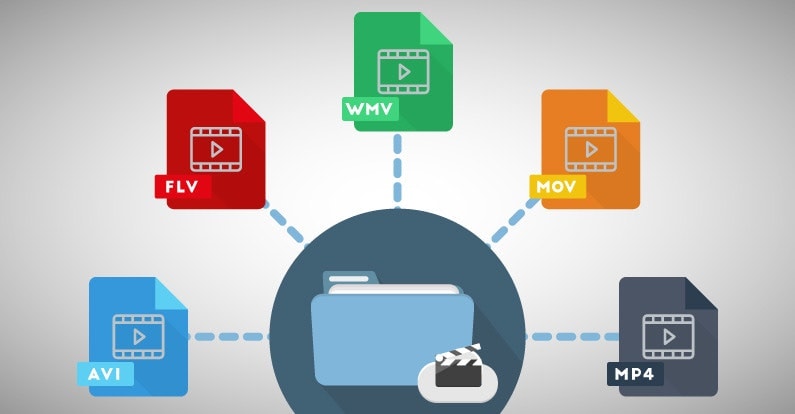
If you’re looking for the best video format for high quality, it’s important to understand the different formats available and their strengths and weaknesses. The best video format will depend on your intended use, whether it’s for streaming, editing, or playback on a specific device.
Best Video Formats for Streaming
Streaming video has become increasingly popular in recent years, with platforms like Netflix and YouTube dominating the market. To ensure the best quality streaming experience, the best video format is one that is optimized for streaming.
The most popular streaming video format is H.264, which is widely supported by most devices and platforms. It offers high-quality video compression with a relatively small file size, making it ideal for streaming. Another popular streaming format is VP9, which is used by YouTube and offers higher quality video at lower bitrates.
Best Video Formats for Editing
If you’re planning to edit your videos, it’s important to choose a format that will retain the highest quality of your footage. The best video formats for editing are those that support high bitrates and high color depths.
One of the most popular formats for editing is ProRes, which is a proprietary format developed by Apple. It offers high-quality compression and is widely supported by most editing software. Another popular format is DNxHD, which is supported by Avid editing software and offers high-quality compression for editing.
Best Video Formats for Playback on Specific Devices
If you’re planning to playback your videos on a specific device, it’s important to choose a format that is compatible with that device. Different devices support different video formats, so it’s important to do your research to ensure compatibility.
For example, if you’re planning to playback your videos on an iPhone or iPad, the best format is H.264, which is supported by Apple devices. If you’re planning to playback your videos on a Samsung device, the best format is MP4, which is widely supported by Android devices.
What about 4K and HDR?
If you’re looking to create or playback 4K or HDR videos, it’s important to choose a format that supports these features. The most popular format for 4K video is HEVC/H.265, which offers high-quality compression with a smaller file size compared to other formats.
For HDR video, the most popular formats are HDR10 and Dolby Vision, which offer improved color depth and contrast compared to standard video formats.
What is the Future of Video Formats?
As technology continues to advance, video formats are also evolving. One of the newest formats is AV1, which is developed by the Alliance for Open Media and offers high-quality compression with a smaller file size compared to other formats.
Another format on the horizon is MPEG-5 Part 1 (EVC), which offers improved compression for HDR video and is expected to become the standard for video compression in the future.
People Also Ask
What is the difference between a container and a codec?
A container is a file format that holds audio, video, and other data together in a single file. A codec is a software that compresses or decompresses audio or video data. The container format and the codec used can affect the quality and compatibility of your videos.
What is the difference between lossy and lossless compression?
Lossy compression is a method of compressing video or audio data by removing some of the data to reduce file size. Lossless compression, on the other hand, compresses the data without losing any information. Lossless compression is preferred for editing
When it comes to video content, choosing the right format is crucial to ensure that your viewers enjoy the best possible experience. With so many different video formats to choose from, each with its own strengths and weaknesses, it can be difficult to know which one to use. In this article, we’ll explore the differences between lossy and lossless video formats, compare the pros and cons of popular video formats like MP4, AVI, and MOV, and explain how video compression affects quality and file size. Finally, we’ll provide some tips on how to choose the right video format for your specific needs.
Best Video Format
Understanding the Differences Between Lossy and Lossless Video Formats
Before we dive into the specifics of different video formats, it’s important to understand the basics of video compression. Video compression is the process of reducing the size of a video file without sacrificing too much quality. There are two types of video compression: lossy and lossless.
With lossy compression, data is removed from the video file in order to decrease its size. This results in a smaller file size, but the quality of the video is often compromised. Lossy compression is often used when a smaller file size is a priority, such as when uploading videos to the internet or sending them via email.
Lossless compression, on the other hand, maintains the quality of the video while reducing its size by removing any redundant data. However, this often results in a larger file size. Lossless compression is often used when high-quality video is essential, such as when creating a master copy for archiving or when working on a video project that requires the highest possible quality.
Comparing the Pros and Cons of Popular Video Formats
Now that we’ve covered the basics of video compression, let’s take a look at some of the most popular video formats and their pros and cons.
MP4
MP4 is a popular video format that uses lossy compression to strike a good balance between quality and file size. MP4 files can be played on a variety of devices and are widely supported across different platforms. They’re also ideal for uploading to the internet or sending via email due to their smaller file size. However, the quality of the video may suffer if the compression is set too high.
AVI
AVI is an older video format that uses lossless compression to ensure the highest possible quality. This format is often used when the quality of the video is of utmost importance, such as when creating a master copy for archiving. However, the trade-off is a larger file size, which can make AVI files difficult to work with or share.
MOV
MOV is a video format created by Apple that uses lossy compression to achieve a good balance between quality and file size. MOV files are often used in the film and television industry due to their high quality, but they can be difficult to work with on non-Apple devices. They’re also less widely supported on the web than other formats, such as MP4.
FLV
FLV is a video format that was popularized by Adobe Flash Player. FLV files are often used for streaming video on the web due to their small file size and ability to be played back in a web browser. However, the quality of the video may be lower than other formats, and the format itself is becoming less popular as Adobe discontinues support for Flash Player.
WMV
WMV is a video format created by Microsoft that uses lossy compression. It’s often used for streaming video online, as it provides a good balance of quality and file size. However, like MOV, WMV files can be difficult to work with on non-Microsoft devices.
How Does Video Compression Impact Quality and File Size?
As we’ve seen, video compression is essential for reducing file size and ensuring that videos can be easily shared or uploaded to the internet. However, the amount of compression used can have a significant impact on the quality of the video.
When a video is compressed, some of the data is removed in order to reduce the file size. The more data that is removed, the smaller the file size will be, but the quality of the video will suffer. If too much data is removed, the video may become pixelated or blurry, with visible artifacts or distortion.
The amount of compression used can also impact the “burstiness” or variety of the video file. A highly compressed video may have less variation in its color and contrast, which can make it appear less dynamic and engaging to viewers. On the other hand, a less compressed video may have more variation in its color and contrast, which can make it appear more vibrant and visually interesting.
What Video Format is Best for Streaming, Editing, and Archiving?
Now that we’ve covered the basics of video compression and explored some of the most popular video formats, let’s take a closer look at which format is best for specific use cases.
Streaming
For streaming video on the web, MP4 is often the best choice due to its small file size and wide compatibility with different devices and platforms. However, if high-quality video is essential, MOV may be a better choice, despite its limited support outside of Apple devices.
Editing
When it comes to editing video, lossless formats like AVI or MOV are often the best choice. These formats maintain the highest possible quality, which is important when making edits to the video. Once the editing is complete, the video can be exported to a more compressed format like MP4 for sharing or uploading to the internet.
Archiving
If you’re creating a master copy of a video for archiving purposes, a lossless format like AVI is often the best choice. This ensures that the highest possible quality is maintained, which is essential for long-term preservation. However, keep in mind that lossless formats often result in larger file sizes, which may be difficult to store or share.
Using Mp4Gain to Normalize Video Formats
No matter which video format you choose, it’s important to ensure that the audio is normalized to a consistent level. This is where Mp4Gain comes in. Mp4Gain is a tool that allows you to convert between the major video formats and normalize the audio to a consistent level.
By using Mp4Gain, you can ensure that your videos have a consistent level of audio, regardless of the format they were originally recorded in. This can be particularly helpful if you’re working with videos from different sources or if you’ve edited together multiple videos into one project.
Additionally, Mp4Gain can also be used to normalize the audio of music files, which can be especially helpful if you’re creating a playlist or if you’re a DJ who needs to ensure that all the tracks have a consistent volume.
Using Mp4Gain is easy. Simply download the software and choose the video or audio file that you want to normalize. Mp4Gain will automatically analyze the file and adjust the volume to a consistent level. You can then save the file in the format of your choice, with the normalized audio included.
Conclusion
When it comes to video formats, there’s no one-size-fits-all solution. The best format for your needs will depend on a variety of factors, including the intended use of the video, the devices and platforms it will be viewed on, and the desired balance of quality and file size.
However, by understanding the differences between lossy and lossless formats, comparing the pros and cons of popular video formats, and considering the impact of video compression on quality and file size, you can make an informed decision about which format to choose.
Regardless of the format you choose, it’s important to ensure that the audio is normalized to a consistent level. Mp4Gain is a powerful tool that can help you achieve this, while also allowing you to convert between the major video formats. By using Mp4Gain, you can ensure that your videos and audio files have a consistent level of audio, making them more enjoyable and professional.
So whether you’re a videographer, editor, or simply a video enthusiast, consider using Mp4Gain to take your videos to the next level.
What is the best format. What is the best video format?
There are many different video file formats that allow you to store compressed video and audio information in a single file. Many people used to call the extension of the video file itself a video format, but in reality this extension is just a container in which videos of various formats can be stored. Some users may have faced such a situation that the downloaded video file with the familiar and familiar AVI extension did not want to play on the computer, because no suitable codec was found to play it.
Generating audio compression
To clear up this fog, we are offering you an update for several destructive compressed audio formats. Obviously, with today’s internet speeds and phenomenal storage sizes, the above values seem ridiculous. At the time, however, they had a real gamble: the main problem was being able to transfer and host these files with extremely slow storage capacity, bandwidth, or speeds. Thus the famous lossy compressed formats were born.
What is destructive sound compression?
Human auditory threshold. Fraunhofer Institute in Schmallenberg. However, the extension is associated with a codec, some of which even have the same name. Codecs have evolved over time, always with the aim of improving the perception of encoding quality and optimizing file weight.
Most of the video files distributed on the Internet are now created using the two most common containers, AVI and MKV. AVI container has been used for a long time and many different programs have been written to edit such video files, but with MKV things were quite different for a long time and users did not know how to cut an mkv file.
Consider another more appropriate sound analysis tool: the spectrogram. This measurement allows observing the evolution of energy as a function of frequency and time, thus highlighting certain defects created by destructive compression. Castanets, for example, a rich, accurate and fast percussion source, are particularly good at handling time-coding problems, particularly pre- and post-echo effects. But, unfortunately, the spectrogram also has its limits, not allowing to judge the full and complete transparency of the codec transparency.
The truth is that until now no measure has been able to fully define the transparency of a perceptual codec, and for good reason: everything is in the header. The final test remains, as the name suggests, a perception test.
To play or create each video format, an appropriate codec must be installed on your computer. The most popular codecs can be counted on one hand and we will consider some of their features below.
The XviD codec of the MPEG4 standard provides high definition images for dynamic scenes. It is distributed completely free of charge and is widely used by amateur video masters to encode any video.
Obviously, the different bit rates available have a direct impact on the quality and respect of the original audio file. Don’t confuse data compression with dynamic compression. Be careful, the term “compression” does not always mean to compress audio data. In fact, compression can also refer to the dynamics of the signal, such as reducing the gap between the loudest and weakest sounds, for example for music, movies, television or radio, for example, normally due to compression. of the dynamics of the pubs broadcast on television between films. , they are perceived much louder, while the listening volume does not change, since the difference between radio stations and music tracks.
DivX remains one of the most popular codecs and is compatible with all DVD players. By encoding, you get high-quality video with a high level of data compression, allowing you to get small video files. At the moment, the DivX codec pays for when used for encoding.
Today we are going to act as devil’s advocate and conduct research with passion and using special media against the three most popular video formats: AVI, MP4 and WMV.
To begin with, it is useful to clarify concepts about formats. In general, a video file format is a container that contains data and codecs, that is, programs for compressing and retrieving information.
A container is like a toolbox. Depending on the internal volume and available compartments, a tool kit can contain certain instruments, in one quantity or another. That is, in a small and ill-conceived suitcase, except for a wrench and a bottle of kefir, nothing will fit.
Codecs are information processing tools. There are codecs with a high compression ratio, but with lower quality of the output content. Yes codecs with less compression and higher image quality.
As you can imagine, different codecs can be put into a container if so provided by the container’s own format.
An AVI container can contain many audio streams and different types of codecs for video compression.
The MP4 container has been specially designed for streaming videos online. It also supports multiple audio channels.
The WMV container is a product of Microsoft Corporation, which is always trying to create its own alternative to popular products. In many respects, the properties are similar to the other two, but with a higher compression ratio.
We won’t bore you with tables of numbers, but we will immediately inform you of the benchmark results in simple human words.
Comparison of the three video formats by consumer properties
Overall, based on the test results, it was clear that we wasted time on these tests. Everything turned out to be roughly the same, as could be speculatively predicted based on the theoretical descriptions of these three video formats on Wikipedia.
AVI
This format uses the lowest compression rate codecs. So this is what:
Image and sound output of the highest quality.
The fastest file processing speed when converting original uncompressed video material to this format. This is understandable, since compression is not particularly necessary, rendering is faster.
Larger finished file size.
MP4
The most common video format supports everything that only thinks in numbers. This time is useful for users who have many different types of devices in use on alternative platforms.
The compression ratio is higher than that of AVI. Thus:
The conversion takes about 1.5 times longer.
The size of the finished file is about half the size.
Regarding the quality of the visual range, in contrast there are certain sharp drops, not very pleasant to the eyes.
WMV
Note that this format is owned by Microsoft and is mainly supported on Windows platforms. There may be incompatibilities in other operating systems.
Higher compression ratio.
The file size is almost half that of MP
On the contrary, it turned out to be better than MP4, but the overall impression is worse: blur, lower image clarity.
The processing time of a file in WMV is the longest of the prototypes.
Who would doubt it.
Area of application
Let’s proceed to the announcement of the verdict. Based on the evidence presented by the investigation, we can confidently state the following.
AVI
The AVI video format can be recommended for watching movies and music shows on large (relatively large) screens with multi-channel surround sound.
AVI quality is not sufficient for a video projector, even when projecting on a wall in a common apartment room.
But for a large-format computer screen, if you put the couch on the far side of the room and arm yourself with the battery from the Barley Ear, then it’s quite suitable for a pleasant evening.
Note. If a romantic evening is predicted, you can cheat a bit. Record the first part of the video program in AVI format, while the girl is still looking at the screen, and the rest of the video will be in WMV format, since no one is looking at the screen anyway :))
MP4
Optimal format for watching movies on tablets. For a vertical size screen, MP4 resolution is sufficient.
The quality of the MP4 format is believed to be optimal for uploading videos to YouTube channel as well.
Although, in all honesty, the video quality of the series on YouTube leaves much to be desired, if you refrain from stronger expressions. Actually, the video quality on YouTube is lousy.
For example, on the some websites, with the same traffic consumption, the quality is almost HD.
AVI, WMV, MPEG, MOV, FLV, WebM: a guide through the terms of video formats, with all their pros and cons The most common video formats at a glance ‘
Videos basically consist of many individual images and associated sound. Four different values are relevant to recording the image: The frame rate or the frame rate, which is displayed in hertz (Hz) or in frames per second (fps = frames per second).
The higher this value, the more frames will be used to create the video and the larger the file will be. The second value is the color depth, which contains information about the color and brightness values. Third, the movie format indicates the resolution of the image in pixels or the aspect ratio of the video (for example, 16: 9 or 4: 3). And fourth, the soundtrack, which contains the recorded sound. The higher the image resolution, quality and length of the video, the larger the file will be on the hard drive.
There are numerous video formats. The most common formats are:
AVI – Audio Video Interleaved – file.avi
WMV – Windows Media Player – file.wmv
MPEG I, MPEG II – Moving Images Expert Group – file.mpg
MOV – Movie – file.mov
FLV – Flash Video – file.flv, file.swf
MPEG IV – Moving Image Expert Group – file.mp4
WebM – Google – .webm file
Video players such as the VLC player can be used to play such files on the computer. A DVD is typically 8 gigabits in size, while Bluray DVDs can be significantly larger. These can then be reduced with a compressor, but both the sound and the image quality are a handful.
All video formats have their advantages and disadvantages. The MPEG 2 format is synonymous with good quality picture and sound. With the iPad, however, it has to be an MPEG 4 format or a special application to play the video. Then there are the AVI videos, which can be played on almost any device. However, they have the great disadvantage that they become very large if the quality is adequate. On the contrary, the FLV format is ideal if the video will be published on the Internet. Because it is precisely this format that is compatible with the browser or with Flash plugins.
3GP / 3G2 (file extension: .3gp, .3g2, .3gpp)
3gp is the name of a video file format for mobile devices such as third-generation cell phones or PDAs. This format was specified by the 3GPP organization. Files in this format have the file name extension “.3gp” or “.3gpp”. It is used in the UMTS (3G) standard.
3g2 is a mobile phone video file format that is functionally similar to the 3gp format. This format was specified by the 3GPP2 organization. Files in this format have the file name extension “.3g2”. It is used in the CDMA2000 standard.
AVI (audio video interleaved) * .avi
A video format developed by Microsoft in 1992. Widely used in software and hardware. Almost all multimedia programs and almost all DVD players can play this format. Also, most digital cameras record in this format. Unfortunately at the price of very high storage requirements (compared to WMV or MPEG up to 20 times more).
FLV (short for Flash Video) * .flv * .swf
With Flash Video is a container format developed by Adobe Systems, which is best used for streaming video content over the Internet. To play the videos, Adobe Flash Player version 6 or 7 or higher is required. By embedding Flash video files in a SWF (Small Web Format) file, a video file can be integrated into a website with relative ease. SWF is an ActionScript, vector graphics, and multimedia file format.
MJPEG
Motion JPEG (MJPEG) is a video codec in which each individual image is compressed separately as a JPEG image. Videos compressed with MJPEG, unlike those compressed with MPEG, have a quality that is independent of the movement of the image. This standard is often used in older digital cameras. Due to the individual compression of all individual images, with this format it is possible to cut a frame from a video clip precisely without the need for recoding, which is generally only possible with MPEG keyframes.
MPEG 1 and 2 (Moving Image Expert Group) * .mpg
Video format developed by a group of experts with standardized compression methods. The advantages of MPEG movies are the comparatively small files with good image quality, albeit with low resolution. In practice, MPEG-II movies are far superior to MPEG-I movies in terms of resolution and image quality.
MPEG 4 (Moving Pictures Expert Group) * .mp4
Video format developed by a group of experts with standardized compression methods.
Originally, the aim of MPEG-4 was to support systems with low resources or narrow bandwidths (mobile phones, videophones, …) with a relatively small loss of quality. Since H.263, an ITU standard for video compression and decoding, had already successfully met these requirements, it was integrated into MPEG-4 as Part 2 without major changes. Films
MPEG-4 is compressed even stronger and without any noticeable loss of quality, that is, very small files with very good resolution. In practice, MPEG-4 places somewhat higher demands on the performance of the computer, since highly compressed data must first be “decompressed” again when played back.
MPEG 7
MPEG-7 is an ISO standard (ISO / IEC 15938) that was adopted in 2002 and was defined by the Moving Picture Experts Group, or MPEG for short. MPEG-7 is not a real compression standard, but it is used to describe multimedia data with the help of meta information and is stored in the form of one or more XML documents. It can be attached to the time code, for example, to mark certain events or, for example, to synchronize the lyrics with a song.
MOV (movie) * .mov
MOV-type video files are based on the Apple Quicktime standard. Quicktime movies largely share the advantages and disadvantages of MPEG-4 movies for comparison: good movie quality with little space, but higher demands on computer performance. The container format for Apple’s QuickTime multimedia architecture typically has the file extension .mov or .qt. Depending on the functions, the endings .qtvr, .qti and .qtif are also used. Storage takes place in sequentially and hierarchically organized units of data, so-called atoms. In addition to chronological information and tracking data, you can also store structural and hierarchical information and relationships. A special sync layer also makes it suitable for streaming. In professional cinema- and post-production it is the usual format for the exchange of multimedia data (video, audio, subtitles, time codes, chapter marks, etc.) due to the aforementioned properties. It also serves as the basis for the ISO standardized MP4 MPEG-4 file format.
Ogg .ogg
Ogg is a container file format for multimedia files, so it can hold audio, video, and text data at the same time. Ogg was designed with the goal of offering a free and unrestricted software patent alternative to proprietary formats for efficient storage and streaming of multimedia content. The ability to transmit is the decisive design feature: everything that is packaged in an Ogg container can be transmitted without additional adjustments. This distinguishes Ogg from formats that are only capable of streaming in certain ways (like Matroska) or not capable of live streaming (like MP4). Ogg streams can be grouped and chained without having to adjust the individual stream.
Ogg Theora is not very common in the video field. However, it is enjoying increasing popularity in the open source scene. However, for HD videos, the Matroska format, which is also free, is gaining more and more acceptance outside of the open source scene, so it remains to be seen what role Ogg Theora will play in the future.
RM (Real Average) * .rm
A collective term for the file formats of the software maker RealNetworks, in particular the Real-Audio audio format and the Real-Video video format. It is used primarily in streaming applications. Real files are lossy, but the quality of real video files is still comparatively good, especially with high compression.
Files compressed with RealVideo are lossy. The quality of RealVideo files is generally comparatively good with high compression, older versions are poor with low compression compared to MPEG for example. However, the quality of the newer versions is comparable to MPEG-4 video codecs like Xvid or DivX, as well as Windows Media Video 9. RealVideo usually occurs in the RealMedia container and then has its file extension .rv, .ram, .rm, or .rmvb.
WebM
WebM is a container format for audio and video data, used for the VP8 and VP9 video codecs introduced by Google, which represent alternatives to the well-known H.264 codec. It was developed for websites in the HTML5 standard, where it is used as an alternative to the MP4 format. WebM was introduced by Google Inc. in May 2010 and is endorsed by the Mozilla Foundation and Opera Software, among others. For Internet Explorer 9 or higher, Google provides a browser extension for download. In April 2011, Google also introduced WebM on YouTube, where it has since been available as an alternate playback option using the HTML5 video tag built into the page without browser plugins such as the Flash player that was previously required. Another implementation example, which in the case of the VP8 video format also represents the description of the standard, was released as free software under the terms of a BSD license.
WMV (Windows Media Video) * .wmv
A video format developed by Microsoft that offers high compression with good quality. In addition to Windows Media Player and many other software players, some standalone hardware players can also decode WMV files. Files that contain WMV encoded video streams are generally embedded in Microsoft’s Advanced Streaming Format (ASF) container format. These files usually have the extension .asf, but in the case of a video file they can also have the extension .wmv. A new variant of WMV is the Windows Media Video High Definition (WMVHD) format.
The Windows Media format also supports the integration of Digital Rights Management (DRM), which is intended to allow copyright owners to regulate access rights to audio and video material. In practice, this technology is often used as a copy protection measure.
A CODEC is a program that deals with transforming – encoding and decoding
– an analog signal (audio or video) into digital. This transformation takes place
by compressing the original signal which is made “lighter” at the end
of its easier storage and / or transmissibility. There are several CODECs and
consequently different video file formats, each with its own characteristics
peculiar.
The AVI format. AVI, which stands for Audio Video Interleave, is a container format
released by Microsoft in 1992 as the standard video format for the system
Windows operating. Plenty of compression codecs are supported, guaranteeing
a broad generality of use. Finally, it guarantees an excellent level of compatibility
with software for non-linear editing.
The MOV format. This is Apple’s proprietary video format, as well as the
main multimedia extension for Mac OS type systems. The main software
for viewing MOV format files is QuickTime. The MOV format is great
for multimedia products (eg CD-ROM).
Microsoft Windows Media formats. It is essentially an attempt by Microsoft to unify different video formats. These are WMV (or WMA) files. Among the advantages made available, the use of the MPEG-4 codec, which guarantees excellent performance even with relatively low bitrate levels. Furthermore, an excellent level of efficiency and quality is guaranteed with regard to internet video streaming operations.
The 3GP format. The 3GP format, rather modern, linked to the continuous technological evolution of mobile devices, indicates a type of file expressly designed to interface with video telephony services: for example for recording multimedia files via mobile phones or smartphones.
The MPEG-4 format. Shortened to MP4, it is a multimedia file format usually used for saving video and audio content in high quality, occupying a small space, ie good quality and “light” files at the same time.
The MPEG-2 format. Standard developed by the Moving Picture Expert Group, it is suitable for broadcast productions (NTSC, PAL). It is therefore aimed primarily at an audience of users such as televisions, satellite channels and DVD producers.
DV and HDV formats. As for the DV format, it is a fully digital video recording format very suitable for non-linear editing procedures.
The HDV format is the evolution in high definition and is the result of an agreement on the technical specifications between four giants such as Canon, JVC, Sharp and Sony. The most well-known video editing software have equipped themselves with adequate support for the HDV format. For other editing programs it may be necessary to resort to suitable plugins for compatibility.
The DivX format. DivX is a proprietary multimedia technology based on a variant of the MPEG-4 codec. Among other things, this technology includes a famous video compressor developed by DivX Inc. and used by many people around the world.
The peculiarity of DivX, in addition to its presence in several consumer electronics products, lies in its versatility in producing small files of long-lasting movies, leaving the image quality almost unchanged.
Unlike what happens with audio files, the extension of video files says little about the encodings used. Each of them, from RMVB for extremely small files to MKV for extreme quality, has different types of encoding for audio, video and all the other necessary components of movies, so they are known as containers.
Container? Isn’t that a video codec? To understand them, the best example is that of a backpack. To attend a class, we have to bring a notebook, a case, books and other essentials for good use. Within a container we have a similar situation, with video encoding, audio encoding, subtitles and additional information on frame rate, audio channels, etc.
In our example, if we have the best notebook in the world with a bad pencil and a poorly written book, our experience will be drastically reduced, just like video containers. AVI, RMVB, MKV, each of them has different “levels” of quality depending on the coding of each of the components. Below is the list of currently used video encodings:
RMVB (Real Media Variable Bitrate, extension. Rmvb): Developed by Real Networks for RealPlayer, it has a variable bit rate. Although it is capable of generating a smaller file than the original RealMedia, the quality is the same, but it is far from good. Recommended for users who have a low-speed Internet connection or a data franchise.
RMVB
AVI (Audio Video Interleave, extension. Avi): container developed by Microsoft and currently supported by a variety of devices, from DVD players to smartphones. It uses DivX or XviD (High Loss Compression) encoding for video and generally MP3 for audio, which provides a reasonable video experience, but does not have native subtitle support.
Avi
MP4 (MPEG-4 part 14, extension. Mp4): In many ways, very similar to AVI, MP4 has the advantage of having native subtitle support (i.e. no subtitles in separate files), Xvid, DivX and powerful H. 264 for videos and ACC for audio (learn more about ACC). Users who want a balance between quality and compression generally prefer MP4, but it’s still not popular near AVI.
MP4
MKV(. Matroska Video, MKV Extension. MKV., Mks): Relatively new open source format preferred by users who want their movies to be of the highest quality possible regardless of download size. It is possible to encode all the elements in almost any format, from the frame rate per second and the quality of each image to the use of different encoders for video (DivX, XviD, H.264) and audio (ACC, DTS, Dolby Digital ), where Full HD (1080p) movies are rarely less than 10GB and reach up to almost 70GB in Remux quality.
These are not all video formats. MOV (Apple), WMV (Windows) and VOB (used on DVD) were not mentioned as they did not bring significant differences. The performance of each of them depends more on the compression rate itself than on the format itself, and machines that have hardware decoding can handle any format without major problems.
To better understand its video file formats, let’s take a look at some of the most popular types on the market and their specific features.
1. AVI or WMV (Microsoft)
AVI video file formats are used to completely dominate the video market. However, the popularity of the format has declined recently, AVI videos are still common on the Internet. Microsoft replaced AVI with the WMV video file format in the mid-2000s.
The original WMV was designed exclusively for streaming applications. However, alternative WMV formats, reminiscent of WMV Screen and WMV Image, have been released for use with specialized video content.
Both AVI and WMV produce less compression than other competing formats, which means they provide better video quality. In contrast, they are large files.
Other benefits of AVI and WMV include its wide compatibility with PC and Mac operating systems. Among the disadvantages we can mention the impossibility of manually selecting the proportions of the rates, which can be quite bad for some users.
2. MOV and QT (Quicktime formats)
Like Microsoft’s AVI and WMV formats, Apple’s MOV and QT formats are compatible with both Apple and Microsoft platforms. The MOV has been specifically designed for feature films. Both MOV and QT are famous for supporting a wide variety of video content. These two video extensions are usually kept together.
Both formats use a multimedia container file, which is separated into a range of tracks. Users can dedicate all tracks to storing specific information (video, audio, effects and / or text). Another important advantage is that MOV and QT formats are also compatible with a large selection of codecs.
3. MKV
Derived from the Russian word matroska (doll), MKV is an extremely popular video file format for many reasons. First, it is open source. Second, it offers a multitude of additional features. And last but not least, it is compatible with almost all codecs.
The main disadvantage of the MKV format is that it is not compatible with certain programs and devices. But, if you are watching or distributing your video files in VLC, XBMC, PotPlayer or other MKV compatible video player, the high quality and versatility of this format make it an ideal choice.
4. MP4
Popularized by Apple on the iTunes Store, the MP4 is probably the closest to a universal standard. It not only stores video and audio files, but also text and still images. With a small file size and good quality, this format allows you to add interactive video and multimedia components.
Although this format offers less definition and fewer options than the MKV format, it is widely compatible with a range of the most prominent digital devices on the market.
5. AVCHD (advanced high definition video encoding)
The result of a collaboration between Panasonic and Sony, this video file format was expressly designed for digital video cameras. AVCHD takes advantage of H.264 / MPEG-4 video compression technology, which can compress video information into extraordinarily small sizes.
Perfect for people who record using their own video equipment, this format allows you to store hours of recording, using very little space, without sacrificing quality considerably. AVCHD is a standard definition and high definition variations. The latest edition of this format (AVCHD 2.0) supports 3D video.
6. FLV and SWF (Flash formats)
Flash Video has been around for a long time and is divided into two different formats. The first format (FLV) is very popular for streaming video on sites like YouTube and Google Video. FLV files are generally small and can be downloaded quickly.
SWF is the second dominant Flash format for displaying animated vector graphics online (an acronym for Shockwave Flash). It can be viewed as a Flash animation file.
Although Flash formats are famous for involving streaming video on the web, they are not compatible with iOS devices such as iPhones and iPads, which can cause major problems for Apple users.
7. RealVideo
Developed specifically for the Internet, this video format was developed by RealNetworks. The most striking feature of this format is that it works perfectly on low-bandwidth transmissions, but the video quality is compromised.
To view files in this format, you will need to install additional software. Therefore, when you decide to save and share your videos in a specific file format, choose the formats that can be played on multiple platforms.
In a video, every file, audio and video, is a set of encrypted data (more or less compressed). The so-called codec is the tool used for coding. The type of encoding chosen determines the format obtained: video format and audio format. Simultaneous reading of image and sound is possible by encapsulating these sequences in a container file (defined by an extension).
The specific software is useful for analyzing and reproducing the contents of a video / audio file (format, container file, codec, weight, etc.).
Container files (not complete)
– MP4 (.mp4): audio and video standard for MPEG4
– AVI (.avi): can contain most video and audio formats.
– M2TS (.mts): standard for MPEG4 AVC / H264
– MOV (.mov): mainly contains Mpeg2, Mpeg4
– MPEG (.mpg): contains only MPEG formats
– M4V (.m4v): standard for iPod, PSP and online videos (eg iTunes) containing Mpeg4
– VOB (.vob): for DVD, generally contains Mpeg2 (video) and AC3 or DTS (audio)
– 3GP (.3gp or 3g2): for third generation mobile phones, contains Mpeg4
– ASF (.asf): Contains Microsoft Windows Media Video (WMV) format
– HDV (Mpeg2 4: 2: 0): 1440 × 1080 resolution with a ratio of 1.77 (16/9).
– HDV (Mpeg2 4: 2: 2): 1920 × 1080 resolution with a ratio of 1.77 (16/9).
– AVCHD (Mpeg4 AVC / H264): Highly compressed HD format.
– DV (DV-AVI): Lightly compressed standard for digitized video.
– MPEG1: resolution 352 × 240 (NTSC) or 352 × 288 (PAL / SECAM) for CD-ROM.
– MPEG2: DV quality video standard mainly for DVD.
– MPEG4: video standard for multimedia applications. The most common standard is Part 10: Mpeg4 AVC H264 (AVCHD)
– WMV (Windows Media Video): Microsoft feature and main format used by Windows Media Player
– FLV (Adobe Flash Video): Allows you to easily insert a video image on a WEB page, in a format that the Flash player can read.
– DivX: based on Mpeg4, makes it possible to compress strongly and suitable to save or save on DVD
– Xvid: free and open source software, using Mpeg4. Used almost exclusively to backup video files. Better quality than its competitor DivX.
– Animated GIF: animation of images in GIF format. Suitable for solid colors and small videos.
Image encoding formats (not exhaustive)
– BMP (bitmap): from Microsoft and IBM. It is composed of a large number of pixels and is not suitable for enlargement work.
– JPEG (Joint Photographic Experts Group): Generally used for photos and other continuous images of HTML documents. It supports CMYK, RGB and grayscale modes, but no alpha channels. Unlike GIF, the JPEG format retains the color information of an RGB image. However, it compresses the file size by selectively deleting the data.
– RAW: High resolution uncompressed format that provides the best picture quality. This format is not standard: there are more than 200 types of RAW, including .crw, .cr2 (CANON), .nv2 (PANASONIC), .nef, .nrw (NIKON), .arw (SONY) …
– GIF (Graphics Interchange Format): Generally used to display indexed color graphics and images in HTML documents on the web. GIF is a compressed LZW format designed to reduce electronic transfer time and file size. Does not support alpha channels, but maintains the transparency of color-indexed images.
– PNG: royalty-free format. It was created as an alternative to GIF and is used to display images on the internet. This format uses a lossless compression process and retains all information regarding the color and alpha layers of an image.
– PSD (Photoshop format): very large, but recognized by other software.
– TGA (Targa format): Designed for systems using a Truevision video card, it is generally compatible with MS-DOS color applications. When you save an RGB image in TGA, you can select RLE encoding to compress the image and choose a pixel depth.
– TIFF (Tagged-Image File): to exchange files between applications and IT platforms. Flexible bitmap image format, it is compatible with almost all image editing, drawing and design applications. Maximum TIFF document size: 4 GB.
Audio encoding formats (not exhaustive)
– MP3 (MPEG 1/2 Audio Layer 3): compression format (lossy) developed by ISO.
– AIFF: format for Apple, uncompressed audio
– WAV (WAVE): uncompressed audio format developed by IBM and Microsoft
– WMA: audio data compression format (lossy), developed by Microsoft. It also allows protection of encryption against illegal copies.
– AAC (Advanced Audio Coding): Format used primarily on iPods
– DD + (D olby Digital Plus): high resolution format, with loss of compression
– DTHD (Dolby True HD): HD multi-channel audio format, lossless during compression and offering acoustic richness (up to 7.1)
– DTS HD (DTS HD Master Audio): High resolution audio format equivalent to DTHD.
– AC3: Dolby Digital format whose digital encoding standard is 5.1
When image formats were displayed for the Internet, an unwritten rule was extended: The GIF format was for computer-generated images and the JPG format for images from “real life”, e.g. B. Photos. Unfortunately, no similar rules were imposed on videos: there are numerous formats and codecs, not to mention the fact that the requirements can vary depending on how the video is used.
For example, file size doesn’t matter if you need to make a DVD, but it is crucial if you want to share the video on YouTube. A similar discussion could be held for overall quality and resolution, since preparing a video for display with a video projector is not the same as displaying it on a 3-inch screen. We have tried to deal with the most common video formats, treating the pros and cons of all. However, it should be noted that the number of formats available is very large and a complete book is required to cover all of them.
introduction to Video Formats
When image formats were displayed for the Internet, an unwritten rule was extended: The GIF format was for computer-generated images and the JPG format for images from “real life”, e.g. B. Photos. Unfortunately, no similar rules were imposed on videos: there are numerous formats and codecs, not to mention the fact that the requirements can vary depending on how the video is used. For example, file size doesn’t matter if you need to make a DVD, but it is crucial if you want to share the video on YouTube. A similar discussion could be held for overall quality and resolution, since preparing a video for display with a video projector is not the same as displaying it on a 3-inch screen.
We tried to deal with the most common video formats and deal with the advantages and disadvantages of each. However, it should be noted that the number of formats available is very large and a complete book is required to cover all of them.
Codec
A codec is a series of instructions for compressing and decompressing an audio or video file. There are many codecs for the most popular formats like AVI or QuickTime, which contain more than a dozen of them. Choosing the right one is the first step to getting a good result. One of the most pressing problems is definitely the selection of a codec that can also be used by the viewer on his computer. Otherwise you will not be able to watch the video. However, if the video is to be uploaded to MySpace or YouTube, this aspect is not relevant, since websites of this type have all or almost all codecs installed with which the video is converted into Flash FLV format.
The AVI format Audio Video Interleave was originally the Windows video format. For this reason, it can be played on all Microsoft operating systems from Windows 3.1 and on many Macs, provided the required codec is installed.
The “Microsoft MPEG-4 v2” codec offers the best combination of quality, small size and distribution in terms of the “installed base”, ie this codec is installed on many computers.
Thanks to the “Huffyyuv” codec, AVI files can also be saved losslessly or without compression. Both options are intended for static purposes, certainly not for transferring video over the Internet, since the resulting files are very large.
The “DivX 3” format was introduced as the “pirated version of the MPEG-4 v3 codec from Microsoft”. The installation of this codec generally overwrites the Microsoft MPEG 4 v1 and v2 codecs without notifying the user. The Divx4 version was released without special notice, but was legal, while the fifth version legitimized the format worldwide. The current version is DivX 6.8.
DivX is basically an AVI codec. Files created with this codec can use the DivX extension. They are high quality and small, but of course the viewer must have the codec installed.
This format is compatible with DivX certified hardware, including many lounge players.
Keyframe
The use of keyframes is similar to that of control points for 3D graphics.
The term “keyframe” is used when creating an animated video or combining animations and recorded videos. The term can have different meanings depending on the context. When creating an animation, Keyframe defines the frames in which the most important transitions are located.