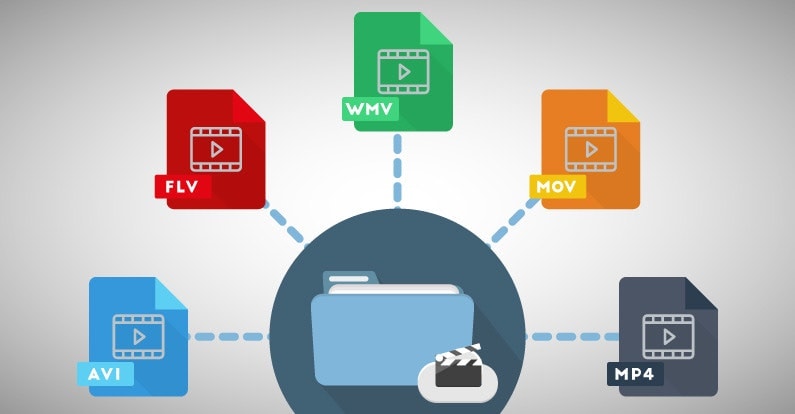
Best Format to Make a Pro Video


Free Download Mp4Gain
picture

Best Format to Make a Pro Video


Best Format to Make a Pro Video


Selecting the right format for creating a professional video is akin to choosing the perfect canvas for a masterpiece. The video format sets the foundation for your project, impacting its quality, compatibility, and overall appeal. Let’s explore the importance of selecting the best format for pro-level video production.

Imagine you’re a skilled photographer preparing to capture a breathtaking landscape. Just as you’d select the ideal lens and camera settings, choosing the right video format is paramount. Different formats offer varying levels of detail, color depth, and compression. For pro-level work, formats like ProRes and DNxHD are often preferred. These formats preserve the highest quality, ensuring your video retains its visual integrity throughout editing and post-production.

Additionally, consider the platform where your video will be showcased. If it’s destined for the big screen, formats like CinemaDNG or REDCODE RAW might be ideal, offering the utmost in cinematic quality. On the other hand, web content or streaming services often favor formats like H.264 or H.265 for efficient online delivery without compromising too much on quality.

Choosing the best format is akin to selecting the right ingredients for a gourmet dish. Each format brings its unique flavor to your video, and your choice should align with your creative vision and the preferences of your audience.

What Are the Key Considerations for Selecting a Video Format?

Selecting a video format is a multifaceted decision, much like choosing the right vehicle for a cross-country road trip. Several key considerations come into play when deciding on the best format for professional video production.

Resolution is a fundamental factor. Higher resolutions, such as 4K or even 8K, offer exceptional detail and clarity, perfect for pro-level work. However, they also require more storage space and processing power. Consider the technical capabilities of your equipment and your post-production workflow when determining the ideal resolution.

Color depth is another critical aspect. Professional formats often support a wide color gamut, allowing for rich, vibrant visuals. This is particularly important if your video involves intricate color grading or if you intend to showcase it on high-quality displays.

Compression plays a vital role in video formats. Some formats use lossless compression, preserving every detail, while others use lossy compression, sacrificing some detail for smaller file sizes. Your choice should align with your storage and bandwidth constraints.

Lastly, compatibility is key. Ensure the format you choose is supported by your editing software, playback devices, and distribution platforms. It’s like selecting a language that your entire team understands to communicate effectively.

In essence, the best video format for professional content hinges on a careful balance of technical specifications, creative goals, and practical considerations.

Importance of Video Format in Professional Video Production

The importance of the video format in professional video production is akin to the foundation of a skyscraper. It’s the bedrock upon which your entire project stands. The format dictates how your video will be captured, edited, and ultimately presented to your audience.

Consider a scenario where you’re shooting a documentary in a remote location. The right video format can make the difference between capturing stunning landscapes with vibrant colors and struggling with subpar footage. Professional formats often provide a broader color gamut, ensuring your visuals are as breathtaking as the real-life scenes.

Additionally, the editing process relies heavily on the chosen format. Pro-level formats like ProRes or DNxHD offer robust support for post-production workflows, allowing for extensive color grading, compositing, and effects. This flexibility is like having a vast palette of colors at your disposal as a painter, enabling you to craft your video with precision.

Furthermore, when it’s time to showcase your work to the world, the video format can affect the viewing experience. A well-chosen format ensures that your audience enjoys your video as intended, whether it’s on a cinema screen, a television, or a mobile device. It’s like presenting a gourmet meal on fine china, elevating the dining experience.

In summary, the video format is the backbone of professional video production, influencing every aspect of your project. It’s essential to select a format that aligns with your creative vision and technical requirements to create a truly exceptional pro-level video.

Optimizing Video Format for Pro-Level Content

Optimizing the video format for pro-level content is a meticulous process, much like crafting a precision instrument. It requires attention to detail and a deep understanding of the technical aspects of video production. Let’s explore the steps involved in optimizing the video format for professional-grade content.

Step 1: Determine the Project’s Requirements

Begin by assessing the specific needs of your project. Consider the target audience, the platform where the video will be showcased, and the technical capabilities of your equipment. Are you creating a cinematic masterpiece for the big screen, or is it web content for online streaming? Understanding these requirements is crucial for format selection.

Step 2: Choose the Right Resolution

Selecting the appropriate resolution is essential. Pro-level content often benefits from higher resolutions, such as 4K or 8K, to capture intricate details. However, remember that higher resolutions require more storage and processing power. Ensure your equipment can handle the chosen resolution without compromising performance.

Step 3: Optimize Color Depth

Professional formats offer a wide color gamut, providing the flexibility for extensive color grading. This is particularly important if your project involves complex color correction or if you’re aiming for cinematic visuals. Choose a format that supports the color depth required for your creative vision.

Step 4: Consider Compression

Compression affects both file size and video quality. Lossless compression preserves every detail but results in larger file sizes, while lossy compression sacrifices some detail for smaller files. Balance your storage and bandwidth constraints with the need for visual quality when selecting the compression method.

Step 5: Ensure Compatibility

Check that your chosen format is compatible with your editing software, playback devices, and distribution platforms. Compatibility issues can lead to workflow disruptions and affect the final presentation of your video.

In essence, optimizing the video format for professional content is a meticulous process that demands a comprehensive understanding of both creative and technical aspects. When done correctly, it ensures that your video meets the highest standards of quality and visual excellence.

In conclusion, choosing the best format for professional video production is a critical decision that impacts the overall quality and appeal of your project. It involves a careful consideration of technical specifications, creative goals, and practical requirements. Opting for the right format is akin to selecting the perfect canvas and brushes for a masterpiece—it sets the stage for your creative vision to shine. As the renowned filmmaker Christopher Nolan once said, “I think IMAX is the best film format that was ever invented.” Just as IMAX is celebrated for its exceptional quality, the choice of video format can elevate your content to new heights of excellence.



Free Download Mp4Gain
picture


Mp4Gain Main Window
picture


Mp4Gain Features
picture


Free Download Mp4Gain
picture

What is the Best Video Format for High Quality?

What is the Best Video Format for High Quality?

Best Video Format
Best Video Format
Best Video Format
Best Video Format


If you’re looking for the best video format for high quality, it’s important to understand the different formats available and their strengths and weaknesses. The best video format will depend on your intended use, whether it’s for streaming, editing, or playback on a specific device.

Best Video Formats for Streaming

Streaming video has become increasingly popular in recent years, with platforms like Netflix and YouTube dominating the market. To ensure the best quality streaming experience, the best video format is one that is optimized for streaming.

The most popular streaming video format is H.264, which is widely supported by most devices and platforms. It offers high-quality video compression with a relatively small file size, making it ideal for streaming. Another popular streaming format is VP9, which is used by YouTube and offers higher quality video at lower bitrates.

Best Video Formats for Editing

If you’re planning to edit your videos, it’s important to choose a format that will retain the highest quality of your footage. The best video formats for editing are those that support high bitrates and high color depths.

One of the most popular formats for editing is ProRes, which is a proprietary format developed by Apple. It offers high-quality compression and is widely supported by most editing software. Another popular format is DNxHD, which is supported by Avid editing software and offers high-quality compression for editing.

Best Video Formats for Playback on Specific Devices

If you’re planning to playback your videos on a specific device, it’s important to choose a format that is compatible with that device. Different devices support different video formats, so it’s important to do your research to ensure compatibility.

For example, if you’re planning to playback your videos on an iPhone or iPad, the best format is H.264, which is supported by Apple devices. If you’re planning to playback your videos on a Samsung device, the best format is MP4, which is widely supported by Android devices.

What about 4K and HDR?

If you’re looking to create or playback 4K or HDR videos, it’s important to choose a format that supports these features. The most popular format for 4K video is HEVC/H.265, which offers high-quality compression with a smaller file size compared to other formats.

For HDR video, the most popular formats are HDR10 and Dolby Vision, which offer improved color depth and contrast compared to standard video formats.

What is the Future of Video Formats?

As technology continues to advance, video formats are also evolving. One of the newest formats is AV1, which is developed by the Alliance for Open Media and offers high-quality compression with a smaller file size compared to other formats.

Another format on the horizon is MPEG-5 Part 1 (EVC), which offers improved compression for HDR video and is expected to become the standard for video compression in the future.

People Also Ask

What is the difference between a container and a codec?

A container is a file format that holds audio, video, and other data together in a single file. A codec is a software that compresses or decompresses audio or video data. The container format and the codec used can affect the quality and compatibility of your videos.

What is the difference between lossy and lossless compression?

Lossy compression is a method of compressing video or audio data by removing some of the data to reduce file size. Lossless compression, on the other hand, compresses the data without losing any information. Lossless compression is preferred for editing

Video File Formats: Everything You Need to Know

Video File Formats: Everything You Need to Know

Video File Formats
Video File Formats
Video File Formats
Video File Formats

Introduction

In the world of digital media, video file formats are an essential component of video production, storage, and distribution. Video file formats are used to compress and encode video data, allowing it to be stored and transmitted efficiently without losing quality.

There are many different video file formats available, each with its own advantages and disadvantages. In this article, we will explore some of the most common video file formats, their features, and their best use cases.

Types of Video File Formats

There are two main categories of video file formats: compressed and uncompressed. Compressed video file formats use various compression techniques to reduce the size of the video file, while uncompressed video file formats store the video data without compression.

Compressed Video File Formats

Here are some of the most commonly used compressed video file formats:

1. MPEG-4

MPEG-4 is a widely used video file format that is known for its high compression rate and ability to deliver high-quality video content. It is commonly used for streaming video content over the internet, as well as for mobile devices and video conferencing.

2. H.264

H.264 is a popular video file format that is known for its high compression rate and ability to deliver high-quality video content. It is commonly used for streaming video content over the internet, as well as for Blu-ray discs, HD DVD, and digital television.

3. AVI

AVI (Audio Video Interleave) is a popular video file format that was introduced by Microsoft in 1992. It is widely supported by most media players and is commonly used for storing video content on personal computers.

4. WMV

WMV (Windows Media Video) is a video file format developed by Microsoft. It is commonly used for streaming video content over the internet and for storing video content on personal computers.

Uncompressed Video File Formats

Here are some of the most commonly used uncompressed video file formats:

1. AVCHD

AVCHD (Advanced Video Coding High Definition) is a high-definition video file format that is commonly used for recording and storing high-quality video content. It is widely used by professional videographers and is compatible with most high-definition televisions.

2. RAW

RAW is an uncompressed video file format that is commonly used by professional videographers and filmmakers. It stores the raw data captured by the camera, allowing for maximum flexibility in post-production.

3. ProRes

ProRes is an uncompressed video file format developed by Apple. It is widely used in the film and television industry and is known for its ability to store high-quality video content without compression.

Choosing the Right Video File Format

Choosing the right video file format depends on the intended use of the video content. Here are some factors to consider when choosing a video file format:

  • The intended distribution method (e.g., streaming, physical media)
  • The required video quality
  • The amount of storage space available
  • The desired level of video compression
  • The compatibility with the intended playback device or software

Conclusion

Video file formats are a crucial aspect of video production and distribution. Choosing the right video file format can impact the quality, size, and compatibility of the video content. By understanding the different video file formats available and their best use cases, video producers can ensure that their content reaches the widest possible audience while maintaining its quality.

While there are many video file formats available, some of the most popular ones include MP4, AVI, MOV, and WMV. Each of these formats has its strengths and weaknesses, and it’s essential to understand their differences to choose the right one for your project.

MP4 is a widely used video file format that is compatible with most devices and platforms, making it an excellent choice for online video distribution. MP4 files are typically small in size, making them easy to upload and download, and they can contain high-quality video and audio.

AVI is an older video file format that was popular in the early days of digital video. While it’s less common today, AVI files can still be useful in certain situations. AVI files tend to be large, making them less suitable for online video distribution. However, they can contain high-quality video and are compatible with most video editing software.

MOV is a video file format developed by Apple for use on its devices and platforms. MOV files are typically high-quality and can contain multiple audio and video tracks, making them an excellent choice for video editing. However, MOV files can be large in size, and they may not be compatible with all devices and platforms.

WMV is a video file format developed by Microsoft for use on its devices and platforms. Like MOV files, WMV files can contain multiple audio and video tracks, making them an excellent choice for video editing. However, WMV files tend to be larger in size, and they may not be compatible with all devices and platforms.

When choosing a video file format, it’s also essential to consider the intended use of the video content. For example, if you’re creating a video for use on social media, you’ll want to choose a format that is compatible with the platform’s requirements. If you’re creating a video for use in a presentation, you’ll want to choose a format that is compatible with the presentation software you’ll be using.

In conclusion, video file formats play a critical role in video production and distribution. By understanding the different formats available and their best use cases, video producers can ensure that their content reaches the widest possible audience while maintaining its quality. Whether you’re creating a video for online distribution or a corporate presentation, choosing the right video file format can make all the difference in the success of your project.

Choosing the Best Video Format for Your Needs

Choosing the Best Video Format for Your Needs

Best Video Format
Best Video Format

When it comes to video content, choosing the right format is crucial to ensure that your viewers enjoy the best possible experience. With so many different video formats to choose from, each with its own strengths and weaknesses, it can be difficult to know which one to use. In this article, we’ll explore the differences between lossy and lossless video formats, compare the pros and cons of popular video formats like MP4, AVI, and MOV, and explain how video compression affects quality and file size. Finally, we’ll provide some tips on how to choose the right video format for your specific needs.

Best Video Format
Best Video Format

Understanding the Differences Between Lossy and Lossless Video Formats

Before we dive into the specifics of different video formats, it’s important to understand the basics of video compression. Video compression is the process of reducing the size of a video file without sacrificing too much quality. There are two types of video compression: lossy and lossless.

With lossy compression, data is removed from the video file in order to decrease its size. This results in a smaller file size, but the quality of the video is often compromised. Lossy compression is often used when a smaller file size is a priority, such as when uploading videos to the internet or sending them via email.

Lossless compression, on the other hand, maintains the quality of the video while reducing its size by removing any redundant data. However, this often results in a larger file size. Lossless compression is often used when high-quality video is essential, such as when creating a master copy for archiving or when working on a video project that requires the highest possible quality.

Comparing the Pros and Cons of Popular Video Formats

Now that we’ve covered the basics of video compression, let’s take a look at some of the most popular video formats and their pros and cons.

MP4

MP4 is a popular video format that uses lossy compression to strike a good balance between quality and file size. MP4 files can be played on a variety of devices and are widely supported across different platforms. They’re also ideal for uploading to the internet or sending via email due to their smaller file size. However, the quality of the video may suffer if the compression is set too high.

AVI

AVI is an older video format that uses lossless compression to ensure the highest possible quality. This format is often used when the quality of the video is of utmost importance, such as when creating a master copy for archiving. However, the trade-off is a larger file size, which can make AVI files difficult to work with or share.

MOV

MOV is a video format created by Apple that uses lossy compression to achieve a good balance between quality and file size. MOV files are often used in the film and television industry due to their high quality, but they can be difficult to work with on non-Apple devices. They’re also less widely supported on the web than other formats, such as MP4.

FLV

FLV is a video format that was popularized by Adobe Flash Player. FLV files are often used for streaming video on the web due to their small file size and ability to be played back in a web browser. However, the quality of the video may be lower than other formats, and the format itself is becoming less popular as Adobe discontinues support for Flash Player.

WMV

WMV is a video format created by Microsoft that uses lossy compression. It’s often used for streaming video online, as it provides a good balance of quality and file size. However, like MOV, WMV files can be difficult to work with on non-Microsoft devices.

How Does Video Compression Impact Quality and File Size?

As we’ve seen, video compression is essential for reducing file size and ensuring that videos can be easily shared or uploaded to the internet. However, the amount of compression used can have a significant impact on the quality of the video.

When a video is compressed, some of the data is removed in order to reduce the file size. The more data that is removed, the smaller the file size will be, but the quality of the video will suffer. If too much data is removed, the video may become pixelated or blurry, with visible artifacts or distortion.

The amount of compression used can also impact the “burstiness” or variety of the video file. A highly compressed video may have less variation in its color and contrast, which can make it appear less dynamic and engaging to viewers. On the other hand, a less compressed video may have more variation in its color and contrast, which can make it appear more vibrant and visually interesting.

What Video Format is Best for Streaming, Editing, and Archiving?

Now that we’ve covered the basics of video compression and explored some of the most popular video formats, let’s take a closer look at which format is best for specific use cases.

Streaming

For streaming video on the web, MP4 is often the best choice due to its small file size and wide compatibility with different devices and platforms. However, if high-quality video is essential, MOV may be a better choice, despite its limited support outside of Apple devices.

Editing

When it comes to editing video, lossless formats like AVI or MOV are often the best choice. These formats maintain the highest possible quality, which is important when making edits to the video. Once the editing is complete, the video can be exported to a more compressed format like MP4 for sharing or uploading to the internet.

Archiving

If you’re creating a master copy of a video for archiving purposes, a lossless format like AVI is often the best choice. This ensures that the highest possible quality is maintained, which is essential for long-term preservation. However, keep in mind that lossless formats often result in larger file sizes, which may be difficult to store or share.

Using Mp4Gain to Normalize Video Formats

No matter which video format you choose, it’s important to ensure that the audio is normalized to a consistent level. This is where Mp4Gain comes in. Mp4Gain is a tool that allows you to convert between the major video formats and normalize the audio to a consistent level.

By using Mp4Gain, you can ensure that your videos have a consistent level of audio, regardless of the format they were originally recorded in. This can be particularly helpful if you’re working with videos from different sources or if you’ve edited together multiple videos into one project.

Additionally, Mp4Gain can also be used to normalize the audio of music files, which can be especially helpful if you’re creating a playlist or if you’re a DJ who needs to ensure that all the tracks have a consistent volume.

Using Mp4Gain is easy. Simply download the software and choose the video or audio file that you want to normalize. Mp4Gain will automatically analyze the file and adjust the volume to a consistent level. You can then save the file in the format of your choice, with the normalized audio included.

Conclusion

When it comes to video formats, there’s no one-size-fits-all solution. The best format for your needs will depend on a variety of factors, including the intended use of the video, the devices and platforms it will be viewed on, and the desired balance of quality and file size.

However, by understanding the differences between lossy and lossless formats, comparing the pros and cons of popular video formats, and considering the impact of video compression on quality and file size, you can make an informed decision about which format to choose.

Regardless of the format you choose, it’s important to ensure that the audio is normalized to a consistent level. Mp4Gain is a powerful tool that can help you achieve this, while also allowing you to convert between the major video formats. By using Mp4Gain, you can ensure that your videos and audio files have a consistent level of audio, making them more enjoyable and professional.

So whether you’re a videographer, editor, or simply a video enthusiast, consider using Mp4Gain to take your videos to the next level.