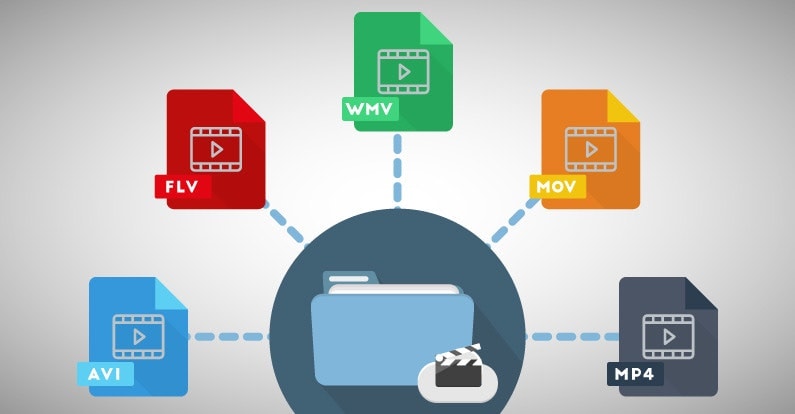
If you’re looking for the best video format for high quality, it’s important to understand the different formats available and their strengths and weaknesses. The best video format will depend on your intended use, whether it’s for streaming, editing, or playback on a specific device.
Best Video Formats for Streaming
Streaming video has become increasingly popular in recent years, with platforms like Netflix and YouTube dominating the market. To ensure the best quality streaming experience, the best video format is one that is optimized for streaming.
The most popular streaming video format is H.264, which is widely supported by most devices and platforms. It offers high-quality video compression with a relatively small file size, making it ideal for streaming. Another popular streaming format is VP9, which is used by YouTube and offers higher quality video at lower bitrates.
Best Video Formats for Editing
If you’re planning to edit your videos, it’s important to choose a format that will retain the highest quality of your footage. The best video formats for editing are those that support high bitrates and high color depths.
One of the most popular formats for editing is ProRes, which is a proprietary format developed by Apple. It offers high-quality compression and is widely supported by most editing software. Another popular format is DNxHD, which is supported by Avid editing software and offers high-quality compression for editing.
Best Video Formats for Playback on Specific Devices
If you’re planning to playback your videos on a specific device, it’s important to choose a format that is compatible with that device. Different devices support different video formats, so it’s important to do your research to ensure compatibility.
For example, if you’re planning to playback your videos on an iPhone or iPad, the best format is H.264, which is supported by Apple devices. If you’re planning to playback your videos on a Samsung device, the best format is MP4, which is widely supported by Android devices.
What about 4K and HDR?
If you’re looking to create or playback 4K or HDR videos, it’s important to choose a format that supports these features. The most popular format for 4K video is HEVC/H.265, which offers high-quality compression with a smaller file size compared to other formats.
For HDR video, the most popular formats are HDR10 and Dolby Vision, which offer improved color depth and contrast compared to standard video formats.
What is the Future of Video Formats?
As technology continues to advance, video formats are also evolving. One of the newest formats is AV1, which is developed by the Alliance for Open Media and offers high-quality compression with a smaller file size compared to other formats.
Another format on the horizon is MPEG-5 Part 1 (EVC), which offers improved compression for HDR video and is expected to become the standard for video compression in the future.
People Also Ask
What is the difference between a container and a codec?
A container is a file format that holds audio, video, and other data together in a single file. A codec is a software that compresses or decompresses audio or video data. The container format and the codec used can affect the quality and compatibility of your videos.
What is the difference between lossy and lossless compression?
Lossy compression is a method of compressing video or audio data by removing some of the data to reduce file size. Lossless compression, on the other hand, compresses the data without losing any information. Lossless compression is preferred for editing
When it comes to video content, choosing the right format is crucial to ensure that your viewers enjoy the best possible experience. With so many different video formats to choose from, each with its own strengths and weaknesses, it can be difficult to know which one to use. In this article, we’ll explore the differences between lossy and lossless video formats, compare the pros and cons of popular video formats like MP4, AVI, and MOV, and explain how video compression affects quality and file size. Finally, we’ll provide some tips on how to choose the right video format for your specific needs.
Best Video Format
Understanding the Differences Between Lossy and Lossless Video Formats
Before we dive into the specifics of different video formats, it’s important to understand the basics of video compression. Video compression is the process of reducing the size of a video file without sacrificing too much quality. There are two types of video compression: lossy and lossless.
With lossy compression, data is removed from the video file in order to decrease its size. This results in a smaller file size, but the quality of the video is often compromised. Lossy compression is often used when a smaller file size is a priority, such as when uploading videos to the internet or sending them via email.
Lossless compression, on the other hand, maintains the quality of the video while reducing its size by removing any redundant data. However, this often results in a larger file size. Lossless compression is often used when high-quality video is essential, such as when creating a master copy for archiving or when working on a video project that requires the highest possible quality.
Comparing the Pros and Cons of Popular Video Formats
Now that we’ve covered the basics of video compression, let’s take a look at some of the most popular video formats and their pros and cons.
MP4
MP4 is a popular video format that uses lossy compression to strike a good balance between quality and file size. MP4 files can be played on a variety of devices and are widely supported across different platforms. They’re also ideal for uploading to the internet or sending via email due to their smaller file size. However, the quality of the video may suffer if the compression is set too high.
AVI
AVI is an older video format that uses lossless compression to ensure the highest possible quality. This format is often used when the quality of the video is of utmost importance, such as when creating a master copy for archiving. However, the trade-off is a larger file size, which can make AVI files difficult to work with or share.
MOV
MOV is a video format created by Apple that uses lossy compression to achieve a good balance between quality and file size. MOV files are often used in the film and television industry due to their high quality, but they can be difficult to work with on non-Apple devices. They’re also less widely supported on the web than other formats, such as MP4.
FLV
FLV is a video format that was popularized by Adobe Flash Player. FLV files are often used for streaming video on the web due to their small file size and ability to be played back in a web browser. However, the quality of the video may be lower than other formats, and the format itself is becoming less popular as Adobe discontinues support for Flash Player.
WMV
WMV is a video format created by Microsoft that uses lossy compression. It’s often used for streaming video online, as it provides a good balance of quality and file size. However, like MOV, WMV files can be difficult to work with on non-Microsoft devices.
How Does Video Compression Impact Quality and File Size?
As we’ve seen, video compression is essential for reducing file size and ensuring that videos can be easily shared or uploaded to the internet. However, the amount of compression used can have a significant impact on the quality of the video.
When a video is compressed, some of the data is removed in order to reduce the file size. The more data that is removed, the smaller the file size will be, but the quality of the video will suffer. If too much data is removed, the video may become pixelated or blurry, with visible artifacts or distortion.
The amount of compression used can also impact the “burstiness” or variety of the video file. A highly compressed video may have less variation in its color and contrast, which can make it appear less dynamic and engaging to viewers. On the other hand, a less compressed video may have more variation in its color and contrast, which can make it appear more vibrant and visually interesting.
What Video Format is Best for Streaming, Editing, and Archiving?
Now that we’ve covered the basics of video compression and explored some of the most popular video formats, let’s take a closer look at which format is best for specific use cases.
Streaming
For streaming video on the web, MP4 is often the best choice due to its small file size and wide compatibility with different devices and platforms. However, if high-quality video is essential, MOV may be a better choice, despite its limited support outside of Apple devices.
Editing
When it comes to editing video, lossless formats like AVI or MOV are often the best choice. These formats maintain the highest possible quality, which is important when making edits to the video. Once the editing is complete, the video can be exported to a more compressed format like MP4 for sharing or uploading to the internet.
Archiving
If you’re creating a master copy of a video for archiving purposes, a lossless format like AVI is often the best choice. This ensures that the highest possible quality is maintained, which is essential for long-term preservation. However, keep in mind that lossless formats often result in larger file sizes, which may be difficult to store or share.
Using Mp4Gain to Normalize Video Formats
No matter which video format you choose, it’s important to ensure that the audio is normalized to a consistent level. This is where Mp4Gain comes in. Mp4Gain is a tool that allows you to convert between the major video formats and normalize the audio to a consistent level.
By using Mp4Gain, you can ensure that your videos have a consistent level of audio, regardless of the format they were originally recorded in. This can be particularly helpful if you’re working with videos from different sources or if you’ve edited together multiple videos into one project.
Additionally, Mp4Gain can also be used to normalize the audio of music files, which can be especially helpful if you’re creating a playlist or if you’re a DJ who needs to ensure that all the tracks have a consistent volume.
Using Mp4Gain is easy. Simply download the software and choose the video or audio file that you want to normalize. Mp4Gain will automatically analyze the file and adjust the volume to a consistent level. You can then save the file in the format of your choice, with the normalized audio included.
Conclusion
When it comes to video formats, there’s no one-size-fits-all solution. The best format for your needs will depend on a variety of factors, including the intended use of the video, the devices and platforms it will be viewed on, and the desired balance of quality and file size.
However, by understanding the differences between lossy and lossless formats, comparing the pros and cons of popular video formats, and considering the impact of video compression on quality and file size, you can make an informed decision about which format to choose.
Regardless of the format you choose, it’s important to ensure that the audio is normalized to a consistent level. Mp4Gain is a powerful tool that can help you achieve this, while also allowing you to convert between the major video formats. By using Mp4Gain, you can ensure that your videos and audio files have a consistent level of audio, making them more enjoyable and professional.
So whether you’re a videographer, editor, or simply a video enthusiast, consider using Mp4Gain to take your videos to the next level.
MP4, AVI and MPEG are three different digital video formats. All of them widely used in a medium or other format, but are not compatible with each other. MPEG (of which MP4 is actually a version) is the most widely used, but AVI is gaining ground.
Types
AVI or Audio Video Interleave, is a format developed by Microsoft. MPEG is the common standard format term created by Moving Picture Experts Group.
Differences
AVI can be played in most Windows-based applications, such as Windows Media Player. MPEG works primarily with QuickTime, Apple-based applications and video discs, while MP4 is used primarily with many personal media players such as iPod and PSP.
ID
MP4 is actually MPEG-4, a subset of the MPEG standard. What people usually refer to as MPEG is MPEG-1 or MPEG-2. In contrast, MPEG-3 is not MP3, which is included in MPEG-1.
Importance
MPEG-1 is used with video compact discs (VCD), while higher quality MPEG-2 is used for DVDs.
Benefits
The biggest difference of MP4 from the other MPEG formats is its ability to save subtitles, still images and other data with digital audio and video.
Warning
Some personal devices can be advertised as “MP4”, using the term colloquial, but they actually play AMV files.
Avi or mp4 ?? which is better and why?
which of the two video formats is better ???
if the 2 are 1200×720 which gives me better quality ????
The avi with the codex divx is better.
Obviously the best quality format is .avi but it is heavier than the .mp4 format because this is a compression format mostly used for portable devices.
what happens is that the mp4 is used for cell phones and Mp4 players (that is, its quality is reduced).
AVI, MKV, MPG, WMV, FLV, OGM, MOV, MP4 are VIDEO CONTAINERS, that is, the files that contain video, audio and subtitle streams inside. The container has no effect on the quality of the video or audio or subtitle.
But which video format is better? An avi, mp4, wmv, mpeg?
The correct question is that VIDEO FORMAT offers the best quality / weight ratio.
DivX / XviD, h264, WMV8, WMV9 / HC-1, RV30 / RV40, VP8, MPEG are some VIDEO FORMATS.
The one that best quality / weight ratio offers at the moment is the H264 and which is widely surpassed by the new H265 that offers the same quality but at half the weight of an h264, the H265 standard – and the format has the same name – this Made for streaming video and take advantage of the bitrate or speed of transmitted data, this is why it offers this relationship of maintaining the same quality but at half the weight of the previous H264 standard.
The MOV and FLV containers have chosen to adopt this h264 format because of its quality / weight advantages, even though the h264 is the common format for videos on BluRay discs. There are also several encoders to h264 being the best free x264 encoder, so the free video software uses it, and some commercial programs also use it.
So you can play your movies without problems on your X media player, you should consider the following:
Read the manual to know which video CONTAINERS are recognizable by the software of the reproductive system, also that AUDIO and VIDEO FORMATS, and most importantly, WHAT coding FEATURES they must comply with.