If you’re looking for the best video format for high quality, it’s important to understand the different formats available and their strengths and weaknesses. The best video format will depend on your intended use, whether it’s for streaming, editing, or playback on a specific device.
Best Video Formats for Streaming
Streaming video has become increasingly popular in recent years, with platforms like Netflix and YouTube dominating the market. To ensure the best quality streaming experience, the best video format is one that is optimized for streaming.
The most popular streaming video format is H.264, which is widely supported by most devices and platforms. It offers high-quality video compression with a relatively small file size, making it ideal for streaming. Another popular streaming format is VP9, which is used by YouTube and offers higher quality video at lower bitrates.
Best Video Formats for Editing
If you’re planning to edit your videos, it’s important to choose a format that will retain the highest quality of your footage. The best video formats for editing are those that support high bitrates and high color depths.
One of the most popular formats for editing is ProRes, which is a proprietary format developed by Apple. It offers high-quality compression and is widely supported by most editing software. Another popular format is DNxHD, which is supported by Avid editing software and offers high-quality compression for editing.
Best Video Formats for Playback on Specific Devices
If you’re planning to playback your videos on a specific device, it’s important to choose a format that is compatible with that device. Different devices support different video formats, so it’s important to do your research to ensure compatibility.
For example, if you’re planning to playback your videos on an iPhone or iPad, the best format is H.264, which is supported by Apple devices. If you’re planning to playback your videos on a Samsung device, the best format is MP4, which is widely supported by Android devices.
What about 4K and HDR?
If you’re looking to create or playback 4K or HDR videos, it’s important to choose a format that supports these features. The most popular format for 4K video is HEVC/H.265, which offers high-quality compression with a smaller file size compared to other formats.
For HDR video, the most popular formats are HDR10 and Dolby Vision, which offer improved color depth and contrast compared to standard video formats.
What is the Future of Video Formats?
As technology continues to advance, video formats are also evolving. One of the newest formats is AV1, which is developed by the Alliance for Open Media and offers high-quality compression with a smaller file size compared to other formats.
Another format on the horizon is MPEG-5 Part 1 (EVC), which offers improved compression for HDR video and is expected to become the standard for video compression in the future.
People Also Ask
What is the difference between a container and a codec?
A container is a file format that holds audio, video, and other data together in a single file. A codec is a software that compresses or decompresses audio or video data. The container format and the codec used can affect the quality and compatibility of your videos.
What is the difference between lossy and lossless compression?
Lossy compression is a method of compressing video or audio data by removing some of the data to reduce file size. Lossless compression, on the other hand, compresses the data without losing any information. Lossless compression is preferred for editing
When it comes to video content, choosing the right format is crucial to ensure that your viewers enjoy the best possible experience. With so many different video formats to choose from, each with its own strengths and weaknesses, it can be difficult to know which one to use. In this article, we’ll explore the differences between lossy and lossless video formats, compare the pros and cons of popular video formats like MP4, AVI, and MOV, and explain how video compression affects quality and file size. Finally, we’ll provide some tips on how to choose the right video format for your specific needs.
Best Video Format
Understanding the Differences Between Lossy and Lossless Video Formats
Before we dive into the specifics of different video formats, it’s important to understand the basics of video compression. Video compression is the process of reducing the size of a video file without sacrificing too much quality. There are two types of video compression: lossy and lossless.
With lossy compression, data is removed from the video file in order to decrease its size. This results in a smaller file size, but the quality of the video is often compromised. Lossy compression is often used when a smaller file size is a priority, such as when uploading videos to the internet or sending them via email.
Lossless compression, on the other hand, maintains the quality of the video while reducing its size by removing any redundant data. However, this often results in a larger file size. Lossless compression is often used when high-quality video is essential, such as when creating a master copy for archiving or when working on a video project that requires the highest possible quality.
Comparing the Pros and Cons of Popular Video Formats
Now that we’ve covered the basics of video compression, let’s take a look at some of the most popular video formats and their pros and cons.
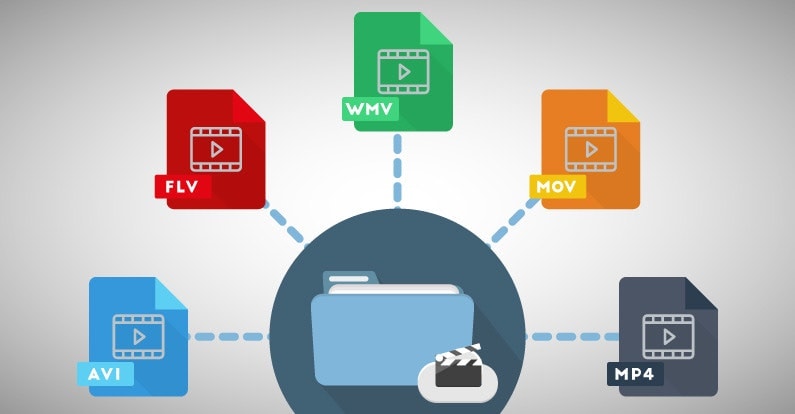
MP4
MP4 is a popular video format that uses lossy compression to strike a good balance between quality and file size. MP4 files can be played on a variety of devices and are widely supported across different platforms. They’re also ideal for uploading to the internet or sending via email due to their smaller file size. However, the quality of the video may suffer if the compression is set too high.
AVI
AVI is an older video format that uses lossless compression to ensure the highest possible quality. This format is often used when the quality of the video is of utmost importance, such as when creating a master copy for archiving. However, the trade-off is a larger file size, which can make AVI files difficult to work with or share.
MOV
MOV is a video format created by Apple that uses lossy compression to achieve a good balance between quality and file size. MOV files are often used in the film and television industry due to their high quality, but they can be difficult to work with on non-Apple devices. They’re also less widely supported on the web than other formats, such as MP4.
FLV
FLV is a video format that was popularized by Adobe Flash Player. FLV files are often used for streaming video on the web due to their small file size and ability to be played back in a web browser. However, the quality of the video may be lower than other formats, and the format itself is becoming less popular as Adobe discontinues support for Flash Player.
WMV
WMV is a video format created by Microsoft that uses lossy compression. It’s often used for streaming video online, as it provides a good balance of quality and file size. However, like MOV, WMV files can be difficult to work with on non-Microsoft devices.
How Does Video Compression Impact Quality and File Size?
As we’ve seen, video compression is essential for reducing file size and ensuring that videos can be easily shared or uploaded to the internet. However, the amount of compression used can have a significant impact on the quality of the video.
When a video is compressed, some of the data is removed in order to reduce the file size. The more data that is removed, the smaller the file size will be, but the quality of the video will suffer. If too much data is removed, the video may become pixelated or blurry, with visible artifacts or distortion.
The amount of compression used can also impact the “burstiness” or variety of the video file. A highly compressed video may have less variation in its color and contrast, which can make it appear less dynamic and engaging to viewers. On the other hand, a less compressed video may have more variation in its color and contrast, which can make it appear more vibrant and visually interesting.
What Video Format is Best for Streaming, Editing, and Archiving?
Now that we’ve covered the basics of video compression and explored some of the most popular video formats, let’s take a closer look at which format is best for specific use cases.
Streaming
For streaming video on the web, MP4 is often the best choice due to its small file size and wide compatibility with different devices and platforms. However, if high-quality video is essential, MOV may be a better choice, despite its limited support outside of Apple devices.
Editing
When it comes to editing video, lossless formats like AVI or MOV are often the best choice. These formats maintain the highest possible quality, which is important when making edits to the video. Once the editing is complete, the video can be exported to a more compressed format like MP4 for sharing or uploading to the internet.
Archiving
If you’re creating a master copy of a video for archiving purposes, a lossless format like AVI is often the best choice. This ensures that the highest possible quality is maintained, which is essential for long-term preservation. However, keep in mind that lossless formats often result in larger file sizes, which may be difficult to store or share.
Using Mp4Gain to Normalize Video Formats
No matter which video format you choose, it’s important to ensure that the audio is normalized to a consistent level. This is where Mp4Gain comes in. Mp4Gain is a tool that allows you to convert between the major video formats and normalize the audio to a consistent level.
By using Mp4Gain, you can ensure that your videos have a consistent level of audio, regardless of the format they were originally recorded in. This can be particularly helpful if you’re working with videos from different sources or if you’ve edited together multiple videos into one project.
Additionally, Mp4Gain can also be used to normalize the audio of music files, which can be especially helpful if you’re creating a playlist or if you’re a DJ who needs to ensure that all the tracks have a consistent volume.
Using Mp4Gain is easy. Simply download the software and choose the video or audio file that you want to normalize. Mp4Gain will automatically analyze the file and adjust the volume to a consistent level. You can then save the file in the format of your choice, with the normalized audio included.
Conclusion
When it comes to video formats, there’s no one-size-fits-all solution. The best format for your needs will depend on a variety of factors, including the intended use of the video, the devices and platforms it will be viewed on, and the desired balance of quality and file size.
However, by understanding the differences between lossy and lossless formats, comparing the pros and cons of popular video formats, and considering the impact of video compression on quality and file size, you can make an informed decision about which format to choose.
Regardless of the format you choose, it’s important to ensure that the audio is normalized to a consistent level. Mp4Gain is a powerful tool that can help you achieve this, while also allowing you to convert between the major video formats. By using Mp4Gain, you can ensure that your videos and audio files have a consistent level of audio, making them more enjoyable and professional.
So whether you’re a videographer, editor, or simply a video enthusiast, consider using Mp4Gain to take your videos to the next level.
On the internet, you keep stumbling across new formats in the form of video formats, audio formats, image formats, or certain file formats. The list of formatting completions can probably go on indefinitely as new ones are added all the time.
Clips in 3GP format A video format has been around for a while, however, not all video players can play this format, we are talking about the 3gp format, you often get this format when you download a movie from mobile phone or recorded it on your mobile phone yourself.
3gp is a container format
The 3gp format is a container format, which means that there are several existing formats in this “container”, which are “formed” into a new one. The 3gp format is a container composed of an AMR, AMR-WB, or AAC-LC audio track and an MPEG-4 Part 2, H.263 or H.264 video track. It is worth mentioning that the H.264 video track is not compatible with all mobile phones, so it is less common to find a container that contains this video track.
Typical properties of this mobile phone video format
The 3gp format has some typical properties: on the one hand, a mobile phone movie in this format is mostly a low resolution one, the highest average resolution is 320 x 240 px. Of course, the highest average resolution! At the lower end of average resolutions, it’s about 128 x 96 px, which shows that this format is best suited for displaying videos on a cell phone or smartphone.
No special software is required to play a 3gp video on a commercially available computer, only a 3gp video player must be installed or a codec must be implemented for using 3gp clips.
Another option is to convert the clip to another common format, such as converting it to MPEG format. Windows Media Player can play this format without any problems, so there should be no problem watching the movie from mobile phone.
3GP is defined in the ETSI 3GPP technical specifications. 3GP is a required file format for video and associated word / audio media types and timed text in ETSI and 3GPP technical specifications for IP multimedia subsystem (IMS), multimedia messaging service (MMS), multicast / multimedia streaming service ( MBMS)) and transparent end-to-end Streaming Service (PSS) packet switching.
3G2 is defined in the 3GPP2 technical specification.
Technical details
The relationships between the ISO Base Media Format file format, the MP4 file format, the 3GPP file format, and the 3GPP2 file format. Based on the 3GPP2 technical specification published on May 18, 2007.
The 3GP and 3G2 file formats are structurally based on the ISO core multimedia file format defined in ISO / IEC 14496-12 – MPEG-4 Part 12, but earlier versions of the 3GP file format did not use some of its features. . 3GP and 3G2 are container formats similar to MPEG-4 Part 14 (MP4), which is also based on MPEG-4 Part 12. The 3GP and 3G2 file formats were designed to reduce storage and bandwidth requirements to accommodate cellphones . They are good for low-end smartphones for fast, free streaming.
3GP and 3G2 are similar standards, but with some differences:
The 3GPP file format is designed for GSM-based phones and can have the file extension of .3gp
The 3GPP2 file format is designed for CDMA-based phones and can have the file extension .3g2
Some mobile phones use the .mp4 extension for 3GP video.
3GP
The 3GP file format stores video streams like MPEG-4 Part 2, H.263 or MPEG-4 Part 10 (AVC / H.264) and audio streams like AMR-NB, AMR-WB, AMR-WB +, AAC-LC, HE-AACaacPlus v1 or advanced (v2 HE-AAC). 3GPP allowed the use of AMR and H.263 codecs in the ISO base file support format (MPEG-4 Part 12), because 3GPP specified the use of voice templates and fields in the ISO base media file format, as well as the definition of new boxes to which codecs refer. These extensions were registered by the registration authorities for code points in the ISO basic multimedia file format (“MP4 family” files). For MPEG-4 media specific information storage in 3GP file, 3GP specification refers to MP4 and AVC file format, which is also based on ISO base multimedia file format. The MP4 and AVC file format specifications describe the use of MPEG-4 content in the ISO base multimedia file format.
A 3GP file is always big-endian, it stores and transfers the most significant bytes first.
3G2
The 3G2 file format can store the same video streams and most of the audio streams used in the 3GP file format. Additionally, 3G2 stores audio streams as EVRC, EVRC-B, EVRC-WB, 13K (QCELP), SMV or VMR-WB, which was specified by 3GPP2 for use in ISO base multimedia file format. The 3G2 specification also defined some enhancements to the 3GPP timed text. The 3G2 file format does not store advanced audio streams aacPlus (HE-AAC v2) and AMR-WB +. For storing MPEG-4 media (AAC audio, MPEG-4 Part 2 video, MPEG-4 Part 10 – H.264 / AVC) in 3G2 files, the 3G2 specification refers to the MP4 file format and the specific format of AVC file, which describes the use of these contents in the ISO base multimedia file format. For storing H.263 and AMR content, the 3G2 specification refers to the 3GP file format specification.
device holder
Most 3G-capable mobile phones support 3GP video recording and playback (memory, maximum file size for playback and recording, and resolution limits exist and vary).
Some newer / higher-end phones without 3G capabilities can also play and record in this format (again, with such limitations).
Imported audio from CDs to a PlayStation 3 when configured to encode MPEG-4 AAC copies on USB devices in 3GP format.
The Nintendo DSi and Nintendo 3DS family support .3gp on an SD card.
Apple iDevices used to support files for playback only as pass-through files, so there are no editing options, but since iOS 9 files mean this format has been deprecated, they have to be manually converted to H.264.
With the advancement of technology, certain inventions that were once innovative are often forgotten. An example is the third generation of cellular technology known as 3G and currently replaced by 4G. Among its different characteristics, this technology brought with it the answer to the problem of how to view videos on smartphones. To be able to understand the way they did it you must know how 3GP works.
3GP comes from the association of several telecommunications groups, better known as 3GPP (Third Generation Partnership Project). This is a multimedia container format created for smartphones with 3G technology. However, it can also be used in some devices with 2G and 4G technology.
3GP is capable of containing files with the following video formats: H.263, PEG-4 and MPEG-4 Part 10 (AVC / H.264). In the case of audio tracks, it supports the following formats: AAC-LC, HE-AAC V1, HE-AAC V2, AMR-WB, AMR-WB + and AMR-NB. On the other hand, it offers a video resolution of 176 × 144 for cell phones that only support the 3GP format. On cell phones with other formats such as MP4, it offers a resolution of 320 × 240.
How does 3GP work?
To understand how 3GP works we must first go back to the need for which it arose. A few years ago the slow internet connection and the large size of multimedia files made it difficult to watch videos from a Smartphone. Because of this, 3GPP focused on creating a means to solve this problem, with the 3GP format emerging.
For their creation they were based on the MP4 format, which was created for PC. So 3GP is a less bulky simplification of that format. It was designed to reduce or decrease the storage bandwidth requirements, in order to adapt them to cell phones.
However, its small size is not the only important aspect of its functionality. Making use of 3G technology and the advances in network connection that it produced, this format allowed the transmission at high speeds of any multimedia medium.
Qualities of 3GP
Among the different characteristics of this format we have the following: the inclusion of a text, which can be opened using any type of text editor such as Notepad. Outside of 3G phones, 3GP files can be played in Windows Media Player, VLC Media Player, QuickTime and Media Player Classic. It is also compatible with playback media from the PlayStation 3 and Nintendo DSi consoles.
This format was created for phones with GSM technology, while its variation called 3G2 is used in CDMA technologies. Another of its qualities is that it does not require a 3G gadget to enable this format before viewing the file.
However, despite these design advantages, it also has certain disadvantages. The main one is that when compressing audio and video, the quality of these decreases compared to other formats. Also, it is not possible to change the file’s .3gp extension to another format, unless an actual file format conversion is performed.