If you’re looking for the best video format for high quality, it’s important to understand the different formats available and their strengths and weaknesses. The best video format will depend on your intended use, whether it’s for streaming, editing, or playback on a specific device.
Best Video Formats for Streaming
Streaming video has become increasingly popular in recent years, with platforms like Netflix and YouTube dominating the market. To ensure the best quality streaming experience, the best video format is one that is optimized for streaming.
The most popular streaming video format is H.264, which is widely supported by most devices and platforms. It offers high-quality video compression with a relatively small file size, making it ideal for streaming. Another popular streaming format is VP9, which is used by YouTube and offers higher quality video at lower bitrates.
Best Video Formats for Editing
If you’re planning to edit your videos, it’s important to choose a format that will retain the highest quality of your footage. The best video formats for editing are those that support high bitrates and high color depths.
One of the most popular formats for editing is ProRes, which is a proprietary format developed by Apple. It offers high-quality compression and is widely supported by most editing software. Another popular format is DNxHD, which is supported by Avid editing software and offers high-quality compression for editing.
Best Video Formats for Playback on Specific Devices
If you’re planning to playback your videos on a specific device, it’s important to choose a format that is compatible with that device. Different devices support different video formats, so it’s important to do your research to ensure compatibility.
For example, if you’re planning to playback your videos on an iPhone or iPad, the best format is H.264, which is supported by Apple devices. If you’re planning to playback your videos on a Samsung device, the best format is MP4, which is widely supported by Android devices.
What about 4K and HDR?
If you’re looking to create or playback 4K or HDR videos, it’s important to choose a format that supports these features. The most popular format for 4K video is HEVC/H.265, which offers high-quality compression with a smaller file size compared to other formats.
For HDR video, the most popular formats are HDR10 and Dolby Vision, which offer improved color depth and contrast compared to standard video formats.
What is the Future of Video Formats?
As technology continues to advance, video formats are also evolving. One of the newest formats is AV1, which is developed by the Alliance for Open Media and offers high-quality compression with a smaller file size compared to other formats.
Another format on the horizon is MPEG-5 Part 1 (EVC), which offers improved compression for HDR video and is expected to become the standard for video compression in the future.
People Also Ask
What is the difference between a container and a codec?
A container is a file format that holds audio, video, and other data together in a single file. A codec is a software that compresses or decompresses audio or video data. The container format and the codec used can affect the quality and compatibility of your videos.
What is the difference between lossy and lossless compression?
Lossy compression is a method of compressing video or audio data by removing some of the data to reduce file size. Lossless compression, on the other hand, compresses the data without losing any information. Lossless compression is preferred for editing
MKV, also known as Matroska Video Format, is a popular video container format that can hold an unlimited number of video, audio, and subtitle tracks. This format was created in 2002 by a team of Russian developers as an open-source alternative to the popular AVI and MP4 formats.
The MKV format is unique in that it supports almost all audio and video codecs, allowing users to store high-quality videos with lossless audio. Additionally, it supports advanced features like chapters, metadata, and multiple audio and subtitle tracks, making it an excellent choice for storing movies, TV shows, and other video content.
Benefits of MKV Video Format
There are several benefits of using the MKV video format, which includes:
1. High-Quality Video and Audio
The MKV format supports almost all audio and video codecs, making it an excellent choice for storing high-quality videos with lossless audio. This format also supports 4K, HDR, and other advanced video formats, making it future-proof.
2. Multiple Audio and Subtitle Tracks
MKV supports multiple audio and subtitle tracks, making it an excellent choice for storing movies, TV shows, and other video content. With this feature, users can switch between different languages and subtitles without having to change the video file.
3. Chapters and Metadata Support
MKV format supports chapters and metadata, making it easier for users to navigate through long videos and track their progress. With this feature, users can also store important information about the video, including title, description, and cover art.
How to Play MKV Videos?
MKV videos can be played on almost all media players, including VLC, Windows Media Player, and QuickTime. However, some older media players may not support the MKV format, which can lead to compatibility issues.
To avoid compatibility issues, users can convert their MKV videos to other popular formats like MP4 or AVI, which are widely supported by almost all media players.
How to Convert MKV Videos?
To convert MKV videos to other formats, users can use a variety of video converters available online. These video converters are designed to convert video files from one format to another quickly and easily.
However, it is essential to choose a reliable and trustworthy video converter that supports a wide range of video formats and offers advanced features like batch conversion, video editing, and compression.
Conclusion
In conclusion, the MKV video format is an excellent choice for storing high-quality videos with lossless audio, multiple audio and subtitle tracks, and advanced features like chapters and metadata. With its popularity growing, it is crucial to understand the benefits of this format and how to play and convert it to other popular formats.
While there are many video converters available online, we recommend MP4Gain, a powerful and easy-to-use video converter that supports a wide range of video formats and offers advanced features like batch conversion, video editing, and compression.
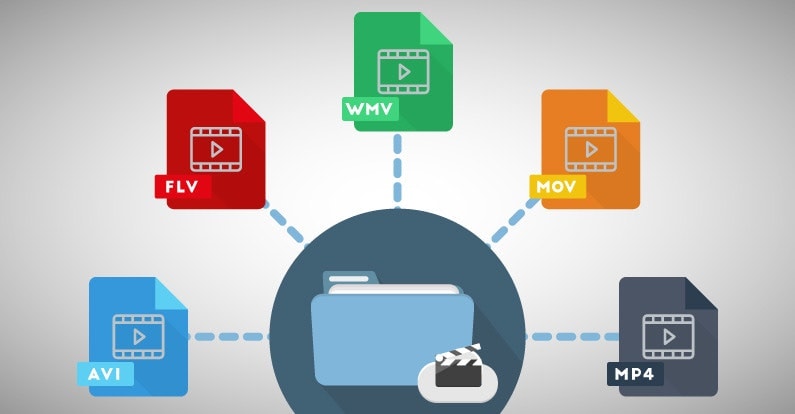
When it comes to video content, choosing the right format is crucial to ensure that your viewers enjoy the best possible experience. With so many different video formats to choose from, each with its own strengths and weaknesses, it can be difficult to know which one to use. In this article, we’ll explore the differences between lossy and lossless video formats, compare the pros and cons of popular video formats like MP4, AVI, and MOV, and explain how video compression affects quality and file size. Finally, we’ll provide some tips on how to choose the right video format for your specific needs.
Best Video Format
Understanding the Differences Between Lossy and Lossless Video Formats
Before we dive into the specifics of different video formats, it’s important to understand the basics of video compression. Video compression is the process of reducing the size of a video file without sacrificing too much quality. There are two types of video compression: lossy and lossless.
With lossy compression, data is removed from the video file in order to decrease its size. This results in a smaller file size, but the quality of the video is often compromised. Lossy compression is often used when a smaller file size is a priority, such as when uploading videos to the internet or sending them via email.
Lossless compression, on the other hand, maintains the quality of the video while reducing its size by removing any redundant data. However, this often results in a larger file size. Lossless compression is often used when high-quality video is essential, such as when creating a master copy for archiving or when working on a video project that requires the highest possible quality.
Comparing the Pros and Cons of Popular Video Formats
Now that we’ve covered the basics of video compression, let’s take a look at some of the most popular video formats and their pros and cons.
MP4
MP4 is a popular video format that uses lossy compression to strike a good balance between quality and file size. MP4 files can be played on a variety of devices and are widely supported across different platforms. They’re also ideal for uploading to the internet or sending via email due to their smaller file size. However, the quality of the video may suffer if the compression is set too high.
AVI
AVI is an older video format that uses lossless compression to ensure the highest possible quality. This format is often used when the quality of the video is of utmost importance, such as when creating a master copy for archiving. However, the trade-off is a larger file size, which can make AVI files difficult to work with or share.
MOV
MOV is a video format created by Apple that uses lossy compression to achieve a good balance between quality and file size. MOV files are often used in the film and television industry due to their high quality, but they can be difficult to work with on non-Apple devices. They’re also less widely supported on the web than other formats, such as MP4.
FLV
FLV is a video format that was popularized by Adobe Flash Player. FLV files are often used for streaming video on the web due to their small file size and ability to be played back in a web browser. However, the quality of the video may be lower than other formats, and the format itself is becoming less popular as Adobe discontinues support for Flash Player.
WMV
WMV is a video format created by Microsoft that uses lossy compression. It’s often used for streaming video online, as it provides a good balance of quality and file size. However, like MOV, WMV files can be difficult to work with on non-Microsoft devices.
How Does Video Compression Impact Quality and File Size?
As we’ve seen, video compression is essential for reducing file size and ensuring that videos can be easily shared or uploaded to the internet. However, the amount of compression used can have a significant impact on the quality of the video.
When a video is compressed, some of the data is removed in order to reduce the file size. The more data that is removed, the smaller the file size will be, but the quality of the video will suffer. If too much data is removed, the video may become pixelated or blurry, with visible artifacts or distortion.
The amount of compression used can also impact the “burstiness” or variety of the video file. A highly compressed video may have less variation in its color and contrast, which can make it appear less dynamic and engaging to viewers. On the other hand, a less compressed video may have more variation in its color and contrast, which can make it appear more vibrant and visually interesting.
What Video Format is Best for Streaming, Editing, and Archiving?
Now that we’ve covered the basics of video compression and explored some of the most popular video formats, let’s take a closer look at which format is best for specific use cases.
Streaming
For streaming video on the web, MP4 is often the best choice due to its small file size and wide compatibility with different devices and platforms. However, if high-quality video is essential, MOV may be a better choice, despite its limited support outside of Apple devices.
Editing
When it comes to editing video, lossless formats like AVI or MOV are often the best choice. These formats maintain the highest possible quality, which is important when making edits to the video. Once the editing is complete, the video can be exported to a more compressed format like MP4 for sharing or uploading to the internet.
Archiving
If you’re creating a master copy of a video for archiving purposes, a lossless format like AVI is often the best choice. This ensures that the highest possible quality is maintained, which is essential for long-term preservation. However, keep in mind that lossless formats often result in larger file sizes, which may be difficult to store or share.
Using Mp4Gain to Normalize Video Formats
No matter which video format you choose, it’s important to ensure that the audio is normalized to a consistent level. This is where Mp4Gain comes in. Mp4Gain is a tool that allows you to convert between the major video formats and normalize the audio to a consistent level.
By using Mp4Gain, you can ensure that your videos have a consistent level of audio, regardless of the format they were originally recorded in. This can be particularly helpful if you’re working with videos from different sources or if you’ve edited together multiple videos into one project.
Additionally, Mp4Gain can also be used to normalize the audio of music files, which can be especially helpful if you’re creating a playlist or if you’re a DJ who needs to ensure that all the tracks have a consistent volume.
Using Mp4Gain is easy. Simply download the software and choose the video or audio file that you want to normalize. Mp4Gain will automatically analyze the file and adjust the volume to a consistent level. You can then save the file in the format of your choice, with the normalized audio included.
Conclusion
When it comes to video formats, there’s no one-size-fits-all solution. The best format for your needs will depend on a variety of factors, including the intended use of the video, the devices and platforms it will be viewed on, and the desired balance of quality and file size.
However, by understanding the differences between lossy and lossless formats, comparing the pros and cons of popular video formats, and considering the impact of video compression on quality and file size, you can make an informed decision about which format to choose.
Regardless of the format you choose, it’s important to ensure that the audio is normalized to a consistent level. Mp4Gain is a powerful tool that can help you achieve this, while also allowing you to convert between the major video formats. By using Mp4Gain, you can ensure that your videos and audio files have a consistent level of audio, making them more enjoyable and professional.
So whether you’re a videographer, editor, or simply a video enthusiast, consider using Mp4Gain to take your videos to the next level.
What is the difference between MKV and MP4? Why is there a difference in MKV MP4 even though the content is the same?
“What is the difference between mp4 and mkv? Mkv is bigger even if it has the same quality, isn’t it?”
If you are in doubt whether to convert to MKV or MP4 if it converts the video and makes the file size as small as possible, I would like to know the difference between MKV MP4. But before comparing MKV MP4, let’s understand these two video formats.
Both MP4 and MKV are in video format and store audio and video information. It is the video format that determines which video and audio codec can be stored in which format. MKV MP4 The difference is also in the audio and video codecs or the storage methods. MP4 is one of the file formats for storing compressed video data in MPEG-4 format and is specified in Part 14 of the ISO / IEC 14496 standard. Alternatively, it is a format derived from ISO / IEC 14496 Part 12 formulated based on the Apple’s QuickTime media technology file format, and has a structure that follows many of the conventional QuickTime formats. MKV is an abbreviation for Matroska, a multimedia container format for storing data such as video, audio, and subtitles. It uses a data warehousing technology called EBML for backward compatibility and expandability.
Since there are many technical terms and it is difficult to understand, I will introduce MKV and MP4 in detail and explain the difference between MKV MP4. Decide whether you want to convert to MKV MP4 or not and what output format to use after viewing this MKV MP4 comparison explanation.
Let’s compare MKV MP4 with all
compatibility
MP4 is considered the most compatible video format. Compared to MKV MP4 due to compatibility, MKV has no chance of winning. Therefore, the output format is often set to MP4 when converting a video for playback. MP4 is compatible with Mac and Windows environment, and popular devices like iPhone 6s, iPad Pro 9.7 inch, Xperia X, Galaxy 6s can play MP4 videos. Also, MP4 compatibility is good when posting videos to websites. MKV MP4 due to MP4 compatibility seems to be better with the difference.
File size and quality
Comparing MKV and MP4, MP4 has a smaller file size if the video has the same quality and content. Also, MP4 has better quality for videos with similar content and file size. The cause is the storage method and the amount of information stored which tends not to tell the difference between MKV MP4.
Amount of information stored
It is said that information is always lost when converting from MKV to MP4. MKV MP4 is much larger than MKV MP4 depending on the amount of information stored. MP4 can store only one audio and video, but MKV can store multiple audio codecs. Of course, MKV can have only one audio. It is also possible to have multiple subtitles in MKV. Sometimes there are videos where you can choose the language. Shaving is a video like MKV. Now when converting from MKV to MP4, only one audio codec and one subtitle will be saved, so the information will be lost and of course the file size will be smaller. Also, since MKV has information to distinguish and select different audio codecs and play them separately, MKV MP4 with just one audio and subtitles is saved in a different file size.
Which one to use, MKV or MP4 when downloading or converting videos
Now there is software that allows you to select the output profile for both video download and video conversion. So when choosing an output profile, compare MKV MP4 and which one? Of course, compatibility is the best. The size and quality are meaningless if the format is not supported by the device or the system. So what if both MP4 and MKV are supported? Right now, decide by considering the difference between the conversion destination and MKV MP4.
MP4 is best for saving on devices with limited space, such as smartphones. The quality loss is as small as possible and the file size is also small. Also, there are few players that can select the language of the video on a smartphone, and if the player you are using does not have that function, it can only play an audio and a subtitle even if you convert it to MKV.
After all, MKV is best when played on a personal computer. There are many players who can choose the language without worrying about space on the computer. At this time, MKV, which stores all the information in the original quality, is better.
If you want to save the video, which one should you choose, MKV vs. MP4? Many people wonder what the difference is in that MKV MP4. Certainly the MKV MP4 video files you see often have different uses based on their characteristics. However, the difference between MP4 and MKV is a bit difficult for an amateur. Also, even if you search for it on the Internet, the information about the difference between MKV MP4 is quite scattered and difficult to read. So, let’s compare MKV and MP4 in the text and explain in detail the difference between MKV and MP4 for those who are wondering where is the difference between MP4 and MKV.
MKV MP4 Difference Overview
MKV is one of the file formats that can record video and accompanying audio and subtitles, and it is one of the container formats that defines how to store data in the file. Various compression methods (codecs) can be used for video data and audio data. The most important feature of MKV is its ability to support different types of encoded video, audio, and subtitle streams.
Related Article: Introducing the Acclaimed MKV Playback Player Recommendations!
MP4 is one of the file formats for storing video data compressed in MPEG-4 format. It is specified in Part 14 of ISO / IEC 14496. MP4 is a format derived from ISO / IEC 14496 Part 12 developed based on Apple’s QuickTime media technology file format, and has a structure that follows many of conventional QuickTime formats. The feature is that even if the compression rate is high, the image quality and sound quality remain high, and it is highly compatible with devices such as smartphones.
Point: What is MP4? MP4 Tips: Summary of Definitions, Functions, Extensions, etc.
MKV MP4 Difference
Compare MKV and MP4: Detailed Explanation of MKV MP4 Difference
Difference between MP4 and MKV: Compatibility
As mentioned above, MKV vs. MP4 is characterized by being compatible with any codec even if the basic codec is the same MPEG-4 / H264. Therefore, when playing MKV as a fairly multi-functional container, a dedicated codec is required, so it is often limited to some playback and player software and cannot be played. Many people complain and complain about the poor compatibility of the MKV format. On the other hand, MP4 is highly compatible with various operating systems. Currently it can be used in most terminals and multimedia players. So if you compare MKV and MP4, MP4 will win in terms of compatibility.
Difference between MP4 and MKV: Quality of
image The image quality of MKV MP4 is not determined by the quality of the video, but depends on the compression format of the data contained in it, so the difference between MKV MP4 cannot be easily said. Both MKV and MP4 support AVC MPEG-4 and H.264 video codec, which have high compression ratios and can support HD image quality, so it cannot be said which is better for MKV MP4 image quality. Speaking of strength, in general MKV is cleaner than MP4 if you use the same codec. Also, since MKV can support most video codecs and audio codecs, today’s super-resolution videos use MKV more often than MP4.
Difference between MP4 and MKV: File size
file The file size is also different due to the difference in video bit rate (bps) and time. In fact, both MKV and MP4 feature a highly compressible format because they produce the smallest file size and high-quality video. However, when comparing MKV and MP4, the file size of MKV compressed under the same conditions is slightly larger than that of MP4.
Difference Between MP4 and MKV: Versatility
Speaking of versatility, which one is most commonly used, MKV vs. MP4? MP4, which uses H.264 with a high compression rate for the video section and combines high-quality AAC for audio, can be used in various terminals, so it can be said to be the most versatile. MKV is used less than MP4 due to the playback environment. However, as the demand for video quality increases, it has several advantages, such as being able to compress long-length videos into small parts, maintain video and audio quality, and add chapters or subtitles. The existing MKV will have a great effect in the future.