
How is the video format different from the codec?
How is the video format different from the codec?
What is the video format?
What is the video codec?
What codecs are there
What is the video format?
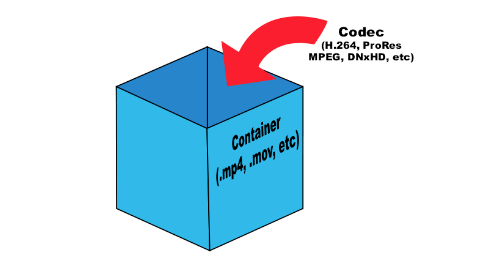
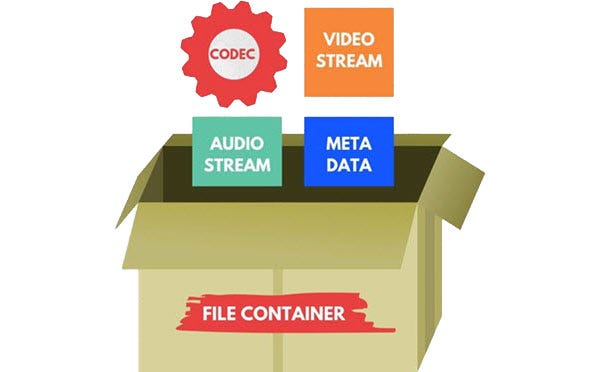
Although there are many video formats, from analog recording methods (VHS, for example) to digital (Betamax, DV and others), in everyday life we often talk about file formats that contain digital video. In fact, these files are containers that contain not only video, but also various audio tracks and / or subtitles. Each file format has its own characteristics: some allow streaming, some do not. Some may contain multiple audio and video tracks, while others may contain only one. The container only provides one header – “instruction”, which describes how and how to open the tracks stored in it. All information is contained in compressed form, and each object packed in a container is processed in a specific way, characteristic of the selected container type.
The most common container formats are:
1. AVI (Audio and Video Interleaved) developed by Microsoft for Windows. In theory, it can store various audio and video streams, in practice it is rarely used.
2. FLV (Flash Video) is optimized for streaming video over the Internet; Advantages: quality preservation even at low bitrate, the ability to view from anywhere, regardless of the operating system.
3. 3GP focuses on mobile devices that provide the ability to record / view audio and video.
Most of the listed formats are commercial, but there are projects based on completely open standards. The most popular among them is MKV (Matroska).
Although it is more correct to use the term “media container”, in colloquial speech the word “format” has become more popular. There is no crime in this, so in the communication process you can safely operate with the data, leaving the “containers” for professional discussions.
It is sufficient that the player program understands how to correctly identify the type of container to correctly reproduce the data stored in it. Consequently, the user must know which formats the player supports and install the necessary set of several on the computer (if one cannot play all of them).
Generally, a splitter program is involved in unpacking file and media containers (it can also be part of a player). Your task is to extract the content and only then transfer each audio / video stream for decoding using codecs.
What is a video codec?
To decrypt the contents of a media container and convert it into a video stream, you will need codecs, programs of formula similar in principle to filing cabinets. Having the required codec will allow you to correctly decompress the compressed image, so it is important to have as complete a set as possible of these algorithms so as not to find a message about an unsupported video format. From an academic point of view, it is more correct to speak of decoders, but, as in the previous case, it is easier to operate with the concept of “codec”, it is universal for both digitization and video playback.
What are the codecs?
The most popular video codecs used for home use are Xvid and DivX. Movies distributed on DVD are encoded with the MPEG-2 codec.
In general, DivX is the most common proprietary MPEG-4 codec. And the Xvid codec is based on one of the versions of DivX, but open source. There is also x264 (a codec for compression in the H.264 standard) and TrueMotion VP6 (used as one of the main encoding options in the Flash Video format). The rest of codecs, and there are many, you may not need them in practice, but it is better to have them all the same. As a general rule of thumb, the full set can be obtained by installing the K-Lite Mega Codec Pack, but some of them may have to be added manually later.
Conclusions
The video format is determined by the extension of the container file, but it is not always known which codec was used to compress the information it contains. And if to play the required format it is only important to know if the media player supports it, then to determine the codec you will have to use a third-party utility (for example, AVIcodec or GSpot), and only then add the missing codec to the system.


