Multimedia Formats


Free Download Mp4Gain
picture

Multimedia Formats: Understanding the Different Types

Multimedia Formats
Multimedia Formats
Multimedia Formats
Multimedia Formats

What are Multimedia Formats?

Multimedia formats are digital file types that can contain different types of media such as text, audio, video, and images. These files can be played on various multimedia devices, including computers, smartphones, and tablets. Multimedia formats are used for a variety of purposes such as entertainment, education, and communication.

The Different Types of Multimedia Formats

There are various types of multimedia formats, each with its own advantages and disadvantages. Some of the most common multimedia formats include:

  • Audio Formats: Audio formats are used to store sound recordings. Some of the most common audio formats include MP3, AAC, FLAC, and WAV.
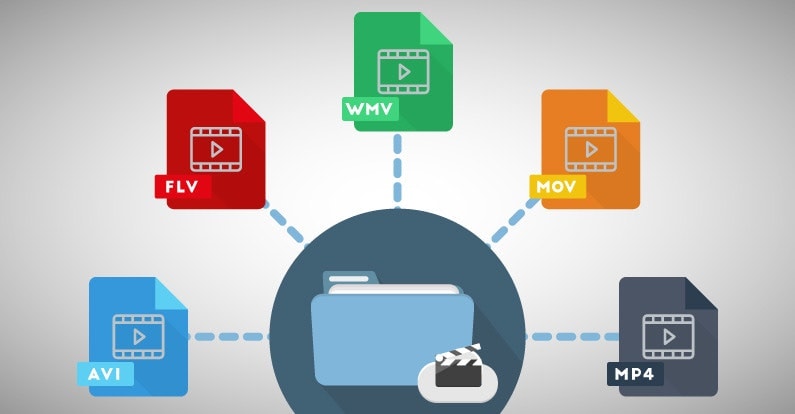
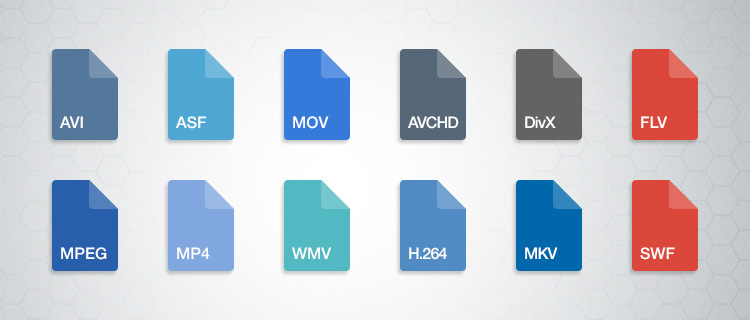
  • Video Formats: Video formats are used to store video recordings. Some of the most common video formats include AVI, MP4, MOV, and WMV.
  • Image Formats: Image formats are used to store digital images. Some of the most common image formats include JPEG, PNG, and GIF.
  • Document Formats: Document formats are used to store text-based documents. Some of the most common document formats include PDF, DOC, and TXT.
  • Interactive Formats: Interactive formats are used to create multimedia presentations and games. Some of the most common interactive formats include Flash and HTML5.

What are the Advantages of Different Multimedia Formats?

Different multimedia formats offer different advantages. For example, MP3 is a popular audio format because it is small in size and can be played on most devices. On the other hand, FLAC is a lossless audio format that offers higher quality sound but takes up more storage space. Similarly, AVI is a popular video format because it can be played on most devices, while MOV is a high-quality video format that is often used for professional video editing.

What are the Disadvantages of Different Multimedia Formats?

Different multimedia formats also have their own disadvantages. For example, some formats may not be supported by certain devices, which can make it difficult to play them. Additionally, some formats may take up a lot of storage space, which can be a problem for devices with limited storage capacity.

How do Multimedia Formats Impact File Size?

The file size of a multimedia file is determined by various factors such as the duration, resolution, and bitrate of the file. For example, a high-quality video with a long duration will have a larger file size compared to a low-quality video with a short duration. Similarly, a high-quality audio file with a high bitrate will have a larger file size compared to a low-quality audio file with a low bitrate.

What is the Role of Codecs in Multimedia Formats?

Codecs are used to compress and decompress multimedia files. Without codecs, multimedia files would take up a lot of storage space and would be difficult to transmit over the internet. Codecs can be used to compress files while maintaining the quality of the media, or to reduce the quality of the media while minimizing the file size.

What is the Difference between Lossy and Lossless Compression?

Lossy compression is a type of compression that permanently removes some of the data from a multimedia file to reduce its size. This can result in a loss of quality in the media. Lossless compression, on the other hand, compresses files without permanently removing any data, which means that the quality of the media remains the same.

What are Some Common Audio Codecs?

There are a number of different audio codecs that are commonly used to encode digital audio files. Here are a few of the most common:

  • MP3: This is perhaps the most well-known and widely used audio codec. MP3 files use lossy compression to reduce file size while maintaining reasonable sound quality.
  • FLAC: This codec uses lossless compression, meaning that it is able to compress audio files without sacrificing any of the original audio data. As a result, FLAC files are typically larger than MP3 files but offer higher quality sound.
  • Ogg Vorbis: This is a relatively new codec that uses a combination of lossy and lossless compression to achieve high-quality sound while maintaining a small file size. Ogg Vorbis files are often used for online streaming and broadcasting.
  • M4A: This is a codec that is commonly used by Apple for its iTunes music store. M4A files can use either lossy or lossless compression and are often used for streaming music on mobile devices.
  • WAV: This is an uncompressed audio format that is commonly used in professional audio production. WAV files offer high quality sound but are also very large in size.

What Are Some Common Video Codecs?

In addition to audio codecs, there are also a number of video codecs that are commonly used to encode digital video files. Here are a few of the most common:

  • MPEG-4: This is a popular codec that is widely used for streaming video online. MPEG-4 files can use either lossy or lossless compression and offer a good balance between file size and video quality.
  • H.264: This codec is used for high-definition video and is commonly used for streaming video online, as well as for Blu-ray discs and other high-quality video formats.
  • WebM: This is an open-source video codec that is designed for use on the web. WebM files are typically smaller than other video codecs while still offering high-quality video playback.
  • AVI: This is an older video codec that is still commonly used today. AVI files offer high-quality video playback but can be quite large in size.
  • WMV: This is a video codec that is commonly used on Windows-based systems. WMV files offer good video quality but can be somewhat restricted in terms of compatibility with other devices and software platforms.

How Do You Choose the Right Codec?

Choosing the right codec for your digital media files can be a bit tricky, as there are many factors to consider. Some of the most important factors to consider when choosing a codec include the intended use of the file, the quality of the original source material, the available storage space, and the compatibility of the file with different devices and software platforms.

When it comes to audio codecs, for example, you may want to choose a lossy codec like MP3 if you are creating a file for online streaming or sharing, as this will help to keep the file size small while still maintaining good sound quality. On the other hand, if you are creating a file for professional audio production or for archiving purposes, you may want to choose a lossless codec like FLAC or WAV, as this will ensure that none of the original audio data is lost during compression.


Free Download Mp4Gain
picture


Mp4Gain Main Window
picture


Mp4Gain Features
picture


Free Download Mp4Gain
picture

Video Formats

Video Formats

Video Formats
Video Formats
Video Formats
Video Formats


A video format is like a special type of container that holds a video file. It’s kind of like a lunch box that holds your food. There are many different types of video formats, just like there are many different types of lunch boxes.

Types of Video Formats

One of the most popular video formats is called MP4. This is like a lunch box that can hold lots of different types of food. Another popular format is AVI, which is like a lunch box that can only hold certain types of food.
There are many other video formats as well, like MOV, WMV, and FLV. Each one is like a different type of lunch box that can hold different types of food.

What is Compression?

Now, let’s talk about something called compression. This is like when you take a big sandwich and squish it down so it can fit in your lunch box. Video files can be really big, and that can make them hard to share or store. So, compression is a way to make the file smaller without losing too much quality.

Codecs

Compression is done using something called a codec. A codec is like a special tool that knows how to squish your video file down. Just like you might use a knife to cut your sandwich, a codec can cut your video file down to size.
There are many different codecs, and some are better than others. For example, H.264 is a very popular codec because it can make your video file much smaller without losing too much quality.

Why do Formats Matter?

So, why does all of this matter? Well, different devices and websites can only play certain types of video formats. It’s like how some lunch boxes can only fit certain types of food.
If you have a video file in the wrong format, you might not be able to play it on your device or share it with your friends. That’s why it’s important to know what format your video is in, and to convert it to a different format if you need to.

Conclusion

So, that’s video formats in a nutshell! Remember, a video format is like a lunch box that holds your video file. Compression is like squishing your sandwich down so it fits in the lunch box, and codecs are like special tools that do the squishing.
It’s important to know what format your video file is in, and to convert it to a different format if you need to. And if you want to make your videos louder, you can try using a tool like mp4gain to boost the volume.

The History of Video Formats

Video formats have a long and fascinating history, dating back to the early days of video recording. Over the years, video formats have evolved and improved, becoming smaller, more efficient, and more versatile. In this section, we’ll take a closer look at the history of video formats, from the early days of analog recording to the latest digital formats.

Early Analog Formats

The first video recording devices used large, bulky tapes that could only hold a few minutes of footage. These analog tapes were cumbersome and difficult to work with, but they were the only option available at the time.
In the 1970s, the VHS format was introduced, which became the standard for home video recordings. Betamax tapes were also popular in Japan, but VHS ultimately won out due to its longer recording time and lower cost.

Digital Video Emerges

In the 1990s, digital video formats started to emerge, offering a more efficient and versatile way to record and store video. The first digital video format was called DV, which used small cassettes that could hold up to 60 minutes of footage.
Other digital formats soon followed, including MiniDV, Digital8, and HDV. These formats offered higher quality and greater flexibility than analog tapes, but they still had limitations when it came to sharing and distributing video content.

The Rise of Online Video

As the internet became more popular, new video formats were developed to make it easier to share videos online. In the early 2000s, the Flash Video format was introduced by Adobe, which made it possible to play videos on websites.
Other formats soon followed, including Windows Media Video (WMV), QuickTime, and RealVideo. However, these formats were often proprietary and could only be played on certain devices or platforms.

The Modern Era of Video Formats

Today, there are many different video formats available, each with its own advantages and disadvantages. MP4 has become one of the most popular formats, thanks to its versatility and ability to be played on many different devices.
Other popular formats include AVI, MOV, and WMV. There are also specialized formats for different types of video content, such as H.264 for high-definition video and HEVC for 4K and 8K content.

The Future of Video Formats

As technology continues to evolve, we can expect to see even more advanced video formats in the future, making it easier than ever to capture, share, and enjoy high-quality video content. Some of the emerging technologies in video formats include:
360-degree video formats, which allow viewers to experience video content in a fully immersive way
High Dynamic Range (HDR) formats, which offer a wider range of colors and contrast for more realistic and vibrant video
Virtual Reality (VR) formats, which allow viewers to experience video content in a completely immersive and interactive way
In conclusion, video formats have come a long way over the years, from the early days of analog recording to the latest digital and online formats. As technology continues to evolve, we can expect to see even more exciting developments in video formats, making it easier and more enjoyable than ever to capture and share high-quality video content.

Digital Video File Formats: Understanding Video Formats and Their Differences

Digital Video File Formats: Understanding Video Formats and Their Differences

Video formats
Video formats

When it comes to digital video, there are many different file formats to choose from. Each format has its own unique characteristics and is optimized for specific uses. Understanding the differences between these formats is important if you want to get the most out of your digital video content. In this article, we’ll take a closer look at digital video file formats and explore the top related keyword: digital video file formats.

Video Formats
Video Formats

What Are Digital Video File Formats?

Digital video file formats are a way of encoding and storing video data on a digital medium, such as a hard drive or flash drive. These file formats determine how the video is compressed, encoded, and played back. There are many different digital video file formats available, each with their own unique characteristics.

Why Are Video Formats Important?

Video formats are important because they determine how the video is encoded and compressed. This can affect the quality of the video, the file size, and the compatibility with different devices and software. Choosing the right video format is essential for creating high-quality video content that is optimized for your specific needs.

Popular Digital Video File Formats

There are many different digital video file formats to choose from, but some of the most popular ones include:

  • MP4: A highly versatile format that is compatible with most devices and software. It is a widely used format for web streaming and mobile devices.
  • AVI: A widely used format that is compatible with most devices and software. It is a popular format for video editing and video production.
  • WMV: A format developed by Microsoft that is optimized for Windows operating systems. It is a popular format for web streaming and video production.
  • MPEG: A format developed by the Motion Picture Experts Group that is optimized for high-quality video. It is a popular format for DVD and Blu-ray discs.

How to Choose the Right Video Format

Choosing the right video format depends on your specific needs. Some factors to consider when choosing a video format include:

  • Compatibility: Make sure the video format you choose is compatible with the devices and software you plan to use.
  • Quality: Choose a video format that delivers the quality you need for your specific application.
  • File Size: Consider the file size of the video format you choose, especially if you plan to share or distribute the video online.
  • Encoding Time: The time it takes to encode the video can be an important factor, especially for time-sensitive projects.

Conclusion

Digital video file formats are an important consideration when creating, editing, and sharing digital video content. Understanding the differences between the most popular digital video file formats is essential if you want to create high-quality video content that is optimized for your specific needs. In conclusion, if you want the best solution for your digital video file formats, we recommend using Mp4Gain. It is a powerful tool that can optimize your video files for maximum quality and compatibility.

Video Formats, all about video formats

Knowing the video formats you can produce will help you be more successful with your business strategy.

Video content production is very successful today, so much so that YouTube, which is one of the largest platforms for sharing this type of content, already has 1.9 billion monthly users.

But do you know what types of video formats you can use in your strategy?

Both to publish on YouTube and other hosting platforms, knowing how to differentiate an FLV file from an MKV, for example, is essential for anyone who wants to make professional videos.

This is because some formats may compromise the quality of the result of your production.

Follow us and understand everything!

Meet the 7 main video formats

Each video format needs specific recording and execution applications.

When the platform you want to use cannot reproduce your material, the CODECs come into play: they are programs that encode and decode the file.

Does it sound complex? But calm, everything is a matter of compatibility. YouTube, for example, can already support various video formats.

But depending on the type of file you have, you need converters to transform the format into one that can be interpreted by the application or operating system you use.

Therefore, it is worth knowing the main ones and understanding their particularities of reproduction.

1. AVI (.avi)

AVI (Audio Video Interleave) is a format developed by Microsoft and one of the first video compressors that has been created. To play it, you need applications such as Windows Media Player.

As for quality, it is a simple format that stores audio tracks and image data in the same file. Therefore, it is common that there is some loss of data in compression and, as a result, the video does not have 100% of the recording quality at the time of viewing.

2. WMV / WMA (.wmv or .asf)

WMV / WMA (Windows Media Video / Audio) is a format developed by Microsoft as a replacement for AVI. These files are compatible with YouTube and can preserve quality even in smaller compression sizes.

A good detail is that this format is based on the continuous flow of data. This means that you can start playing it without downloading it completely, which is ideal for streaming on the Internet (as on YouTube).

3. MOV (.mov)

MOV is a direct competitor of the AVI, created by Apple. Its default player is the QuickTime Player, but applications such as Microsoft Windows Media Player can also play it.

The great advantage over its “rival” is that the loss of data is much less in compression. Then, even in very small files, MOV can offer good quality audio and video tracks.

4. FLV (.flv)

Adobe also has its own video format: the FLV. This is the most suitable type of file for playback on YouTube, since the platform is based on Flash Player technology. TV Lg is another streaming website that uses the Adobe system.

Flash videos are compatible with most operating systems and have extensions that allow embedding tracks of high definition images. For these reasons, the format is very well accepted when recording videos to share on the web.

5. RM (.rm)

The RM format has been developed by Real Networks, one of Microsoft’s competing companies. To play it, your computer must have the RealPlayer program or the Real Alternative, a Windows-compatible CODEC package.

The compression technique of this format is performed with a fixed bit rate, that is, a predetermined measure of the data transmitted over a certain period of time.

A bit complex, right? It is also for us! But the fact is that this technique causes the files to compress too much and, therefore, significantly lose the audio and image quality.

Therefore, and by way of example, sound effects are often lost in this process.

6. RMVB (.rmvb)

RMVB, in turn, is one of the video formats that has worked. Also from Real Networks, RMVB has long been an important competitor of Microsoft formats.

Unlike the RM / RA, here the data loss is much smaller. Therefore, the format allows small files – ideal for quick downloads – but with preserved track quality.

For this reason, it was widely used a few years ago, when streaming platforms were still taking their first steps, and the most common was to download video content.

7. MP4 (.mp4)

This is one of the most popular video formats. It is the most common in mobile devices and, therefore, is present in the daily life of many people.