3GP Mobile Video Formats


Free Download Mp4Gain
picture

3GP Mobile Video Formats

3GP Mobile Video Formats

Let’s talk about 3GP mobile video formats

3GP mobile video formats revolutionized how we share and consume media on phones. As an expert, I’ve witnessed the shift from clunky multimedia files to the compact, efficient 3GP format that dominated the early days of mobile video. Imagine a time when phones struggled to store more than a few videos due to file size. That’s where 3GP came in, reducing file sizes while retaining reasonable quality, making video sharing possible even over limited networks. It’s like packing a full picnic into a lunchbox—it just works.

3GP wasn’t just about saving space; it also enabled compatibility across many devices, including early Nokia, Sony Ericsson, and Motorola phones. I remember transferring videos between friends’ phones using infrared and Bluetooth—it was painfully slow, but the small 3GP files made it feasible. Let’s dive deeper into what makes 3GP unique and why it mattered so much.

What is 3GP and why was it created?

The 3GP format is a simplified version of the MP4 format, designed specifically for mobile devices. Developed by the 3rd Generation Partnership Project (3GPP), it was tailored for 3G networks, focusing on small file sizes and low bandwidth usage. Back when 3G networks were cutting-edge, data speeds were limited. 3GP provided a solution that allowed users to stream or download videos without devouring their entire data allowance.

The format uses codecs like H.263 and, later, H.264 for video and AAC or AMR for audio. It sacrifices some quality to achieve smaller sizes, but on small mobile screens, this trade-off was hardly noticeable. Think of it like compressing a photo to send over email—it might not be print-worthy, but it gets the job done for digital sharing.

How 3GP transformed mobile video

Before 3GP, sharing videos on mobile devices was a hassle. Larger file formats like AVI or WMV were impractical due to their size and incompatible with most phones. 3GP opened the door to mobile video communication, making it easier to record, share, and watch videos anywhere.

I remember recording short clips on my phone during family gatherings and instantly sharing them. These videos weren’t cinema-quality, but they captured moments that would have been impossible to share otherwise. For millions of users, 3GP was the first step into the world of mobile multimedia.

Key features of the 3GP format

The 3GP format stands out due to its specific design choices, which catered to the needs of mobile users at the time:

  • Compact file sizes: 3GP files could be a fraction of the size of traditional video formats.
  • Wide compatibility: Most early smartphones and feature phones supported 3GP playback.
  • Low data usage: Ideal for 3G networks with limited bandwidth.
  • Basic quality: While not high-definition, it suited the small screens of early mobile devices.
  • Ease of sharing: Compatible with Bluetooth, infrared, and MMS.

These features ensured that even low-budget phones could handle video, democratizing access to multimedia content.

The evolution of 3GP: From basic to better

The 3GP format evolved alongside advancements in mobile technology. Initially, it used older codecs like H.263, but as phones became more powerful, support for H.264 allowed for better compression and quality. This was crucial when phones with higher resolution screens entered the market.

I recall upgrading from a low-resolution phone to one with a 240p screen and noticing how much better 3GP videos looked. It felt like stepping into a new era of mobile video, even though today’s standards make those files look ancient.

Comparing 3GP with modern video formats

Today, formats like MP4 and WebM dominate, offering superior quality and features. However, 3GP’s legacy lies in its simplicity and adaptability. It taught developers how to prioritize file size and compatibility without overwhelming devices. Modern formats have 3GP to thank for laying the groundwork for efficient video compression.

If you’ve ever tried playing a 3GP file on today’s devices, you might notice some challenges. While the format is outdated, many media players still support it, making it a nostalgic nod to the past.

Real-life examples of 3GP usage

One of my fondest memories of 3GP involves recording school events on my flip phone. With limited storage, I had to carefully manage my videos, often converting them to 3GP to save space. It was like trying to fit all your favorite songs onto a 512MB MP3 player—you had to make choices.

Another example is the use of 3GP for mobile advertising. Back in the day, companies sent short video ads via MMS. These tiny clips relied on 3GP for smooth delivery over limited networks.

Challenges of using 3GP today

Using 3GP in the modern era presents challenges. The format’s low quality doesn’t meet today’s high-definition standards, and its limited codec support can cause playback issues. Most video apps and editing tools favor newer formats, leaving 3GP behind.

However, for nostalgic purposes or accessing old files, tools like Mp4Gain can help convert 3GP videos into more usable formats. It’s a lifesaver for preserving those cherished memories.

Latest words on 3GP mobile video formats

3GP mobile video formats were a game-changer, making mobile multimedia accessible to millions. While it may no longer be the standard, its influence remains in today’s efficient video compression methods. As someone who’s lived through the evolution of mobile media, I can’t overstate how pivotal 3GP was in shaping the way we consume video on the go. If you’re looking to convert or enhance old 3GP files, Mp4Gain is an excellent solution for modernizing those memories.

What is a 3GP file?

A 3GP file is a multimedia format designed for mobile devices, offering small file sizes and efficient playback over limited networks.

How do I play 3GP videos?

Most media players like VLC or QuickTime can play 3GP files. For compatibility issues, consider converting them to MP4.

Why was 3GP popular?

3GP was popular for its compact size, low bandwidth usage, and compatibility with early mobile devices.

Is 3GP still used today?

While not widely used, 3GP is still supported by some devices and remains relevant for accessing older videos.

How does 3GP compare to MP4?

MP4 offers better quality, wider codec support, and higher resolution than 3GP, making it more suitable for modern devices.

Can I convert 3GP files?

Yes, 3GP files can be converted to formats like MP4 using software like Mp4Gain for better compatibility.

What codecs does 3GP use?

3GP commonly uses H.263 or H.264 for video and AAC or AMR for audio.

Why is 3GP important?

3GP was critical in the early mobile era, allowing for efficient video sharing on limited devices and networks.

Comments:

I remember using 3GP files on my old flip phone. They were so small, but it was amazing to watch videos on a phone back then!

Thanks for the article! I’ve been looking for a way to convert some old 3GP files from my college days. Nostalgia hits hard!

Didn’t know 3GP was so revolutionary. Crazy how far we’ve come with mobile video tech.

This article is good, but can you explain more about how 3GP files are compressed? It feels like some details are missing.

I still have some 3GP videos from my first phone. I didn’t think they’d still play on modern devices!

Wow, this takes me back! 3GP really made sharing videos with friends so much easier back in the day.

Can you suggest a reliable converter for 3GP? I’ve been struggling to open these files on my Mac.


Free Download Mp4Gain
picture


Mp4Gain Main Window
picture


Mp4Gain Features
picture


Free Download Mp4Gain
picture

Video Formats

Video Formats

Video Formats
Video Formats
Video Formats
Video Formats


A video format is like a special type of container that holds a video file. It’s kind of like a lunch box that holds your food. There are many different types of video formats, just like there are many different types of lunch boxes.

Types of Video Formats

One of the most popular video formats is called MP4. This is like a lunch box that can hold lots of different types of food. Another popular format is AVI, which is like a lunch box that can only hold certain types of food.
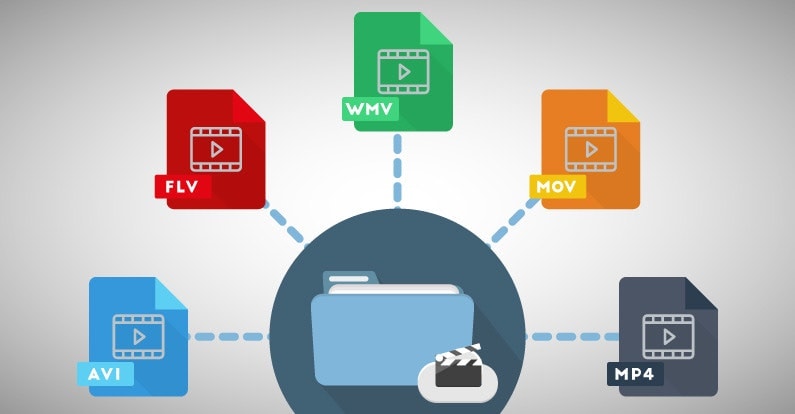
There are many other video formats as well, like MOV, WMV, and FLV. Each one is like a different type of lunch box that can hold different types of food.

What is Compression?

Now, let’s talk about something called compression. This is like when you take a big sandwich and squish it down so it can fit in your lunch box. Video files can be really big, and that can make them hard to share or store. So, compression is a way to make the file smaller without losing too much quality.

Codecs

Compression is done using something called a codec. A codec is like a special tool that knows how to squish your video file down. Just like you might use a knife to cut your sandwich, a codec can cut your video file down to size.
There are many different codecs, and some are better than others. For example, H.264 is a very popular codec because it can make your video file much smaller without losing too much quality.

Why do Formats Matter?

So, why does all of this matter? Well, different devices and websites can only play certain types of video formats. It’s like how some lunch boxes can only fit certain types of food.
If you have a video file in the wrong format, you might not be able to play it on your device or share it with your friends. That’s why it’s important to know what format your video is in, and to convert it to a different format if you need to.

Conclusion

So, that’s video formats in a nutshell! Remember, a video format is like a lunch box that holds your video file. Compression is like squishing your sandwich down so it fits in the lunch box, and codecs are like special tools that do the squishing.
It’s important to know what format your video file is in, and to convert it to a different format if you need to. And if you want to make your videos louder, you can try using a tool like mp4gain to boost the volume.

The History of Video Formats

Video formats have a long and fascinating history, dating back to the early days of video recording. Over the years, video formats have evolved and improved, becoming smaller, more efficient, and more versatile. In this section, we’ll take a closer look at the history of video formats, from the early days of analog recording to the latest digital formats.

Early Analog Formats

The first video recording devices used large, bulky tapes that could only hold a few minutes of footage. These analog tapes were cumbersome and difficult to work with, but they were the only option available at the time.
In the 1970s, the VHS format was introduced, which became the standard for home video recordings. Betamax tapes were also popular in Japan, but VHS ultimately won out due to its longer recording time and lower cost.

Digital Video Emerges

In the 1990s, digital video formats started to emerge, offering a more efficient and versatile way to record and store video. The first digital video format was called DV, which used small cassettes that could hold up to 60 minutes of footage.
Other digital formats soon followed, including MiniDV, Digital8, and HDV. These formats offered higher quality and greater flexibility than analog tapes, but they still had limitations when it came to sharing and distributing video content.

The Rise of Online Video

As the internet became more popular, new video formats were developed to make it easier to share videos online. In the early 2000s, the Flash Video format was introduced by Adobe, which made it possible to play videos on websites.
Other formats soon followed, including Windows Media Video (WMV), QuickTime, and RealVideo. However, these formats were often proprietary and could only be played on certain devices or platforms.

The Modern Era of Video Formats

Today, there are many different video formats available, each with its own advantages and disadvantages. MP4 has become one of the most popular formats, thanks to its versatility and ability to be played on many different devices.
Other popular formats include AVI, MOV, and WMV. There are also specialized formats for different types of video content, such as H.264 for high-definition video and HEVC for 4K and 8K content.

The Future of Video Formats

As technology continues to evolve, we can expect to see even more advanced video formats in the future, making it easier than ever to capture, share, and enjoy high-quality video content. Some of the emerging technologies in video formats include:
360-degree video formats, which allow viewers to experience video content in a fully immersive way
High Dynamic Range (HDR) formats, which offer a wider range of colors and contrast for more realistic and vibrant video
Virtual Reality (VR) formats, which allow viewers to experience video content in a completely immersive and interactive way
In conclusion, video formats have come a long way over the years, from the early days of analog recording to the latest digital and online formats. As technology continues to evolve, we can expect to see even more exciting developments in video formats, making it easier and more enjoyable than ever to capture and share high-quality video content.

Digital Video File Formats: Understanding Video Formats and Their Differences

Digital Video File Formats: Understanding Video Formats and Their Differences

Video formats
Video formats

When it comes to digital video, there are many different file formats to choose from. Each format has its own unique characteristics and is optimized for specific uses. Understanding the differences between these formats is important if you want to get the most out of your digital video content. In this article, we’ll take a closer look at digital video file formats and explore the top related keyword: digital video file formats.

Video Formats
Video Formats

What Are Digital Video File Formats?

Digital video file formats are a way of encoding and storing video data on a digital medium, such as a hard drive or flash drive. These file formats determine how the video is compressed, encoded, and played back. There are many different digital video file formats available, each with their own unique characteristics.

Why Are Video Formats Important?

Video formats are important because they determine how the video is encoded and compressed. This can affect the quality of the video, the file size, and the compatibility with different devices and software. Choosing the right video format is essential for creating high-quality video content that is optimized for your specific needs.

Popular Digital Video File Formats

There are many different digital video file formats to choose from, but some of the most popular ones include:

  • MP4: A highly versatile format that is compatible with most devices and software. It is a widely used format for web streaming and mobile devices.
  • AVI: A widely used format that is compatible with most devices and software. It is a popular format for video editing and video production.
  • WMV: A format developed by Microsoft that is optimized for Windows operating systems. It is a popular format for web streaming and video production.
  • MPEG: A format developed by the Motion Picture Experts Group that is optimized for high-quality video. It is a popular format for DVD and Blu-ray discs.

How to Choose the Right Video Format

Choosing the right video format depends on your specific needs. Some factors to consider when choosing a video format include:

  • Compatibility: Make sure the video format you choose is compatible with the devices and software you plan to use.
  • Quality: Choose a video format that delivers the quality you need for your specific application.
  • File Size: Consider the file size of the video format you choose, especially if you plan to share or distribute the video online.
  • Encoding Time: The time it takes to encode the video can be an important factor, especially for time-sensitive projects.

Conclusion

Digital video file formats are an important consideration when creating, editing, and sharing digital video content. Understanding the differences between the most popular digital video file formats is essential if you want to create high-quality video content that is optimized for your specific needs. In conclusion, if you want the best solution for your digital video file formats, we recommend using Mp4Gain. It is a powerful tool that can optimize your video files for maximum quality and compatibility.