Video Codecs: H.264, H.265, and VP9

The Importance of Choosing the Right Video Codec


H.264, H.265, and VP9

Video Codecs: H.264, H.265, and VP9

As the world becomes increasingly digitized, the importance of video codecs in our lives cannot be overstated. Video codecs are essential in video compression, encoding, streaming, and playback. Choosing the right codec can make the difference between smooth playback and frustrating buffering, between crisp and clear images and pixelated messes. In this article, we will explore the differences between three of the most popular video codecs in use today: H.264, H.265, and VP9.

H.264 vs H.265: What’s the Difference?

H.264, also known as AVC (Advanced Video Coding), has been the dominant codec in use for the past decade. It is widely supported by devices and software and offers good compression while maintaining high video quality. However, H.265 (HEVC) is slowly taking over. It is a newer and more advanced codec that offers better compression ratios, which means smaller file sizes with the same quality as H.264. H.265 is also better at handling high-resolution videos, making it a good choice for 4K and 8K videos. However, it requires more processing power to decode, which may be an issue on older devices.

Personally, I have found that H.265 delivers noticeably better quality than H.264 for the same file size. It is especially noticeable in high-motion scenes like action movies or sports. However, it does require more processing power, so make sure your device can handle it before choosing it as your preferred codec.

VP9: The New Kid on the Block

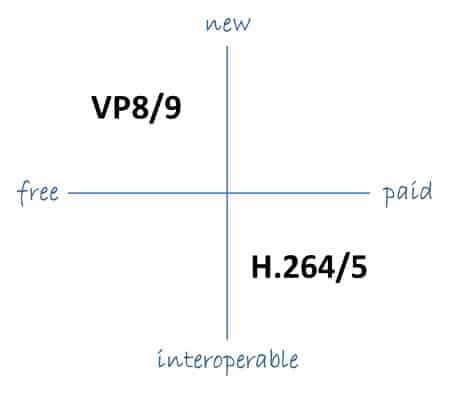
VP9 is a newer codec developed by Google and is designed to be a royalty-free alternative to H.265. It offers better compression than H.264 while maintaining the same video quality. It is also highly efficient at handling high-resolution videos, making it a good choice for 4K and 8K videos. However, its adoption has been slow due to its lack of support in many devices and software. It also requires more processing power to decode than H.264.

One of my personal experiences with VP9 was when I was trying to stream a 4K video on my laptop. I noticed that the video was buffering a lot and the quality was not as good as I expected. After some research, I found out that the video was encoded with VP9, which my laptop did not support. I had to switch to H.264 to get smooth playback.

Conclusion: Choosing the Right Video Codec

Choosing the right video codec is crucial for ensuring smooth video playback and high video quality. H.264 is still a solid choice for most situations, but H.265 and VP9 offer better compression and handling of high-resolution videos. However, they require more processing power and may not be supported by all devices and software. Make sure to choose the codec that best suits your needs and device capabilities.

In conclusion, video codecs are an essential part of our digital lives, and choosing the right one can make all the difference in our video-watching experience. Always keep in mind the pros and cons of each codec and make an informed decision based on your needs.

H.264 video codec

H.264

This codec was developed by the ITU (International Telecommunications Union) with the sober name h.26L. In 2001 several consortia and companies joined forces and continued development jointly. Microsoft also participated in the development of H.264.

H.264 CODEC

This video codec is now compatible with numerous companies and end devices, including Adobe and Apple. The H.264 codec is one of the video codecs that has also made the leap to the codecs compatible with Blu Ray and HD-DVD. Well, the quality of this video codec is amazing, but it comes at a price. Very few video bloggers and small businesses will invest in the staggering licensing costs.

H.264 technical characteristics
CAVLC / CABAC encoder
Multiple frames of reference
Intra frames: all types of macroblocks (16×16, 8×8 and 4×4)
Using B frames as frames of reference
adaptive temporal transformation (8 × 8 and 4 × 4)
Custom quantization matrices
Optimization for multi-core processors
Mixed frames of reference for submacroblocks
Alpha and beta unlock filters
Interlaced
Additional H.264 features
Speed ​​control: constant quantization (CQP), constant speed factor (CRF)
Nominal distortion optimization
Customizable B frames
Various motion detection mechanisms (Diamond, Hexagon, Desigual Multi-Hexagon)
Optimized quantization of nominal distortion (trellis)

H.264 levels and profiles

In 2003, the first versions of the H.264 video codec were released with the ITU-T H.264 standard. In this standard, the first 3 profiles were defined for H.264, the baseline, the main and the high profile. Over time, the High 10, High 4: 2: 2 and High 4: 4: 4 profiles were added. These profiles define the encoding parameters to be used, as according to the standard not all features can be used arbitrarily .

Various H.264 levels have also been defined in the ITU-T H.264 standard, which define the maximum video sizes, bit rates, and other parameters such as the number of macroblocks allowed in the H.264 video codec. To create true standards-compliant H.264 videos, visit Wikipedia’s H.264 level overview and adjust its parameters according to your desired level / profile.

x264 is the most widespread derivative of the H.264 codec under the GPL and at the same time command line encoder for the H.264 MPEG-4-AVC video format. It is an open source solution that is available for all platforms such as Windows, Linux, and Unix.

This encoder was developed as part of the VideoLAN project and can be downloaded for free from the project pages at http://www.videolan.org/developers/x264.html.

Technical characteristics x264
CAVLC / CABAC encoder
Multiple frames of reference
Intra frames: all types of macroblocks (16×16, 8×8 and 4×4)
Using B frames as frames of reference
Adaptive temporal transformation (8×8 and 4×4)
Custom quantization matrices
Optimization for multi-core processors
Alpha and beta unlock filters
Interlaced
Additional Features x264
Speed ​​control: constant quantization (CQP), constant speed factor (CRF), single-pass and multi-pass ABR
Mixed frames of reference for submacroblocks
Various motion detection mechanisms (Diamond, Hexagon, Desigual Multi-Hexagon)
Optimized quantization of nominal distortion (trellis)
The encoder supports both 32-bit and 64-bit and multi-threaded platforms, which is particularly interesting for multi-core processors like Xeon, Phenom, or dual-core processors.

The Videcodec x264 also supports the H.264 levels and profiles defined for the H.264 codec in the ITU-T H.264 standard, which define the maximum video sizes, bit rates and other parameters such as the number of macro blocks allowed in the video. To create true standards-compliant H.264 / x264 videos, visit Wikipedia’s H.264 / x264 level overview and adjust its parameters according to your desired level / profile.

H.264 All about H.264

What is the H.264 video encoding format and why is it becoming the industry standard for video compression?

H.264.

The H.264 video compression standard, also known as MPEG-4 Part 10, Advanced Video Coding, MPEG-4 AVC, or AVC video, is a standard for video compression currently among the most widely used formats.

H.264 affects all aspects of our digital life and its popularity continues to grow. For example, we find this codec on HD DVD, HDTV, pay TV or YouTube video. However, H.264 is not only limited to consumer electronics, but has also spread to business.

By 2025, more conventional video distribution solutions using HDBaseT or other proprietary streaming methods are forecast to be replaced by more flexible IP-based systems, given the continued growth in popularity of H.264.

H.264

What is H.264?

H.264 or MPEG-4 AVC (Advanced Video Coding) is a video encoding format that allows you to record and distribute Full HD video and audio. It was developed and maintained by the ITU-T Video Coding Expert Group (VCEG) with the ISO / IEC JTC1 (MPEG) Moving Image Expert Group.

Commonly used for recording, compression and distribution of video content, the H.264 format is a video transmission method that provides high-quality images without taking up bandwidth.

H.264 encoding and decoding

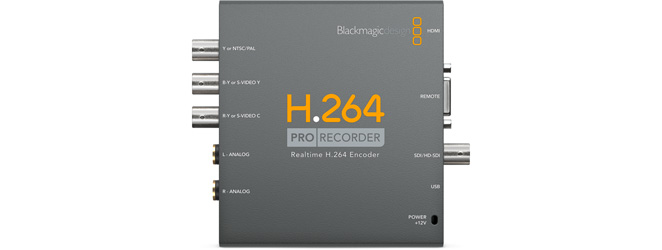
The H.264 works by encoding (converting) HDMI (HD) video and audio signals into an IP transmission that can be transmitted over an IP network. On the other hand, a decoder converts the signals into an uncompressed HDMI format. What makes H.264 so versatile is that it allows you to stream video from one encoder to multiple decoders simultaneously. For example, it is possible to transmit a set of video signals to a screen, a video wall, and a digital signage system at the same time.

H.264 applications: when and where to use?

The H.264 video compression format is perfect for AV distribution to one or more video sources (multicast broadcasts for many displays). Its use may be particularly suitable for long distance signal transmission using existing cables and infrastructure.

The H.264 video compression format is perfect for AV distribution to one or more video sources (multicast broadcasts for many displays). Its use may be particularly suitable for long distance signal transmission using existing cables and infrastructure. For example, these are fast becoming the standard video compression format for the world of video surveillance. Applications can range from external transmissions (OB vans), energy sector, education, recording, transport drones for environmental monitoring, as well as Video Wall processing, digital signage solutions and video conferencing.


Comparison between H.265 and H.264

H.265, the younger brother of H.264, is a format also known as High Efficiency Video Coding (HEVC) and MPEG-H Part 2. Compared to H.264, H.265 offers duplicate data compression for the same video quality. It was designed to support future resolutions up to 8K UHD (8192×4320) compared to 4K (4092×2160) supporting H.264. Some new devices, such as televisions, are starting to provide a set-top box with built-in hardware to play H.265 content, though the superior quality and reduced bandwidth certainly come at a cost. H.265 encoding and decoding require significantly more processing power than H.264, therefore the cost of H.265 solutions remains decidedly higher.

Comparison between H.264 and MPEG-2

Compared to MPEG-2, H.264 has:

Better remote viewing quality with the same compression bit rate as MPEG-2
30-50% lower bit rate
Use up to 50 percent less bandwidth
H.264 is best suited for transmission oriented technologies
Advantages derived from the use of H.264 encoders and decoders
Higher resolution monitoring and low bandwidth usage.
H.264 was created to provide high-quality full-motion video streaming with lower bandwidth requirements and traditional video standards with less latency, such as MPEG-2. H.264 uses a highly efficient codec that provides high-quality images and uses a minimal amount of bandwidth.
H.264 bit rate is lower than other formats
H.264 has an 80% lower bit rate than JPEG Motion videos. It can be estimated that speed savings