Audio sample rates and bit depths in MP4 files


Free Download Mp4Gain
picture

Audio sample rates and bit depths in MP4 files

Let’s talk about audio sample rates and bit depths in MP4 files

Understanding audio sample rates and bit depths in MP4 files is essential for anyone working with audio or video. These two elements directly impact audio quality, file size, and playback compatibility. As someone deeply familiar with digital audio, I’ve found that knowing how sample rates and bit depths function can help create better audio experiences. Think of them as the resolution and color depth of a photo—they define clarity and richness.

Sample rates determine how many times audio is measured per second, while bit depth defines the accuracy of those measurements. For example, recording a live concert at 44.1 kHz and 16-bit is like taking clear snapshots of the performance, capturing both nuances and dynamics. Yet, adjusting these parameters for MP4 files involves balancing quality, compatibility, and efficiency.

What are audio sample rates?

Sample rates are the backbone of digital audio. They represent the number of audio samples taken per second, measured in kilohertz (kHz). A common analogy I use is to think of sample rates as frames in a movie—the higher the frame rate, the smoother the video.

The most widely used sample rate is 44.1 kHz, suitable for CDs and most streaming platforms. However, higher sample rates like 48 kHz or 96 kHz are used in professional audio production for increased clarity. But does a higher sample rate always mean better sound? Not necessarily. Beyond 48 kHz, the human ear often can’t perceive the difference, though it may matter in certain editing contexts.

  • 44.1 kHz: Standard for CDs and MP3s.
  • 48 kHz: Common for video and film production.
  • 96 kHz and above: Used for high-resolution audio.

Explaining bit depth in digital audio

Bit depth is like the precision of a ruler—it dictates how finely audio signals are measured. A higher bit depth means more accurate representations of sound, especially during quieter moments. For instance, 16-bit audio provides 65,536 levels of dynamic range, while 24-bit allows over 16 million.

Imagine recording rain. At 16-bit, you’ll hear the general ambiance. At 24-bit, you’ll pick out subtle drops hitting different surfaces. This depth can elevate the listening experience but comes at the cost of larger file sizes.

  • 8-bit: Limited dynamic range, often used in retro games.
  • 16-bit: Standard for CDs and streaming audio.
  • 24-bit: Preferred for professional audio work.

How sample rates and bit depths affect MP4 audio

When encoding audio for MP4 files, sample rates and bit depths affect playback quality and compatibility. Lower settings save space but compromise audio fidelity. Higher settings preserve detail but may not work on all devices.

For example, I’ve optimized MP4 files by converting studio recordings at 96 kHz/24-bit to 48 kHz/16-bit. This reduced the file size while maintaining excellent quality. The key is to assess the intended use—streaming, archival, or professional editing.

Why does sample rate conversion matter?

Sample rate conversion is essential when integrating audio into MP4 files. If mismatched sample rates occur, playback issues such as clicks or distortion may arise. By ensuring consistent sample rates, you achieve smooth audio integration.

A practical tip I often share is to use 48 kHz for MP4 files intended for video. This aligns with the industry standard for syncing audio with visuals, ensuring better compatibility across platforms.

Choosing the right bit depth for MP4 audio

Selecting the right bit depth balances quality and practicality. For most MP4 files, 16-bit is sufficient, offering CD-quality audio with manageable file sizes. However, 24-bit may be preferable for professional audio projects where preserving dynamic range is crucial.

When I mix music for MP4, I consider the audience. Casual listeners prefer compact files, while audiophiles appreciate the richness of higher bit depths.

Does higher quality always mean better audio?

Higher sample rates and bit depths don’t always result in better audio for MP4 files. Factors like playback equipment, intended use, and file size constraints play significant roles. For instance, a 96 kHz/24-bit audio file on standard earbuds won’t sound dramatically different from a 48 kHz/16-bit file.

I often recommend testing files in real-world scenarios. Use different devices and listening environments to gauge the impact of your settings.

Common challenges with sample rates and bit depths

Dealing with sample rates and bit depths can be tricky. Common issues include mismatched settings, compatibility problems, and unnecessary file size increases. I’ve encountered cases where a 192 kHz file caused playback issues on older devices, requiring downsampling.

To avoid such challenges, use tools that simplify the process. Maintain consistency across your project and adhere to common standards like 48 kHz/16-bit for most MP4 files.

Latest words on audio sample rates and bit depths in MP4 files

Understanding audio sample rates and bit depths in MP4 files is vital for creating high-quality content. By balancing quality, compatibility, and efficiency, you can optimize your files for various applications. Remember, higher isn’t always better—choose settings that suit your goals.

If you’re looking for a simple way to manage these settings, Mp4Gain can help. It’s an effective tool for optimizing audio parameters in MP4 files, ensuring clarity and consistency without unnecessary complexity.

What are audio sample rates in MP4 files?

Audio sample rates in MP4 files determine the number of audio samples captured per second, impacting sound quality and file size.

Why is 44.1 kHz a standard sample rate?

44.1 kHz is standard because it meets CD-quality requirements, offering excellent audio fidelity without excessive file size.

What is the difference between 16-bit and 24-bit audio?

16-bit audio provides 65,536 levels of detail, while 24-bit offers over 16 million, enhancing dynamic range and clarity.

What sample rate is best for MP4 files?

48 kHz is the best sample rate for MP4 files, aligning with video industry standards and ensuring smooth audio-visual sync.

Does higher bit depth improve MP4 audio?

Higher bit depth improves audio detail but may not always be noticeable in casual listening scenarios.

Why is sample rate conversion important?

Sample rate conversion ensures smooth integration of audio into MP4 files, preventing playback issues.

Can I mix sample rates in one MP4 file?

Mixing sample rates in an MP4 file is not recommended as it can cause playback inconsistencies and sync issues.

Is 96 kHz better for MP4 files?

96 kHz offers higher audio resolution but may not provide noticeable benefits for MP4 files used in everyday playback.

What bit depth should I use for MP4 files?

16-bit is sufficient for most MP4 files, balancing quality and file size effectively for general use.

Does Mp4Gain help with audio optimization?

Mp4Gain simplifies audio optimization by managing sample rates and bit depths, ensuring consistent quality

across MP4 files.

Comments:

I always wondered what bit depth really meant, and this article finally cleared it up. Thanks for explaining it so well!

Why do some people use 192 kHz if most of us can’t hear the difference? I think that part could use more detail!

This helped me a lot with optimizing my podcast files. I had no idea about the importance of using 48 kHz for video files. Great tip!

Fantastic explanation! I’ve been working with MP4 files for years, and this is the most thorough guide I’ve seen so far.

I wish there was more info on which bit depth to use for specific use cases. Otherwise, really helpful article.

Man, this makes so much sense now. I was always confused about sample rates when making my YouTube videos. Thanks!

Great read! It’s interesting how higher sample rates don’t always mean better sound. Saved me a ton of storage space.

Very informative! I’m a beginner, and now I feel more confident adjusting audio settings in my files.


Free Download Mp4Gain
picture


Mp4Gain Main Window
picture


Mp4Gain Features
picture


Free Download Mp4Gain
picture

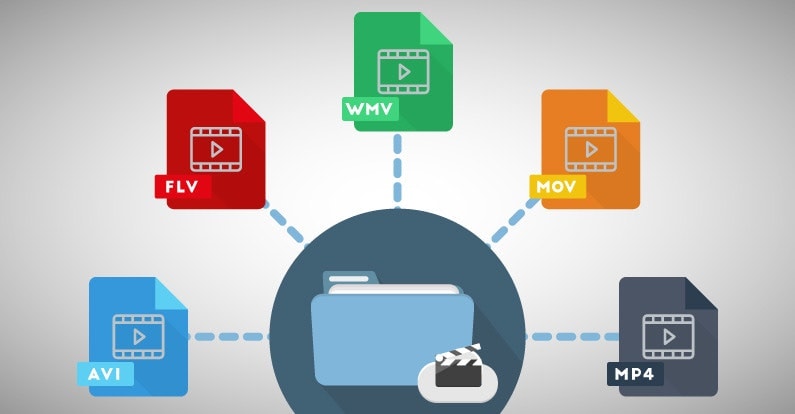
Enhancing Video Format

Enhancing Video Format

Video Format
Video Format
Video Format
Video Format

Exploring Video Format Enhancement

Video format enhancement is a multifaceted process that involves improving the quality, clarity, and overall visual appeal of video content. This enhancement can significantly impact the viewing experience and is crucial for various applications, from filmmaking to online streaming. In this comprehensive guide, we’ll delve deep into the intricacies of video format enhancement, covering everything from the fundamental principles to advanced techniques.

The Importance of Video Quality

Video quality is a paramount consideration in today’s digital age, where video content is ubiquitous across platforms and industries. Whether you’re a content creator, filmmaker, or business owner, the quality of your videos plays a pivotal role in capturing and retaining your audience’s attention.

Enhancing video formats begins with an understanding of the key factors that influence quality. This includes resolution, bit rate, frame rate, and compression techniques. Each of these elements contributes to the overall clarity and visual appeal of your videos.

Resolution: A Deep Dive

Resolution, often expressed in pixels (e.g., 1080p, 4K), is a critical aspect of video format enhancement. It determines the level of detail and sharpness in your videos. Higher resolutions offer more clarity and are especially beneficial for larger screens and cinematic experiences. However, it’s essential to strike a balance between high resolution and file size, as larger files can lead to longer loading times and may not be suitable for all viewing platforms.

Bit Rate and Compression

Bit rate and compression techniques are closely tied to video quality. Bit rate refers to the amount of data transmitted per unit of time, usually measured in megabits per second (Mbps). Higher bit rates result in less compression and better image quality but can lead to larger file sizes. Compression, on the other hand, reduces file size but may sacrifice some image detail.

Finding the right balance between bit rate and compression is a delicate art in video format enhancement. Advanced video codecs like H.265 offer improved compression efficiency, allowing for high-quality videos with reduced file sizes.

Advanced Techniques in Video Enhancement

While understanding the basics of video quality is crucial, true video format enhancement goes beyond resolution and bit rate adjustments. Advanced techniques involve post-production processes that fine-tune video elements for optimal results.

Color Grading and Correction

Color grading is a sophisticated process that involves adjusting the colors and tones in a video to achieve a specific look or mood. It can make a significant difference in the visual appeal of your content. Correcting color imbalances, enhancing contrast, and applying creative color grading techniques can elevate your videos to a professional level.

High Dynamic Range (HDR)

HDR technology enhances the contrast and brightness of videos, resulting in more vivid and lifelike images. It expands the range between the darkest and brightest parts of a video, capturing a broader spectrum of colors and details. HDR is particularly beneficial for creating stunning visuals in films and high-end productions.

Delivering Enhanced Videos to Your Audience

Enhancing video formats is not just about creating stunning visuals; it’s also about ensuring that your audience can enjoy your content seamlessly. As you optimize your video formats, consider compatibility with various devices and platforms, as well as efficient streaming solutions.

Adaptive Streaming

Adaptive streaming is a technique that adjusts video quality in real-time based on the viewer’s internet connection and device capabilities. This ensures smooth playback and a consistent viewing experience, even under varying network conditions. Implementing adaptive streaming protocols like DASH or HLS can enhance the accessibility of your content.

Choosing the Right Format

Lastly, selecting the appropriate video format for your content is essential. Different formats offer various advantages and disadvantages, so it’s crucial to align your choice with your audience’s preferences and the platforms you’ll be using for distribution.

In conclusion, video format enhancement is a multifaceted journey that encompasses resolution, bit rate, compression, color grading, HDR, and delivery methods. By mastering these elements, you can create visually stunning videos that captivate your audience and deliver an exceptional viewing experience. Whether you’re a filmmaker, content creator, or business owner, the art of enhancing video formats can set you apart in today’s digital landscape.

Future Trends in Video Format Enhancement

As technology continues to evolve, the field of video format enhancement is poised for exciting advancements. Understanding these emerging trends can help you stay ahead in the world of video production and distribution.

8K Ultra High Definition (UHD)

While 4K resolution is becoming the new standard, 8K UHD is emerging as the next frontier in video quality. With four times the pixels of 4K, 8K offers unparalleled clarity and detail. Although it’s currently in its early stages of adoption, we can expect to see more 8K content in the future, especially for high-end cinematic experiences.

Immersive Technologies: VR and AR

Virtual Reality (VR) and Augmented Reality (AR) are transforming how we consume video content. These immersive technologies require specialized formats and techniques to create truly captivating experiences. Video format enhancement in VR and AR involves considerations like spatial audio, 360-degree video, and interactive elements, opening up new creative possibilities.

The Importance of Audio Enhancement

While much attention is given to video quality, audio plays an equally crucial role in the overall viewer experience. Audio enhancement techniques, such as spatial audio, surround sound, and noise reduction, complement video format enhancement efforts. These audio enhancements immerse viewers in a more engaging auditory environment.

Spatial Audio for Immersion

Spatial audio technology simulates the three-dimensional soundscapes, creating a more immersive audio experience. Viewers can perceive sounds coming from specific directions, heightening their sense of presence within the content. Incorporating spatial audio into video format enhancement can make a significant difference, especially in VR and AR applications.

Surround Sound for Cinematic Impact

Surround sound systems are a staple in cinemas and high-end home theaters. They create a multi-dimensional audio experience by placing speakers strategically around the viewer. Enhancing video formats to support surround sound can add a cinematic touch to your content, making it more engaging and impactful.

Conclusion

In the ever-evolving landscape of video production and distribution, video format enhancement remains at the forefront. Understanding the intricacies of resolution, bit rate, compression, color grading, HDR, and audio enhancement techniques is essential for creating captivating videos that leave a lasting impression on your audience.

As technology continues to advance, embracing emerging trends like 8K UHD and immersive technologies such as VR and AR will set you apart in the competitive world of multimedia. Remember that video format enhancement is not just about achieving technical excellence; it’s about creating experiences that resonate with viewers and leave a lasting impact.

In this article, we’ve delved deep into the world of video format enhancement, exploring its core principles, advanced techniques, and future trends. Whether you’re a filmmaker, content creator, or simply someone passionate about the world of multimedia, mastering the art of video format enhancement can elevate your creations to new heights.

Flac and Ogg Volume Adjuster

Flac and Ogg Volume Adjuster

Flac and Ogg Volume Adjuster

Are you tired of dealing with uneven audio levels in your Flac and Ogg files? Well, you’re not alone. Many audio enthusiasts and professionals often face the challenge of maintaining consistent sound quality across their collections. In this article, I’ll delve into the world of Flac and Ogg volume adjustment and explore various methods to tackle this issue effectively.

Audio File Format Adjustments

Before we dive into volume adjustments, it’s crucial to understand the nature of Flac and Ogg audio formats. Flac, short for Free Lossless Audio Codec, and Ogg Vorbis are popular choices for storing high-quality audio. Flac provides lossless compression, preserving audio quality without sacrificing file size, while Ogg is known for its open-source nature and efficient compression.

Sound Volume Control for Flac and Ogg

To control the volume of your Flac and Ogg files, you’ll need specialized tools or software designed for audio processing. These tools allow you to adjust the volume levels without compromising the overall audio quality. Keep in mind that it’s essential to maintain a balance between amplifying the audio and preventing distortion.

Adjusting Audio Levels in Flac and Ogg

One common method for volume adjustment is using an audio editor. These editors offer precise control over the audio, enabling you to increase or decrease the volume as needed. It’s important to preview the changes and make incremental adjustments to achieve the desired result.

Whether you’re a music enthusiast or a professional sound engineer, the ability to adjust volume levels in Flac and Ogg files is invaluable. By understanding the intricacies of these audio formats and utilizing the right tools, you can ensure a consistent and enjoyable listening experience.

Normalizing Sound in Flac and Ogg Files

Normalization is another technique to bring uniformity to your audio collection. This process adjusts the volume of each file to a standard level, eliminating extreme variations. Normalization algorithms analyze the audio content and adjust the gain accordingly, making it ideal for batch processing large libraries.

Volume Equalization for Flac and Ogg

Volume equalization is about ensuring that all your Flac and Ogg files have similar loudness levels. This technique is essential when you’re creating playlists or organizing audio for playback. Volume equalization tools use various methods to balance the audio, providing a seamless listening experience.

Audio Gain in Flac and Ogg Formats

Audio gain, also known as amplification, allows you to increase the overall loudness of your Flac and Ogg files. This can be particularly useful if you have older recordings or content with low volume levels. However, it’s crucial to exercise caution and avoid over-amplification, which can lead to distortion.

Balancing Audio in Flac and Ogg Files

Balancing audio involves adjusting the volume levels of individual tracks within a file. This is handy when dealing with live recordings or albums where tracks may have varying loudness. Balancing tools provide a means to fine-tune each track’s volume to create a consistent listening experience.

Flac and Ogg Audio Level Management

Managing audio levels in Flac and Ogg files is an ongoing process, especially if you frequently add new content to your collection. Regularly reviewing and adjusting volume levels ensures that your audio library remains enjoyable and free from sudden volume spikes or drops.

Tweaking Volume in Flac and Ogg

Sometimes, you may want to apply specific tweaks to the volume of your Flac and Ogg files. This could involve emphasizing certain frequencies or applying dynamic range compression to enhance the audio quality. Experimenting with these tweaks can lead to a more personalized listening experience.

Enhancing Audio Dynamics in Flac and Ogg

Audio dynamics play a crucial role in the overall quality of your listening experience. Adjusting volume levels in Flac and Ogg files can help bring out the nuances in your music. By carefully managing audio dynamics, you can ensure that every note and sound is delivered with precision and clarity.

Final Words

Flac and Ogg volume adjustment is an essential aspect of maintaining an enjoyable audio collection. Whether you’re a music enthusiast or a professional, understanding the tools and techniques available can significantly enhance your listening experience. With the right approach, you can achieve balanced and consistent audio quality in your Flac and Ogg files.

Wav Volume Booster

Wav Volume Booster

Wav Volume Booster
Wav Volume Booster
Wav Volume Booster
Wav Volume Booster


Amplify Your Audio: Wav Volume Booster

Are your favorite songs or podcasts sounding a bit lackluster? It happens to the best of us. Sometimes, you just need that extra oomph in your audio. That’s where a “Wav Volume Booster” comes into play.

Audio Amplification

Audio amplification, at its core, is about making your audio louder. It’s like giving your music or recordings a power-up, ensuring that every sound reaches your ears with greater intensity. Imagine listening to your favorite song, and every beat and note hits you with a more pronounced impact. That’s the magic of audio amplification.

Sound Enhancement

Sound enhancement is all about taking your audio experience to the next level. It’s like adding a touch of magic to your sound files. With a Wav Volume Booster, you can enhance the clarity and richness of your audio, making it more enjoyable to listen to. Whether you’re a music enthusiast, a podcaster, or a gamer, sound enhancement tools are your ticket to a more immersive experience. Mp4Gain is the best option.

Volume Boosting Tools

Volume boosting tools are essential for those moments when you need to turn up the volume. They allow you to increase the sound levels of your audio files without distorting them. It’s like having a control panel for your audio, where you can fine-tune the volume to your liking. These tools are especially handy when you’re dealing with soft-spoken dialogues in movies or videos.

Mp4Gain is the most advacend Volume Boosting tool.

Audio Wave Amplitude

Understanding audio wave amplitude is key to mastering the art of sound. When you boost the volume, you’re essentially making the audio waves taller. This increase in amplitude results in a louder sound. Think of it as stretching a rubber band – the more you stretch it, the louder the snap. It’s a fundamental concept in audio engineering, and it’s what powers the Wav Volume Booster.

Increasing Sound Levels

Sometimes, the default sound levels on your devices just don’t cut it. That’s when you need to take matters into your own hands and increase the sound levels. A Wav Volume Booster gives you the freedom to crank up the volume on your favorite music or videos, ensuring that nothing gets lost in the background noise.

Audio Enhancement Software

Audio enhancement software, like the Wav Volume Booster, is a game-changer for anyone who values high-quality sound. These tools are designed to refine and optimize audio, making it sound better than ever. Whether you’re an audiophile or just someone who enjoys good music, audio enhancement software Mp4Gain is a must-have in your toolkit.

Boosting Wav Files

Wav files are known for their excellent audio quality, but sometimes, you still want more. Boosting Wav files with a dedicated tool can take your audio to new heights. You’ll be amazed at how much clarity and depth you can add to your audio recordings, making them sound like they were professionally mastered.

Improving Audio Clarity

Clarity is the hallmark of great audio. No one wants to strain their ears trying to catch every word or note. With a Wav Volume Booster, you can improve the clarity of your audio, making it crystal clear even in noisy environments. It’s like having a personal audio engineer at your disposal.

Louder Sound Output

In a world filled with distractions, having a louder sound output can make all the difference. Whether you’re watching a movie with friends, gaming online, or simply enjoying your favorite tunes, a Wav Volume Booster ensures that your audio stands out. Say goodbye to constantly adjusting the volume – with a boost, your sound will be loud and clear.
Final Words:
So, there you have it – the world of Wav Volume Boosters and audio enhancement. These tools have the power to transform your audio experience, making it more immersive, enjoyable, and crystal clear. Whether you’re an audio enthusiast or just someone who loves a good beat, consider adding a Wav Volume Booster to your arsenal of audio gadgets.


Mp3 Volume Enhancer

Mp3 Volume Enhancer

Mp3 Volume Enhancer
Mp3 Volume Enhancer
Mp3 Volume Enhancer
Mp3 Volume Enhancer

Boosting the Sound of Your Mp3s

We’ve all been there – you’re listening to your favorite Mp3 tracks, and suddenly, one song is too quiet while the next one blasts your eardrums. It’s a common issue, and it’s precisely why you’re here. Welcome to the world of Mp3 volume enhancement, where we’ll explore how to make sure your Mp3 files sound just right.

Increase Mp3 Volume

Increasing the volume of an Mp3 file might seem like a simple task, but it involves a delicate balance. You want your music loud and clear, but without distortion. An Mp3 volume enhancer can help with this. It optimizes the audio levels, ensuring that your Mp3s are consistent in volume. No more reaching for the volume control every time a new song starts.

Boost Audio in Mp3

To truly appreciate your Mp3 collection, you need to boost the audio quality. This goes beyond just making it louder. It’s about enhancing the richness and depth of the sound. Mp3 volume enhancers often come with features like equalization, which allows you to adjust the balance of frequencies. This means your favorite tracks will sound crisper, with vocals and instruments coming through beautifully.

Sound Amplification for Mp3

Sound amplification is the secret sauce to making your Mp3s shine. Imagine being able to hear every nuance of your music, from the softest piano notes to the thumping bass. An Mp3 volume enhancer can make this a reality. It works by intelligently amplifying the audio without causing distortion or clipping, resulting in a more enjoyable listening experience.

Mp3 Volume Adjustment

The key to perfect Mp3 listening lies in the art of volume adjustment. You want to find that sweet spot where the audio is just right for your ears. Mp3 volume enhancer software often provides precise control over volume levels, so you can fine-tune your music to perfection. No more surprises – just consistent, enjoyable sound.

Audio Enhancement for Mp3 Files

Audio enhancement isn’t just for audiophiles. It’s for anyone who loves their music and wants to hear it at its best. With an Mp3 volume enhancer, you can take even your old, low-quality Mp3s and give them new life. Say goodbye to muffled audio and hello to crystal-clear sound.

Raise Mp3 Audio Levels

Sometimes, Mp3 files come with varying audio levels due to differences in how they were recorded or encoded. This can be frustrating, especially if you’re creating playlists or sharing music with friends. Using an Mp3 volume enhancer allows you to bring all your Mp3s to a consistent audio level, ensuring a seamless listening experience.

Mp3 Volume Booster Software

Mp3 volume booster software is your ticket to audio nirvana. These handy tools do the heavy lifting for you, automatically adjusting audio levels and enhancing sound quality. They often come with user-friendly interfaces, making it easy for even the tech-savvy teenager to use.

Improve Mp3 Sound Quality

Improving Mp3 sound quality is all about enhancing your listening experience. It’s about hearing details in your music that you never noticed before. Mp3 volume enhancer software can make your Mp3s sound like they’re being played by a high-end audio system, all from the comfort of your headphones or speakers.

Enhance Mp3 Audio Clarity

Clarity is the name of the game when it comes to audio. Enhancing Mp3 audio clarity means making sure every note, word, and beat is distinct and clear. Mp3 volume enhancers can help by reducing background noise and sharpening the audio, resulting in a more immersive listening experience.

Final Words

In the world of digital audio, making sure your Mp3s sound their best is essential. Mp3 volume enhancers offer a convenient way to elevate your music collection, providing consistent volume and improved sound quality. So, go ahead, enhance your Mp3s, and rediscover your favorite tunes like never before.

Video Volume Booster

Video Volume Booster

Video Volume Booster

Audio Enhancements for Videos

When it comes to creating engaging video content, audio quality plays a crucial role. Whether you’re a YouTuber, filmmaker, or just sharing videos with friends and family, ensuring that your audience can hear the content clearly is essential. This is where a “Video Volume Booster” comes into play. In this article, I’ll delve into various techniques and tips for enhancing the audio in your videos.

Increase Video Audio

One of the most common reasons people search for a “Video Volume Booster” is to increase the audio in their videos. Low audio volume can be frustrating for viewers, leading to them clicking away from your content. To address this, you can use video editing software to adjust the audio levels. Look for the audio volume control in your editing program and increase it to a suitable level. Be careful not to make it too loud, as it can result in distortion.

Enhance Video Sound

Enhancing the sound quality of your videos involves more than just increasing the volume. You should also focus on improving the overall audio clarity. This can be achieved by reducing background noise, such as wind or background chatter, during the recording process. Additionally, you can apply equalization to balance out frequencies and make voices and music more distinct.

Volume Adjustment for Videos

Adjusting the volume of your video can be done using various software tools. Some video editing software offers automatic audio normalization features that can balance audio levels across your video. This is particularly helpful if you have different audio sources in your video, such as interviews and background music.

Audio Enhancement Software

To simplify the process of boosting video volume and enhancing audio quality, you can explore audio enhancement software. These programs often come with a range of tools to improve audio, including volume adjustment, noise reduction, and equalization. Research and choose the software that best suits your needs.

Improve Video Audio Clarity

Clarity in audio is essential for effective communication in your videos. When viewers can hear every word clearly, they are more likely to engage with your content and stay engaged. In addition to adjusting volume, consider using subtitles or captions, especially if your video has important dialogue.

Audio Volume Boost Techniques

Beyond software solutions, there are physical techniques to boost audio volume during recording. Invest in a quality microphone and learn how to position it correctly to capture the best audio. You can also use external audio recorders to capture high-quality sound separately from your video and then synchronize it during editing.

Video Sound Amplification

Amplifying video sound involves careful consideration of the balance between voice, music, and other audio elements. Experiment with different audio levels to find the perfect mix for your content. Remember that what sounds good to you might not sound the same to your audience, so seeking feedback can be valuable.

Boosting Audio in Videos

When you’re looking to boost audio in your videos, don’t forget to listen critically to the results. Test your video on different devices and with various headphones or speakers to ensure that the audio quality meets your expectations.

Audio Enhancement Tips

To wrap it up, here are some quick tips for enhancing audio in your videos:

Record in a quiet environment to minimize background noise.
Use a high-quality microphone.
Experiment with audio editing software to find the right settings.
Seek feedback from viewers to fine-tune your audio.
Final Words

Enhancing the audio in your videos is essential for creating engaging and professional content. Whether you’re a beginner or an experienced creator, these techniques and tips can help you boost your video’s audio quality. Remember that clear audio enhances the overall viewing experience and keeps your audience coming back for more.

MP4 audio enhancement

MP4 audio enhancement

MP4 audio enhancement

Are you tired of watching MP4 videos with poor audio quality? Well, you’re not alone. Many of us have come across videos that have great visuals but lackluster sound. In this article, we’ll delve into the world of MP4 audio enhancement and explore various methods to improve the sound in your MP4 files.

Audio quality improvement

When it comes to MP4 audio enhancement, the first step is to focus on improving the overall audio quality. This can be achieved by using specialized software that can analyze and enhance the audio in your videos. These tools often come with features like noise reduction, equalization, and audio normalization, all of which can significantly enhance the clarity and richness of the sound.

MP4 audio enhancement software

There are several dedicated MP4 audio enhancement software options available in the market. These programs are designed to cater to both beginners and professionals. They offer a user-friendly interface and a wide range of audio enhancement tools, making it easy to adjust audio levels, remove background noise, and fine-tune the audio to perfection.

Enhance audio in MP4 files

Enhancing audio in MP4 files requires a keen ear and the right tools. You can manually adjust the audio settings, such as volume, equalization, and balance, using video editing software. Additionally, you can use audio enhancement plugins or filters to target specific issues like unwanted background noise or distorted audio.

Audio enhancement tools

There’s a treasure trove of audio enhancement tools available online, both free and paid. These tools often come with pre-configured settings for different types of audio issues, making it easier for users to enhance their MP4 audio without extensive knowledge of audio engineering.

MP4 audio editing

If you’re a perfectionist and want complete control over your MP4 audio, consider diving into audio editing. Software like Adobe Audition or Audacity allows you to get down to the nitty-gritty details of your audio, enabling you to remove imperfections, enhance clarity, and fine-tune every aspect of your sound.

Improve sound in MP4 videos

Enhancing the sound in your MP4 videos not only improves the viewing experience but also adds a professional touch to your content. With the right techniques and tools at your disposal, you can make your videos stand out with exceptional audio quality.

Audio enhancement techniques

Audio enhancement isn’t just about turning up the volume; it’s about using various techniques to polish and refine the audio. Techniques like equalization, compression, and reverb can be employed strategically to make your audio shine.

MP4 audio cleanup

Sometimes, MP4 files come with unwanted noise or artifacts that can be distracting. Audio cleanup tools can help you identify and remove these issues, leaving you with clean and crisp sound that complements your video perfectly.

Audio enhancement plugins

Plugins are like magic wands for audio enhancement. They can be integrated into your video editing software to provide specialized audio processing capabilities. Whether you need to reduce background noise or add special effects, there’s likely a plugin that can do the job.

Enhance audio clarity in MP4

Clarity is key when it comes to audio enhancement. Enhancing the clarity of your MP4 audio ensures that every word is heard crystal clear, making your videos more engaging and professional.

Final Words

In a world where multimedia content is king, MP4 audio enhancement is a valuable skill to have. With the right tools and techniques, you can elevate your videos to a whole new level of audio quality, captivating your audience and leaving a lasting impression.