Comparing WMA to Ogg Vorbis for Open-Source Audio Compression


Free Download Mp4Gain
picture

Comparing WMA to Ogg Vorbis for Open-Source Audio Compression

Comparing WMA to Ogg Vorbis for Open-Source Audio Compression

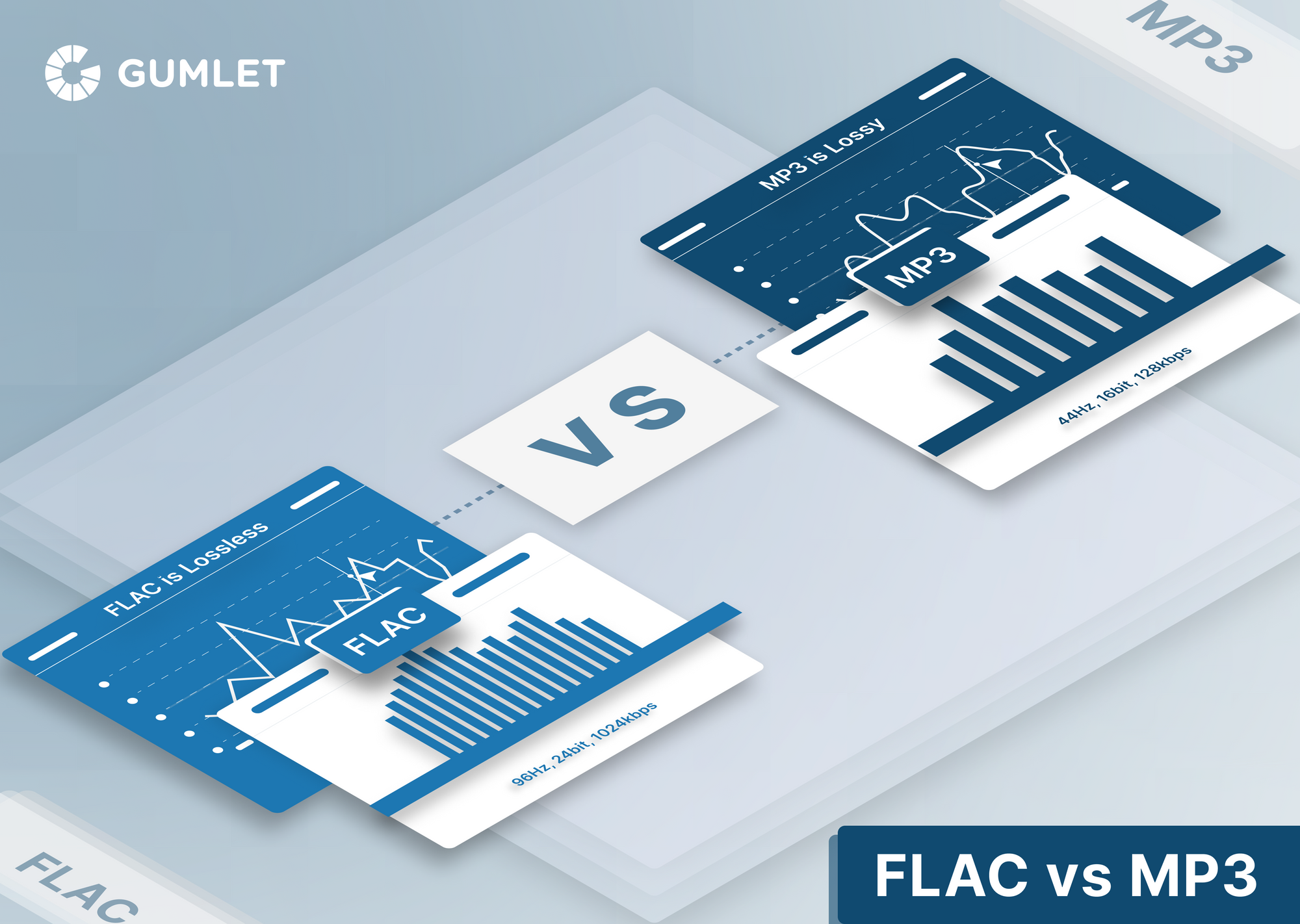
Let’s talk about comparing WMA to Ogg Vorbis for open-source audio compression. As an expert in audio encoding with years of experience, I’ve seen how important selecting the right audio compression format is for any project, be it for music or speech. WMA (Windows Media Audio) and Ogg Vorbis are two notable audio formats, but they approach compression in different ways, and each has distinct advantages and disadvantages. It’s like choosing the right type of container for your food; some containers keep the food fresher for longer, while others may not be suitable. In the realm of audio, the ‘container’ is the codec, and I’m here to help you understand each one’s strengths when compared to the other.

Understanding WMA and Ogg Vorbis Audio Codecs

Understanding the differences between WMA and Ogg Vorbis is the first step when deciding which one is more suitable for your needs. WMA, developed by Microsoft, is a proprietary codec often used in Windows systems. Think of it as a specific brand of tool, often designed to work best with its own ecosystem. On the other hand, Ogg Vorbis is an open-source codec, that’s free to use and modify, imagine it like a community tool that everyone contributes to, making it very flexible. These different approaches mean they have distinct characteristics regarding compression efficiency, compatibility, and licensing, all of which impact their use in different projects. From my experience, the key to mastering audio encoding is understanding each codec and choosing the right one.

Audio Compression Quality: WMA vs. Ogg Vorbis

When evaluating audio compression, one must look into the quality that WMA and Ogg Vorbis provide at various bitrates. Both codecs are designed to reduce file size, but the methods used affect audio fidelity. WMA, particularly in its more advanced versions, can achieve very good quality at low bitrates. Imagine this as a painter who can create very detailed art with fewer brushstrokes. On the other hand, Ogg Vorbis is known for its excellent quality, which is very close to the source, and it uses an adaptable approach, like a chef who adjusts the recipe depending on the ingredients, to offer an optimal result. From my professional practice, I can assure you that the “best” quality is subjective, because it depends on the source audio and intended use.

Open Source Nature and Licensing of Ogg Vorbis

The open-source nature and licensing of Ogg Vorbis are key benefits that set it apart from WMA. Ogg Vorbis is released under a very liberal license that allows it to be freely used, modified, and distributed, just like a public park, available for everyone to use and enjoy. This open model fosters innovation and adoption across different platforms. WMA, being proprietary, often involves licensing fees and might have usage restrictions, like a private club, that has a strict rules for usage. My experience shows that the open nature of Ogg Vorbis is a major advantage when you need flexibility in your audio projects, particularly if you’re looking for a low-cost solution, allowing for collaboration and contribution.

Compatibility and Platform Support

The compatibility and platform support for WMA and Ogg Vorbis vary significantly, this is very important when you want to use an audio format. WMA has deep integration with Windows and Microsoft products, similar to how a key fits its lock, so it might be the best choice within the Windows ecosystem, but might cause problems outside it. Ogg Vorbis, with its open-source nature, has become widely supported across different operating systems and software, as it is a format that welcomes all systems, becoming a universal choice. My professional experience has shown me that choosing a format that plays seamlessly across many platforms enhances the usability and reach of your projects. And for this aspect Ogg Vorbis is normally the wisest choice.

WMA and Ogg Vorbis File Size Efficiency

File size efficiency is a critical factor when dealing with audio compression, and something I look into very carefully. Both WMA and Ogg Vorbis aim to reduce file sizes, but achieve this goal with different methods. WMA can sometimes achieve slightly smaller file sizes at lower bitrates, it’s like packing more clothes in a smaller suitcase, this comes at a cost in quality. Ogg Vorbis often focuses on maintaining higher quality, and this means its files might be slightly larger, so its like choosing a bigger suitcase to avoid wrinkling the clothes. From my years of experience, I’ve learned that the ‘best’ size is the one that suits your specific needs, whether it’s saving storage space or prioritizing high-fidelity sound.

Use Cases for WMA and Ogg Vorbis

When using WMA and Ogg Vorbis, you have to consider each format’s strength, because they are designed for different use cases. WMA is common in environments where Microsoft products are dominant, like corporate presentations or Windows software. Think of it as a tool designed for a specific environment, offering the best results in that context. On the other hand, Ogg Vorbis is popular in open-source projects, video games and online streaming services because it offers flexibility and compatibility, like a tool that works well everywhere. I often find that the choice of the codec depends heavily on where and how you want to use your audio content.

Encoding and Decoding Speed

The encoding and decoding speed of WMA and Ogg Vorbis can influence performance, especially when working with many files. WMA can sometimes have faster encoding speeds, especially with specific hardware and software support, just as using a specific kitchen appliance can speed up cooking, but it depends on the hardware and software. Ogg Vorbis is often designed to be efficient across a broad range of devices, offering reliable performance even in less powerful machines, like using a manual tool that works on any situation. From my professional experience, the encoding/decoding speed might be a concern for some users, while for others the flexibility is more important, so you need to consider what you need most.

WMA has faster encoding speed, but depends on the system.

Ogg Vorbis offers a very reliable speed across different platforms.

Encoding speed depends on hardware support.

Practical Tips and Tools for Audio Compression

I have learned a lot when it comes to practical tips and tools for audio compression, and they make the process a lot smoother. Choosing a suitable bitrate is key to balance file size and audio quality, like adjusting the volume of a radio to make sure it is clear. Testing different compression settings allows you to find the best settings for your particular audio, similar to fine tuning an instrument, getting the best performance. Tools for audio compression can streamline the process, and you need to know how to use them. From my professional practice, I have seen that a well-optimized compression workflow can save you space, time and improve the audio quality of your projects.

Latest words on comparing WMA to Ogg Vorbis

So, after exploring both WMA and Ogg Vorbis for open-source audio compression, it’s clear that each has its own strengths and weaknesses, and that is why I have compared both formats today. WMA is very efficient in the Windows ecosystem, while Ogg Vorbis, being open source, gives more flexibility. The ‘best’ choice depends largely on your project’s specific requirements, from compatibility to audio quality and file size needs. Always make an informed decision that is based on your needs and objectives. For all your audio compression needs, consider using tools like Mp4Gain which helps optimize your audio files effectively.

What is the main advantage of Ogg Vorbis over WMA for audio compression?

The main advantage of Ogg Vorbis over WMA lies in its open-source nature. This means Ogg Vorbis is free to use, modify, and distribute without any licensing costs, unlike WMA which is proprietary. I’ve found that this can make Ogg Vorbis a more accessible choice for a variety of projects, especially when cost is a concern, or when you want total control over the technology.

Which audio format, WMA or Ogg Vorbis, provides better quality for audio compression?

Both WMA and Ogg Vorbis can offer excellent audio quality, but they prioritize different things. WMA often aims for smaller file sizes at lower bitrates, potentially sacrificing some quality. Ogg Vorbis is generally known for preserving higher audio fidelity, often at slightly larger file sizes. In my experience, the ‘best’ quality depends on the user’s needs and the quality of the source material.

How do the licensing terms differ between WMA and Ogg Vorbis?

The licensing terms are drastically different. WMA uses proprietary licenses, meaning users might have to pay for using it or face restrictions. Ogg Vorbis, being open source, operates under a very permissive license. That allows free use, modification and distribution. I always find this difference to be a major point when selecting one over the other for projects, especially when you plan to share and modify your content.

Is WMA or Ogg Vorbis better for audio streaming online?

Ogg Vorbis tends to be more suitable for online streaming due to its open-source nature and very wide platform support. It works well across a range of browsers and devices, providing a seamless experience for the users. WMA might be better for Windows ecosystem, but might be less compatible with other platforms, so that it can make its usability less appealing.

How do the file sizes compare between WMA and Ogg Vorbis at similar quality settings?

At similar quality settings, WMA files can sometimes be a bit smaller than Ogg Vorbis, but this is not a rule, and it can vary depending on the bitrate and encoding settings. Ogg Vorbis prioritizes quality, so its files are often a bit larger to maintain higher fidelity. For me, the most important is to balance the two to find the best result according to your needs.

In which situations is it preferable to use WMA over Ogg Vorbis?

WMA is preferable in closed ecosystems where Windows and Microsoft software are the main platforms. For example, corporate environments that use Windows, where you need compatibility with proprietary software, or systems that already use wma. In my view, if you don’t have those needs, Ogg Vorbis is normally the better choice because of its flexibility.

Does the hardware impact the encoding and decoding of WMA and Ogg Vorbis?

Yes, hardware plays a significant role. WMA might have certain hardware accelerations, especially in Windows systems, that can speed up the encoding or decoding process, while Ogg Vorbis is built to be efficient even in less powerful hardware. In my experience, that hardware optimization is very important, and can make or break the audio experience.

Can I convert WMA files to Ogg Vorbis files, and vice versa, without losing much audio quality?

Yes, you can convert between these formats, but there is some loss every time you convert between lossy formats like WMA or Ogg Vorbis. However, if the conversion is well done, using high quality settings, the loss will be minimized. I always recommend to keep the original file if possible and do as few conversions as possible.

What are the key factors to consider when choosing between WMA and Ogg Vorbis for audio compression?

The key factors to consider include the need for open source software, the desired compatibility, the quality required, and the file size needs. Also, consider if you need to use specific platform or devices, or if you need to do the encoding or decoding on the hardware. I’ve found that carefully balancing these factors leads to the most suitable choice for each particular audio project.

Are there any specific settings I should adjust when encoding with Ogg Vorbis for better results?

Yes, there are several settings you can adjust. Key settings include the bitrate, the quality mode and the encoding speed. Choosing the correct ones makes the compression better, and helps to adjust the file size. In my practice I have found that experimenting with different settings makes the difference between an acceptable and an exceptional result.

Comments:

Great breakdown! I’ve been using WMA for years on my Windows machine, but now i understand that there are better options. I think I’ll make a test to see if I can hear the difference.

– WindowsUser

This article was super helpful for my audio project. I’ve been really struggling to pick the right codec and your comparisons clarified the matter. Thanks a lot!

– AudioNewbie

Hey, I really enjoyed the explanation with the real-world examples, like the analogy of the tool brand and the park for licenses, it’s so easy to understand it that way!. Thanks for the useful knowledge

– EasyToUnderstand

I have been searching for this information for days. This is the best explanation that I’ve found. I wish i had seen this before. Now I can start working on my videos without any doubt. Thanks!.

– ResearchGuy

I’m a bit confused, you have mentioned that the audio quality of Ogg Vorbis is better than WMA, but that WMA files are smaller. Which one should I use in the end?. Could you be more specific about what to expect of each?

– ConfusedUser

Awesome article. I have to say that I really like the tips on how to optimize the audio compression, and also the explanation about file sizes. Thanks for making it so understandable.

– AudioPro

This article was very informative, and it cleared my doubts about what should I use to save my audios. Also the faq section was amazing, it answered all my questions!. Great Job!

– KnowledgeSeeker

I am impressed, great article! I was in the dark about which codec to choose. I will share it with my friend who is struggling with this topic. It’s good to learn from the pros.

– TechSavvy


Free Download Mp4Gain
picture


Mp4Gain Main Window
picture


Mp4Gain Features
picture


Free Download Mp4Gain
picture

FLAC Adaptive Bitrate Control in FLAC Audio Streaming

FLAC Adaptive Bitrate Control in FLAC Audio Streaming

FLAC Adaptive Bitrate Control in FLAC Audio Streaming

FLAC Adaptive Bitrate Control in FLAC Audio Streaming

Let’s talk about FLAC Adaptive Bitrate Control in FLAC Audio Streaming

As an expert in audio streaming technology, I’m thrilled to explore the revolutionary concept of FLAC adaptive bitrate control within FLAC audio streaming. This innovative approach to audio streaming represents a significant advancement in optimizing audio quality while ensuring seamless playback across various network conditions. Imagine enjoying your favorite tunes without interruptions, regardless of fluctuating internet speeds. With FLAC adaptive bitrate control, that dream becomes a reality.

The Science Behind FLAC Adaptive Bitrate Control

FLAC adaptive bitrate control leverages sophisticated algorithms to dynamically adjust the bitrate of audio streams based on network conditions and device capabilities. By continuously monitoring factors such as available bandwidth and network stability, FLAC streaming platforms can deliver an uninterrupted listening experience without sacrificing audio quality. This adaptive approach ensures that listeners receive the highest possible audio fidelity while minimizing buffering and playback issues.

Key Features of FLAC Adaptive Bitrate Control

  • Real-time bitrate adjustment based on network conditions.
  • Seamless transition between different bitrate streams.
  • Optimized audio quality across various devices and network connections.
  • Efficient use of network resources for uninterrupted playback.

Integration of FLAC Adaptive Bitrate Control in FLAC Audio Streaming

Now, let’s delve into how FLAC adaptive bitrate control is integrated into FLAC audio streaming platforms to enhance the listening experience. By analyzing network conditions in real-time, FLAC streaming services can dynamically switch between different bitrate streams to ensure optimal playback quality. Whether you’re streaming music on a crowded Wi-Fi network or using a spotty cellular connection, FLAC adaptive bitrate control adjusts seamlessly to deliver uninterrupted audio playback.

Benefits of FLAC Adaptive Bitrate Control

  • Consistent audio quality across varying network conditions.
  • Reduced buffering and playback interruptions.
  • Improved user satisfaction and retention.
  • Compatibility with a wide range of devices and platforms.

Latest words on FLAC Adaptive Bitrate Control in FLAC Audio Streaming

In conclusion, FLAC adaptive bitrate control represents a groundbreaking advancement in audio streaming technology, offering a solution to the challenges posed by fluctuating network conditions. By dynamically adjusting audio bitrate in real-time, FLAC streaming platforms ensure a seamless listening experience for users, regardless of their network environment. With FLAC adaptive bitrate control, the future of audio streaming looks brighter than ever.

Comments:

This article provided valuable insights into the benefits of FLAC adaptive bitrate control. I’m excited to see how it improves my streaming experience!

As someone who frequently experiences buffering issues while streaming music, I’m eager to try out FLAC adaptive bitrate control. Thanks for the informative article!

Could you elaborate more on the technical aspects of how FLAC adaptive bitrate control works? I’m curious about the algorithms behind it.

FLAC adaptive bitrate control seems like a game-changer for audio streaming platforms. I appreciate the thorough explanation provided in this article!

As a music enthusiast, I’m always looking for ways to enhance my listening experience. FLAC adaptive bitrate control sounds like the perfect solution!

This article convinced me to give FLAC streaming a try. I’m excited to see how adaptive bitrate control improves my music listening sessions!

M4A Audio Object Types Analysis

M4A Audio Object Types Analysis

M4A Audio Object Types Analysis

M4A Audio Object Types Analysis

Let’s talk about M4A Audio Object Types Analysis

In the realm of audio file formats, M4A stands out as a popular choice, known for its versatility and efficiency. As an expert in audio technology, I’ve delved into the nuances of M4A audio object types to unravel their significance in modern multimedia applications. From basic definitions to advanced analysis, this article aims to provide a comprehensive understanding of M4A audio object types and their impact on audio quality and compatibility.

Understanding M4A Audio Object Types

Deciphering M4A Audio Object Types

At the core of M4A lies its audio object types, which define the characteristics and capabilities of audio streams within the file. These object types play a crucial role in determining the audio quality, compression efficiency, and compatibility of M4A files across different platforms and devices. Understanding the various object types is essential for optimizing audio encoding and decoding processes and ensuring seamless playback experiences for users.

Key Components of M4A Audio Object Types

  • Audio Profile: Defines the overall configuration and capabilities of the audio stream, such as supported codecs and channel configurations.
  • Sampling Rate: Specifies the number of samples per second captured from a continuous signal to represent audio information accurately.
  • Bitrate: Determines the amount of data used to represent audio per unit of playback time, influencing audio quality and file size.
  • Codec Compatibility: Ensures interoperability with different audio codecs and playback devices, enabling seamless audio playback across various platforms.

Navigating through these components requires a deep understanding of audio encoding principles and M4A specifications. As an expert in audio technology, I’ve explored the intricacies of M4A audio object types, uncovering their role in shaping the landscape of digital audio.

Significance of M4A Audio Object Types

Optimizing Audio Quality and Compatibility

The adoption of M4A audio object types has profound implications for audio quality and compatibility in multimedia applications. By leveraging advanced audio profiles and codecs, M4A files achieve superior audio fidelity and compression efficiency, making them ideal for various use cases ranging from music streaming to podcasting. Furthermore, the flexibility and versatility of M4A object types ensure compatibility with a wide range of playback devices and software platforms, offering users a seamless audio experience across different environments.

Enhancing Audio Compression Efficiency

  • Efficient Compression Algorithms: M4A object types leverage sophisticated compression algorithms to reduce file size while preserving audio quality, optimizing storage and bandwidth utilization.
  • Dynamic Bitrate Adjustment: Adaptive bitrate techniques dynamically adjust the bitrate of audio streams based on network conditions, ensuring uninterrupted playback and minimizing buffering issues.
  • Multi-Channel Support: M4A object types support multi-channel audio configurations, enabling immersive surround sound experiences in compatible playback systems.

As multimedia technologies continue to evolve, the role of M4A audio object types remains paramount in driving innovation and efficiency in digital audio processing.

Latest words on M4A Audio Object Types Analysis

In conclusion, the analysis of M4A audio object types provides valuable insights into the intricacies of digital audio encoding and compatibility. From fundamental concepts to advanced optimization techniques, understanding M4A object types is essential for audio professionals and enthusiasts alike. As a seasoned specialist in audio technology, I continue to explore the depths of M4A audio object types, uncovering new insights and pushing the boundaries of audio innovation.

Comments:

Wow, this article offered a comprehensive analysis of M4A audio object types! As a music producer, I found the insights invaluable for optimizing my audio encoding workflows.

-MusicProducer123

This article provided excellent insights into the significance of M4A audio object types in digital audio processing. I appreciated the practical examples and real-world applications discussed throughout the article.

-AudioEnthusiast456

As a podcast creator, understanding M4A audio object types is crucial for delivering high-quality audio content to my audience. This article offered clear explanations and actionable tips for optimizing audio encoding processes.

-PodcastCreator789

Informative article! I appreciated the detailed analysis of M4A audio object types and their impact on audio quality and compatibility. Looking forward to more content from this author.

-AudioTechFanatic

Error Resilience in MP3 Audio Streaming

Implications of Error Resilience in MP3 Audio Streaming

Error Resilience in MP3 Audio Streaming

Let’s Talk about Error Resilience in MP3 Audio Streaming

As a specialist with extensive experience in the world of audio streaming, I’m excited to explore the fascinating realm of error resilience in MP3 audio streaming. Let’s dive deep into this critical aspect and uncover its implications and importance.

The Essence of Error Resilience

Imagine you’re sending a handwritten letter in the mail, and it’s essential that the recipient receives it intact. To ensure this, you put the letter in a sturdy envelope, choose a reliable postal service, and add tracking. Error resilience in audio streaming shares a similar goal – to ensure that your audio reaches its destination without hiccups.

Understanding Error Resilience in MP3 Audio Streaming

To fully grasp the implications, let’s break down the concept into its core components.

Defining Error Resilience

Error resilience, in the context of audio streaming, refers to the system’s ability to withstand disturbances, such as network glitches, without severe degradation in audio quality. Think of it as your favorite song playing smoothly, even if your internet connection momentarily stutters.

Importance of Error Resilience

Error resilience is crucial because it directly affects the quality of your audio experience. Just as a well-protected letter ensures your message is received as intended, error-resilient audio streaming guarantees you hear your music without annoying interruptions.

Real-Life Examples

Let’s relate these concepts to everyday scenarios.

Streaming Music Services

When you’re grooving to your favorite tunes on Spotify or Apple Music, error resilience is the reason your playlist continues playing seamlessly, even if your Wi-Fi signal momentarily weakens.

Online Radio

Imagine tuning in to your favorite radio station online. Error resilience ensures that the DJ’s voice and your beloved songs don’t turn into an interrupted garble during a brief internet glitch.

Podcast Streaming

Whether you’re listening to a captivating podcast on a long road trip or while jogging, error resilience guarantees that the storytelling remains uninterrupted, even if you pass through areas with varying signal strengths.

Latest Advances in Error Resilience

The world of audio streaming is ever-evolving, and error resilience is continuously improving.

Adaptive Error Correction

Recent advancements include adaptive error correction, where the system can detect and rectify errors on the fly. Think of it as a self-healing envelope that repairs itself if it gets damaged during delivery.

Enhanced Audio Buffering

To ensure a smooth audio stream, modern systems use advanced buffering techniques. It’s like a smart postal service that holds your letter for a moment if there’s a hiccup in the delivery process and then resumes its journey seamlessly.

The Bottom Line: Ensuring Your Audio Experience

In a nutshell, error resilience in MP3 audio streaming is the unsung hero that ensures your favorite music, podcasts, and radio shows reach your ears without disturbances. It’s the reason you can enjoy uninterrupted audio, just like receiving a perfectly preserved letter in the mail.

Comments:

This article cleared up the mystery behind why my music doesn’t stutter when I’m on a road trip. Thanks for the insights!

– RoadTripper99

I had no idea error resilience was so crucial in audio streaming. It’s like magic behind the scenes!

– AudioWizard

Could you elaborate on how adaptive error correction works? I’m fascinated by this technology.

– TechGeek123

Great article! It’s like you’ve unraveled the secrets of uninterrupted music streaming.

– MusicEnthusiast

This article transformed my understanding of audio streaming. Error resilience is truly a game-changer!

– SoundLover

Error Resilience in MP3 Audio Streaming

Error Resilience in MP3 Audio Streaming

Error Resilience in MP3 Audio Streaming

As an expert in the field of audio streaming and error resilience, I’m here to provide you with valuable insights and information on the implications of error resilience in MP3 audio streaming. MP3 audio streaming has become an integral part of our digital world, and understanding the challenges and solutions related to error resilience is essential for a seamless listening experience.

The Importance of Error Resilience

Error resilience in MP3 audio streaming is a critical aspect of ensuring uninterrupted and high-quality playback. MP3 files are susceptible to various types of errors, such as packet loss during transmission or data corruption, which can lead to audio artifacts and interruptions in the streaming process. To address these challenges, error resilience mechanisms have been developed.

Real-Life Example: Imagine streaming your favorite song, and suddenly, the audio quality degrades due to a poor network connection. Error resilience mechanisms kick in, helping to maintain a smooth listening experience by minimizing the impact of errors.

These mechanisms include techniques like Forward Error Correction (FEC) and interleaving, which help recover lost or corrupted data during transmission. In essence, error resilience ensures that even in less-than-ideal network conditions, you can still enjoy your audio content without noticeable disruptions.

How Error Resilience Works

Error resilience strategies in MP3 audio streaming are designed to detect and correct errors as they occur, thus preventing them from affecting your listening experience. FEC, for example, involves adding redundant data to the audio stream, allowing the receiver to reconstruct missing or damaged parts of the file.

Real-Life Example: Think of FEC as a safety net for your audio data. It's like having extra puzzle pieces that can be used to complete the picture, even if some pieces are missing or damaged.

Interleaving, on the other hand, rearranges the data in a way that minimizes the impact of consecutive errors. This ensures that even if a burst of errors occurs, your audio stream remains relatively intact.

Overcoming Network Challenges

In a world where we stream audio content from various devices and locations, network challenges are inevitable. Error resilience mechanisms in MP3 audio streaming are the unsung heroes that keep our music flowing smoothly.

Real-Life Example: Picture yourself streaming a podcast during your daily commute. Your signal may drop momentarily in a tunnel, but thanks to error resilience, you hardly notice it, as the system seamlessly adjusts to the momentary disruption.

These mechanisms don’t just correct errors; they also adapt to changing network conditions, ensuring a consistent audio quality even when you’re on the move.

Optimizing Your Streaming Experience

To optimize your MP3 audio streaming experience, it’s crucial to choose platforms and devices that implement robust error resilience mechanisms. These systems not only provide you with high-quality sound but also enhance your listening experience, no matter where you are.

Real-Life Example: When you select a streaming service or device that prioritizes error resilience, you're choosing a smoother audio journey. You'll enjoy your music, podcasts, or audiobooks without constant interruptions, even when you encounter minor network hiccups.

In conclusion, error resilience in MP3 audio streaming is a complex but essential aspect of our digital world. It’s the technology that quietly works in the background, ensuring that your audio content reaches your ears in a pristine state, even when the digital pathways it travels are far from perfect.

Last Words about Error Resilience in MP3 Audio Streaming

In my journey through the world of audio streaming, I’ve witnessed the evolution of error resilience mechanisms that have made our listening experiences more robust and enjoyable. Remember, when you encounter a flawless stream of your favorite music or podcast, there’s a team of engineers and systems working tirelessly to make it happen. Error resilience in MP3 audio streaming is not just a concept; it’s the unsung hero that ensures you hear the music, not the errors.

Audio Streaming

Audio Streaming

Audio Streaming
Audio Streaming
Audio Streaming
Audio Streaming

Audio Streaming Introduction

Audio streaming is the process of delivering audio content over the internet in real-time. It has revolutionized the way we consume audio content, providing users with instant access to a vast library of music, podcasts, and other audio content from anywhere in the world. Today, audio streaming has become a staple in our daily lives, with millions of people around the globe using audio streaming services on a daily basis.

The Evolution of Audio Streaming

Audio streaming has come a long way since its inception in the 1990s. Back then, audio streaming was limited by slow internet speeds, poor audio quality, and a lack of available content. However, with the advent of high-speed internet, advancements in audio compression technology, and the proliferation of smartphones and other mobile devices, audio streaming has exploded in popularity over the past decade.

Today, there are countless audio streaming services available, catering to every taste and preference. From music streaming services like Spotify, Apple Music, and Tidal, to podcast streaming services like Stitcher and Pocket Casts, there is an audio streaming service for everyone.

The Benefits of Audio Streaming

There are many benefits to using audio streaming services. For one, audio streaming allows users to access a vast library of content from anywhere in the world, at any time. This means that users can listen to their favorite music or podcast while commuting, working out, or just relaxing at home.

Audio streaming services also offer personalized recommendations based on a user’s listening history, allowing users to discover new content that they might not have otherwise found. Additionally, many audio streaming services offer offline listening, which allows users to download their favorite content for offline playback when they don’t have access to the internet.

The Future of Audio Streaming

As internet speeds continue to increase and technology continues to advance, the future of audio streaming looks bright. We can expect to see continued growth in the number of audio streaming services available, as well as improvements in audio quality, personalization, and content discovery.

Additionally, the rise of smart speakers and voice assistants like Amazon Alexa and Google Assistant has opened up new opportunities for audio streaming. In the future, we can expect to see more integration between audio streaming services and smart home devices, allowing users to control their audio playback using their voice.

Conclusion

Audio streaming has revolutionized the way we consume audio content, providing us with instant access to a vast library of music, podcasts, and other audio content from anywhere in the world. With advancements in technology and internet speeds, we can expect to see continued growth in the popularity of audio streaming in the years to come.

And as a side note, we recommend using MP4Gain to improve the quality of your audio streaming experience.

FAQ

What is the difference between audio streaming and downloading?

Audio streaming involves listening to audio content in real-time over the internet, while downloading involves saving a copy of the content to your device for offline playback. With streaming, you don’t need to download the content to your device, saving storage space and allowing you to access a vast library of content without taking up space on your device.

Are audio streaming services free?

Many audio streaming services offer both free and paid options. Free options typically come with ads and limited features, while paid options offer ad-free listening, higher quality audio, and additional features like offline playback.

What is the best audio streaming service?

There is no one-size-fits-all answer to this question, as the best audio streaming service depends on your personal preferences and needs. Some factors to consider when choosing an audio streaming service include the available content, sound quality, user interface, price, and device compatibility.

Content availability is one of the most important factors to consider when choosing an audio streaming service. Some services offer a more extensive music library than others, and the availability of specific genres or artists can vary. You should also consider if the streaming service has exclusive content, such as live sessions, concerts, or podcasts that may interest you.

Another important factor is sound quality. If you’re an audiophile or someone who values high-quality sound, you should choose a streaming service that offers lossless or high-fidelity audio. However, keep in mind that higher sound quality often comes with higher prices.

User interface and ease of use are also essential considerations. A user-friendly interface can make your experience more enjoyable and intuitive. Look for a streaming service that offers personalized recommendations and curated playlists that cater to your music preferences.

Price is also an important factor. While some streaming services offer free access, they may come with ads and limited features. Paid subscription services, on the other hand, offer more features, higher quality sound, and ad-free listening experiences. However, the cost of these services can vary significantly, so it’s important to consider your budget.

Lastly, device compatibility is essential. Make sure the streaming service you choose is compatible with your devices, including your smartphone, tablet, and smart speakers. Some services may also have limitations on the number of devices you can use simultaneously.

Overall, when choosing an audio streaming service, it’s important to consider your individual preferences and needs. Take advantage of free trials and explore different services to find the one that works best for you.