
Audio Streaming
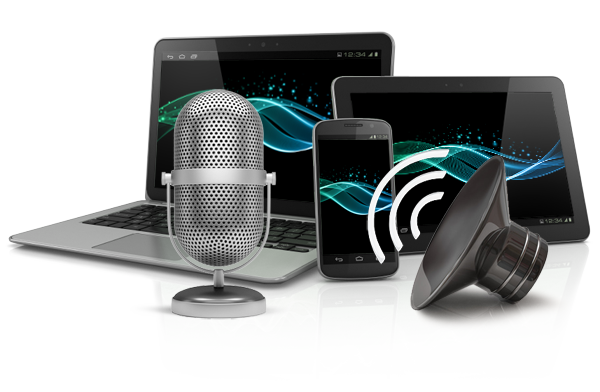
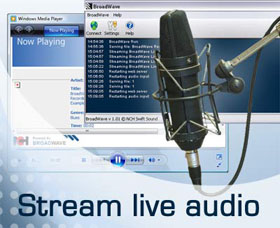
Audio Streaming Introduction
Audio streaming is the process of delivering audio content over the internet in real-time. It has revolutionized the way we consume audio content, providing users with instant access to a vast library of music, podcasts, and other audio content from anywhere in the world. Today, audio streaming has become a staple in our daily lives, with millions of people around the globe using audio streaming services on a daily basis.
The Evolution of Audio Streaming
Audio streaming has come a long way since its inception in the 1990s. Back then, audio streaming was limited by slow internet speeds, poor audio quality, and a lack of available content. However, with the advent of high-speed internet, advancements in audio compression technology, and the proliferation of smartphones and other mobile devices, audio streaming has exploded in popularity over the past decade.
Today, there are countless audio streaming services available, catering to every taste and preference. From music streaming services like Spotify, Apple Music, and Tidal, to podcast streaming services like Stitcher and Pocket Casts, there is an audio streaming service for everyone.
The Benefits of Audio Streaming
There are many benefits to using audio streaming services. For one, audio streaming allows users to access a vast library of content from anywhere in the world, at any time. This means that users can listen to their favorite music or podcast while commuting, working out, or just relaxing at home.
Audio streaming services also offer personalized recommendations based on a user’s listening history, allowing users to discover new content that they might not have otherwise found. Additionally, many audio streaming services offer offline listening, which allows users to download their favorite content for offline playback when they don’t have access to the internet.
The Future of Audio Streaming
As internet speeds continue to increase and technology continues to advance, the future of audio streaming looks bright. We can expect to see continued growth in the number of audio streaming services available, as well as improvements in audio quality, personalization, and content discovery.
Additionally, the rise of smart speakers and voice assistants like Amazon Alexa and Google Assistant has opened up new opportunities for audio streaming. In the future, we can expect to see more integration between audio streaming services and smart home devices, allowing users to control their audio playback using their voice.
Conclusion
Audio streaming has revolutionized the way we consume audio content, providing us with instant access to a vast library of music, podcasts, and other audio content from anywhere in the world. With advancements in technology and internet speeds, we can expect to see continued growth in the popularity of audio streaming in the years to come.
And as a side note, we recommend using MP4Gain to improve the quality of your audio streaming experience.
FAQ
What is the difference between audio streaming and downloading?
Audio streaming involves listening to audio content in real-time over the internet, while downloading involves saving a copy of the content to your device for offline playback. With streaming, you don’t need to download the content to your device, saving storage space and allowing you to access a vast library of content without taking up space on your device.
Are audio streaming services free?
Many audio streaming services offer both free and paid options. Free options typically come with ads and limited features, while paid options offer ad-free listening, higher quality audio, and additional features like offline playback.
What is the best audio streaming service?
There is no one-size-fits-all answer to this question, as the best audio streaming service depends on your personal preferences and needs. Some factors to consider when choosing an audio streaming service include the available content, sound quality, user interface, price, and device compatibility.
Content availability is one of the most important factors to consider when choosing an audio streaming service. Some services offer a more extensive music library than others, and the availability of specific genres or artists can vary. You should also consider if the streaming service has exclusive content, such as live sessions, concerts, or podcasts that may interest you.
Another important factor is sound quality. If you’re an audiophile or someone who values high-quality sound, you should choose a streaming service that offers lossless or high-fidelity audio. However, keep in mind that higher sound quality often comes with higher prices.
User interface and ease of use are also essential considerations. A user-friendly interface can make your experience more enjoyable and intuitive. Look for a streaming service that offers personalized recommendations and curated playlists that cater to your music preferences.
Price is also an important factor. While some streaming services offer free access, they may come with ads and limited features. Paid subscription services, on the other hand, offer more features, higher quality sound, and ad-free listening experiences. However, the cost of these services can vary significantly, so it’s important to consider your budget.
Lastly, device compatibility is essential. Make sure the streaming service you choose is compatible with your devices, including your smartphone, tablet, and smart speakers. Some services may also have limitations on the number of devices you can use simultaneously.
Overall, when choosing an audio streaming service, it’s important to consider your individual preferences and needs. Take advantage of free trials and explore different services to find the one that works best for you.


