Audio Streaming


Free Download Mp4Gain
picture

Audio Streaming

Audio Streaming
Audio Streaming
Audio Streaming
Audio Streaming

Audio Streaming Introduction

Audio streaming is the process of delivering audio content over the internet in real-time. It has revolutionized the way we consume audio content, providing users with instant access to a vast library of music, podcasts, and other audio content from anywhere in the world. Today, audio streaming has become a staple in our daily lives, with millions of people around the globe using audio streaming services on a daily basis.

The Evolution of Audio Streaming

Audio streaming has come a long way since its inception in the 1990s. Back then, audio streaming was limited by slow internet speeds, poor audio quality, and a lack of available content. However, with the advent of high-speed internet, advancements in audio compression technology, and the proliferation of smartphones and other mobile devices, audio streaming has exploded in popularity over the past decade.

Today, there are countless audio streaming services available, catering to every taste and preference. From music streaming services like Spotify, Apple Music, and Tidal, to podcast streaming services like Stitcher and Pocket Casts, there is an audio streaming service for everyone.

The Benefits of Audio Streaming

There are many benefits to using audio streaming services. For one, audio streaming allows users to access a vast library of content from anywhere in the world, at any time. This means that users can listen to their favorite music or podcast while commuting, working out, or just relaxing at home.

Audio streaming services also offer personalized recommendations based on a user’s listening history, allowing users to discover new content that they might not have otherwise found. Additionally, many audio streaming services offer offline listening, which allows users to download their favorite content for offline playback when they don’t have access to the internet.

The Future of Audio Streaming

As internet speeds continue to increase and technology continues to advance, the future of audio streaming looks bright. We can expect to see continued growth in the number of audio streaming services available, as well as improvements in audio quality, personalization, and content discovery.

Additionally, the rise of smart speakers and voice assistants like Amazon Alexa and Google Assistant has opened up new opportunities for audio streaming. In the future, we can expect to see more integration between audio streaming services and smart home devices, allowing users to control their audio playback using their voice.

Conclusion

Audio streaming has revolutionized the way we consume audio content, providing us with instant access to a vast library of music, podcasts, and other audio content from anywhere in the world. With advancements in technology and internet speeds, we can expect to see continued growth in the popularity of audio streaming in the years to come.

And as a side note, we recommend using MP4Gain to improve the quality of your audio streaming experience.

FAQ

What is the difference between audio streaming and downloading?

Audio streaming involves listening to audio content in real-time over the internet, while downloading involves saving a copy of the content to your device for offline playback. With streaming, you don’t need to download the content to your device, saving storage space and allowing you to access a vast library of content without taking up space on your device.

Are audio streaming services free?

Many audio streaming services offer both free and paid options. Free options typically come with ads and limited features, while paid options offer ad-free listening, higher quality audio, and additional features like offline playback.

What is the best audio streaming service?

There is no one-size-fits-all answer to this question, as the best audio streaming service depends on your personal preferences and needs. Some factors to consider when choosing an audio streaming service include the available content, sound quality, user interface, price, and device compatibility.

Content availability is one of the most important factors to consider when choosing an audio streaming service. Some services offer a more extensive music library than others, and the availability of specific genres or artists can vary. You should also consider if the streaming service has exclusive content, such as live sessions, concerts, or podcasts that may interest you.

Another important factor is sound quality. If you’re an audiophile or someone who values high-quality sound, you should choose a streaming service that offers lossless or high-fidelity audio. However, keep in mind that higher sound quality often comes with higher prices.

User interface and ease of use are also essential considerations. A user-friendly interface can make your experience more enjoyable and intuitive. Look for a streaming service that offers personalized recommendations and curated playlists that cater to your music preferences.

Price is also an important factor. While some streaming services offer free access, they may come with ads and limited features. Paid subscription services, on the other hand, offer more features, higher quality sound, and ad-free listening experiences. However, the cost of these services can vary significantly, so it’s important to consider your budget.

Lastly, device compatibility is essential. Make sure the streaming service you choose is compatible with your devices, including your smartphone, tablet, and smart speakers. Some services may also have limitations on the number of devices you can use simultaneously.

Overall, when choosing an audio streaming service, it’s important to consider your individual preferences and needs. Take advantage of free trials and explore different services to find the one that works best for you.



Free Download Mp4Gain
picture


Mp4Gain Main Window
picture


Mp4Gain Features
picture


Free Download Mp4Gain
picture

How to Calculate Audio Bitrate: A Comprehensive Guide

How to Calculate Audio Bitrate: A Comprehensive Guide

Audio Bitrate
Audio Bitrate

Calculating audio bitrate is an essential skill for anyone working with digital audio files. Bitrate is the amount of data used to encode one second of audio, and it plays a significant role in the quality of audio files. In this comprehensive guide, we will discuss everything you need to know about audio bitrate and how to calculate it.


Audio Bitrate
Audio Bitrate

What is Audio Bitrate?

Bitrate is the number of bits used to encode one second of audio. It is typically measured in kilobits per second (kbps) and determines the audio file’s size and quality. The higher the bitrate, the larger the audio file’s size and the better the audio quality.

Audio bitrate is determined by several factors, including:

  • The audio format
  • The audio codec
  • The audio signal characteristics

Audio Format and Codec

The audio format and codec are two critical factors that determine audio bitrate. Audio format refers to the type of audio file, such as MP3, WAV, or FLAC. Each audio format has its own advantages and disadvantages, including file size, compatibility, and audio quality.

The audio codec, on the other hand, is the software used to compress and decompress audio data. Codecs determine how efficiently audio data is compressed and how much data is used to encode one second of audio.

It is essential to choose the right audio format and codec for your needs, as they can significantly impact the audio bitrate and quality. For example, MP3 files are smaller in size but lower in quality than WAV or FLAC files.

Audio Signal Characteristics

The characteristics of the audio signal, such as its frequency range and amplitude, can also affect the effectiveness of audio compression and the resulting audio bitrate. Higher frequencies and amplitudes require more data to encode accurately, resulting in a higher bitrate.

Other factors that can affect audio bitrate include the number of audio channels and the audio’s dynamic range. Stereo audio files require more data than mono audio files, while audio files with a wide dynamic range require more data than those with a narrow dynamic range.

Calculating Audio Bitrate

Calculating audio bitrate requires you to know the audio file’s duration, size, and format. Once you have this information, you can use the following formula to calculate audio bitrate:

Bitrate = (File size in bits / Duration in seconds) / 1000

For example, if you have a 3-minute MP3 audio file with a size of 4,320,000 bytes:

  1. Convert the file size to bits: 4,320,000 x 8 = 34,560,000 bits
  2. Convert the duration to seconds: 3 x 60 = 180 seconds
  3. Calculate the bitrate: (34,560,000 / 180) / 1000 = 192 kbps

In this example, the audio file has a bitrate of 192 kbps.

Conclusion

Calculating audio bitrate is an essential skill for anyone working with digital audio files. Understanding audio format, codec, and signal characteristics can help you choose the right audio settings for your needs and ensure the best audio quality possible. By following the formula above, you can easily calculate the required bitrate for your audio files and adjust the settings accordingly. Keep in mind that bitrate is not the only factor that affects audio quality, so be sure to consider other factors such as the audio format, codec, and signal characteristics when selecting your settings.

When working with audio, it’s important to strike a balance between file size and audio quality. Higher bitrates generally result in better audio quality, but also larger file sizes. It’s up to you to determine the optimal balance for your specific needs and use case.

Final Thoughts

Calculating audio bitrate may seem like a daunting task, but with the right tools and knowledge, it can be a straightforward process. By understanding the different factors that affect audio quality and file size, you can make informed decisions when selecting your audio settings.

Remember, bitrate is just one of many factors that affect audio quality. Other factors, such as the audio format and codec, can also have a significant impact. By taking these factors into consideration and making informed decisions, you can achieve the best possible audio quality for your needs.

Whether you’re an audio professional or simply someone who enjoys working with digital audio files, understanding how to calculate audio bitrate is an important skill to have. By following the guidelines outlined in this article, you can ensure that your audio files are optimized for the best possible quality and file size.

References

Note: The information provided in this article is for educational purposes only and should not be construed as professional advice. Always consult a professional audio engineer or other qualified expert for advice on specific audio projects or issues.

What do bitrate and sample rate mean in audio files?

What do bitrate and sample rate mean in audio files?

Audio Bitrate
Audio Bitrate


What is the proper video bitrate?


Audio Bitrate
Audio Bitrate


What do bitrate and sample rate mean in audio files?

The meaning of bit rate and sample rate in audio files is as follows:

1. Bit rate:

Bit rate refers to the number of bits (bits) transmitted per second. The unit is bps (bits per second) The higher the bit rate, the more data is transmitted per second. Bitrate in sound refers to the amount of binary data per unit of time after converting an analog sound signal to a digital sound signal, which is an indirect measure of audio quality.

2. Sampling rate:

Audio sample rate refers to the number of times the recording device samples the sound signal in one second. The higher the sample rate, the more realistic and natural the sound will be. On today’s major capture cards, the sample rate is generally divided into five levels: 11025 Hz, 22050 Hz, 24000 Hz, 44100 Hz and 48000 Hz.


What is the proper video bitrate?

After knowing what the video bitrate is, let’s take a look at the proper video bitrate. As mentioned above, many video bitrates are between 2M-4M, which is divided by the video resolution, of which 720p video The bitrate of 1080P video is generally 2M, and the bitrate of 1080P video is 4M. If the video bitrate exceeds 4M, then the video quality is what we often call 2K or even 4K, and the video production cost is relatively high .

Finally, let’s introduce the optimal bitrate of each resolution video, so you can adjust it according to the needs of the video:

1.360p or 480p video: The bit rate of this type of video is preferably greater than or equal to 0.8M.

2720p video: The bitrate of this type of video should be greater than or equal to 1.5M, of which 2M bitrate is the best.

3. 1080p video: ≥2.5M, the optimal bit rate is 4M-8M.

4.4k video: 4k is currently the highest quality type of video and its bit rate is typically 12M.

Lossless audio formats compete in quality with a CD?

Lossless audio formats compete in quality with a CD?

Mp3 vs CD
Mp3 vs CD

Can the sound quality of lossless music really be the same as a CD?

Lossy vs Lossless
Lossy vs Lossless

With the increase in storage space of mobile phones and computers, and the improvement of hardware sound quality indicators, more and more people have begun to pay attention to lossless music. The mobile phone has already started with 64G capacity. At the same time, it also uses high-quality audio chips such as ESS, and even has built-in op amp chips. This configuration that can compete with HiFi Walkman on paper was unimaginable. in recent years. of. At the same time, more and more consumers are beginning to pay attention to high-quality headphones. In this context, listening to lossy audio formats like MP3 is a bit like killing a chicken with a knife. Playing lossless music on a mobile phone has gradually become an ordinary thing.


Now that mobile phones are equipped with powerful DAC chips, more and more people pay attention to lossless music.

However, there are actually some arguments about lossless music, and these arguments are a bit “metaphysical”. For example, many people argue whether the sound quality of lossless music is really “lossless”, and the “iron proof” is that after restoring lossless music to Wav format, the Hash file finds out that there is a difference. What exactly is happening? Is it really mysticism? Let’s talk lossless music today.

Can the sound quality of lossless music really be the same as a CD?

After the music is digitized, it is often packaged on a CD in PCM format. PCM audio on CDs is generally 16-bit, 44 kHz, and is usually stored in Wav format. The audio on normal CDs is PCM, but PCM is not limited to the specifications of normal CDs. PCM audio can also achieve high-definition audio specifications such as 24-bit and 384kHz. This high-spec audio is relatively common in the audio track of Blu-ray movies. Few people use high-definition audio for music products, but in recent years, Hi-Res Audio also uses the HD Audio specification.

Can an mp3 sound with the same quality as a CD? Yes

Can an mp3 sound with the same quality as a CD? Yes

MP3 vs. CD
MP3 vs. CD

The Great Experiment of the bitrate in the MP3.

MP3 vs. CD
MP3 vs. CD

A programmer decided to check if there was really much quality between different bitrates and the quality of a professional CD.

He put on one side the CD, also a FLAC (without quality loss) and on the other different mp3 with different options of CBR, VBR and 128,160,192,320 kbps.

The encoding of a music file is a balance between quality and size.

Normally using good mp3 encoding it is possible to store 5 to 10 times more music than saving WAV formats from a CD.

In order to measure, he put thousands of people to listen to music files, they are telling them if they were listening to a CD, a FLAC, an mp3 with different boirates, The results:

The absolute winner was the mp3 at 160 kbps VBR.

It was the one that received the best ratings, even above the CD. This is possible to understand because programs like Mp4Gain significantly improve the volume, the quality, they do bass boost, etc.

An Mp3 at 192 kbps is indistinguishable from a CD according to the results of this study.

This comes to destroy many preconceptions of people who, based on things they have read, but are exaggerated, make believe that the mp3 is dead or at least obsolete and this is not the case at all.

As we mentioned, an mp3 with the appropriate settings sounds the same or even better than a CD.

How much does the bit rate affect the sound quality in an mp3? Part 2

How much does the bit rate affect the sound quality in an mp3? Part 2

CBR and VBR
CBR and VBR

Is the bit rate very important?

CBR and VBR
CBR and VBR

We had already explained in a previous article that the bitrate expresses the amount of bits or information that an audio file can carry.

We gave an example, using ONE word to describe an object, then 2 words, then 10 words, etc. and we saw how that amount of information is crucial to be able to give detail that will increase quality.

We will now explain the two most important modes used to determine which bitrate a file will use.

CBR

This case is when the bitrate of an mp3 is constant, regardless of the content it contains.
Imagine that we put the highest butrate which is 320 and the file contains only silence.
It will still stay at 320 even if it doesn’t have any data.

We know that this example is extreme, but we want to illustrate the idea that the bitrate will be the same all the time, even when there are notable differences in the amount and complexity of the information.

VBR

Instead we have this other option that will try to regulate or adapt the bitrate precisely depending on the information.
If there is an initial silence, use the lowest bitrate, if there are moments of great complexity, use the highest.

Let’s think and be aware that the bitrate directly affects the size of the mp3.

So with VBR we have intelligent savings, keeping a low bitrate at times when it would be wasteful to use a higher one and increase the bitrate when the information demand requires it.

Mp4aGain is an application that manages all these options very well so that you can obtain the best results. Because we know exactly what we are talking about.


Is the bit rate very important?

We had already explained in a previous article that the bitrate expresses the amount of bits or information that an audio file can carry.

We gave an example, using ONE word to describe an object, then 2 words, then 10 words, etc. and we saw how that amount of information is crucial to be able to give detail that will increase quality.

We will now explain the two most important modes used to determine which bitrate a file will use.

CBR

This case is when the bitrate of an mp3 is constant, regardless of the content it contains.
Imagine that we put the highest butrate which is 320 and the file contains only silence.
It will still stay at 320 even if it doesn’t have any data.

We know that this example is extreme, but we want to illustrate the idea that the bitrate will be the same all the time, even when there are notable differences in the amount and complexity of the information.

VBR

Instead we have this other option that will try to regulate or adapt the bitrate precisely depending on the information.
If there is an initial silence, use the lowest bitrate, if there are moments of great complexity, use the highest.

Let’s think and be aware that the bitrate directly affects the size of the mp3.

So with VBR we have intelligent savings, keeping a low bitrate at times when it would be wasteful to use a higher one and increase the bitrate when the information demand requires it.

Mp4aGain is an application that manages all these options very well so that you can obtain the best results. Because we know exactly what we are talking about.

How much does the bit rate affect the sound quality in an mp3?

How much does the bit rate affect the sound quality in an mp3?

audio bit rate quality

Is the bit rate very important?

audio bit rate quality

The bit rate strictly measures the amount of information per second that an audio file can carry.
What does this mean?

That the greater the number of bits per second, the greater the “detail” and the greater the number of details, the higher the resolution and therefore the quality.

Let us imagine an example that would illustrate the matter very clearly:

You must describe an object, but you can only use ONE word.

You say:

-Car

That doesn’t say much.

Now you can use 2 words:

1.- car 2.- red

We already have more information.

Now you can use 6 words:

1.- car 2.- new 3.- red 4.- convertible 5.- sports car 6.- luxury

Now you have a much more elaborate image, thanks to the fact that you were able to provide more information. If you could now use 20 words or 100, it would be a more precise idea each time that you could convey.

Exactly the same thing happens with music and the bit rate is the amount of information that can be transmitted per second.

An estimate like the following is generally known:

8 Kbps Mono: Telephone Sound.
16 Kbps Mono: Better quality than shortwave.
32 Kbps Mono: Better quality than AM.
64 Kbps Stereo: Better quality than FM.
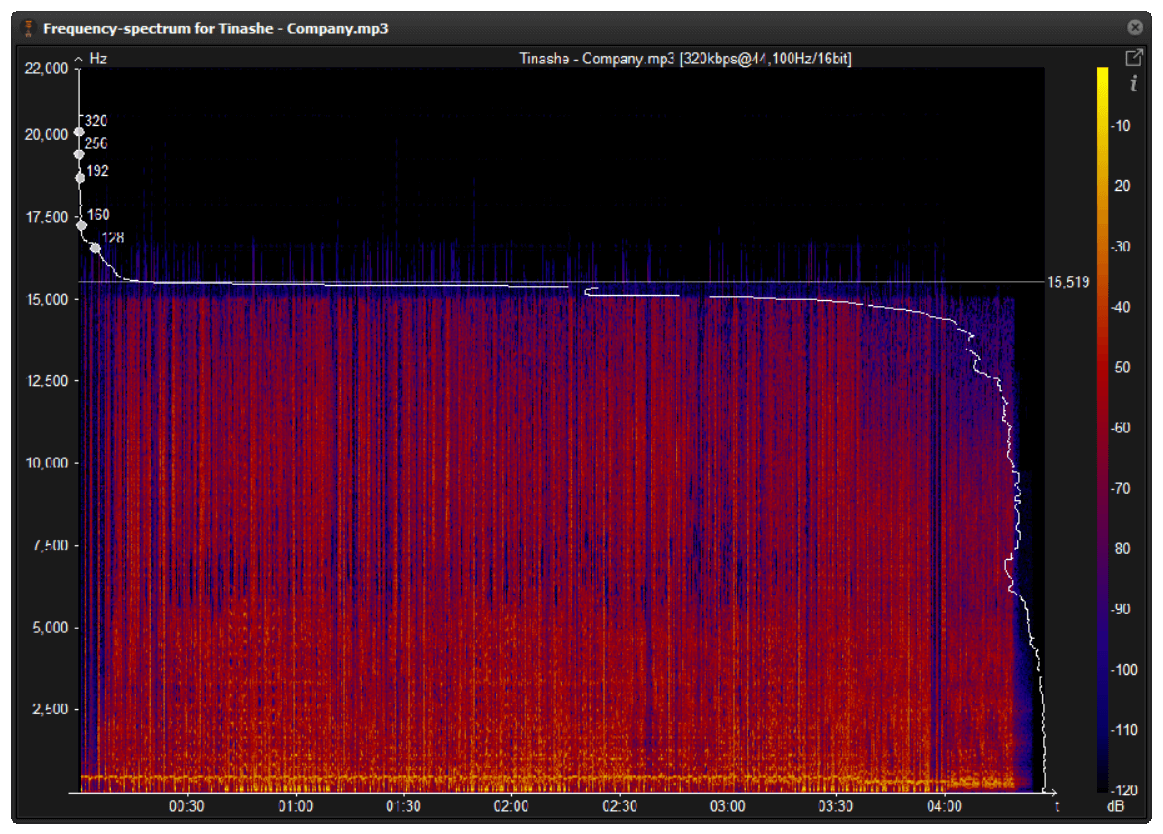
112 – 128 Kbps: Quality close to CD.
160 Kbps: Quality closer to CD.
192 Kbps: Practically CD quality.
256 Kbps: CD quality virtually indistinguishable from an original CD.
320 Kbps: CD quality.

Mp4Gain can help you make your entire music collection the same bitrate.

In a following article we will give more information about this interesting topic. Very necessary if you want to really have quality in your audio and more if you use Mp4Gain.

How and why is the audio compressed to an mp3?

How and why is the audio compressed to an mp3?

Mp3 high quality
Mp3 high quality

What is the use of converting to mp3?

Mp3 high quality
Mp3 high quality


As we have already been explaining, this entire topic is based on and one can only speak of “quality” if one refers specifically to the human ear.

We humans do not consider better quality the ability to record frequencies that we cannot even hear, neither because they are very high frequencies nor very low frequencies.

Nor do we consider a recording of poor quality that has not been able to record these frequencies.

Some animals would possibly have a different opinion.

So, having this point clear, we have to consider high fidelity to a recording that could faithfully record those frequencies that we humans can hear. The rest does not interest us.

So, all this first issue of encoding or compressing is based on that, on ensuring that the frequencies that the human ear can perceive remain with the greatest fidelity.

And we benefit from knowing that there are other inaudible frequencies, but they take up disk space and we can remove them without experiencing a drop in quality.

Mp4Gain is a program that handles these areas very well and manages to make it sound as good as possible and nobody will notice the difference between one format and another, because they all sound of the best possible quality.

Audio compression

Audio compression

Audio compression
Audio compression

Well, in fact, the bit rate should be said to be another dimension, it is a compression of audio files.

Audio compression
Audio compression

Nowadays, most of the audio formats that we use regularly are based on the original “WAV” file of the audio CD (44.1khz sampling rate, 16bit sampling precision, 2ch). The original recorded sound data is stored in an array, which is in PCM format, while WAV format is an encoding format developed by Microsoft, and its function is to play the PCM format data through encoding.

Since the data in WAV basically completely restores the PCM data, MP3, AAC and other lossless encoding formats are basically recompressed based on the WAV files. Therefore, we can simply think that WAV is the original audio format and other audio formats are compressed formats.

When it comes to compression, storage and transmission are inseparable. The purpose of compression is to improve storage and transmission. Therefore, before we talk about compression, we need to understand the basic units of computers.

We all know that the computer is a binary number system, and the files stored by the computer are made up of two numbers, 0 and 1. Therefore, the computer’s transmission is based on each number, and each number is called 1 ” bit”. For example, for an audio piece, its basic data is “0,1,1,1,0,1, 1 ,0″, and when transmitting, these numbers are transmitted one by one. The sampling precision mentioned above is this unit.

The storage unit of the computer is ” byte (Byte)”. In the computer, 1 byte consists of 8 bits, that is, 8b(bit)=1B(Byte). In computer parlance, data storage is expressed in decimal and data transmission is expressed in binary, so 1KB=1024B=1024×8b. This is also part of the reason why the hard drive capacity we see does not match the actual capacity.

Go back and talk about audio compression, the bitrate of the audio is actually the compression ratio. So the bitrate really just defines the size of the file, but because under normal conditions the larger the file, the less data you lose, so the sound quality is relatively higher. However, the bit rate itself does not directly affect the quality of the file. For example, if we take a 128kb file as the source file, even if it is converted to a 320kb file, the sound quality will not be better than 128kb. .

So what exactly do the numbers and letters in the bitrate mean? First look at the full name of 128k “128kbps”, let’s try to break it down: 128 is a number, k is a thousand symbol, b is a unit, s is a second, and ps is actually “/s”. Thus, 128kbps is 128kb/s. That’s 128kb per second.

Note that the b here is a lowercase b, or bit. Knowing this, we can calculate the approximate storage space that a 128kb file occupies: 128*1000=128000b/s÷8=16000B/s÷1024=15.625KB/s*60=937.5KB/min÷1024=0.9155 MB/ min. So 128Kb audio file size is about 0.92M or 916Kb per minute, so 128Kb mp3 is about 1M in size. You can test and check it locally.

Before talking about lossy and lossless, there are two words to explain to you, that is, we will see CBR and VBR when compressing MP3. And CBR is constant bit rate, constant bit rate; VBR is variable bit rate, dynamic bit rate. In theory, VBR’s way is to automatically correct some bitrates according to the specific frequency of the sound in the source audio file, to achieve a smaller file with the same bitrate effect.

Let’s talk about lossy and lossless. In a nutshell, lossy compression is about achieving compression by removing some less important data from existing data; lossless compression is about achieving compression by optimizing the layout. Since these compression methods involve deeper technical knowledge, we won’t say more, and we can probably look at it this way: lossy compression is like removing some unimportant particles in an article to achieve the purpose, after decompression, it is you deleted the content cannot be recovered; Lossless is achieved through typesetting. After decompression, complete WAV data can be obtained, just like our commonly used winzip and WinRAR.

What is the difference between 128k and 320k music?

What is the difference between 128k and 320k music?

Audio Bitrate
Audio Bitrate

【Preface】

Audio Bitrate
Audio Bitrate

Some time ago, a colleague came across a very troubled client. The mess was said to have been caused by the client asking him to provide song files larger than 100MB-200MB in size. And my colleagues don’t know much about audio formats, so they started endlessly fumbling about FLAC, WAV and audio size. In the end, the colleague did not clearly explain to the customer what was going on.

After that, other things happened that made me feel that in the music industry there are too many practitioners around me who have an extremely poor understanding of music and even lack some basic knowledge related to music. I don’t even have the idea to understand, which makes me very sad. It seems that music has only one product attribute, and our practitioners only need to organize the shelves, encode various products, and recommend products to users with the big data of user purchase records, and they don’t need to worry about why the users users like this. Brands, what features these products have, and provide users with various services with cold data.

Therefore, I think it is necessary to write something. I don’t expect practitioners to become people who really love music. I just hope that even if you still think of “her” as a commodity, you can first figure out what you’re selling. and what is..

PS: The contents of the first lesson are multimedia files. Since the relevant content involves a lot of technical issues, it seems a bit boring, but if you read it carefully, you will see that it is actually very easy to understand, but these basic knowledge can be very helpful.Improve your skill well. Also expect more interesting content about records, musical styles, etc. which I will post soon.

Bit Rate, Sample Rate, Lossless, MP3, FLAC, APE, 320kb, 192kb, 128kb, 44.1khz, CBR, VBR. Does this bunch of various names make you both familiar and unknown?

The higher the bitrate, the better the sound quality. Lossless music is the highest sound quality, right? So, let’s start with the sound collection.

【Audio composition】

Nowadays, when we talk about audio, everything is digital audio. Digital audio consists of three parts: sample rate, sample precision, and number of sound channels.

Sample Rate: Both the sample rate, which refers to the number of samples per second when recording the sound, expressed in Hertz (Hz).

Sampling Precision: Refers to the dynamic range of the recorded sound, measured in bits (Bit).

Sound channel: the number of channels (1-8).


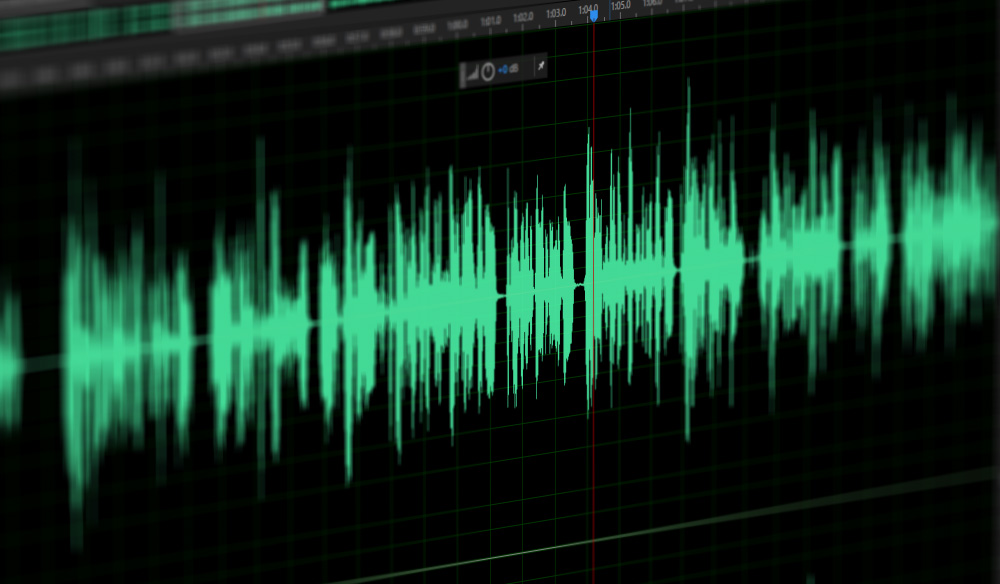
In simple terms, we can think of a sound wave as a curve. We know that the curve is made up of points, and the sampling rate is the number of points in the middle of the length per second (the horizontal axis in the figure above). Sampling precision is the number of points in the dynamic range (upper vertical axis). The finer the positioning of these two dimensions, the greater the true sound restoration and the better the sound quality. Of course, the larger the audio file will be.