MP4 vs. MPEG Format Comparison


Free Download Mp4Gain
picture

MP4 vs. MPEG Format Comparison
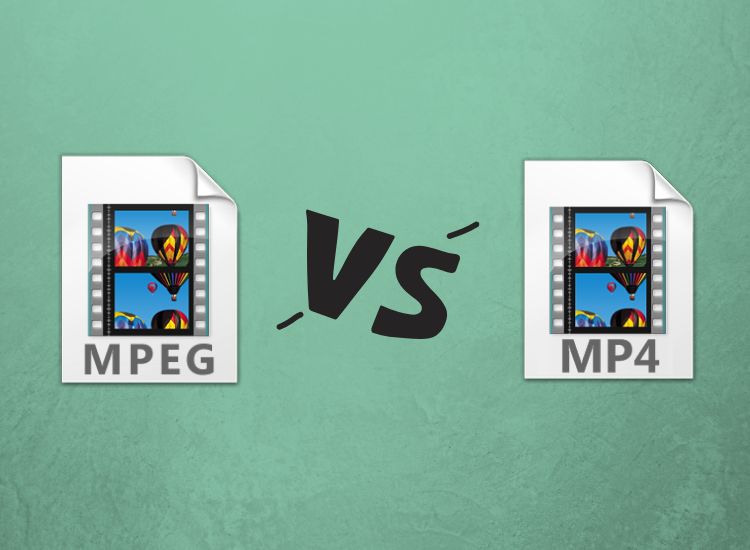
MP4 vs. MPEG
MP4 vs. MPEG
MP4 vs. MPEG
MP4 vs. MPEG

Understanding the Differences Between MP4 and MPEG Formats

When it comes to digital video formats, MP4 and MPEG are two of the most popular options available. While both formats are widely used, they have distinct differences that can impact their performance and compatibility with different devices and software. In this article, we’ll explore the key differences between MP4 and MPEG formats, and help you determine which one is right for your needs.

What is MP4?

MP4, or MPEG-4 Part 14, is a digital multimedia container format used to store video, audio, and other data such as subtitles and still images. It was developed by the Moving Picture Experts Group (MPEG) and is widely used for streaming video online, as well as for storing video files on mobile devices and computers. One of the key advantages of MP4 is its ability to compress large video files without sacrificing quality, making it an ideal format for sharing and streaming video content.

What is MPEG?

MPEG, or Moving Picture Experts Group, is a family of digital video and audio compression standards developed by the same organization that created MP4. MPEG formats are widely used for creating high-quality video content, and are compatible with a wide range of devices and software. Unlike MP4, which is a container format, MPEG is a compression format that uses a variety of codecs to compress video and audio data.

Which Format is Right for You?

When it comes to choosing between MP4 and MPEG formats, there are a few key factors to consider. If you’re looking for a format that is widely compatible with different devices and software, MPEG may be the better choice. However, if you’re looking for a format that offers high-quality video compression and is ideal for streaming and sharing video content online, MP4 may be the better option. Ultimately, the choice between these two formats will depend on your specific needs and preferences.

Conclusion

In conclusion, MP4 and MPEG are two popular digital video formats that offer distinct advantages and disadvantages. While MPEG is widely compatible with different devices and software, MP4 offers high-quality video compression and is ideal for streaming and sharing video content online. When choosing between these two formats, it’s important to consider your specific needs and preferences, and choose the format that best meets your requirements. And if you’re looking for a reliable tool to normalize and convert your audio and video files, MP4Gain is a great option to consider.
MP4, MPEG, video format, digital video, multimedia container, compression, codecs, streaming, compatibility, quality, online, mobile devices, computers, audio, subtitles, still images, Moving Picture Experts Group, family, standards, high-quality, compression standards, video content, software, advantages, disadvantages, specific needs, preferences, normalize, convert, audio files, video files, MP4Gain, tool, reliable.



Free Download Mp4Gain
picture


Mp4Gain Main Window
picture


Mp4Gain Features
picture


Free Download Mp4Gain
picture

Maximizing MP4 Quality: A Guide to Enhancing Your Video Experience

Maximizing MP4 Quality: A Guide to Enhancing Your Video Experience

Maximizing MP4 Quality


MP4 is a popular video format that is widely used for a variety of purposes, such as online streaming, video editing, and even gaming. However, not all MP4 videos are created equal – some may have poor resolution, low frame rate, or other issues that can affect the overall quality of the video. In this article, we will explore various methods for maximizing the quality of your MP4 videos, from encoding settings to post-processing techniques.

Maximizing MP4 Quality

Optimizing Encoding Settings

One of the most important factors that determine the quality of an MP4 video is the way it is encoded. Encoding settings can affect the resolution, frame rate, bit rate, and other parameters of the video, and can have a significant impact on the final output. Here are some tips for optimizing your encoding settings:

  • Use a high resolution: A higher resolution video will generally have more detail and clarity than a lower resolution video. A resolution of 1080p or 4K is considered to be high quality.
  • Use a high frame rate: A higher frame rate can make the video look smoother and more fluid. A frame rate of 30 or 60 frames per second is considered to be high quality.
  • Use a high bit rate: A higher bit rate can result in a better quality video, but it will also increase the file size. A bit rate of 5000 kbps or higher is considered to be high quality.

It is also important to note that different types of videos may require different encoding settings. For example, an action movie may require a higher frame rate than a documentary, while a nature video may require a higher resolution than a music video.

Using Post-Processing Techniques

Encoding settings are not the only factor that determine the quality of an MP4 video – post-processing techniques can also be used to enhance the video further. Here are some popular post-processing techniques that can be used to improve the quality of an MP4 video:

  • Sharpening: Sharpening can be used to increase the detail and clarity of the video by enhancing the edges and textures of the image.
  • Noise reduction: Noise reduction can be used to reduce the amount of grain and speckling that can appear in a video, especially in low light conditions.
  • Colour correction: Colour correction can be used to adjust the hue, saturation, and brightness of the video to make it look more natural or stylized.

It is important to note that post-processing techniques should be used in moderation, as too much processing can result in an over-processed video that looks artificial or unnatural.

Conclusion

In this article, we have explored various methods for maximizing the quality of your MP4 videos, from encoding settings to post-processing techniques. By optimizing your encoding settings and using post-processing techniques, you can enhance the overall quality of your videos and create a better viewing experience for your audience. Mp4Gain is the best solution for this

MP4 Quality Optimization

MP4 Quality Optimization

MP4 Quality Optimization

Do you want to increase the quality of your MP4 files? MP4 quality optimization is an excellent solution to ensure that your files look and sound their best. There are several techniques and tools that you can use to improve the quality of your MP4 files.

MP4 Quality Optimization

MP4 Quality Optimization Technologies

There are some useful technologies that you can use to optimize the quality of your MP4 files. These include:

  • Re-encoding: Re-encoding is a great way to improve the quality of your MP4 files without increasing their size. This is achieved by re-encoding the files using a high-quality codec.
  • Compression: Compression is an effective way to reduce the size of MP4 files without affecting quality. This is achieved by compressing the MP4 file using advanced compression algorithms.
  • Conversion: Conversion is an effective way to improve the quality of MP4 files. This is accomplished by converting the file from MP4 to a higher quality file format.
  • Resolution: Resolution is a way to improve the quality of MP4 files. This is accomplished by changing the resolution of the MP4 file to a higher resolution.

Tools to Optimize MP4 Quality

There are some useful tools that you can use to optimize the quality of your MP4 files. These include:

  • File Converters: File converters are useful tools for converting files from MP4 to higher quality file formats. This will help you improve the quality of your MP4 files.
  • File editors: File editors are useful tools for cropping, rotating and adjusting MP4 files. This will help you improve the quality of your MP4 files.
  • File Compressors: File compressors are useful tools for compressing MP4 files. This will help you reduce the size of your MP4 files without affecting the quality.
  • File Recoders: File recoders are useful tools for recoding MP4 files. This will help you improve the quality of your MP4 files without increasing their size.

Conclusions

MP4 quality optimization is a useful process to ensure that your files look and sound their best. There are several technologies and tools that you can use to improve the quality of your MP4 files. If you want to get the best results, it is important that you become familiar with these technologies and tools to ensure that you maximize the quality of your MP4 files. Mp4Gain is the right software for it.

Which is better: MP4 or 3GP?

Which is better: MP4 or 3GP?

MP4 VS 3GP

When evaluating the MP4 and 3GP formats, the question is not which one stores superior digital video, but which one is best for the task at hand. Although they both contain multiple media tracks and share similar encoding methods, the differences are most noticeable when used on portable devices.

3GP vs. MP4

Background
When digital videos are created, they are published through a process called compression. During this process, digital scripts, called codecs, encode the media tracks and make them readable. After that, the ordered video, audio, subtitle, and animation tracks are combined into one file via a media container. The MP4 and 3GP formats are closely related because their files are recorded using some version of MPEG-4 compression.

Characteristics
The 3GP format was developed by a third-generation partner project as an implementation of MPEG-4 compression. Although this encoding profile is commonly used for digital video, telecommunications professionals have developed it specifically for performance on 3G mobile phones. In contrast, MP4 is a common format for any digital video that has been published with MPEG-4 compression. The formats are very similar, some 3GP files can be opened if their extension is changed to MP4.

Show
Because MPEG-4 compression is so efficient, any digital video encoded to this standard can transmit high-quality multimedia with relatively low bandwidth. As a result, these files are relatively small and are less likely to take up storage space and processing speed. Due to this efficiency, MP4 is almost universally compatible with portable media players and smartphones. Despite this wide compatibility, MP4 files are not optimized for playback on 3G mobile phones like 3GP files.

Compatibility
Although 3GP files are designed for 3G mobile phones, they can also be opened on some media players. These applications include QuickTime, VLC, and RealPlayer. However, since MP4 files are very widespread and more widespread, support for the format is almost standard in multimedia software. Besides QuickTime, VLC, and RealPlayer, MP4 files can be transferred to iTunes and Windows Media Player. MP4 files can also be downloaded to Apple iPod, Apple iPhone, and Sony PSP.

Bottom line
When it comes to streaming video to a desktop computer or portable media player, MP4 is the best format because it can support higher resolution videos. However, 3GP should only be used on 3G phones as it is designed specifically for the device.

What is the 3GP format? All about 3gp

Not long ago, watching video files on our mobile phones was a challenge. The slow Internet connection and the large size of the multimedia file make viewing it on our Smartphones really annoying – and that’s why the 3GP file was born.

What is 3GP?

3GP3GP or technically known as 3GPP file format, is a multimedia-based format and developed by Third Generation Partnership Project or 3GPP. That is why it was given this popular 3GP name. The 3GP (Third Generation Partnership Project) is the result of cooperation between various companies and telecommunications associations worldwide. 3GP is also the best answer to the problems that people have in viewing multimedia files on their smartphones that are enabled with 3G.

3gp format

Specifically designed for mobile phones, 3GP is a simplified version of MP4. Compared to the bulky and PC-based MP4 format, 3GP is smaller than making it more convenient to watch videos on mobile devices. There are two types of 3GP format; The first is 3GP with a .3GP file extension and the second is 3G2 that carries the .3G2 extension.

Fun facts about 3GP

3GP was made to reduce broadband utilization and storage requirements in mobile phones.
Although this format is made for 3G phones, a 3G gadget is not required to enable it before viewing the file.
3GP files are made for GSM-based phones, while 3G2 is used for CDMA-based phones.
A 3GP file includes text that can be opened using Notepad or any other text editor.
It is not possible to manually change the .3gp file extension to any other format, for this you need a real conversion of the file format.
2G and 4G phones are compatible with 3GP playback.

3gp

Pros:

The main advantage of the 3GP format is that it is its small size. This especially benefits users who usually save and view video files on their Smartphones. And due to its small size, uploading or downloading a video in 3GP format will only take a few seconds or minutes, depending on the size of the file.

Cons:

Since 3GPs compress video and audio transmission in a single file, video resolution and quality also decreases. Compared to other formats, users may notice a big difference in audio quality, screen resolution, playback time and all others.

3GP compatible devices

As mentioned at the beginning, all 3G-capable mobile phones can support 3GP files. Similarly, Smartphones enabled with 2G and 4G, but with some limitations. The maximum size for playing a file depends on the gadget’s memory. But on computers and laptops, all 3GP files can be played according to the installed media player.

PlayStation 3 also supports 3GP, which will play the imported audio from the CD that is configured to decode the MPEG-4 AAC format. On the other hand, Nintendo DSi also supports 3GP files saved on the SD card. When transferring 3GP files, we advise you to use removable storage devices, such as USB sticks and memory cards.

How to play 3GP files?

3gp players

Media player logo Windows Media Player – this Microsoft media player is preset and can play 3GP. Although, you need to install software such as Haali Media Splitter and FFDShow.

Media player classicMedia Player Classic – another alternative would be the free Media Player Classic software. It is an attenuated version of the aforementioned software that can play 3GP files.

QuickTime player logoQuickTime – for Mac users, QuickTime can be used to open 3GP. More recent versions do not need additional codecs to be installed, although in most cases some complementary types might be required.

VLC player logoVLC Media Player – another free software on the list that can play 3GP files is the VLC player. This program is compatible with 3GP and AAC audio, but unfortunately it cannot decode 3GP with AMR audio.