The Anatomy of an MP3 File Header


Free Download Mp4Gain
picture

The Anatomy of an MP3 File Header

MP3 File Header
MP3 File Header
MP3 File Header
MP3 File Header

In this section, we will delve into the intricate details of the MP3 file format’s header. The MP3 file header is a critical component that holds essential information about the audio file. It precedes the actual audio data and contains various parameters that influence the decoding process. Understanding the structure and significance of the MP3 file header is crucial for anyone dealing with audio compression and playback.

How does the MP3 file header impact audio quality?

The MP3 file header plays a vital role in determining the audio quality of an MP3 file. It holds crucial information about the audio, such as the bit rate, sample rate, and channel mode, which directly affect the compression and decompression processes. For instance, the bit rate represents the amount of audio data encoded per unit of time, and a higher bit rate generally results in better audio quality but larger file sizes. On the other hand, a lower bit rate reduces the file size but may lead to a loss of audio fidelity.

What are the key elements of an MP3 file header?

The MP3 file header consists of several key elements that provide essential information to the decoding software. Some of these elements include the sync word, version, layer, protection bit, bit rate index, sample rate index, padding bit, private bit, channel mode, and the mode extension. Each element serves a specific purpose and contributes to the accurate decoding of the audio data. Understanding these elements is essential for analyzing and manipulating MP3 files effectively.

Can manipulating the MP3 file header cause issues with playback?

While manipulating the MP3 file header can be done for various purposes, such as changing the bit rate or sample rate, it can also lead to playback issues if not done correctly. Altering critical parameters within the header may cause compatibility problems with different audio players and devices. It is essential to have a deep understanding of the file header’s structure and its impact on the decoding process to avoid playback issues and ensure a seamless audio experience.

Quoting a Movie on Digital Audio Compression

“In digital audio compression, as in life, we must strike a balance between size and quality. Much like a diamond, audio data can be cut and shaped to reveal its brilliance, but too much cutting might result in losing its essence.” – *The Sound Explorer*

Conclusion

In conclusion, understanding the intricacies of the MP3 file header is crucial for anyone working with digital audio and compression. The header contains vital information that impacts audio quality, file size, and compatibility with various devices and players. By comprehending the structure and significance of the MP3 file header, users can make informed decisions when encoding, decoding, or manipulating MP3 files. Striking the right balance between audio quality and file size ensures an optimal listening experience for music enthusiasts and audiophiles alike.



Free Download Mp4Gain
picture


Mp4Gain Main Window
picture


Mp4Gain Features
picture


Free Download Mp4Gain
picture

What is the difference between MP3 and lossless sound quality?

What is the difference between MP3 and lossless sound quality?

MP3 LOSSLESS
MP3 LOSSLESS


Is it possible to distinguish Mp3 quality from CD Quality?


mp3 lossless
mp3 lossless


Although the sound quality of a CD does not reach the true hearing limit of the human ear, it is impossible for most people to tell the difference between a CD and a higher sampling rate, so everyone assumes that the CD sound quality is 44.1 kHz can be converted to lossless sound quality.

In the past, the capacity of storage media was not large. To store more music and make it easier to stream, we used to compress large CD audio files. High frequency and low volume sounds are removed to achieve the purpose of reducing file size. Similar formats include 3GP, M4A, AA3, WMA, etc.

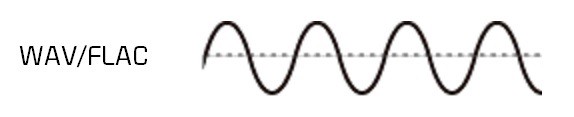
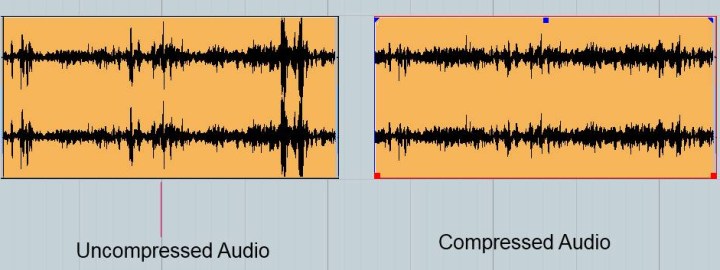
With the development of the Internet and storage media, the size of audio files is no longer important, so lossless compression has gradually become popular. Common formats are APE, FLAC, etc., which are similar to the beginning of ZIP compressed files, compress audio files AND packed, the final file size is basically only half of the original CD file. Here it is emphasized that the WAV format we often say is a waveform record file, which uses uncompressed PCM encoding, which is also a relatively large WAV file. 44.1 kHz 16-bit WAV audio can also be considered uncompressed. Lossless sound quality.

Since different devices support different audio compression formats, we often need to transcode, and each transcode will cause some loss in audio. For example: If you convert MP3 to lossless format, you can only achieve the sound quality of the original MP3 file. This lossless can also be called false lossless. This is the case for most lossless music provided by music portals.

I have been recording for many years and have used speakers ranging from tens of thousands to millions of dollars. Why do I rarely use speakers under 10,000 yuan? Because speakers under 10,000 yuan cannot be used as monitors. I advise everyone not to charge money for listening to music on music portals for lossless sound quality. Untrained ears will not be able to hear the difference between true and false without loss. For normal ears, MP3 with a bit rate of 320 kbps is already the best.

What is the difference between MP3 and lossless sound quality?

What is the difference between MP3 and lossless sound quality?

Mp3 Lossless
Mp3 Lossless

Now, many people think that it is impossible to listen to MP3, so they search for lossless music everywhere on the Internet.

Mp3 Lossless
Mp3 Lossless

So what is the difference between lossless music and MP3? What about the various lossless music formats?

A few days ago, a friend of mine bought a Porsche sports car and then came to ask me for lossless sound quality music. I told him there was no need to play MP3s, but people weren’t happy. The sound in the car was fine. Playing MP3 is a loss of audio.

Now there are many music websites that give lossless to the myth, but do you know what lossless is? What is the difference between lossless music and ordinary MP3? Today I come to talk to you about those things that have no losses.

I remember when Apple held the Iphone4 conference, it came up with a definition: retina display. In short, it has been replaced by a high resolution screen with pixels that exceed the recognition limit of the human eye since the Iphone4. I must say that Mr. Qiao’s trick is very good, he defines a word that everyone can accept and makes Apple mobile phones sell all over the world.

However, the same concept is much older in the world of acoustics. Sound is a type of energy wave. After the experimental research of countless generations of ancestors, it is believed that 40 kHz is a value that can well restore the sound heard by the human ear. Later, for various commercial reasons, some record companies defined the sample rate of CDs at 44.1 kHz, which they considered to be the “retina display” that the ears could hear. Later, 44.1 kHz brought innumerable problems to subsequent generations, because it is not an integer and cannot be divided and multiplied simply by performing SRC sampling, so early Inter defined the output sample rate of the sound card as 48 kHz to save problem. , which creates a sample rate conversion problem that all sound engineers hate

The mp3 phenomenon

The mp3 phenomenon

MP3

The MP3 music format (MPEG-1 Layer 3) is one of the most widely used digital audio formats in the world. It is compatible with all portable and stationary audio devices. In May 2017, the developers of the format announced his “death”.

mp3

On April 23, 2017, the Technicolor and Fraunhofer IIS licensed commercial program was canceled: the last patent included in the program expired, making the format standard in the public domain. Can we say that the days of the most popular format are numbered? MP3 development began in the late 1980s at the Fraunhofer Institute for Integrated Circuits (IIS).

In 1987, the University of Erlangen-Nuremberg and Fraunhofer IIS teamed up to work on the EU147 EUREKA Digital Audio Broadcasting (DAB) project. The first result of the alliance’s work was the LC-ATC codec, which made it possible to encode stereo music in real time. The next step was the development of an optimal frequency domain (OCF) coding algorithm, which already had some of the characteristics of the future MP3 codec. For the first time, it is possible to encode music in good quality at 64 kbps for a mono signal. OCF was the beginning of the path towards the standardization of MPEG (Moving Picture Expert), an organization, responsible for the development and implementation of international standards for the compression and transmission of digital video and audio content.

In 1989, MPEG received 14 proposals for the implementation of an audio coding standard, so participants were invited to combine their developments. This led to the emergence of four potential candidates, including MUSICAM from the Institute of Broadcasting Technology IRT and Philips and ASPEC (Adaptive Spectral Perceptual Entropy Coding), which is the result of further enhancements to OCF Fraunhofer IIS, as well as contributions from the University of Hannover in collaboration with AT&T and Thomson. After extensive testing, MPEG proposed combining MUSICAM and ASPEC to create a family of three encoding methods: Level 1: a low-complexity version of MUSICAM; level 2 – MUSICAM codec; Level 3 (later called MP3): based on ASPEC.

Technical development of the MPEG-1 standard was completed in December 1991. In 1994, Fraunhofer IIS introduced the world’s first MP3 encoder, the L3enc, and in 1995 the Fraunhofer researchers unanimously accepted “.mp3” as the file extension for MPEG Layer 3 [1]. Thanks to the compression algorithm used in the MP3 audio format, the size of the data required to reproduce the recording and ensure the quality of sound reproduction is significantly reduced to 10-12 times the original, depending on the recording bit rate. . Bit rate refers to the encoding / decoding rate of a digital audio stream; sound quality improves with increasing bit rate. The MP3 format has the following bit rates: 32 kbps (very low quality, acceptable only for voice), 96 kbps, 128 kbps (medium quality), 160 kbps, 192 kbps, 256 kbps, 320 kbps (highest best quality). The principle of the compression algorithm is as follows: during the compression process, the audio codecs analyze the signals, focusing on the audible fragments, which are saved for later playback or transmission.

This rules out sounds beyond the perception range of the human ear (20 to 20,000 Hz). That is why MP3 is called lossy. There are three ways to encode MP3 files: constant bit rate (CBR), variable bit rate (VBR), and medium bit rate (ABR). CBR is the default encryption mode. In this mode, the bit rate is constant for the entire file. This means that each part of the MP3 file uses the same number of bits. Regardless of the complexity of a piece of music, the encoder uses the same bit rate, so the quality of the final file is variable. Complex parts will be of lower quality than simpler ones. The main advantage of this mode is that the size of the final files does not change and can be accurately predicted.

When encoding in VBR mode, the user selects the desired quality on a scale of 9 (lowest quality, highest distortion) to 0 (highest quality / lowest distortion). The codec then tries to maintain a certain quality throughout the file by choosing the optimal number of bits for each part of the audio recording. The main advantage is the ability to specify the level of quality to be achieved, but a significant disadvantage is the unpredictability of the final file size. In ABR mode, the user sets the bit rate and the encoder tries to keep the average bit rate constantly while using higher bit rates for the parts of the music that require more bits. The

Size and quality of MP3 files

Size and quality of MP3 files

MP3 File

The MP3 file format is an “open format” supported by most manufacturers.

mp3 file

The MP3 format is one of the most common digital audio encoding formats. One feature of MP3 audio encoding is lossy encoding. However, the coding is based on a special model that takes into account the peculiarities of auditory perception. Therefore, the presence of losses does not lead to catastrophic sound degradation.

MP3 files have become a de facto standard and are compatible with the most popular operating systems, many CD and DVD players, and other devices.

Interestingly, the standard describes the actual storage format and not the way the sound is encoded. As a result, there are many tools available to play MP3 audio.

Special codecs are used to encode audio in MP3 format.
An audio codec can be of two types: hardware codec and software codec.

Hardware coding is done by special microcircuits.
Software coding is done using special computer programs.

Audio quality in MP3 format (all other things being equal) depends on the compression ratio (read the amount of loss) and the encoding program. That is why brand name players using well-known brand codecs and audio signal processing systems are significantly superior in playback quality to conventional devices assembled from standard assemblies.

The quality of actual playback depends on the size of the media data stream. The amount of data stream is sometimes called the stream width. There is a special term: bit rate. The data flow rate is defined in kilobits per second and is denoted kbs, kbps, kb / s. Recording can be encoded in several ways: constant bit rate and variable bit rate. Variable bit rate helps preserve details by increasing the amount of data.

Not all bit rates are suitable for high-quality music playback

Advantages and disadvantages of MP3 technology

Advantages and disadvantages of MP3 technology

In the Internet age, MP3 became a de facto standard for digital audio files. With the popular Napster peer-to-peer application, music lovers can exchange MP3 files so they can get songs without paying for them. This article has been written to highlight the advantages and disadvantages of MP3, as well as to help you decide if you want to convert your existing music files in some other format to MP3 or not.

Advantages of MP3

The advantage of MP3 is its high fidelity. The quality of an MP3 file is determined by its bit rate. The bit rate is measured in kilobits per second. The bit rate of an MP3 file can range from 8 kbps to 320 kbps. You should save your songs at 160kbps if they don’t like it very much and don’t put them at the top of the list of MP3 players. Keep your songs at 192kbps if you like them a little. Use 256kbps for the songs you like. And using 320kbps for your all-time favorite songs. Anyway, even a 320kbps MP3 doesn’t sound as good as the song’s WAV file version. But a 320kbps MP3 takes up four times less space than a WAV file. To use an analogy, an MP3 file is a WAV file, which is a JPEG image to a BMP image.

The second advantage is that it can be played by many types of devices, such as CD players and Apple’s iPod. You can also play MP3 files with multimedia players like Winamp, Windows Media Player or QuickTime. The third advantage of MP3 ID3 tags. The ID3 tag of an MP3 file stores the artist name, song title, year, and genre. You can also create your own playlists.

Another benefit of MP3 is that encoding is easy. It’s easy to rip audio CDs, and as easy as burning custom MP3 CD-R files. The encoding speed is also very fast, it also depends on the speed of the CD drive. It takes very little time to produce MP3 files. You can use lossless audio compression if you have a lot of free disk space and lossy audio compression if you have little free disk space. MP3 LAME encoders, as they are free and open source, so that everyone can contribute to their development.

Another point in favor of MP3 is that the distribution is simple. MP3 files can be downloaded through HTTP or FTP sites. You can also distribute MP3 files through portable storage devices, such as USB flash drives. You can also buy MP3s from online music stores like iTunes and eMusic.

You can also use a server to transmit these files. The MP3 stream uses a playlist format, such as M3U (meaning MP3 URL) or PLS. MP3 Streaming is also used by Internet radio stations. You can embed MP3 streams with the help of a Flash player. You can have different rates of dial-up and broadband connections. MP3 audio is not saved on the hard disk.

Problems with MP3

A downside to MP3 is that it takes up quite a lot of storage space. Since an MP3 file usually takes up to 5 megabytes (MB) of disk space, the number of files that can be stored is limited. Also, the relatively large size of an MP3 file makes downloading the file slow if you have a slow Internet connection.

Another problem is that the song may skip in random places. This occurs especially if you have a slow computer and simultaneously with several programs that are hogging the processor. It is not technically free. You will also need an MP3 decoder if you want to convert audio from MP3 format to WAV format. The MP3 format has very little security available. For example, people using the Morpheus file sharing service had their computers accessible by hackers.

Another limitation is that this file is not the highest format fidelity for audio files. Other audio formats, such as Ogg Vorbis and Advanced Audio Coding (AAC), are superior to MP3 in terms of quality. AAC is the format used in Apple iTunes player. However, MP3 is still the most popular audio format in the world.

The advantages and disadvantages of MP3, which I have listed, will help you make an appropriate decision before going for music download next time.