
Audio Noise Reduction
Noise reduction – Introduction
Audio noise is the unwanted sound that gets recorded or produced along with the desired sound. It can be caused by various factors, such as electrical interference, background noise, microphone hiss, or low-quality equipment. Audio noise can be a significant distraction and can ruin the listening experience for the listener.
Types of Audio Noise
1. Electrical Interference
Electrical interference is caused by electrical devices or wiring that can generate electromagnetic fields. These fields can interfere with the audio signal, causing a buzzing or humming sound. Examples of electrical interference include power cables, fluorescent lights, and electronic devices such as smartphones or computers.
2. Background Noise
Background noise is any noise that is present in the recording environment. It can be caused by environmental factors such as wind, rain, traffic, or people talking. Background noise can be challenging to remove without affecting the desired audio signal.
3. Microphone Hiss
Microphone hiss is caused by the internal noise of the microphone itself. This noise is more apparent in lower-quality microphones and can be reduced by using high-quality microphones or by using a noise reduction filter.
Methods for Audio Noise Reduction
1. Audio Editing Software
Audio editing software, such as Adobe Audition or Audacity, has built-in noise reduction tools that can remove unwanted noise from audio recordings. These tools work by analyzing the audio signal and removing any frequencies that match the noise profile. The effectiveness of the tool depends on the complexity and type of noise present in the recording.
2. Noise Reduction Filters
Noise reduction filters are hardware devices that can be used to remove unwanted noise from audio recordings. These filters work by analyzing the audio signal and removing any frequencies that match the noise profile. They are particularly useful for removing electrical interference and microphone hiss.
3. Dynamic Noise Reduction
Dynamic noise reduction is a technique that can be used to reduce unwanted noise from audio recordings in real-time. This technique works by analyzing the audio signal and dynamically adjusting the noise reduction filter to remove any unwanted noise. This method is particularly useful for removing background noise during live performances or recording sessions.
Tips for Effective Audio Noise Reduction
- Record in a quiet environment
- Use high-quality equipment
- Use a noise reduction filter or software
- Use dynamic noise reduction if recording in a live environment
- Avoid over-processing the audio signal
Conclusion
Audio noise can be a significant distraction and can ruin the listening experience for the listener. Fortunately, there are several methods available for removing unwanted noise from audio recordings. By following the tips mentioned above and using appropriate noise reduction methods, you can produce high-quality audio recordings with minimal noise.
FAQs
What is the best software for audio noise reduction?
There are several audio editing software available that have built-in noise reduction tools, such as Adobe Audition and Audacity. However, the effectiveness of the tool depends on the complexity and type of noise present in the recording.
What is the difference between noise reduction and noise suppression?
Noise reduction and noise suppression are both techniques used to remove unwanted
Copy to Clipboard
clipboard emoji
[email protected]
continua dpnde te quedaste que fue en:
Noise reduction and noise suppression are both techniques used to remove unwanted
background noise from audio recordings, but they work differently.
Noise Reduction
Noise reduction is a technique that involves reducing the noise level in an audio recording without affecting the quality of the audio. The goal is to minimize the unwanted noise and leave the audio intact. This technique is often used in post-production and editing of audio recordings.
There are different ways to perform noise reduction, including:
- Equalization: This technique involves adjusting the frequency response of the audio recording to remove unwanted frequencies that cause noise.
- Filtering: This technique involves using a high-pass filter to remove low-frequency noise and a low-pass filter to remove high-frequency noise.
- Noise gates: This technique involves setting a threshold level below which the audio is muted, effectively removing any noise below that level.
- Spectral editing: This technique involves analyzing the spectral content of the audio and selectively removing unwanted noise.
Noise Suppression
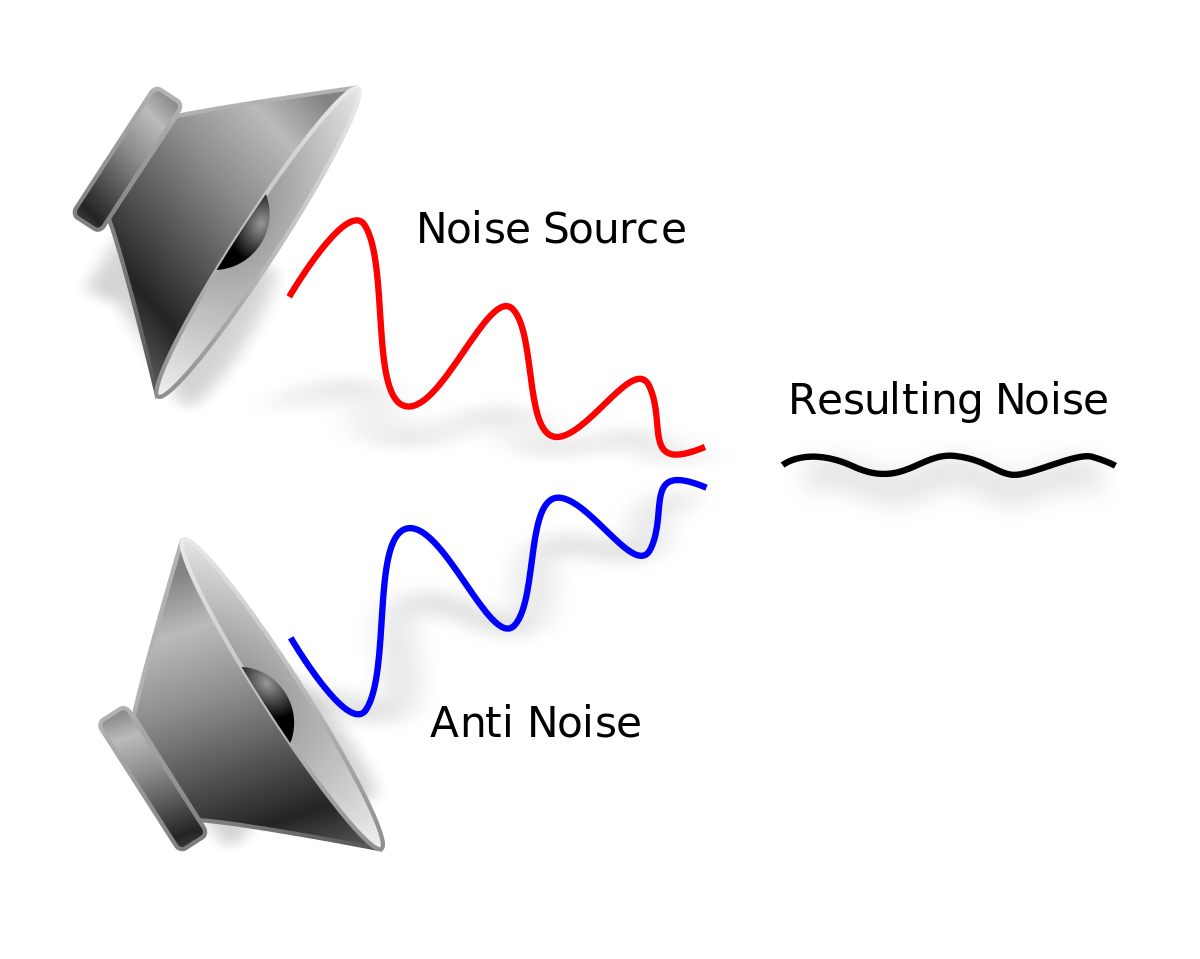
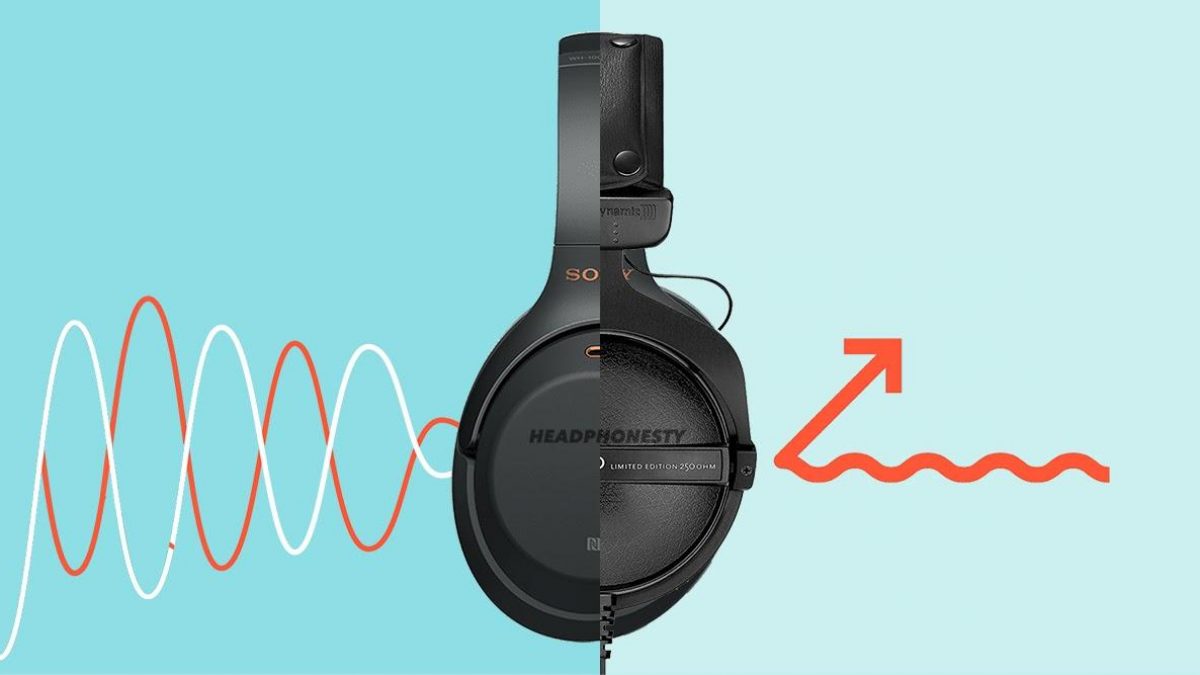
Noise suppression is a technique that involves removing unwanted noise by actively suppressing it. This technique is often used in real-time audio processing and is commonly used in applications such as noise-cancelling headphones and conference call software.
There are different ways to perform noise suppression, including:
- Adaptive filtering: This technique involves analyzing the noise signal and creating an adaptive filter that actively removes the noise in real-time.
- Subtraction: This technique involves recording a sample of the noise and then subtracting it from the audio signal to remove the noise.
- Active noise cancellation: This technique involves using an anti-noise signal that cancels out the unwanted noise.
Best Practices for Audio Noise Reduction
When performing audio noise reduction, it is important to follow some best practices to achieve the best results:
- Record in a quiet environment: The best way to reduce noise is to avoid recording it in the first place. Record in a quiet environment, away from sources of noise.
- Use a good microphone: A good microphone will capture the audio with high quality and reduce the noise level.
- Use a pop filter: A pop filter is a device that reduces the popping sound when speaking into a microphone, which can help reduce unwanted noise.
- Record at the correct level: Recording at the correct level ensures that the signal is strong enough to minimize the noise level.
- Perform noise reduction as the last step: Perform noise reduction as the last step in the audio editing process to avoid degrading the quality of the audio.
FAQ
What is audio noise?
Audio noise is any unwanted sound that is captured during audio recording. It can be caused by a variety of sources, including electronic interference, background noise, and environmental factors.
What is the difference between noise reduction and noise suppression?
Noise reduction involves reducing the noise level in an audio recording without affecting the quality of the audio, while noise suppression involves actively suppressing unwanted noise in real-time.
What are the best practices for audio noise reduction?
The best practices for audio noise reduction include recording in a quiet environment, using a good microphone, using a pop filter, recording at the correct level, and performing noise reduction as the last step in the audio editing process.
What are some common techniques used for audio noise reduction?
Common techniques used for audio noise reduction include equalization involves adjusting the levels of different frequency components in the audio signal to reduce the effect of noise. The process involves boosting or reducing certain frequencies using an equalizer. For example, if noise is concentrated at a particular frequency range, an equalizer can be used to attenuate that range.
Filtering is a technique that involves removing unwanted frequencies from an audio signal. High-pass filters, low-pass filters, and band-pass filters are commonly used for this purpose. High-pass filters remove frequencies below a certain threshold, while low-pass filters remove frequencies above a certain threshold. Band-pass filters allow frequencies within a certain range to pass while attenuating frequencies outside that range.
Spectral subtraction is a more sophisticated technique that involves estimating the spectral content of the noise and subtracting it from the original signal. The process involves first analyzing the spectral content of the noise and then creating a noise profile. The noise profile is then subtracted from the original signal to reduce the noise.
Other techniques used for audio noise reduction include adaptive filtering, which involves dynamically adjusting a filter to remove noise, and wavelet analysis, which involves decomposing the signal into different frequency bands and selectively removing noise from each band.
Challenges of Audio Noise Reduction
While there are several techniques for audio noise reduction, the process is not always straightforward. In some cases, removing noise can result in a loss of signal quality, leading to artifacts such as distortion, clipping, and phasing. Additionally, different types of noise require different techniques for effective reduction.
Moreover, it can be challenging to distinguish between noise and signal components in some cases, making it difficult to remove noise without affecting the signal. For example, in the case of speech signals, noise can be difficult to distinguish from the natural variation in the speaker’s voice.
Conclusion
Audio noise reduction is a crucial technique for improving the quality of audio recordings. There are several techniques available for reducing noise, including equalization, filtering, and spectral subtraction. However, the process can be challenging, and it is essential to understand the different types of noise and the appropriate techniques for reducing them.
In conclusion, noise reduction is an essential process that can help improve the quality of audio recordings. By understanding the different techniques available for reducing noise and the challenges associated with the process, it is possible to achieve effective noise reduction without compromising signal quality.

