Understanding Video Bitrates and Codecs


Free Download Mp4Gain
picture

Understanding Video Bitrates and Codecs
Video Bitrates and Codecs

Video bitrate and codec are two important concepts that every video creator should understand. In this article, I will explain what they are, how they work together, and how to choose the right settings for your videos.

What is Video Bitrate?

Video bitrate is the amount of data that is encoded per second in a video file. It is measured in bits per second (bps), or kilobits per second (kbps) or megabits per second (Mbps).

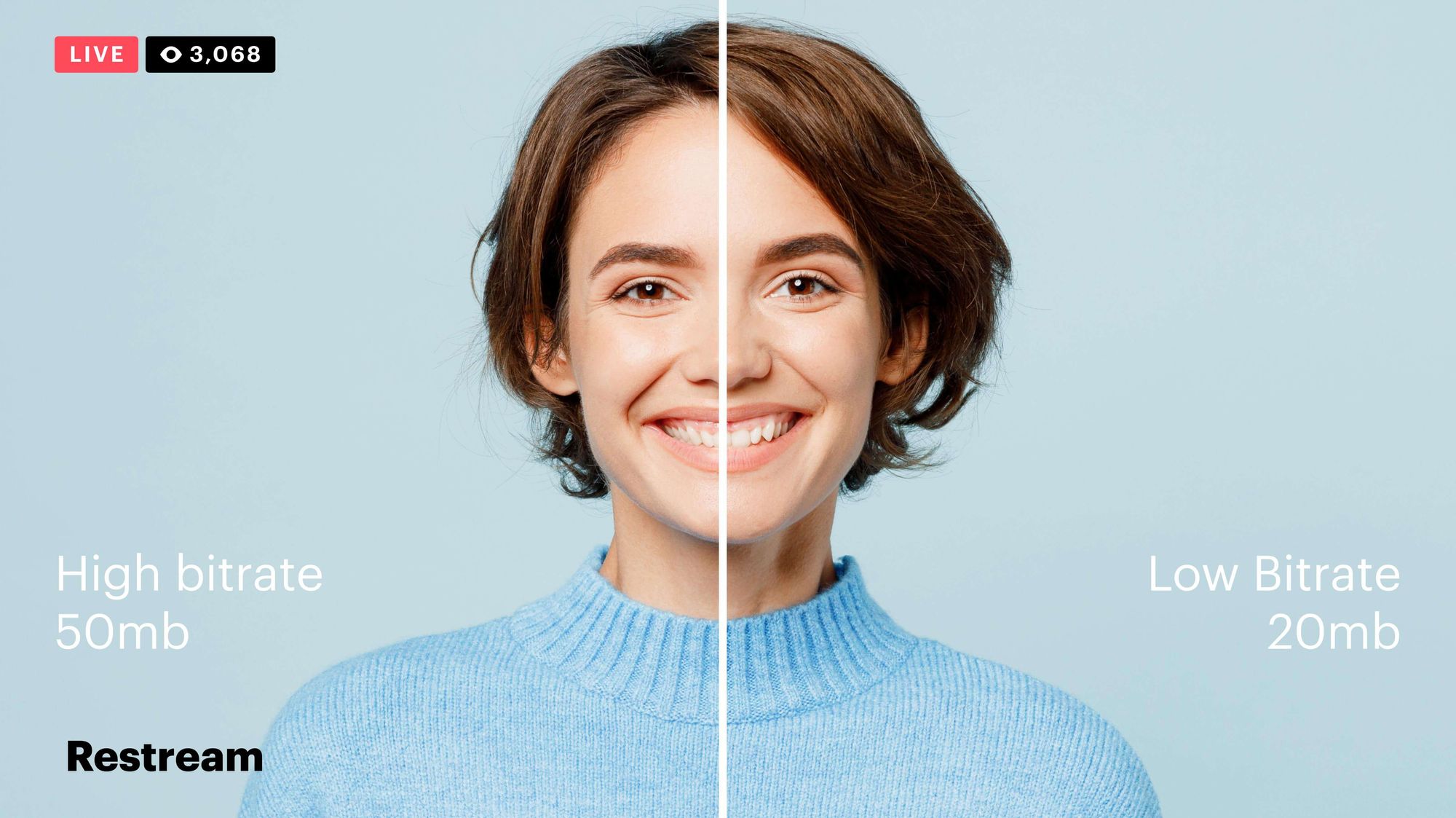
The higher the bitrate, the more data is encoded, and the higher the quality of the video will be. However, a higher bitrate also means a larger file size.

What is a Video Codec?

A video codec is a software program that compresses and decompresses video data. It is responsible for encoding the video data into a format that can be stored or streamed, and then decoding it back into its original form when it is played back.

There are many different video codecs available, each with its own strengths and weaknesses. Some of the most popular video codecs include:

H.264: This is the most widely used video codec. It is a lossy codec, which means that some data is lost during the compression process. However, H.264 is very efficient, and it can produce high-quality video with a relatively small file size.
H.265: This is a newer codec that is designed to be more efficient than H.264. It can produce the same quality of video with a smaller file size.
VP9: This is a free and open-source video codec that is developed by Google. It is similar to H.265 in terms of efficiency, but it is not as widely supported.

How Do Bitrate and Codecs Work Together?

Bitrate and codec work together to determine the quality and file size of a video. The higher the bitrate, the more data is encoded, and the higher the quality of the video will be. However, a higher bitrate also means a larger file size.

The codec determines how the video data is compressed. Some codecs are more efficient than others, and they can produce the same quality of video with a smaller file size.

How to Choose the Right Bitrate and Codec for Your Videos

The right bitrate and codec for your videos will depend on a number of factors, including:

The intended use of the video. If you are uploading your video to YouTube, you will need to choose a bitrate that is compatible with YouTube’s streaming requirements.
The target audience. If you are creating a video for mobile devices, you will need to choose a lower bitrate than if you are creating a video for high-definition televisions.
The file size. If you are limited by the file size, you will need to choose a lower bitrate.

Final Words About Video Bitrates and Codecs

Video bitrate and codec are two important concepts that every video creator should understand. By understanding how they work together, you can choose the right settings for your videos to ensure that they are both high quality and have a reasonable file size.

I hope this article has been helpful. If you have any questions, please feel free to leave a comment below.

Bonus Tips

If you are not sure what bitrate or codec to use, you can always start with a high bitrate and then lower it until you find a balance between quality and file size that you are happy with.
You can use a video bitrate calculator to help you determine the right bitrate for your videos.
There are many different video codecs available, so it is important to do some research to find the best codec for your needs.


Free Download Mp4Gain
picture


Mp4Gain Main Window
picture


Mp4Gain Features
picture


Free Download Mp4Gain
picture

Exploring Audio Bitrates: Technical Deep Dive

Exploring Audio Bitrates: Technical Deep Dive

Audio Bitrates
Audio Bitrates
Audio Bitrates
Audio Bitrates

In this article, we will explore the technical aspects of audio bitrates. We will discuss what a bitrate is, how it affects audio quality, and how to choose the right bitrate for your needs.

What is a bitrate?

A bitrate is the number of bits per second that are used to encode an audio file. The higher the bitrate, the more data is used to encode the file, and the higher the quality of the audio will be. However, higher bitrates also result in larger file sizes.

How does bitrate affect audio quality?

Bitrate affects audio quality by determining how much data is used to represent the original sound waves. Higher bitrates allow for more data to be used, which results in more accurate representations of the original sound waves. This results in better audio quality, such as increased clarity and reduced noise.

How to choose the right bitrate

The right bitrate for you will depend on a number of factors, including:

  • The type of audio you are listening to. For example, music and speech have different requirements.
  • The quality of your audio equipment. Higher-quality equipment can reproduce higher bitrates without introducing any noticeable distortion.
  • Your personal preferences. Some people may prefer the sound of higher bitrates, while others may not notice a difference.

General bitrate recommendations

Here are some general bitrate recommendations for different types of audio:

  • Speech: 32 kbps to 96 kbps
  • Music: 128 kbps to 320 kbps
  • High-quality audio: 256 kbps to 512 kbps or higher

It is important to note that these are just general recommendations. The best way to determine the right bitrate for you is to experiment and see what sounds best to your ears.

Final words about audio bitrates

Audio bitrate is an important factor to consider when choosing an audio file format or when setting up an audio streaming service. By understanding how bitrate affects audio quality, you can choose the right bitrate for your needs and get the best possible listening experience.


Mp4Gain

Mp4Gain

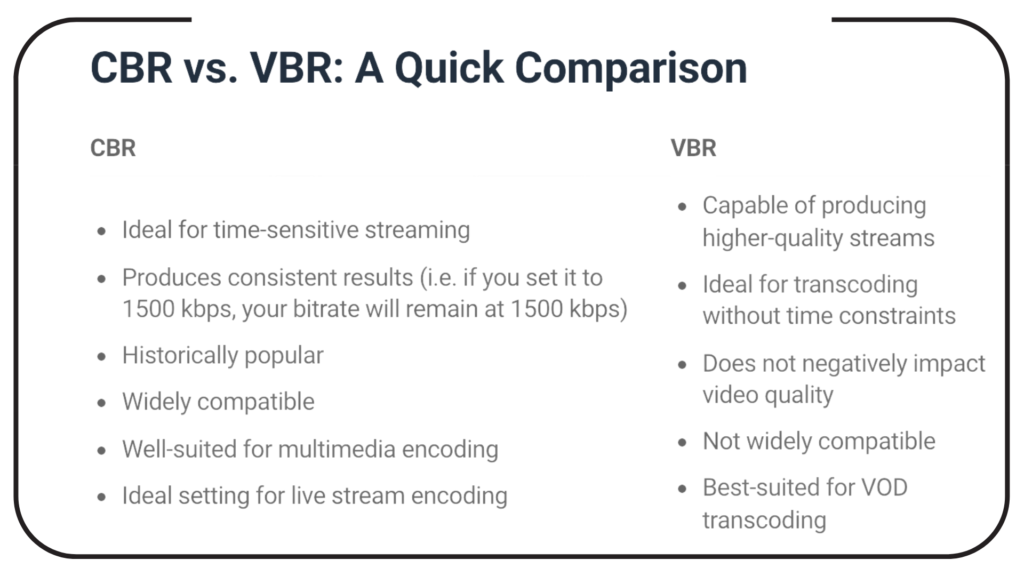
What is VBR MP3 Bitrate?

What is VBR MP3 Bitrate?

VBR Bitrate
VBR Bitrate
VBR Bitrate
VBR Bitrate

The Basics of VBR MP3 Bitrate

When it comes to music and audio files, bitrate is an important factor to consider. Bitrate refers to the amount of data that is transmitted per second in a digital audio file. The higher the bitrate, the more data is transmitted and the better the audio quality.
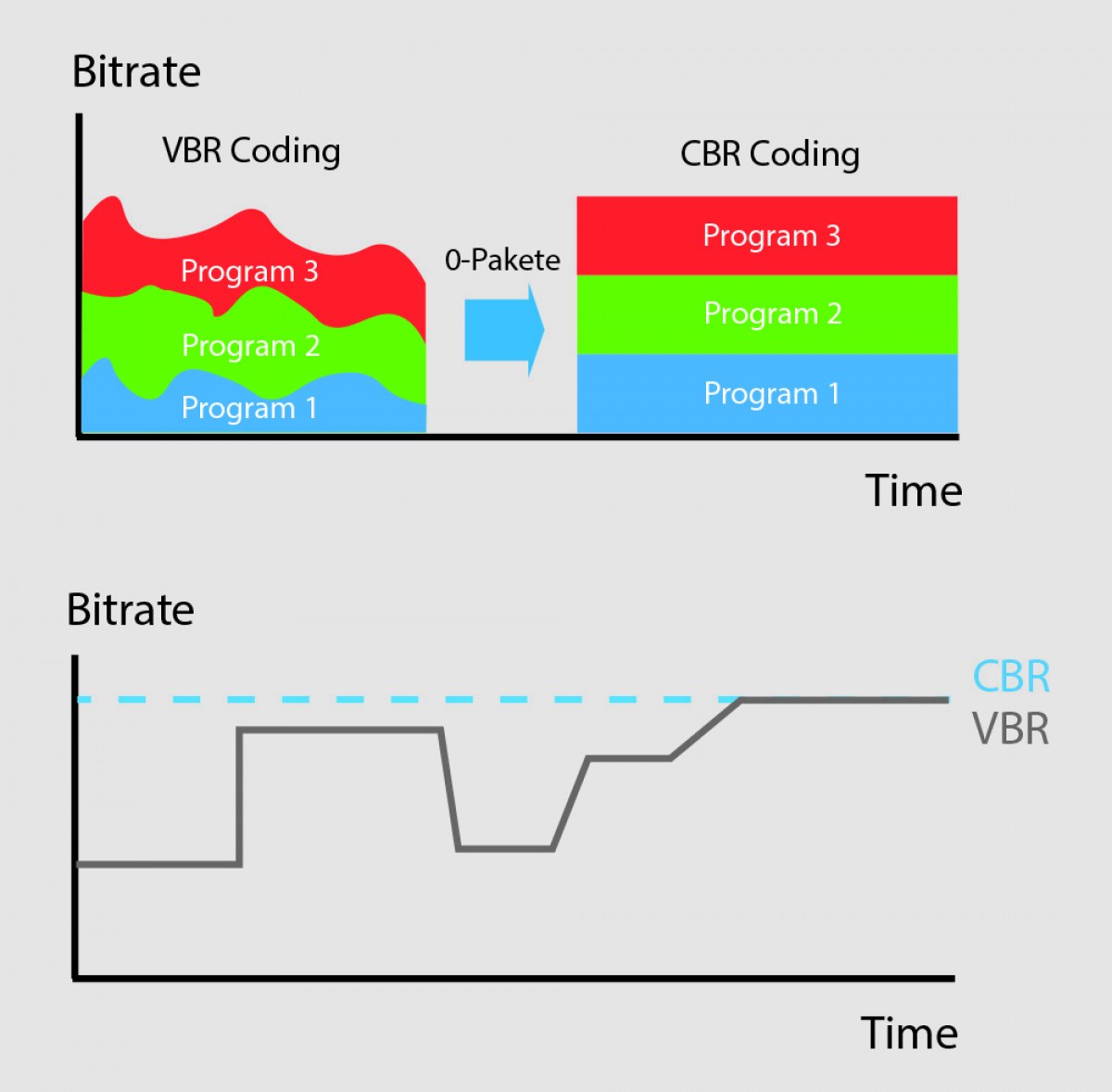
VBR, or variable bitrate, is a type of MP3 encoding that uses a variable bitrate rather than a constant bitrate. This means that the bitrate will vary depending on the complexity of the audio being encoded. For example, a simple audio passage with few instruments and no vocals may have a lower bitrate than a complex audio passage with many instruments and vocals.

VBR MP3 bitrate offers a number of advantages over constant bitrate encoding, including better audio quality, smaller file sizes, and more efficient use of storage space.

How to Choose the Right VBR MP3 Bitrate

When choosing the right VBR MP3 bitrate for your audio files, there are a number of factors to consider. These include the type of audio being encoded, the intended use of the audio, and the storage space available.
For example, if you are encoding audio for use on a mobile device with limited storage space, you may want to use a lower bitrate to minimize file size. On the other hand, if you are encoding audio for use in a high-quality home theater system, you may want to use a higher bitrate to ensure the best possible audio quality.

Ultimately, the right VBR MP3 bitrate will depend on your specific needs and preferences. Experimenting with different bitrates and listening to the resulting audio can help you determine the best option for your particular situation.

The Future of VBR MP3 Bitrate

As technology continues to advance and storage space becomes more abundant, VBR MP3 bitrate is likely to become even more popular in the future. With its ability to offer high-quality audio in a compact and efficient format, VBR MP3 encoding is sure to remain a popular choice for music lovers and audio enthusiasts alike.
In the words of music legend Bob Marley, “One good thing about music, when it hits you, you feel no pain.” With VBR MP3 bitrate, music lovers can experience high-quality audio that hits them right where it counts, without the pain of bloated file sizes or compromised sound quality.

Conclusion: The Benefits of VBR MP3 Bitrate

In conclusion, VBR MP3 bitrate is a powerful tool for encoding high-quality digital audio files. By using a variable bitrate that adapts to the complexity of the audio being encoded, VBR MP3 encoding offers superior sound quality, smaller file sizes, and more efficient use of storage space.
As technology continues to evolve and storage space becomes more abundant, VBR MP3 encoding is sure to become even more popular in the future. So the next time you’re encoding digital audio files, consider using VBR MP3 encoding to experience the benefits of variable bitrate technology for yourself.

In the words of writer Kurt Vonnegut, “The only proof he needed for the existence of God was music.” With VBR MP3 bitrate, the beauty of music can be captured in all its glory, providing an experience that is truly transcendent.

The Importance of Bitrate in Digital Audio and Video

The Importance of Bitrate in Digital Audio and Video

The Importance of Bitrate in Digital Audio and Video

Have you ever watched a video that was all glitchy and the sound was all messed up? Or listened to a song and it sounded like it was being played on a scratched record? Well, that’s because of something called the bitrate.

The Importance of Bitrate in Digital Audio and Video

What is Bitrate?

Bitrate is the number of bits of information that are processed in a certain amount of time. In digital audio and video, it determines the quality of the sound and video. The higher the bitrate, the better the quality, and the more information is processed.

Why is Bitrate Important?

When you watch a video or listen to a song, the bitrate helps to determine the quality of the sound and video. The higher the bitrate, the more information is processed, and the better the quality. If the bitrate is low, then the quality will be poor and you might miss out on important details.

For example, if you’re watching a video of a concert and the bitrate is low, then you might not be able to hear the singer’s voice clearly or see the instruments being played. This can be really frustrating and ruin the whole experience for you.

How Does Bitrate Affect Digital Audio and Video?

Bitrate affects digital audio and video in several ways. For one, it affects the file size. If the bitrate is high, then the file size will be large, and if the bitrate is low, then the file size will be small.

Another way that bitrate affects digital audio and video is by affecting the quality. If the bitrate is high, then the quality will be good, and if the bitrate is low, then the quality will be poor. This can be especially noticeable when you’re watching a video with a lot of movement, like a sports game or a music video.

Finally, bitrate can also affect how long it takes to download or upload a video or audio file. If the bitrate is high, then it will take longer to download or upload, and if the bitrate is low, then it will take less time.

How to Choose the Right Bitrate for Your Digital Audio and Video

When it comes to choosing the right bitrate for your digital audio and video, there are a few things to keep in mind. First, think about what you’re using the video or audio for. If it’s for personal use, then a lower bitrate might be okay, but if it’s for professional use, then a higher bitrate is probably better.

Another thing to consider is the quality of the video or audio. If you want the best quality possible, then a higher bitrate is the way to go. But if you don’t need the best quality and just want something that’s good enough, then a lower bitrate might be fine.

Finally, think about the file size. If you don’t have a lot of storage space, then a lower bitrate might be a good choice, but if you have plenty of storage space, then a higher bitrate might be the way to go.

What does MP3 bitrate mean?

What does MP3 bitrate mean?

MP3 bitrate

Bit rate

mp3 bit rate

The rate at which a digital channel transmits digital signals is called the data transfer rate or bit rate.
The word bitrate has many translations, such as bitrate, etc., which indicates how many bits per second the encoded (compressed) audio data should be represented, and a bit is the smallest binary unit, either 0 or 0. 1. The relationship between bitrate and audio and video compression is simply that the higher the bitrate, the better the quality of the audio and video, but the larger the encoded file; if the bitrate is lower, the situation is reversed.

For example: encode audio and video at 500 Kbps.
where bps are bits 1K = 1010 = 1024
b is little
s is the second
p is for (for)
Therefore, encoding at 500 kbps means that the encoded audio and video data must be represented at 500 K bits per second.
In the baseband transmission system, the bit rate is used to represent the code rate of transmitted information.
The bit rate Rb refers to the unit of time
The number of binary bits transmitted within the unit, the unit is b/s. For example, the transmission speed of a computer serial port is up to 115200b/s.
The symbol rate or baud rate Rs refers to the number of modulation symbols transmitted per unit of time, that is, ternary and ternary
The information transmission rate of the multivariate digital code stream in the

In M-ary modulation, the relationship between the bit rate Rb and the baud rate Rs is:
Rb=Rslog2M
The sampling rate refers to the ratio of the sampling samples to the total number of samples, and the sampling rate refers to the number of samples per unit of time. If it is an instrument, the sampling rate is 40MSa/s, which indicates that the number of samples per second is 40M, but it cannot be represented by 40MHz.

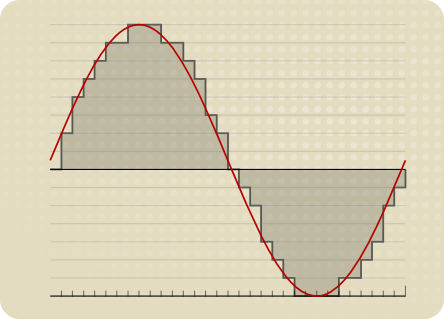
The process of converting analog audio to digital audio is called sampling. In a nutshell, how much data is needed to record a 1 second duration of sound via waveform sampling. A sound with a sample rate of 44 KHz requires 44,000 data points to describe a 1-second sound waveform. In principle, the higher the sample rate, the better the sound quality.

What is bit rate? Knowledge of the MP3 audio format.

What is bit rate? Knowledge of the MP3 audio format.

mp3 bit rate

Digital audio formats are audio signals that are recorded, processed, and reproduced in digital form.

Mp3 bit rate

The emergence of digital audio formats is to meet the needs of high-fidelity playback, storage and transmission. Simply put, early analog audio formats had issues with playback distortion and glitches due to media wear. Since the advent of CD discs, audio files in digital format have become popular, but another problem has arisen: the limitation of storage volume and the phenomenon of CD disc wear is still present. Saving to a hard drive (in connection with longer storage time) is also not a good solution when storage media (mainly hard drives) are still expensive at the time. The rise of the Internet has created a requirement for long-distance file transmission. Under the restriction of bandwidth, the demand to reduce file size has become more intense. All this has led to the generation of lossy compressed digital audio formats from external factors!

In terms of internal factors, with the improvement of computing and coding capabilities, the progress of various acoustic psychological models has promoted the emergence of various lossy compressed digital audio formats. Some of the most commonly used audio formats in MP3 players are briefly introduced below: MP3 (CBR, VBR, ABR), WMA, WAV, ADPCM, and the emerging audio formats AAC, ASF, and OGG.

Before introducing various digital audio formats, let’s clarify one concept: bitrate.

In the field of computing, all information is digitized. Bit is the smallest unit of data in a computer, it refers to a number of 0 or 1, which is a mathematical binary number, a “0” or “1” , is a bit. For example, when we say a 2-digit number, it means that it is a two-digit binary number, and there are 4 combinations of “00”, “01”, “10” and “11”, which represent 0, “11” in decimal respectively. 1, 2 and 3 are four numbers.