Exploring Audio Bitrates: Technical Deep Dive


Free Download Mp4Gain
picture

Exploring Audio Bitrates: Technical Deep Dive
Audio Bitrates
Audio Bitrates
Audio Bitrates
Audio Bitrates

In this article, we will explore the technical aspects of audio bitrates. We will discuss what a bitrate is, how it affects audio quality, and how to choose the right bitrate for your needs.

What is a bitrate?

A bitrate is the number of bits per second that are used to encode an audio file. The higher the bitrate, the more data is used to encode the file, and the higher the quality of the audio will be. However, higher bitrates also result in larger file sizes.

How does bitrate affect audio quality?

Bitrate affects audio quality by determining how much data is used to represent the original sound waves. Higher bitrates allow for more data to be used, which results in more accurate representations of the original sound waves. This results in better audio quality, such as increased clarity and reduced noise.

How to choose the right bitrate

The right bitrate for you will depend on a number of factors, including:

  • The type of audio you are listening to. For example, music and speech have different requirements.
  • The quality of your audio equipment. Higher-quality equipment can reproduce higher bitrates without introducing any noticeable distortion.
  • Your personal preferences. Some people may prefer the sound of higher bitrates, while others may not notice a difference.

General bitrate recommendations

Here are some general bitrate recommendations for different types of audio:

  • Speech: 32 kbps to 96 kbps
  • Music: 128 kbps to 320 kbps
  • High-quality audio: 256 kbps to 512 kbps or higher

It is important to note that these are just general recommendations. The best way to determine the right bitrate for you is to experiment and see what sounds best to your ears.

Final words about audio bitrates

Audio bitrate is an important factor to consider when choosing an audio file format or when setting up an audio streaming service. By understanding how bitrate affects audio quality, you can choose the right bitrate for your needs and get the best possible listening experience.


Mp4Gain

Mp4Gain


Free Download Mp4Gain
picture


Mp4Gain Main Window
picture


Mp4Gain Features
picture


Free Download Mp4Gain
picture

What is 16-bit MQA?

What is 16-bit MQA?

Sample Rate

Explain how MQA “origami” folds recorded audio into a more efficient format, we often take high sample rates, such as 192 kHz, as an example.

Sample Rate

But the strengths of the comprehensive MQA system are just as important, even when the sample rate is low.

Music catalogs are important because many masters were originally recorded at 44.1 kHz and most of them were recorded only at 44.1 kHz 16b (“Red Book”).

For the 1977-2010 era catalogs, MQA is much closer to the original studio sound, to the actual sound, than most remastered releases (adding effects rather than reducing bugs). Allows you to “go back”. In many cases, the clear sound provided by MQA is deep.

In the early days of digital audio, recording and production equipment was much less sophisticated than it is today. On some level, this can be an advantage. It keeps it clean because you don’t have to mess with the sound between production and release in the studio. But early digital technology also introduced systematic flaws that we were able to perceive and correct. (A part of this is described in the author’s AES treatise [1])

What is MQA 16b?

There are three ways to create a 16-bit MQA file:
1) 16b 44.1 (or 48) kHz master encoding.
2) Derivatives for 24b MQA encoding.
3) Custom MQA-CD encoding.
In all three cases, MQA files can provide audible dynamic range greater than 16b.

For each type

1. When MQA encodes a 16b 44.1 kHz master, the entire encoded MQA file is also 44.1 kHz / 16b. Despite being 16b, this file contains all the decoding and playback information. This MQA encoding also includes all the information that can be accessed while playing the original master, and in some cases even more.
2. If the original source is 44.1 kHz / 24b or the sampling frequency is 88.2, 176.4, 352, 8 kHz or DSD, the standard MQA file will be 44.1 kHz / 24b. This file contains decoding, “display” and rendering information. If this 24b MQA file encounters a “16-bit bottleneck” during delivery (for example, in a wireless or automotive environment), the 16-bit information in the header will be clipped to maximize downstream sound quality. Organized as such, display and reproduction are still possible. See [2].
So encoding a high-speed master and truncating the 24-bit to 16-bit MQA will give you the best possible sound quality (with or without a decoder). This MQA file can be sent to a streaming service via any 16-bit distribution system, for example as an alternative to Redbook and, interestingly, on a CD. Importantly, this 16-bit version of the MQA replay can be heard as a certified and studio approved replay.
For this reason, some record companies no longer create Redbook files and choose the high quality and certification that MQA 16b files provide.
3. In 2) above, the 16-bit MQA file was created by first optimizing the encoding to 24-bit and then removing the lower 8 bits. However, if the file is for MQA-CD, the encoder uses a different approach to further optimize the data on the CD.

What about the sound quality of music distribution subscriptions?

What about the sound quality of music distribution subscriptions?

Sample Rate

Times have gone further and as of 2020, listening to music on music distribution subscription services (abbreviation: subscription) is not uncommon.

Sample Rate

Since subscription to music distribution is a service that always connects to the Internet or downloads and listens to music, some people may be concerned about the sound quality.

In this article, we will introduce how to enjoy music with the sound quality of music distribution subscriptions and good sound quality.

There is a high-quality music distribution subscription.
There is a setting to improve the sound quality.
If you want to listen to music distribution subscriptions with good sound quality, consider using good quality headphones.
About the sound quality of the subscription
Table of Contents

About the sound quality of the subscription
About the Bitrate and Audio Codec of Top Subscriptions
How to enjoy the subscription with better sound quality
abstract
About the sound quality of the subscription
How is the sound quality of a music distribution subscription determined?

Sound quality depends on bit rate and type of audio codec.

I will explain the bit rate and the audio codec.

What is a bit rate?
It is a value (unit: bps) that expresses the amount of data per second after compressing music data.

For music files with the same compression format, files with higher bitrate values ​​are said to have better sound quality.

What is an audio codec?
A function that compresses or decompresses music files.

There are two types of compression methods for music file codecs: lossy and lossless.

Lossy codec
Data compression in which the data before compression and the data after decompression do not match.

The advantage is that the size of the music file can be reduced, but the disadvantage is that the sound quality deteriorates.

The types of lossy codecs are listed below as an example.

■ Lossy codec types
・ MP3
・ AAC
・ WMA
・ Vorbis

Lossless codec
Data compression in which the data before compression and the data after decompression are the same.

The compression ratio of the music file size is small, but the advantage is that there is no deterioration in sound quality compared to before compression.

Lossless codec types are listed below as an example.

■ Lossless codec types
· A THE C
・ FLAC
・ TAK
・ Lossless WMA
・ Monkey’s Audio

What do the audio sample rates and sample sizes mean?

What do the audio sample rates and sample sizes mean?

Sample Rate

You can see that MP3 audio files have audio in the number of bits (in seconds) that the player uses, that is, the bit rate that indicates the quality of the audio.

sample rate

But I am confused with the terms sample rate and sample size. Are they not dependent on bit rate or sound quality? Or can it be explained in understandable terms?

Audio
Bit rate

This is a great article on the three terms you are asking. In summary, here are three definitions.

Bit rate: the amount of data per second. This can be different in the file (variable bit rate) and can have static values.
Sample Rate – The rate at which audio is measured per second. It is usually measured in kilohertz (kHz). The usual number you can see is 44.1 kHz. This is directly related to the bit depth or the number of bits measured in each cycle.
So at this point you need to do some math and you can see that the bitrate is in bits per second (usually measured in megabits per second). Therefore, bit rate = sample rate x bit depth. As far as I know, your sample size is just one of these 1-second chunks of data.

If you run pure math, you will find that these files are very large, but there are some compression algorithms that have been adopted to keep the files low without a significant loss of quality.

Receive your personal cloud storage with 2 Gb of free space
The sample size or bit depth is included, which is a measure of the number of bits in the sample, which is a direct quality measure. However, this only applies to PCM sampling. For irreversible formats like mp3, the sample size doesn’t really define the quality.

See Audio Bit Depth for more information.

Sample rate = No sample rate. Of audio samples transported per second

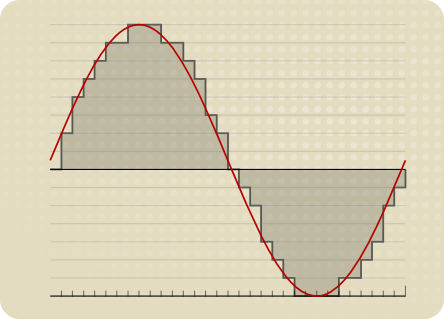
Sample size = The sample size determines the maximum dynamic range of a digitized sound. Dynamic range is the ratio of the maximum amplitude to the minimum non-zero amplitude of a signal, generally expressed in decibels (dB).

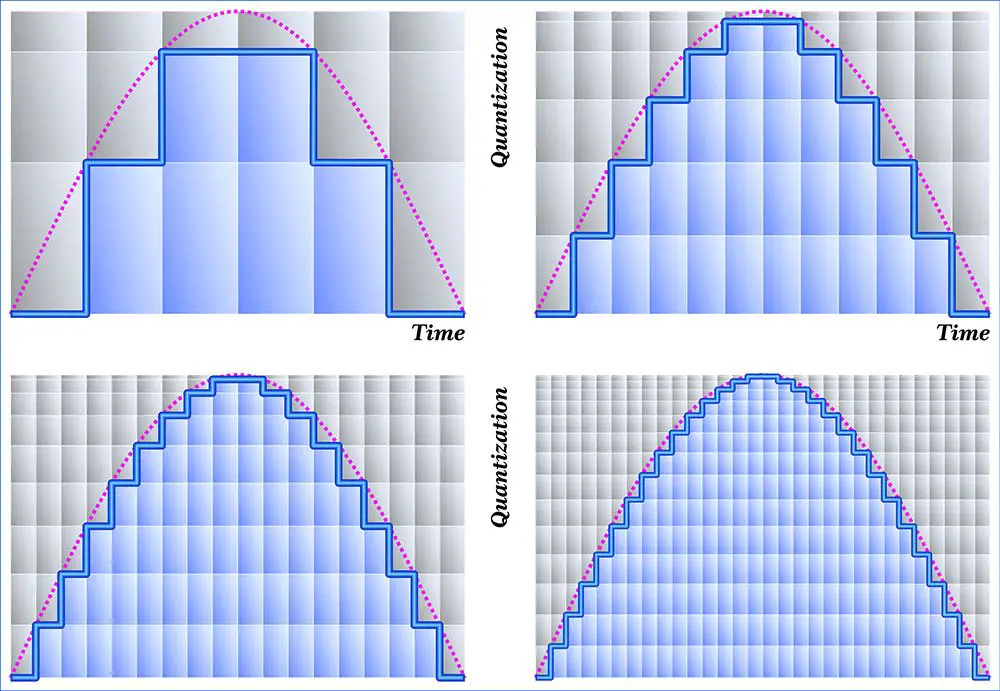
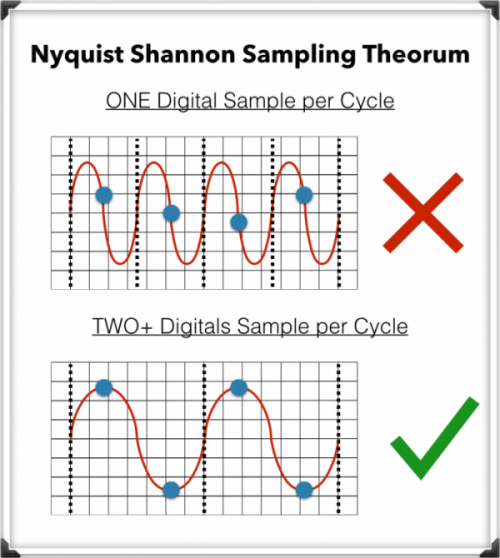
The sampling frequency affects the quality of the recorded sound. Therefore, a higher sample rate will improve the quality as the number of bits increases, but will require more data and result in larger files. The bit rate used to store the samples used to store the sampled data also affects the quality of the recording. Bit rate is the amount of space that can be used to store sampled data per second. The higher the bitrate, the better the sound, but more space is required to store the file.