Understanding Video Bitrates and Codecs


Free Download Mp4Gain
picture

Understanding Video Bitrates and Codecs
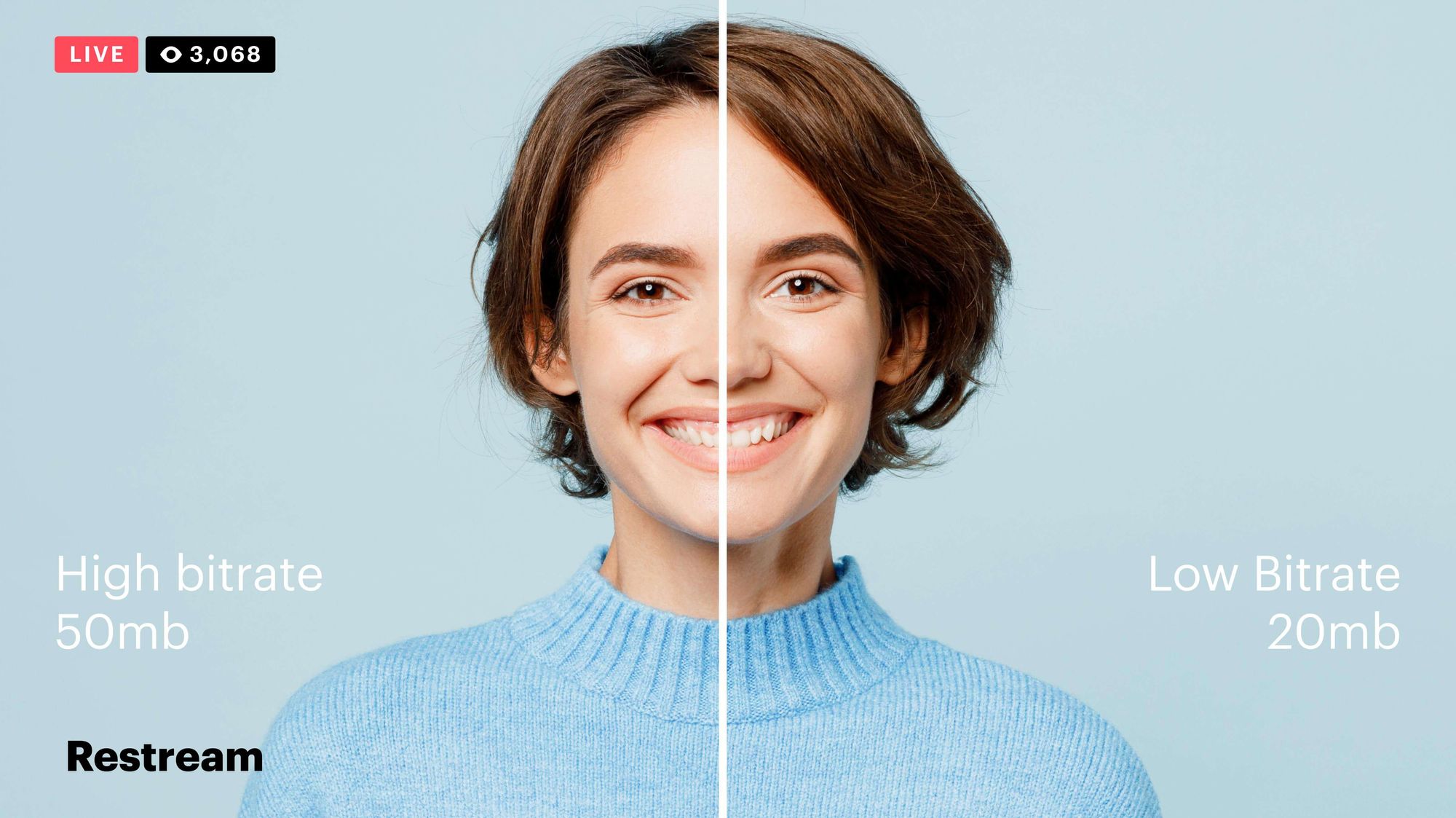
Video Bitrates and Codecs

Video bitrate and codec are two important concepts that every video creator should understand. In this article, I will explain what they are, how they work together, and how to choose the right settings for your videos.

What is Video Bitrate?

Video bitrate is the amount of data that is encoded per second in a video file. It is measured in bits per second (bps), or kilobits per second (kbps) or megabits per second (Mbps).

The higher the bitrate, the more data is encoded, and the higher the quality of the video will be. However, a higher bitrate also means a larger file size.

What is a Video Codec?

A video codec is a software program that compresses and decompresses video data. It is responsible for encoding the video data into a format that can be stored or streamed, and then decoding it back into its original form when it is played back.

There are many different video codecs available, each with its own strengths and weaknesses. Some of the most popular video codecs include:

H.264: This is the most widely used video codec. It is a lossy codec, which means that some data is lost during the compression process. However, H.264 is very efficient, and it can produce high-quality video with a relatively small file size.
H.265: This is a newer codec that is designed to be more efficient than H.264. It can produce the same quality of video with a smaller file size.
VP9: This is a free and open-source video codec that is developed by Google. It is similar to H.265 in terms of efficiency, but it is not as widely supported.

How Do Bitrate and Codecs Work Together?

Bitrate and codec work together to determine the quality and file size of a video. The higher the bitrate, the more data is encoded, and the higher the quality of the video will be. However, a higher bitrate also means a larger file size.

The codec determines how the video data is compressed. Some codecs are more efficient than others, and they can produce the same quality of video with a smaller file size.

How to Choose the Right Bitrate and Codec for Your Videos

The right bitrate and codec for your videos will depend on a number of factors, including:

The intended use of the video. If you are uploading your video to YouTube, you will need to choose a bitrate that is compatible with YouTube’s streaming requirements.
The target audience. If you are creating a video for mobile devices, you will need to choose a lower bitrate than if you are creating a video for high-definition televisions.
The file size. If you are limited by the file size, you will need to choose a lower bitrate.

Final Words About Video Bitrates and Codecs

Video bitrate and codec are two important concepts that every video creator should understand. By understanding how they work together, you can choose the right settings for your videos to ensure that they are both high quality and have a reasonable file size.

I hope this article has been helpful. If you have any questions, please feel free to leave a comment below.

Bonus Tips

If you are not sure what bitrate or codec to use, you can always start with a high bitrate and then lower it until you find a balance between quality and file size that you are happy with.
You can use a video bitrate calculator to help you determine the right bitrate for your videos.
There are many different video codecs available, so it is important to do some research to find the best codec for your needs.



Free Download Mp4Gain
picture


Mp4Gain Main Window
picture


Mp4Gain Features
picture


Free Download Mp4Gain
picture

Bitrate vs. Video Resolution

Bitrate vs. Video Resolution

Bitrate vs. Video Resolution

which is more important for streaming video?

Bitrate vs. Video Resolution

Many people have this confusion because these two factors can have a profound effect on the encoder’s output.

How do you think it should be chosen?

Choose 1080p or 720p?

Choose 5mbps or 3mbps?

Choose 1080p@5mbps or 1080p@7mbps?

If you don’t know what to choose, great. That’s why I wrote this article: to explain the relationship between bitrate and resolution in simple terms, and to help you choose the right encoder settings.

Let’s start by understanding bitrate.

What is the bitrate of the video?

Video bitrate or bit rate refers to the number of bits transmitted per second of video information. The code rate unit is usually:

kbps or kilobits per second

mbps or megabits per second

When you are compressing video, you usually need to set the video compression software not to exceed a certain bit rate.

For example, if you set the video compression software’s bitrate to 3mbps, the software will compress the video at 3mb per second (on average) and stream it to the decoder or player. This is the code rate.

When you talk about bitrate, you’re really talking about: the relationship between video compression and video quality loss. The more you compress, the lower the quality of the video (and this is not always the case, as we will see later).

When compressing video, the following algorithms can be used for speed control, these are:

CBR (Constant Bitrate) – It is best to keep the bitrate constant if video quality is lost.

VBR (Variable Bitrate) – Maintains consistent video quality, allowing for bitrate fluctuations.

Capped VBR – Keep the video quality as constant as possible, allowing the bitrate to fluctuate within a set range.

This article will not discuss the above frequency control methods in detail. Friends who want to know more, welcome to read: Understanding Frequency Control Modes: What are CBR, VBR, CRF and Capped-CRF?

So when we talk about the bit rate, we should pay attention to the following points:

The quality of high bitrate video is usually higher than that of low bitrate video. I say generally, because the video quality reaches a certain point where it will no longer improve (no matter how much the bitrate increases).

The code rate refers to bits (bit) instead of bytes (byte).

The bit rate alone does not determine the quality of the video, you have to take into account factors like resolution, frame rate, screen size, etc.

Codecs for video compression: H.264/AVC, HEVC, VP9, ​​AV1? If you change the video codec and its settings (or encoding tools), the same bitrate will provide a very different video quality.

What video bitrate is appropriate for video?

What video bitrate is appropriate for video?

Video Bit Rate
Video Bit Rate

At present, 720p video recommended minimum bitrate is above, h.264 encoding 2M bitrate is adequate, 1080p is 4M enough
to get a high-quality video, convert it with different bitrates, and then compare the image quality.

Video Bit Rate
Video Bit Rate

The most commonly used are: h.264 encoding, 1080P, 2.5M bit rate or more.
Summary: [h.264 encoding, 2.5M bitrate (up to 4M), maximum 4M bitrate (add 2M to target), most platforms are Blu-ray. 】

1. If the bitrate is higher than the original video, it will not be a bit higher than the original video. When you move, you’ll pick a lower point to compress the file a bit.
2. 1080P 1M bitrate has distortion feeling to watch on computer, and 2M can’t see distortion, you can adjust the bitrate to 4M to get the best.
The following are the bitrate upload requirements for a platform:

How much video bitrate is appropriate (above H.264 bitrate, 720P, 1080P output bitrate setting)

How much video bitrate is appropriate (above H.264 bitrate, 720P, 1080P output bitrate setting)

***Normal 240p, 320p SD, 480p HD, 720p Ultra HD, 1080p Full HD (Blu-ray), 2K, 4k Ultra HD ***
Normal 240P (320×240 standard resolution, it was 3GP, this is basically nobody used)
SD 270P<0.8M (360×270 standard resolution, was 3GP, rarely used) [140M when storing 422 materials]

High definition 480P (360P)>=0.8M (standard resolution of 640 × 480, minimum 480 * 360, was 3GP) [480 re-advertising is called high definition, but the normative statement can only be regarded as standard definition]