Video Bitrates and CodecsVideo Bitrates and Codecs
Video bitrate and codec are two important concepts that every video creator should understand. In this article, I will explain what they are, how they work together, and how to choose the right settings for your videos.
What is Video Bitrate?
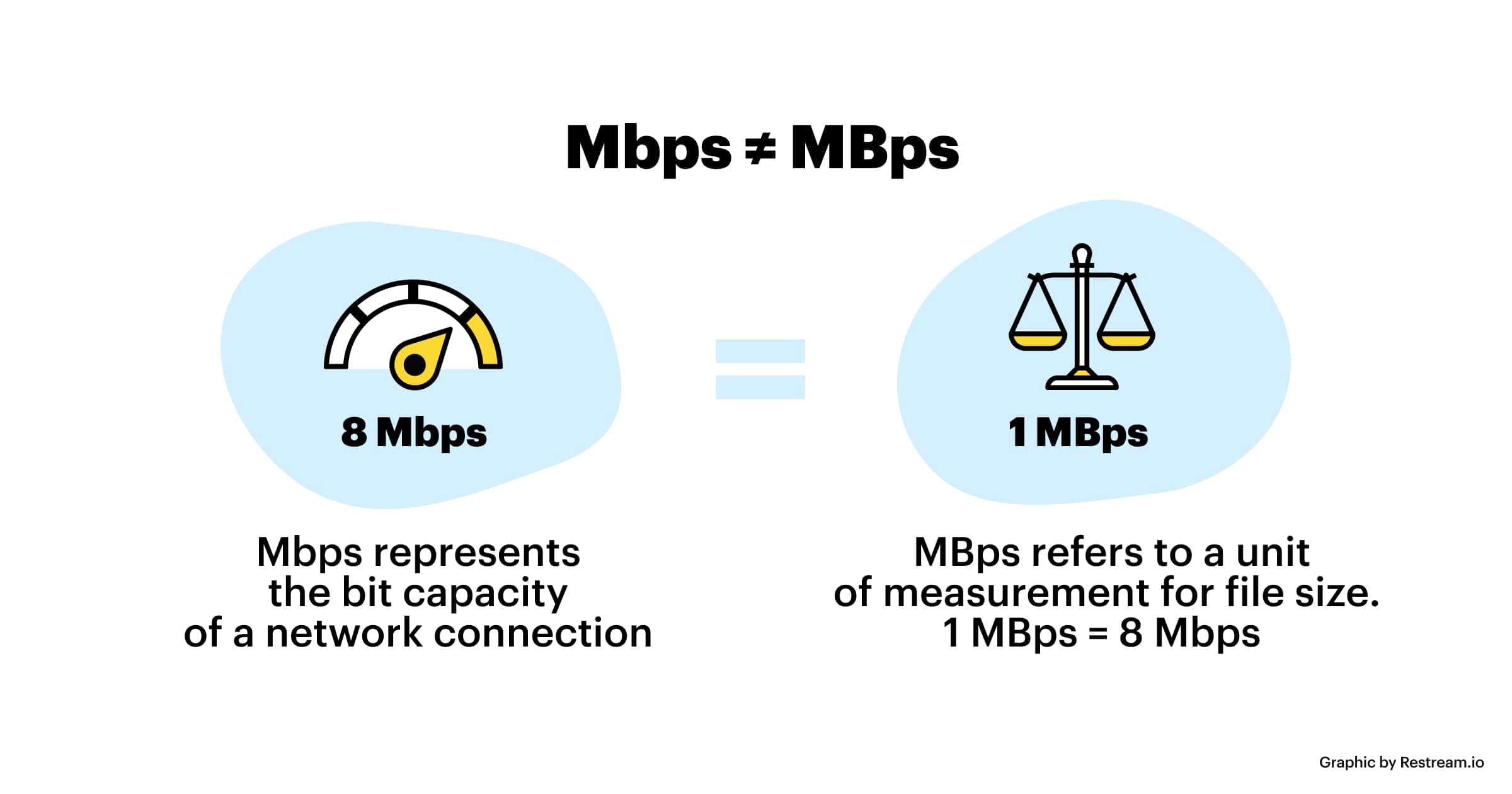
Video bitrate is the amount of data that is encoded per second in a video file. It is measured in bits per second (bps), or kilobits per second (kbps) or megabits per second (Mbps).
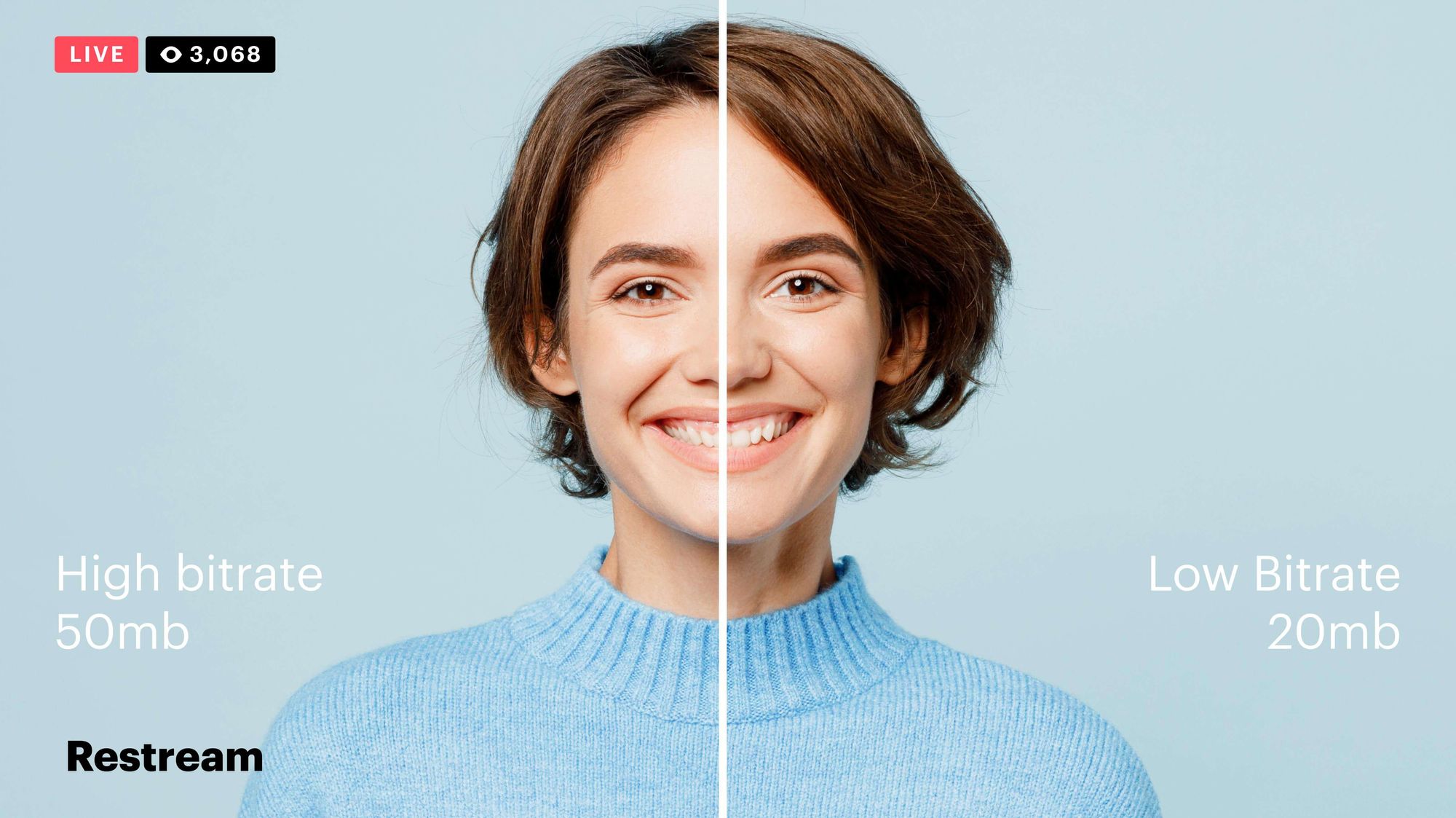
The higher the bitrate, the more data is encoded, and the higher the quality of the video will be. However, a higher bitrate also means a larger file size.
What is a Video Codec?
A video codec is a software program that compresses and decompresses video data. It is responsible for encoding the video data into a format that can be stored or streamed, and then decoding it back into its original form when it is played back.
There are many different video codecs available, each with its own strengths and weaknesses. Some of the most popular video codecs include:
H.264: This is the most widely used video codec. It is a lossy codec, which means that some data is lost during the compression process. However, H.264 is very efficient, and it can produce high-quality video with a relatively small file size.
H.265: This is a newer codec that is designed to be more efficient than H.264. It can produce the same quality of video with a smaller file size.
VP9: This is a free and open-source video codec that is developed by Google. It is similar to H.265 in terms of efficiency, but it is not as widely supported.
How Do Bitrate and Codecs Work Together?
Bitrate and codec work together to determine the quality and file size of a video. The higher the bitrate, the more data is encoded, and the higher the quality of the video will be. However, a higher bitrate also means a larger file size.
The codec determines how the video data is compressed. Some codecs are more efficient than others, and they can produce the same quality of video with a smaller file size.
How to Choose the Right Bitrate and Codec for Your Videos
The right bitrate and codec for your videos will depend on a number of factors, including:
The intended use of the video. If you are uploading your video to YouTube, you will need to choose a bitrate that is compatible with YouTube’s streaming requirements.
The target audience. If you are creating a video for mobile devices, you will need to choose a lower bitrate than if you are creating a video for high-definition televisions.
The file size. If you are limited by the file size, you will need to choose a lower bitrate.
Final Words About Video Bitrates and Codecs
Video bitrate and codec are two important concepts that every video creator should understand. By understanding how they work together, you can choose the right settings for your videos to ensure that they are both high quality and have a reasonable file size.
I hope this article has been helpful. If you have any questions, please feel free to leave a comment below.
Bonus Tips
If you are not sure what bitrate or codec to use, you can always start with a high bitrate and then lower it until you find a balance between quality and file size that you are happy with.
You can use a video bitrate calculator to help you determine the right bitrate for your videos.
There are many different video codecs available, so it is important to do some research to find the best codec for your needs.
Video bitrate is a measure of the amount of data that is used to represent a video stream. It is measured in bits per second (bps). Higher bitrates result in higher quality video, but also larger file sizes. Lower bitrates result in lower quality video, but smaller file sizes.
What is the optimal video bitrate for an MP4 file?
The optimal video bitrate for an MP4 file will depend on a number of factors, including the desired quality of the video, the intended use of the file, and the capabilities of the playback device. In general, higher bitrates are required for high-quality video, such as Blu-ray Discs or high-definition television (HDTV). Lower bitrates can be used for lower-quality video, such as standard-definition television (SDTV) or web videos.
How to analyze the video bitrate of an MP4 file?
There are a number of ways to analyze the video bitrate of an MP4 file. One way is to use a video player that displays the bitrate information. Another way is to use a video editing software program that can display the bitrate information.
How to use a video player to analyze the video bitrate of an MP4 file?
Many video players, such as VLC Media Player and QuickTime Player, display the bitrate information for MP4 files. To view the bitrate information, open the video file in the video player and look for the “Bitrate” or “Bit rate” option.
How to use a video editing software program to analyze the video bitrate of an MP4 file?
Many video editing software programs, such as Adobe Premiere Pro and Final Cut Pro, can display the bitrate information for MP4 files. To view the bitrate information, open the video file in the video editing software program and look for the “Bitrate” or “Bit rate” option.
How to use the video bitrate information to make decisions about storing, transferring, or playing an MP4 file?
Once you have analyzed the video bitrate of an MP4 file, you can use this information to make decisions about how to store, transfer, or play the file. For example, if you want to store the file on a portable device, you may want to reduce the bitrate to lower the file size. If you want to transfer the file over a network, you may also want to reduce the bitrate to reduce the file size and the time it takes to transfer the file. If you want to play the file on a device with limited capabilities, you may need to reduce the bitrate to ensure that the device can play the file smoothly.
Additional tips for analyzing MP4 video bitrate
* Use a high-quality video player or video editing software program. A good video player or video editing software program will be able to accurately display the bitrate information.
* Compare the bitrate of different MP4 files. This can help you to determine the optimal bitrate for your needs.
* Experiment with different bitrates. This can help you to find the best balance between quality and file size.
Conclusion
By following these tips, you can analyze the video bitrate of MP4 files and make informed decisions about how to store, transfer, or play these files.
Video Quality: Understanding the Factors that Determine it
Video QualityVideo Quality
Video quality is the most crucial aspect of any video, whether it’s a movie, TV show, or a YouTube clip. In today’s world, where video streaming is the norm, video quality is even more critical. However, not everyone understands the factors that determine video quality and how to optimize it.
What is Video Quality?
Video quality refers to the level of visual and audio fidelity of a video. A high-quality video has a clear, sharp picture, vibrant colors, and excellent audio quality. On the other hand, a low-quality video may have pixelated images, distorted colors, and muffled audio.
Video quality is determined by several factors, including resolution, bitrate, codec, and frame rate. Understanding these factors is crucial to optimizing video quality.
Resolution
Resolution refers to the number of pixels that make up a video image. The higher the resolution, the more pixels, and the sharper the image. The most common video resolutions are 720p, 1080p, and 4K.
When choosing a resolution, it’s important to consider the display device’s capabilities. For example, if you’re watching a video on a smartphone screen, a 720p resolution is sufficient. However, if you’re watching the same video on a large TV screen, a 4K resolution would provide a better viewing experience.
Bitrate
Bitrate refers to the amount of data that is used to encode a video. It affects both the video’s quality and file size. A higher bitrate results in a higher-quality video but also a larger file size.
When choosing a bitrate, it’s important to consider the available bandwidth. A higher bitrate requires more bandwidth, which may result in buffering or slow streaming. Therefore, it’s important to balance quality and file size with available bandwidth.
Codec
A codec is a software that compresses and decompresses video data. It affects the video’s quality, file size, and compatibility with different devices and players. The most common codecs are H.264 and H.265.
When choosing a codec, it’s important to consider compatibility with the playback device and the available processing power. For example, H.265 provides better compression than H.264, resulting in smaller file sizes, but requires more processing power to decode.
Frame Rate
Frame rate refers to the number of frames per second (fps) in a video. A higher frame rate results in smoother and more fluid motion. The standard frame rate for video is 24 fps, but higher frame rates, such as 60 fps, are becoming more common.
When choosing a frame rate, it’s important to consider the content and the intended viewing experience. For example, a higher frame rate is more suitable for action scenes, while a lower frame rate may be sufficient for a dialogue-driven drama.
Conclusion
Optimizing video quality requires a balance of resolution, bitrate, codec, and frame rate. Understanding these factors and choosing the right combination can result in high-quality videos that provide a better viewing experience. One tool that can help optimize video quality is MP4Gain, which can normalize the audio volume of a video and improve overall quality.
FAQ
What is the best video resolution?
The best video resolution depends on the purpose of the video and the device on which it will be played. For example, a video intended for social media or online streaming may have a lower resolution than a video intended for a cinema screen or high-end TV. However, there are some video resolutions that are widely considered to be the best for certain purposes.
1080p (Full HD)
1080p (1920 x 1080 pixels) is a video resolution commonly used for Blu-ray discs, HDTV broadcasts, and online streaming platforms such as YouTube and Netflix. This resolution provides a clear and detailed image that is suitable for most purposes, including watching movies, playing games, and general computer use. However, it may not be sufficient for larger screens or high-end devices that require higher resolutions.
4K Ultra HD
4K Ultra HD (3840 x 2160 pixels) is a video resolution that provides four times the number of pixels as 1080p. This resolution is becoming increasingly popular for high-end devices, such as gaming consoles, high-end TVs, and high-end smartphones. It provides a significantly more detailed and immersive image, particularly on larger screens or when viewed up close. However, it requires a powerful device and may not be necessary for all purposes.
8K Ultra HD
8K Ultra HD (7680 x 4320 pixels) is the highest video resolution currently available. It provides sixteen times the number of pixels as 1080p and is primarily used for professional applications, such as video production and digital signage. It requires a very powerful device and is not necessary for most consumer purposes.
Factors that affect video quality
Video quality is affected by a variety of factors, including resolution, frame rate, bitrate, and codecs. Understanding these factors can help you choose the right settings for your video and ensure the best possible quality.
Resolution
As discussed above, resolution refers to the number of pixels in a video image. Higher resolutions generally result in better image quality, but also require more storage space and processing power. However, the benefits of higher resolutions may not be noticeable on smaller screens or at normal viewing distances.
Frame rate
Frame rate refers to the number of individual frames that make up a video per second. The most common frame rates are 24, 25, and 30 frames per second (fps). Higher frame rates can result in smoother motion and reduce motion blur, but also require more storage space and processing power. However, higher frame rates may not be noticeable for certain types of video, such as still images or talking heads.
Bitrate
Bitrate refers to the amount of data used to represent a video image per second. Higher bitrates generally result in better image quality, but also require more storage space and may cause playback issues on slower devices or internet connections. However, lower bitrates may result in compression artifacts or pixelation.
Codecs
Codecs are software programs that compress and decompress video data for playback. Different codecs use different algorithms to compress video data, resulting in different levels of compression and image quality. Some codecs are better suited for certain types of video or devices, while others may be more versatile but less efficient.
Conclusion
Video quality is a complex and multifaceted topic that is influenced by a variety of factors. Choosing the right video resolution, frame rate, bitrate, and codec can help you achieve the best possible results for your specific needs. However, it is important to keep in mind that there is no one-size-fits-all solution, and the best settings will vary depending on the intended use of the video.
How can I improve video quality?
There are several ways to improve video quality, depending on the specific issue you are facing. Here are some tips:
Use a higher video resolution and bitrate.
Ensure proper lighting and exposure when shooting the video.
Stabilize the camera to avoid shaky footage.
Use a high-quality codec for encoding the video.
Reduce noise and grain in post-processing.
Use color correction to enhance the colors and contrast.
Use a high-quality audio recording device and ensure proper sound levels.
Conclusion
Video quality is an important aspect of video production that can greatly impact the viewer’s experience. By understanding the key factors that influence video quality and choosing the appropriate settings for your specific needs, you can achieve the best possible results. Remember to consider the intended use of the video, as well as the device and platform on which it will be viewed, when selecting video settings. With the right tools and techniques, you can create high-quality videos that will captivate and engage your audience.
FAQ
What is video resolution?
Video resolution refers to the number of pixels that make up a video image. A higher resolution means a larger number of pixels, resulting in a clearer and more detailed image.
What is video bitrate?
Video bitrate refers to the amount of data used to encode a video stream. A higher bitrate means more data is used, resulting in a higher-quality video with fewer compression artifacts.
What is a video codec?
A video codec is a software algorithm used to compress and decompress video data. Different codecs offer varying levels of compression and quality, and the choice of codec will depend on the specific needs and requirements of the video project.
At present, 720p video recommended minimum bitrate is above, h.264 encoding 2M bitrate is adequate, 1080p is 4M enough
to get a high-quality video, convert it with different bitrates, and then compare the image quality.
Video Bit Rate
The most commonly used are: h.264 encoding, 1080P, 2.5M bit rate or more.
Summary: [h.264 encoding, 2.5M bitrate (up to 4M), maximum 4M bitrate (add 2M to target), most platforms are Blu-ray. 】
1. If the bitrate is higher than the original video, it will not be a bit higher than the original video. When you move, you’ll pick a lower point to compress the file a bit.
2. 1080P 1M bitrate has distortion feeling to watch on computer, and 2M can’t see distortion, you can adjust the bitrate to 4M to get the best.
The following are the bitrate upload requirements for a platform:
How much video bitrate is appropriate (above H.264 bitrate, 720P, 1080P output bitrate setting)
How much video bitrate is appropriate (above H.264 bitrate, 720P, 1080P output bitrate setting)
***Normal 240p, 320p SD, 480p HD, 720p Ultra HD, 1080p Full HD (Blu-ray), 2K, 4k Ultra HD ***
Normal 240P (320×240 standard resolution, it was 3GP, this is basically nobody used)
SD 270P<0.8M (360×270 standard resolution, was 3GP, rarely used) [140M when storing 422 materials]
High definition 480P (360P)>=0.8M (standard resolution of 640 × 480, minimum 480 * 360, was 3GP) [480 re-advertising is called high definition, but the normative statement can only be regarded as standard definition]
Bit rate refers to the number of bits (bit) transmitted per unit of time, in bps (bit per second).
Bit rate is also known as “binary bit rate”, commonly known as “code rate”. Indicates the number of bits transmitted per unit of time. It is used to measure the transmission speed of digital information, often written as bit/sec. According to the number of bits occupied by each image storage frame and the transmission bit rate, the digital image information transmission speed can be calculated [1].
In modern digital communication, the transmission volume of digitized video and other information is large, so it is often measured in kilobits per second or megabits per second, which are written as kbit/sec (or kbps) and Mbit/sec. (or Mbps respectively). ). For example, the amount of information digitized from an ordinary color TV signal can reach 216 Mbit/sec. A good digital broadcast channel can transmit dozens of color TV programs, and its capacity can reach several gigabits or gigabits per second (written as Gbit/sec or Gbps) [1] .
Bitrate is often used to measure the quality of video files.
Bitrate is often used to measure the quality of video files.
flexibility edit stream
Because each network is unique and each access line has different conditions (such as length, attenuation, crosstalk environment, etc.), access lines from different telephone companies must support different data rates. For ADSL and VDSL modems, it is best to set the data rate to one of many possible data rates. For example, DMT-based ADSL and VDSL can theoretically change the tariff at fine intervals, and CAP-based RADSL (Rate Adaptive ADSL) also provides some flexibility in tariff configuration [2].
However, telephone companies may want to limit xDSL service to a small set of rates sufficient to provide a variety of services. If a limited set of tariffs can be adapted to a wide range of services, then the management of the services in this case is simpler than in the case of variable tariffs. Telephone companies want the choice of modem speed to be under the control of the network, not the user [2] .
In this mode, the selection of the transmission rate set of the xDSL network must be prudent. In this case, there is a possibility that two adjacent systems receive traffic at very different rates and the system must be able to handle such a situation. The other model, the “best match” approach using adaptive rate ADSL (similar to a voiceband modem), is more beneficial to new network operators and Internet Service Providers (ISPs) [2] .
Transmission control method
Most bit rate control schemes consist of two parts. Part of the encoded bit stream output by the encoder is fed into a buffer. For a constant bitrate channel, the data in the buffer is fetched at a constant rate, and if the buffer is large enough, the bitrate variation caused by the MPEG picture type, etc. can be smoothed out. This is necessary for both constant bit rate transmission and variable bit rate transmission in general. However, in practice, the buffer size is always limited. The buffering process will bring a delay to the system, and this delay is proportional to the size of the buffer. Latency is often a serious issue for real-time image communication, so buffers should be kept as small as possible. That is, long-term fluctuations in bitrate due to changes in scene content or changes, etc. they cannot be softened in this way, so another part is needed. This is to send some measure of the output bitrate to the encoder to control the encoding process, thus changing the output bitrate [3] .
The rate at which a digital channel transmits digital signals is called the data transfer rate or bit rate.
The word bitrate has many translations, such as bitrate, etc., which indicates how many bits per second the encoded (compressed) audio data should be represented, and a bit is the smallest binary unit, either 0 or 0. 1. The relationship between bitrate and audio and video compression is simply that the higher the bitrate, the better the quality of the audio and video, but the larger the encoded file; if the bitrate is lower, the situation is reversed.
For example: encode audio and video at 500 Kbps.
where bps are bits 1K = 1010 = 1024
b is little
s is the second
p is for (for)
Therefore, encoding at 500 kbps means that the encoded audio and video data must be represented at 500 K bits per second.
In the baseband transmission system, the bit rate is used to represent the code rate of transmitted information.
The bit rate Rb refers to the unit of time
The number of binary bits transmitted within the unit, the unit is b/s. For example, the transmission speed of a computer serial port is up to 115200b/s.
The symbol rate or baud rate Rs refers to the number of modulation symbols transmitted per unit of time, that is, ternary and ternary
The information transmission rate of the multivariate digital code stream in the
In M-ary modulation, the relationship between the bit rate Rb and the baud rate Rs is:
Rb=Rslog2M
The sampling rate refers to the ratio of the sampling samples to the total number of samples, and the sampling rate refers to the number of samples per unit of time. If it is an instrument, the sampling rate is 40MSa/s, which indicates that the number of samples per second is 40M, but it cannot be represented by 40MHz.
The process of converting analog audio to digital audio is called sampling. In a nutshell, how much data is needed to record a 1 second duration of sound via waveform sampling. A sound with a sample rate of 44 KHz requires 44,000 data points to describe a 1-second sound waveform. In principle, the higher the sample rate, the better the sound quality.
In multimedia technology, quality is often used to judge the effect of audio, and quality here is actually bitrate.
1. Introduction
2 sound control
3 encoding mode
Introductionedit transmission
The term quality is widely used.
In multimedia technology, quality is often used to judge the effect of audio, and quality here is actually bitrate.
On WINDOWS it is called “bit rate” and on some players it is described as ” bit rate “.
Quality refers to the bit rate at which digital sound is converted from analog to digital format. The higher the bitrate, the better the quality of the restored sound.
sound control edit stream
16 Kbps = phone quality
24 Kbps = increase phone quality, shortwave transmission, longwave transmission, European standard medium wave transmission
40 Kbps = American standard medium wave transmission
56Kbps=Voice
64 Kbps = boost voice (best bitrate setting for cell phone ringtones, best setting for cell phone mono MP3 players)
112 Kbps = FM stereo broadcast FM 128 Kbps = tape (best setting for mobile phone stereo MP3 player, best setting for low-end MP3 player)
160 Kbps = HIFI high fidelity (best setting for mid to high end MP3 players)
192Kbps=CD (best setting for high-end MP3 players)
256Kbps=Studio Music Studio (for music enthusiasts)
In fact, with the advancement of technology, the quality of music is also getting higher and higher, the highest quality of MP3 is 320Kbps, but some formats can achieve higher sound quality.
For example, the emerging APE audio format can provide real audiophile level lossless sound quality and smaller volume than WAV format, and its quality is usually 550kbps-950kbps.
encoding modeedit stream
VBR (Variable Bitrate) Dynamic Bitrate means there is no fixed bitrate. The compression software immediately determines which bitrate to use based on the audio data being compressed. This is a method that takes quality as a premise and takes file size into account The recommended encoding mode;
ABR Average Bit Rate (Average Bit Rate) is an interpolation parameter of VBR. LAME created this encoding mode in response to the low file volume ratio of CBR and the variable size of files generated by VBR. Within the specified file size, ABR takes every 50 frames (about 1 second for 30 frames) as a segment. High-frequency and insensitive frequencies use relatively low traffic, and low-frequency and large dynamic performance use high traffic, which can be used as VBR and CBR, a compromise option.
CBR (constant bitrate), constant bitrate means the file has one bitrate from start to finish. Compared to VBR and ABR, the compressed file size is very large and the sound quality will not improve significantly compared to VBR and ABR.
What is bit rate? Knowledge of the MP3 audio format.
Digital audio formats are audio signals that are recorded, processed, and reproduced in digital form.
The emergence of digital audio formats is to meet the needs of high-fidelity playback, storage and transmission. Simply put, early analog audio formats had issues with playback distortion and glitches due to media wear. Since the advent of CD discs, audio files in digital format have become popular, but another problem has arisen: the limitation of storage volume and the phenomenon of CD disc wear is still present. Saving to a hard drive (in connection with longer storage time) is also not a good solution when storage media (mainly hard drives) are still expensive at the time. The rise of the Internet has created a requirement for long-distance file transmission. Under the restriction of bandwidth, the demand to reduce file size has become more intense. All this has led to the generation of lossy compressed digital audio formats from external factors!
In terms of internal factors, with the improvement of computing and coding capabilities, the progress of various acoustic psychological models has promoted the emergence of various lossy compressed digital audio formats. Some of the most commonly used audio formats in MP3 players are briefly introduced below: MP3 (CBR, VBR, ABR), WMA, WAV, ADPCM, and the emerging audio formats AAC, ASF, and OGG.
Before introducing various digital audio formats, let’s clarify one concept: bitrate.
In the field of computing, all information is digitized. Bit is the smallest unit of data in a computer, it refers to a number of 0 or 1, which is a mathematical binary number, a “0” or “1” , is a bit. For example, when we say a 2-digit number, it means that it is a two-digit binary number, and there are 4 combinations of “00”, “01”, “10” and “11”, which represent 0, “11” in decimal respectively. 1, 2 and 3 are four numbers.
Bit rate, a value that, in digital audio and video material, is the rate of data flow (the number of units of information) transmitted per unit of time (second). It can be indicated as the minimum value required to reproduce the original or compressed format, without delays and stops of video, audio, and the average or maximum quality value for the data storage format used. Most of the time, it is expressed in bits per second for audio and megabits for video.
It can have a constant, average, or variable value.
CBR (constant bit rate): data rate, remains unchanged, from the beginning to the end of the file.
ABR (Average Bit Rate): An average value, usually fixed, is used that is greater than the minimum limit, but less than the maximum possible.
VBR (Variable Bit Rate) – Bit rate varies throughout the file and depends on many factors, the end result can be unpredictable.
The higher the bitrate, the better the video and audio quality? It is not entirely true .
The bit rate, or the number of information units spent per unit of time, one second, is similar to the flow of water, the speed of which will change the filling time of the container, but the quality of the water itself.
The best quality requires high quality source video or audio material, therefore equipment capable of providing it. The same goes for water, for better water quality the composition is important first, not the force of the flow.
In other words, it makes no sense to increase the value of the bitrate (water stream), expecting to improve the quality if the quality of the initial data (water) is worse. Similarly, and vice versa, reducing the bit rate, to obtain a better material, will worsen the final result, but it will reduce the size needed to store data.
Bit rate is not a primary indicator of quality, but rather options for the minimum and maximum allowable flow conditions necessary to meet the remaining conditions to obtain the desired quality, provided that materials similar to the desired quality are used.