Understanding Video Bitrates and Codecs


Free Download Mp4Gain
picture

Understanding Video Bitrates and Codecs
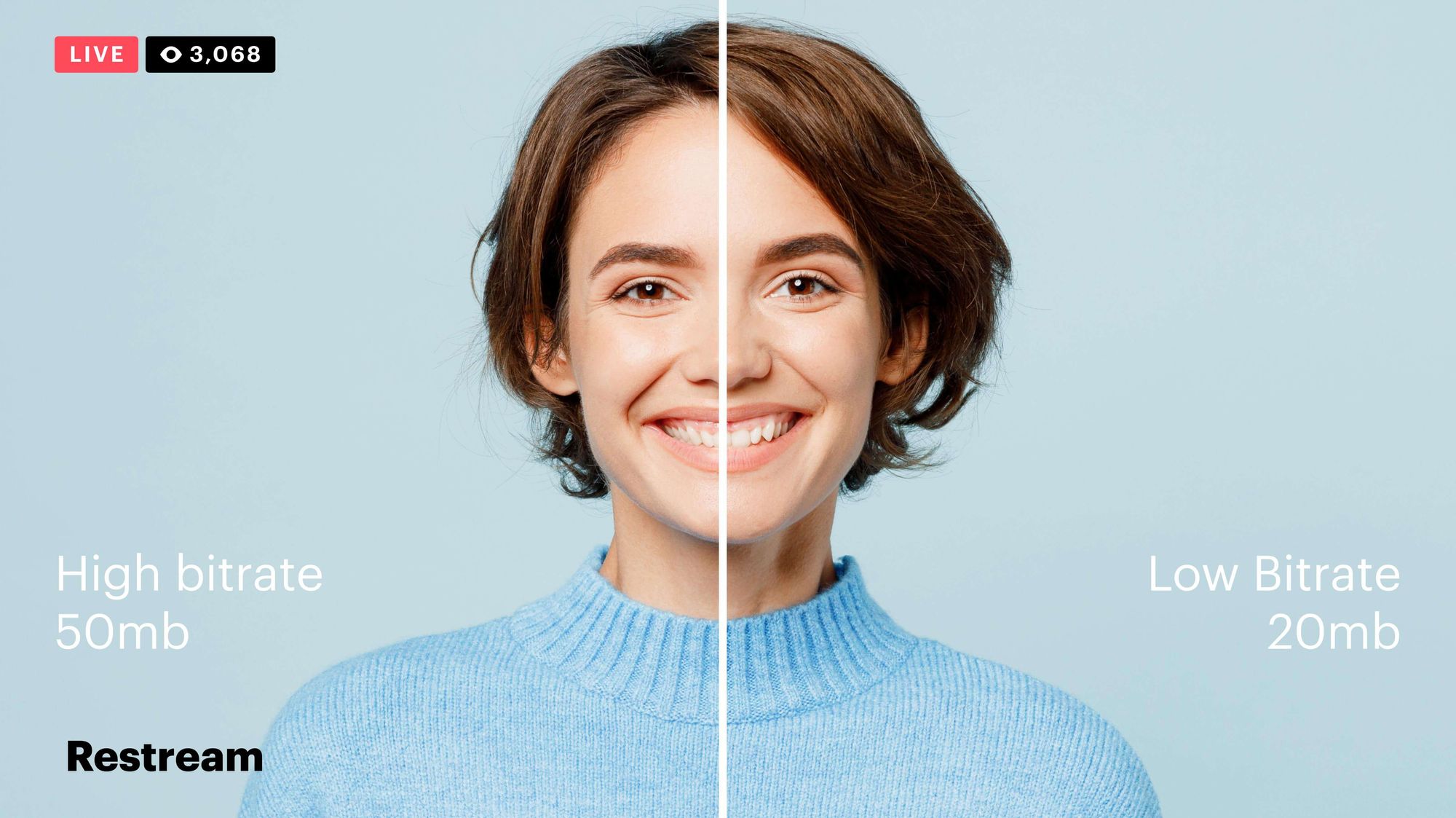
Video Bitrates and Codecs

Video bitrate and codec are two important concepts that every video creator should understand. In this article, I will explain what they are, how they work together, and how to choose the right settings for your videos.

What is Video Bitrate?

Video bitrate is the amount of data that is encoded per second in a video file. It is measured in bits per second (bps), or kilobits per second (kbps) or megabits per second (Mbps).

The higher the bitrate, the more data is encoded, and the higher the quality of the video will be. However, a higher bitrate also means a larger file size.

What is a Video Codec?

A video codec is a software program that compresses and decompresses video data. It is responsible for encoding the video data into a format that can be stored or streamed, and then decoding it back into its original form when it is played back.

There are many different video codecs available, each with its own strengths and weaknesses. Some of the most popular video codecs include:

H.264: This is the most widely used video codec. It is a lossy codec, which means that some data is lost during the compression process. However, H.264 is very efficient, and it can produce high-quality video with a relatively small file size.
H.265: This is a newer codec that is designed to be more efficient than H.264. It can produce the same quality of video with a smaller file size.
VP9: This is a free and open-source video codec that is developed by Google. It is similar to H.265 in terms of efficiency, but it is not as widely supported.

How Do Bitrate and Codecs Work Together?

Bitrate and codec work together to determine the quality and file size of a video. The higher the bitrate, the more data is encoded, and the higher the quality of the video will be. However, a higher bitrate also means a larger file size.

The codec determines how the video data is compressed. Some codecs are more efficient than others, and they can produce the same quality of video with a smaller file size.

How to Choose the Right Bitrate and Codec for Your Videos

The right bitrate and codec for your videos will depend on a number of factors, including:

The intended use of the video. If you are uploading your video to YouTube, you will need to choose a bitrate that is compatible with YouTube’s streaming requirements.
The target audience. If you are creating a video for mobile devices, you will need to choose a lower bitrate than if you are creating a video for high-definition televisions.
The file size. If you are limited by the file size, you will need to choose a lower bitrate.

Final Words About Video Bitrates and Codecs

Video bitrate and codec are two important concepts that every video creator should understand. By understanding how they work together, you can choose the right settings for your videos to ensure that they are both high quality and have a reasonable file size.

I hope this article has been helpful. If you have any questions, please feel free to leave a comment below.

Bonus Tips

If you are not sure what bitrate or codec to use, you can always start with a high bitrate and then lower it until you find a balance between quality and file size that you are happy with.
You can use a video bitrate calculator to help you determine the right bitrate for your videos.
There are many different video codecs available, so it is important to do some research to find the best codec for your needs.


Free Download Mp4Gain
picture


Mp4Gain Main Window
picture


Mp4Gain Features
picture


Free Download Mp4Gain
picture

The Impact of Frame Rate on Digital Video Quality

The Impact of Frame Rate on Digital Video Quality

Video Frame Rate
Video Frame Rate

Digital video has become an essential part of our daily lives, from entertainment to communication, education to advertising. One of the key factors that determine the quality of digital video is the frame rate. The frame rate refers to the number of individual frames or images displayed per second, and it plays a critical role in defining the video’s smoothness, clarity, and overall visual appeal.

Video Frame Rate
Video Frame Rate

In this article, we’ll explore the impact of frame rate on digital video quality, discussing the technical aspects, and providing examples and studies that demonstrate the importance of selecting the right frame rate for your digital video.

The Technical Aspects of Frame Rate

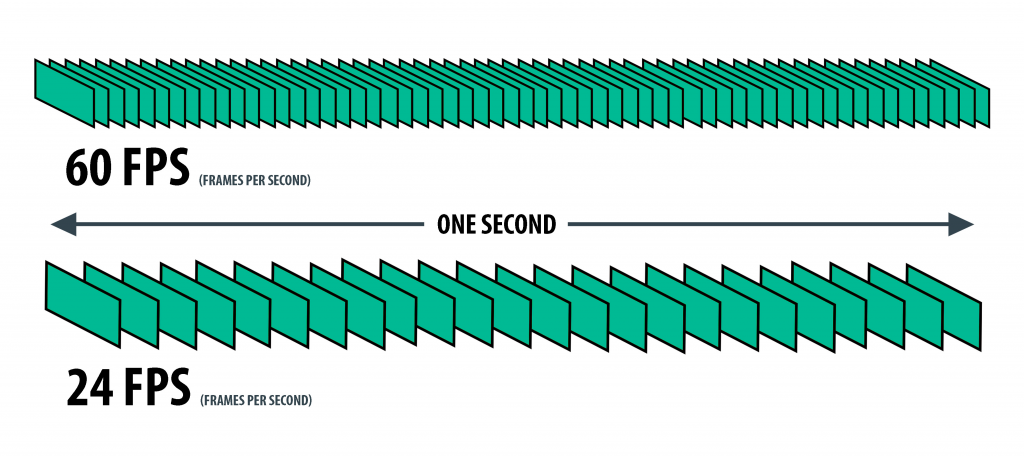
To understand the impact of frame rate on digital video quality, it’s essential to know the technical aspects behind it. The frame rate is measured in frames per second (FPS), and it represents the number of individual frames or images displayed on the screen within one second. The higher the frame rate, the smoother the video appears, while a lower frame rate can make the video seem choppy and jerky.

In digital video, the most common frame rates are 24 FPS, 25 FPS, 30 FPS, 50 FPS, and 60 FPS. The choice of frame rate depends on the type of video being produced, the platform it will be displayed on, and the desired visual effect.

For example, movies are typically shot at 24 FPS, which creates a cinematic effect with a slight blurring of motion, while television programs are usually shot at 30 FPS, providing a more realistic look. However, higher frame rates, such as 50 FPS and 60 FPS, are becoming more common due to the increased use of high-speed cameras and the availability of faster internet speeds.

The Impact of Frame Rate on Digital Video Quality

The frame rate has a significant impact on digital video quality, affecting the overall visual appeal, smoothness, and clarity. The following are the main ways in which frame rate affects digital video quality:

Smoothness

A higher frame rate results in a smoother video, as the additional frames help to create the illusion of motion. For example, a video with a frame rate of 60 FPS will appear smoother than the same video with a frame rate of 30 FPS. This is particularly noticeable in fast-paced action scenes or when panning across a landscape. A higher frame rate helps to reduce motion blur, making the video appear more realistic and sharper.

Clarity

A higher frame rate also improves the clarity of digital video by reducing image tearing and stuttering. Image tearing occurs when the video’s horizontal lines are misaligned, resulting in a visible seam between two parts of the image. Stuttering, on the other hand, occurs when the video’s motion appears jerky or irregular. A higher frame rate helps to reduce both of these issues, resulting in a clearer, more consistent video.

Visual Appeal

Finally, the frame rate can also impact the overall visual appeal of digital video. A higher frame rate provides a more immersive and realistic experience, while a lower frame rate can create a more stylized or artistic effect. For example, a video shot at 24 FPS may have a more cinematic feel, while a video shot at 60 FPS may appear more like real-life footage.

Choosing the Right Frame Rate

Choosing the right frame rate depends on several factors, including the type of video being produced, the platform it will be displayed on, and the desired visual effect. For example, a video intended for television broadcast will typically use a frame rate of 30 FPS, while a video intended for social media or online