Understanding Video Bitrates and Codecs


Free Download Mp4Gain
picture

Understanding Video Bitrates and Codecs
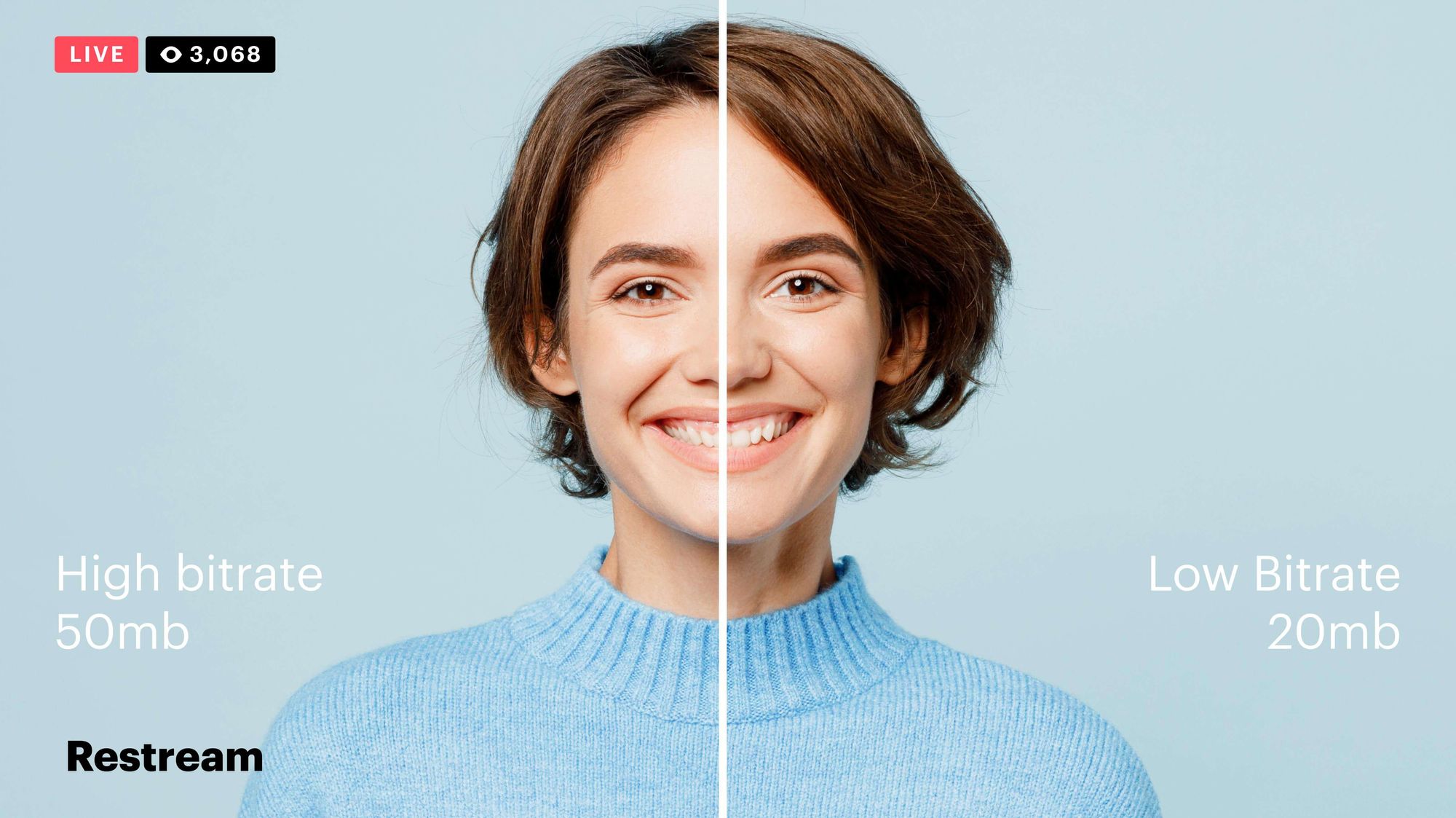
Video Bitrates and Codecs

Video bitrate and codec are two important concepts that every video creator should understand. In this article, I will explain what they are, how they work together, and how to choose the right settings for your videos.

What is Video Bitrate?

Video bitrate is the amount of data that is encoded per second in a video file. It is measured in bits per second (bps), or kilobits per second (kbps) or megabits per second (Mbps).

The higher the bitrate, the more data is encoded, and the higher the quality of the video will be. However, a higher bitrate also means a larger file size.

What is a Video Codec?

A video codec is a software program that compresses and decompresses video data. It is responsible for encoding the video data into a format that can be stored or streamed, and then decoding it back into its original form when it is played back.

There are many different video codecs available, each with its own strengths and weaknesses. Some of the most popular video codecs include:

H.264: This is the most widely used video codec. It is a lossy codec, which means that some data is lost during the compression process. However, H.264 is very efficient, and it can produce high-quality video with a relatively small file size.
H.265: This is a newer codec that is designed to be more efficient than H.264. It can produce the same quality of video with a smaller file size.
VP9: This is a free and open-source video codec that is developed by Google. It is similar to H.265 in terms of efficiency, but it is not as widely supported.

How Do Bitrate and Codecs Work Together?

Bitrate and codec work together to determine the quality and file size of a video. The higher the bitrate, the more data is encoded, and the higher the quality of the video will be. However, a higher bitrate also means a larger file size.

The codec determines how the video data is compressed. Some codecs are more efficient than others, and they can produce the same quality of video with a smaller file size.

How to Choose the Right Bitrate and Codec for Your Videos

The right bitrate and codec for your videos will depend on a number of factors, including:

The intended use of the video. If you are uploading your video to YouTube, you will need to choose a bitrate that is compatible with YouTube’s streaming requirements.
The target audience. If you are creating a video for mobile devices, you will need to choose a lower bitrate than if you are creating a video for high-definition televisions.
The file size. If you are limited by the file size, you will need to choose a lower bitrate.

Final Words About Video Bitrates and Codecs

Video bitrate and codec are two important concepts that every video creator should understand. By understanding how they work together, you can choose the right settings for your videos to ensure that they are both high quality and have a reasonable file size.

I hope this article has been helpful. If you have any questions, please feel free to leave a comment below.

Bonus Tips

If you are not sure what bitrate or codec to use, you can always start with a high bitrate and then lower it until you find a balance between quality and file size that you are happy with.
You can use a video bitrate calculator to help you determine the right bitrate for your videos.
There are many different video codecs available, so it is important to do some research to find the best codec for your needs.


Free Download Mp4Gain
picture


Mp4Gain Main Window
picture


Mp4Gain Features
picture


Free Download Mp4Gain
picture

What is the bit rate?

What is the bit rate?

Find a Video's Bitrate in Windows

The bit rate, or as they also say the width of the stream, is the amount of data transmitted or processed in 1 second. The concept mainly applies to multimedia content, for example, video bit rate is nothing more than the amount of video information that is displayed on the screen in one second. To measure the bit rate, the designation “Kbit / s (kbps)” is used, that is, kilobits per second, less frequently Mbit / s, and so on. The more information that is transmitted during a specific period of time, the higher the quality of the image.

Video Bitrate

When people say “low bit rate video” they are generally referring to low quality video. Blur, opacity, and pixelation are characteristic features of such video, while high-bit-rate video has a detailed image with a rich color gamut. Like video, audio also comes with low and high bit rates. Music with a low bit rate loses in the frequency range, words and chords become less distinguishable, and itself takes on an unnatural sound, as if it were an electronic sound.

Bit rate types

It is not enough to understand what the video or audio bit rate is. To successfully work on programs for editing and converting multimedia content, you need to know what types of bit rates exist. These are constant, variable, and average, and each of them can be used in a specific situation.

Constant bit rate

Constant refers to a bit rate that does not change throughout the file, providing an accurate estimate of the size of the output material. On the other hand, it is not very suitable for multimedia with dynamically variable audio and video streams, as it does not provide an optimal balance of size and quality. Constant bit rate is mainly used at home level, as well as when processing files with relatively constant picture and sound characteristics.

Variable bit rate

In files with variable bitrate, the latter is changed by the codec for each frame according to its characteristics. For example, in frames that are not very informative and easy to encode, the video bit rate is lowered, which saves space, and this saving can differ significantly. Variable bit rate technology is often used to achieve the best quality / size ratio. The downside of this method is the unpredictability of the final size of the media file.

Average bit rate

A more flexible option is the averaged bitrate, which is a hybrid of the first and second types. Unlike Variable Bitrate, by choosing Average Bitrate the codec can only work within the user defined range. Professionals use this method when creating large projects, allowing you to achieve high-quality encoding with a relatively small file size. The precision of calculating the size is much higher.

How to find out the bitrate of the file

Novice users are often interested in how to find out the video bit rate and if special programs are needed for this. With few exceptions, it is not necessary to use third-party tools for these purposes, since the bit rate of the file can be obtained by the operating system itself. Right-click on the video file and select “Properties” from the menu. Then switch to the “Details” tab in the window that opens and look for the item “Data transfer rate”. This will be the bitrate of the video. In the case of audio files, the item will be named “Bitrate”. If the required information is missing from the properties, for example in the case of MKV files, use the MediaInfo utility.

What bit rate value to set

But much more relevant is the question of what bit rate should be set for a video when creating or converting it. It will not be possible to answer it unequivocally, it all depends on the situation and the purpose of the content. If you focus on average values, you should configure 2.5-5 Mbit / s for video and approximately 192 kbit / s for audio. When choosing, you should also consider the video format. Therefore, for 1920 x 1080 SDR video, the bit rate is better to set 8 and 12 mbps (60 frames / s), and for HDR video with the same resolution – 10 and 15 mbps, respectively.