Understanding Video Bitrates and Codecs


Free Download Mp4Gain
picture

Understanding Video Bitrates and Codecs
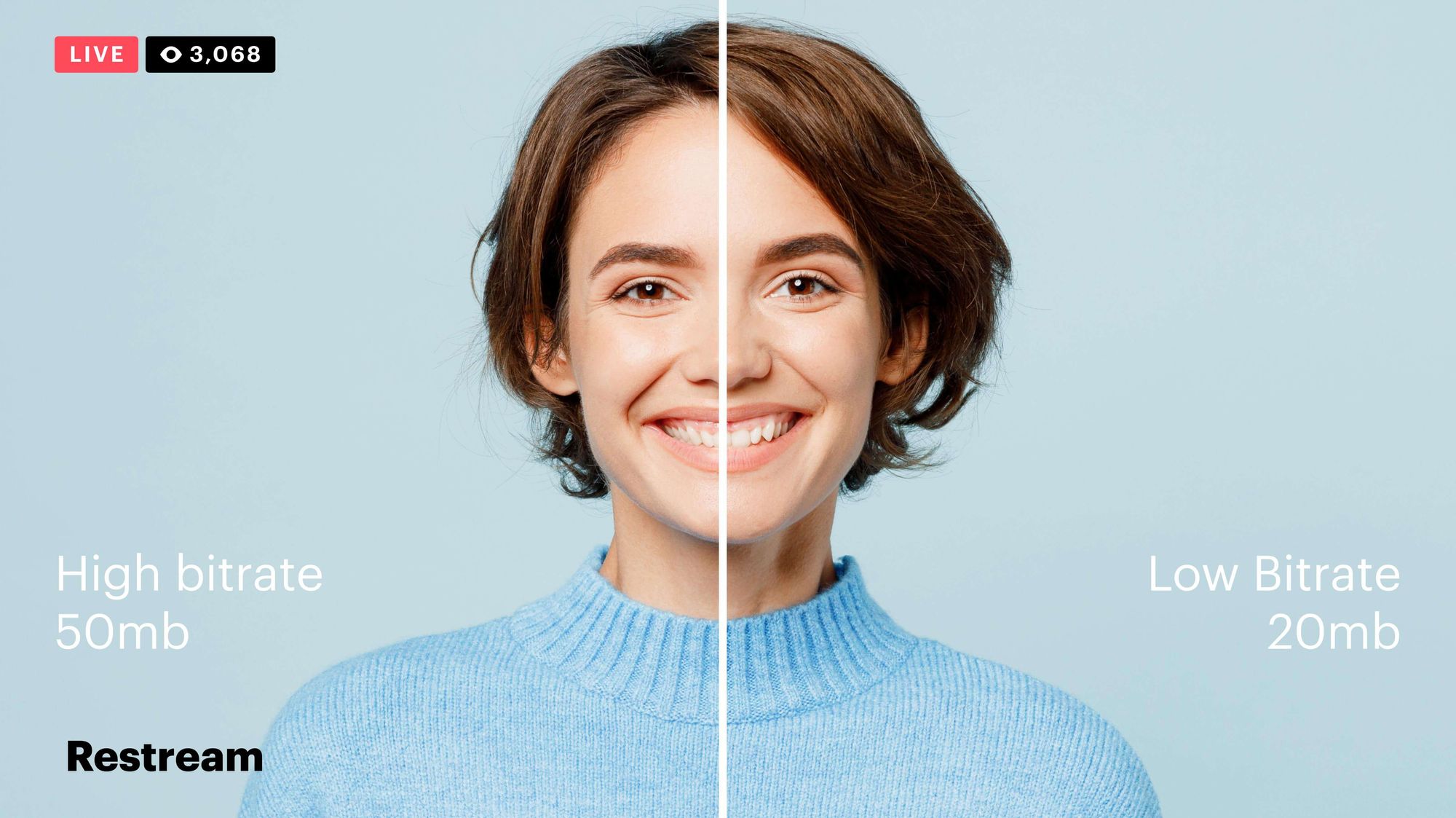
Video Bitrates and Codecs

Video bitrate and codec are two important concepts that every video creator should understand. In this article, I will explain what they are, how they work together, and how to choose the right settings for your videos.

What is Video Bitrate?

Video bitrate is the amount of data that is encoded per second in a video file. It is measured in bits per second (bps), or kilobits per second (kbps) or megabits per second (Mbps).

The higher the bitrate, the more data is encoded, and the higher the quality of the video will be. However, a higher bitrate also means a larger file size.

What is a Video Codec?

A video codec is a software program that compresses and decompresses video data. It is responsible for encoding the video data into a format that can be stored or streamed, and then decoding it back into its original form when it is played back.

There are many different video codecs available, each with its own strengths and weaknesses. Some of the most popular video codecs include:

H.264: This is the most widely used video codec. It is a lossy codec, which means that some data is lost during the compression process. However, H.264 is very efficient, and it can produce high-quality video with a relatively small file size.
H.265: This is a newer codec that is designed to be more efficient than H.264. It can produce the same quality of video with a smaller file size.
VP9: This is a free and open-source video codec that is developed by Google. It is similar to H.265 in terms of efficiency, but it is not as widely supported.

How Do Bitrate and Codecs Work Together?

Bitrate and codec work together to determine the quality and file size of a video. The higher the bitrate, the more data is encoded, and the higher the quality of the video will be. However, a higher bitrate also means a larger file size.

The codec determines how the video data is compressed. Some codecs are more efficient than others, and they can produce the same quality of video with a smaller file size.

How to Choose the Right Bitrate and Codec for Your Videos

The right bitrate and codec for your videos will depend on a number of factors, including:

The intended use of the video. If you are uploading your video to YouTube, you will need to choose a bitrate that is compatible with YouTube’s streaming requirements.
The target audience. If you are creating a video for mobile devices, you will need to choose a lower bitrate than if you are creating a video for high-definition televisions.
The file size. If you are limited by the file size, you will need to choose a lower bitrate.

Final Words About Video Bitrates and Codecs

Video bitrate and codec are two important concepts that every video creator should understand. By understanding how they work together, you can choose the right settings for your videos to ensure that they are both high quality and have a reasonable file size.

I hope this article has been helpful. If you have any questions, please feel free to leave a comment below.

Bonus Tips

If you are not sure what bitrate or codec to use, you can always start with a high bitrate and then lower it until you find a balance between quality and file size that you are happy with.
You can use a video bitrate calculator to help you determine the right bitrate for your videos.
There are many different video codecs available, so it is important to do some research to find the best codec for your needs.



Free Download Mp4Gain
picture


Mp4Gain Main Window
picture


Mp4Gain Features
picture


Free Download Mp4Gain
picture

Video Quality: Understanding the Factors that Determine it

Video Quality: Understanding the Factors that Determine it

Video Quality
Video Quality
Video Quality
Video Quality

Video quality is the most crucial aspect of any video, whether it’s a movie, TV show, or a YouTube clip. In today’s world, where video streaming is the norm, video quality is even more critical. However, not everyone understands the factors that determine video quality and how to optimize it.

What is Video Quality?

Video quality refers to the level of visual and audio fidelity of a video. A high-quality video has a clear, sharp picture, vibrant colors, and excellent audio quality. On the other hand, a low-quality video may have pixelated images, distorted colors, and muffled audio.

Video quality is determined by several factors, including resolution, bitrate, codec, and frame rate. Understanding these factors is crucial to optimizing video quality.

Resolution

Resolution refers to the number of pixels that make up a video image. The higher the resolution, the more pixels, and the sharper the image. The most common video resolutions are 720p, 1080p, and 4K.

When choosing a resolution, it’s important to consider the display device’s capabilities. For example, if you’re watching a video on a smartphone screen, a 720p resolution is sufficient. However, if you’re watching the same video on a large TV screen, a 4K resolution would provide a better viewing experience.

Bitrate

Bitrate refers to the amount of data that is used to encode a video. It affects both the video’s quality and file size. A higher bitrate results in a higher-quality video but also a larger file size.

When choosing a bitrate, it’s important to consider the available bandwidth. A higher bitrate requires more bandwidth, which may result in buffering or slow streaming. Therefore, it’s important to balance quality and file size with available bandwidth.

Codec

A codec is a software that compresses and decompresses video data. It affects the video’s quality, file size, and compatibility with different devices and players. The most common codecs are H.264 and H.265.

When choosing a codec, it’s important to consider compatibility with the playback device and the available processing power. For example, H.265 provides better compression than H.264, resulting in smaller file sizes, but requires more processing power to decode.

Frame Rate

Frame rate refers to the number of frames per second (fps) in a video. A higher frame rate results in smoother and more fluid motion. The standard frame rate for video is 24 fps, but higher frame rates, such as 60 fps, are becoming more common.

When choosing a frame rate, it’s important to consider the content and the intended viewing experience. For example, a higher frame rate is more suitable for action scenes, while a lower frame rate may be sufficient for a dialogue-driven drama.

Conclusion

Optimizing video quality requires a balance of resolution, bitrate, codec, and frame rate. Understanding these factors and choosing the right combination can result in high-quality videos that provide a better viewing experience. One tool that can help optimize video quality is MP4Gain, which can normalize the audio volume of a video and improve overall quality.

FAQ

  • What is the best video resolution?

    The best video resolution depends on the purpose of the video and the device on which it will be played. For example, a video intended for social media or online streaming may have a lower resolution than a video intended for a cinema screen or high-end TV. However, there are some video resolutions that are widely considered to be the best for certain purposes.

    1080p (Full HD)

    1080p (1920 x 1080 pixels) is a video resolution commonly used for Blu-ray discs, HDTV broadcasts, and online streaming platforms such as YouTube and Netflix. This resolution provides a clear and detailed image that is suitable for most purposes, including watching movies, playing games, and general computer use. However, it may not be sufficient for larger screens or high-end devices that require higher resolutions.

    4K Ultra HD

    4K Ultra HD (3840 x 2160 pixels) is a video resolution that provides four times the number of pixels as 1080p. This resolution is becoming increasingly popular for high-end devices, such as gaming consoles, high-end TVs, and high-end smartphones. It provides a significantly more detailed and immersive image, particularly on larger screens or when viewed up close. However, it requires a powerful device and may not be necessary for all purposes.

    8K Ultra HD

    8K Ultra HD (7680 x 4320 pixels) is the highest video resolution currently available. It provides sixteen times the number of pixels as 1080p and is primarily used for professional applications, such as video production and digital signage. It requires a very powerful device and is not necessary for most consumer purposes.

    Factors that affect video quality

    Video quality is affected by a variety of factors, including resolution, frame rate, bitrate, and codecs. Understanding these factors can help you choose the right settings for your video and ensure the best possible quality.

    Resolution

    As discussed above, resolution refers to the number of pixels in a video image. Higher resolutions generally result in better image quality, but also require more storage space and processing power. However, the benefits of higher resolutions may not be noticeable on smaller screens or at normal viewing distances.

    Frame rate

    Frame rate refers to the number of individual frames that make up a video per second. The most common frame rates are 24, 25, and 30 frames per second (fps). Higher frame rates can result in smoother motion and reduce motion blur, but also require more storage space and processing power. However, higher frame rates may not be noticeable for certain types of video, such as still images or talking heads.

    Bitrate

    Bitrate refers to the amount of data used to represent a video image per second. Higher bitrates generally result in better image quality, but also require more storage space and may cause playback issues on slower devices or internet connections. However, lower bitrates may result in compression artifacts or pixelation.

    Codecs

    Codecs are software programs that compress and decompress video data for playback. Different codecs use different algorithms to compress video data, resulting in different levels of compression and image quality. Some codecs are better suited for certain types of video or devices, while others may be more versatile but less efficient.

    Conclusion

    Video quality is a complex and multifaceted topic that is influenced by a variety of factors. Choosing the right video resolution, frame rate, bitrate, and codec can help you achieve the best possible results for your specific needs. However, it is important to keep in mind that there is no one-size-fits-all solution, and the best settings will vary depending on the intended use of the video.

    How can I improve video quality?

    There are several ways to improve video quality, depending on the specific issue you are facing. Here are some tips:

    • Use a higher video resolution and bitrate.
    • Ensure proper lighting and exposure when shooting the video.
    • Stabilize the camera to avoid shaky footage.
    • Use a high-quality codec for encoding the video.
    • Reduce noise and grain in post-processing.
    • Use color correction to enhance the colors and contrast.
    • Use a high-quality audio recording device and ensure proper sound levels.

    Conclusion

    Video quality is an important aspect of video production that can greatly impact the viewer’s experience. By understanding the key factors that influence video quality and choosing the appropriate settings for your specific needs, you can achieve the best possible results. Remember to consider the intended use of the video, as well as the device and platform on which it will be viewed, when selecting video settings. With the right tools and techniques, you can create high-quality videos that will captivate and engage your audience.

    FAQ

    What is video resolution?

    Video resolution refers to the number of pixels that make up a video image. A higher resolution means a larger number of pixels, resulting in a clearer and more detailed image.

    What is video bitrate?

    Video bitrate refers to the amount of data used to encode a video stream. A higher bitrate means more data is used, resulting in a higher-quality video with fewer compression artifacts.

    What is a video codec?

    A video codec is a software algorithm used to compress and decompress video data. Different codecs offer varying levels of compression and quality, and the choice of codec will depend on the specific needs and requirements of the video project.

The higher the kbps value of the mp3 file, the better the sound quality? Part 2

The higher the kbps value of the mp3 file, the better the sound quality? Part 2

Mp3 quality

MPEG audio encoding has a high compression ratio, MP1 and MP2 have a compression ratio of 4:1 and 6:1-8:1 respectively, while MP3 has a compression ratio of up to 10:1-12: 1, which means that one minute Uncompressed CD-quality music requires 10 MB of storage space, but only about 1 MB after MP3 compression encoding, and its sound quality is basically distortion-free.

mp3 128kbps To 320kbps

Although it is a distorted compression, its biggest advantage is a higher compression ratio in exchange for very little sound distortion. Usually a CD can only store a dozen CDs, but it can store hundreds of MP3 songs, which is why MP3 is popular all over the world. Currently, MP3 is the most common music format on the Internet. Music files of the same length are stored in the MP3 format, usually only 1/10 of the WAV format. Due to their small file size and good sound quality, they can achieve a sound effect that is closer to the original sound source. Therefore, until now, the status of MP3 format as the mainstream audio format is still hard to shake. Simply put, WMA is smaller than MP3 and MP3 has better sound quality than WMA. Currently, the music format with the best sound quality is APE, which is equivalent to the sound quality of a CD, but relatively large. A song weighs about 20 MB! 1 or so, another advantage of WMA is that content providers can add copy protection through DRM (Digital Rights Management) solutions, such as Windows Media Rights Manager 7. This copyright protection technology built-in author can limit the playback time and number of playback, and even the playback machine, etc., which is a boon for music companies that have been defeated by piracy. MP3 format: MP3 technology originated From MPEG technology, MPEG is short for Moving Picture Experts Group. MPEG audio encoding has a high compression ratio, MP1 and MP2 have a compression ratio of 4:1 and 6:1-8:1 respectively, while MP3 has a compression ratio of up to 10:1-12: 1, which means that one minute Uncompressed CD-quality music requires 10 MB of storage space, but only about 1 MB after MP3 compression encoding, and its sound quality is basically distortion-free.

The higher the kbps value of the mp3 file, the better the sound quality?

The higher the kbps value of the mp3 file, the better the sound quality?

kbps mp3

Kbps refers to the number of bits (bit rate) of mp3, and bit rate refers to the amount of information that can be transmitted per second in a data stream.

mp3 kbps

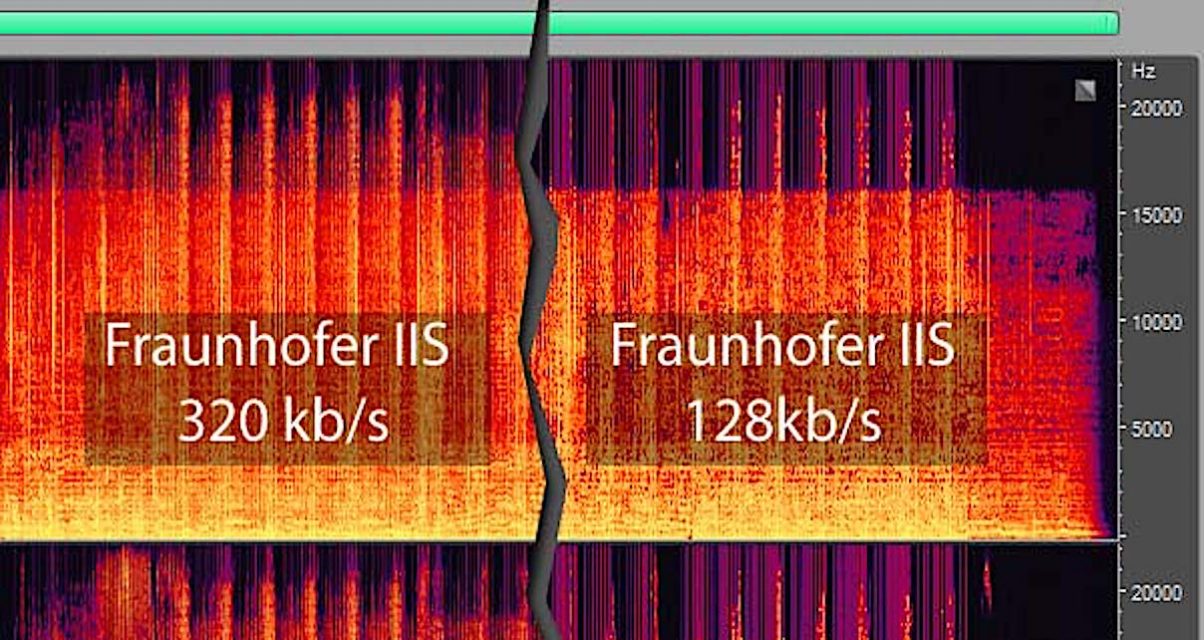
Kbps means “kilobytes per second,” so a higher value means more data, a higher bit rate, more information, and better sound quality, but it also means more processing to decode the information. the more space the file should take up. (But this is nothing compared to today’s hardware, and many people put ape directly on the hard drive!) For mp3, 128kbps is a qualified quality! As for the bit rate you use, it depends on your own needs. If the requirements are high, use CBR320kbps, CBR192kbps or VBR variable bit rate. If the file size is required to be small for network streaming or online playback, please use CBR128kbps or lower bit rate can be. Sound quality is closely tied to its compression ratio. In fact, WMA is slightly worse than MP3 at a rate of 192 kb/s or higher, but it is quite close to the effect of the original WAVE file. The difference is that the treble component of WMA in the same ratio is greater than that. of MP3 in the ratio of 96K and 64K. Simply saying that WMA is more advanced than MP3 is untenable. In fact, their principles are the same, and they are similar in the case of high ratios. Also, there is a problem with the compression software: if you use Hero Jieba to compress high-quality MP3, it will definitely be worse than WMA. Now LAME has grown considerably and is stronger than WMA at ratios above 128K. Comparing 96K WMA with 128K MP3, MP3 is definitely better. So it depends on your needs, if you need low baud, MP3 PRO or WMA is recommended (MP3 PRO is much better than WMA at 64K ratio), and if it’s high quality MP3, it doesn’t matter, but it’s still recommended. MP3, because after all it is a fairly open format, unlike WMA, which is monopolized by the Microsoft family, and can only be played with WMP. For that, I only use MP3. WMA format: WMA sound quality is stronger than MP3 format, its “body” is thinner than MP3, and it supports data transmission technology (Stream), which can be downloaded and listened to on the Internet. The characteristic of WMA is that when a song is compressed to a very small size, it can still maintain good sound quality, which is much better than RA format. It is the same as the VQF format developed by YAMAHA in Japan. Reduces data stream but maintains sound quality method to achieve higher compression ratio than MP3. The compression ratio of WMA can generally reach around 18:1. Another advantage of WMA is that content providers can add copy protection through DRM (Digital Rights Management) solutions, such as Windows Media Rights Manager 7. This built-in copyright protection technology can limit the playing time and the number of plays, and even the playing machine, etc., which is a blessing for music companies that have been defeated by piracy .MP3 Format: MP3 technology originated from MPEG technology, MPEG is short for Moving Picture Experts Group. MPEG audio encoding has a high compression ratio, MP1 and MP2 have a compression ratio of 4:1 and 6:1-8:1 respectively, while MP3 has a compression ratio of up to 10:1-12: 1, which means that one minute Uncompressed CD-quality music requires 10 MB of storage space, but only about 1 MB after MP3 compression encoding, and its sound quality is basically distortion-free. Although it is a distorted compression, its biggest advantage is a higher compression ratio in exchange for very little sound distortion. Usually a CD can only store a dozen CDs, but it can store hundreds of MP3 songs, which is why MP3 is popular all over the world. Currently, MP3 is the most common music format on the Internet. Music files of the same length are stored in the MP3 format, usually only 1/10 of the WAV format. Due to their small file size and good sound quality, they can achieve a sound effect that is closer to the original sound source. Therefore, until now, the status of MP3 format as the mainstream audio format is still hard to shake. Simply put, WMA is smaller than MP3 and MP3 has better sound quality than WMA. Currently, the music format with the best

What is bit rate, bit rate and KBPS?

What is bit rate, bit rate and KBPS?

Kbps

People often use Kbps to describe the hearing effect and audio quality.

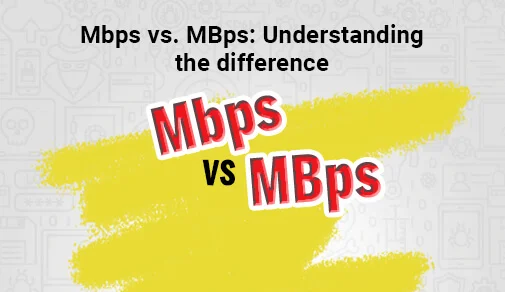
Mbps- Mbps

On Windows systems and some players, kbps is called “bit rate” and “bit rate”.
16Kbps=phone sound quality
24Kbps=Increased telephone sound quality, short wave transmission, long wave transmission, European standard medium wave transmission
40Kbps=US standard medium wave transmission
56Kbps=Voice
64Kbps=Voice boost, mobile phone ringtones the best bit rate (Kbps) setting value, mobile phone The best setting for mono MP3 players is
112 Kbps = FM FM stereo transmission 128 Kbps =
best setup for cassettes, mobile phone stereo MP3 players, best setup for low-end MP3 players
192 Kbps = the best setting for mid-range MP3 players The fixed value of
320 Kbps = the best setting for high-end MP3 players (the highest bit rate on the
MP3 format) The highest quality of the MP3 format is 320 Kbps

2. How to distinguish true and false KBPS
The maximum quality in MP3 format, the bitrate is 320Kbps, but it is not ruled out that some unscrupulous merchants convert low quality audio (such as: 40, 64, 128 kbps) to the maximum quality (320kbps);
for a long time, many people Judgment on sound quality depends entirely on the bitrate of the dance music, i.e. whether the audio file is 192k, 256k or 320k (the bitrate in the file mp3-properties-detailed information), but in fact, this parameter does not really reflect a song. The sound quality of music is data that can be falsified and cannot fully represent the actual sound quality of a song. For example, using software such as QianqianjingTing, you can convert a 64Kbps music to 320Kbps, but before conversion and conversion After the sound quality is the same, the sound quality has not really improved.

What does kbps mean? Part 2

What does kbps mean? Part 2

Kilobits Per Second (Kbps)

With the proliferation of digital storage and streaming, few people listen to music with physical objects.

kbps

Earlier I asked a high school student that he didn’t use the tape and that he didn’t know what it was. It was really shocking!

That’s the tape thank you!

Now almost all the music we listen to comes from the internet, be it Youtube or Soundcloud, Spotify or songs downloaded from iTunes or Beatport. Most of the time we don’t think that the sound transmitted by these different platforms is different, but there are times when we suddenly feel that the “sound quality” is not very good, but often we don’t know what the sound is. quality is What is the meaning?

Today we will introduce you to what this “sound quality” really means and the principle behind it.

First of all, everything we hear from the Internet are digital files, that is, the real (continuous) sound is saved by sampling (slicing) and then restored by decoding. So generally the quality of the sound we hear has two levels: one is how finely the song itself is sampled, and the other is how realistic our playback system is when playing it.

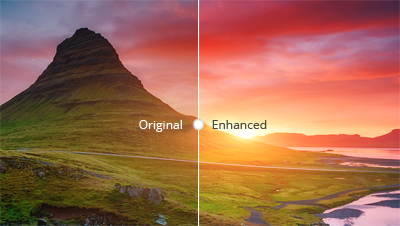
If you take a video as an example, you can see the fineness of 480p, 1080p, 4K video in the image below.

And this is similar to the finesse of the song itself: the finer the sample, the better the sound quality. But we actually see the image through the screen, so even though I have 4K HD video, I still see it on a traditional VCR. It may be the same as 480p, because your player can’t play it. Good quality. It’s like buying a CD and listening to it with the 39 yuan headphones Daiso bought.

But today we are more focused on the level of sophistication of the original song. The two most important elements that affect the sound quality of digital music are the sample rate (Hz) and the bit depth (bits), which are the horizontal and vertical axes in the figure below.

The so-called sample rate is the number of points we want to take in 1 second to sample (horizontal axis), and the bit depth is the density of the scale we want to set on the vertical axis.

The following image shows the difference between the sample rate of 100 Hz and 33 Hz, respectively. The black line is the original waveform.

Connect the sampled lines and compare them to the original waveform to learn the effect of the sample rate on the sound. 100 Hz is significantly closer to reality than 33 Hz.

At this time, someone will ask, so you can get 100 million Hz, and it is guaranteed to be the same as the real thing. Basically yes, but there will be a big problem with this, the file will be very big and it can take a year to upload a song. And the numbers are generated to speed up the transmission speed, so this is not acceptable!

To achieve a perfect balance, you need to set a suitable sample rate, which makes people sound good, but the file is not too big, and the bottom line is that it should be at least 44.1kHz. Because according to the sampling theory, the sampling frequency should be greater than twice the bandwidth of the sampled signal, and people can hear the sound up to 20,000 Hz, so we take a little more than 2 times as the standard minimum.

The object of comparison is that the general local dialect is 8000Hz. You can listen to the CD and compare the microphones.

Of course, there are 48,000 Hz and 96,000 Hz or even more, but 96,000 Hz is enough by industry standards.

The following is the common bit depth of 16 bits, 24 bits, which is the 16th power of 2 and the 24th power. What it affects is the part of the vertical axis that we just mentioned, as shown in the figure.

It can be seen that the dynamic range that 24-bit can record is larger than that of 16-bit, in other words, the sound you hear can be more vivid, in other words, it can accommodate a larger dynamic range.

What does kbps mean?

What does kbps mean?

KBPS

What does cbr320kbps mean?

kbps

When downloading music, we often see these options: lossless sound quality and normal sound quality, lossless sound quality requires members to download, otherwise only normal sound quality can be downloaded. Since it is a fee, the lossless sound quality must be higher than the normal sound quality, so what are the differences between them?

What does kbps mean?
Different compression encoding methods

Commonly seen MP3, WMA, OGG are called lossy compression. As the name suggests, lossy compression is to reduce the audio sample rate and bit rate, and the output audio file will be smaller than the original file, which is normal sound quality. we often see.

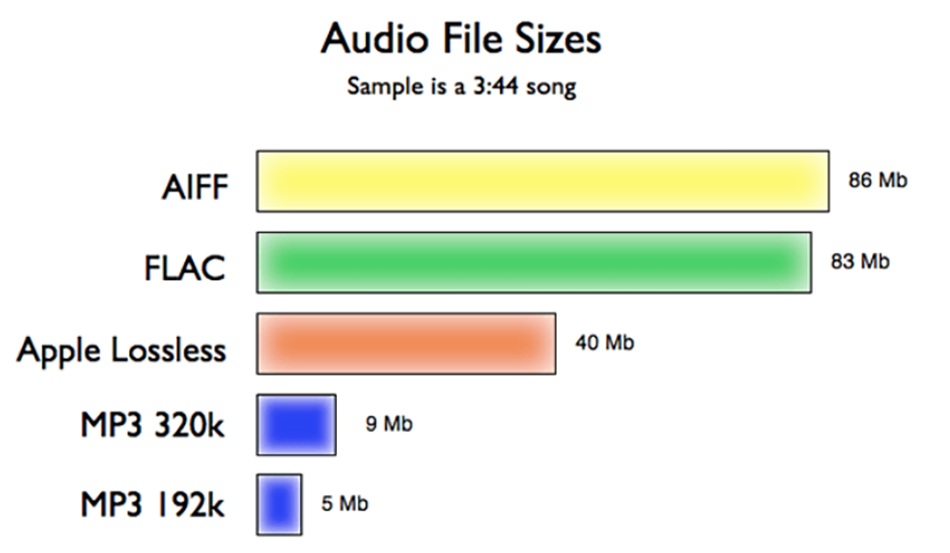
Another audio compression is called lossless compression, which can compress the volume of the audio file to a smaller size on the premise of saving 100% of all the data in the original file. Same size, same bitrate. Lossless compression formats include APE, FLAC, WAV, WavPack, LPAC, WMALossless, AppleLossless, TTA, Tak, TAC, La, OptimFROG, Shorten, while common and conventional lossless compression formats today include APE, FLAC, TTA, TAK, WAV, Generally CDs are lossless music.

What does kbps mean?
different file sizes

Common MP3, WMA and other formats occupy about 1M-5M space for single-handed songs, while for music in lossless formats such as ape and flac, the space occupied by a single song can generally reach tens of megabytes, or even more than 100M.

different bit rates

Bit rate (Kbps) refers to the transmission rate of digital signals, that is, how many thousands of bits of information are transmitted per second (K means thousands of bits, Kb means how many thousands of bits). For music, theoretically this The higher the value, the better the sound quality. Ordinary music, such as WMA, is generally 128kbps music, MP3 is mostly 128 or 192 or 320kbps/, while the bit rate of lossless music generally reaches 800-900kbps, and traditional CD even reaches 1411 Kbps. Using lossless compression, the sound quality is the most perfect.

What does kbps mean?
different sound

The feature of lossless music is that regardless of whether there is sound between the beats, its data always flows smoothly, so the fast magnetic vibration in your headphones is stable, and the sound is natural and real; while lossy formats such as MP3 are due to the loss of people The ear can not hear part of the data, so the magnetic block in the earphone vibrates unnaturally, causing it to vibrate when there is sound, and do not vibrate when there is no sound, so the magnet block vibrates excessively and unstable, which will produce burr noise. If professional equipment is used, it is easy to hear right and wrong.