As video technology advances, it’s important to know the limitations of the formats we use. In this article, we’ll explore the maximum resolution supported by MP4, one of the most popular video formats. As someone who has worked with video for years, I’ve experienced the frustrations of dealing with unsupported resolutions. Let’s dive in.
Understanding MP4 Video Resolution
MP4 is a versatile video format that supports various resolutions, but what is the maximum resolution supported by MP4? The answer is dependent on the codec used to encode the video. The most common codec used in MP4 videos is H.264, which supports resolutions up to 4096 x 2304 pixels, commonly known as 4K. However, newer codecs such as H.265 can support even higher resolutions, such as 8K.
“Video technology has advanced rapidly in the past decade, and MP4 has been a reliable format for me throughout my career. However, it’s important to keep up with the latest developments to ensure compatibility with newer devices and codecs.”
MP4 Resolution Limitations
While MP4 can support high resolutions, there are limitations to consider. One factor is the device or software used to play the video. Older devices may not support high resolutions, and some software may struggle to play videos at high resolutions smoothly. Another factor is file size – higher resolutions mean larger file sizes, which can impact storage and streaming capabilities.
“In my experience, I’ve found that while high resolutions can be impressive, it’s important to balance quality with practicality. If you’re creating a video for a specific purpose, consider the device or platform it will be played on and adjust the resolution accordingly.”
Maximizing MP4 Video Quality
To get the most out of MP4 video, it’s important to optimize the quality for the intended audience. This can include adjusting the resolution, bit rate, and other settings to balance quality with file size. It’s also important to ensure the video is properly encoded, as poor encoding can result in loss of quality.
“As someone who has worked with video for years, I’ve found that small adjustments can make a big difference in video quality. It’s important to take the time to properly encode and optimize your videos, especially if they will be viewed by a large audience.”
Final Words
In conclusion, MP4 is a versatile video format that can support high resolutions, but it’s important to consider the limitations and optimize the quality for the intended audience. As someone who has experienced the frustration of dealing with unsupported resolutions, I recommend keeping up with the latest developments in video technology and adjusting the resolution to balance quality with practicality. And if you’re looking for a tool to optimize your MP4 videos, consider mp4gain, a reliable and powerful tool for normalizing and converting audio and video files.
Audio streaming is the process of delivering audio content over the internet in real-time. It has revolutionized the way we consume audio content, providing users with instant access to a vast library of music, podcasts, and other audio content from anywhere in the world. Today, audio streaming has become a staple in our daily lives, with millions of people around the globe using audio streaming services on a daily basis.
The Evolution of Audio Streaming
Audio streaming has come a long way since its inception in the 1990s. Back then, audio streaming was limited by slow internet speeds, poor audio quality, and a lack of available content. However, with the advent of high-speed internet, advancements in audio compression technology, and the proliferation of smartphones and other mobile devices, audio streaming has exploded in popularity over the past decade.
Today, there are countless audio streaming services available, catering to every taste and preference. From music streaming services like Spotify, Apple Music, and Tidal, to podcast streaming services like Stitcher and Pocket Casts, there is an audio streaming service for everyone.
The Benefits of Audio Streaming
There are many benefits to using audio streaming services. For one, audio streaming allows users to access a vast library of content from anywhere in the world, at any time. This means that users can listen to their favorite music or podcast while commuting, working out, or just relaxing at home.
Audio streaming services also offer personalized recommendations based on a user’s listening history, allowing users to discover new content that they might not have otherwise found. Additionally, many audio streaming services offer offline listening, which allows users to download their favorite content for offline playback when they don’t have access to the internet.
The Future of Audio Streaming
As internet speeds continue to increase and technology continues to advance, the future of audio streaming looks bright. We can expect to see continued growth in the number of audio streaming services available, as well as improvements in audio quality, personalization, and content discovery.
Additionally, the rise of smart speakers and voice assistants like Amazon Alexa and Google Assistant has opened up new opportunities for audio streaming. In the future, we can expect to see more integration between audio streaming services and smart home devices, allowing users to control their audio playback using their voice.
Conclusion
Audio streaming has revolutionized the way we consume audio content, providing us with instant access to a vast library of music, podcasts, and other audio content from anywhere in the world. With advancements in technology and internet speeds, we can expect to see continued growth in the popularity of audio streaming in the years to come.
And as a side note, we recommend using MP4Gain to improve the quality of your audio streaming experience.
FAQ
What is the difference between audio streaming and downloading?
Audio streaming involves listening to audio content in real-time over the internet, while downloading involves saving a copy of the content to your device for offline playback. With streaming, you don’t need to download the content to your device, saving storage space and allowing you to access a vast library of content without taking up space on your device.
Are audio streaming services free?
Many audio streaming services offer both free and paid options. Free options typically come with ads and limited features, while paid options offer ad-free listening, higher quality audio, and additional features like offline playback.
What is the best audio streaming service?
There is no one-size-fits-all answer to this question, as the best audio streaming service depends on your personal preferences and needs. Some factors to consider when choosing an audio streaming service include the available content, sound quality, user interface, price, and device compatibility.
Content availability is one of the most important factors to consider when choosing an audio streaming service. Some services offer a more extensive music library than others, and the availability of specific genres or artists can vary. You should also consider if the streaming service has exclusive content, such as live sessions, concerts, or podcasts that may interest you.
Another important factor is sound quality. If you’re an audiophile or someone who values high-quality sound, you should choose a streaming service that offers lossless or high-fidelity audio. However, keep in mind that higher sound quality often comes with higher prices.
User interface and ease of use are also essential considerations. A user-friendly interface can make your experience more enjoyable and intuitive. Look for a streaming service that offers personalized recommendations and curated playlists that cater to your music preferences.
Price is also an important factor. While some streaming services offer free access, they may come with ads and limited features. Paid subscription services, on the other hand, offer more features, higher quality sound, and ad-free listening experiences. However, the cost of these services can vary significantly, so it’s important to consider your budget.
Lastly, device compatibility is essential. Make sure the streaming service you choose is compatible with your devices, including your smartphone, tablet, and smart speakers. Some services may also have limitations on the number of devices you can use simultaneously.
Overall, when choosing an audio streaming service, it’s important to consider your individual preferences and needs. Take advantage of free trials and explore different services to find the one that works best for you.
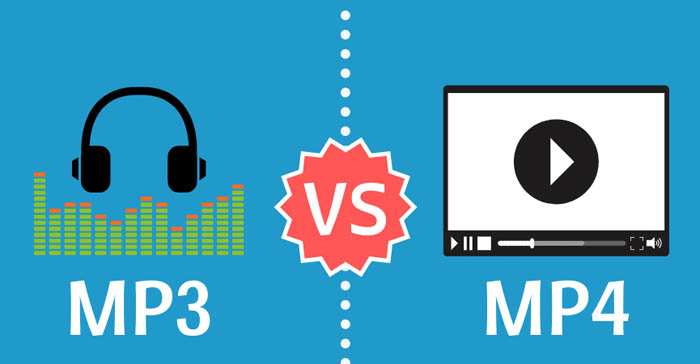
MP3 vs MP4 Audio Quality: Understanding Digital Audio Formats
MP3 vs MP4MP3 vs MP4
What is MP3?
MP3 is a digital audio format that compresses audio files to make them smaller in size without significantly affecting the sound quality. MP3 stands for MPEG-1 Audio Layer 3 and is a type of lossy compression. This means that some audio data is lost during the compression process to reduce the file size. As a result, the audio quality of an MP3 file may not be as good as the original file.
For example, suppose you have a song that is 4 minutes long with a bitrate of 320 kbps. The uncompressed audio file may have a size of around 40 MB, but if you compress it into an MP3 file with a bitrate of 128 kbps, the file size may be reduced to around 3-4 MB. This makes it easier to store and share the audio file, but the audio quality may be affected by the compression process.
What is MP4?
MP4 is a digital multimedia container format that can store audio, video, and other types of data. MP4 uses various codecs, including AAC, to compress audio files while maintaining high quality. Unlike MP3, MP4 is a type of lossless compression, meaning that no audio data is lost during the compression process. As a result, the audio quality of an MP4 file is usually better than that of an MP3 file.
For example, if you compress the same 4-minute song with a bitrate of 128 kbps into an MP4 file, the file size may be larger, around 5-6 MB. However, the audio quality will be better than the MP3 file because no audio data was lost during the compression process.
How Does Audio Quality Compare between MP3 and MP4?
When it comes to audio quality, MP4 generally provides better quality than MP3. This is because MP4 uses a more advanced compression method that preserves more of the original audio data. MP4 can also support higher bitrates, which means that it can provide higher quality audio compared to MP3 at the same file size.
For example, imagine you have a song that is 4 minutes long and has a bitrate of 320 kbps. If you compress this song into an MP3 file with a bitrate of 128 kbps, the file size may be around 3-4 MB. However, if you compress the same song into an MP4 file with a bitrate of 128 kbps, the file size may be around 5-6 MB. Despite the larger file size, the MP4 file will likely sound better because it preserves more of the original audio data.
Another way to compare audio quality between MP3 and MP4 is by using a tool that can analyze the audio spectrum and display the differences between the two formats. For example, you can use a free online tool called “Sonic Visualizer” to compare the waveform and spectrogram of an MP3 file and an MP4 file. The spectrogram displays the frequency content of the audio over time, and you can see that the MP4 file has more high-frequency content and less distortion compared to the MP3 file.
Can Audio Quality be Improved?
Yes, audio quality can be improved for both MP3 and MP4 files using a variety of methods. One method is to increase the bitrate of the audio file during the compression process. This will result in a larger file size but will also improve the audio quality for the same reason – it is a type of lossless compression, meaning that no audio data is lost during the compression process. This is important for professionals in the music and audio industry who require high-quality audio files for their work.
Conclusion
In summary, MP3 and MP4 are both popular digital audio formats used for storing and sharing audio files. MP3 uses a type of lossy compression, while MP4 uses a type of lossless compression. This means that MP4 generally provides better audio quality compared to MP3, but at the cost of a larger file size. However, both formats can be improved through various methods such as increasing the bitrate or using a different codec. Ultimately, the choice of format depends on the specific needs and preferences of the user.
Digital audio and video are types of data that we can store on a computer or other electronic device. They are made up of a series of numbers that represent the sound or image we want to save. This means that instead of using physical materials like film or tape to record sound or video, we can use a computer to store and manipulate digital versions of that data.
Digital Audio and Video
How is sound digitized?
Sound is a type of wave that travels through the air. When we want to digitize sound, we need to find a way to measure that wave and turn it into a series of numbers. We do this by using a device called a microphone, which converts sound waves into electrical signals that can be processed by a computer.
Here’s an example: imagine you’re at a concert and you want to record a song using your phone. You turn on the voice memo app and hold your phone up to the speakers. The microphone in your phone converts the sound waves from the speakers into electrical signals that are then turned into a digital audio file that you can listen to later.
How are multiple sounds combined into a single file?
When we record sound using a microphone, we’re not just capturing one sound at a time. We’re also picking up any other sounds that might be happening in the background, like people talking or the sound of a car driving by. So how do we store all of these different sounds in a single file?
The answer is that each sound is given its own “channel” in the digital audio file. Imagine that you have a stereo system with two speakers – one on the left and one on the right. When you record a song using your phone, the sound that’s coming out of the left speaker is saved in one channel of the audio file, while the sound that’s coming out of the right speaker is saved in another channel.
How are different instruments and voices saved in a single channel?
So now we know how to store multiple sounds in a digital audio file using different channels. But what if we want to save a song that has lots of different instruments and voices playing at the same time? How can we separate out all of those different sounds and make sure they’re saved correctly in the file?
The answer is that each sound is given its own “frequency” in the digital audio file. Think of it like a rainbow: just like how a rainbow has lots of different colors, sound has lots of different frequencies. When we record a song, we’re capturing all of those different frequencies at the same time.
So let’s say we’re recording a song that has a guitar, a bass, a drum set, and a singer. Each of those instruments and the singer’s voice has a different set of frequencies that make up its sound. The guitar might have a lot of high frequencies, while the bass might have a lot of low frequencies. When we record the song, we capture all of those frequencies at the same time and save them in the digital audio file.
How are timbres saved in a digital audio file?
The “timbre” of a sound refers to its unique quality or tone. For example, if you hear a trumpet and a violin playing the same note, you can still tell the difference between the two because they have different timbres. So how do we save the timbre of each instrument or voice in a digital audio file?
To save the timbre of each sound, we use a process called “sampling”. Sampling involves taking tiny snapshots of the sound wave at regular intervals and saving those snapshots as numbers in the digital audio file. The more snapshots we take, the more accurately we can capture the unique timbre of each sound.
Here’s an example: let’s say we’re recording a piano playing a single note. We take 44,100 snapshots of the sound wave per second and save each snapshot as a number in the digital audio file. When we play back the file, the computer reads those numbers and uses them to recreate the sound of the piano note. Because we took so many snapshots per second, we’re able to capture all of the nuances of the piano’s timbre and make it sound like a real piano.
How are noises and other sounds saved in a digital audio file?
When we record sound using a microphone, we’re not just capturing the sounds we want to hear – we’re also capturing any background noise that might be happening. This can include things like people talking, cars driving by, or birds chirping. So how do we deal with all of that extra noise when we save the sound as a digital file?
One way to deal with background noise is to use a process called “noise reduction”. This involves analyzing the digital audio file and looking for parts of the sound that are consistent over time – like the sound of a fan running or the hum of a fluorescent light. The computer can then remove those consistent sounds from the file, leaving behind just the sounds we want to hear.
Another way to deal with background noise is to use a process called “EQ” (short for “equalization”). EQ allows us to boost or cut certain frequencies in the sound to make it sound better. For example, if there’s a lot of low-frequency rumble in a recording, we can use EQ to cut out some of those frequencies and make the sound clearer.
What is digital video?
Digital video is similar to digital audio, but instead of capturing sound waves, we’re capturing images. When we record a video, we’re capturing a series of still images (or frames) at regular intervals and saving them as a digital file.
How are videos saved in digital format?
To save a video in digital format, we need to capture a series of still images (or frames) and save them as a digital file. We do this using a device called a camera, which captures light from the scene we’re filming and turns it into an electrical signal that can be processed by a computer.
Here’s an example: imagine you’re filming a video of your dog playing in the park. You hold up your phone and hit the record button. The camera in your phone captures a series of still images (or frames) of your dog playing and saves them as a digital video file that you can watch later.
How are multiple images combined into a single video file?
When we capture a video, we’re capturing a series of still images (or frames) at regular intervals. To create a smooth video, we need to combine all of those frames into a single file. This is done using a process called “video compression”.
Video compression works by looking for parts of the image that are similar from frame to frame and only saving the parts that are different. For example, if you’re filming a video of a person sitting in a chair, the background behind them might not change much from frame to frame, so the computer can save that part of the image just once and only save the parts that are changing (like the person’s movements).
By only saving the parts of the image that are changing, we’re able to save space and create smaller video files that are easier to store and share. However, too much compression can make the video look blurry or pixelated. So, it’s important to find a balance between file size and video quality when compressing videos.
How do we add sound to a digital video file?
To add sound to a digital video file, we use a process called “audio syncing”. Audio syncing involves combining the digital audio file (which we learned about earlier) with the digital video file so that the sound matches up with the images.
Here’s an example: let’s say you’re filming a concert and you want to create a video of one of the songs. You record the video using your camera and the audio using a separate recording device. When you go to edit the video, you import both the digital audio file and the digital video file into your editing software. Then, you use audio syncing to line up the audio with the video so that the sound matches up with the images.
Conclusion
In conclusion, digital audio and video are complex subjects, but they can be explained in a way that a 6-year-old can understand. Digital audio involves converting sound waves into numbers that can be saved in a digital file. We use sampling to capture the unique timbre of each sound, and we use noise reduction and EQ to deal with background noise. Digital video involves capturing a series of still images (or frames) and saving them as a digital file. We use video compression to combine those frames into a single file and audio syncing to add sound to the video. By understanding these concepts, we can appreciate the technology behind the digital media that we enjoy every day.
Digital audio is a method of storing audio data on a computer or digital device. Audio data is essentially a collection of sound waves, and to store it digitally, we need to convert these sound waves into a series of numbers that a computer can understand.
What is Digital Audio?
To do this, we use a process called “analog-to-digital conversion”. Analog audio signals are transformed into digital data by measuring the sound wave at regular intervals and assigning each measurement a numerical value. The process of measuring sound waves is called “sampling”, and the numerical values assigned to each sample are known as “bit depth”.
In essence, the audio signal is converted into a series of binary digits (1s and 0s) that can be stored on a computer. This allows us to manipulate, edit, and reproduce audio data in various ways.
How is Audio Converted to Digital Audio?
As mentioned earlier, audio is converted to digital audio using a process called “sampling”. Sampling involves taking snapshots of the audio signal at regular intervals, known as the “sampling rate”. The more samples that are taken per second, the more accurately the original sound can be reconstructed.
Imagine taking a picture of a person running. If you take one picture per second, you’ll see the person moving, but the motion won’t be smooth. If you take 10 pictures per second, the motion will be smoother, and if you take 60 pictures per second, the motion will be very smooth.
The same principle applies to digital audio. By taking many samples per second, the original sound can be accurately reconstructed. The number of samples taken per second is called the “sampling rate”, and it’s usually measured in Hertz (Hz). For example, a typical sampling rate for CD-quality audio is 44.1kHz, which means that 44,100 samples are taken per second.
Once the audio has been sampled, each sample is converted into a digital number. The number represents the amplitude of the sound wave at that particular moment. The amplitude of a sound wave is the height of the wave, and it determines how loud or quiet the sound is.
The digital numbers obtained from each sample are stored as binary data, which can be easily stored, edited, and reproduced on a computer.
What is an MP3?
An MP3 is a type of digital audio file that uses a technique called “lossy compression”. This means that some of the data in the original audio file is removed in order to reduce the file size. The removed data is typically inaudible to the human ear, so the overall quality of the audio is not significantly affected.
MP3s achieve this compression by using a technique called “perceptual coding”. This involves analyzing the audio signal and identifying the parts that are less important to the overall sound quality. These parts are then removed, leaving only the most important parts of the audio signal intact.
For example, let’s say you have a song that is 4 minutes long and takes up 40MB of storage space on your computer. If you were to convert that song into an MP3 file, the resulting file might only be 4MB in size, while still maintaining a high level of audio quality.
MP3 files are a popular choice for digital audio because they take up less space than other audio formats, making them easier to store and share. They’re also supported by most digital audio players and software, making them a versatile and widely used format.
How are Sound Waves Converted into Digital Numbers?
As we mentioned earlier, sound waves are converted into digital numbers using a process called “analog-to-digital conversion”. This process involves several steps:
Sampling: The analog audio signal is measured at regular intervals, known as the sampling rate. Each sample is a snapshot of the audio signal at that particular moment.
Quantization: Each sample is assigned a numerical value that represents the amplitude of the sound wave at that moment. This is done using a process called quantization, which assigns a specific digital value to each sample.
Encoding: The digital values obtained from quantization are then converted into binary data. This is done using a process called encoding, which converts each digital value into a series of 1s and 0s.
Compression: Depending on the file format being used, the digital audio data may be compressed in order to reduce its file size. Lossy compression, as we discussed earlier, involves removing some of the data from the original audio file to reduce its size, while maintaining a high level of audio quality. Lossless compression, on the other hand, compresses the file size without sacrificing any data or quality.
Once the audio has been converted into digital data, it can be easily manipulated, edited, and reproduced on a computer or digital device. This allows us to do things like change the volume, apply special effects, and even create entirely new compositions using existing audio samples.
In summary, digital audio is a way of storing and manipulating audio data using a series of numbers that a computer can understand. Analog-to-digital conversion is the process of converting sound waves into digital data, which involves sampling, quantization, encoding, and compression. MP3s are a popular type of digital audio file that use lossy compression to reduce file size, while maintaining a high level of audio quality.