What is the maximum resolution supported by MP4?


Free Download Mp4Gain
picture

What is the maximum resolution supported by MP4?

Mp4 Resolution
Mp4 Resolution
Mp4 Resolution
Mp4 Resolution

Introduction

As video technology advances, it’s important to know the limitations of the formats we use. In this article, we’ll explore the maximum resolution supported by MP4, one of the most popular video formats. As someone who has worked with video for years, I’ve experienced the frustrations of dealing with unsupported resolutions. Let’s dive in.

Understanding MP4 Video Resolution

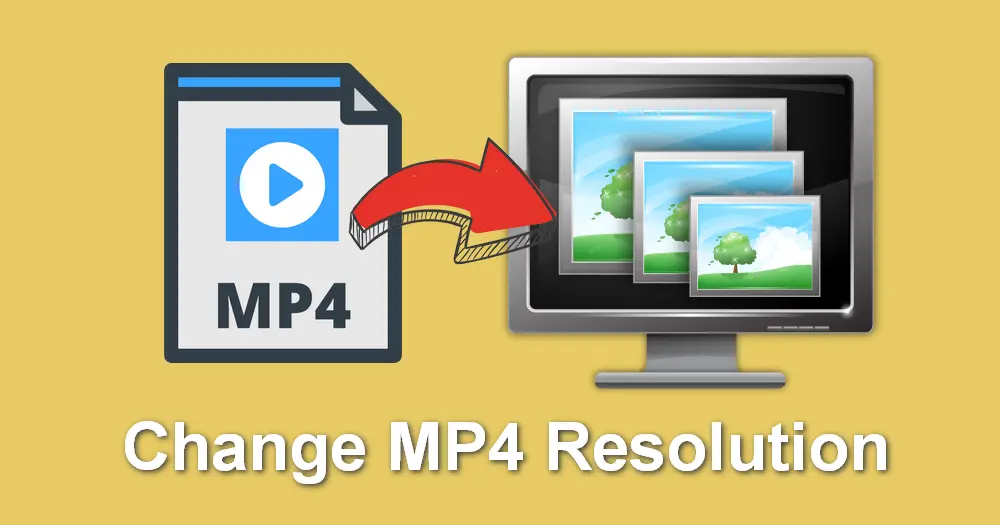
MP4 is a versatile video format that supports various resolutions, but what is the maximum resolution supported by MP4? The answer is dependent on the codec used to encode the video. The most common codec used in MP4 videos is H.264, which supports resolutions up to 4096 x 2304 pixels, commonly known as 4K. However, newer codecs such as H.265 can support even higher resolutions, such as 8K.

“Video technology has advanced rapidly in the past decade, and MP4 has been a reliable format for me throughout my career. However, it’s important to keep up with the latest developments to ensure compatibility with newer devices and codecs.”

MP4 Resolution Limitations

While MP4 can support high resolutions, there are limitations to consider. One factor is the device or software used to play the video. Older devices may not support high resolutions, and some software may struggle to play videos at high resolutions smoothly. Another factor is file size – higher resolutions mean larger file sizes, which can impact storage and streaming capabilities.

“In my experience, I’ve found that while high resolutions can be impressive, it’s important to balance quality with practicality. If you’re creating a video for a specific purpose, consider the device or platform it will be played on and adjust the resolution accordingly.”

Maximizing MP4 Video Quality

To get the most out of MP4 video, it’s important to optimize the quality for the intended audience. This can include adjusting the resolution, bit rate, and other settings to balance quality with file size. It’s also important to ensure the video is properly encoded, as poor encoding can result in loss of quality.

“As someone who has worked with video for years, I’ve found that small adjustments can make a big difference in video quality. It’s important to take the time to properly encode and optimize your videos, especially if they will be viewed by a large audience.”

Final Words

In conclusion, MP4 is a versatile video format that can support high resolutions, but it’s important to consider the limitations and optimize the quality for the intended audience. As someone who has experienced the frustration of dealing with unsupported resolutions, I recommend keeping up with the latest developments in video technology and adjusting the resolution to balance quality with practicality. And if you’re looking for a tool to optimize your MP4 videos, consider mp4gain, a reliable and powerful tool for normalizing and converting audio and video files.


Free Download Mp4Gain
picture


Mp4Gain Main Window
picture


Mp4Gain Features
picture


Free Download Mp4Gain
picture

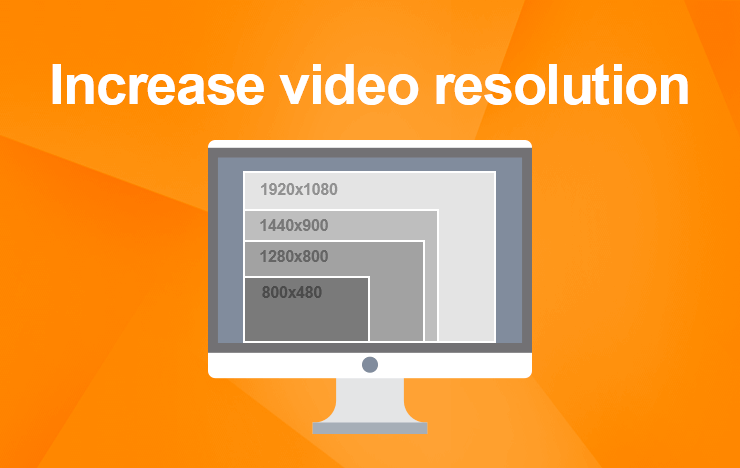
Increase MP4 video resolution

Increase MP4 video resolution: Tips and tricks

MP4 video resolution

My experience with low-resolution videos

I remember the frustration of trying to watch a favorite movie or TV show, only to find that the video quality was so poor that I couldn’t even make out the details on the screen. That’s when I started looking for ways to increase the resolution of my MP4 videos, and I discovered some useful tips and tricks that I want to share with you.
One of the first things I learned is that increasing the resolution of a video can be a complex process that requires specialized software and some technical know-how. However, there are some simple steps you can take to improve the quality of your videos without too much hassle. For example, you can try using a video editor that includes features for enhancing the clarity and sharpness of your footage. Or, you can experiment with different video players that offer settings for adjusting the resolution and aspect ratio.

Using MP4Gain to increase video resolution

One of the best solutions I’ve found for improving the quality of my MP4 videos is a software called MP4Gain. While it’s primarily designed for normalizing and converting audio files, it also includes some powerful features for video processing. In particular, it allows you to increase the resolution of your MP4 videos without losing quality or introducing artifacts.
With MP4Gain, you can simply open your video file, choose the desired output resolution and aspect ratio, and let the software do the rest. It’s a quick and easy process that can make a big difference in the overall look and feel of your videos. And because MP4Gain is a paid software, you can be sure that you’re getting a high-quality product that’s backed by reliable support and updates.

Final words

Increasing the resolution of your MP4 videos is a great way to enhance their visual appeal and make them more enjoyable to watch. Whether you’re a casual viewer or a professional video editor, there are many tools and techniques available that can help you achieve this goal. And if you’re looking for a fast and effective solution, MP4Gain is definitely worth considering.

Reduce MP4 Size

Reduce MP4 Size

Reduce MP4 Size
Reduce MP4 Size
Reduce MP4 Size
Reduce MP4 Size


Are you tired of waiting for hours for your MP4 video to upload or download? Do you want to know how to reduce the size of your MP4 files without losing quality? Then you’ve come to the right place! In this guide, we will teach you how to reduce MP4 size step by step, using simple language that a 6-year-old can understand.

What is MP4?

Before we dive into how to reduce the size of MP4 files, let’s first talk about what MP4 is. MP4 stands for MPEG-4 Part 14, which is a digital multimedia container format used to store video, audio, and subtitles. MP4 is one of the most popular video formats used today, and it is used by many devices such as smartphones, tablets, and computers.

Why do you need to reduce MP4 size?

One of the main reasons to reduce MP4 size is to save storage space. Large MP4 files can take up a lot of space on your device or hard drive, which can slow down your computer or phone. Another reason is to make it easier to share your MP4 files with others, especially if you need to send them over the internet or email. Large MP4 files can take a long time to upload or download, and they may not even be supported by some email services or messaging apps.

How to reduce MP4 size?

There are several ways to reduce the size of your MP4 files, and we will discuss them one by one.

1. Change the video resolution

One of the easiest ways to reduce MP4 size is to change the video resolution. The video resolution refers to the number of pixels in the video, and the higher the resolution, the larger the file size. By reducing the resolution, you can significantly reduce the size of your MP4 files. For example, if your video is in 1080p resolution, you can reduce it to 720p or even 480p to save space.

2. Change the video bitrate

Another way to reduce MP4 size is to change the video bitrate. The video bitrate refers to the amount of data used to represent each second of the video. By reducing the bitrate, you can reduce the size of your MP4 files without sacrificing too much quality. However, be careful not to reduce the bitrate too much, as it can make the video look pixelated or blurry.

3. Trim the video

If your MP4 file contains unnecessary footage, you can trim it to reduce its size. For example, if you have a long video that contains only a few minutes of important footage, you can trim the video to remove the unnecessary parts. This will not only reduce the size of your MP4 file but also make it easier to watch and share.

4. Compress the video

Another way to reduce MP4 size is to compress the video using a video compression tool. Video compression tools use algorithms to remove redundant or unnecessary data from the video, which can significantly reduce the file size without losing too much quality. However, be careful not to compress the video too much, as it can make the video look pixelated or blurry.

Reducing the size of your MP4 files can save you a lot of time and storage space, and it’s easier than you think. By following the steps we outlined in this guide, you can reduce the size of your MP4 files without losing too much quality. And if you want to further optimize your MP4 files
for better compatibility, we recommend using a tool like MP4Gain, which can normalize the audio level and optimize the file for playback on any device or platform.

Conclusion

Reducing the size of your MP4 files can save you a lot of time and storage space, and it’s easier than you think. By following the steps we outlined in this guide, you can reduce the size of your MP4 files without losing too much quality. And if you want to further optimize your MP4 files for better compatibility, we recommend using a tool like MP4Gain, which can normalize the audio level and optimize the file for playback on any device or platform.

Remember to always make a copy of your original video file before making any changes, so you can always go back to the original if needed. And be aware of the legal implications of reducing the size of copyrighted videos without permission. By using these tips responsibly, you can make the most of your video files and share them with others more easily.