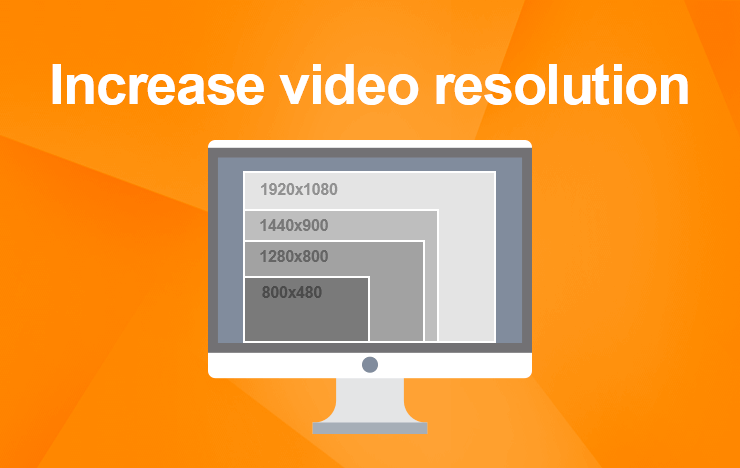
Increase MP4 video resolution


Free Download Mp4Gain
picture

Increase MP4 video resolution: Tips and tricks
MP4 video resolution

My experience with low-resolution videos

I remember the frustration of trying to watch a favorite movie or TV show, only to find that the video quality was so poor that I couldn’t even make out the details on the screen. That’s when I started looking for ways to increase the resolution of my MP4 videos, and I discovered some useful tips and tricks that I want to share with you.
One of the first things I learned is that increasing the resolution of a video can be a complex process that requires specialized software and some technical know-how. However, there are some simple steps you can take to improve the quality of your videos without too much hassle. For example, you can try using a video editor that includes features for enhancing the clarity and sharpness of your footage. Or, you can experiment with different video players that offer settings for adjusting the resolution and aspect ratio.

Using MP4Gain to increase video resolution

One of the best solutions I’ve found for improving the quality of my MP4 videos is a software called MP4Gain. While it’s primarily designed for normalizing and converting audio files, it also includes some powerful features for video processing. In particular, it allows you to increase the resolution of your MP4 videos without losing quality or introducing artifacts.
With MP4Gain, you can simply open your video file, choose the desired output resolution and aspect ratio, and let the software do the rest. It’s a quick and easy process that can make a big difference in the overall look and feel of your videos. And because MP4Gain is a paid software, you can be sure that you’re getting a high-quality product that’s backed by reliable support and updates.

Final words

Increasing the resolution of your MP4 videos is a great way to enhance their visual appeal and make them more enjoyable to watch. Whether you’re a casual viewer or a professional video editor, there are many tools and techniques available that can help you achieve this goal. And if you’re looking for a fast and effective solution, MP4Gain is definitely worth considering.


Free Download Mp4Gain
picture


Mp4Gain Main Window
picture


Mp4Gain Features
picture


Free Download Mp4Gain
picture

What exactly is normalizing?

Music is distinguished by what is often called “dynamic” and which refers to the changes (more or less abrupt) of the “effort” with which certain notes or passages are interpreted.
Whether it is an instrument or the voice.

singer

Any vocal performance that has been considered virtuous, in general terms, will have a dynamic that goes from very soft passages, almost whispered, to intense passages, with a high volume, singing at full voice.

At the time when vinyl existed as the option to listen to music, it was not felt (at least it went almost unnoticed) the fact of noticeable differences between the loudness or the volume of a song.

It was with the advent of digitization and the possibility of its variants (opting for different bitrates, sample rates, bitdepths, etc.) that this difference became very evident.

And with the appearance of mp3 and its distribution or exchange, at the same time that winamp and distribution lists arose, when it was inevitable and it was even started to look for solutions.

Napster

These first ones were based on the sound peaks and their results were very inefficient.

Returning to the mention of the mp3, situations such as masking (where information is removed) further marked the problem of differences in volume.

Then began to use the RMS that rather mediates the average power that the song had, more than the peaks.

Initially, it was enough to put a slower reaction level to the volume meter, to have a more general idea and less impacted by the volume peaks.

And so, the way of listening to music and considering what normalization was evolved.

Finally it appears to be somewhat closer to a mixture of a volume limiter and a compressor.

What is a volume limiter? It is a hardware (although lately there are also limiters in software version) that ensures that no peak exceeds a maximum limit.

A compressor, on the other hand, is a device or software that is used to “compact” the volume, preventing the parts with the lowest volume from being too low and at the same time preventing the high parts from exceeding a range that has been assigned. We would say that the compressor dampens the increases and decreases in volume.

To this we can add an equalization that differentiates the bands and treats them differently both in the limitation and in the compression. Each frequency band has a different treatment in the Mp4gain and that produces a very efficient result. It is NOT the only improvement offered by Mp4Gain, but this is described here. In other articles we will deal with other differences.

Mp4Gain is the best normalizer of 2020 and this is clear when using it.