Video Codecs: H.264, H.265, and VP9


Free Download Mp4Gain
picture

The Importance of Choosing the Right Video Codec


 

H.264, H.265, and VP9

Video Codecs: H.264, H.265, and VP9

As the world becomes increasingly digitized, the importance of video codecs in our lives cannot be overstated. Video codecs are essential in video compression, encoding, streaming, and playback. Choosing the right codec can make the difference between smooth playback and frustrating buffering, between crisp and clear images and pixelated messes. In this article, we will explore the differences between three of the most popular video codecs in use today: H.264, H.265, and VP9.

H.264 vs H.265: What’s the Difference?

H.264, also known as AVC (Advanced Video Coding), has been the dominant codec in use for the past decade. It is widely supported by devices and software and offers good compression while maintaining high video quality. However, H.265 (HEVC) is slowly taking over. It is a newer and more advanced codec that offers better compression ratios, which means smaller file sizes with the same quality as H.264. H.265 is also better at handling high-resolution videos, making it a good choice for 4K and 8K videos. However, it requires more processing power to decode, which may be an issue on older devices.

Personally, I have found that H.265 delivers noticeably better quality than H.264 for the same file size. It is especially noticeable in high-motion scenes like action movies or sports. However, it does require more processing power, so make sure your device can handle it before choosing it as your preferred codec.

VP9: The New Kid on the Block

VP9 is a newer codec developed by Google and is designed to be a royalty-free alternative to H.265. It offers better compression than H.264 while maintaining the same video quality. It is also highly efficient at handling high-resolution videos, making it a good choice for 4K and 8K videos. However, its adoption has been slow due to its lack of support in many devices and software. It also requires more processing power to decode than H.264.

One of my personal experiences with VP9 was when I was trying to stream a 4K video on my laptop. I noticed that the video was buffering a lot and the quality was not as good as I expected. After some research, I found out that the video was encoded with VP9, which my laptop did not support. I had to switch to H.264 to get smooth playback.

Conclusion: Choosing the Right Video Codec

Choosing the right video codec is crucial for ensuring smooth video playback and high video quality. H.264 is still a solid choice for most situations, but H.265 and VP9 offer better compression and handling of high-resolution videos. However, they require more processing power and may not be supported by all devices and software. Make sure to choose the codec that best suits your needs and device capabilities.

In conclusion, video codecs are an essential part of our digital lives, and choosing the right one can make all the difference in our video-watching experience. Always keep in mind the pros and cons of each codec and make an informed decision based on your needs.


Free Download Mp4Gain
picture


Mp4Gain Main Window
picture


Mp4Gain Features
picture


Free Download Mp4Gain
picture

Codecs and Their Importance in Video Production

Codecs and Their Importance in Video Production

Video Codecs
Video Codecs
Video Codecs
Video Codecs


“A codec is a way of encoding and decoding video or audio data so that it can be transmitted, stored and played back efficiently,” says John Watkinson in his book The Art of Digital Video. In essence, a video codec is a software or hardware that compresses and decompresses video data. This process helps to reduce the size of video files, which makes them easier to store, transmit and stream over the internet.

The Function of Video Codecs

“Codecs are used to compress video data to reduce the amount of data that needs to be stored or transmitted,” explains Brian Nadel in his article on Techradar. He adds that codecs “also help to maintain the quality of the video by minimizing any loss of data during compression.” This is done by removing redundant information and compressing the remaining data without affecting the quality of the video.

The Different Types of Video Codecs

“There are two main types of codecs: lossy and lossless,” notes Larry Jordan in his article on Digital Media Net. Lossy codecs, such as H.264 and MPEG-4, compress video data by permanently discarding some of the information in the video. While lossy codecs result in smaller file sizes, they may also compromise the quality of the video. On the other hand, lossless codecs, such as Apple ProRes and Avid DNxHD, preserve all the information in the video, resulting in higher quality videos but larger file sizes.

Choosing the Right Video Codec

“When choosing a video codec, you must consider the final use of the video,” advises Richard Harrington in his book Video Made on a Mac. For instance, if you are creating a video for the internet, you may want to use a codec that results in a small file size without compromising the quality of the video. On the other hand, if you are producing a video for broadcast, you may want to use a lossless codec that maintains the quality of the video but results in a larger file size.

The Advantages of Video Codecs

“Video codecs are essential in modern video production because they help to compress video data, reducing storage space requirements and making video transmission over the internet much faster and smoother,” states Jeff Strong in his article on Lifewire. By compressing video data, codecs also make it possible to store and transmit high-quality videos without consuming excessive amounts of bandwidth.

The Disadvantages of Video Codecs

“Video codecs may also result in a loss of data, which can affect the quality of the video,” cautions Chris Stevens in his article on Adorama. Furthermore, some codecs may not be compatible with certain software or hardware, which can result in compatibility issues when editing or playing back videos. It is therefore essential to choose the right codec that meets your specific needs and requirements.

Final Words

In conclusion, video codecs play an essential role in modern video production, enabling efficient storage, transmission, and playback of video data. By understanding the different types of codecs and their respective advantages and disadvantages, you can choose the right codec for your specific needs and ensure that your videos are of the highest quality while being optimized for storage and transmission.

What are the most used video formats?

Choosing audio and video codecs and containers affects video quality and file size. Here we show you how to find the format that best suits your needs.

formats

Decades and decades of developments in the audiovisual field have led to a result that, in some way, can be considered curious. While in other sectors, continuous development has led to a very marked standardization (think of the .doc or .pdf format), in multimedia the situation is at least compound.

An example is the world of audio formats, animated by strong “competition” and a multitude of available options. It is no less than that of video formats, in fact. In this case, in fact, we have to deal with a division between codecs and containers (we will see in a moment what they are and what function they perform) that ends up complicating things even more. Therefore, in case you want to convert a movie, you have to be careful to choose the correct codec and the correct video format, to avoid creating files that are too large or simply unreadable. In short, the error is just around the corner.

audio formats

Differences between containers and codecs

Before analyzing the situation and seeing what are the most used video formats, it is necessary to clarify some fundamental concepts: first, what is the difference between the codec and the container. If in the audio world, the codec used to digitize the audio track matches the “final” file format, in the video, on the other hand, the codecs used are different from the file format that the video file will assume at the end of the digitization process. The reason is soon explained and lies in the multimedia nature of a video.

A movie, in fact, contains video and audio data: the conversion or playback software must be able to analyze both multimedia streams, and therefore will need different algorithms that work in one or another type of data stream. Codecs do exactly this: as the name, code, and decoding of data (audio and video) are made from movies, so you can convert them to another video format or play them back with a media player. Even with regard to containers, it is enough to resort to the literal meaning of the word: these are files that contain both the video and audio sequences within them and “make them available” to codecs for reading and playback.

What are the most used codecs?

A codec, as mentioned, is in charge of compressing and decompressing the video files and determines how they are played on the screen of the PC or smart TV. Each operating system provides the user with dozens and dozens of different codecs, each useful for encoding and decoding a specific type of file, even if a new one can be installed by downloading special software or packages from the web. Among the most used codecs we find the FFmpeg, Divx, Xvid, H.264 and its evolution H.265, VP9 and VP 10 (also known as the name of the Google codec).

-Divx and Xvid. As the name also suggests, these are two “mirror” codecs, created in the late 20th and early 21st centuries to meet the initial demand for online multimedia content. Since bandwidth and browsing speed were very limited, these are codecs that can guarantee good video quality even at high levels of image compression. In this way, it was possible to obtain files of contained dimensions even with very long movies (such as full movies)

-264 and H.265. Created by the Motion Picture Expert Group, they can be considered as industry standards. Among the most popular and used in all areas (you can find H.264 encoded movies on Blu-ray discs, for example, but also movies downloaded from the network) thanks to its versatility and ability to guarantee an excellent quality ratio / File size. The H.265 codec, in particular, can guarantee, with the same quality, a compression factor twice as high as that of its predecessor: files “treated” with this codec will therefore weigh half compared to their counterparts processed with H.264 codec

-VP9 and VP10. Also known as “Google Codec”, they are the codecs used by the giant Moutnain View to compress and decompress the movies uploaded to YouTube. These are algorithms optimized for online video playback, capable of offering excellent resolution and high quality even with small files. The VP10 in particular is the all’H.265 answer and is designed for resolutions up to 4K
Mpeg-H.

Most important video formats

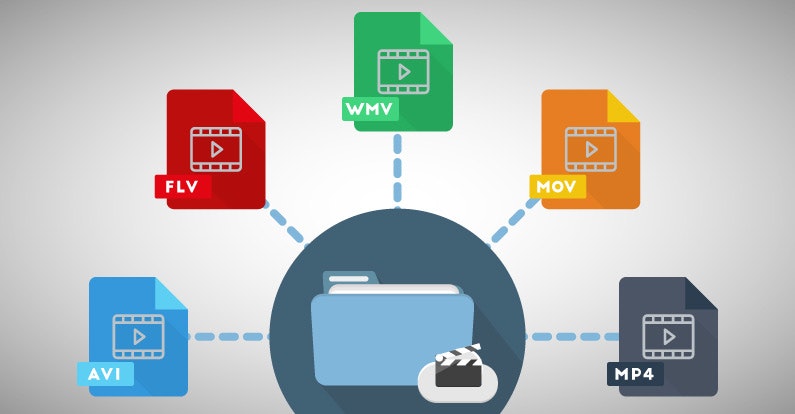
As with text documents, photographs or audios, video in digital format is available in different formats or extensions.

When we talk about video formats we can refer to several things. The most common, the physical formats in which we have access to a movie, series or documentary.

In this sense, today we find DVD and Blu-Ray, although some of us still keep in an old VHS closet and maybe some Betacam.

But a second meaning or meaning of video formats refers to their encoding, since in digital video, as with a computer program, any file is written in a certain code.

In videos, the code influences the image quality, the sound quality, whether or not it includes subtitles and, in particular, the relationship between quality and file size.

Thus, today we consume digital audiovisual content through physical discs (DVD, Blu-Ray), through streaming and through IPTV (Internet television), but we also handle digital video files, especially for content that we generate ourselves.

Next we will review the most common digital video formats that we can find, what is their origin and what benefits they offer

AVI

We start with the most popular format that we will find. Video files with an .AVI extension have their origin in a format that was launched in 1992 and is so popular that most smart TVs, DVD / Blu-Ray players, video game consoles and operating systems play it.

AVI is an acronym for Audio Video Interleave and not many know that it was created by Microsoft as a digital alternative without dependence on a physical format such as the then popular DVD.

Among its advantages, it allows you to include several audio channels and host content generated with different codecs (AC3 or MP3 for audio, DivX or Xvid for video), which can be an advantage but also an inconvenience with which players.

MP4

MP4 or MPEG-4 is one of the most modern formats, launched in 1998 as a standard for playing video and audio in a single digital file.

MPEG stands for Moving Picture Experts Group, the expert group that has established digital audio and video standards and was formed by two international organizations, the ISO (International Organization for Standardization) and the IEC (International Electrotechnical Commission).

In summary, the MPEG and MPEG-2 format were launched in 1993 and 1995 respectively as standards for encoding digital audio and video. To understand each other, any DVD offers its audiovisual content in MPEG-2.

MP4 also supports several audio channels, but has the advantage of allowing more image and sound quality in a less heavy file, as it compresses data better. Apple, for example, opts for this format and derivatives for its iTunes content.

Related to MP4 we can find M4V (video) or M4A (audio).

MKV

The MKV video format is an open format, free to pay rights, and whose full name is Matroska, like traditional Russian dolls.

MKV saw the light at the end of 2002 and has become popular thanks to the fact that within a single MKV file we can store, together with the audio channel, several channels or audio tracks and several subtitle tracks.

Like MP4, it offers very good audio and video quality in a small space. And as a curiosity, the WebM format that allows you to integrate online video via HTML, is inspired by Matroska.

FLV

The FLV or Flash Video format was created by Macromedia, and subsequently acquired by Adobe. This format is usually found as an FLV or SWF extension.

Like the other Flash content, FLV videos are designed for online playback from the browser through Adobe Flash Player.

As we saw in a previous article, Flash will stop developing in 2020, although we still find pages that use it.

MOV

I said before that Apple is currently betting on MP4 (and AAC) to facilitate multimedia content. But its star format for many years was MOV.

MOV, from QuickTime Movie, is also called QuickTime File Format, and today it is still the default format of QuickTime, the macOS video player.

This format can also be found in many digital video cameras, since it offers very good image and sound quality without compression.