mp3 audio normalizer

mp3 audio normalizer


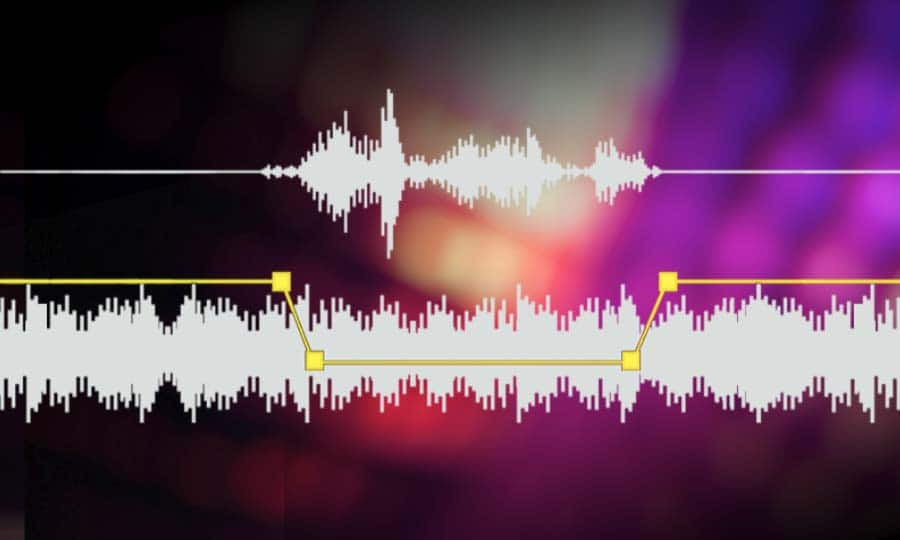
An mp3 audio normalizer is a tool to avoid differences in volume level in 2 or more audio files.

audio volume normalizer

There are various ways to do this, but the most common is to use software that can normalize the levels of the files automatically. This can be done with an audio editor, or with a dedicated mp3 normalizer program.

audio volume normalizer

Normalizing an audio file is checking each frame and adjusting it to be sure that each one is optimized to get the best possible volume without distortion.

An audio file can be normalized in two ways:

1. Peak Normalization:

This is where the audio file is analyzed and the highest peak is identified. The volume of the entire file is then increased or decreased so that this peak is at the maximum possible level without distortion.

2. RMS Normalization:

This is where the audio file is analyzed and the average volume level is identified. The volume of the entire file is then increased or decreased so that this average level is at the maximum possible level without distortion.

This behavior is similar to the compressor that keep the volume range of noisy and lower passages of the audio to keep both in a range that can sound fine.

The main difference is that the goal of an audio normalizer is not to change the sound of the audio, but to make sure that the volume levels of all the files are the same.

The most common format that is normalized is MP3, but other formats such as WAV can also be normalized.

In this times even video files can be normalized too.,

There are many reasons why you might want to normalize your audio files.

For example, if you have a number of files that were recorded at different levels, you may want to normalize them so that they all have the same volume level.

This can be useful if you want to create a playlist of files that are all the same volume, or if you want to make sure that all the files in a particular folder have the same volume level.

Another reason to normalize your audio files is if you want to make sure that they sound their best when played back on different devices.

For example, if you have an MP3 file that sounds great on your computer, but sounds terrible on your phone, you may want to normalize it so that it sounds its best on both devices.

Normalizing your audio files can also be useful if you want to make sure that they are suitable for use in different situations.

For example, if you have an MP3 file that you want to use as background music for a video, you may want to normalize it so that it is not too loud or too quiet.

Normalizing your audio files can also be useful if you want to make sure that they sound their best when played back at different speeds.

For example, if you have an MP3 file that sounds great when played back at normal speed, but sounds terrible when played back at double speed, you may want to normalize it so that it sounds its best at both speeds.

Normalizing your audio files can also be useful if you want to make sure that they sound their best when played back at different volumes.

For example, if you have an MP3 file that sounds great when played back at a low volume, but sounds terrible when played back at a high volume, you may want to normalize it so that it sounds its best at both volumes.

Normalizing your audio files can also be useful if you want to make sure that they are suitable for use in different environments.

For example, if you have an MP3 file that you want to use as background music for a party, you may want to normalize it so that it is not too loud or too quiet.

Normalizing your audio files can also be useful if you want to make sure that they are suitable for use in different places.

For example, if you have an MP3 file that you want to use as background music for a restaurant, you may want to normalize it so that it is not too loud or too quiet.

Normalizing your audio files can also be useful if you want to make sure that they are suitable for use at different times of the day.

For example, if you have an MP3 file that you want to use as background music for a morning show, you may want to normalize it so that it is.

What is a loudness normalizer or an audio volume normalizer?

What is a loudness normalizer or an audio volume normalizer?

audio volume normalizer

A volume normalizer is used to make sure that audio files play at the best possible volume without clipping and also that all audio files play at a similar volume.

audio volume normalizer

A volume normalizer analyzes an audio file and then adjusts it to sound at a specific volume level. This is often done with audio files that are uploaded to file sharing sites, so that all users can listen to the audio at a similar volume.

It is quite common to find volume differences in the files that are downloaded from the internet, since these have been created from a wav but different sampling and bit frequencies have been used to create them.

A volume normalizer can analyze an audio file and then apply gain or attenuation to adjust the volume of the file to a specified level. This is useful if you want to ensure that all audio files played on your website or in your application sound at a similar volume.

Because it’s frustrating to have a collection of audio or even video files and find that when you play them they play at different volumes.

For this reason, it is necessary to use a volume normalizer, with which you can make sure that all audio and video files are heard at a similar volume.

It is important to ask yourself if the bit rate is important for the quality of an audio or video file, the same for the sample rate.

The answer is no, not always.

Bit rate and sample rate refer to the amount of information that can be stored in an audio or video file.


The higher the bit rate, the higher the quality of the audio or video file.


However, sometimes a low-quality video or audio file can sound better than a high-quality file.


This is because the bit rate and sample rate are not always indicative of the quality of the audio or video file.


There are many factors that can affect the quality of an audio or video file, such as the encoder used to encode the file, the quality of the microphone used to record the file, the quality of the equipment used to play the file, etc.


In summary, the bit rate and the sample rate are not always indicative of the quality of the audio or video file.

MP3 file format

MP3 file format

MP3 file format
MP3 file format

The full name of MP3 is MPEG-1 or MPEG-2 Audio Layer III, which is a popular format for digital audio coding and lossy compression of minor parts, to achieve the purpose of compressing into smaller files.

MP3 file format
MP3 file format

source
The MP3 format was invented in the mid-1980s by a group of engineers at the Fraunhofer research organization in Erlangen, Germany, and standardized in 1991. The association is committed to research in low-rate, high-quality sound coding of data. Although MP3 is a lossy compression format, for the listening experience of most users, the sound quality of MP3 does not have a noticeable decrease compared to the original uncompressed audio.

Later, with the popularization of the MP3, it had an impact and influence in the music industry.

MPEG audio standard
MPEG (Motion Picture Experts Group) is a moving picture expert group under ISO, and the MPEG standard formulated by it is widely used in various multimedia. MPEG standards include video and audio standards, from which MPEG-1, MPEG-2, MPEG-2AAC, and MPEG-4 audio standards have been developed.

The MPEG-1 and MPEG-2 standards use the same family of audio codecs: Layer1, 2, 3. A new feature of MPEG-2 is the use of low sample rate expansion to reduce data traffic, and another feature is multi-channel expansion, which increases the number of main channels to five. The MPEG-2AAC (MPEG-2 Advanced Audio Coding) standard was launched by FraunhoferIIS and AT&T in 1997 to significantly reduce data traffic. The Modified Discrete Co2sine Transform (MDCT) algorithm adopted by MPEG22AAC, the sampling rate It can be between 8KHz and 96KHz, and the number of channels can be between 1-48.

All three layers of MPEG Audio Layer1, 2, and 3 use the same filter bank, bitstream structure, and header information, and the sample rate is either 32 KHz, 4411 KHz, or 48 KHz.

Layer1 is designed for DCC (DigitalCompactCassette) digital compression tape, with a data rate of 384kbps.
Layer2 balances complexity and performance, and data traffic drops to 256kbps-192kbps.
Layer3 was designed for low data traffic from the beginning, and the data traffic is 128Kbps-112Kbps. Layer3 adds MDCT transform, which makes its frequency resolution 18 times than Layer 2. Layer3 also uses EntropyCoding similar to MPEGVid2eo Redundant information is reduced.
Currently, most MP3s use the MPEG21 standard.

Change the bit rate of an MP3 file

Change the bit rate of an MP3 file

mp3 bit rate
mp3 bit rate

Do you want to change the bit rate of an MP3 file?

mp3 bit rate
mp3 bit rate

This can be useful, for example, if you need to reduce the size of an MP3 file. A 320 kbps MP3 file, the highest bit rate allowed for an MP3 file, can be lowered to 192 kbps to significantly reduce the size of the MP3 file.

There will be some loss in quality, but the difference will be negligible to most listeners using standard speakers or headphones. If you’re an audiophile, chances are you’ll never use the MP3 format outside of expensive audio equipment.

Most likely, you are using a lossless format, such as compressed or uncompressed PCM audio, WAV, AIFF, FLAC, ALAC, or APE. Uncompressed PCM audio files are approximately 10 times larger than CD-quality MP3 files.

The MP3 format is a lossy format, which means sacrificing audio quality to keep file sizes relatively small. Almost all sites will tell you that you shouldn’t convert lossless audio files to MP3 unless you can afford to lose some audio quality.

Almost all the time. The only time it might make sense is if you have a bitrate audio file in a low quality format like WAV. For example, it might make sense to convert a 96 kbps WAV file to MP3, but only if you choose a bit rate of 192 kbps or higher. A higher bit rate in an MP3 file will allow it to maintain the same quality as a WAV file even though it has a lower bit rate.
The second thing to read is that you should never switch to a lower bitrate. bitrate stream to a higher bitrate stream and hope it sounds better. You cannot gain quality by increasing the bit rate. This is absolutely true. If you try to convert the bitrate, it will actually reduce the quality of the MP3 file.

MP3 file format

MP3 file format

Mp3 file format
Mp3 file format

Introduction:
MP3 file format

Mp3 file format
Mp3 file format

1. Overview:
MP3 files are made up of frames, and frames are the smallest unit of MP3 files. The full name of MP3 must be MPEG1 Layer 3 audio files. MPEG
(Motion Picture Experts Group) translates into Chinese as Moving Picture Experts Group, and refers specifically to moving video and audio compression standards.
MPEG1 standard, also known as MPEG audio layer, which is divided into three layers based on compression quality and encoding complexity, namely,
Layer-1, Layer2 and Layer3, which correspond to the three sound files of MP1, MP2 and MP3 respectively, and use different
levels of audio files according to different purposes. The higher the MPEG audio encoding level, the more complex the encoder and the higher the compression ratio. The compression ratios of MP1 and MP2 are 4:1 and
6:1-8:1 respectively, while the compression ratio of MP3 is as high as 10:1-8:1. 12:1, meaning one minute of CD-quality music requires 10MB
of storage space without compression, but only about 1 MB after MP3 compression encoding. However, MP3 uses a lossy compression method for audio signals. To reduce
sound distortion, MP3 adopts “sensory coding technology”, that is, it first analyzes the frequency spectrum of audio files during encoding, and then uses filters to filter the
noise . levels. Then the remaining bits are spread and arranged by means of quantization, and finally an MP3 file with a higher compression ratio is formed, and the
compressed file can achieve a sound effect closer to the original sound source during playback.
2. The whole structure of
MP3 files: MP3 files are roughly divided into three parts: TAG_V2 (ID3V2), Frame, TAG_V1 (ID3V1)
ID3V2 contains information like author, composer, album, etc. The length is not fixed, which expands the information volume of ID3V1.
A series of frames, the number is determined by the size of the file and the length of the frame. The length of each frame of the
frame
may not be fixed or fixed, and is determined by the bitrate
.
Each table is divided into two parts: table header and data entity Header of data.
frame
Record the bit rate, sample rate, version and other information of mp3, and each frame is independent of each other The frame
ID3V1 contains information like author, composer, album, etc., and the length is 128BYTE . 3. MP3 FRAME format: each FRAME has a FRAMEHEADER frame header, the length is 4BYTE (32 bits), there may be two CRC check bytes after the frame header, the existence of these two bytes depends on the FRAMEHEADER information If bit 16 is 0, there is no checksum after the frame header, and if it is 1, there is a checksum. The checksum length is 2 bytes, followed by the FRAMEHEADER, followed by the frame entity data. The format is as follows: FRAMEHEADER CRC (free) MAIN_DATA 4 BYTE 0 OR 2 BYTE The length is calculated from frame header 1. The format of the FRAMEHEADER frame header is as follows: AAAAAAAA AAABCCD EEEEFFGH IIJJKLMM

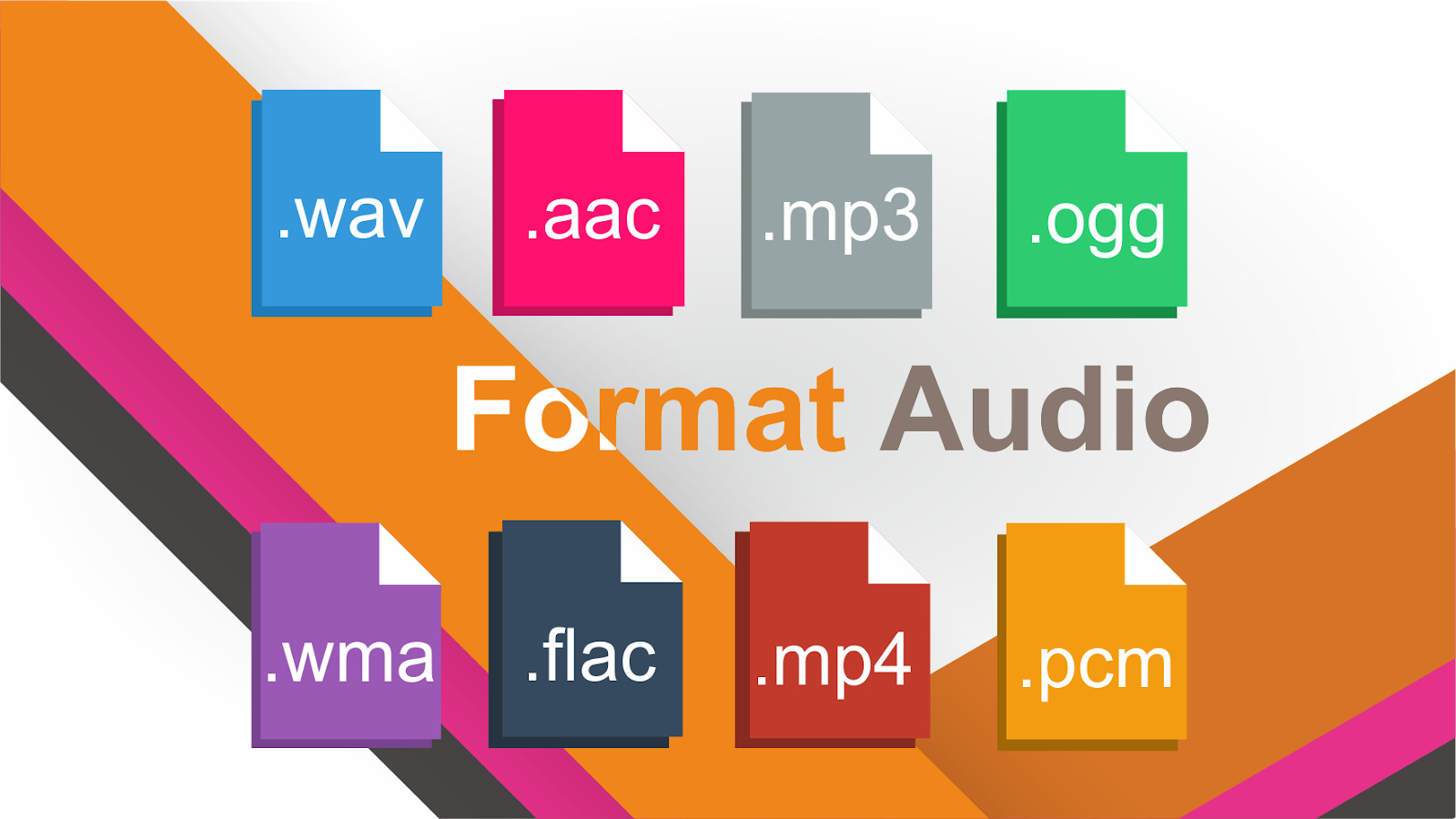
Why are there so many video and audio formats, and is there a difference?

Why are there so many video and audio formats, and is there a difference?

audio formats

7. VQF format

audio formats

The compression ratio of VQF format can reach 1:18, so under the same circumstances, the volume of compressed VQF file is 30-50% smaller than MP3, which is more convenient for Online streaming and sound quality is excellent with close to CD sound quality (16-bit 44.1kHz stereo). However, VQF has not disclosed technical standards and has not yet become popular.
Supplement: rare

8. Format
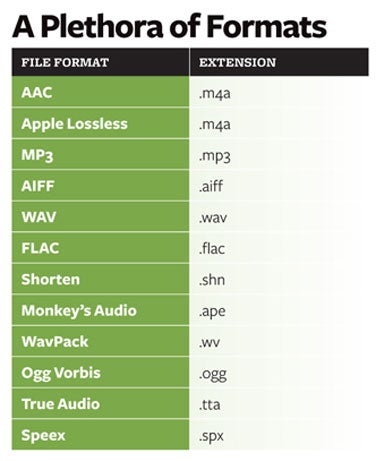
FLAC FLAC is lossless audio compression encoding. FLAC is a set of well-known free audio compression codes, which is characterized by lossless compression. Unlike other lossy compression codes, such as MP3 and AAC, it won’t destroy any original audio information, so you can restore the sound quality of music CDs. It is now compatible with many software and hardware audio products. In short, FLAC is similar to MP3, but it is lossless compression, which means that the audio will not lose any information when compressed in FLAC mode. This compression is similar to Zip, but FLAC will give you a higher compression ratio, because FLAC is a compression method specially designed for audio characteristics, and you can use the player to play FLAC compressed files, just like you normally do with your MP3. the files are the same.
Supplement: Lossless format, compared to ape , is larger in size, but has good compatibility, fast encoding speed, and broader player support

9. Format
APE APE is one of the most popular digital music file formats. Unlike lossy compression methods such as MP3, APE is a lossless audio compression technology, which means that after compressing audio data files read from an APE-format audio CD, it can also compress audio data files. APE Restore format files and the restored audio. the files are exactly the same as before the compression without any loss. The file size of APE is about half of that of a CD, but with the popularization of broadband, many music lovers love the APE format, especially for friends who want to stream audio CDs over the network. APE can help them save a lot of resources.
Supplement – lossless compression format, compared to FLAC, the volume is smaller. Encoding is slow.

10. Format
MID MID is the abbreviation of midi, which is its extension, “interface of digital musical instruments”, that is, its real meaning is the name of an interface for different devices to transmit signals. All of our current MIDI music production depends on this interface, and the information transmitted between this interface is also called MIDI information. MIDI was first applied to electronic synthesizers (electronic musical instruments played on keyboards. Due to the inconsistent technical specifications of early electronic synthesizers, it was difficult to link different synthesizers. In August 1983, YAMAHA, ROLAND, KAWAI, and others Well-known electronic musical instruments Instrument manufacturers jointly specified a unified digital musical instrument interface specification, which is the MIDI 1.0 Technical Specification.Since then, a number of electronic synthesizers and electronic musical instruments, such as electronic pianos, have adopted this unified specification. , so that various electronic musical instruments can be linked together to transmit MIDI information and form a true synthetic music performance system.