lossless, lossy compression

lossless, lossy compression

lossless, lossy compression

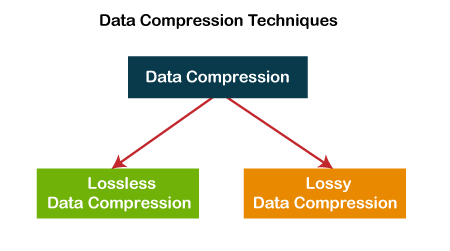
Lossless compression and lossy compression are two types of digital image file compression.

lossless, lossy compression

1. Introduction
2 The principle of compression
lossy compression
lossless compression
3 advantages and disadvantages of compression


Introduction

Lossless compression is the compression of the file itself. Like other data file compression, it is to optimize the file’s data storage method. A certain algorithm is used to represent the repeated data information. The file can be fully restored without affecting the content of the file As far as the image is concerned, there will be no loss of image detail.
Lossy compression is a change in the image itself. When saving the image, more brightness information is retained and the color hue and purity information is merged with the surrounding pixels. The melting ratio is different and the compression ratio is also different. different The amount is reduced, so the compression ratio may be high and the image quality will be reduced accordingly.
compression principle

lossy compression
Lossy compression reduces the amount of space an image occupies in memory and on disk, and when viewed on screen, you won’t notice that it has a detrimental effect on the image’s appearance. Because human eyes are more sensitive to light, the effect of light on the scene is more important than the effect of color, which is the basic foundation of lossy compression technology.
lossless compression
The basic principle of lossless compression is that the same color information should only be saved once. The software that compresses the image first determines which areas of the image are the same and which are different. Images that include repetitive data (eg blue sky) can be compressed, only the beginning and end of the blue sky need to be recorded. But there can be different shades of blue, and the sky can sometimes be obscured by trees, mountains, or other objects, which must be recorded separately. Essentially, lossless compression methods eliminate some duplication and greatly reduce the size of the image that will be saved to disk. However, the lossless compression method does not reduce the memory consumption of the image, because when the image is read from disk, the software fills in the missing pixels with the appropriate color information. If you want to reduce the amount of memory an image occupies, you should use a lossy compression method.

pros and cons of compression

lossy compression
Lossy compression is characterized by maintaining gradual color changes and eliminating sudden color changes in the image. Numerous experiments in biology have shown that the human brain fills in missing colors with colors closest to the neighborhood. For example, for a white cloud against a blue sky background, lossy compression removes some of the color at the edges of the image scene. Looking at the image on the screen, the brain fills in the missing parts of the color with the colors it sees in the scene. By using lossy compression techniques, some data is intentionally deleted and the deleted data is never recovered.
It is true that the use of lossy compression techniques can greatly compress the data in a file, but at the expense of image quality. If the image using lossy compression is only displayed on the screen, it may not have much of an impact on the image quality, at least to the degree of recognition by the human eye. However, if an image that has been subjected to lossy compression techniques is printed on a high resolution printer, the quality of the image will be severely compromised.
lossless compression
The advantage of the lossless compression method is that the image quality can be preserved better, but the compression rate of this method is relatively low. However, if you need to print the image on a high-resolution printer, it’s best to use lossless compression. Almost all image files use their respective short-form names as file extensions. From the extension you can know what format the image is stored in, what software should be used to read/write, etc.

What is lossy and lossless audio?

What is lossy and lossless audio?

lossy and lossless
lossy and lossless

According to the sample rate and sample size of the sound, we can know that compared to the natural signal, the audio encoding can only be infinitely close at most, at least the current technology can only do this.

lossy and lossless
lossy and lossless

Compared with the natural signal, any digital audio coding scheme has certain advantages in that it cannot be fully restored.
In computer applications, PCM encoding can achieve the highest level of fidelity, which is widely used for material preservation and music appreciation. It is used on CDs, DVDs, and our common WAV files. Therefore, PCM has become lossless encoding by convention, because PCM represents the best level of fidelity in digital audio, it does not mean that PCM can guarantee the absolute fidelity of the signal, and PCM can only be infinitely close in the greater extent.
We usually include MP3 in the category of lossy audio encoding, which is relatively PCM encoding. The purpose of emphasizing the relativity of lossy and lossless encoding is to tell everyone that it’s hard to achieve true lossless, just like using numbers to express pi, no matter how high the precision is, it’s infinitely close, no actually equal to pi value.

The so-called lossy and lossless are relative to the software used for the audio format. According to the sample rate and sample size, it can be known that compared to the natural signal, the audio encoding can only be infinitely close at most, at least the current technology can only do this. Compared to the natural signal, any digital audio encoding scheme is lossy because it cannot be fully restored.
In computer applications, PCM encoding can achieve the highest level of fidelity, which is widely used for material preservation and music appreciation. It is used on CDs, DVDs, and our common WAV files. Therefore, PCM has become lossless encoding by convention, because PCM represents the best level of fidelity in digital audio, it does not mean that PCM can guarantee the absolute fidelity of the signal, and PCM can only be infinitely close in the greater extent.
We usually include MP3 in the category of lossy audio encoding, which is relatively PCM encoding. The purpose of emphasizing the relativity of lossy and lossless encoding is to tell everyone that it’s hard to achieve true lossless, just like using numbers to express pi, no matter how high the precision is, it’s infinitely close, no actually equal to pi value.

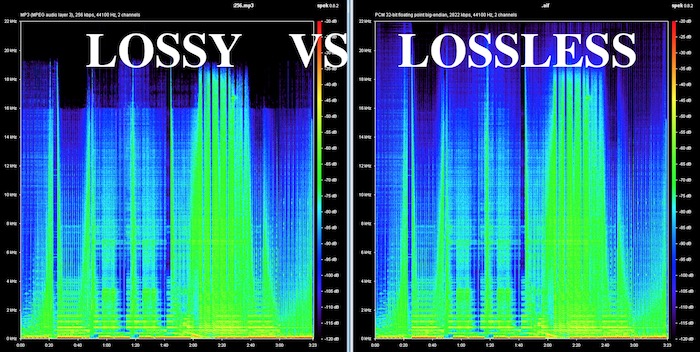
Lossy vs Lossless, understanding Audio Quality.

Lossy vs Lossless, understanding Audio Quality.

Lossy vs Lossless

Why the mp3 arises and becomes a success?

Lossy vs Lossless
Lossy vs Lossless

We talked in a previous article about why it was urgently needed when the internet started to find a way to compress the audio, since even thinking about transferring from one computer to another and storing an entire CD of music there was a feat that almost nobody could do. , much less online.

Fraunhoffer, who developed the mp3, mixed both theories:

1.- Compress using classic compression techniques, zip type.

2.- Use the extensive knowledge about human hearing to be able to rule out everything that the ear does not perceive.

Just as we have read that some animals see colors differently from human beings or even can see better in the dark… In the same way, the special and particular hearing of human beings has developed not in function of listening to music. .. or at least not in listening to it in high fidelity, but rather it is related more to our survival, to language, etc.

We know what the limits of human hearing are, we do not hear sounds lower or higher than certain perfectly known points.

There are whistles that dogs hear and humans don’t.

Would it make any sense to occupy more space on the hard drive to save, for example, frequencies that humans cannot hear?

The extreme purists may be exaggerating if they dream that the audio file does not drop any frequencies, but tests and trials have shown that an mp3 with a bitrate of 196 khz and a samplerate of 44100 or higher are practically indistinguishable from the uncompressed original for 99,999 people. of every 100 thousand.
Put another way, only one in a hundred thousand people can tell any small difference between a slightly above-average quality mp3 and the uncompressed original.

Mp4Gain is, without a doubt, the best option when looking to normalize the volume to make an mp3 or any other audio or video file achieve the most suitable loudness (see the list of files that Mp4Gain supports)

How MP3 Players Work

How MP3 Players Work

mp3 player

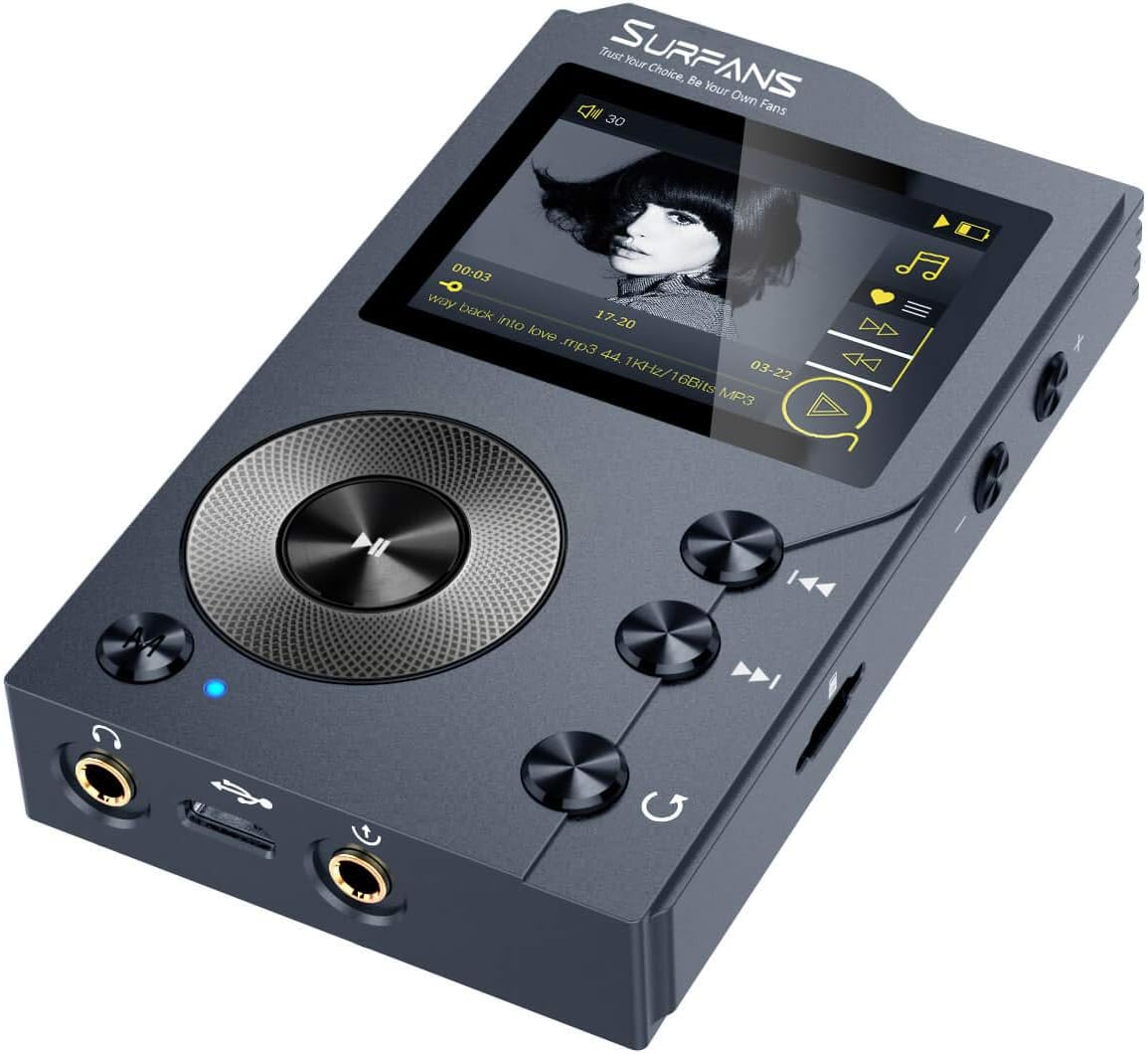
The MP3 player is the latest in the evolution of music formats that help consumers enjoy music.

Mp3 Player

Records, eight-track tapes, cassettes, and CDs – none of these music formats provided the convenience and control that MP3 players did before. With an MP3 player in their hand or pocket, consumers can create personalized playlists and take thousands of songs with them.

they go.

All the stored music and the MP3 player itself can fit in a single device that, in some cases, weighs less than an ounce. Portability is a major factor in the popularity of MP3 CD players and CD storage cases. In addition, some devices offer additional technology, such as video and photo viewing, alarm and calendar functions, and even cell phone and Internet services.

In this article, you will learn more about the technology behind MP3 players and the different types of players available. You can also find out how to get the melodies and how to use the accessories for your player. Get started by learning the MP3 file format on the next page.

content
The MP3 file format
this technology
Types of MP3 Players
fill your playlist
Accessories Your MP3 Player
The MP3 file format

The MP3 file format for music made its debut in the late 1990s, a file-sharing service, and the first portable MP3 players. MP3, or MPEG Audio Layer III, is a method of compressing audio files. MPEG is an acronym for Moving Picture Experts Group, which develops video data compression systems, including those used in DVD movies, television broadcasts, and digital satellite systems.

Using the MP3 compression system reduces the number of MP3 bytes in a song, while preserving CD-like quality sound. Every time you compress a song, its quality is degraded in order to carry more music files on a smaller storage system. A smaller file size also allows songs to download from the Internet faster.

Consider that the average song is about four minutes long. On a CD, that song uses about 40 megabytes (MB), but it uses only 4 MB if compressed into MP3 format. On average, 64 MB of storage is equivalent to an hour of music. A music listener who has an MP3 player with 1 GB (about 1000 MB) of storage space can carry about 240 songs or the equivalent of about 20 CDs. Songs stored on traditional CDs are already uncompressed, so more discs are needed to store the same number of songs. (Some CDs support MP3 files.)