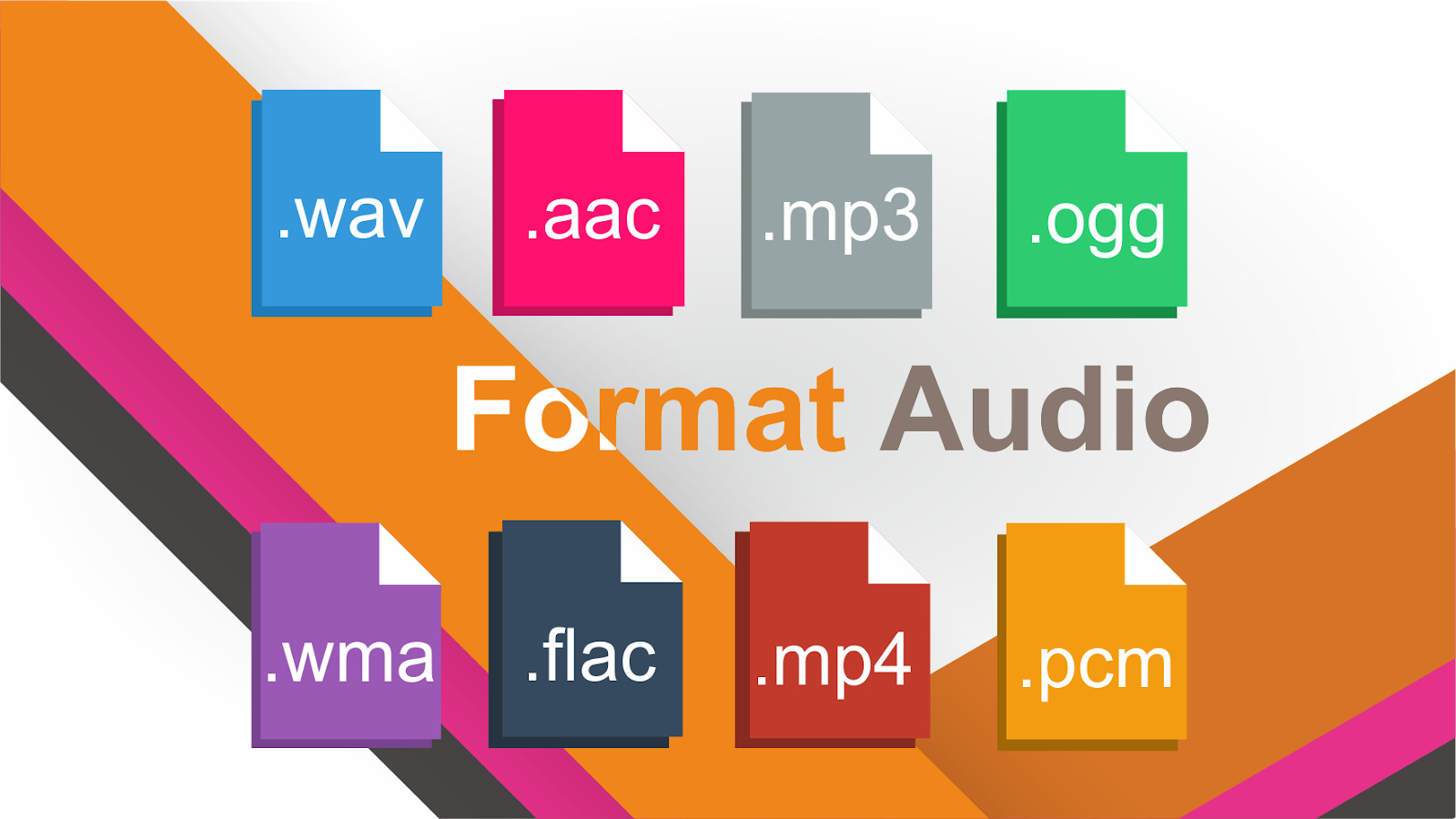
There are various types of audio files on the market today, and even though we are all familiar with MP3, what about AAC, FLAC, OGG or WMA?
Audio File Format: AIFF
AIFF stands for Audio Interchange File Format. Just like Microsoft and IBM developed WAV for Windows, AIFF is an audio file format developed by Apple in 1988 for Mac systems.
Like WAV files, AIFF files can contain a variety of audio formats. For example, GarageBand and Logic Audio use a compressed version called AIFF-C and another called Apple Loops. They all use the same AIFF extension.
Most AIFF files contain uncompressed audio in the PCM format. AIFF files are simply wrappers around the PCM encoding to make them more suitable for use on Mac systems. However, Windows systems can usually open AIFF files without any problems.
Lossy Compressed Audio Format
Lossy compression is when some data is lost during the compression process, compression is important because uncompressed audio can take up a lot of disk space.
In other words, lossy compression means sacrificing sound quality and audio fidelity for smaller file sizes. Done wrong, you’ll hear artifacts and other strange sounds in the audio. But when done right, you won’t notice the difference.
Audio File Format: MP3
MP3 stands for MPEG-1 Audio Layer 3. Released in 1993, it exploded in popularity and eventually became the most popular audio format for music files in the world. There’s a reason we have “MP3 players” instead of “OGG players”!
MP3 has three main purposes:
1. Delete all sound data that exists outside the hearing range of normal people.
2. Reduce the quality of sounds that are not easily heard.
3. Compress all other audio data as efficiently as possible.
There are various types of audio files on the market today, and even though we are all familiar with MP3, what about AAC, FLAC, OGG or WMA?
Audio file formats
Why are there so many audio standards? Is there a better audio format? Which ones are important and which ones can be ignored? This is pretty straightforward once you realize that all audio formats fall into three broad categories. If you know what the categories mean, you can choose the format within the categories that best suits your needs. Today 2T will take you familiar with ten common audio file formats.
uncompressed audio format
Uncompressed audio consists of actual sound waves that have been captured and converted to a digital format without any additional processing. So uncompressed audio files tend to be the most accurate, but they take up a lot of disk space, around 34MB per minute for 24-bit 96KHz stereo.
Audio File Format: PCM
PCM stands for pulse code modulation, a digital representation of the original analog audio signal. Analog sounds exist as waveforms. To convert a waveform to digital bits, the sound must be sampled and recorded at specific intervals (or pulses).
This digital audio format has a “sample rate” (how often the samples are taken) and a “bit depth” (how many bits are used to represent each sample). There is no compression involved. A digital recording is an almost exact representation of an analog sound.
PCM is the most widely used audio format on CDs and DVDs. There is a subtype of PCM called linear pulse code modulation, where samples are taken at linear intervals. LPCM is the most common form of PCM, which is why the two terms are pretty much interchangeable at this point.
Audio File Format: WAV
WAV stands for Waveform Audio File Format (also known as Windows Audio at some point). This is a standard established in 1991 by Microsoft and IBM.
Many people think that all WAV files are uncompressed audio files, but this is not the case. WAV is a Windows container for different audio formats. This means that WAV files can contain compressed audio, but they are rarely used for this purpose.
Most WAV files contain uncompressed audio in the PCM format. WAV files are simply wrappers around the PCM encoding to make them more suitable for use on Windows systems. However, Mac systems can usually open WAV files without any problem.
Lossless compression: Encoded audio data (PCM) is lossless, and the decoded output audio is the same as each byte of the encoder input.
FLAC audio format
Each data frame has a 16-bit CRC check code of the current frame, which is used to control data transmission errors. For the entire piece of audio data, there is also an MD5 mark for the original uncompressed audio data in the file header, which is used to verify the data during decoding and testing. When the computer plays WAV files, it sends the PCM data in the WAV files directly to the sound card, whereas when the computer plays FLAC, it must first decode FLAC into PCM data and then send it to the sound card. It is an additional decryption link, like decompressing a RAR file. Your PCM data is no different from WAV before compression.
Fast: FLAC pays more attention to decoding speed. Decoding requires only integer operations and requires very little computational speed compared to most encoding methods. Real-time decoding can be easily implemented on very common hardware.
Hardware support: Since FLAC provides free decoding examples and decoding complexity is low, as of 2012 FLAC is the only lossless compression encoding that has received wide and good hardware support.
It can be used to stream media: each FLAC data frame contains all the information needed for decoding. The current frame is decoded without reference to previous or subsequent data frames. FLAC uses a synchronization code and CRC (similar to encoding formats such as MPEG), so the decoder can experience minimal time delay when jumping in the data stream.
Positionable: FLAC supports fast sampling and precise positioning. This is not only good for playback, but also makes FLAC files easy to edit.
Flexible metadata: New types of metadata data blocks can be defined and implemented without affecting the use of legacy decoders and data streams. Existing metadata types include tags, reference tables, and positioning tables. Registered applications can define their own dedicated metadata types (Note: this is similar to standard MIDI).
Ideal for Archival Applications: FLAC is an open encoding format, and without any data loss, you can convert it to any other format you need. In addition to CRC and MD5 marking of each data frame to ensure data integrity, flac (annotation: the command-line encoding tool provided by the FLAC project) also provides a verification (verification) option, when use this option to encode, while encoding will immediately decode the encoded data and compare it with the original input data. Once it finds a difference, it will go out and give an alarm.
Easy to back up CDs: FLAC has a “CUE table” metadata data block to store the CD’s table of contents and index points for all tracks. You can save a CD as a single file and import the CD reference table, so that a FLAC file can fully record all the information of the entire CD, that is, you can embed the CUE file that is usually stored separately. in FLAC in the file. When your original CD is damaged, you can use this file to restore a copy of the CD that is exactly the same as the original.
Anti-corruption: Due to the frame structure of FLAC, once the data stream is damaged, the loss will be limited to the damaged data frame. Usually only a very short snippet will be lost. When many other lossless audio compression formats suffer corruption, a corruption will cause all subsequent data to be lost.
Analyzing the difference edit transmission
FLAC is different from MP3.
FLAC audio format
MP3 is a lossy audio compression code, but FLAC is lossless compression, which means that the audio will not lose any information after being compressed with the FLAC code. After restoring the FLAC file to a WAV file, the content of the WAV file before compression itself. This compression is similar to ZIP, but the compression rate of FLAC is higher than ZIP and RAR, because FLAC is a compression method specially designed for PCM audio characteristics. And you can use the player to play FLAC compressed files directly, just like you usually play MP3 files (there are already many FLAC-compatible car players and home audio equipment, and you can find links to these equipment manufacturers on the website of FLAC).
FLAC
FLAC
FLAC is free and is compatible with most operating systems, including Windows, systems built on Unix-like kernels ( Linux , BSD , Solaris, IRIX, AIX, etc.), BeOS, OS/2, Amiga. And FLAC provides a compilation system in autotools, MSVC, Watcom C and Project Builder development tools.
Now all the major websites have FLAC music downloads, publishers usually take the .
Lossless format combined with good headphone effect is very good.
projectedit transmission
Streaming format FLAC
Reference encoders and decoders provided as libraries;
flac, a command line program that can encode and decode FLAC files;
metaflac, a metadata editor for FLAC files that works from the command line.
FLAC input plugin for different audio players
FLAC
FLAC
When we say “FLAC is free” we don’t just mean that you can get it for free. More importantly, the FLAC file format is completely open to the public and you can use it for any purpose (FLAC project only reserves the right to maintain the FLAC format specification and confirm compatibility features), the FLAC file format, and the encoding/decoding implementation. They are not subject to any known patents. Also, all source code is available under an open source license.
Development history edit stream
The FLAC project was started in 2000 by Josh Coalson. The FLAC bitstream format was frozen when it entered beta phase and when reference implementation version 0.5 was released on January 15, 2001.
In June 2001, FLAC released version 1.0.
FLAC
On January 29, 2003, the “Xiph. Org” foundation and the FLAC project announced that FLAC has become an independent company banner under “Xiph. Org”. In addition, “Xiph. Org” also provides support for many free compression formats. Like Vorbis, Theora, Speex, etc.
On September 17, 2007, FLAC released version 1.2.1.
June 1, 2013 First update in six years, from v1.2 to v1.3. Major changes include: support for RF64 and Wave64 formats, support for ReplayGain for audio sample rates up to 192 kHz, and more.
For some time now, people have been hearing about Flac files. But what are these ghost files and what are they for? If you read the following, you will have a clearer idea and the basis to delve into the matter.
Music, especially for the needs of broadcasting through the Internet, has been subjected to compressions, sometimes even violent, with specific algorithms, of which the best known and most used is MP3. This compression is capable of dramatically reducing the size of the part and unfortunately also counteracts the quality, while ensuring an acceptable quality reproduction. This sound treatment is called “lossy”, that is, with loss of information compared to the original.
lossless
waveform mp3 and flac
The search for the quality of listening shocks with this treatment ensures that you can store large amounts of musical pieces in small spaces, but at the same time makes listening less “exciting” and mortifies the commitment of musicians and sound engineers. So what can we do to have listening quality, easy storage and archiving? just use Flac encoding.
Flac stands for Free Lossless Audio Codec. By reading the definition well, we learn that it is:
Free: means it can be used at zero cost; The specifications of this format are open source, that is, free to use and are not covered by a patent that would impose the payment of royalties to the owner.
Lossless: Compression with this system is free from loss of audio information, therefore it means that the copy is gradually identical to the original and therefore the listening quality is preserved.
Files encoded in this way can be played on a wide variety of platforms, including PCs, home hi-fi systems, portable players (often called DAPs, short for Digital Audio Player), in the car, and more. Currently, DRM is not implemented, that is, there is no copy prevention method. This standard also supports labels that include cover images.
At this point a series of questions arise:
How can I create Flac files?
Files can be created from a software encoder installed on your computer. The best known is Mp4Gain, a program that additionally allows you to normalize the audio volume.
Can I buy Flac files?
Yes, you can buy Flac files online on the web at specific sites. The feature of these sites is that it can provide some artists with high-resolution encodings that can be up to 4 times higher than a CD – virtually the quality of the original Master recording!
How can I play Flac files?
Files can be played with devices that support this encoding: personal computers, hi-fi systems, portable digital players, and car audio sources. You should read the product specifications and make sure they are compatible.
What are the advantages over an MP3 file?
The quality, above all, equal to that of the original CD from which you made the “Audio Recording” to the high resolution similar to the original master of the recording room.
What are my disadvantages compared to MP3?
The file size, clearly larger. The limited diffusion to date of compatible players with the Flac.
Compared to a CD, what are the strengths and weaknesses of Flac files?
The strengths compared to a CD are the consistency of the quality of the file encoded in Flac, the CD is influenced by a series of variables, the state of wear of the reading lens, vibrations, humidity of the environment determine an intervention Systems to correct errors that affect listening quality. The Flac file, once carefully encoded, will always offer the same listening quality after listening as it cannot be influenced by the factors mentioned above. Storing a large number of tracks is very easy: portable HDs are small in size and very easy to transport. The same number of tracks stored on CDs would be difficult to handle, especially in the car. The weak point is undoubtedly the ease of use: CD players are widespread in all environments, home.
FLAC which is short for Free Lossless Audio Codec is an audio codec developed by the Xiph Foundation. Nonprofit org. It is a lossless audio format, which means it produces digital audio files (with a .flac file extension) that are identical to the original source.
In fact, many users who want to back up their original audio CDs (ripped CDs) choose to use FLAC to preserve sound instead of using a? Lossy format.
Doing this ensures that if the original source is damaged or lost, then a perfect copy can be reproduced using the pre-encoded FLAC files.
Of all the lossless audio formats available, FLAC is perhaps the most popular in use today. In fact, some HD music services now offer tracks in this format for download.
Nowadays, listening to music in high definition is no longer a luxury and has become almost a requirement. There is nothing like hearing a song as the artist decided it should be heard. Due to this, various technologies have been developed that allow us to enjoy Hi-Fi audio. Among them are some audio formats, such as FLAC.
Before explaining what the FLAC format is, you need to understand a technicality:
What is bitrate
It is the bit rate, that is, the amount of bits or data that is processed in a given unit of time.
In the case of audios, the measurement of kilobits per second is normally used. For example, if you see that the music is in 256 Kbps quality, it is understood that there are 256 kilobits of information stored in every second of the song.
Since bitrate talks about a quantity of data, the higher this indicator, the more space the song file will occupy on the hard disk. For this reason, audio compression standards have been developed that reduce storage space, among which is the popular MP3, which you surely know.
But this format, as well as AAC, WMA, among others, by compressing the files, eliminates data that affects the sound quality, not like the FLAC format.
What is the FLAC format
FLAC, which comes from the acronym Free Lossless Audio Codec, is an audio file format that can compress them up to approximately 50% without losing information, thus maintaining the audio quality faithful to the original file.
So, if you are looking to store and preserve your music files in digital format, this format is definitely the best option. In addition, it is free and its code is free, so any hardware or software can implement it.
We know that when you read the word “listen to music” automatically you think of the old and reliable mp3. However, there are multiple formats with individual characteristics that you should take into account if you want to change your acoustic experience.
As a general rule, audio files are classified into 2 types: those that retain all the quality and those that, in order to save space, eliminate quality. The mp3 is in the second type of files.
Check the Pros and Cons of the different audio formats.
Formats that conserve Quality:
–FLAC: Free Lossless Audio Codec for its acronym in English. One of the formats that best preserves the audio quality. Its compression algorithm is excellent and does not generate quality losses, it is open source and the file size when compressed is much smaller
-A THE C; or Apple Lossless is similar to FLAC, but the files it generates are quite large. It has iOS support
–APE: the problem with this format is that it is not very compatible with the vast majority of players, but it is similar to the FLAC or -ALAC format in terms of audio quality. Being very compressed makes the computer’s processor work faster so it is not recommended in low power computing equipment
–WAV and AIFF: they are not compression formats, but exact copies of the original content, differing in the way they save the data. Both take too much space on the hard drive.
Formats with loss of audio quality:
–MP3: MPEG Audio Layer III or MP3, is the most common format you can find
–ACC: it is more efficient than MP3, the files are smaller and it is very popular in iTunes
–OGG Vorbis: it is a free and open source alternative to MP3 and ACC, it is not restricted by patents. However, it is not supported by different players.
–WMA: Created by Microsoft to be the direct competition of MP3, practically the same as the others.
And what is the best audio format?
Making a cold and mathematical evaluation, it turned out that the FLAC format is the best. It does not lose quality, compresses enough without sacrificing quality. It plays on many players … however it has failed to return almost “universal2 as the mp3 did.
For people who do not need extreme audio quality, the mp3 may well be your best ocpion, since it is all in mp3.
One advantage is that Mp4Gain can normalize both formats and equalize them, change their pitchs, their tempos, etc.
That is, Mp4Gain allows you to manage all these formats, you will choose according to your needs.