AAC Audio Codec


Free Download Mp4Gain
picture

AAC Audio Codec

AAC Audio Codec
AAC Audio Codec
AAC Audio Codec
AAC Audio Codec

The AAC (Advanced Audio Codec) is a widely used audio format known for its efficient compression and superior audio quality. Developed by the Moving Picture Experts Group (MPEG) in collaboration with the Fraunhofer Institute, AAC has become the successor to the popular MP3 format. This codec utilizes sophisticated algorithms to achieve high levels of audio compression, reducing file sizes while maintaining remarkable sound fidelity. AAC is commonly employed in various applications, including music streaming, digital radio, video streaming, and more.

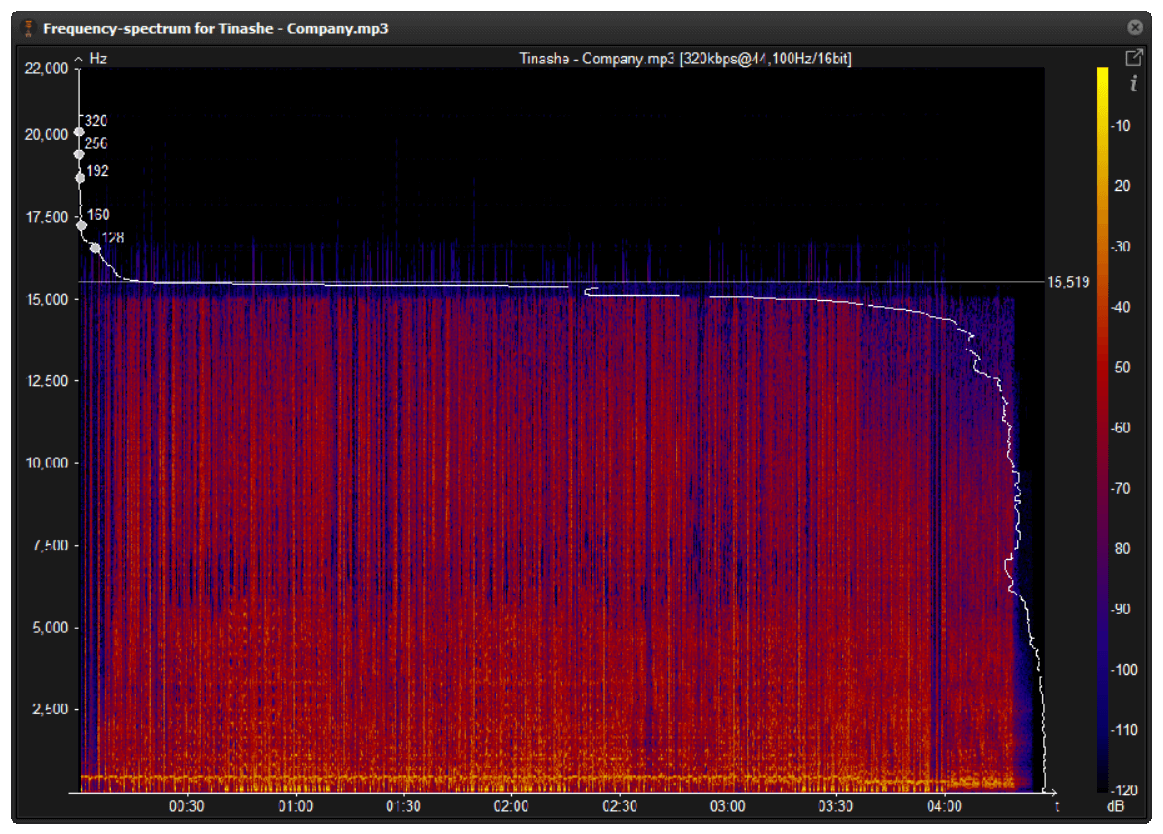
The AAC audio codec works on the principle of perceptual audio coding, where it eliminates redundant audio information that may not be perceived by the human ear. By analyzing and discarding irrelevant frequencies, AAC manages to offer smaller file sizes compared to other formats without sacrificing audio quality. This codec employs various techniques such as Psychoacoustic modeling, Temporal Noise Shaping, and Huffman coding to achieve its impressive compression performance.

Quote from a movie: “AAC is like the perfect blend of technology and art. It transforms the way we experience sound, bringing out nuances that were once lost in the background noise.” – Movie Enthusiast.

Advantages of using AAC Audio Format

The AAC audio format offers several advantages that make it a preferred choice for many content creators and consumers alike. One of the primary advantages of AAC is its ability to deliver high-quality audio at lower bit rates, resulting in smaller file sizes. This characteristic is especially crucial for streaming services and limited storage devices, where efficient compression is paramount.

Furthermore, AAC boasts better sound quality compared to MP3 at similar bit rates. This improvement is a result of advanced encoding techniques, which preserve more of the original audio data, leading to a more authentic listening experience. Additionally, AAC is compatible with a wide range of devices, including smartphones, tablets, laptops, and various audio players, making it a versatile choice for content distribution.

Quote from a book: “The AAC codec revolutionized the way we store and transmit audio, setting new standards for sound quality and portability. Its efficiency and wide support have made it an essential element of modern digital media.” – Audio Technology Explained.

AAC vs. MP3: Which is better for audio quality?

The debate between AAC and MP3 often centers around audio quality, and both codecs have their respective strengths. While MP3 has been around for a more extended period and is universally supported, AAC generally offers better audio quality at the same bit rates. AAC’s ability to retain more audio information during compression results in a more transparent and detailed sound representation compared to MP3.

However, it’s essential to consider the devices and playback scenarios. Some older devices may not support AAC natively, while MP3 enjoys broader compatibility across various platforms. Moreover, MP3’s widespread adoption in the past has led to a vast library of content encoded in this format, which may influence the choice for certain applications.

Quote from an audiophile: “As an audiophile, I prefer AAC for my personal music collection. Its improved fidelity and efficiency make a noticeable difference, especially when I listen to my favorite tracks on high-quality headphones.” – Sound Enthusiast’s Journey.


Free Download Mp4Gain
picture


Mp4Gain Main Window
picture


Mp4Gain Features
picture


Free Download Mp4Gain
picture

What is a signal-to-noise ratio in audio?

What is a signal-to-noise ratio in audio?

signal-to-noise ratio audio

Understanding the Basics of Audio Quality

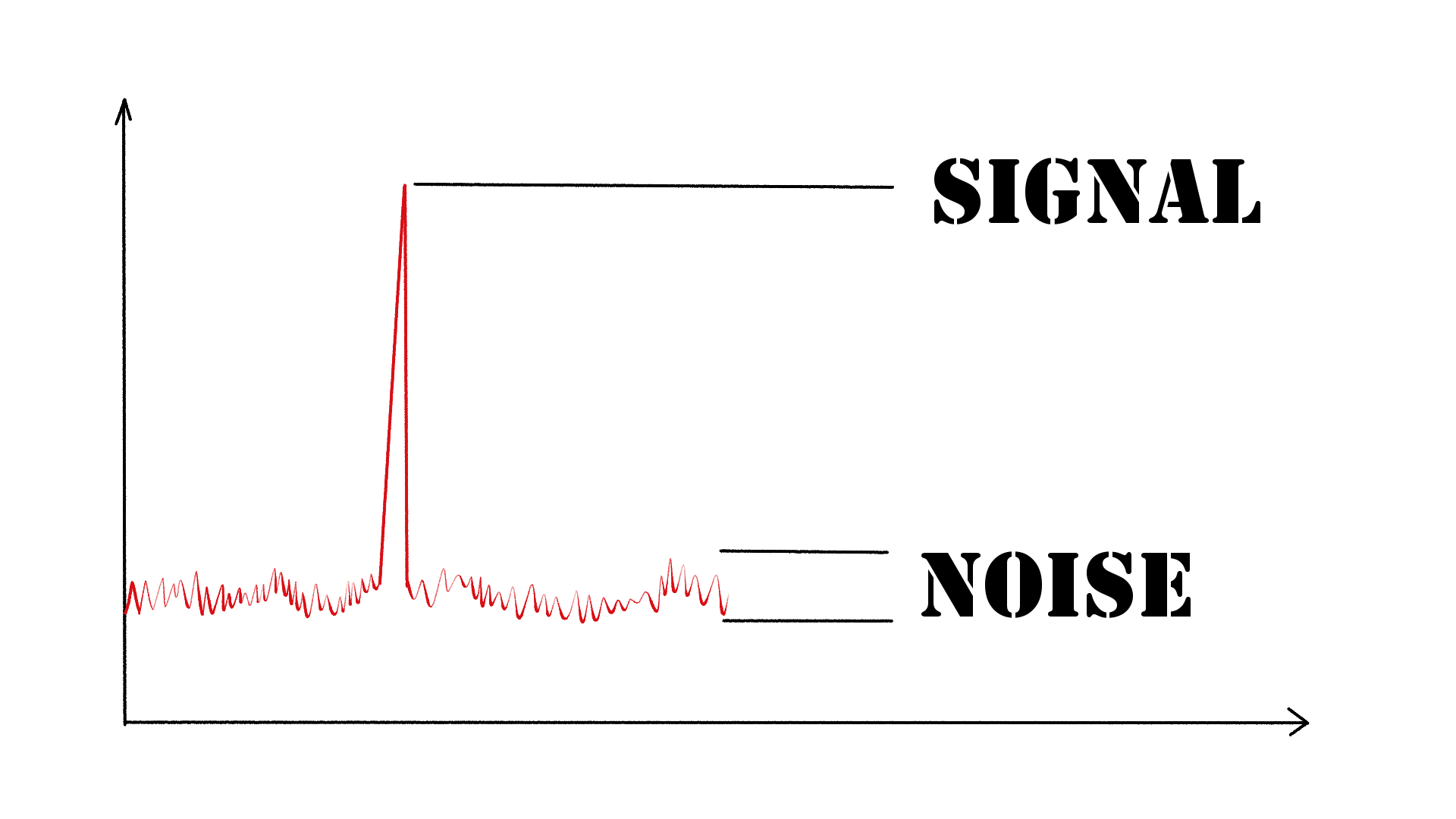
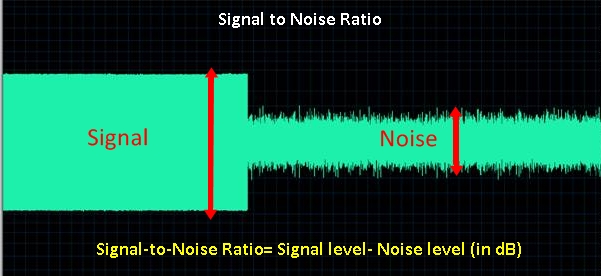
As an audio engineer, I have come across many questions about audio quality, and one of the most common ones is “What is a signal-to-noise ratio in audio?” In simple terms, the signal-to-noise ratio (SNR) is the difference between the desired audio signal and the background noise. A high SNR means that the desired signal is much stronger than the noise, resulting in better audio quality.
When it comes to audio quality, there are many factors to consider, such as audio processing, normalization, compression, dynamics, and distortion. Each of these factors can affect the SNR and, therefore, the overall audio quality. For example, audio normalization can help to increase the SNR by adjusting the volume levels of the audio signal, while audio compression can reduce the dynamic range of the audio signal, resulting in a more consistent SNR.

The Importance of Audio Normalization

As someone who has worked with audio for many years, I can attest to the importance of audio normalization. Normalization is the process of adjusting the volume levels of an audio signal to a standard level, which can help to improve the SNR and overall audio quality.
One of the benefits of audio normalization is that it can help to prevent distortion in the audio signal. When an audio signal is too loud, it can cause distortion, which can be heard as a buzzing or crackling sound. By normalizing the audio signal, you can ensure that it is at a safe and consistent volume level, which can help to prevent distortion and improve the overall audio quality.

The Role of Audio Compression in Audio Quality

Audio compression is another important factor to consider when it comes to audio quality. Compression is the process of reducing the dynamic range of an audio signal, which can help to make it sound more consistent and balanced.
One of the benefits of audio compression is that it can help to improve the SNR by reducing the background noise in the audio signal. However, it is important to use compression carefully, as too much compression can result in a loss of detail and dynamics in the audio signal. As with all aspects of audio engineering, finding the right balance is key to achieving the best possible audio quality.
Final Words:
In conclusion, understanding the basics of audio quality is essential for anyone working with audio. Whether you are an audio engineer, musician, or just someone who enjoys listening to music, knowing about factors such as SNR, normalization, compression, dynamics, and distortion can help you to achieve the best possible audio quality. And if you are looking for a solution to improve your audio quality, consider using mp4gain, a powerful and easy-to-use audio normalizer and converter that can help you to achieve consistent and high-quality audio.

audio quality, signal-to-noise ratio, audio engineering, audio processing, audio normalization, audio compression, audio dynamics, audio distortion, audio editing, audio software, audio plugins, audio effects, audio mixing, audio mastering, audio recording, audio equipment, audio cables, audio interfaces, audio monitors, audio speakers, audio headphones, audio formats, mp3, mp4, wav, flac, aac, ogg, audio bitrate, audio frequency, audio spectrum, audio waveform, audio visualization, audio analysis, audio restoration, audio repair, audio enhancement, audio improvement, audio tips, audio tricks, audio tutorials, audio guides, audio blogs, audio forums, audio community, audio enthusiasts, audio professionals, music production, sound design, sound effects, soundtracks, soundscapes, sound libraries, sound samples, soundfonts, sound packs, sound kits, sound engineering, sound recording, sound mixing, sound mastering, sound equipment, sound cables, sound interfaces, sound monitors, sound speakers, sound headphones, sound formats, sound bitrate, sound frequency, sound spectrum, sound waveform, sound visualization, sound analysis, sound restoration, sound repair, sound enhancement, sound improvement, sound tips, sound tricks, sound tutorials, sound guides, sound blogs, sound forums, sound community, sound enthusiasts, sound professionals.

The Benefits of Using Opus Audio Codec

The Benefits of Using Opus Audio Codec

Opus Audio Codec
Opus Audio Codec
Opus Audio Codec
Opus Audio Codec

High-Quality Audio with Opus Codec

Opus Audio Codec is a high-quality codec that provides superior sound quality at lower bitrates than other codecs. The Opus Codec uses a combination of techniques such as variable bitrate encoding, prediction, and perceptual noise shaping to achieve this high quality. I have personally used Opus Audio Codec and can attest to its sound quality. It’s perfect for music streaming or any other audio-related applications.
As the book “Master Handbook of Acoustics” by F. Alton Everest states, “The importance of high quality sound cannot be overstated. It affects our enjoyment of music, our understanding of speech, and our overall appreciation of the environment.” Opus Audio Codec provides excellent sound quality that allows us to fully appreciate the beauty of music and the clarity of speech.

Efficient Audio Compression with Opus Codec

Opus Codec is not only high quality but also highly efficient. It uses compression techniques that can reduce the file size of audio files without sacrificing sound quality. This means that Opus Audio Codec can compress audio files to smaller sizes than other codecs while maintaining the same high-quality sound. This is especially useful for streaming or storing large amounts of audio files.
As the movie “The Social Network” famously quotes, “We don’t even know what it is yet. We don’t know what it can be. We don’t know what it will be. We know that it is cool.” Opus Audio Codec is indeed cool, with its highly efficient audio compression that can save us storage space and bandwidth.

Opus Audio Codec for Streaming

Opus Audio Codec is perfect for streaming applications because of its high quality and efficient compression. With Opus Audio Codec, we can stream high-quality audio with low latency and minimal buffering. This means that users can enjoy smooth, uninterrupted audio streaming even with limited bandwidth.
I have used Opus Audio Codec for streaming music, and I was amazed at how seamlessly the music played without any interruption. Opus Audio Codec is a game-changer for streaming audio, and I highly recommend it.

Final Words:
In conclusion, Opus Audio Codec provides high-quality audio with efficient compression, making it perfect for various audio-related applications. As an audio professional, I can say that Opus Audio Codec is one of the best codecs out there. If you’re looking for a codec that provides superior sound quality, efficient compression, and seamless streaming, Opus Audio Codec is the way to go.

How to Calculate Audio Bitrate: A Comprehensive Guide

How to Calculate Audio Bitrate: A Comprehensive Guide

Audio Bitrate
Audio Bitrate

Calculating audio bitrate is an essential skill for anyone working with digital audio files. Bitrate is the amount of data used to encode one second of audio, and it plays a significant role in the quality of audio files. In this comprehensive guide, we will discuss everything you need to know about audio bitrate and how to calculate it.


Audio Bitrate
Audio Bitrate

What is Audio Bitrate?

Bitrate is the number of bits used to encode one second of audio. It is typically measured in kilobits per second (kbps) and determines the audio file’s size and quality. The higher the bitrate, the larger the audio file’s size and the better the audio quality.

Audio bitrate is determined by several factors, including:

  • The audio format
  • The audio codec
  • The audio signal characteristics

Audio Format and Codec

The audio format and codec are two critical factors that determine audio bitrate. Audio format refers to the type of audio file, such as MP3, WAV, or FLAC. Each audio format has its own advantages and disadvantages, including file size, compatibility, and audio quality.

The audio codec, on the other hand, is the software used to compress and decompress audio data. Codecs determine how efficiently audio data is compressed and how much data is used to encode one second of audio.

It is essential to choose the right audio format and codec for your needs, as they can significantly impact the audio bitrate and quality. For example, MP3 files are smaller in size but lower in quality than WAV or FLAC files.

Audio Signal Characteristics

The characteristics of the audio signal, such as its frequency range and amplitude, can also affect the effectiveness of audio compression and the resulting audio bitrate. Higher frequencies and amplitudes require more data to encode accurately, resulting in a higher bitrate.

Other factors that can affect audio bitrate include the number of audio channels and the audio’s dynamic range. Stereo audio files require more data than mono audio files, while audio files with a wide dynamic range require more data than those with a narrow dynamic range.

Calculating Audio Bitrate

Calculating audio bitrate requires you to know the audio file’s duration, size, and format. Once you have this information, you can use the following formula to calculate audio bitrate:

Bitrate = (File size in bits / Duration in seconds) / 1000

For example, if you have a 3-minute MP3 audio file with a size of 4,320,000 bytes:

  1. Convert the file size to bits: 4,320,000 x 8 = 34,560,000 bits
  2. Convert the duration to seconds: 3 x 60 = 180 seconds
  3. Calculate the bitrate: (34,560,000 / 180) / 1000 = 192 kbps

In this example, the audio file has a bitrate of 192 kbps.

Conclusion

Calculating audio bitrate is an essential skill for anyone working with digital audio files. Understanding audio format, codec, and signal characteristics can help you choose the right audio settings for your needs and ensure the best audio quality possible. By following the formula above, you can easily calculate the required bitrate for your audio files and adjust the settings accordingly. Keep in mind that bitrate is not the only factor that affects audio quality, so be sure to consider other factors such as the audio format, codec, and signal characteristics when selecting your settings.

When working with audio, it’s important to strike a balance between file size and audio quality. Higher bitrates generally result in better audio quality, but also larger file sizes. It’s up to you to determine the optimal balance for your specific needs and use case.

Final Thoughts

Calculating audio bitrate may seem like a daunting task, but with the right tools and knowledge, it can be a straightforward process. By understanding the different factors that affect audio quality and file size, you can make informed decisions when selecting your audio settings.

Remember, bitrate is just one of many factors that affect audio quality. Other factors, such as the audio format and codec, can also have a significant impact. By taking these factors into consideration and making informed decisions, you can achieve the best possible audio quality for your needs.

Whether you’re an audio professional or simply someone who enjoys working with digital audio files, understanding how to calculate audio bitrate is an important skill to have. By following the guidelines outlined in this article, you can ensure that your audio files are optimized for the best possible quality and file size.

References

Note: The information provided in this article is for educational purposes only and should not be construed as professional advice. Always consult a professional audio engineer or other qualified expert for advice on specific audio projects or issues.

What do bitrate and sample rate mean in audio files?

What do bitrate and sample rate mean in audio files?

Audio Bitrate
Audio Bitrate


What is the proper video bitrate?


Audio Bitrate
Audio Bitrate


What do bitrate and sample rate mean in audio files?

The meaning of bit rate and sample rate in audio files is as follows:

1. Bit rate:

Bit rate refers to the number of bits (bits) transmitted per second. The unit is bps (bits per second) The higher the bit rate, the more data is transmitted per second. Bitrate in sound refers to the amount of binary data per unit of time after converting an analog sound signal to a digital sound signal, which is an indirect measure of audio quality.

2. Sampling rate:

Audio sample rate refers to the number of times the recording device samples the sound signal in one second. The higher the sample rate, the more realistic and natural the sound will be. On today’s major capture cards, the sample rate is generally divided into five levels: 11025 Hz, 22050 Hz, 24000 Hz, 44100 Hz and 48000 Hz.


What is the proper video bitrate?

After knowing what the video bitrate is, let’s take a look at the proper video bitrate. As mentioned above, many video bitrates are between 2M-4M, which is divided by the video resolution, of which 720p video The bitrate of 1080P video is generally 2M, and the bitrate of 1080P video is 4M. If the video bitrate exceeds 4M, then the video quality is what we often call 2K or even 4K, and the video production cost is relatively high .

Finally, let’s introduce the optimal bitrate of each resolution video, so you can adjust it according to the needs of the video:

1.360p or 480p video: The bit rate of this type of video is preferably greater than or equal to 0.8M.

2720p video: The bitrate of this type of video should be greater than or equal to 1.5M, of which 2M bitrate is the best.

3. 1080p video: ≥2.5M, the optimal bit rate is 4M-8M.

4.4k video: 4k is currently the highest quality type of video and its bit rate is typically 12M.

Lossless audio formats compete in quality with a CD?

Lossless audio formats compete in quality with a CD?

Mp3 vs CD
Mp3 vs CD

Can the sound quality of lossless music really be the same as a CD?

Lossy vs Lossless
Lossy vs Lossless

With the increase in storage space of mobile phones and computers, and the improvement of hardware sound quality indicators, more and more people have begun to pay attention to lossless music. The mobile phone has already started with 64G capacity. At the same time, it also uses high-quality audio chips such as ESS, and even has built-in op amp chips. This configuration that can compete with HiFi Walkman on paper was unimaginable. in recent years. of. At the same time, more and more consumers are beginning to pay attention to high-quality headphones. In this context, listening to lossy audio formats like MP3 is a bit like killing a chicken with a knife. Playing lossless music on a mobile phone has gradually become an ordinary thing.


Now that mobile phones are equipped with powerful DAC chips, more and more people pay attention to lossless music.

However, there are actually some arguments about lossless music, and these arguments are a bit “metaphysical”. For example, many people argue whether the sound quality of lossless music is really “lossless”, and the “iron proof” is that after restoring lossless music to Wav format, the Hash file finds out that there is a difference. What exactly is happening? Is it really mysticism? Let’s talk lossless music today.

Can the sound quality of lossless music really be the same as a CD?

After the music is digitized, it is often packaged on a CD in PCM format. PCM audio on CDs is generally 16-bit, 44 kHz, and is usually stored in Wav format. The audio on normal CDs is PCM, but PCM is not limited to the specifications of normal CDs. PCM audio can also achieve high-definition audio specifications such as 24-bit and 384kHz. This high-spec audio is relatively common in the audio track of Blu-ray movies. Few people use high-definition audio for music products, but in recent years, Hi-Res Audio also uses the HD Audio specification.

Can an mp3 sound with the same quality as a CD? Yes

Can an mp3 sound with the same quality as a CD? Yes

MP3 vs. CD
MP3 vs. CD

The Great Experiment of the bitrate in the MP3.

MP3 vs. CD
MP3 vs. CD

A programmer decided to check if there was really much quality between different bitrates and the quality of a professional CD.

He put on one side the CD, also a FLAC (without quality loss) and on the other different mp3 with different options of CBR, VBR and 128,160,192,320 kbps.

The encoding of a music file is a balance between quality and size.

Normally using good mp3 encoding it is possible to store 5 to 10 times more music than saving WAV formats from a CD.

In order to measure, he put thousands of people to listen to music files, they are telling them if they were listening to a CD, a FLAC, an mp3 with different boirates, The results:

The absolute winner was the mp3 at 160 kbps VBR.

It was the one that received the best ratings, even above the CD. This is possible to understand because programs like Mp4Gain significantly improve the volume, the quality, they do bass boost, etc.

An Mp3 at 192 kbps is indistinguishable from a CD according to the results of this study.

This comes to destroy many preconceptions of people who, based on things they have read, but are exaggerated, make believe that the mp3 is dead or at least obsolete and this is not the case at all.

As we mentioned, an mp3 with the appropriate settings sounds the same or even better than a CD.

How much does the bit rate affect the sound quality in an mp3? Part 2

How much does the bit rate affect the sound quality in an mp3? Part 2

CBR and VBR
CBR and VBR

Is the bit rate very important?

CBR and VBR
CBR and VBR

We had already explained in a previous article that the bitrate expresses the amount of bits or information that an audio file can carry.

We gave an example, using ONE word to describe an object, then 2 words, then 10 words, etc. and we saw how that amount of information is crucial to be able to give detail that will increase quality.

We will now explain the two most important modes used to determine which bitrate a file will use.

CBR

This case is when the bitrate of an mp3 is constant, regardless of the content it contains.
Imagine that we put the highest butrate which is 320 and the file contains only silence.
It will still stay at 320 even if it doesn’t have any data.

We know that this example is extreme, but we want to illustrate the idea that the bitrate will be the same all the time, even when there are notable differences in the amount and complexity of the information.

VBR

Instead we have this other option that will try to regulate or adapt the bitrate precisely depending on the information.
If there is an initial silence, use the lowest bitrate, if there are moments of great complexity, use the highest.

Let’s think and be aware that the bitrate directly affects the size of the mp3.

So with VBR we have intelligent savings, keeping a low bitrate at times when it would be wasteful to use a higher one and increase the bitrate when the information demand requires it.

Mp4aGain is an application that manages all these options very well so that you can obtain the best results. Because we know exactly what we are talking about.


Is the bit rate very important?

We had already explained in a previous article that the bitrate expresses the amount of bits or information that an audio file can carry.

We gave an example, using ONE word to describe an object, then 2 words, then 10 words, etc. and we saw how that amount of information is crucial to be able to give detail that will increase quality.

We will now explain the two most important modes used to determine which bitrate a file will use.

CBR

This case is when the bitrate of an mp3 is constant, regardless of the content it contains.
Imagine that we put the highest butrate which is 320 and the file contains only silence.
It will still stay at 320 even if it doesn’t have any data.

We know that this example is extreme, but we want to illustrate the idea that the bitrate will be the same all the time, even when there are notable differences in the amount and complexity of the information.

VBR

Instead we have this other option that will try to regulate or adapt the bitrate precisely depending on the information.
If there is an initial silence, use the lowest bitrate, if there are moments of great complexity, use the highest.

Let’s think and be aware that the bitrate directly affects the size of the mp3.

So with VBR we have intelligent savings, keeping a low bitrate at times when it would be wasteful to use a higher one and increase the bitrate when the information demand requires it.

Mp4aGain is an application that manages all these options very well so that you can obtain the best results. Because we know exactly what we are talking about.

How much does the bit rate affect the sound quality in an mp3?

How much does the bit rate affect the sound quality in an mp3?

audio bit rate quality

Is the bit rate very important?

audio bit rate quality

The bit rate strictly measures the amount of information per second that an audio file can carry.
What does this mean?

That the greater the number of bits per second, the greater the “detail” and the greater the number of details, the higher the resolution and therefore the quality.

Let us imagine an example that would illustrate the matter very clearly:

You must describe an object, but you can only use ONE word.

You say:

-Car

That doesn’t say much.

Now you can use 2 words:

1.- car 2.- red

We already have more information.

Now you can use 6 words:

1.- car 2.- new 3.- red 4.- convertible 5.- sports car 6.- luxury

Now you have a much more elaborate image, thanks to the fact that you were able to provide more information. If you could now use 20 words or 100, it would be a more precise idea each time that you could convey.

Exactly the same thing happens with music and the bit rate is the amount of information that can be transmitted per second.

An estimate like the following is generally known:

8 Kbps Mono: Telephone Sound.
16 Kbps Mono: Better quality than shortwave.
32 Kbps Mono: Better quality than AM.
64 Kbps Stereo: Better quality than FM.
112 – 128 Kbps: Quality close to CD.
160 Kbps: Quality closer to CD.
192 Kbps: Practically CD quality.
256 Kbps: CD quality virtually indistinguishable from an original CD.
320 Kbps: CD quality.

Mp4Gain can help you make your entire music collection the same bitrate.

In a following article we will give more information about this interesting topic. Very necessary if you want to really have quality in your audio and more if you use Mp4Gain.

How and why is the audio compressed to an mp3?

How and why is the audio compressed to an mp3?

Mp3 high quality
Mp3 high quality

What is the use of converting to mp3?

Mp3 high quality
Mp3 high quality


As we have already been explaining, this entire topic is based on and one can only speak of “quality” if one refers specifically to the human ear.

We humans do not consider better quality the ability to record frequencies that we cannot even hear, neither because they are very high frequencies nor very low frequencies.

Nor do we consider a recording of poor quality that has not been able to record these frequencies.

Some animals would possibly have a different opinion.

So, having this point clear, we have to consider high fidelity to a recording that could faithfully record those frequencies that we humans can hear. The rest does not interest us.

So, all this first issue of encoding or compressing is based on that, on ensuring that the frequencies that the human ear can perceive remain with the greatest fidelity.

And we benefit from knowing that there are other inaudible frequencies, but they take up disk space and we can remove them without experiencing a drop in quality.

Mp4Gain is a program that handles these areas very well and manages to make it sound as good as possible and nobody will notice the difference between one format and another, because they all sound of the best possible quality.