MP4 vs AVI Comparison

MP4 vs AVI Comparison

MP4 vs AVI Comparison


Let’s Talk About MP4 and AVI

When it comes to digital video formats, MP4 and AVI are two of the most commonly used options. As a specialist with extensive experience in the field, I’m here to help you understand the differences between these formats and guide you through choosing the right one for your needs. To do that, let’s first discuss the basics.

MP4: The Universal Choice

MP4 vs AVI Comparison

MP4, short for MPEG-4 Part 14, is like the Swiss Army knife of video formats. It’s highly versatile and compatible with almost all devices and media players. MP4 uses the H.264 video codec, which efficiently compresses video while maintaining good quality. Think of it like a high-quality backpack that fits all your essentials.

AVI: The Old Reliable

AVI, which stands for Audio Video Interleave, has been around for a while. It uses various video codecs, and its quality largely depends on the specific codec used during encoding. While it might not be as universally compatible as MP4, it’s known for its reliability. Think of AVI as that trusted, old-school suitcase you’ve had for years.

Quality and Compression

Now, let’s delve deeper into the quality and compression aspects of MP4 and AVI.

MP4’s use of the H.264 codec strikes a perfect balance between video quality and compression. It efficiently reduces file size while preserving sharp images and smooth playback. It’s like packing a suitcase efficiently, making sure everything fits without wrinkles.

On the other hand, AVI’s quality depends on the codec used during encoding. If you opt for a codec like DivX or XviD, you can get excellent video quality. However, this might result in larger file sizes. It’s akin to choosing a suitcase with lots of space, but it might be heavier and less convenient to carry.

Compatibility

One of the key considerations when choosing a video format is compatibility. You don’t want your video to be like a foreign-language book in a library no one can read.

MP4 is the winner in this department. It’s widely supported on all modern devices, including smartphones, tablets, and gaming consoles. Most video streaming platforms prefer MP4 due to its efficient streaming capabilities. It’s like having a book that everyone can read without any translation.

AVI, on the other hand, has more limited compatibility. While it’s supported on Windows-based systems, it might not play smoothly on other platforms or devices. It’s like having a book that’s only available in one specific library.

File Size

File size matters, especially if you’re short on storage or bandwidth. Let’s look at how MP4 and AVI compare in this aspect.

MP4’s efficient compression makes it ideal for online streaming and sharing. It’s like having a compact e-book that’s easy to send via email or upload to the cloud without taking up too much space.

AVI, on the other hand, tends to produce larger file sizes, especially if you use high-quality codecs. It’s like carrying a hefty hardcover book that takes up more shelf space and requires more effort to transport.

Editing and Post-Production

If you’re into video editing and post-production, the format you choose can greatly impact your workflow.

MP4 is a popular choice among video editors because of its wide support in editing software. It’s like working with a versatile set of tools that make editing a breeze.

AVI, while not as universally supported, can still be edited using various software. However, you might need to convert it to a more editing-friendly format, which can be a bit like translating a book before you can read it.

Let’s Talk about Audio

We’ve focused on video, but what about the audio component? Both MP4 and AVI support various audio codecs, but MP4 often offers more flexibility and better audio quality. It’s like enjoying a movie with surround sound in a high-end theater.

The Future of Video Formats

As technology evolves, new video formats continue to emerge. HEVC (High-Efficiency Video Coding) is one such format that offers even better compression and quality than H.264. It’s like getting a futuristic backpack that’s not only compact but also incredibly lightweight.

Conclusion: The Choice Is Yours

In the battle of MP4 vs. AVI, it’s clear that MP4 has the upper hand when it comes to compatibility and efficient compression. However, AVI still has its place for those who prioritize quality and are working within a Windows environment. The choice ultimately depends on your specific needs and preferences.

Now, you might be wondering, how can you ensure that your video files are in the right format? Well, here’s where I’d like to mention Mp4Gain. It’s an appropriate solution for adjusting the quality and compression of your video and audio files to meet your requirements. It’s like having a trusty tool in your video editing arsenal.

Latest Words on MP4 and AVI

In the ever-evolving world of digital media, choosing the right video format is crucial. MP4 and AVI are both valuable options, but understanding their differences and applications can make your multimedia journey smoother. Remember, it’s not just about the format; it’s about what suits your needs best.

Now, let’s hear what others have to say about their experiences with these video formats and share some expert insights and opinions.

Comments:

Comment 1: Hey, great article! I’ve always wondered about the differences between MP4 and AVI. This really helped me make an informed choice for my video projects.

Comment 2: I agree with the article, MP4 is so versatile. It’s like having a multitool for all your video needs!

Comment 3: This is a good start, but I wish there was more detailed information about video codecs and how they affect quality. Could you expand on that?

Comment 4: MP4 is my go-to choice for video sharing on social media. It’s like having a format that speaks the language of the internet.

Comment 5: AVI might be old, but it’s still relevant for me as a Windows user. I find it dependable like my old leather-bound journals.

Comment 6: Can you talk more about the future of video formats? I’m curious about what’s coming next in the world of video compression.

Comment 7: MP4Gain is a neat tool! It’s like having a magic wand for adjusting audio in my videos. Thanks for the tip!

Comment 8: I’d love to hear more about the technical side of video formats. This article is informative, but I crave deeper insights into the nitty-gritty details.

Comment 9: As a Mac user, I lean towards MP4. It’s like the Mac of video formats – sleek, user-friendly, and reliable.

Comment 10: Thanks for simplifying the MP4 vs. AVI debate. This article feels like a friendly chat about digital video formats. Kudos!

Comment 11: I’ve had some issues with AVI files on my non-Windows devices. Could you recommend a reliable converter for AVI to MP4?

Comment 12: This article is like a good conversation over a cup of coffee. It made understanding video formats much easier for a non-techie like me.

Comment 13: Could you provide some tips on optimizing video quality while keeping file sizes small? That would be a game-changer!

Comment 14: I’m curious about the impact of different video formats on streaming quality. Can you shed some light on that?

Mp4 Format

Mp4 Format

Mp4 Format
Mp4 Format
Mp4 Format
Mp4 Format

What is MP4 format and how does it work?

MP4, also known as MPEG-4 Part 14, is a digital multimedia container format most commonly used to store video and audio. However, it can also store other data such as subtitles and still images. The format streamlines the multimedia files for both streaming and storage purposes. MP4 files are marked by the .mp4 extension and are known for their ability to compress complex multimedia files without significantly degrading quality.
MP4 operates by compressing video and audio files, making them more manageable for playback on various devices. This compression is achieved through codecs, which are algorithms that encode and decode the data.
“The beauty of digital technology is that it lets you compress the impossible into the possible.” – Unknown

Why is MP4 so popular?

MP4’s popularity can be attributed to its versatility and adaptability. It’s universally accepted on most platforms and devices, which means users don’t have to worry about file compatibility. Its efficient compression capability ensures that files retain good quality even when they’re reduced in size, making it ideal for streaming and sharing online.
Another reason for its widespread acceptance is the fact that it can store multiple types of data, including video, audio, subtitles, and even interactive features. This multi-functionality makes it a go-to for various multimedia applications.
“In a world of constant change, the fundamentals are more important than ever.” – Jim Rohn

What are the benefits of using MP4?

Among the many benefits of the MP4 format, some stand out more than others. It offers high-quality video and audio playback, even when the file size is reduced, making it ideal for online streaming. The format’s adaptability means it can be used on virtually any device or platform without compatibility issues.
Moreover, the MP4 format supports advanced features like 3D graphics, menus, and user interactivity, adding more dimension to its usage. It’s also a secure format, offering DRM (Digital Rights Management) support to protect copyrights.
“The essence of strategy is choosing what not to do.” – Michael Porter

How does MP4 compare to other video formats?

When comparing MP4 to other video formats, its versatility and efficiency stand out. While formats like AVI or MOV may offer higher quality, they typically come with larger file sizes. MP4 strikes a balance between quality and size, making it ideal for various applications, from streaming to storage.
The adaptability of MP4 also means it’s less likely users will encounter compatibility issues. This ease of use and wide acceptance give it an edge over other formats in the market.
“Comparison is the death of joy.” – Mark Twain

Can MP4 files contain audio and video?

Yes, MP4 files can contain both audio and video. In fact, this dual capability is one of the reasons for its widespread use. By integrating video and audio into one file, it streamlines the playback process and ensures synchronization between the two. It also means users only need to manage a single file when sharing or transferring content.
“In unity, there is strength.” – Mattie Stepanek

How is the quality of an MP4 video?

The quality of an MP4 video is generally very good, especially considering its compact size. The format uses advanced compression algorithms which ensure that quality isn’t significantly compromised. Of course, like with any compression, there might be some loss of detail, but for most users and applications, MP4 offers a satisfactory quality-to-size ratio.
“Quality is not an act, it’s a habit.” – Aristotle

What are the drawbacks of MP4 format?

While MP4 offers numerous advantages, it’s not without its drawbacks. One potential issue is that if an MP4 file becomes corrupt, often the entire file becomes unplayable. Some other formats might still play portions of a damaged file. Additionally, while MP4 compression is efficient, it’s not always the best for professional applications where the highest quality is desired.
“Every solution breeds new problems.” – Arthur Bloch

Are there any alternatives to MP4?

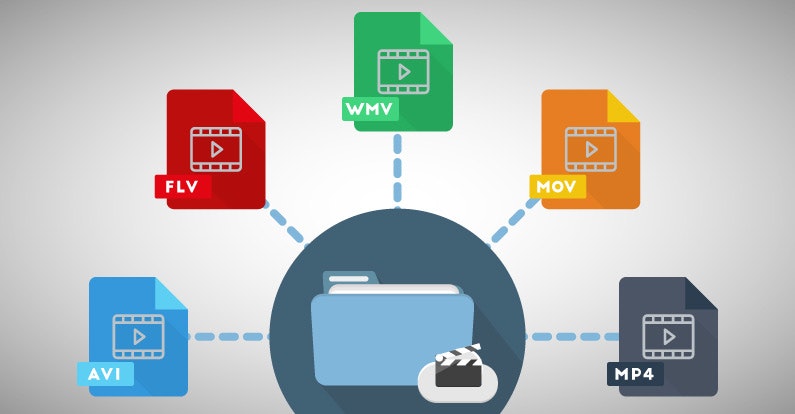
Yes, there are many alternatives to MP4, including AVI, MKV, MOV, and WMV, to name a few. Each format has its strengths and is suited for particular applications or platforms. While MP4 is versatile and widely accepted, sometimes specific situations or needs might make another format more suitable.
“Variety’s the very spice of life, That gives it all its flavor.” – William Cowper

How can I ensure the best quality when converting to MP4?

When converting to MP4, it’s essential to use high-quality source files and avoid excessive compression. Using a reliable converter that allows for customization of settings can help users optimize quality and file size as per their needs.
“Do not squander time, for that’s the stuff life is made of.” – Benjamin Franklin

Why are MP4 files sometimes large?

While MP4 is known for its efficient compression, the file size can still become large, especially when dealing with lengthy videos or those with high resolution. The codecs used, bit rate, and the complexity of the content can all influence the final file size.
“Size does matter. But so does depth.” – Neil Strauss

Final Words

The MP4 format has revolutionized the way we consume multimedia content, providing a balance between quality and size. Its versatility ensures that it remains a top choice for many, from casual users to professionals. Understanding its strengths and potential limitations can help users make the most out of this influential format.

Media File Formats for Mobile Devices: 3GP, M4, and More

Media File Formats for Mobile Devices: 3GP, M4, and More

Media File Formats for Mobile Devices

My Experience with Media File Formats

As someone who has been using mobile devices for years, I have encountered a wide range of media file formats. From 3GP to M4V, each format has its own strengths and weaknesses, and choosing the right format can be a challenge. In this article, I will explore some of the most common media file formats for mobile devices, and provide some tips for choosing the right format for your needs.

Understanding Media File Formats

Media file formats are essentially containers that hold audio and video data. Each format has its own unique characteristics, including compression algorithms, video resolutions, and audio quality. Some of the most common media file formats for mobile devices include:
3GP: This format is commonly used for video content on mobile devices, and is known for its small file size and low bandwidth requirements.
M4V: This format is similar to MP4, but is specifically designed for use with Apple devices. It supports high-quality video and audio, and is often used for streaming and downloading content from the iTunes Store.
MP4: This format is widely used for video content on mobile devices, and is known for its high-quality video and audio, as well as its compatibility with a wide range of devices and platforms.

“Choosing the right media file format for your needs can be a challenge, but it is important to consider factors such as file size, video quality, and compatibility with your device and platform.”

Other Media File Formats

In addition to 3GP, M4V, and MP4, there are a number of other media file formats that are commonly used for mobile devices. These include:
AVI: This format is widely used for video content on desktop computers, but is less common on mobile devices due to its large file size and limited compatibility.
WMV: This format is commonly used for video content on Windows devices, and is known for its high-quality video and audio.
MOV: This format is commonly used for video content on Apple devices, and is known for its high-quality video and audio, as well as its compatibility with a wide range of devices and platforms.

“While there are a number of media file formats available for mobile devices, it is important to choose the right format for your specific needs. Factors such as file size, video quality, and compatibility with your device and platform can all play a role in determining the best format for your needs.”

Final Words

As someone who has been using mobile devices for years, I have learned the importance of choosing the right media file format for my needs. Whether I am streaming video content or downloading music, the right format can make all the difference in terms of quality and compatibility. By understanding the various media file formats available for mobile devices, and considering factors such as file size, video quality, and compatibility, you can ensure that your media content looks and sounds its best.

Media File Formats, Mobile Devices, 3GP, M4V, MP4, AVI, WMV, MOV, Audio Quality, Video Quality, Compression Algorithms, Compatibility, File Size, Streaming, Downloading, iTunes Store, Apple Devices, Windows Devices, Desktop Computers, Video Content, Audio Data, Containers, Bandwidth Requirements, High-Quality Video, High-Quality Audio, Video Resolutions, Choosing the Right Format, Quality and Compatibility.
Media File Formats, Mobile Devices, 3GP, M4V, MP4, AVI, WMV, MOV Audio Quality, Video Quality, Compression Algorithms, Compatibility, File Size, Streaming, Downloading, iTunes Store, Apple Devices, Windows Devices, Desktop Computers, Video Content, Audio Data, Containers, Bandwidth Requirements, High-Quality Video, High-Quality Audio, Video Resolutions, Choosing the Right Format, Quality and Compatibility, Media Content, Video Streaming, Audio Streaming, Video Downloading, Audio Downloading, Mobile Video Formats, Mobile Audio Formats, Mobile Media Formats, Mobile Video Quality, Mobile Audio Quality, Mobile Video Compression, Mobile Audio Compression, Mobile Video Resolution, Mobile Audio Resolution, Mobile Video Compatibility, Mobile Audio Compatibility, Mobile Video File Size, Mobile Audio File Size, Mobile Video Streaming Quality, Mobile Audio Streaming Quality, Mobile Video Downloading Quality, Mobile Audio Downloading Quality, Mobile Video Playback, Mobile Audio Playback, Mobile Video Conversion, Mobile Audio Conversion, Mobile Video Editing, Mobile Audio Editing, Mobile Video Production, Mobile Audio Production, Mobile Video Distribution, Mobile Audio Distribution.

Video Codecs: H.264, H.265, and VP9

The Importance of Choosing the Right Video Codec


H.264, H.265, and VP9

Video Codecs: H.264, H.265, and VP9

As the world becomes increasingly digitized, the importance of video codecs in our lives cannot be overstated. Video codecs are essential in video compression, encoding, streaming, and playback. Choosing the right codec can make the difference between smooth playback and frustrating buffering, between crisp and clear images and pixelated messes. In this article, we will explore the differences between three of the most popular video codecs in use today: H.264, H.265, and VP9.

H.264 vs H.265: What’s the Difference?

H.264, also known as AVC (Advanced Video Coding), has been the dominant codec in use for the past decade. It is widely supported by devices and software and offers good compression while maintaining high video quality. However, H.265 (HEVC) is slowly taking over. It is a newer and more advanced codec that offers better compression ratios, which means smaller file sizes with the same quality as H.264. H.265 is also better at handling high-resolution videos, making it a good choice for 4K and 8K videos. However, it requires more processing power to decode, which may be an issue on older devices.

Personally, I have found that H.265 delivers noticeably better quality than H.264 for the same file size. It is especially noticeable in high-motion scenes like action movies or sports. However, it does require more processing power, so make sure your device can handle it before choosing it as your preferred codec.

VP9: The New Kid on the Block

VP9 is a newer codec developed by Google and is designed to be a royalty-free alternative to H.265. It offers better compression than H.264 while maintaining the same video quality. It is also highly efficient at handling high-resolution videos, making it a good choice for 4K and 8K videos. However, its adoption has been slow due to its lack of support in many devices and software. It also requires more processing power to decode than H.264.

One of my personal experiences with VP9 was when I was trying to stream a 4K video on my laptop. I noticed that the video was buffering a lot and the quality was not as good as I expected. After some research, I found out that the video was encoded with VP9, which my laptop did not support. I had to switch to H.264 to get smooth playback.

Conclusion: Choosing the Right Video Codec

Choosing the right video codec is crucial for ensuring smooth video playback and high video quality. H.264 is still a solid choice for most situations, but H.265 and VP9 offer better compression and handling of high-resolution videos. However, they require more processing power and may not be supported by all devices and software. Make sure to choose the codec that best suits your needs and device capabilities.

In conclusion, video codecs are an essential part of our digital lives, and choosing the right one can make all the difference in our video-watching experience. Always keep in mind the pros and cons of each codec and make an informed decision based on your needs.

Most important video formats

As with text documents, photographs or audios, video in digital format is available in different formats or extensions.

When we talk about video formats we can refer to several things. The most common, the physical formats in which we have access to a movie, series or documentary.

In this sense, today we find DVD and Blu-Ray, although some of us still keep in an old VHS closet and maybe some Betacam.

But a second meaning or meaning of video formats refers to their encoding, since in digital video, as with a computer program, any file is written in a certain code.

In videos, the code influences the image quality, the sound quality, whether or not it includes subtitles and, in particular, the relationship between quality and file size.

Thus, today we consume digital audiovisual content through physical discs (DVD, Blu-Ray), through streaming and through IPTV (Internet television), but we also handle digital video files, especially for content that we generate ourselves.

Next we will review the most common digital video formats that we can find, what is their origin and what benefits they offer

AVI

We start with the most popular format that we will find. Video files with an .AVI extension have their origin in a format that was launched in 1992 and is so popular that most smart TVs, DVD / Blu-Ray players, video game consoles and operating systems play it.

AVI is an acronym for Audio Video Interleave and not many know that it was created by Microsoft as a digital alternative without dependence on a physical format such as the then popular DVD.

Among its advantages, it allows you to include several audio channels and host content generated with different codecs (AC3 or MP3 for audio, DivX or Xvid for video), which can be an advantage but also an inconvenience with which players.

MP4

MP4 or MPEG-4 is one of the most modern formats, launched in 1998 as a standard for playing video and audio in a single digital file.

MPEG stands for Moving Picture Experts Group, the expert group that has established digital audio and video standards and was formed by two international organizations, the ISO (International Organization for Standardization) and the IEC (International Electrotechnical Commission).

In summary, the MPEG and MPEG-2 format were launched in 1993 and 1995 respectively as standards for encoding digital audio and video. To understand each other, any DVD offers its audiovisual content in MPEG-2.

MP4 also supports several audio channels, but has the advantage of allowing more image and sound quality in a less heavy file, as it compresses data better. Apple, for example, opts for this format and derivatives for its iTunes content.

Related to MP4 we can find M4V (video) or M4A (audio).

MKV

The MKV video format is an open format, free to pay rights, and whose full name is Matroska, like traditional Russian dolls.

MKV saw the light at the end of 2002 and has become popular thanks to the fact that within a single MKV file we can store, together with the audio channel, several channels or audio tracks and several subtitle tracks.

Like MP4, it offers very good audio and video quality in a small space. And as a curiosity, the WebM format that allows you to integrate online video via HTML, is inspired by Matroska.

FLV

The FLV or Flash Video format was created by Macromedia, and subsequently acquired by Adobe. This format is usually found as an FLV or SWF extension.

Like the other Flash content, FLV videos are designed for online playback from the browser through Adobe Flash Player.

As we saw in a previous article, Flash will stop developing in 2020, although we still find pages that use it.

MOV

I said before that Apple is currently betting on MP4 (and AAC) to facilitate multimedia content. But its star format for many years was MOV.

MOV, from QuickTime Movie, is also called QuickTime File Format, and today it is still the default format of QuickTime, the macOS video player.

This format can also be found in many digital video cameras, since it offers very good image and sound quality without compression.

Mp4Gain , the future is now

Mp4Gain , the future is now

Years ago, when we listened to our LongPlay vinyl records, sitting almost religiously watching the covers and interiors of our records we never imagined that one day we could have so many songs in our computer.
Nor do we imagine that we would be able to transfer to a digital format , much less , we imagine that this step of the analog to digital was going to cause a headache .

The headache is easy aber today and where it originated : was the encoder we use to make our music was not the same one used by others. Everyone use different encoders WAV to MP3 and also , I use different settings . Ie with a different bitrate and samplerate different , which originated in chaos. No sound the same , did not have the same volume level and therefore we had to manually move the volume knob reprouctor our digital music with each new song.

Indeed, even today we continue on the same problem . We continue with our music convirtindo essentially different encoders with different settings , we therefore we making the problem worse , the volume levels of our music does not match at all and THAT makes us suffer.

Well, we have briefly discussed the problem, now we need to note the solution.
Sure , we could save text and simply point out that the solution is Mp4Gain .
But explain not only what it does, which is basically equal the volume of our digital music and our videos ( in the most popular formats), but to explain why it works so well.

And it works so well, so efficiently, that analyzes and optimizes each of the millions of frames that make up a digital file. No measures the overall volume of a song or video, but does so in each of the millions of frames of this song or video and makes every frame obtained, at each frequency , the best possible level of volume.

By this sounds each instrument and each voice is like to be treated individually . Even after normalize the file , are more notorious instruments that went unnoticed.

All estoocurre thanks to modern mathematical algorithms, mathematical curves and dynamic , which can process, separate , distinguish and optimize digital audio as only Mp4Gain can.

You can download and try it on your Mp4Gain computaora with its own file, then decide adquirilo for a very low price when compared to the thousands of dollars they cost compressors, limiters, exciters and other equipment that achieve similar results in large recording studios , FM transmitters and television broadcasters.

Mp4Gain is the next generation of Mp3Gain?

Mp4Gain is the next generation of Mp3Gain?

Well, you could say something similar. Mp4Gain really represents a leap, a huge leap into the future, it is able to normalize audio from multiple audio and video alike. Mp3Gain something big was in his time, as it is now reaching Mp4Gin where nobody thought he reached podi and besides, it does in a way that was previously unimaginable. We are the developers of Mp3Gain PRO and we have exceeded that level by offering this new product: Mp4Gain. New, first by offering the possibility, never before seen, to normalize the volume level of both the audio from videos as different formats of music, we would say that the most popular, such as mp3, flac, ogg, m4a, etc.. But also in the new system it uses to normalize audio with results never before achieved.

Mp4Gin achieves results that are entirely to a new level, in line with the new technology that is much more faithful and you need much higher quality. So we have added as the final elements Equalization and the ability to change the tempo without affecting the pitch and vice versa.

On one hand, it is perfectly useful for Mp4Gain normalize the volume level of audio video in most popular formats. The other is able to normalize the volume and gain on audio files in popular formats that is all in one application.

The normalization is not based on peaks, but follows a completely new, according to the time and the high quality of existing players for today, both in software and in hardeware paradigm, all very 2013 to 2014.

Mp4Gain works on Windows, from XP to Windows 8 without problems.
Also you can download and try the upgrade and once you buy it, the username and password for abriri the program, so do not run for a trial period but without time constraints insert. It is what is known as trialware or shareware.