Error Resilience in MP3 Audio Streaming


Free Download Mp4Gain
picture

Error Resilience in MP3 Audio Streaming
Error Resilience in MP3 Audio Streaming

As an expert in the field of audio streaming and error resilience, I’m here to provide you with valuable insights and information on the implications of error resilience in MP3 audio streaming. MP3 audio streaming has become an integral part of our digital world, and understanding the challenges and solutions related to error resilience is essential for a seamless listening experience.

The Importance of Error Resilience

Error resilience in MP3 audio streaming is a critical aspect of ensuring uninterrupted and high-quality playback. MP3 files are susceptible to various types of errors, such as packet loss during transmission or data corruption, which can lead to audio artifacts and interruptions in the streaming process. To address these challenges, error resilience mechanisms have been developed.

Real-Life Example: Imagine streaming your favorite song, and suddenly, the audio quality degrades due to a poor network connection. Error resilience mechanisms kick in, helping to maintain a smooth listening experience by minimizing the impact of errors.

These mechanisms include techniques like Forward Error Correction (FEC) and interleaving, which help recover lost or corrupted data during transmission. In essence, error resilience ensures that even in less-than-ideal network conditions, you can still enjoy your audio content without noticeable disruptions.

How Error Resilience Works

Error resilience strategies in MP3 audio streaming are designed to detect and correct errors as they occur, thus preventing them from affecting your listening experience. FEC, for example, involves adding redundant data to the audio stream, allowing the receiver to reconstruct missing or damaged parts of the file.

Real-Life Example: Think of FEC as a safety net for your audio data. It's like having extra puzzle pieces that can be used to complete the picture, even if some pieces are missing or damaged.

Interleaving, on the other hand, rearranges the data in a way that minimizes the impact of consecutive errors. This ensures that even if a burst of errors occurs, your audio stream remains relatively intact.

Overcoming Network Challenges

In a world where we stream audio content from various devices and locations, network challenges are inevitable. Error resilience mechanisms in MP3 audio streaming are the unsung heroes that keep our music flowing smoothly.

Real-Life Example: Picture yourself streaming a podcast during your daily commute. Your signal may drop momentarily in a tunnel, but thanks to error resilience, you hardly notice it, as the system seamlessly adjusts to the momentary disruption.

These mechanisms don’t just correct errors; they also adapt to changing network conditions, ensuring a consistent audio quality even when you’re on the move.

Optimizing Your Streaming Experience

To optimize your MP3 audio streaming experience, it’s crucial to choose platforms and devices that implement robust error resilience mechanisms. These systems not only provide you with high-quality sound but also enhance your listening experience, no matter where you are.

Real-Life Example: When you select a streaming service or device that prioritizes error resilience, you're choosing a smoother audio journey. You'll enjoy your music, podcasts, or audiobooks without constant interruptions, even when you encounter minor network hiccups.

In conclusion, error resilience in MP3 audio streaming is a complex but essential aspect of our digital world. It’s the technology that quietly works in the background, ensuring that your audio content reaches your ears in a pristine state, even when the digital pathways it travels are far from perfect.

Last Words about Error Resilience in MP3 Audio Streaming

In my journey through the world of audio streaming, I’ve witnessed the evolution of error resilience mechanisms that have made our listening experiences more robust and enjoyable. Remember, when you encounter a flawless stream of your favorite music or podcast, there’s a team of engineers and systems working tirelessly to make it happen. Error resilience in MP3 audio streaming is not just a concept; it’s the unsung hero that ensures you hear the music, not the errors.


Free Download Mp4Gain
picture


Mp4Gain Main Window
picture


Mp4Gain Features
picture


Free Download Mp4Gain
picture

Adaptive Audio Streaming

Adaptive Audio Streaming

Adaptive Audio Streaming

Adaptive audio streaming, a critical aspect of modern digital media delivery, has revolutionized how we experience audio content. In this comprehensive guide, I will delve into the intricacies of adaptive audio streaming and its significance in providing top-notch streaming audio quality.

Understanding Adaptive Audio Streaming

Adaptive audio streaming is a dynamic approach that optimizes audio quality based on the viewer’s network conditions. It ensures a seamless audio experience by adjusting the audio codec’s parameters and the bitrate of the audio stream in real-time. This adaptation is vital to prevent audio interruptions, buffering, and loss of quality, especially in the ever-changing world of online content delivery.

Imagine a journey on a highway where the traffic flow constantly changes. Adaptive streaming is like having a smart vehicle that adjusts its speed to maintain a smooth ride. Similarly, when your internet connection fluctuates, adaptive audio streaming adapts the audio quality to ensure you experience a continuous, high-quality audio stream.

The Science Behind Streaming Audio Quality

To grasp the science behind adaptive audio streaming, let’s explore some of the key technical aspects. Adaptive streaming relies on efficient audio codecs that compress and decompress audio data. These codecs use various algorithms to reduce the size of audio files while preserving audio quality. The choice of codec and its efficiency play a significant role in determining the quality of the audio stream.

In a real-world analogy, think of audio codecs as skilled chefs preparing a sumptuous dish. A masterful chef knows how to retain the flavors while reducing the dish’s size, making it easier to serve. Likewise, efficient audio codecs preserve the audio’s fidelity while making it compatible with varying network conditions.

The Impact of Latency in Audio Streaming

Latency, the delay between audio production and playback, is a crucial factor in adaptive audio streaming. While some latency is inevitable due to data transmission and codec processing, excessive latency can disrupt the streaming experience. Adaptive streaming technologies aim to strike a balance between audio quality and latency.

Think of latency as the time it takes for a letter to reach its destination through traditional mail compared to email. Adaptive audio streaming ensures the audio reaches your ears with minimal delay, akin to the swift delivery of an email. This balance is essential for real-time applications like online gaming or live broadcasts, where low latency is a top priority.

Now, let’s address the questions that often arise regarding adaptive audio streaming:

How Does Adaptive Bitrate Streaming Work?

Adaptive bitrate streaming, a close sibling to adaptive audio streaming, involves adjusting not only the audio quality but also the video quality based on network conditions. It works by dividing the audio and video content into small chunks of data and delivering them in varying quality levels. Players then choose the best quality for a seamless viewing experience.

What Technologies Drive Adaptive Audio Streaming?

Adaptive audio streaming leverages several technologies, including HTTP Live Streaming (HLS), Dynamic Adaptive Streaming over HTTP (DASH), and Real-Time Messaging Protocol (RTMP). These technologies enable adaptive streaming by optimizing content delivery over the internet, ensuring that audio quality remains consistent across different devices and network conditions.

Why Is Mobile Audio Streaming Challenging?

Mobile audio streaming presents unique challenges due to the variability of cellular networks and the limited processing power of mobile devices. Adaptive audio streaming is particularly crucial in this context, as it ensures a smooth listening experience, even when on the move. It’s like having an audio companion that adjusts to your surroundings, providing uninterrupted music or podcasts as you travel.

Last Words about Adaptive Audio Streaming

In the era of digital media, adaptive audio streaming is the unsung hero that ensures you enjoy a high-quality audio experience regardless of your network conditions. I’ve shared my knowledge and expertise on this topic, revealing the science behind streaming audio quality and the role of efficient codecs. Understanding the impact of latency and the technologies driving adaptive streaming is key to appreciating its significance. As an expert in the field, I encourage you to embrace the world of adaptive audio streaming, where your audio content is tailored to your network conditions, just like a perfectly orchestrated symphony.

Audio Channel Remapping

Audio Channel Remapping


Audio Channel Remapping

Audio channel remapping is a powerful technique that allows you to reconfigure how audio signals are distributed across different speakers or channels in a sound system. This process is essential in the world of audio engineering, as it can significantly impact the quality of sound output in various applications. In this article, I will delve into the intricacies of audio channel remapping, providing you with a comprehensive understanding of the subject and addressing related questions that you might have.

The Basics of Audio Channel Remapping

To start, audio channel remapping involves the alteration of audio signals to achieve specific spatial audio effects or to adapt to various playback configurations. It’s commonly used in home theaters, surround sound setups, and even in professional audio production. Imagine you have a 5.1 surround sound system, and you want to enjoy a movie that’s mixed in 7.1 surround. Audio channel remapping can help redistribute the audio elements to your available channels, delivering an immersive experience.

Consider this scenario: You’re watching a high-octane action scene in a movie, and the sound of a car approaching from behind should be heard from the rear speakers. With audio channel remapping, the sound can be dynamically redirected to the appropriate speakers, creating a more realistic and engaging audio experience.

Remapping Audio Channels in Software

One of the most common questions related to audio channel remapping is, “How do I remap audio channels in software?” This is a crucial aspect, as software solutions offer a flexible way to adjust audio channel assignments. Various audio editing and playback software tools, such as Adobe Audition or VLC Media Player, allow you to remap channels to your liking.

For instance, you can change the default audio channel mapping for a video in VLC. By going to Tools > Preferences > Audio, you can set your preferred audio output configuration, effectively remapping the channels based on your sound system’s setup. This level of customization empowers you to optimize your audio experience for any media.

Enhancing Surround Sound with Audio Channel Remapping

Now, let’s address the question of whether audio channel remapping can improve surround sound. The answer is a resounding yes. By reallocating audio channels effectively, you can enhance the immersion of your surround sound setup. Let’s return to the example of a 5.1 system playing 7.1 content. Audio channel remapping allows you to adapt the audio so that you don’t miss out on any details. You can make sure that the dialogue remains clear from the center speaker, while ambient sounds and effects are distributed to the appropriate channels, delivering a more enveloping experience.

The Benefits of Audio Channel Remapping

Finally, let’s explore the benefits of audio channel remapping. This technique not only caters to home theater enthusiasts but also holds significance in the realm of professional audio production. It enables sound engineers to optimize audio for various playback scenarios, ensuring that the intended impact is achieved. In summary, audio channel remapping offers the following advantages:

Customization: You can adapt audio to your specific speaker configuration.
Enhanced Immersion: It improves surround sound experiences.
Compatibility: Allows you to enjoy diverse audio content on your system.
Last Words about Audio Channel Remapping

In conclusion, audio channel remapping is a valuable tool for audio enthusiasts and professionals alike. With the ability to customize audio distribution, enhance surround sound, and achieve compatibility with various audio formats, it plays a vital role in delivering an exceptional auditory experience. I hope this article has provided you with valuable insights into the world of audio channel remapping and its applications.

Audio Buffering

Audio Buffering: Ensuring Smooth Sound Playback

Audio Buffering
Audio Buffering

In today’s digital age, audio buffering is a crucial aspect of delivering seamless sound experiences across various devices and platforms. Whether you’re streaming music, participating in online meetings, or playing video games, audio buffering plays a significant role in ensuring that you hear clear and uninterrupted audio. In this article, I, as an expert in audio technology, will delve into the world of audio buffering, providing insights, explanations, and practical examples to help you understand its importance and how it works.

Understanding Audio Buffering

Audio buffering is like having a reservoir of sound data ready to be played, ensuring a continuous and smooth listening experience. When you’re watching a movie online or streaming music, the data is delivered in small packets called audio samples. These samples are stored temporarily in a buffer before they are played through your speakers or headphones. The buffer acts as a safeguard against interruptions, allowing your device to compensate for any delays in data transmission.

Imagine your audio buffer as a water tank in your home. The water continuously flows into the tank, and you use water from the tank as needed. If there’s a momentary disruption in the water supply, you can still use water from the tank without noticing the interruption. Similarly, audio buffering ensures that even if there are network fluctuations or data transfer delays, your audio playback remains uninterrupted.

How Audio Buffering Works

Let’s dive a bit deeper into how audio buffering functions. When you start streaming audio, your device begins to fill the audio buffer with small chunks of sound data. These chunks are usually a fraction of a second in duration, but they are filled continuously as you listen. The buffer size and management depend on the software or hardware you’re using.

Think of it as a conveyor belt in a factory. The audio samples are like products on the conveyor belt, and the buffer is the storage area where they temporarily wait before being delivered to your ears. If there’s a hiccup in the production line (e.g., a network lag), the buffer ensures that there’s still enough audio data ready for playback.

The Importance of Buffer Size

Now, let’s discuss the significance of buffer size. The size of the audio buffer affects the delay you experience while listening to audio. A larger buffer can store more data, which reduces the chances of audio dropouts but may introduce some delay. Conversely, a smaller buffer reduces delay but may result in more interruptions if there are data hiccups.

Imagine driving a car on a busy highway. A larger buffer is like keeping a safe distance from the car in front of you, reducing the risk of sudden stops. In contrast, a smaller buffer is like tailgating, which might get you to your destination faster but increases the chances of abrupt stops. Finding the right buffer size depends on the context; for live streaming or online gaming, low latency is crucial, while for offline playback, a larger buffer can ensure smoother playback.

Now, let’s explore some common questions related to audio buffering:

Why Do I Hear Audio Glitches During Online Calls?

Online calls, such as video conferences or VoIP calls, require real-time audio communication. In such scenarios, a small audio buffer is preferred to minimize latency. However, if you hear audio glitches during online calls, it could be due to network issues, insufficient bandwidth, or software problems. Ensuring a stable internet connection and using reliable communication software can help mitigate these glitches.

How Can I Optimize Audio Buffering for Gaming?

Gaming demands both low latency and high audio quality. To optimize audio buffering for gaming, you can tweak the buffer settings in your game or audio software to find the right balance between delay and audio smoothness. Additionally, using a gaming-specific headset with low latency features can enhance your gaming experience.

What Is the Impact of Buffer Size on Music Streaming?

When streaming music, a larger buffer can provide a smoother listening experience, especially in areas with unreliable internet connections. However, it may introduce a slight delay when you start playback. To strike the right balance, music streaming services often adjust buffer sizes dynamically based on network conditions.

How Does Buffering Affect Podcast Playback?

Podcast playback typically involves downloading the entire episode before listening. In this case, buffering isn’t as critical because the audio is preloaded. However, some podcast apps may use small buffers to ensure seamless playback even if your internet connection briefly drops.

Buffering for Video: A Multifaceted Approach

When it comes to video streaming, audio buffering is just one piece of the puzzle. Video and audio synchronization, network performance, and device capabilities also play crucial roles in delivering a smooth viewing experience. The buffer size for video often differs from that of audio to ensure synchronization and minimize lag.

Buffering: The Bridge to Seamless Audio

In conclusion, audio buffering is the unsung hero behind smooth sound playback in our digital lives. Whether you’re binge-watching your favorite series, engaging in a video call, or immersed in a gaming session, understanding how audio buffering works can enhance your overall audio experience. Buffer size and optimization depend on the context, but they all aim to ensure that you hear what you want, when you want it, without interruptions. So, the next time you enjoy your favorite audio content, remember that audio buffering is there, silently working to provide you with a flawless experience.

Last Words

In the realm of audio technology, audio buffering stands as a critical component that often goes unnoticed. It bridges the gap between data transmission and your ears, making sure that your audio experience remains uninterrupted and enjoyable. As an expert in the field, I’ve shared insights and knowledge to demystify audio buffering, helping you grasp its significance and impact on your daily digital interactions. So, the next time you encounter seamless audio playback, you’ll have a deeper appreciation for the role played by this essential technology.

Why is important bitrate in audio quality?

Why is important bitrate in audio quality?

Why is important bitrate in audio quality?

Bitrate

Bitrate is a crucial factor when it comes to audio quality. It refers to the amount of data processed per unit of time in an audio file.

Audio Quality

Audio quality is directly influenced by the bitrate of an audio file. Higher bitrates result in better sound reproduction and a more accurate representation of the original sound.

Sound Reproduction

The level of detail and accuracy in sound reproduction is determined by the bitrate of an audio file. A higher bitrate allows for more information to be captured and preserved, resulting in a clearer and more immersive listening experience.

Data Compression

Bitrate and data compression go hand in hand. Lower bitrates often involve more aggressive compression techniques, which can lead to a loss of audio data and a reduction in audio quality.

File Size

The bitrate of an audio file directly affects its file size. Higher bitrates require more data to be stored, resulting in larger file sizes. It’s important to strike a balance between audio quality and file size, especially when considering storage limitations or bandwidth constraints.

Streaming Services

Streaming services rely on efficient compression techniques to deliver audio files over the internet. Bitrate plays a crucial role in determining the streaming quality. Higher bitrates result in better audio fidelity but require more bandwidth.

Internet Bandwidth

The choice of bitrate for streaming or downloading audio files depends on the available internet bandwidth. Higher bitrates require more bandwidth to ensure a smooth streaming experience without interruptions or buffering.

Audio Formats

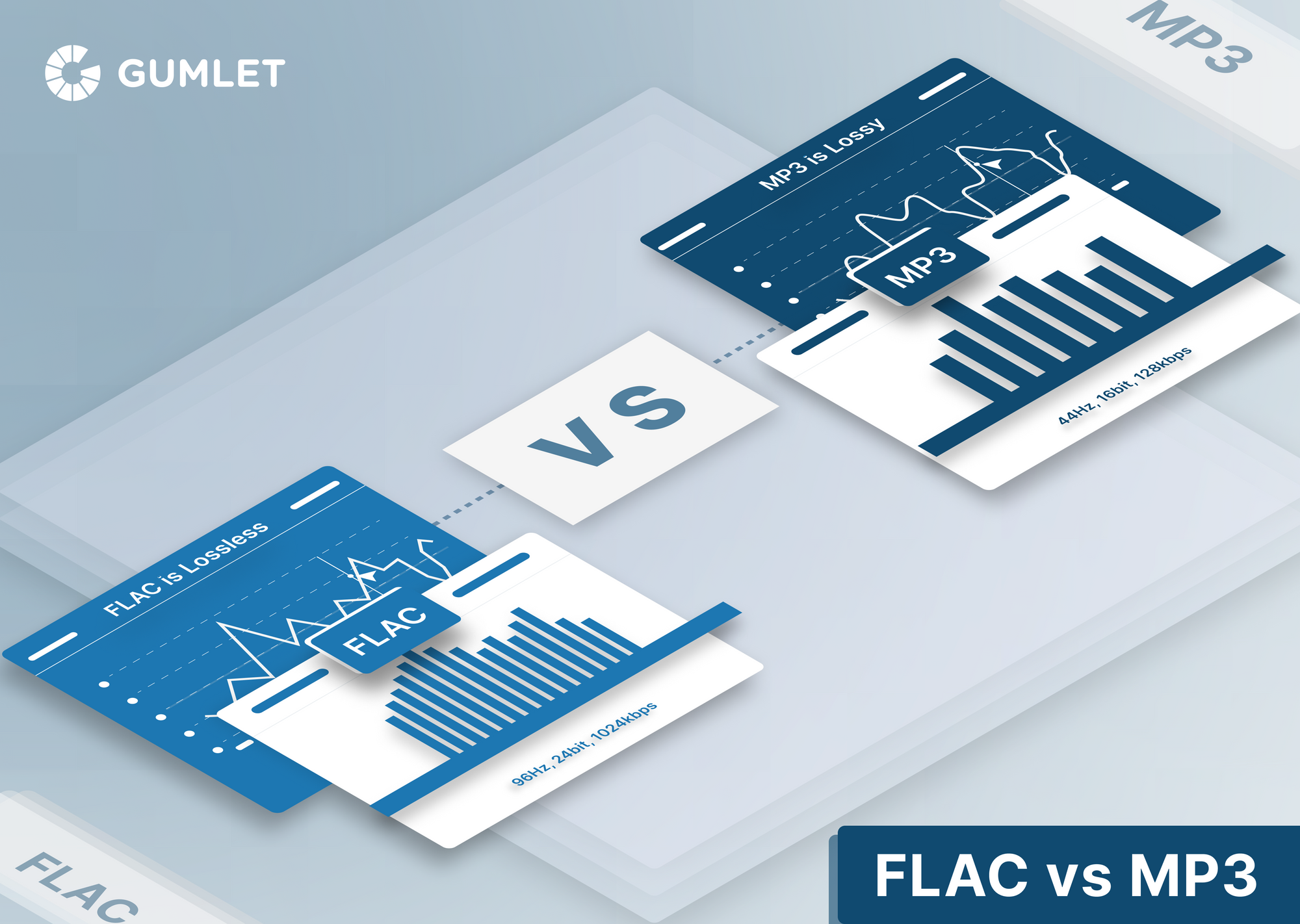
Different audio formats support varying levels of bitrate and, consequently, audio quality. Lossless formats like FLAC and WAV offer the highest audio fidelity as they preserve all the original data. Lossy formats like MP3 and AAC sacrifice some audio data to reduce file size.

Lossless

Lossless audio formats preserve all the original data, resulting in the highest audio fidelity. They are ideal for audiophiles and professionals who require the utmost accuracy in sound reproduction.

Lossy

Lossy audio formats use compression algorithms to reduce file size by sacrificing some audio data. They offer a good balance between audio quality and file size, making them suitable for everyday listening and storage purposes.

Listening Environment

The listening environment can significantly impact the perception of audio quality. Factors such as background noise, acoustics, and speaker quality can affect our ability to discern subtle differences in bitrate.

Background Noise

In a noisy environment, a lower bitrate may be sufficient as the background noise masks some of the audio details. However, in a quiet and controlled environment, a higher bitrate becomes more noticeable, providing a more immersive and enjoyable listening experience.

Acoustics

The acoustics of a room or space can influence the way audio is perceived. Proper acoustic treatment can enhance the overall audio quality, allowing for better sound reproduction and minimizing unwanted reflections or distortions.

Speaker Quality

The quality of speakers or headphones used for audio playback also plays a significant role in the overall audio experience. Higher quality speakers can better reproduce the nuances and details captured in high-bitrate audio files.

Music

Bitrate is particularly important when it comes to music. Higher bitrates allow for a more accurate representation of the original recording, resulting in a richer and more immersive musical experience.

Podcasts

Podcasts, like music, can greatly benefit from higher bitrates. Clearer and more detailed audio reproduction enhances the listening experience, making it easier to follow conversations and understand the content being discussed.

Audio Content

Whether it’s music, podcasts, audiobooks, or other forms of audio content, bitrate plays a crucial role in delivering a high-quality listening experience. Choosing the right bitrate ensures that the audio is faithfully reproduced and enjoyed to its fullest potential.