Audio file format AAC


Free Download Mp4Gain
picture

AAC files are designed to replace MP3 files. Lossy compression gives you better sound at the same bit rates. AAC files are standardized by ISO / IEC as part of the MPEG-2 and MPEG-4 file families (originally they were members of the MPEG-2 Part 7 filegroup). AAS files contain a higher number of sample rates (compared to MP3) and up to 48 channels. Significantly improved encoding efficiency, including an increased number of filter sets. Enhanced transient signal coding accuracy. Like MP3 files, AAS files suppress sound at frequencies that a person cannot hear. This way you can reduce the file size. Compared to MP3, AAS files are much smaller.
AAC Format

Technical details of AAC files

MPEG-2 Part 7 files are represented by three types of files: Low Complexity AAC-LC, Main Type (AAC Main), and Variable Rate Files (AAC-SSR). AAS files allow temporary noise generation, uneven sampling, and repeated generation of the bitstream format (for 16 stereo channels, 16 mono channels, 16 low-frequency channels, and 16 channels for single bitstream annotation). In 1999, the MPEG-2 Part-7 format was incorporated into the MPEG-4 Part-3 format, allowing the introduction of audio object types as well as constant noise replacement technology. The AAC format is currently described in ISO / IEC 14496-3. Lossy compression uses sound masking to remove unnecessary information while maintaining quality.
Aac format

Additional information about the AAC format

Until now, the AAC format has not yet achieved mass distribution in audio media. However, in a number of parameters it exceeds all existing types of audio compression, which means that it deserves our attention.

What is this?

Let’s start with the definition: AAC is the proprietary (proprietary) option for compressing an audio file. At the same time, the quality loss when encoding is less than with MP3 at the same bit rate. Furthermore, the AAC format is a wideband algorithm for encoding audio that uses two fundamental encoding principles to greatly reduce the amount of data required to transmit high-quality digital audio. This solution is recognized as one of the highest quality implemented using lossy compression technology. The format is compatible with most modern devices, including laptops. It should be noted that ringtones in AAC format can be purchased from the iTunes store and that this store presents music that is only compressed with this solution. It should also be said that the AAC format was originally created as a successor to MP3, which can offer improved encoding quality. The solution was published in 1997 as the new seventh part of the MPEG-2 family.

All the details

Interestingly, the AAC format has a sample rate in the range of 8 to 96 kHz, as well as the number of channels in the range of 1 to 48. MP3 uses a set of hybrid filters. AAC, in turn, refers to the modified discrete cosine transform with an expanded “window” size that reaches 2048 points.

Therefore, compared to MP3, AAC is much better suited for encoding audio with complex pulse stream as well as square wave signals. The format was given the ability to dynamically change MDCT block lengths within 2048-256 points. In the case of a short or simple movement, a small 256-point “window” is used to achieve better resolution. In this case, a default 2048-point “window” is used to maximize encoding efficiency. AAC has several advantages over regular MP3. Noteworthy is the implementation of a large number of audio channels (up to 48), significant coding efficiency at constant and variable bit rates, and sample rates from 8 Hz to 96 kHz (for MP3 from 8 Hz to 48 kHz). and a more flexible special mode called Joint Stereo. The solution is “AAS +”, a codec designed for a low bit rate. It is a combination of SBR and AAC



Free Download Mp4Gain
picture


Mp4Gain Main Window
picture


Mp4Gain Features
picture


Free Download Mp4Gain
picture

What is the AAC?

MP3 has practically become synonymous with online audio, as it is capable of transforming your music into small files, ideal for sharing. However, the fact of having a “reasonable” audio quality displeases many people, opening the market to other more robust formats, such as AAC (Advanced Audio Coding).

AAC (Advanced Audio Coding) Bluetooth Audio Codec

Unlike FLAC, AAC is a lossy audio compression scheme that focuses not on audiophiles, but on users who want high-quality music without sacrificing large disk space or even their portable music players to store them.

Seen by the market as a successor to MP3, this format has big names behind its development, such as Sony, AT&T, Nokia and Dolby Laboratories, and has even been standardized by renowned ISO and IEC institutes. Many of our devices already use AAC as standard, like PlayStation 3 and Portable, Nintendo Wii and DSi, Andoid devices, iPhones and iPod, being the standard format used even in iTunes.

AAC

To explain AAC’s superiority over MP3, let’s look at some points of comparison:

-AAC achieves a higher level of audio quality without increasing file size. This is measured in Kbps (Kilobits per second) and the higher this number, the more transparent the sound will be and the more space will be needed for the file. A song compressed in AAC at 96 Kbps has a clearer sound than an MP3 at 128 Kbps, which means more quality in a smaller size;
-A very important parameter to estimate the “purity” of a song is its sampling frequency, because the higher the margin, the more details are stored. While MP3 has a range of 16KHz to 48KHz, AAC ranges from 8KHz to 96KHz;
An MP3 audio file only supports 5.1 channels in MPEG-2, while AAC is capable of playing up to 48 different channels in MPEG-4;
-The above data only explains the preference of many users and companies to replace MP3, which has been standard since 1993. The only drawback seen by some manufacturers is the need to pay royalties to the Dolby Digital encoder (decoder) and AAC decoder. , but this is something that already happens with the MP3 format, so who knows with a little negotiation things will be resolved.

FLAC or AAC? Find out which audio format is the best

With the “death” of MP3, formats like FLAC and AAC gain more space.

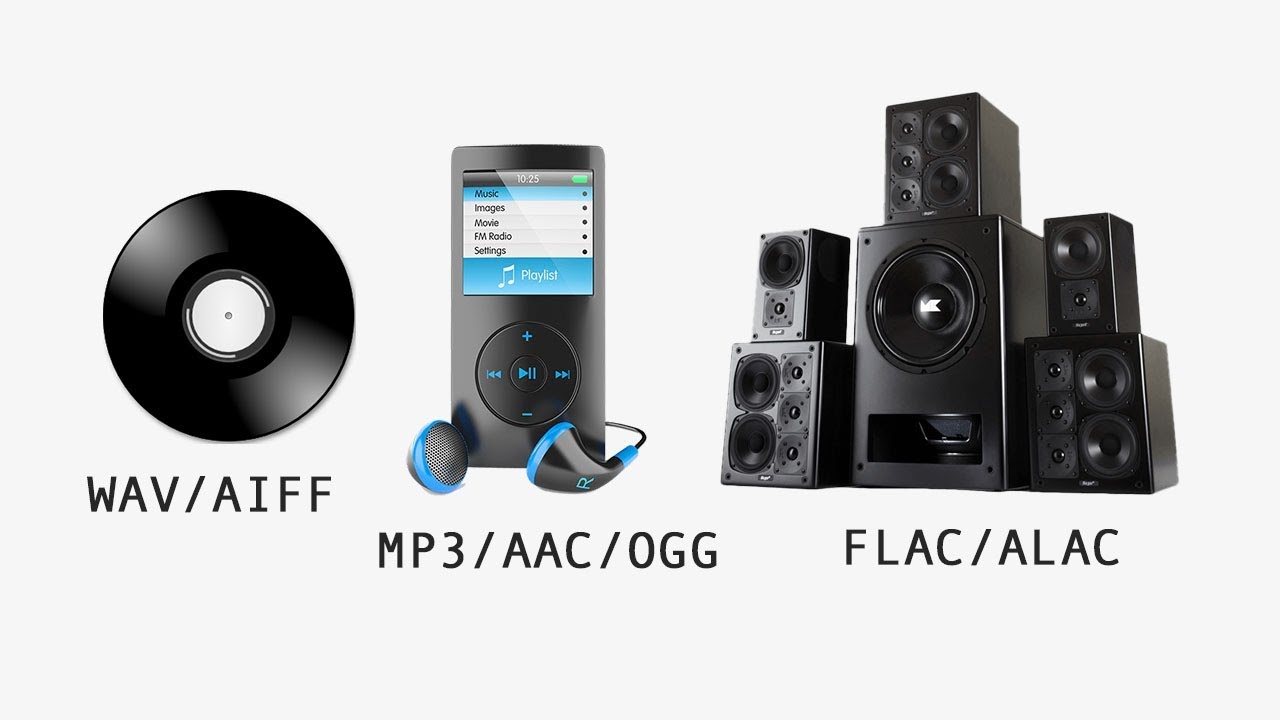
Music consumption on current devices may involve the use of non-MP3 files, as the creators of the format are abandoning their licensing program. Among the new types of audio files that have gained space are FLAC and AAC. With different proposals, they serve broader but conflicting usage and consumption profiles: FLAC is for those who demand the highest quality, giving up space, since the files tend to be large. AAC can be seen as a more conventional option: small file sizes, but with better sound quality than the previous MP3.

MP3 vs FLAC vs WAV vs AAC

Audio formats are divided between lossless (maximum quality) and loss, compact quality and lower

Understand the points that differentiate between FLAC and AAC files to find out which format best suits your needs.

Lossless and lossy audio

Digital audio file formats are divided into two types: lossless (lossless) and lossy (where, conversely, there is loss).

Flac vs AAC

The main characteristic of a lossless file, such as WAV or FLAC, is the fact that the sound stored in the package is faithful to the original: that is, in the process of converting the CD track, all the information has been preserved sound related to the song. completely, without any loss, ensuring high fidelity to the file. The problem with this is that the result is a large file – a WAV track can be over 40MB.

Lossy format refers to an approach in which the conversion of the original audio to the final file (MP3, AAC and etc.) goes through a compression process in which a variable amount is removed (depending on the chosen bit rate ) information to ensure a smaller file size. In the case of MP3, the ratio is 10 to 1: a 40 MB WAV returns a 4 MB MP3, at 128 kbps.

This information, removed in lossy type conversions, is generally automatically defined by the conversion software based on theoretical precepts related to the frequencies that our ears can identify. The problem with this approach is that there are ears and ears, there are sound devices and devices, and there are songs and songs: some details of the songs can be removed in an MP3 or AAC because the conversion ignores them.

And what is bitrate?

Not all AACs and MP3s are created equal: a low bitrate file will be of much lower quality than a higher bitrate version.

Simply put, it is the amount of information that is executed in a certain period of time when you listen to music. If the file is 128 Kbps, it means that 128 kilobits of information are executed every second. If the file is 320 kbps, it is 320 kilobits per second. The higher the value, the larger the sample, and generally the higher the sound quality of the file.

FLAC: lossless audio

FLAC-type sound files are converted to original using a compression process called lossless. This testifies that the compression of the music on a CD, for example, does not represent loss of information: the sound quality faithfully represents the experience of listening to the same track from a medium.

The point is that the FLAC format ends up “charging a high price” for all that quality. First, files get bigger (a single song can be over 20MB in size), which restricts the number of tracks you can store in a player and makes it difficult for anyone who consumes music to stream with Tidal: The weight of the file It can consume your plan and represent a bad experience, if your connection is slow and it is necessary to interrupt the playback to load the song.

Also, in general, the user does not have sound reproduction equipment that really takes advantage of the high quality of the FLAC without losses. Using low-quality headphones, along with inferior media players, can eliminate the benefits of higher quality lossless files compared to MP3 or AAC.

Which is better, after all?

If you value sound fidelity, you have good audio equipment and disk space is not a problem, lossless format is the best alternative: FLAC, ALAC and APE guarantee the highest audio quality. In this scenario, the discussion about AAC loses its meaning, since the gain will only be in the file size, but with loss of quality.

However, the AAC is a good option for those who don’t have high-quality headphones or sound systems. AAC is even a great format for users who have amassed a large, low-bit-rate MP3 library at 128 kbps. If you don’t have good equipment and good headphones, the FLAC is superior.

What is the AAC format and what are the advantages compared to the mp3?

A designated heir to MP3, this is the most widely used form of encoding today. It is supported, among others, by YouTube, iPhone and Android.

AAC audio format

Over twenty years of honest career, which has allowed music to become truly “pop” and spread around the world, regardless of the playback device used. This is the rather heavy legacy of MP3, a form of multimedia created in the late 1980s and early 1990s by Italian engineer Leonardo Chiariglione. Instead, we now find the AAC, the standard for encrypting audio files developed by Bell Labs, Fraunhofer Institute, Dolby Labs, Sony and Nokia near the end of the last century.

aac format audio digital

Lossy codec, the AAC is considered a model by both ISO (an acronym for the International Organization for Standardization) and IEC (an acronym for the International Electrotechnical Commission) and is an integral part of the MPEG-2 and MPEG-4 specifications. After a few years “in the shadows” of MP3 encoding, today AAC encoding is by far the most common and adopted: it is the standard or default audio format for YouTube, iPhone, iPod, iPad, Nintendo DSi, Nintendo 3DS, iTunes, DivX Plus Web Player, PlayStation 3 and is compatible with PlayStation Vita, Wii, Sony Walkman MP3, Android and BlackBerry.

AAC – Differences with MP3 files

The reason for this success is explained by the many improvements that this model presents compared to the one developed by Chiariglione. First of all, AAC manages to guarantee better audio playback quality for the same file size (and therefore bit rates). This is because AAC encoding has a greater variety of samples (8 to 96 kilohertz compared to 16 to 48 kilohertz samples allowed by the MP3 format) and supports a larger number of audio playback channels (up to 48 channels).

AAC – Portable music player

Added to this is the increased flexibility and flexibility of AAC coding, which allows engineers to design and implement coding and decoding algorithms according to their needs. This flexibility feeds real competition, leading to more efficient and effective algorithms. Simply put, a sound file converted to an AAC encoder at the same bit rate will guarantee, as already mentioned, better playback quality than many other competing loss formats.

How to convert MP3 to AAC

The discussion about converting between MP3 and AAC files is not entirely accurate. While the second is a real audio format used in many areas, the second is an encryption algorithm that can be used by different file formats. The most well-known, in this sense, are “.m4a”, “.mp4”, “.3gp”, “.m4b” and “.m4p”. To convert MP3 to AAC, therefore, you must select one of the forms listed above.

However, converting your MP3 music collection does not require any specific action. You need to select one of the many existing audio conversion programs (or even a special web portal for file conversion) and select the tracks or albums for editing.

AAC audio formats

AAC audio formats

When we talk about the different audio formats that we have available for our work or entertainment, we usually hear that there is the MP3 format, Dolby type sound, and in some cases it has audio in the AAC format.

This last audio format is very characteristic of some movies found on DVD discs, which comes to be a technical specification that means Advanced Audio Coding, or translated into Spanish “advanced audio coding”, and which actually comes to be an extremely important resource for those editors who work in the video area.

Working with the AAC audio format represents having a better sound quality than many of the cases is distributed to different speakers, perfectly defined in terms of the position they should occupy in an appropriate environment; In addition, this AAC audio format tends to occupy a smaller space than an MP3 audio format would occupy, which in the design of a DVD disc comes to be known as Layer 3 type audio, which is widely used in the compilation of audio and video for the formation of a DVD movie. But the important thing is that this AAC format provides high-fidelity audio quality and that many times it is used for the well-known “no-home” formats.

It is there where the conveniences of using this AAC audio format are found, since by occupying 30% less space than an MP3 audio file, having better quality and fidelity in its sound, it is widely used not only by those film editors DVD, but also by iTunes as well as by many music discs they represent today.

AAC (Advanced Audio Coding) is a digital audio signal computer format based on a lossy compression algorithm, a process by which some of the audio data is removed in order to obtain the highest possible degree of compression, resulting in an output file that sounds as close to the original as possible.

features

AAC uses a variable bit rate VBR, an encoding method that adapts the number of bits used per second to encode audio data, depending on the complexity of the audio stream at any given time. AAC is an encoding algorithm Broadband audio that has superior performance than MP3, produces better quality on small files and requires less system resources to encode and decode. This codec is oriented to broadband uses and is based on the elimination of redundancies of the acoustic signal, as well as on compression by means of the modified discrete cosine transform (MDCT), very similar to that of MP3.

Advantage

Superior audio quality for the same bitrate (kbps) your Radio at 32kbps will sound like 128kbps in mp3. Stereo sound support from 16 kbps unlike MP3 that supports it from 40 kbps. Support on Blackberry, Iphone, Smartphone equipment. Members of the codec family aacPlus aacPlus v1 is the combination of AAC and SBR, as the high-efficiency standardization profile in MPEG-4 (HE AAC). aacPlus v2 builds on the strong success story of aacPlus v1 and adds value in all fields where increased compression efficiency of stereo signals is mission critical. aacPlus v2 is a true superset of aacPlus v1, aacPlus v1 is from AAC. With the addition of Parametric Stereo in MPEG, aacPlus v2 is the current state of the art low-bit-rate open standard audio codec. Not compatible with MPEG-1. Sample Rate: 96 KHz, 88.2 KHz, 48 KHz, 44.1 KHz, 24 KHz, 22.05 KHz, 16 KHz. Maximum quality between 320 and 448 kbps (5 channels) and between 128 and 192 (2 channels) Maximum supported bitrate: From 12 kbps (in HE-AACv2 profile) to 448 kbps (in AAC-LC profile)

Three options

Highest quality (resolution at 23.43 Hz and 2.6 ms) Non prediction Scalable sampling rates

Three types of profiles:

AAC-LC: 16 KBps to 448 KBps HE-AAC: 16 KBps to 128 KBps HE-AACv2: 12 KBps to 56 KBps (most efficient profile in audio quality)

What is the best bluetooth codec?

Bluetooth audio is gaining a lot of followers today. The disappearance of the mini-jack ports for headphones on some smartphones, such as the iPhone, has led to audio companies producing high quality wireless devices. Among bluetooth audio technology, the Qualcomm aptX code is in a privileged place.

What is a bluetooth codec?

The word codec, when we talk about wireless audio, means the software’s method to encode a stream of audio information that is sent wirelessly between two devices. In other words, it is the process by which zeros and ones, of binary digital data, acquire format. It is used to transmit stereo audio through a source device, such as a telephone, a computer, television etc …, to a receiver, such as wireless speakers or headphones.
Different codecs send the audio information using different formats, they can also introduce their own compression technologies to maintain a balance between the sound quality and the information package of the audio files. Compression may sound negative for lovers of high quality audio, but it is necessary if we are going to send heavy files wirelessly.
This means that the variants between bluetooth codecs are compatible with different audio devices, in addition to providing different connection and sound qualities. All bluetooth devices support the standardized SBC (Low Complexity Subband Coding) codec, but SBC implementations have varied in quality throughout the history of this technology. To offer greater consistency to users of bluetooth products, several companies have developed their own bluetooth codecs, and then offer the license to other producing houses. AAC is one of these formats, the successor of MP3, used by Apple and others. Sony has its LDAC codec and Qualcomm offers aptX.

AptX, SBC and AAC codecs, which one is the best?

The codecs are coding algorithms that compress audio to handle sound packets and thus achieve fast wireless transmission. The effectiveness of the codec determines the quality of the audio information that will be sent. The SBC code is the standard algorithm for most bluetooth devices. However, this codec has a relatively high latency and can be somewhat noisy. The three main codecs, which most users will encounter, are SBC, AAC and aptX:

SBC

It is the code found in most wireless devices and with which all the bluetooth headphones that have the A2DP (Advance Distribution Profile) profile have. It is capable of transmitting up to 328kbps with sample rates of 44.1 Khz. It provides very decent quality audio and does not require much processing. However, audio may be inconsistent in some situations. This is notable especially when using cheap bluetooth transmitters.

AAC

Similar to SBC but provides better sound quality. This codec is very popular thanks to the Apple iTunes platform. As against, we must mention that it is not very comfortable to find it in headphones.

aptX

Ideal for demanding audio applications as it encodes audio more efficiently and accepts more information than the SBC. It has additional variations, such as aptX (LL) and aptX (HD), which drastically reduce latency in the wireless connection and improve sound quality. However, it is somewhat limiting because both the transmitter and the receiver must have the aptX capability for this codec to work.

How to make sure Spotify offers you the best possible sound quality

The last Radiohead disc includes a secret program that only works on a ZX Spectrum The last Radiohead disc includes a secret program that only works on a ZX Spectrum
MellowPlayer is a free and cross-platform player for Spotify, YouTube, Deezer, Tidal and moreMellowPlayer is a free and cross-platform player for Spotify, YouTube, Deezer, Tidal and more
Share music with anyone regardless of the streaming service you use Share music with anyone regardless of the streaming service you use

spotify audio quality

Spotify has changed for many the way we consume music for a few years, and although more and more competition comes out, especially with the arrival of Apple Music, they remain the undisputed leader of streaming music, at least for now .

Despite all the good things it has, there are those who feel that Spotify is missing things, such as offering lossless music, something they are trying and could come at any time. In the meantime, if you are a Spotify user, you may not know that the audio quality varies between different applications and between user types. That is why we have decided to explain how to get the best possible.

Before we begin, we will make it clear that the objective of this article is to make sure that Spotify gives you the best quality that the service can offer, but obviously it will not only depend on this factor what you end up listening to, the hardware you have, either the mobile or computer where you listen, or the speakers and headphones you use are another matter.

spotify

And, something else quite normal and that in the end weighs heavily in these cases, is that many people do not distinguish the difference between CD quality and an audio file at 160 kbps. But if you are one of those who are sure that it shows, this could help you.

The different bitrates of Spotify

Spotify Audio Quality

The first thing is that you know that Spotify uses three different types of quality for streaming. The format they use is always OGG, no MP3.

spotify

In mobile devices the normal quality is 96 kbps
The web player and desktop in normal quality receive audio at 160 kbps
The high quality mobile player receives 160 kbps audio
The high quality desktop application receives 320 kbps (only for premium subscribers)
The mobile application in extreme quality also receives 320 kbps (premium subscribers only)
From this you can conclude several things: the minimum quality is 96 kbps and only exists for mobile playback. The maximum quality for the web player is 160 kbps, there is no high quality option from the web, even if you have premium. You can receive the best possible quality only from the native desktop app (Windows, Linux, macOS) or from the mobile app if you are a Premium user.

Enable high quality in the desktop application

If you are not a premium subscriber it does not matter if you use the desktop client or the web client, which by the way no longer uses Flash but despite being much faster lost a lot of functions, the quality you receive will always be 160 kpbs.

If you are a premium subscriber you can enable high quality playback (320 kbps) from the Desktop App Settings. Click on Edit and then on Preferences or simply press CTRL + P. There you will find the Streaming option in high quality almost first.

Other important settings in Spotify settings

Songs To Test Headphones With 2017 05 28 17 05 21
Now, there is an important setting that at least in the most recent versions of the Windows desktop client is enabled by default. This is a setting in the playback that matches the volume of all the songs and that can affect the sound quite drastically.

This option adjusts the volume of all the songs in a playlist to be the same and causes the base sound to be lower than that of the web player, since the latter does not have that option.

Adjust the volume of all songs

It should not theoretically be a problem if you turn up the entire volume, but for many users this is why they feel that the web player is heard better at 160 kbps than the native 320 kbps player.

In addition to all this, at the end of the list of options in the Spotify desktop client configuration, you will find a setting to Enable hardware acceleration.


It should not theoretically be a problem if you turn up the entire volume, but for many users this is why they feel that the web player is heard better at 160 kbps than the native 320 kbps player.

In addition to all this, at the end of the list of options in the Spotify desktop client configuration, you will find a setting to Enable hardware acceleration.

Spotify Hardware Acceleration

This, for many teams, may not mean much or some difference whether it is active or not, but depending on whether you have a special sound card, or if you notice jumps in the playback or a lower quality in your sound experience, it is good to make sure you have it. always active.

Finally, if you use Windows, it is worth checking the volume mixer to make sure that Spotify sound is at the same level as the rest of the system sounds and not reduced, it is silly, but it may be the reason why You feel that it is heard lower than it should.

Volume Mixer

Right click on the volume icon in the taskbar and then select “Open volume mixer”.
And, since we talk about Windows, if you already have the Windows 10 Creators Update, activate the new spatial sound mode and test how you are doing with that magical and enveloping sound that Microsoft has invented. Or something like that.

Activate extreme quality in the mobile application

High Quality Spotify Mobile

This quality is only available for Premium users, the rest of the mortals have to conform to the normal quality at 96 kbps.

To activate it simply open the Spotify app and navigate to Your library, then touch the nut icon to go to Settings. Scroll down until you find the Music Quality section and select Extreme Quality next to the Streaming option.

You can also choose this quality for the songs you download to listen offline. And, remember that if you activate extreme quality, you will obviously consume more data when listening to streaming music.

Spotify equalizer

Another thing you can try to adjust the audio so that it sounds as pleasant as possible to your ear is to open the Equalizer and activate or deactivate it depending on how it works for you.

You will receive a very clear warning that you can alter the sound quality, but nothing happens to try, you can switch between the different presets, or you can manually adjust the bass and virtualization. If you think it was heard better before, just turn it off and go.

Finally, remember that these settings are not going to be worth much if you go with the mobile in the subway listening on the speaker, and do not expect miracles if you use a Renfe headset.

Differences Aac plus vs MP3

When deciding which compression format to choose to take full advantage of own resources such as those of the listener in streaming broadcasts, one of these two alternatives is generally considered.

mp3 vs aac

MP3 or MPEG-1 Audio Layer 3:

It is a standard compressed digital audio format with loss, the loss of information from the mp3 format is not audible by the human ear, therefore we will not distinguish the difference between an uncompressed audio file and an mp3 file.

In addition an mp3 file manages to reduce the size of the sound file without influencing its quality, approximately 1 minute of audio in mp3 format occupies 1 MB with a quality almost equal to the quality of Cd.

These advantages have achieved that the mp3 format can be played in almost all audio players, which is the format par excellence for the exchange through the internet, one of the best options at this time to store music with good quality, and also The audio format that is most used in portable players is a standard and therefore compatibility with all media is guaranteed.

The mp3 audio format allows you to select the quality of the audio that we are going to compress, the quality of cd would be equivalent to 128 Kbps (Bit rate), but we can select the compression between 8 Kbps and 320 Kbps taking into account that the higher the transmission of data (Kbps), the greater the use of broadband resources for both the broadcast and the reception by the listener.

AACplus: MP4 / aacPlus (HE-AAC) Enconder v 1.31; Stereo
As in the mp3, in the aacplus there is a solution for the little width for the channels. This is what is known as “Parametric Stereo” and corresponds to what is known as HE-AAC v2. Unlike what happens in the case of mp3, it is not convenient to use this option in high bitrates, in this case over 48kbps.

Considerations:

Quality assessments are expressed in percentages, with 100% being the overall quality of the original file.
The valuations are merely estimates but are intended to faithfully reflect the differences in quality between the different formats to the different bitrates.
The best alternatives for each format have been marked with red, according to the relationship of quality and consumption of own resources when emitting and resources of the listeners to correctly receive the audio.
Conclusions:

The first and most important regarding the mp3 is that, even in its highest quality, it is already obsolete. In any bitrate it is surpassed by the others so it will always be preferable to perform compression to any other of the subsequent formats. Ogg Vorbis and mpc are better quality formats that far exceed the mp3 but we have not included because they are not widely used. There are also several other formats that offer better compression.
For the mp3 the best bitrate is at 128kbps or 192 kbps, with a minimal difference in quality. Above that the difference is imperceptible and inferior to it is widely discernible.
At 72/74% the AAC PLUS format beats its competitors widely in the 48 / 64kbps being the best choice in the range. It will depend on the original file, as well as the greater or lesser preponderance of the high, medium and low. The decrease in fidelity is easily noticeable but it is not too much and many people will have no problem accepting it.
Under 128kbps, the quality of the mp3 drops considerably, while in the AAC PLUS format the decrease is not as pronounced. In the latter, it can be seen that between 128 and 48kbps the decrease in quality is minimal, with a difference of only 7%. Therefore, it is not worth compressing at 128kbps or at 96kbps having the option of doing so at 48 or 64 with a minimal difference in quality.

Advantages of AAC with respect to MP3

The AAC format supports multichannel sound which is an appropriate audio codec for the surround sound of 6 or more speakers, although it is currently not the most supported codec for it. However, MP3 only allows, in its base format, stereo sound.
It can reach a sampling frequency of 96khz, used in recording studios. MP3 is designed for playback only and to reach up to 48khz.
The sound quality is considerably superior to the same birate. This means that it is possible to encode an audio file in AAC with a bitrate lower than the equivalent in MP3 while maintaining the same sound quality. An audio file in HE-AAC encoded at 48kbps can offer a quality similar to an MP3 encoded at 128kbps.
Even at very low bitrates (32kbps or less) the sound suffers little loss compared to MP3. This could be